


How do I block spam and robocall texts on my phone in 2027?
Quality
Certified

To block spam and robocall texts on your phone in 2027, enable your carrier's free spam-filtering service, turn on your phone's built-in "filter unknown senders" setting, and report each junk message by forwarding it to 7726 (SPAM). Combine all three layers, since no single tool catches every robocall or scam text.
What it is and why it matters
Spam and robocall texts are unsolicited messages sent in bulk to your phone number, usually by automated systems that dial or message thousands of numbers at once. In 2027 the problem has not faded — it has gotten more sophisticated. Scammers now spoof local area codes, impersonate delivery carriers, banks, and government agencies, and use short-link redirects that hide the real destination until you tap. A single reply of "STOP" or "YES" can confirm your number is live, which raises its value on the resale market and increases the volume of junk you receive. That is why the goal is not just to delete messages but to block them before they arrive and to avoid signaling that your number is active.
The stakes go beyond annoyance. Smishing — phishing delivered by SMS — is one of the most common ways attackers steal one-time passcodes, hijack accounts, and push victims into fraudulent payments. A robocall text that looks like a bank alert can trick a careful person into clicking a link and entering credentials. For businesses, a compromised phone number can lead to account takeovers that expose customer data. Blocking is therefore a security control, not just a convenience.
It also matters because the volume is uneven. Some users get a handful of junk texts a month; others, especially those whose numbers appeared in a breach, get dozens a week. The right setup depends on your carrier, your phone's operating system, and how much friction you are willing to accept. The sections below walk through the concrete steps, the costs and timelines, the mistakes that leave people exposed, and a decision framework for choosing the right combination of tools.
The step-by-step process
The most reliable approach layers three defenses: carrier-level filtering, device-level filtering, and manual reporting. Carrier filtering catches messages before they reach your phone. Device filtering sorts unknown senders into a separate folder. Reporting feeds the global spam databases that carriers and platforms use to improve their filters for everyone.
Step 1: Check your carrier's spam-filtering service. All major U.S. carriers offer a free spam and fraud filter. AT&T Call Protect, Verizon Call Filter, and T-Mobile Scam Shield each include a free tier that flags suspected spam and blocks known fraud numbers. The free tiers typically block "high-risk" fraud calls and label suspected spam; the paid tiers, usually a few dollars per month per line, add caller-name ID, personal block lists, and reverse-number lookup. Activate the free tier first — it costs nothing and catches a meaningful share of robocall traffic before your phone ever rings.
Step 2: Turn on your phone's built-in filtering. On iPhone, go to Settings > Messages > Filter Unknown Senders. This moves messages from numbers not in your contacts into a separate "Unknown Senders" tab and silences notifications. On Android, the Google Messages app has "Spam protection" under Settings > Spam protection, which uses on-device and cloud signals to classify junk. Samsung Messages has a similar "Block unknown senders" toggle. These settings do not delete messages; they quarantine them so you can review and delete in bulk.
Step 3: Block individual numbers. When a specific number keeps texting, open the message, tap the sender, and choose Block. On iPhone, tap the number at the top, then Info > Block this Caller. On Android, tap the three-dot menu > Block number. Blocking is per-number, so it is a cleanup tool, not a primary defense — scammers rotate numbers constantly.
Step 4: Report every junk message to 7726. Forward the spam text to 7726 (SPAM). Your carrier will ask for the sender's number, then route the report to its fraud team. This is free and takes about ten seconds. Reports feed the carrier's filtering models and the global spam databases, which is why reporting helps everyone, not just you.
Step 5: Never reply, never tap. Do not reply "STOP," "UNSUBSCRIBE," or "YES" to an unknown sender. A reply confirms your number is active. Do not tap links in unexpected messages, even if they look like delivery notices or bank alerts. If you are unsure whether a message is legitimate, contact the organization directly using a number you look up yourself.
Step 6: Register on the Do Not Call Registry. In the U.S., add your number at donotcall.gov. This will not stop illegal robocallers, who ignore the registry, but it reduces legitimate telemarketing and gives you a paper trail if you want to file a complaint with the FTC.
Step 7: Use a third-party filtering app if needed. Apps like RoboKiller, Truecaller, and Hiya offer stronger spam databases and community reporting. They typically cost a few dollars per month. They are most useful if you receive a high volume of junk or want call screening with a virtual assistant that answers unknown numbers.
The order matters. Carrier filtering is the cheapest and earliest interception point. Device filtering catches what slips through. Reporting closes the loop so the system gets better. Skipping any layer leaves a gap that scammers exploit.
Costs, timelines, and typical ranges
Most of the effective tools are free. Carrier spam filters have free tiers that block known fraud and label suspected spam. Your phone's built-in filtering costs nothing. Reporting to 7726 is free. The Do Not Call Registry is free. A basic, effective setup therefore costs $0 per month.
Paid upgrades exist, and their value depends on your situation. Carrier premium tiers — AT&T Call Protect Plus, Verizon Call Filter Plus, T-Mobile Scam Shield Premium — generally run about $3 to $5 per month per line. They add features like caller name ID, personal allow and block lists, and voicemail-to-text. Third-party apps like RoboKiller, Truecaller Premium, and Hiya typically run roughly $3 to $5 per month or about $30 to $50 per year. These are worth considering if you get a high volume of junk or want automated call screening.
Timelines are short. Activating a carrier filter takes a few minutes in the carrier app or account portal. Turning on device filtering takes under a minute. Reporting a message takes about ten seconds. You will usually notice a reduction in junk within days, though scammers adapt, so expect the volume to fluctuate. A new number that has not been exposed in a breach typically stays cleaner for longer; a number that has been circulating on spam lists may take weeks of consistent blocking and reporting to quiet down.
There is also a hidden cost to consider: false positives. Aggressive filtering can occasionally send a legitimate message — a delivery notification, a one-time passcode from a service you just signed up for — into the spam folder. Check your Unknown Senders or spam folder periodically, especially if you are expecting a verification code. If a legitimate sender keeps getting filtered, add them to your contacts, which usually whitelists them.
For businesses, the calculus is different. A company phone number that gets flagged as spam can have its legitimate messages filtered, which hurts customer communication. If you send transactional texts, register with The Campaign Registry and follow carrier messaging guidelines so your number is not caught in the same net as robocallers. That registration is a separate process from personal blocking, but it is the business-side counterpart to the consumer tools described here.
Where teams get it wrong
The most common mistake is relying on a single layer. People turn on their phone's filter and assume they are protected, but device filters miss messages that spoof a contact or use a new number. Others rely only on their carrier and never report, so the filter never learns about the specific numbers hitting them. The strongest setup uses carrier filtering, device filtering, and reporting together.
The second mistake is replying to junk. Replying "STOP" to a legitimate marketing list works, but replying to an illegal robocaller confirms your number is live. The safe rule is to never reply to an unknown sender. If the message is from a service you actually use, you can log into that service directly to manage preferences.
The third mistake is tapping links to "unsubscribe." Scam texts often include a fake unsubscribe link that leads to a phishing page or installs malware. Do not tap links in unexpected messages. If you want to unsubscribe from a legitimate sender, do it through the company's website or app.

The fourth mistake is ignoring the breach angle. If your number appeared in a data breach, it is already on spam lists, and no filter will catch everything. In that case, consider changing your number, or at minimum use a secondary number for signups and keep your primary number private. Google Voice, carrier second-line services, and app-based numbers can serve as a buffer.
The fifth mistake is not checking the spam folder. Aggressive filtering can hide legitimate messages, including one-time passcodes and appointment reminders. Check the folder weekly, and add legitimate senders to your contacts so they are whitelisted.
The sixth mistake is assuming the Do Not Call Registry stops robocalls. It does not. Illegal robocallers ignore it. The registry reduces legitimate telemarketing and gives you a complaint path, but it is not a technical block. Pair it with carrier and device filtering.
Decision framework: when to choose what
Start with the free stack: carrier filter, device filter, and 7726 reporting. This costs nothing and handles most users. If you still get more than a handful of junk texts a week, add a paid carrier tier or a third-party app. If your number has been exposed in a breach and the volume is relentless, consider a secondary number for signups and keep your primary number private. If you are a business sending legitimate texts, register with The Campaign Registry so your messages are not filtered. The framework is cumulative: each layer adds coverage, and the decision is about how much friction and cost you are willing to accept for how much quiet.
Related questions
Does blocking a number stop robocall texts?
Blocking a specific number stops that number, but scammers rotate numbers constantly, so it is a cleanup tool rather than a full defense. Combine blocking with carrier and device filtering for real coverage.
Is forwarding spam to 7726 free?
Yes. Forwarding a spam text to 7726 (SPAM) is free on all major U.S. carriers. Your carrier may reply asking for the sender's number, then routes the report to its fraud team.
Will the Do Not Call Registry stop robocall texts?
No. Illegal robocallers ignore the registry. It reduces legitimate telemarketing and gives you a complaint path, but you still need carrier and device filtering to block illegal texts.
Can I block all unknown senders?
On iPhone, Filter Unknown Senders moves them to a separate tab. On Android, Google Messages spam protection classifies them. You can silence them, but check the folder for legitimate one-time passcodes.
Do paid spam-blocking apps work better than free tools?
Paid apps add community reporting, caller ID, and call screening, which can catch more. For low volume, free tools are usually enough. For high volume, a paid app or carrier tier is worth the few dollars a month.
FAQ
How do I block spam and robocall texts on my phone in 2027?
Enable your carrier's free spam filter, turn on your phone's built-in unknown-sender filtering, and report each junk message to 7726. Block individual numbers as cleanup. Never reply or tap links. This layered setup costs nothing and blocks the large majority of robocall and spam texts.
What is the single most effective step?
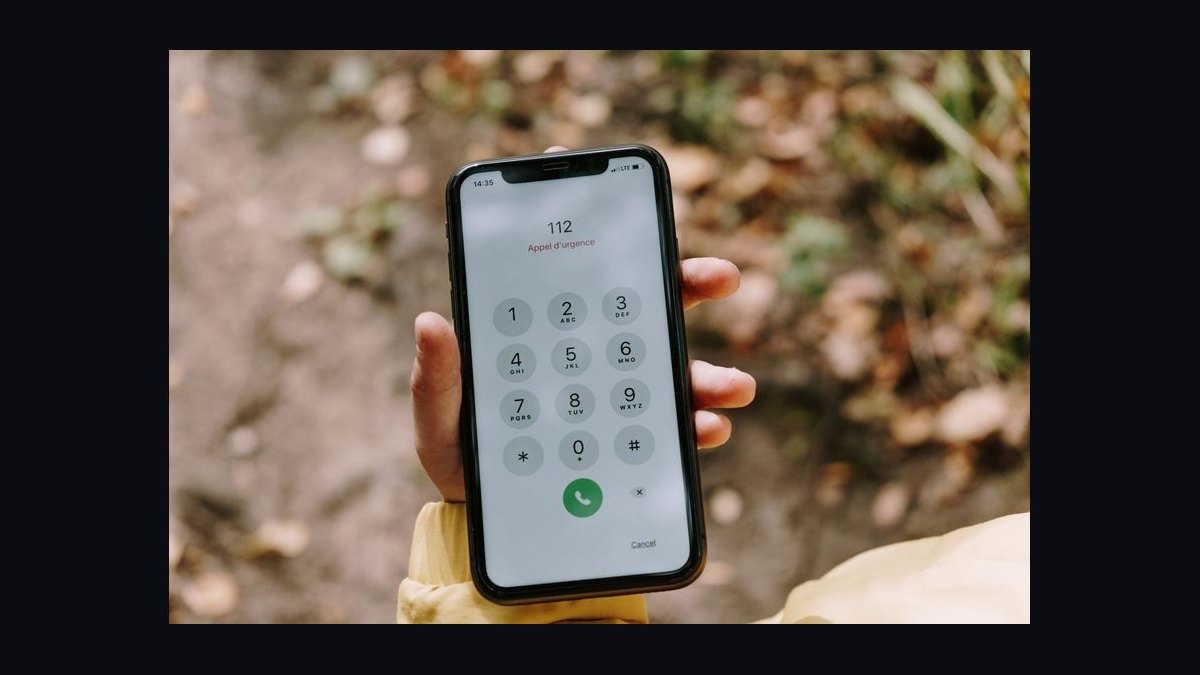
Carrier-level filtering, because it blocks known fraud before the message reaches your phone. It is free, takes minutes to activate, and catches a meaningful share of robocall traffic. Device filtering and reporting then catch what slips through.
Should I reply STOP to a spam text?
No. Replying confirms your number is active and can increase junk volume. Only reply STOP to legitimate marketing lists you actually signed up for. For unknown senders, block and report instead.
How long until the junk stops?
Expect a reduction within days of enabling filters. If your number appeared in a breach, it may take weeks of consistent blocking and reporting to quiet down. Volume fluctuates as scammers adapt.
Do I need a paid app?
Only if you get a high volume of junk or want call screening. Free carrier and device filters handle most users. Paid tiers and apps typically cost about $3 to $5 per month per line.
Can spam texts steal my accounts?
Yes. Smishing messages impersonate banks and services to steal one-time passcodes and credentials. Never tap links in unexpected messages. Contact the organization directly using a number you look up yourself.
Sources
- https://www.ftc.gov/news-events/topics/telemarketing/do-not-call-registry
- https://www.fcc.gov/consumers/guides/stop-unwanted-robocalls-and-texts
- https://www.att.com/features/call-protect/
- https://www.verizon.com/solutions-and-services/add-ons/call-filter/
- https://www.t-mobile.com/benefits/scam-shield
- https://support.apple.com/en-us/HT201229
- https://support.google.com/messages/answer/9247394
- https://www.consumer.ftc.gov/articles/how-recognize-and-report-spam-text-messages
Related on PULSE
- How to report a robocall to the FTC and FCC
- Setting up carrier call filtering on AT&T, Verizon, and T-Mobile
- Smishing vs. phishing: how to spot a scam text
- Do Not Call Registry: what it does and does not do
- Using a secondary number to protect your primary phone
- Business texting compliance and The Campaign Registry
This page will be disappearing soon. Save it to your device for $1 — or read it free while it is here.
@Kory-White- · if Venmo asks, the last 4 of my number are 2012
This page is gone.
This one is off the shelf now. $1 keeps it on your phone for good — the whole page, pictures and diagrams included.
 telcoBest Cellular and Wireless Carrier in New Jersey in 2027
 telcoBest Cellular and Wireless Carrier in Spokane in 2027
 telcoBest Cellular and Wireless Carrier in Seattle in 2027
 telcoBest Phones on T-Mobile in 2027
 telcoWill Starlink become a real cell phone carrier in 2027?
 telcoBest Cellular and Wireless Carrier in Pittsburgh in 2027
 telcoWhat is Wi-Fi calling and should I turn it on in 2027?
 telcoBest Cellular and Wireless Carrier in Indianapolis in 2027
 telcoWhat is the best plan for a frequent international traveler in 2027?
 telcoBest Cellular and Wireless Carrier in Tulsa in 2027