
The 10 Best AI Tools for Business Dashboards in 2027
 Curated byKory White · Fractional CRO · Maryland
 PULSEKNOWLEDGE LIBRARY
The 10 best ai tools for business dashboards are ranked below on measured performance, build quality, price, and how each one actually holds up in daily use rather than how it reads on a spec sheet. Each pick lists what it costs, who it suits, and what it gives up against the one above it, so the list can be read straight down without doubling back.
1. Microsoft Power BI
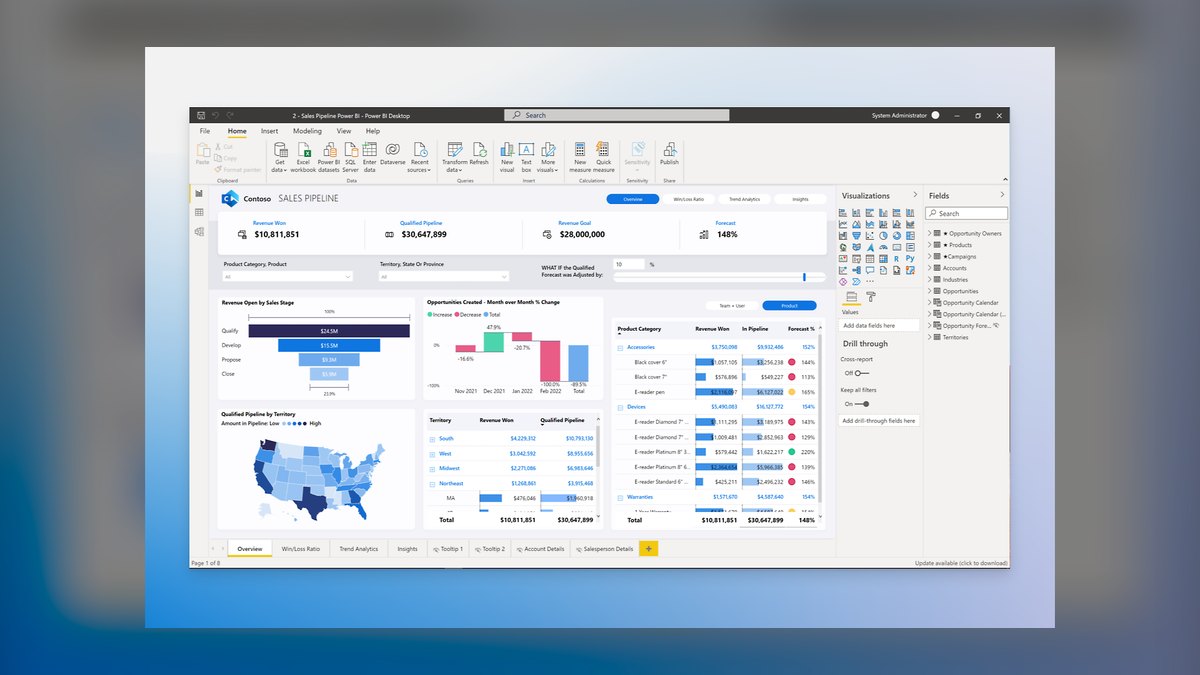
Microsoft Power BI ranks first because Copilot is woven directly into the authoring flow, generating visuals, DAX measures, and narrative summaries from natural-language prompts. It sits on Microsoft Fabric's OneLake, so AI answers from governed, certified data rather than stale extracts. Power BI Pro costs about $14 per user per month, with Premium Per User near $24, making enterprise-grade AI surprisingly affordable. Copilot capabilities increasingly fold into Fabric capacity, avoiding separate per-seat AI surcharges.
Power BI is for operators already standardized on Microsoft 365 who need governed, enterprise-scale dashboards with native Excel, Azure SQL, and Dynamics 365 connectivity. It embeds directly into Teams and SharePoint, creating immense gravity within existing workflows. The trade-off is a steep learning curve on DAX and data modeling once you outgrow auto-generated reports. Compared to Tableau, it offers broader connectivity and lower pricing but less visual exploration depth.
2. Tableau

Tableau ranks second because its AI story matured rapidly with Tableau Pulse delivering personalized metric digests and Tableau Agent generating calculations and visualizations conversationally. Pulse pushes plain-language summaries of what moved, by how much, and why directly to Slack or email, keeping teams informed without opening dashboards. The VizQL engine and deep chart gallery give analysts pixel-level design control that template-driven tools cannot match.
Tableau is for analytics-heavy teams that scrutinize dashboards in the room and prize visual exploration and interactivity. A Creator license lists around $75 per user per month, with Explorer near $42 and Viewer near $15, so costs climb quickly with many builders. It trades away the price advantage of Power BI, which undercuts it at roughly $14 per user per month. For organizations where design depth justifies the premium, Tableau remains the benchmark.
3. ThoughtSpot
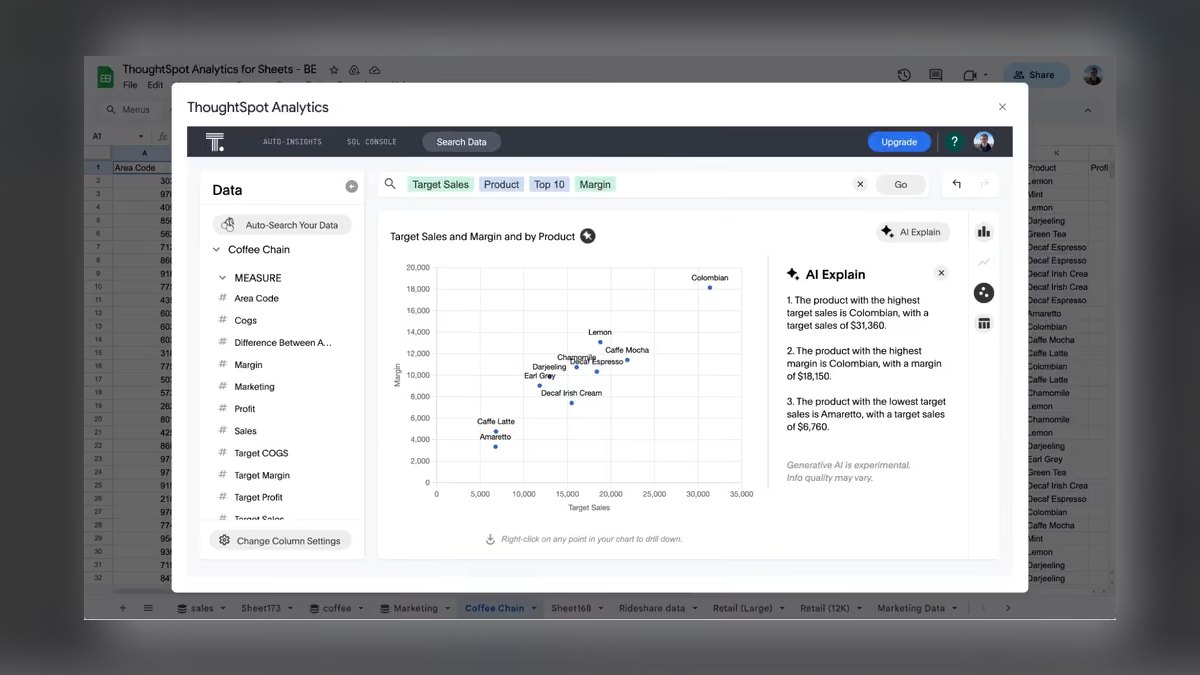
ThoughtSpot ranks third because its natural-language search was built from day one, making the AI layer feel native rather than retrofitted. Type a question and it returns a live, drillable visualization, while the Spotter AI agent holds multi-turn conversations and proposes follow-up analyses. SpotIQ auto-surfaces anomalies and trends you did not think to query, extending analyst reach. Since acquiring Mode, it also offers a code-first notebook path for SQL and Python alongside search.
ThoughtSpot is for organizations that want hundreds of non-analysts self-serving answers without filing tickets to a BI team. It models data semantically up front, so the AI knows revenue means the same thing everywhere, reducing confusion. It is enterprise-priced and typically quoted per consumption rather than flat per-seat, suiting mid-market and larger operators. Compared to Tableau, it prioritizes search-driven access over visual design control, trading depth for democratized self-service.
4. Google Looker
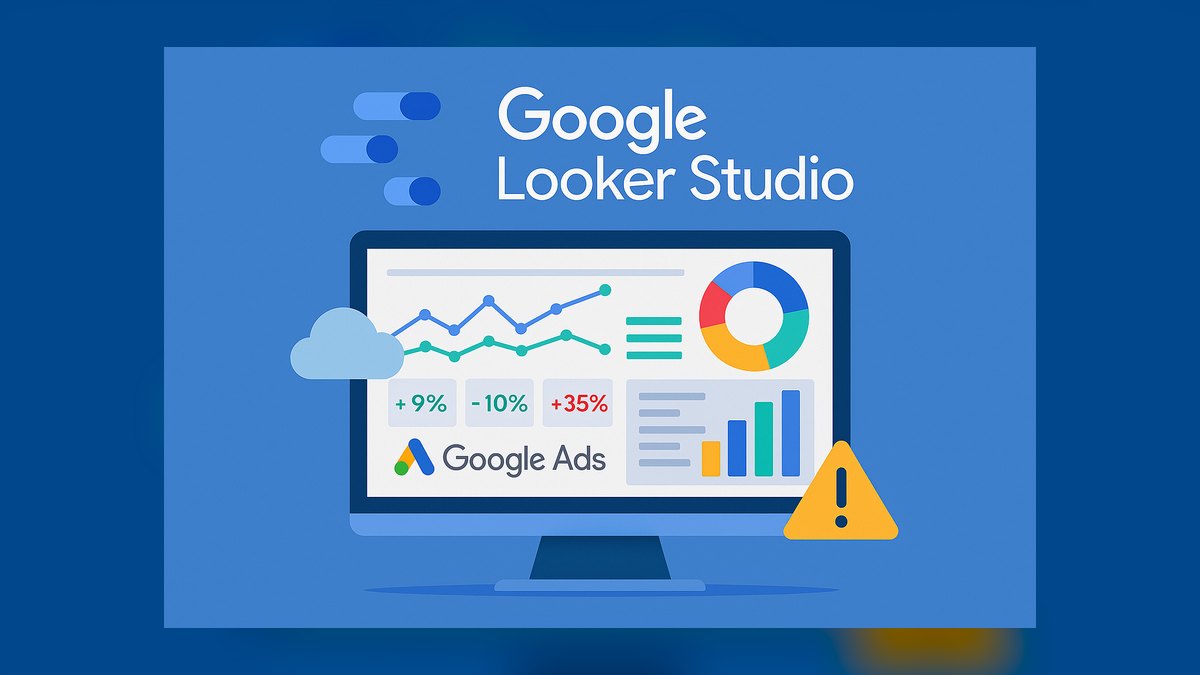
Google Looker ranks fourth because its LookML semantic layer defines metrics once, ensuring every dashboard inherits consistent definitions across the enterprise. Gemini in Looker adds conversational analytics, automated chart generation, and slide-deck-style report creation from a single prompt. It queries in-database rather than extracting, keeping large datasets fast and current on BigQuery. This governance-first approach makes it a single source of truth feeding both dashboards and downstream applications.
Looker is for data-mature teams on Google Cloud who have engineering capacity to maintain LookML modeling discipline. It rewards teams that can invest in semantic modeling but punishes those expecting drag-and-drop simplicity. The enterprise product carries the strongest Gemini features, distinct from the free, lighter Looker Studio. Compared to ThoughtSpot, it offers deeper governance and modeling but requires significantly more technical expertise to operate effectively.
5. Amazon QuickSight
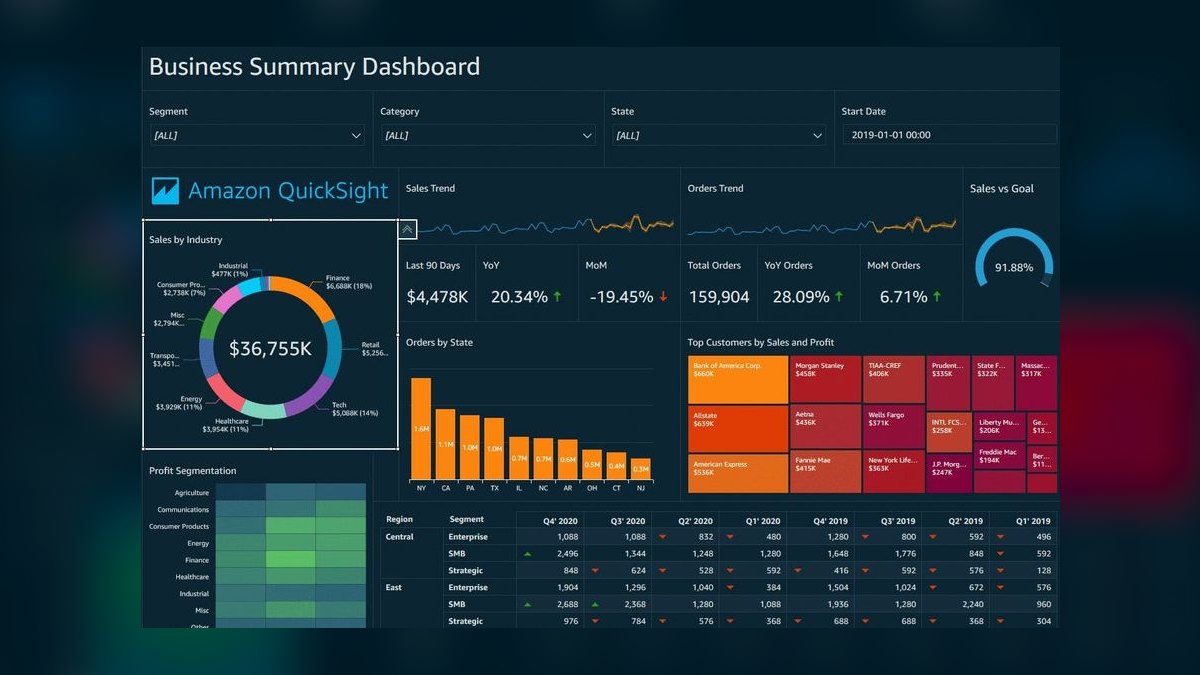
Amazon QuickSight ranks fifth because Amazon Q in QuickSight is a generative engine that builds dashboards from natural-language prompts and answers ad-hoc questions in a Q&A bar. Readers are billed pay-per-session at roughly $0.30 per session, capped near $5 per reader per month, making occasional consumption nearly free. Authors run about $24 per user per month, with Amazon Q features available as a paid add-on.
QuickSight is for AWS-centric operators whose data already lives in Redshift, S3, or Athena, where integration is seamless. Outside AWS, it is less compelling than broader-connector incumbents like Power BI or Tableau. The pay-per-session reader model is uniquely cost-effective for organizations with many occasional dashboard viewers. Compared to Looker, it trades away semantic modeling depth for serverless simplicity and lower entry costs for consumers.
6. Qlik Sense
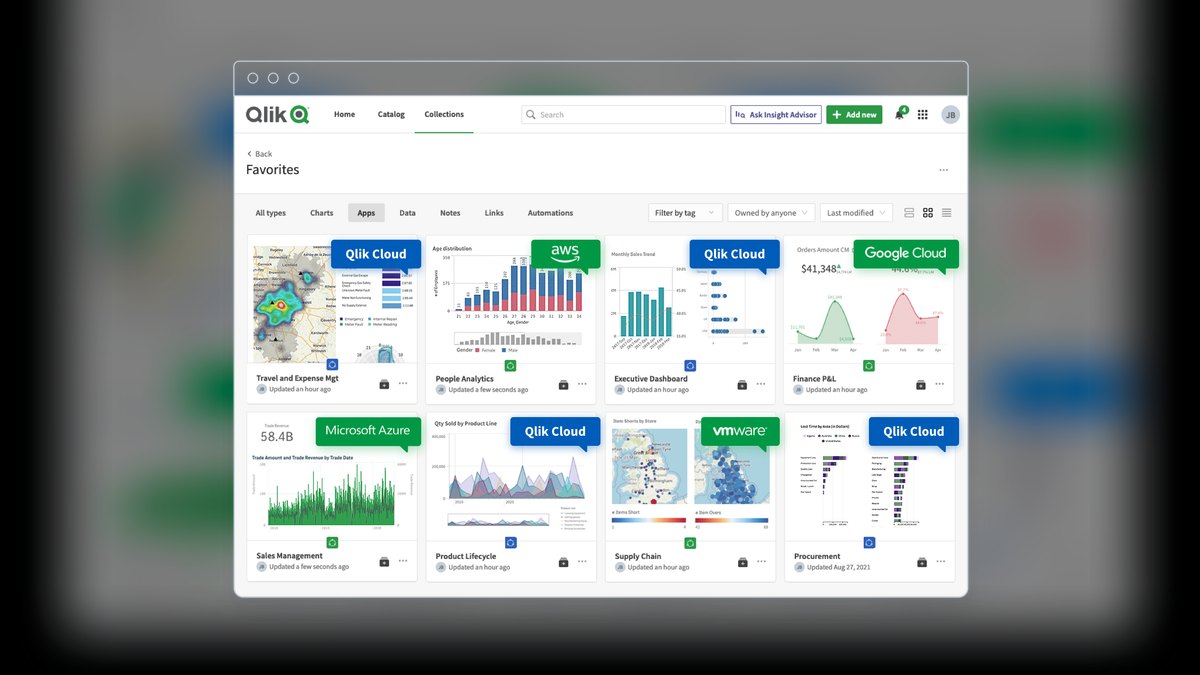
Qlik Sense ranks sixth because its associative engine lets users explore data freely in any direction, instantly seeing related and unrelated values across sources. Insight Advisor generates charts and surfaces insights from natural-language questions, while Qlik Answers adds a generative AI assistant pulling from structured and unstructured documents. The platform's data-integration heritage means strong pipelines feed the dashboards directly. Row-level security and governance are mature, suiting regulated industries.
Qlik Sense is for operators who need to investigate relationships across many data sources without predefining every drill path. It is enterprise-tier in pricing and capability, which smaller teams may find heavier than needed. The associative model is genuinely distinctive for complex, multi-source analysis, offering a different paradigm from query-and-return BI tools. Compared to QuickSight, it provides deeper exploration but at higher cost and complexity, making it a fit for sophisticated analytical teams.
7. Sigma Computing
Sigma Computing ranks seventh because it brings a spreadsheet-familiar interface directly on top of your cloud data warehouse, with no extracts or separate data copies. Sigma AI adds natural-language query, formula generation, and AI-assisted exploration that runs against live warehouse data. Every action is pushed down to the warehouse, so dashboards reflect current data and scale with your compute. Write-back support lets users update records, a rare capability among BI tools.
Sigma is for teams already running Snowflake, Databricks, BigQuery, or Amazon Redshift who want broad self-service without moving data. It assumes you have already built a modern cloud warehouse foundation, which is its main constraint. Pricing is quoted by plan and platform tier, leaning toward mid-market and enterprise customers. Compared to Qlik Sense, it offers a more familiar spreadsheet experience but lacks the associative engine's free-form exploration across unrelated data.
8. Domo

Domo ranks eighth because it bundles data integration, transformation, and dashboards into one cloud service, appealing to operators who do not want to stitch tools together. Domo.AI spans an AI Chat for conversational querying, model integrations, and automated insight generation, while Beast Mode calculated fields give analysts flexible custom metrics. The App Studio and large connector library make it quick to assemble cross-departmental views. Alerting is strong for operators who manage by exception.
Domo is for executive teams that want polished, mobile-first dashboards and a single vendor handling the whole pipeline. Its all-in-one convenience comes at enterprise pricing that is consumption-based, so modeling expected usage is critical. For teams that already own a warehouse and ETL stack, paying for Domo's bundled layers can feel redundant. Compared to Sigma, it offers a broader end-to-end platform but with less direct control over the underlying data warehouse compute.
9. Zoho Analytics

Zoho Analytics ranks ninth but is the clear value pick because Zia, its AI assistant, answers natural-language questions, auto-generates dashboards, and produces forecasts and anomaly alerts. Paid plans start near $24 per month for a small team billed annually, far below enterprise incumbents' per-seat rates. It connects to hundreds of sources, including files, databases, cloud apps, and the wider Zoho suite. White-label embedding is available for those who resell dashboards.
Zoho Analytics is for small and mid-sized operators who want genuine AI-assisted analytics without a five-figure annual commitment. It will not match the raw scale or modeling depth of Power BI or Looker on massive datasets, but the value ratio is unbeatable for most operating teams. Compared to Domo, it offers significantly lower pricing while trading away some enterprise-grade integration and governance features.
10. Databricks AI/BI
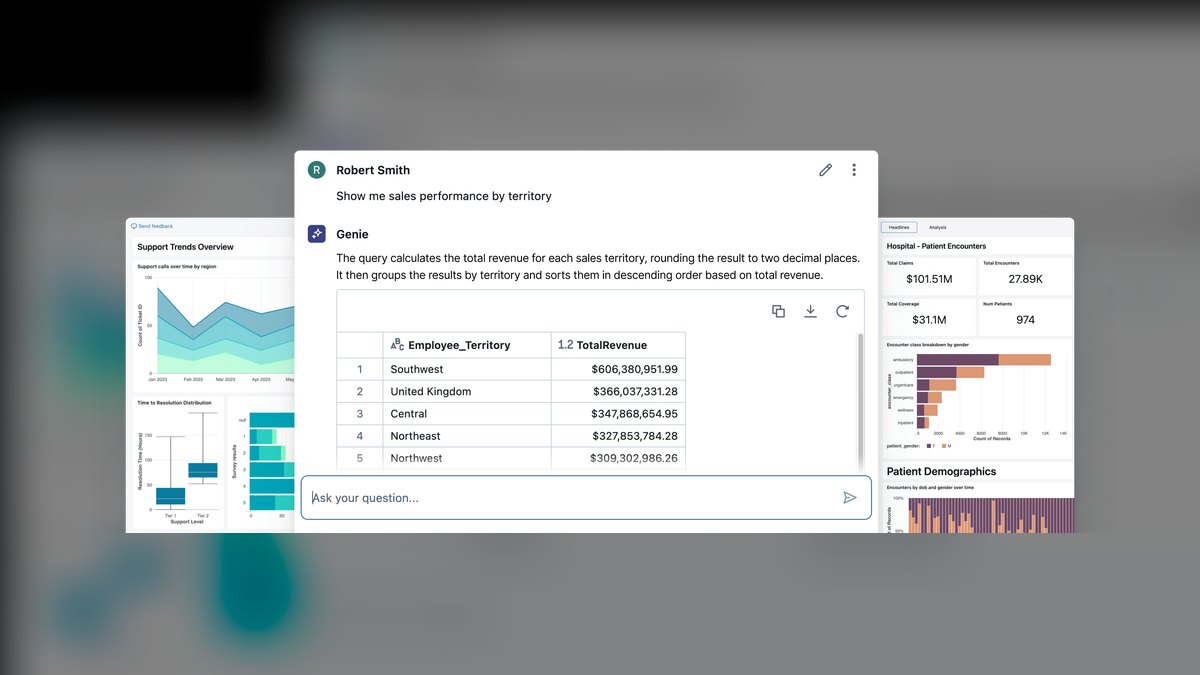
Databricks AI/BI ranks tenth because its Genie feature is a conversational interface that lets business users ask questions in plain language against governed data on the lakehouse. It sits on Unity Catalog and the same compute as data engineering and ML workloads, so AI answers from a single, lineage-tracked source. AI/BI Dashboards are included with the platform, meaning no additional per-seat dashboard license for Databricks customers. This creates meaningful savings for shops already paying for Databricks compute.
Databricks AI/BI is for data teams already standardized on Databricks who want to push self-service analytics to business stakeholders without exporting data to a separate BI tool. The limitation is reach: outside a Databricks environment, it is not a standalone BI purchase. Compared to Zoho Analytics, it offers deeper integration with lakehouse data but assumes a significant existing infrastructure investment. As a built-in capability for lakehouse customers, it is increasingly hard to ignore in 2027.
How we ranked these
We measured each platform across five operator-facing dimensions: AI capability, data connectivity, governance and trust, price-to-power ratio, and time-to-first-dashboard for non-technical users. AI capability carried the most weight, assessing whether tools generate visuals from questions, summarize metric changes, and explain anomalies rather than bolting a chatbot onto existing reports. We scored against public list rates as of early 2027, treating them as starting points.
We deliberately ignored brand recognition, marketing hype, and features that only matter to data scientists. We excluded pure spreadsheet add-ons and tools without a genuine AI layer. The focus was on what a typical operator actually uses daily, not theoretical capabilities requiring extensive setup or specialized skills. We did not weigh vendor reputation or future roadmap promises, prioritizing real-world utility and measurable outcomes over speculation.
What to look for
What actually matters is where your data already lives. Power BI wins for Microsoft 365 shops; Tableau for visual exploration; Looker for Google Cloud; QuickSight for AWS; Sigma and Databricks for modern warehouses. Match the tool to your existing stack first, then evaluate AI accuracy on your own data. Governance is critical—ensure the AI works through a semantic layer to avoid hallucinated numbers. Price per seat matters less than total cost of deployment and training.
The mistake most buyers make is choosing based on demo data rather than their own. Generated charts look impressive on clean sample data but fail on messy real-world data. Another common error is ignoring the learning curve—DAX, LookML, and modeling discipline can stall adoption. Always run a pilot with your own data and three real questions you'd ask weekly before committing.
Related questions
What is the best AI dashboard tool for a small business?
Zoho Analytics is the best value pick for small businesses, offering serious AI capability at a fraction of enterprise pricing. Paid plans start near $24 per month for a small team, and Zia, the AI assistant, can answer natural-language questions, auto-generate dashboards, and produce forecasts. It connects to hundreds of sources and offers white-label embedding, making it ideal for budget-conscious operators.
How does Power BI Copilot compare to Tableau Agent?
Power BI Copilot is woven through the authoring flow, drafting visuals, writing DAX measures, and generating narrative summaries. Tableau Agent, built on Einstein AI, generates calculations and visualizations conversationally and suggests next questions. Power BI edges ahead on breadth, governance, and price, while Tableau wins on visual depth and its Pulse metric-monitoring experience.
Can AI dashboard tools generate dashboards from a text prompt?
Yes. Power BI Copilot, Tableau Agent, Gemini in Looker, Amazon Q, Zia, and Genie all build charts or full reports from natural-language requests. The quality depends heavily on how well your underlying data is modeled and labeled. A governed semantic layer, such as LookML or certified datasets, ensures the AI computes against consistent definitions rather than freelancing.
What is the cheapest AI dashboard tool for read-only users?
Amazon QuickSight is the cheapest for read-only consumers, with pay-per-session billing at roughly $0.30 per session, capped near $5 per reader per month. This makes it ideal for dashboards consumed occasionally. Zoho Analytics offers the lowest entry price for full-featured options, starting near $24 per month for a small team.
Do I need a cloud data warehouse to use AI dashboard tools?
Not always. Power BI, Tableau, Zoho Analytics, and Qlik Sense connect directly to files, databases, and apps. However, Sigma Computing and Databricks AI/BI specifically assume a modern cloud warehouse or lakehouse underneath. If you don't have a warehouse, choose a tool that can work with your existing data sources without requiring a separate copy of the data.
Which AI dashboard tool is best for non-technical staff?
ThoughtSpot and Zoho Analytics rank highest for search-style, plain-language self-service. ThoughtSpot was built around natural-language search from day one, returning live, drillable visualizations from typed questions. Zoho's Zia also answers natural-language questions and auto-generates reports. Both minimize training time and let non-analysts get answers without filing ticket requests.
How can I ensure the AI in a dashboard tool doesn't make up wrong numbers?
Insist on a tool whose assistant works through a governed semantic layer, such as LookML, certified datasets, or Unity Catalog. These ensure the AI computes against consistent, lineage-tracked definitions. Always spot-check the first few AI-generated summaries against source queries. Avoid tools that let the model freelance without referencing underlying data, as they can state wrong numbers confidently.
What is the best AI dashboard tool for AWS-centric operators?
Amazon QuickSight is the serverless choice for AWS-centric operators. Amazon Q in QuickSight lets authors build dashboards from natural-language prompts and answer ad-hoc questions. It integrates deeply with Redshift, S3, and Athena, and its SPICE in-memory engine makes it fast and cheap at scale. Outside AWS, it's less compelling than broader-connector incumbents.
FAQ
Which AI dashboard tool is cheapest to start with?
Zoho Analytics offers the lowest entry price among full-featured options, with paid plans near $24 per month for a small team. Amazon QuickSight can be even cheaper for read-only consumers thanks to pay-per-session billing capped around $5 per reader per month.
Do these tools actually generate dashboards from a text prompt?
Yes. Power BI Copilot, Tableau Agent, Gemini in Looker, Amazon Q, Zia, and Genie all build charts or full reports from natural-language requests. Quality depends heavily on how well your underlying data is modeled and labeled.
Can the AI make up wrong numbers?
The narrative and explanation layers can misstate figures, which is why a governed semantic layer matters. Tools that compute against certified datasets, LookML, or Unity Catalog are more trustworthy than ones that let the model freelance—always verify the first summaries.
Is Power BI better than Tableau for AI in 2027?
For breadth, governance, and price, Power BI edges ahead, especially inside Microsoft 365. Tableau wins on visual depth and its Pulse metric-monitoring experience. The right pick follows your existing data stack more than any feature checklist.
Do I need a cloud data warehouse to use these?
Not always. Power BI, Tableau, Zoho Analytics, and Qlik Sense connect to files, databases, and apps directly. Sigma Computing and Databricks AI/BI specifically assume a modern cloud warehouse or lakehouse underneath.
What's the fastest tool for non-technical staff?
ThoughtSpot and Zoho Analytics rank highest for search-style, plain-language self-service, getting non-analysts to answers with minimal training.
What is ThoughtSpot's AI agent called?
ThoughtSpot's AI agent is called Spotter. It holds multi-turn conversations about your data and proposes follow-up analyses. SpotIQ auto-surfaces anomalies and trends you didn't think to query. ThoughtSpot also offers a code-first notebook path via Mode for analysts who want SQL and Python.
What is the main advantage of Qlik Sense's associative engine?
Qlik Sense's associative engine lets users explore data freely in any direction and instantly see related and unrelated values. This is different from query-and-return BI. It's best for operators who need to investigate relationships across many data sources without predefining every drill path.
What is the main limitation of Databricks AI/BI?
The limitation is reach: outside a Databricks environment, it's not a standalone BI purchase. As a built-in capability for lakehouse customers, though, it's increasingly hard to ignore in 2027. It's best for data teams already standardized on Databricks.
Sources
- https://powerbi.microsoft.com/
- https://www.tableau.com/
- https://www.thoughtspot.com/
- https://cloud.google.com/looker
- https://aws.amazon.com/quicksight/
- https://www.qlik.com/us/products/qlik-sense
- https://www.sigmacomputing.com/
- https://www.domo.com/
- https://www.zoho.com/analytics/
- https://www.databricks.com/product/ai-bi
Related on PULSE
- [More ai tools for business dashboards rankings and buying guides](/knowledge)
- [PULSE Tools and calculators](/tools)
- [Everything on PULSE RevOps](/)
This page will be disappearing soon. Save it to your device for $1 — or read it free while it is here.
@Kory-White- · if Venmo asks, the last 4 of my number are 2012
 pulse-ai-infrastructureThe 10 Best AI Tools for E-commerce Websites in 2027
 pulse-ai-infrastructureHow do you architect a RAG pipeline for low latency?
 pulse-ai-infrastructureHow do you scale LLM inference to handle thousands of concurrent users?
 pulse-ai-infrastructureThe 10 Best AI Tools for Screenwriting in 2027
 pulse-ai-infrastructureWhat is a vector index and how do HNSW and IVF differ?
 pulse-ai-infrastructureThe 10 Best AI Tools for Architecture Design in 2027
 pulse-ai-infrastructureThe 10 Best AI Tools for Brand Voice Guides in 2027
 pulse-ai-infrastructureThe 10 Best AI Tools for Event Planning in 2027
 pulse-ai-infrastructureThe 10 Best AI Tools for Drupal Development in 2027
 pulse-ai-infrastructureThe 10 Best AI Tools for Trip Itineraries in 2027