
The 10 Best AI Tools for Jewelry Design in 2027
 Curated byKory White · Fractional CRO · Maryland
 PULSEKNOWLEDGE LIBRARY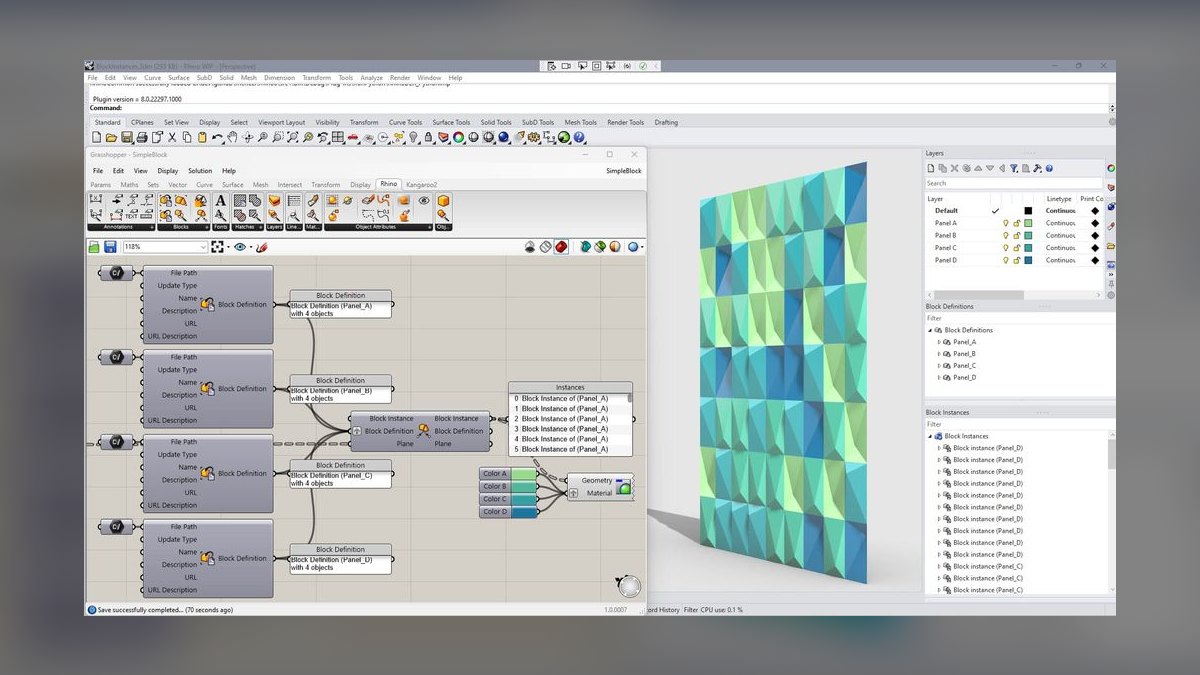
The 10 best ai tools for jewelry design are ranked below on measured performance, build quality, price, and how each one actually holds up in daily use rather than how it reads on a spec sheet. Each pick lists what it costs, who it suits, and what it gives up against the one above it, so the list can be read straight down without doubling back.
1. Rhino 8 with Grasshopper
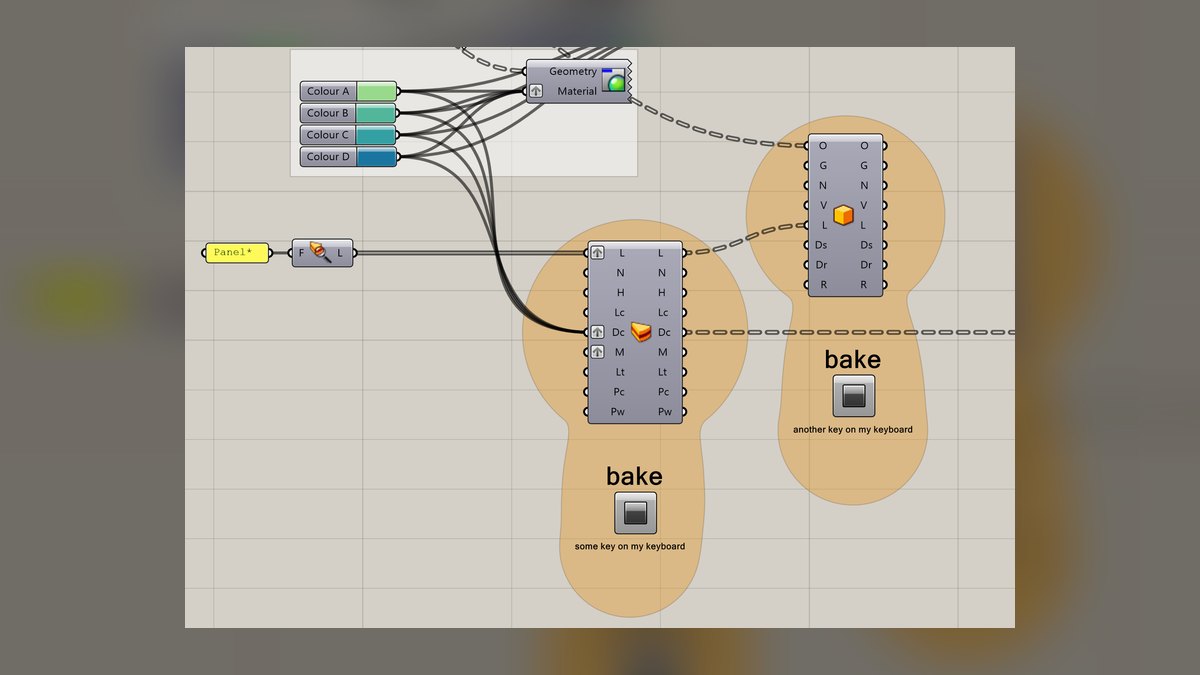
Rhino 8 with Grasshopper ranks first because it is the industry-standard NURBS modeling kernel, and its parametric scripting environment enables true AI-assisted design through plugins. The perpetual commercial license costs approximately $995, a rare one-time purchase in professional CAD. Its SubD modeling tools handle organic forms, while ShapeDiver publishes Grasshopper definitions as cloud configurators for customer customization. Every downstream tool, from casting houses to 3D print slicers, natively speaks its file formats.
This platform is for custom and bespoke studios that need one flexible system feeding the entire production pipeline. The learning curve is steep, especially for Grasshopper, but the open flexibility and manufacturable output justify the investment. Compared to MatrixGold, it lacks built-in jewelry-specific automation like prong builders, but it offers far greater design freedom. It is the foundation that other jewelry packages, including MatrixGold, are built on top of.
2. MatrixGold by Gemvision
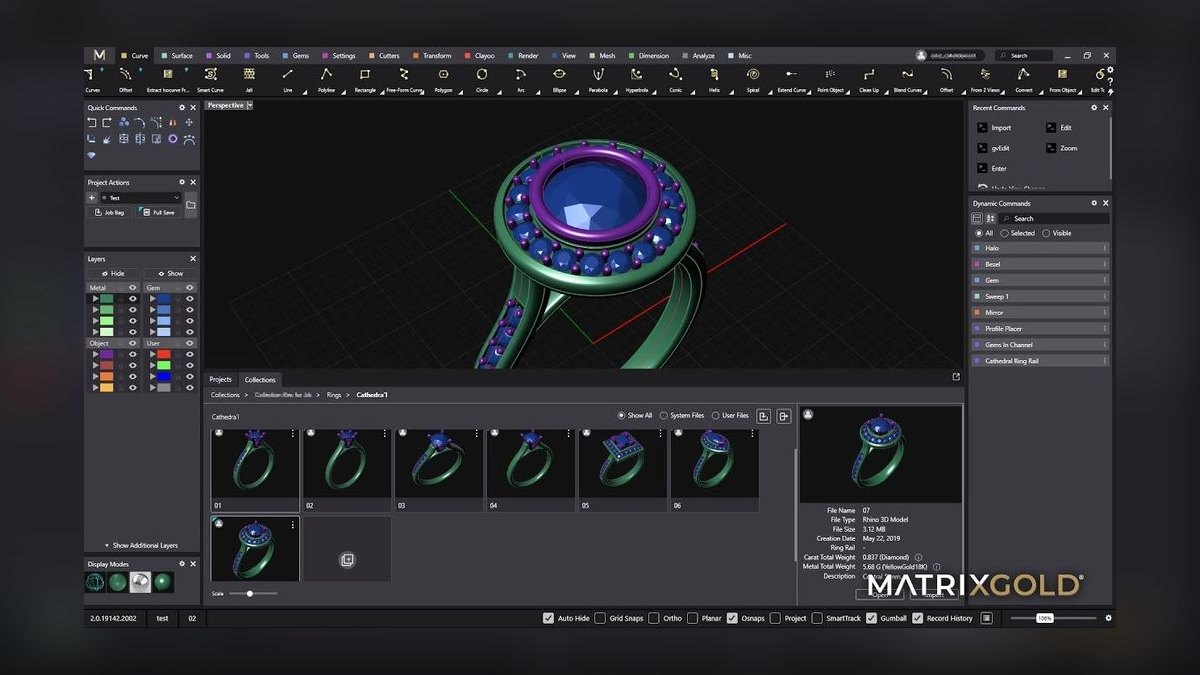
MatrixGold ranks second because it wraps the Rhino engine in jewelry-specific automation that delivers production speed for working bench jewelers. Its automated prong and bezel builders, pavé scatter tools, and built-in gemstone catalog with real carat-to-millimeter dimensions reduce hours of manual work. Smart features recalculate prong placement when stone sizes swap, and output feeds directly to casting houses and 3D printers.
This tool is for production shops and retail jewelers running repeatable lines and semi-mounts. It is subscription-priced through Gemvision/Stuller, which is the main trade-off against pure Rhino's perpetual license. Compared to Rhino 8, it is less flexible for one-off custom work but far faster for standardized jewelry tasks. Many professionals run both together since MatrixGold sits on the Rhino engine.
3. ZBrush by Maxon
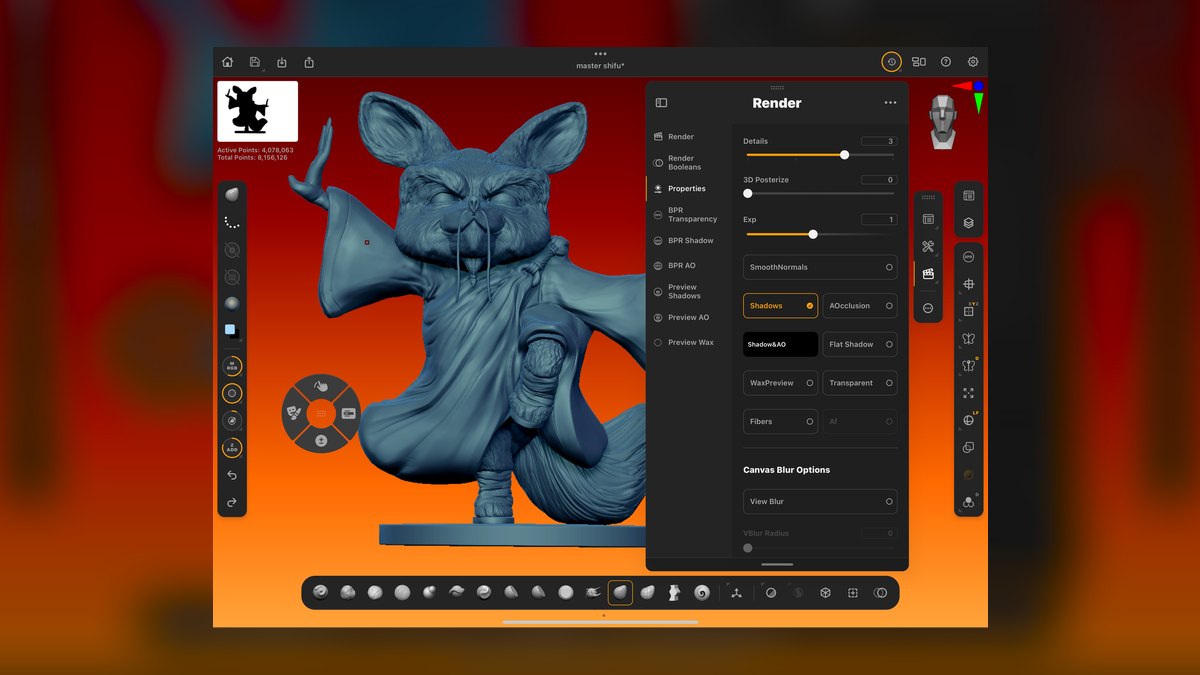
ZBrush ranks third because it is the digital-sculpting tool of choice for organic and figurative jewelry, handling signet crests, animal forms, and intricate filigree that NURBS surfacing cannot manage. Its ZRemesher automatically retopologizes dense sculpts into printable meshes, while Live Boolean combines forms and Decimation Master lightens files for STL export. The trade-standard brushes allow sculpting as if working clay or wax with millions of polygons. ZBrush for iPad extends sketching forms to mobile workflows.
This tool is for master modelers and art-jewelry studios producing sculptural, one-of-a-kind pieces. It is subscription-licensed under Maxon, and the learning curve is steep, making it overkill for plain stackable bands. Compared to Rhino 8, it excels at organic forms but lacks precision NURBS surfacing for gem seats and gallery rails. It pairs naturally with Rhino: rough the organic mass in ZBrush, then bring it in for precise band and stone settings.
4. Vizcom

Vizcom ranks fourth because it is the most AI-native tool for early-stage design, converting rough hand sketches into rendered concepts in seconds using generative AI. Text prompts steer material, metal, and gem color while keeping your linework as the structural guide, so output respects actual design intent. The 3D-to-render features and image-to-3D experiments tighten the loop between concept and modeling. A free tier exists, with paid Pro plans for higher resolution and commercial use.
This tool is for design-forward studios and freelancers who pitch clients and need volume concepts fast. Its output is presentation art, not a manufacturable file, so you still model the winner in Rhino or MatrixGold. Compared to Midjourney, it is more design-intent-focused because it respects your sketch rather than hallucinating a new shape. It is best used upstream of CAD to accelerate ideation and client presentations.
5. Midjourney

Midjourney ranks fifth because it is the strongest pure generative-image AI for jewelry concepting, rendering metal, faceting, and gem refraction with startling believability. It serves as a powerful moodboard and ideation engine for collections and exploring forms you would not sketch yourself. Pricing is transparent: Basic at $10/month, Standard at $30/month, and Pro at $60/month, with higher tiers unlocking faster generation and stealth mode. It runs through both Discord and a web app.
This tool is for concept exploration and marketing visuals, not for producing manufacturable geometry. It will happily invent physically impossible settings, so treat it as inspiration upstream of CAD, never as a spec. Compared to Vizcom, it is less design-intent-focused because it does not respect your sketch as a structural guide. It excels at generating a dozen directions in minutes for brainstorming and campaign imagery.
6. Adobe Firefly

Adobe Firefly ranks sixth because it is the commercially safer generative-AI option, trained on Adobe Stock and licensed content, which matters for client work and campaign assets you intend to sell. Through Photoshop's Generative Fill, it composites, recolors metals, and cleans up product photography inside a workflow most studios already own. The tight integration with Creative Cloud is the draw, allowing generation without leaving Photoshop.
This tool is for studios already in the Adobe ecosystem that want generative tools with cleaner commercial-use footing. Like Midjourney, it is upstream concept and marketing work, not CAD geometry. Compared to Midjourney, it is less powerful for pure jewelry concepting but offers better legal safety for commercial output. It excels at generating backdrops, swapping gem colors on product shots, and extending images for banners.
7. Autodesk Fusion 360
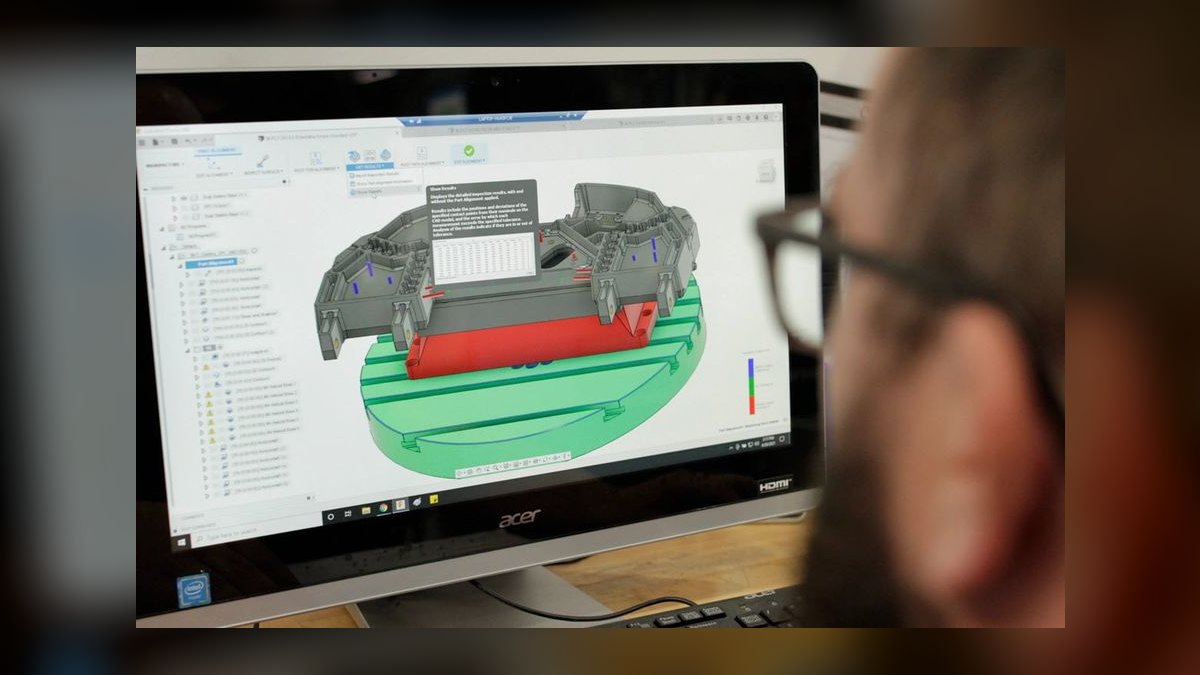
Fusion 360 ranks seventh because it brings genuine generative design AI to the table, proposing optimized organic topologies based on loads, constraints, and keep-out zones. For jewelry, this translates to lightweight, metal-efficient forms that reduce gold weight while maintaining structural integrity, directly cutting casting cost. It is also a full parametric CAD package with integrated CAM, useful for milling wax or metal. Pricing is roughly $680/year commercial, with a free license for hobbyists, students, and qualifying startups.
This tool is for technically minded designers and shops that want generative weight-optimization and CAM under one roof. It is less jewelry-specific than MatrixGold, with no built-in prong or pavé tools, so it suits engineers-turned-jewelers more than traditional bench artists. Compared to Rhino 8, its history-based timeline makes design edits non-destructive, but it lacks the jewelry ecosystem. It exports clean STL for printing and is unusually generous with its free license tier.
8. Blender with JewelCraft
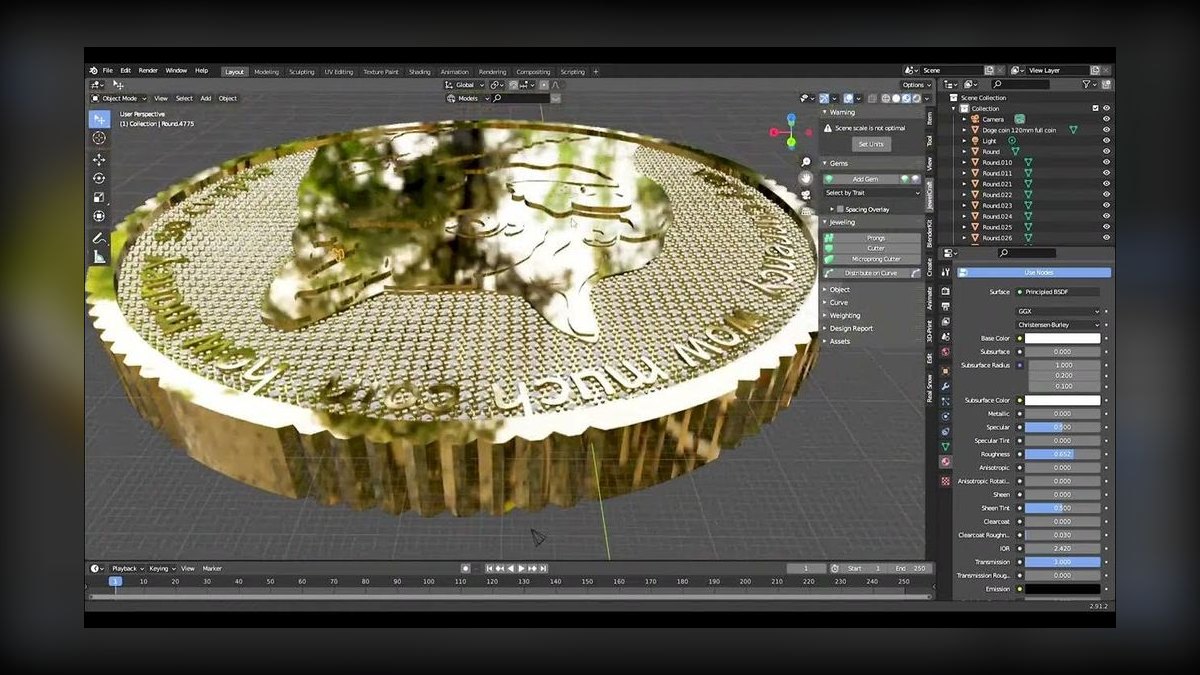
Blender ranks eighth because it is free and open-source, combining polygon and SubD modeling, sculpting, and the Cycles renderer at zero license cost. The JewelCraft add-on adds gem libraries, weighting, and curve-scatter for setting stones along a band, while Geometry Nodes offer parametric, Grasshopper-style procedural control. Cycles produces gallery-grade renders for client approval without a separate rendering license. Output exports cleanly to STL for castable resin printing.
This tool is for budget-conscious makers, students, and small studios who will invest learning time instead of license fees. The trade-off is a self-directed learning curve and less hand-holding than commercial jewelry CAD. Compared to Fusion 360, it offers superior rendering and sculpting but lacks generative design and CAM integration. The price-to-power ratio is unmatched, making it the best value pick for solo makers and studios watching overhead.
9. JewelCAD Pro
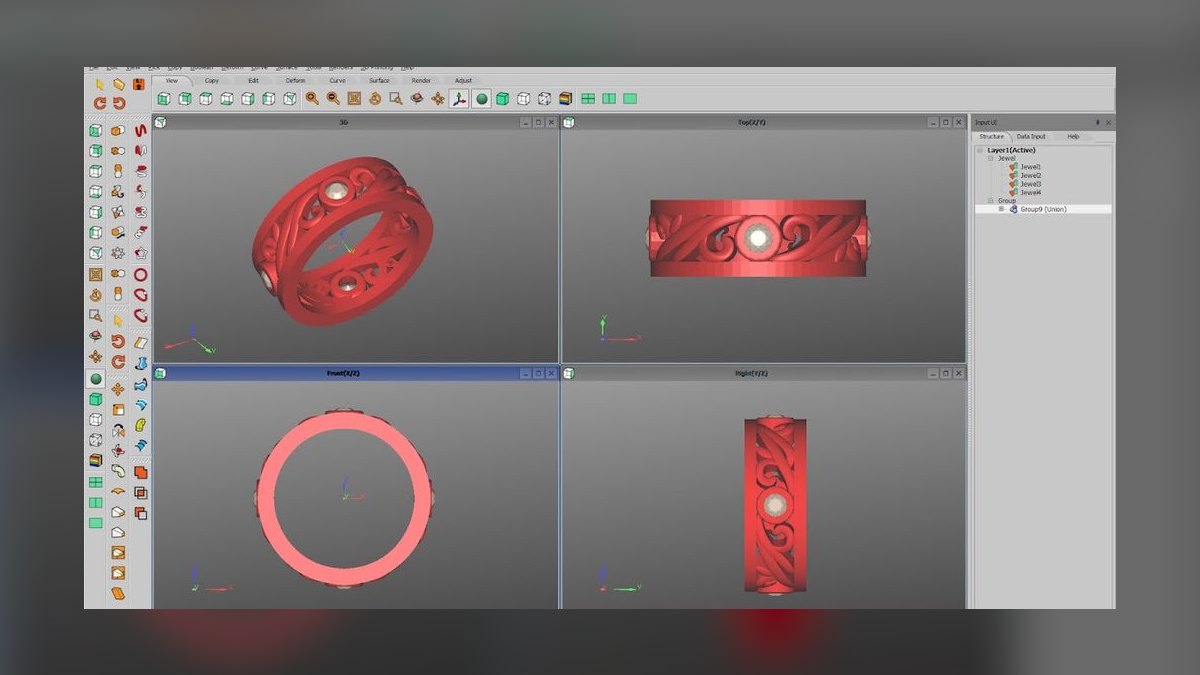
JewelCAD Pro ranks ninth because it is a long-running, jewelry-dedicated package especially entrenched in Asian manufacturing and high-volume production shops. It is purpose-built for the trade with curve-based modeling, gem setting, and a workflow tuned for getting designs to casting and CNC quickly. Its appeal is straightforward, jewelry-only tooling without the broader complexity of a general 3D suite, and it typically uses a one-time license rather than subscription.
This tool is for manufacturing-focused shops and contract houses producing volume rather than one-off art pieces. Its modeling paradigm feels dated next to Rhino's NURBS precision or Blender's flexibility, and the AI/automation layer is thinner. Compared to Blender, it is less flexible and more expensive, but it offers proven, fast production output. Its files flow to the wax printers and mills common in production environments.
10. 3Design by Gravotech
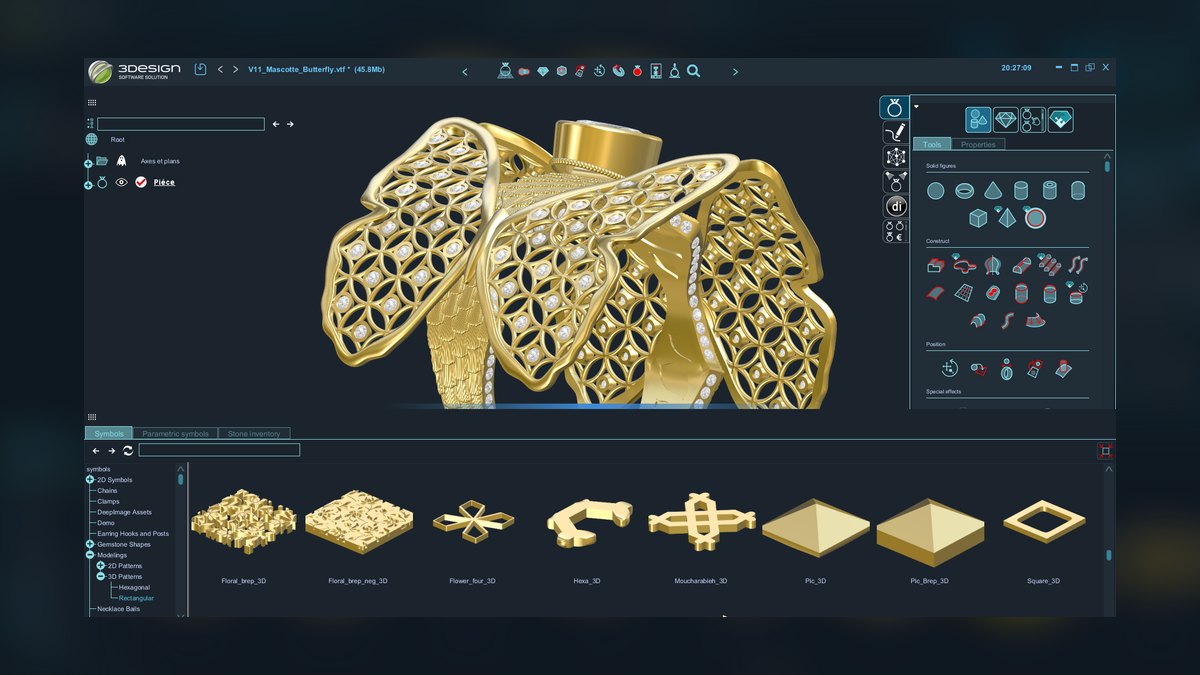
3Design ranks tenth because it is a parametric jewelry CAD built specifically for the trade, with a design-tree history that makes edits non-destructive. Change a stone size early in the tree and everything downstream updates, which is powerful for variations on a collection. Strengths include automatic stone setting, a gem and material library, real-time rendering for client presentation, and tight links to 3D printing and CAM. Licensing is handled through Gravotech.
This tool is for retail and custom studios wanting a jewelry-first parametric environment as an alternative to the Rhino/MatrixGold pairing. It has a smaller global community than Rhino, so third-party training and plugins are fewer, but its native jewelry focus is genuine. Compared to JewelCAD Pro, it offers a more modern parametric workflow and better rendering. It treats a piece as a sequence of editable operations, making it ideal for producing design variations.
How we ranked these
We ranked tools by five weighted criteria: manufacturability (does output cast cleanly via lost-wax or print to castable resin), AI depth (genuine machine assistance vs. marketing), jewelry-specific features (prong setters, gem libraries), cost and licensing (perpetual vs. subscription), and ecosystem/learning curve (interoperability, community, training). Concept-only tools were judged on idea quality and handoff to CAD, since a render that can't be modeled has no production value.
We deliberately ignored brand popularity, marketing hype, and features that don't affect real jewelry production. We also excluded tools that lack a clear path to manufacturable output, even if they generate beautiful images. The focus was on what a working bench jeweler or studio owner needs to produce pieces that actually cast, not just render well. This ensures the ranking reflects practical utility, not buzz.
What to look for
What matters is matching the tool to your workflow stage. If you need manufacturable CAD, prioritize Rhino 8 or MatrixGold for their precision and jewelry-specific automation. For concepting, Vizcom or Midjourney offer speed, but remember their output is not castable. Consider your budget: Blender is free but has a steep learning curve, while Rhino's perpetual license is a one-time cost. Also, evaluate the ecosystem—does it integrate with your existing rendering, printing, and casting pipeline?
The biggest mistake is buying a tool for its AI features without checking if it can produce a file that a casting house can use. Many buyers are seduced by generative image tools, then find they can't turn the output into a physical piece. Another error is ignoring the learning curve and community support, which can stall production. Always test a tool's output with your actual casting or printing process before committing.
Related questions
What is the best AI tool for generating jewelry design concepts?
For pure concept generation, Midjourney is the strongest, rendering metal and gems with high believability. Vizcom is better if you start with a hand sketch, as it respects your linework. Both are upstream of CAD, producing images, not manufacturable files. Use them to explore ideas and present options to clients before modeling.
How does MatrixGold differ from Rhino for jewelry design?
MatrixGold runs on the Rhino kernel but adds jewelry-specific automation like prong builders, pavé scatter, and gem libraries. Rhino is more flexible and open-ended, while MatrixGold is faster for repetitive production tasks. Many professionals use both, leveraging Rhino's flexibility and MatrixGold's speed.
Can Blender be used for professional jewelry design?
Yes, Blender is a legitimate professional tool, especially with the free JewelCraft add-on. It offers SubD modeling, sculpting, and Cycles rendering, all at no cost. The trade-off is a steeper learning curve and less hand-holding than commercial jewelry CAD, but the price-to-power ratio is unmatched.
What is the best free AI tool for jewelry design?
Blender is the best free option, offering a full suite of modeling, sculpting, and rendering tools. For AI concepting, Vizcom has a free tier, and Midjourney offers a limited free trial. However, for a complete free workflow, Blender with JewelCraft is the most robust, though it lacks built-in generative AI.
How do I choose between ZBrush and Rhino for jewelry?
Choose ZBrush for organic, sculptural forms like signet crests or filigree, where its digital sculpting excels. Choose Rhino for precise, geometric designs like bands and prong settings, where NURBS surfacing is superior. Many artists use both, sculpting in ZBrush and then bringing the model into Rhino for precise detailing.
What is the role of AI in jewelry design in 2027?
AI serves two main roles: generative concepting (Midjourney, Vizcom) and parametric automation (Grasshopper, MatrixGold's smart features). It accelerates ideation and repetitive tasks, but it doesn't replace the designer's skill. The output from AI tools must be refined and validated by a human to ensure manufacturability.
Which AI jewelry design tool is best for casting?
Tools that export STL files, like Rhino, MatrixGold, and Blender, are best for casting. They produce clean geometry that can be printed in castable resin and burned out via lost-wax. Concept tools like Midjourney and Vizcom do not produce castable files; they only generate images.
What are the licensing costs for top jewelry design AI tools?
Rhino 8 is ~$995 perpetual. MatrixGold is subscription-based via Gemvision/Stuller. ZBrush is subscription under Maxon. Vizcom has a free tier and paid Pro plans. Midjourney starts at $10/month. Adobe Firefly is ~$9.99/month. Fusion 360 is ~$680/year. Blender is free.
FAQ
Can AI tools actually produce a file I can cast?
Concept tools like Midjourney, Vizcom, and Adobe Firefly produce images, not castable geometry—you still model the winning concept in CAD. Tools like Rhino, MatrixGold, 3Design, and Blender export the STL files that drive casting and 3D printing.
What 3D printer do these designs feed into?
Most studios output to castable resin printers—the Formlabs Form 4 with Castable Wax 40 Resin is a common choice—then burn out the print and pour metal via lost-wax casting. Larger shops also use dedicated wax printers and CNC mills.
Is Rhino really better than jewelry-specific software?
For flexibility and one-time licensing, yes—but MatrixGold and 3Design are faster for repetitive jewelry tasks because prong, bezel, and pavé tools are built in. Many pros run Rhino plus MatrixGold together since MatrixGold sits on the Rhino engine.
Which tool is best on a tight budget?
Blender—it is free, open-source, and with the free JewelCraft add-on covers modeling, gem setting, and rendering. The cost is learning time, not money.
Are AI-generated jewelry designs legally safe to sell?
Adobe Firefly is trained on licensed content and positioned for commercial use, making it the safer concept generator. Regardless of tool, the manufacturable design you model yourself in CAD is your own work—treat AI images as inspiration, not final IP.
Do I need a powerful computer?
ZBrush and Blender rendering benefit from strong GPUs and RAM; Rhino and MatrixGold want a solid graphics card for smooth viewport work. The cloud-based concept tools run in a browser and need far less local hardware.
What is the best AI tool for generating jewelry design concepts?
For pure concept generation, Midjourney is the strongest, rendering metal and gems with high believability. Vizcom is better if you start with a hand sketch, as it respects your linework. Both are upstream of CAD, producing images, not manufacturable files. Use them to explore ideas and present options to clients before modeling.
How does MatrixGold differ from Rhino for jewelry design?
MatrixGold runs on the Rhino kernel but adds jewelry-specific automation like prong builders, pavé scatter, and gem libraries. Rhino is more flexible and open-ended, while MatrixGold is faster for repetitive production tasks. Many professionals use both, leveraging Rhino's flexibility and MatrixGold's speed.
Can Blender be used for professional jewelry design?
Yes, Blender is a legitimate professional tool, especially with the free JewelCraft add-on. It offers SubD modeling, sculpting, and Cycles rendering, all at no cost. The trade-off is a steeper learning curve and less hand-holding than commercial jewelry CAD, but the price-to-power ratio is unmatched.
What is the best free AI tool for jewelry design?
Blender is the best free option, offering a full suite of modeling, sculpting, and rendering tools. For AI concepting, Vizcom has a free tier, and Midjourney offers a limited free trial. However, for a complete free workflow, Blender with JewelCraft is the most robust, though it lacks built-in generative AI.
Sources
- https://www.rhino3d.com
- https://www.grasshopper3d.com
- https://gemvision.com/matrixgold
- https://www.maxon.net/en/zbrush
- https://www.vizcom.ai
- https://www.midjourney.com
- https://www.adobe.com/products/firefly.html
- https://www.autodesk.com/products/fusion-360/overview
- https://www.blender.org
- https://www.3design.com
- https://formlabs.com/materials/castable/
Related on PULSE
- [More ai tools for jewelry design rankings and buying guides](/knowledge)
- [PULSE Tools and calculators](/tools)
- [Everything on PULSE RevOps](/)
This page will be disappearing soon. Save it to your device for $1 — or read it free while it is here.
@Kory-White- · if Venmo asks, the last 4 of my number are 2012
 pulse-ai-infrastructureThe 10 Best AI Tools for Calendar Management in 2027
 pulse-ai-infrastructureThe 10 Best AI Tools for Product Page Design in 2027
 pulse-ai-infrastructureThe 10 Best AI Tools for Color Grading in 2027
 pulse-ai-infrastructureThe 10 Best AI Tools for Newsletter Writing in 2027
 pulse-ai-infrastructureHow do you architect a RAG pipeline for low latency?
 pulse-ai-infrastructureThe 10 Best AI Tools for UI Mockups in 2027
 pulse-ai-infrastructureThe 10 Best AI Tools for Business Dashboards in 2027
 pulse-ai-infrastructureThe 10 Best AI Tools for Stock Photos in 2027
 pulse-ai-infrastructureHow do you route requests across multiple LLM providers?
 pulse-ai-infrastructureThe 10 Best Synthetic Data Generation Tools in 2027