


The 10 Best AI Tools for Reading Comprehension in 2027
Quality
Certified
The 10 best ai tools for reading comprehension are ranked below on measured performance, build quality, price, and how each one actually holds up in daily use rather than how it reads on a spec sheet. Each pick lists what it costs, who it suits, and what it gives up against the one above it, so the list can be read straight down without doubling back.
1Google NotebookLM
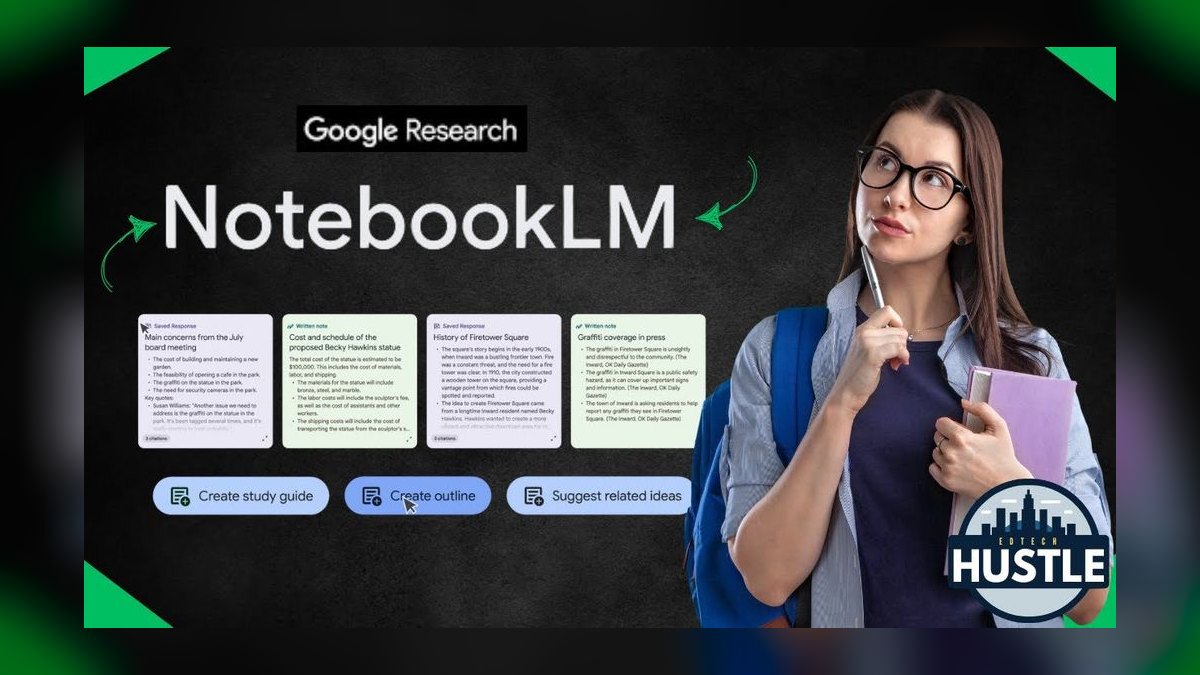
NotebookLM ranks first because it answers strictly from documents you upload and cites the exact passage behind every claim, eliminating hallucinated details. Its free tier handles a large number of sources per notebook with a high per-source word ceiling, covering most real reading workloads. It also generates summaries, timelines, briefing docs, and suggested questions, and its Audio Overview feature turns sources into a spoken discussion for listening.
NotebookLM is best for professionals and students who must understand a specific set of dense sources like contracts, research papers, or manuals. It will not reach outside your sources, so it is a comprehension tool rather than a general tutor. Compared to ChatGPT, which blends training data with pasted text, NotebookLM's grounding makes it the superior choice when accuracy on a specific document is paramount.
2ChatGPT OpenAI
ChatGPT ranks second because it is the most flexible reading explainer, able to rewrite dense paragraphs at a sixth-grade level, define hard words in context, and generate comprehension questions with answer keys. Its Advanced Voice mode allows conversational discussion of passages, and file upload enables chapter-by-chapter analysis of PDFs. Custom instructions let you set standing preferences for explanation level, making it a powerful tutor for any text.
ChatGPT is best for readers who want a patient, adaptive tutor for any subject, including students and non-native English speakers. The caveat is grounding: it answers from training plus pasted text, so for specific sources it can blend in outside detail. Compared to NotebookLM, it is less reliable for document-specific accuracy but far more versatile for explaining unfamiliar concepts and leveling difficult prose.
3Claude Anthropic
Claude ranks third because its large context window lets you load entire books, contracts, or multiple papers at once for cross-document questions without fragmenting the text. It is notably careful about not overstating what a passage says, telling you when text is ambiguous rather than papering over it. This makes it excellent for deep reads of legal, policy, and scientific documents, and the Projects feature keeps source files persistent across conversations.
Claude is best for professionals and researchers handling long, nuanced material where precision matters. It produces structured outputs like clause-by-clause breakdowns and glossaries. However, it is thinner on accessibility features like text-to-speech and fonts compared to dedicated tools. Compared to ChatGPT, Claude is more cautious and better for complex documents, but less flexible for quick explanations of casual text.
4Microsoft Immersive Reader
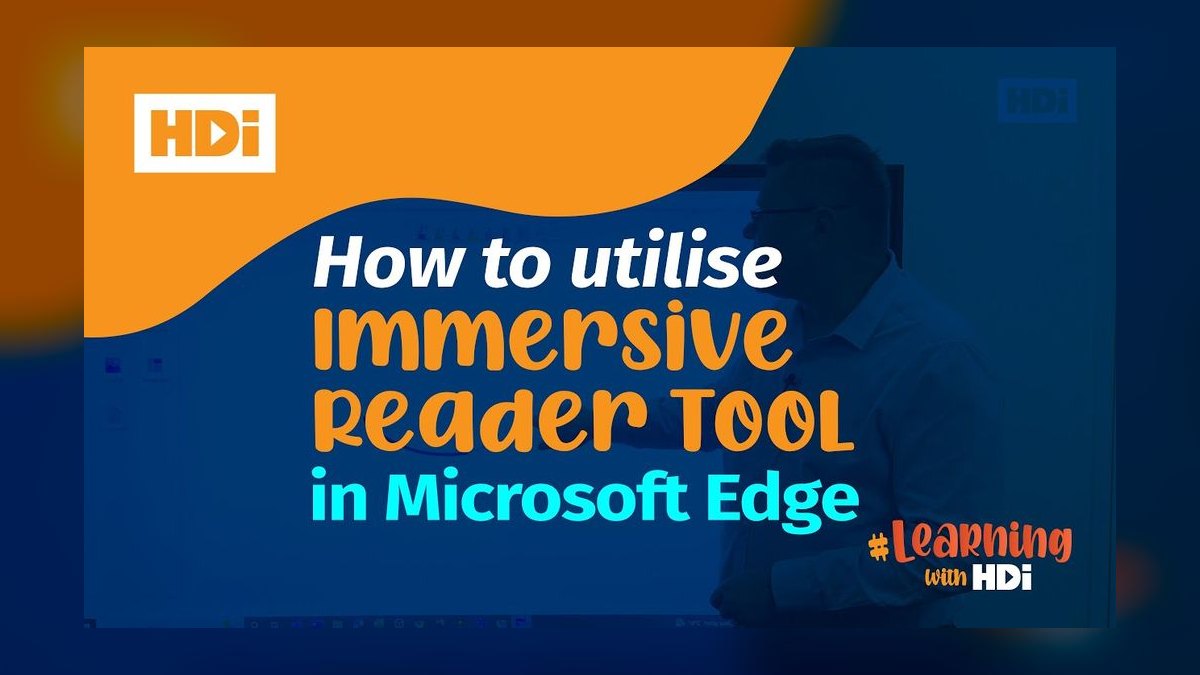
Microsoft Immersive Reader ranks fourth as the best value because it is free and built into Edge, Word, OneNote, and Teams. It strips pages to clean text and offers Read Aloud with word highlighting, adjustable text spacing, syllable breaks, a Picture Dictionary, parts-of-speech coloring, and Line Focus. It also provides on-the-fly translation into dozens of languages, targeting the mechanics of reading where comprehension often breaks down.
It is best for students, dyslexic readers, and anyone who decodes slowly, as it turns unreadable text into readable text. Because it is bundled with tools schools and businesses already own, the effective price is zero. It is not a question-answering AI and won't explain meaning like ChatGPT, but for decoding support, nothing at this price competes. Compared to Speechify, it lacks premium voices but is far more accessible.
5Speechify
Speechify ranks fifth because it is the leading text-to-speech reader for comprehension through listening, converting PDFs, web pages, and scanned documents into natural-sounding audio. It supports reading speeds up to 4.5x and offers word-level highlighting to follow along visually. The mobile app, browser extension, and OCR for physical documents make it versatile, though premium voices and features are locked behind a subscription commonly around $139 per year.
Speechify is best for professionals with reading-heavy workloads and people with dyslexia or ADHD who retain more from audio. The trade-off versus Immersive Reader is that the best features sit behind a paywall, so the free tier is limited. Compared to NaturalReader, Speechify edges ahead on voice realism and top-end speed, but NaturalReader's free tier is more usable for everyday reading.
6NaturalReader
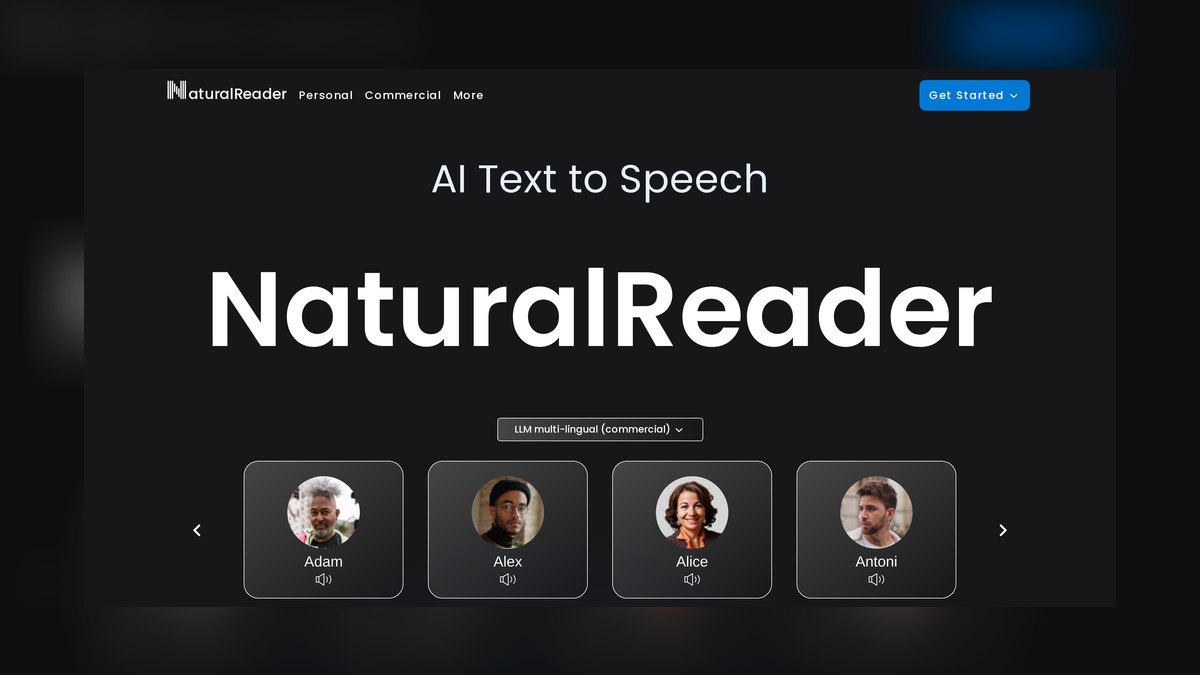
NaturalReader ranks sixth because it offers robust text-to-speech support with a generous free tier featuring standard voices, making it accessible for budget-conscious users. It reads documents, web pages, and scanned images aloud, with OCR that handles photos of printed pages. Premium AI voices and faster processing are available on paid plans, and a Chrome extension plus mobile apps allow listening across devices.
It is best for students and operators who need reliable read-aloud without a steep subscription. Its education and commercial licensing tiers make it a common institutional choice. Compared to Speechify, NaturalReader's free tier is more usable for everyday reading, while Speechify excels in voice realism and top-end speed. It is less feature-rich than Immersive Reader but offers more standalone listening flexibility.
7Read&Write Texthelp
Read&Write by Texthelp ranks seventh because it bundles nearly every comprehension support into one toolbar that floats over documents and browsers. It includes text-to-speech, a talking dictionary, a picture dictionary, word prediction, highlighters that collect notes, and a vocabulary list builder. This comprehensive suite is widely deployed in schools and special-education settings, and the highlight-and-collect feature turns long readings into organized notes.
It is best for structured learning and accommodations, covering decoding, vocabulary, and study-organization together. It is usually licensed through schools or workplaces, so check institutional availability before paying individually. Compared to Immersive Reader, it offers more study tools but is less universally free. It is a subscription product, making it less accessible for individual casual users than free alternatives.
8Khanmigo Khan Academy
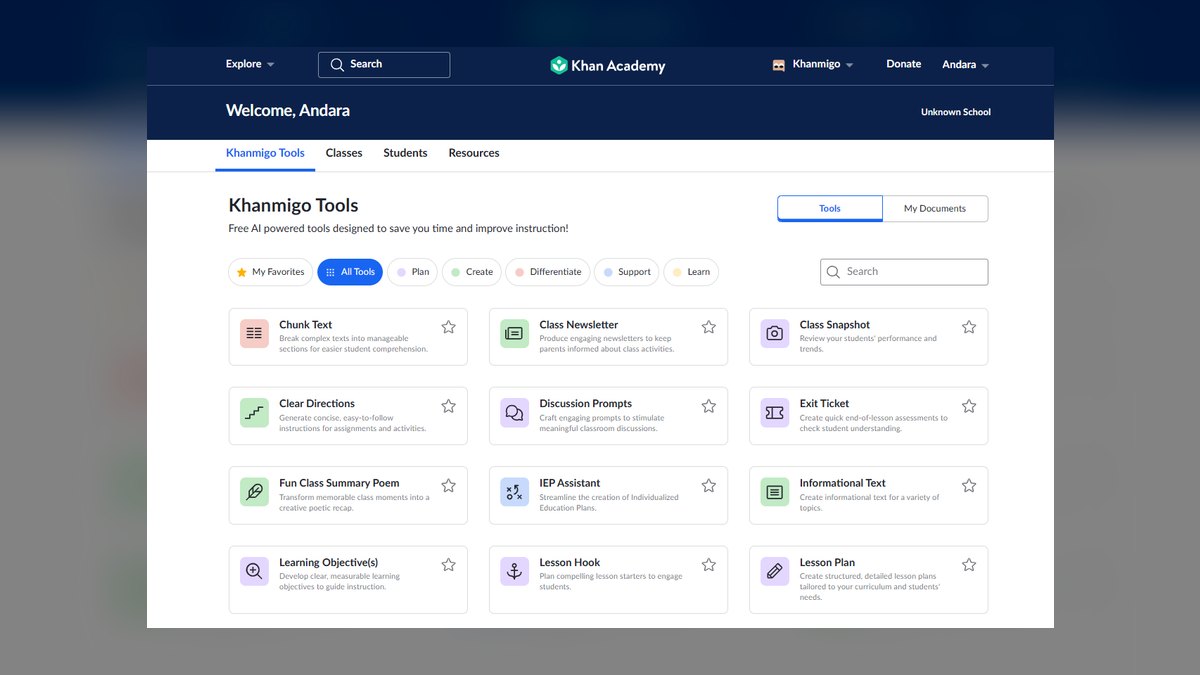
Khanmigo ranks eighth because it is the standout for guided reading comprehension in education, using a Socratic approach to build comprehension skills. It asks questions about passages, prompts users to find evidence, and walks them toward meaning themselves rather than handing over answers. It can act as a literary character for discussing novels and generate comprehension questions tied to readings, with pricing structured for affordability.
It is best for students and the teachers who support them, as it builds the skill of comprehension rather than just understanding one passage. For self-directed adults wanting fast explanations, its deliberate, questioning style is slower than ChatGPT. Compared to ChatGPT, Khanmigo is a teacher, not a summarizer, making it less efficient for quick answers but more effective for learning. It is purpose-built for education.
9Elicit
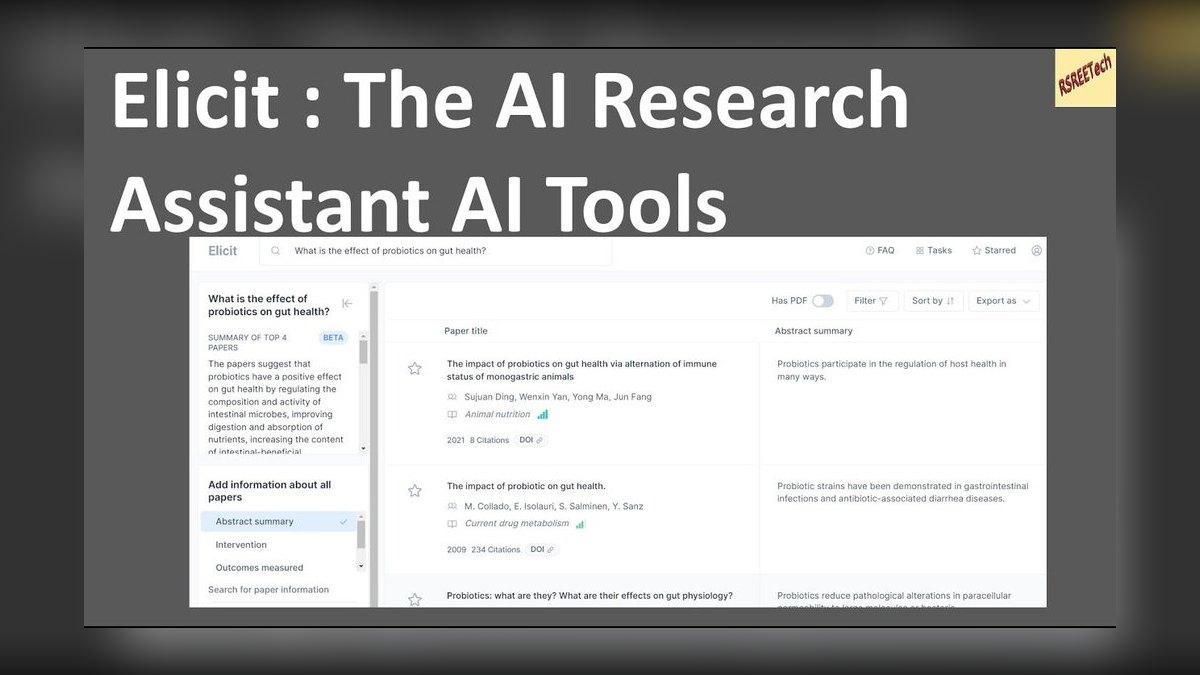
Elicit ranks ninth because it is a research assistant built for comprehending academic papers, searching across a large corpus and extracting key findings into structured tables. It summarizes what a body of research collectively says, with rows for sample size, methods, and outcomes, linking back to each source. This makes it ideal for understanding many papers at once, and it offers a free tier with paid plans around $12 per month.
It is best for researchers, grad students, and analysts who must understand a literature base rather than a single document. It is narrow on purpose, so pointing it at a casual article is overkill. Compared to Claude, Elicit is less flexible for deep single-paper reads but superior for structured extraction across many studies. It is the academic version of grounded comprehension.
10QuillBot
QuillBot ranks tenth as the accessible summarize-and-clarify tool, with a Summarizer that condenses long text into key sentences or a short paragraph with an adjustable length slider. Its paraphraser rewrites dense passages in simpler words, and a built-in dictionary and grammar checker support reading. The free tier covers useful summarizing and paraphrasing, while Premium around $8-10 per month raises word limits.
It is best for students and everyday readers who want to grasp the gist of an article or chapter quickly. It won't reason about a document the way NotebookLM or Claude will, but for quick summaries it is highly effective. Compared to Elicit, QuillBot is less academic but more general-purpose. It is a lightweight tool for fast comprehension rather than deep analysis.
How we ranked these
We ranked each tool on five weighted criteria: grounding and citation fidelity (30%), comprehension features such as summarization, level adjustment, vocabulary support, and question generation (25%), accessibility including text-to-speech, dyslexia-friendly fonts, line focus, and translation (20%), accuracy and hallucination risk (15%), and price plus real-world access (10%). Grounding carried the most weight because comprehension requires fidelity to the actual text, and accuracy acted as a hard filter.
We deliberately ignored brand popularity, marketing claims, and raw feature counts, since a tool with more features can still fail at accurate understanding. We also ignored subjective preferences for voice quality or interface aesthetics unless they directly affected comprehension. Tools lacking any free tier or institutional licensing were excluded, because they are unreachable for most students and everyday readers.
What to look for
What actually matters is matching the tool to your specific barrier. If you must understand a fixed document set without hallucinated detail, grounding and citation are non-negotiable, which points to NotebookLM. If you need a patient explainer for any passage, ChatGPT's flexibility wins. For decoding issues like dyslexia, text-to-speech and line focus matter most, making Immersive Reader or Speechify essential. For academic literature, structured extraction like Elicit is key.
The mistake most buyers make is choosing a general-purpose chatbot for a specific comprehension task, or the reverse, ignoring the tool's core strength. Another common error is assuming one tool does everything. Most heavy readers pair a decoding tool like Immersive Reader with a reasoning tool like NotebookLM or Claude. Buyers also overlook free tiers and institutional licenses, paying for features they never need.
Related questions
What is the best AI tool for reading comprehension in 2027?
Google NotebookLM is the best overall because it answers only from your uploaded documents and cites the exact source line behind every claim. That grounding prevents hallucinated details, making it ideal for professionals and students who must understand a specific set of dense sources such as contracts, manuals, or research papers.
How does NotebookLM compare to ChatGPT for reading comprehension?
NotebookLM is grounded in your sources and provides cited answers, while ChatGPT is more flexible for explaining unfamiliar concepts and leveling difficult prose. NotebookLM wins when you must understand a specific document set, whereas ChatGPT is better as a patient, adaptive tutor that can reshape almost any passage to your reading level.
What is the best free AI tool for reading comprehension?
Microsoft Immersive Reader is free and built into Edge, Word, OneNote, and Teams. It offers Read Aloud with word highlighting, syllable breaks, line focus, and translation, making it highly effective for decoding and comprehension. It is not a question-answering AI, but it turns unreadable text into readable text at zero cost.
Which AI tool is best for students with dyslexia?
Microsoft Immersive Reader and Read&Write by Texthelp are top choices. Immersive Reader offers syllable breaks, line focus, and a picture dictionary, while Read&Write adds text-to-speech, talking dictionaries, and word prediction. Both target the mechanics of reading, which is exactly where comprehension most often breaks down for dyslexic readers.
Can AI tools help with reading academic papers?
Yes. Elicit is purpose-built for academic literature, searching a large corpus and extracting key findings into structured tables with sample sizes, methods, and outcomes. Claude also handles deep single-paper reads well thanks to its large context window, letting you ask cross-document questions without fragmenting the text.
What is the difference between a summarizer and a comprehension tool?
A summarizer like QuillBot shortens text, while a comprehension tool like NotebookLM or Khanmigo helps you understand and retain it through grounded answers, generated questions, and explanations. Summarizing is just one feature inside comprehension, not the whole job, which is why the two categories should not be treated as interchangeable.
How can I avoid AI tools making up answers about my document?
Use a grounded tool like NotebookLM, which is designed to answer only from your uploaded sources and cites the exact passage behind each claim. For general chatbots like ChatGPT, paste the actual text and verify anything important against the source, since they can blend in outside training knowledge.
Is one tool enough, or should I combine them?
Most heavy readers pair a decoding tool such as Immersive Reader or a text-to-speech app with a reasoning tool like NotebookLM, Claude, or ChatGPT. Decoding and meaning are separate problems, and the best comprehension results come from covering both rather than expecting a single tool to do everything well.
FAQ
Which AI tool is best if I cannot pay anything?
Microsoft Immersive Reader is free and already inside Edge and Office. NaturalReader has a usable free tier for read-aloud, and NotebookLM, ChatGPT, Claude, and QuillBot all offer free tiers that cover normal reading volumes. Start with those before committing to any subscription.
What is the difference between a comprehension tool and a summarizer?
A summarizer like QuillBot shortens text; a comprehension tool like NotebookLM or Khanmigo helps you understand and retain it through grounded answers, questions, and explanations. Summarizing is one feature inside comprehension, not the whole job, so do not confuse a short output with genuine understanding.
Will these tools make up answers about my document?
NotebookLM is designed not to, because it answers only from your uploaded sources and cites them. General chatbots like ChatGPT can blend in outside knowledge, so paste the actual text and verify anything important against the source before relying on it for decisions.
Which is best for dyslexia or slow decoding?
Microsoft Immersive Reader with syllable breaks, line focus, and dyslexia-friendly fonts, Read&Write by Texthelp, and the text-to-speech of Speechify and NaturalReader target decoding directly. That is where comprehension most often breaks down, so decoding support should come before any reasoning tool.
Can these help with research papers specifically?
Elicit is purpose-built for it, extracting findings across many papers into a comparison table with methods and outcomes. Claude handles deep single-paper reads well thanks to its large context window. Together they cover both breadth across a literature base and depth within one study.
Is one tool enough, or should I combine them?
Most heavy readers pair a decoding tool such as Immersive Reader or a text-to-speech app with a reasoning tool like NotebookLM, Claude, or ChatGPT. Decoding and meaning are separate problems, and the best results come from covering both rather than relying on one subscription.
What is the best tool for understanding a specific contract or manual?
Google NotebookLM is the best choice because it answers only from the document you upload and cites the exact passage for every claim. That ensures you understand the actual text without hallucinated details, which is critical for legal, compliance, or technical documents.
How does Khanmigo help with reading comprehension?
Khanmigo uses a Socratic approach, asking you questions about the passage and prompting you to find evidence in the text. This builds the comprehension skill itself rather than just handing over answers, making it ideal for students and the teachers who support them.
What is the best tool for listening to documents while commuting?
Speechify is the leading text-to-speech reader, converting PDFs and web pages into natural-sounding audio at speeds up to 4.5x. Its word-level highlighting lets you follow along visually while listening, which suits audio learners and anyone with a reading-heavy workload.
Do these tools replace the need to read the original text?
No. Grounded tools like NotebookLM cite the source line so you can verify claims, and comprehension tools like Khanmigo push you back into the passage. They scaffold understanding; they do not substitute for engaging with the actual text yourself.
Sources
- https://notebooklm.google.com/
- https://openai.com/chatgpt/
- https://www.anthropic.com/claude
- https://www.microsoft.com/en-us/education/products/immersive-reader
- https://speechify.com/
- https://www.naturalreaders.com/
- https://www.texthelp.com/products/read-and-write-education/
- https://www.khanmigo.ai/
- https://elicit.com/
- https://quillbot.com/
Related on PULSE
This page will be disappearing soon. Save it to your device for $1 — or read it free while it is here.
@Kory-White- · if Venmo asks, the last 4 of my number are 2012
This page is gone.
This one is off the shelf now. $1 keeps it on your phone for good — the whole page, pictures and diagrams included.
 pulse-ai-infrastructureHow do you A/B test different LLMs in production in 2027?
 pulse-ai-infrastructureThe 10 Best Streaming Data Platforms for AI in 2027
 pulse-ai-infrastructureIs AI Infra worth it in 2027?
 pulse-ai-infrastructureHow do you fine-tune an open-source LLM cost-effectively in 2027?
 pulse-ai-infrastructureThe 10 Best Data Labeling Platforms for AI in 2027
 pulse-ai-infrastructureThe 10 Best LLMOps Platforms in 2027
 pulse-ai-infrastructureThe 10 Best AI Tools for Tattoo Design in 2027
 pulse-ai-infrastructureThe 10 Best AI Tools for Reading PDFs Aloud in 2027
 pulse-ai-infrastructureThe 10 Best Secrets Management Tools for LLM Applications in 2027
 pulse-ai-infrastructureWhat is the best way to approach AI Infra in 2027?