
The 10 Best AI Tools for Appointment Scheduling in 2027
 Curated byKory White · Fractional CRO · Maryland
 PULSEKNOWLEDGE LIBRARY
The 10 best ai tools for appointment scheduling are ranked below on measured performance, build quality, price, and how each one actually holds up in daily use rather than how it reads on a spec sheet. Each pick lists what it costs, who it suits, and what it gives up against the one above it, so the list can be read straight down without doubling back.
1. Reclaim.ai
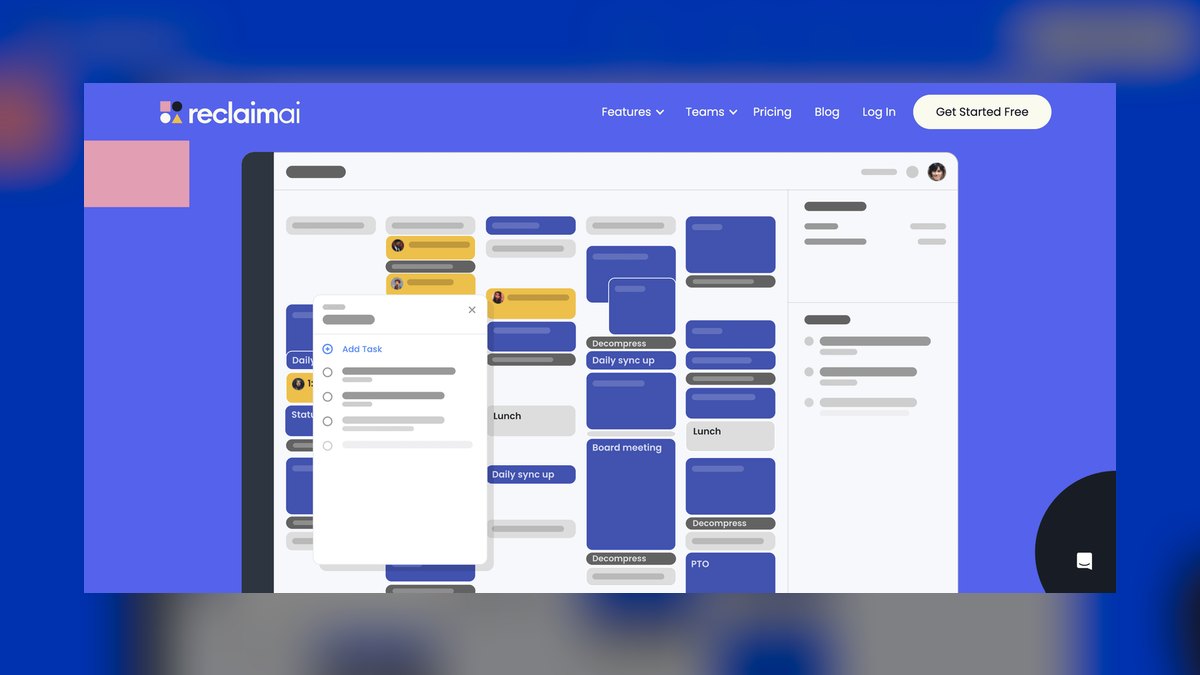
Reclaim.ai ranks first because it is the only tool here that treats Habits, Tasks, and Smart 1:1s as schedulable objects while aggressively defending Focus Time blocks from meetings. Acquired by Dropbox in 2024, it continuously rearranges your Google Calendar or Microsoft Outlook to fit priorities. Its Scheduling Links respect defended focus rather than just blank space, and it auto-moves flexible appointments when high-priority tasks are due.
It is for solo operators and small teams who carry both a meeting load and real heads-down work, and who want their calendar to manage itself. Compared to Motion, Reclaim is less aggressive about rebuilding your entire day around tasks, but it is far better at protecting deep-work blocks from being eaten by meetings. If your biggest problem is meetings crowding out focus, nothing else here defends the calendar as forcefully.
2. Motion

Motion ranks second because it is the most aggressive auto-scheduler available, merging tasks, projects, and meetings into a single AI-built day that rebuilds itself whenever anything changes. You hand it a task with a deadline and duration, and it decides when you will actually do it, defragmenting your schedule continuously. Its Scheduling Links handle external bookings, and its AI project planner distributes work across the week.
It is for operators drowning in both meetings and to-dos who want one system instead of a calendar plus a separate task app. The trade-off is rigidity: if you do not trust an algorithm to own your entire day, the constant reshuffling feels heavy. Compared to Reclaim.ai, Motion is pricier at entry level and less focused on defending dedicated focus blocks, which costs it the top spot.
3. Cal.com

Cal.com ranks third because it is the best-value pick, offering a self-hostable, open-source scheduling platform with no per-seat fee for technically capable teams. The core app is free under an open license, letting you own your data and booking flow entirely, which no closed competitor offers. Cal.ai adds an email-based AI assistant that books, reschedules, and answers availability questions, while round-robin routing, collective scheduling, and deep API access are included.
It is for developers, agencies, and privacy-conscious operators who want to avoid metered SaaS bills and maintain full control. Compared to Calendly, Cal.com requires more setup effort but delivers superior ownership and customization. If you value data sovereignty and the ability to self-host over out-of-the-box simplicity, this is the clear choice.
4. Calendly
Calendly ranks fourth because it is the most widely recognized booking tool, with a client-facing simplicity that makes self-service booking effortless. Its routing forms send invitees to the right person via round-robin, while buffers, minimum notice, and time-zone detection are handled automatically. Calendly AI features help draft follow-ups and surface meeting context, and the platform integrates deeply with Google, Outlook, and iCloud.
It is for client-heavy operators—consultants, recruiters, and customer teams—who need bookings to just work without technical setup. Compared to Cal.com, Calendly is far easier to deploy but locks you into a hosted SaaS model with less data ownership. It ranks below the auto-schedulers because it fills slots you offer rather than reorganizing your day for you.
5. Clockwise

Clockwise ranks fifth because it optimizes team calendars by moving flexible meetings to manufacture shared Focus Time across many people at once. Its AI assistant, Clockwise Prism, answers scheduling questions and arranges meetings in natural language, while Smart 1:1s auto-reschedule recurring syncs. The Focus Time engine consolidates open blocks so engineers and operators get real uninterrupted stretches, making it strongest at the team level.
It is for managers and teams of 10–200 who want fewer fragmented days and better internal meeting hygiene. Compared to Reclaim.ai, which defends an individual's calendar, Clockwise excels at finding no-conflict slots across many calendars simultaneously. It trails the top picks because its sweet spot is internal coordination rather than external client booking.
6. Acuity Scheduling
Acuity Scheduling ranks sixth because it is purpose-built for service businesses that book paid appointments, handling the full client lifecycle from intake forms to deposits and payments. Owned by Squarespace, it integrates with Stripe, Square, and PayPal, and automated SMS and email reminders significantly cut no-shows. It supports multiple staff calendars, class scheduling, packages, gift certificates, and time-zone-aware booking pages.
It is for appointment-based businesses—salons, clinics, coaches, and studios—that need real-world scheduling with payment capture. Compared to Calendly, Acuity offers far deeper client management but has lighter AI scheduling intelligence. If your priority is taking and managing paid bookings end to end rather than auto-defending focus time, this is the most complete option.
7. Microsoft Bookings

Microsoft Bookings ranks seventh because it ships inside most Microsoft 365 business plans, making it nearly free for organizations already paying for the suite. It provides a public booking page, manages staff availability, and syncs to Outlook calendars, with Microsoft Teams meeting links generated automatically for virtual appointments. Microsoft 365 Copilot layers AI assistance across the suite, helping draft scheduling communications and surface availability in natural language. Bookings handles service menus, staff assignment, buffer times, and automated reminders.
It is for teams standardized on Microsoft 365 who want appointment booking without adding a new vendor. Compared to Google Calendar Appointment Schedules, Bookings offers deeper integration with Outlook and Teams but similar standalone AI limitations. It ranks here because it is competent and effectively bundled, though its AI scheduling intelligence is thinner than dedicated tools above.
8. Google Calendar Appointment Schedules
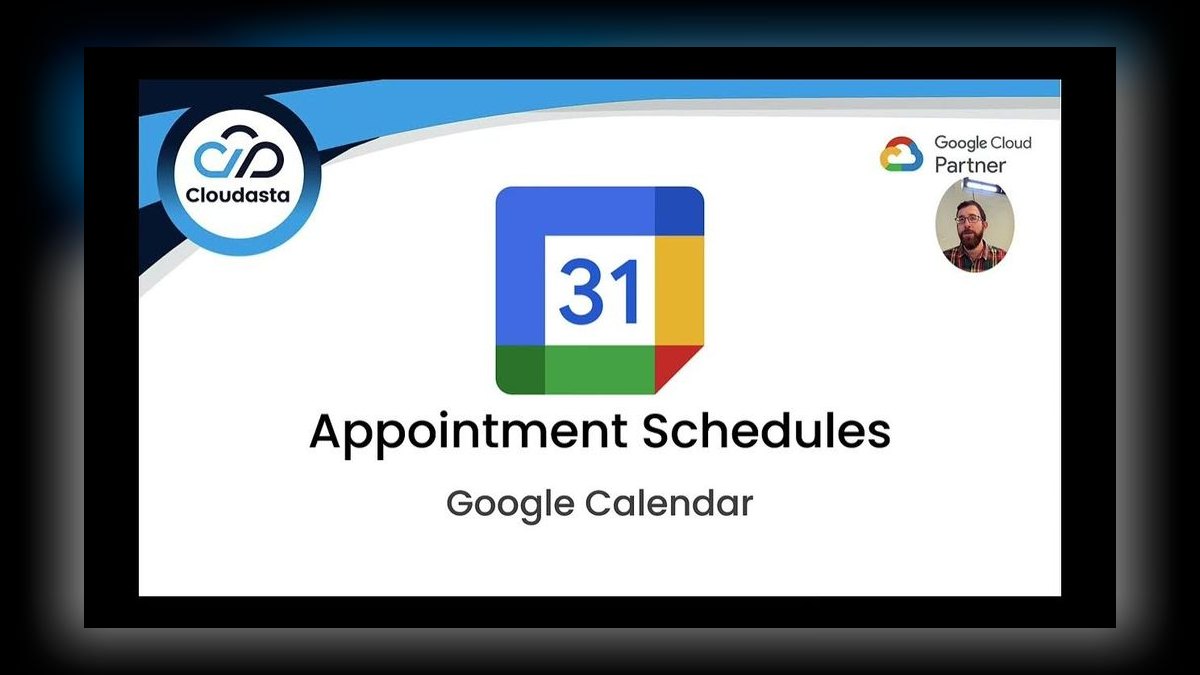
Google Calendar Appointment Schedules ranks eighth because it turns any Workspace or personal calendar into a bookable page that respects your real availability across all calendars. Inside Google Workspace, Gemini adds an AI layer that finds times, drafts invites, and answers scheduling questions conversationally. The tool supports multiple calendars for conflict checking, configurable buffers, booking windows, and confirmation emails, with Workspace tiers able to collect payments via Stripe.
It is for operators already living in Gmail and Google Calendar who want no new logins or setup. Compared to Microsoft Bookings, it offers similar native integration but with Gemini's growing AI capabilities narrowing the gap with paid schedulers. It sits mid-pack because it lacks the auto-defragmenting, focus-defending intelligence of the leaders, but for free integrated booking it is hard to beat.
9. SavvyCal
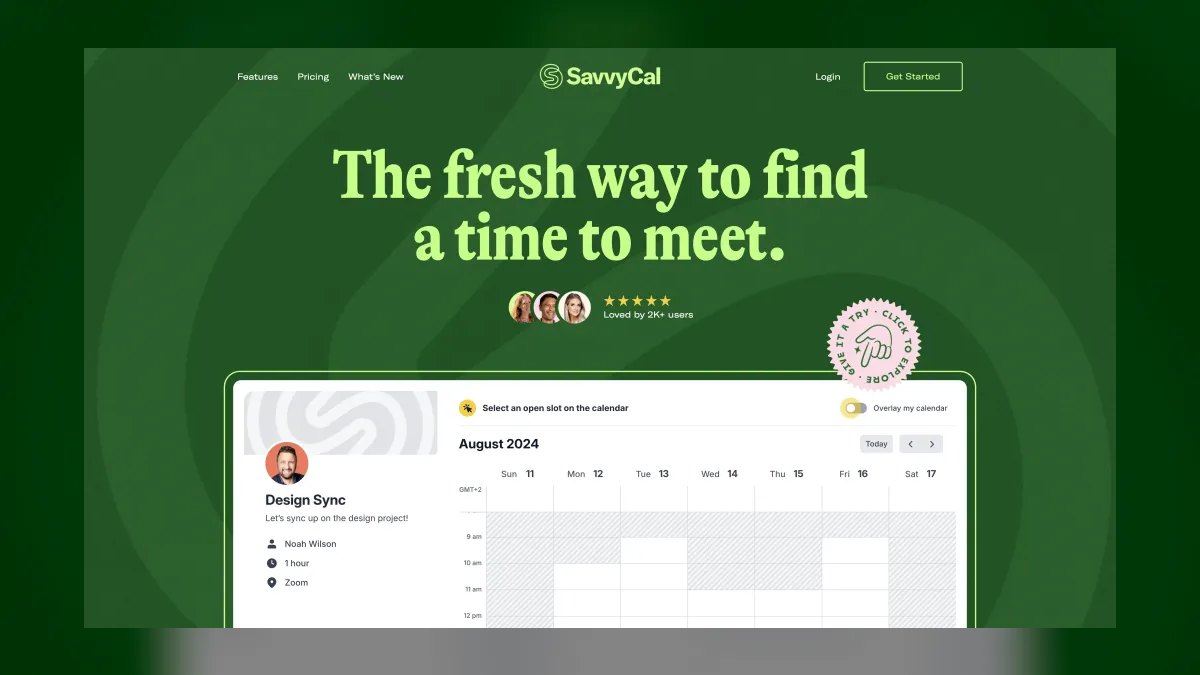
SavvyCal ranks ninth because it is a polished booking tool built around a calendar overlay, letting invitees layer their own calendar on top of yours to find a mutual time fast. This collaborative approach feels more considerate than picking from a blank grid, making it a favorite among founders and consultants. It supports ranked availability to nudge people toward your preferred times, round-robin routing, personalized links, and single-use links for VIP bookings.
It is for operators who book many external meetings and care deeply about the invitee experience. Compared to Calendly, SavvyCal offers a more thoughtful scheduling interaction but lacks the same scale of enterprise features. It is not a full auto-scheduler, but for clean, respectful client booking it is one of the best-designed options in 2027.
10. Doodle

Doodle ranks tenth because it is the longtime standard for group scheduling, finding one time that works across many people without an email chain. Its group polls let participants vote on proposed slots, while its Booking Page and 1:1 tools cover individual appointments with reminders to reduce no-shows. It syncs with Google, Outlook, and iCloud calendars and adds AI-assisted suggestions to speed up finding consensus times.
It is for coordinating committees, panels, and cross-company meetings where no shared calendar exists. Compared to the auto-schedulers above, Doodle solves a narrower problem—multi-party consensus—rather than continuously managing your calendar. For that specific job, nothing is faster, but its limited scope keeps it at the bottom of this ranking.
How we ranked these
We measured each tool against five weighted criteria: genuine AI scheduling logic that places or resolves events automatically, real appointment booking via self-service links or round-robin routing, two-way calendar fidelity with Google, Outlook, and iCloud, operator economics including transparent pricing and free tiers, and reliability with data export or self-hosting options. Time actually recovered by the software was weighted most heavily, over feature-count marketing.
Tools that only poll for group availability ranked lower than those that defend the calendar proactively.
We deliberately ignored brand recognition, raw feature lists, and subjective interface preferences. We did not penalize tools for lacking AI features that were merely decorative, such as chatbots that answer FAQs without touching the calendar. We also excluded tools without verifiable pricing or those that required custom enterprise contracts, since operators need transparent costs. Finally, we did not weigh social proof or review counts, as these often reflect marketing spend rather than scheduling effectiveness.
What to look for
When choosing between these tools, what actually matters is whether you are booking clients or defending your own time. For client-facing bookings, prioritize self-service links, payment capture, and no-show reduction—Acuity or Calendly excel here. For personal time management, prioritize auto-scheduling and focus defense—Reclaim or Motion are superior. Also consider your existing suite: if you are on Google Workspace or Microsoft 365, native Gemini or Copilot features may suffice, avoiding extra costs.
Finally, check two-way sync reliability, as a scheduler that double-books is worse than none.
The most common mistake buyers make is choosing a tool based on its AI hype rather than its actual scheduling behavior. Many purchase Motion for its aggressive auto-scheduling, only to find its constant reshuffling disruptive. Others pick Calendly for its popularity, ignoring that it does not reorganize your day. A second mistake is ignoring the total cost of ownership: self-hosting Cal.com may be free, but requires technical maintenance.
Always trial with a live calendar for two weeks and measure manual rescheduling reduction before committing.
Related questions
How does Reclaim.ai defend focus time?
Reclaim.ai protects Focus Time blocks by treating them as non-negotiable, and it automatically schedules meetings, habits, and tasks around them. When a new appointment arrives, Reclaim will move flexible events to other open slots rather than eating into your defended deep work. This ensures your priority work gets done.
What is the main difference between Motion and Reclaim.ai?
Motion rebuilds your entire day automatically whenever a new task or meeting arrives, acting as a full project and task planner. Reclaim.ai focuses on defending focus time while scheduling meetings, habits, and tasks around it. Motion is more aggressive and suits heavy task loads, while Reclaim is better for those who need protected deep work.
Is Cal.com really free?
Cal.com is open-source, so you can self-host it at no per-seat cost if you have technical capability. The hosted plans start free for individuals, with team tiers around $15 per seat per month. This makes it the best value for those who want ownership and control over their booking data.
Which tool is best for service businesses taking payments?
Acuity Scheduling is purpose-built for service businesses like salons, clinics, and coaches. It handles intake forms, deposits, and full payments via Stripe, Square, and PayPal, plus automated reminders that reduce no-shows. Its AI is lighter, but it excels at managing paid appointments end to end.
Can I use Google Calendar's appointment schedules for free?
Yes, Google Calendar's appointment schedules are free for anyone with a Google account. They let clients book slots that respect your real availability across all your calendars. Inside Google Workspace, Gemini adds AI assistance for finding times and drafting invites, making it a strong zero-cost option.
What is Clockwise best for?
Clockwise is best for teams of 10-200 who want to manufacture shared Focus Time. Its AI moves flexible meetings to consolidate open blocks, and Smart 1:1s auto-reschedule recurring syncs. It is more about internal meeting hygiene than external client booking, making it ideal for managers and engineers.
How does SavvyCal differ from Calendly?
SavvyCal uses a calendar overlay that lets invitees see your availability and layer their own calendar on top to find a mutual time. This feels more collaborative than Calendly's blank grid. It also offers ranked availability to nudge people toward your preferred times, making it a favorite among consultants.
Is Doodle still relevant in 2027?
Yes, Doodle remains the fastest tool for group scheduling—finding one time that works across many people without an email chain. Its group polls let participants vote on slots, and it syncs with Google, Outlook, and iCloud. It solves a narrow problem but does it exceptionally well.
FAQ
What's the difference between an AI scheduler and a booking link?
A booking link like classic Calendly or SavvyCal lets others reserve open slots you define. An AI scheduler like Reclaim.ai or Motion actively places and moves events, defending priorities and rebuilding your day when things change. The former is passive, the latter is proactive.
Which tool best prevents no-shows?
Acuity Scheduling and Microsoft Bookings lead here, with automated SMS/email reminders, deposits, and confirmations. Acuity's payment capture before the appointment is the strongest no-show deterrent, as clients have already committed financially.
Is there a genuinely free option that's still powerful?
Yes—Cal.com is open-source and self-hostable at no per-seat cost, and Reclaim.ai, Clockwise, Calendly, and Google Calendar appointment schedules all ship real free tiers. These are powerful enough for solo operators and small teams.
Do these sync with both Google and Outlook?
Every tool listed supports two-way Google Calendar and Microsoft Outlook sync; Doodle, Cal.com, and most others add iCloud as well. Always confirm two-way (not one-way) sync during setup to avoid double-booking.
Should I just use the AI built into Google Workspace or Microsoft 365?
If you're already paying for the suite, start there—Gemini in Workspace and Copilot with Microsoft Bookings cover basic AI scheduling free. Add a dedicated tool only when you need auto-defragmentation or client-facing routing they don't do well.
Which is best for a team versus a solo operator?
Solo operators get the most from Reclaim.ai or Motion; teams that need shared focus time should look at Clockwise, and client-routing teams at Calendly or Cal.com round-robin. Match the tool to your primary need.
What is the pricing for Motion?
Motion costs about $19 per month billed annually, or roughly $34 month-to-month. This is the priciest entry-level seat on the list, which is why it ranks second behind Reclaim.ai despite its aggressive auto-scheduling capabilities.
Can Calendly's AI help with follow-ups?
Yes, Calendly AI features help draft follow-up emails and surface meeting context. However, Calendly fills slots you offer rather than reorganizing your day, so its AI is more about enhancing the booking experience than managing your calendar.
Is Microsoft Bookings really free?
Microsoft Bookings ships inside most Microsoft 365 business plans, making it nearly free for organizations already paying for the suite. It syncs to Outlook and generates Teams meeting links automatically, but its AI scheduling intelligence is thinner than dedicated tools.
Sources
- https://reclaim.ai/
- https://www.usemotion.com/
- https://cal.com/
- https://calendly.com/
- https://www.getclockwise.com/
- https://www.acuityscheduling.com/
- https://www.microsoft.com/en-us/microsoft-365/business/scheduling-and-booking-app
- https://support.google.com/calendar/answer/10729749
- https://savvycal.com/
- https://doodle.com/
Related on PULSE
- [More ai tools for appointment scheduling rankings and buying guides](/knowledge)
- [PULSE Tools and calculators](/tools)
- [Everything on PULSE RevOps](/)
This page will be disappearing soon. Save it to your device for $1 — or read it free while it is here.
@Kory-White- · if Venmo asks, the last 4 of my number are 2012
 pulse-ai-infrastructureThe 10 Best AI Tools for Color Grading in 2027
 pulse-ai-infrastructureThe 10 Best AI Tools for Product Page Design in 2027
 pulse-ai-infrastructureThe 10 Best AI Tools for Supply Chain Planning in 2027
 pulse-ai-infrastructureThe 10 Best AI Tools for Stock Photos in 2027
 pulse-ai-infrastructureThe 10 Best AI Tools for Reading Comprehension in 2027
 pulse-ai-infrastructureThe 10 Best AI Tools for Vocal Removal in 2027
 pulse-ai-infrastructureThe 10 Best Fractional GPU and GPU Sharing Tools in 2027
 pulse-ai-infrastructureThe 10 Best AI Tools for Event Planning in 2027
 pulse-ai-infrastructureThe 10 Best RAG Frameworks in 2027
 pulse-ai-infrastructureThe 10 Best AI Tools for Public Speaking Practice in 2027