


The 10 Best AI Tools for Calendar Management in 2027
Quality
Certified
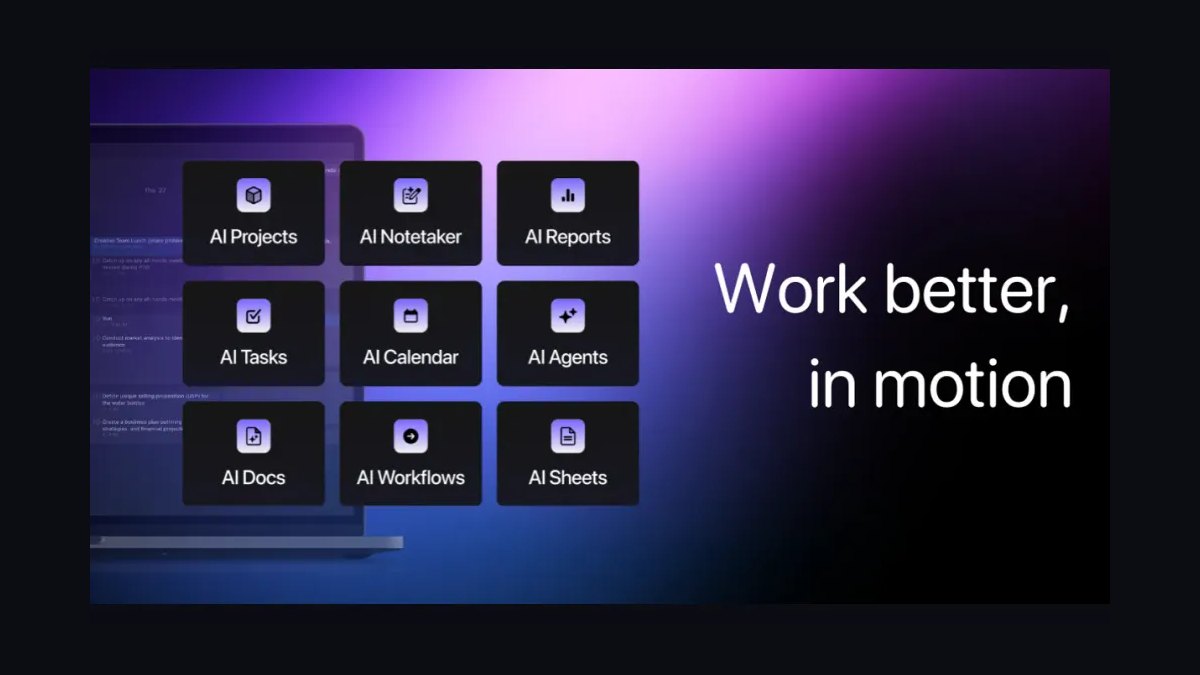
The 10 best ai tools for calendar management are ranked below on measured performance, build quality, price, and how each one actually holds up in daily use rather than how it reads on a spec sheet. Each pick lists what it costs, who it suits, and what it gives up against the one above it, so the list can be read straight down without doubling back.
1Motion

Motion ranks first because its auto-scheduler is the most genuinely autonomous on this list, continuously re-solving your entire day whenever a meeting moves or a new priority lands. It treats tasks and meetings as one puzzle, dropping deadlines into open slots and respecting priority levels and hard deadlines. It connects to Google Calendar and Microsoft Outlook, includes a built-in project manager, and offers booking pages for self-scheduling.
This is for founders, managers, and individual contributors who carry both a meeting load and a deliverable load. It replaces a task manager and a scheduling-link tool, so the cost works if you'd otherwise pay for both. The learning curve is real, so give it a week before judging. Compared to Reclaim.ai, Motion is far more aggressive in reshuffling work, but it demands more setup and trust in its decisions.
2Reclaim.ai

Reclaim.ai ranks second because it offers the best balance of AI scheduling and price, defending focus time and habits around your existing meetings without replacing your calendar. Acquired by Dropbox, it layers smart blocks on top of Google Calendar and Microsoft 365, flexing them as your week fills. Smart Meetings finds the best slot across attendees, and Slack status sync flips you to 'in focus' automatically.
This is for knowledge workers and teams that already like their calendar but keep losing heads-down time. Integrations with Asana, Todoist, and ClickUp pull tasks straight onto the calendar. Compared to Motion, Reclaim is a lower-friction upgrade that preserves your current setup, but it won't autonomously reschedule entire projects or manage complex task dependencies.
3Clockwise

Clockwise ranks third because it manufactures focus time at scale for teams, using an optimization engine that moves flexible meetings across an organization to consolidate fragmented gaps. Its newer Prism AI layer plans your day and drafts schedules conversationally. Flexible Meetings let it nudge low-stakes syncs, and shared team analytics show where hours actually go. It supports Google Calendar and Microsoft Outlook, with a usable free plan and paid team tiers starting around $6–7 per user per month.
This is for engineering and product orgs where calendars are shared and meetings are dense. Its value compounds with team size—one person flexing meetings does little, but a whole department reclaiming hours is significant. Compared to Reclaim.ai, Clockwise is more team-oriented and less about individual habit defense, making it weaker for solo professionals who need personal task integration.
4Vimcal

Vimcal ranks fourth because it is the speed-obsessed power user's calendar, offering keyboard-first operation that lets you create, move, and reschedule events in milliseconds. Its Vimcal AI parses natural language to book meetings and surface availability instantly, and the mobile app is among the fastest in the category. Standout features include one-click time-zone management, slick availability sharing, and global keyboard shortcuts.
This is for executives, founders, and executive assistants who schedule constantly and value seconds saved per action. There's no permanent free tier, but the time savings for heavy schedulers justify the cost. Compared to Clockwise, Vimcal is a solo-focused tool that prioritizes manual speed over autonomous team optimization, so it won't help protect focus time across a department.
5Calendly AI Scheduling

Calendly ranks fifth because it remains the most recognized scheduling-link tool, with AI features that now route, qualify, and follow up on bookings. You share a link, invitees pick a slot against your real availability, and the meeting lands on your calendar with a video link attached. Round-robin and collective scheduling distribute meetings across a team, and routing forms send the right prospect to the right rep.
This is for sales, recruiting, customer success, and anyone who books with outsiders at volume. Integrations span Zoom, Google Meet, Microsoft Teams, and major CRMs. Compared to Vimcal, Calendly is less about personal speed and more about external booking flows, so it lacks the keyboard-driven interface and natural-language parsing that power users demand.
6Notion Calendar AI

Notion Calendar ranks sixth because it is a clean, fast calendar that ties tightly into Notion databases, so tasks and docs live next to your schedule—and it is completely free. Formerly Cron, it offers crisp time-zone handling, fast event creation, and availability sharing, with Notion AI increasingly assisting with planning and meeting prep. It connects to Google Calendar and Microsoft accounts, and can surface Notion database items as calendar events.
This is for teams already standardized on Notion who want their calendar and work surface unified. The trade-off is that heavy auto-scheduling and habit defense aren't its focus—it's a calendar, beautifully done, not an AI planner. Compared to Calendly, Notion Calendar lacks external booking links and routing, so it's better for internal planning than for scheduling with outsiders.
7Akiflow

Akiflow ranks seventh because it is a command-bar-driven task-and-calendar consolidator that pulls to-dos from a dozen sources into one timeboxing surface. You drag a task onto the calendar to block time, and Akiflow keeps your tools in sync so nothing falls through. The universal command bar lets you capture and schedule in seconds, with time-zone tools easing global coordination. It supports Google Calendar and Microsoft Outlook, priced around $15–19 per month.
This is for operators juggling many apps—Slack, Gmail, Asana, Todoist, Notion, and ClickUp all feed in. It leans more on disciplined timeboxing than fully autonomous AI scheduling, rewarding people who want control with assistance. Compared to Notion Calendar, Akiflow is more powerful for multi-app consolidation but costs significantly more and lacks the free, seamless Notion integration.
8Sunsama

Sunsama ranks eighth because it is the calm, intentional daily planner for people who feel ground down by automation that constantly reshuffles. It runs a guided daily planning ritual: pull in tasks, estimate time, and timebox them onto your calendar, with a shutdown routine to close the day. It integrates with Google Calendar, Microsoft Outlook, Slack, Asana, Trello, Jira, and Todoist, and its weekly planning view keeps the bigger picture visible.
This is for professionals fighting burnout and overcommitment who want fewer, better-chosen tasks rather than a maximally packed schedule. It is deliberately the least AI-aggressive tool here—the value is the structure and the ritual, not autonomous rescheduling. Compared to Akiflow, Sunsama is less about raw consolidation and more about mindful planning, so it sacrifices speed for a deliberate, human-centered workflow.
9Fantastical

Fantastical ranks ninth because it is the polished Apple-ecosystem calendar famous for its natural-language parsing—type 'Lunch with Sam Friday at noon at Tartine' and it builds the event, location and all. It blends calendar and reminders into one elegant interface across Mac, iPhone, iPad, and Apple Watch. Openings provides scheduling-link booking, and proposals let you suggest times to a group, with deep time-zone and weather integration.
This is for Apple-first professionals who want a beautiful, reliable calendar with smart input. It's not an autonomous AI scheduler, but for input speed and cross-Apple-device polish, nothing matches it. Compared to Sunsama, Fantastical is less about daily planning rituals and more about seamless, fast event creation, so it won't help you prioritize tasks or close out your day intentionally.
10Cal.com AI Scheduling

Cal.com ranks tenth because it is the open-source scheduling platform—think Calendly you can self-host, fully customize, and even white-label—making it the clear value pick for developers and privacy-conscious teams. Its free, self-hostable core lets you own your data, with workflows, custom booking flows, round-robin routing, and an API-first architecture.
This is for technical teams and companies that need control and are wary of vendor lock-in. For organizations that want Calendly-class booking at a fraction of the long-run cost, Cal.com delivers. Compared to Fantastical, Cal.com is far more flexible and customizable but requires technical expertise to self-host, and its interface lacks the polished, consumer-grade feel of Apple-native apps.
How we ranked these
We scored each tool on six weighted dimensions: AI scheduling quality (30%), calendar coverage for Google and Microsoft (20%), speed and keyboard control (15%), integrations with task managers and CRMs (15%), pricing transparency (10%), and team features like round-robin and admin controls (10%). Testing covered individual and 5-to-25-person team scenarios, prioritizing real-world reliability over demo polish.
We deliberately ignored marketing claims, brand recognition, and aesthetic appeal unless they directly impacted usability. We also excluded tools without transparent pricing or a credible free tier, and we did not factor in features that were announced but not yet generally available. The goal was to measure what an operator actually experiences daily, not what a vendor showcases in a demo.
What to look for
What matters most is whether the tool solves your core problem: too many tasks, too many meetings, or too many booking emails. Motion is best for task-heavy operators; Reclaim or Clockwise for focus-time defense; Calendly or Cal.com for external booking. Also weigh integration depth—Slack, Asana, Todoist—and whether the AI respects your working hours and priorities.
The biggest mistake is choosing based on price alone or on a free trial without testing with real workloads. AI auto-scheduling either clicks with your workflow or fights it. Also, many buyers ignore the need for accurate task durations—garbage in, garbage out. Run a two-week pilot with heavy schedulers before committing a team.
Related questions
What is the best AI tool for calendar management in 2027?
Motion is the best overall for 2027 because its auto-scheduler rebuilds your day around tasks, meetings, and deadlines in real time. It's ideal for individual operators and small teams. Reclaim.ai is a close runner-up, offering flexible habit and focus-time defense at a lower price, especially if you want to keep your existing calendar.
Which AI calendar tool is best for protecting focus time?
Reclaim.ai and Clockwise are purpose-built for focus-time protection. Reclaim automatically schedules habits and focus blocks around your meetings, flexing them as your week fills. Clockwise consolidates fragmented gaps across a team into usable blocks. Both integrate with Google Calendar and Microsoft Outlook, and both offer free tiers.
What is the best free AI calendar tool?
Cal.com is the best free option because it's open-source and self-hostable, giving you full control and no per-seat cost. Notion Calendar is also completely free and integrates tightly with Notion databases. Reclaim.ai, Clockwise, Calendly, and Fantastical offer genuine free tiers with real functionality, though with limits.
How does Motion's AI scheduling work?
Motion treats your tasks and meetings as one puzzle. You add a task with a deadline and duration, and its auto-scheduler drops it into an open slot, then re-solves the entire day whenever a meeting moves or a new priority lands. It respects priority levels, hard deadlines, and your defined working hours.
What is the difference between an AI scheduler and a booking link tool?
A booking link tool like Calendly or Cal.com lets outsiders pick a slot from your availability. An AI scheduler like Motion or Reclaim actively moves your own tasks and focus time around. Many teams use one of each: a booking link for external meetings and an AI scheduler for internal time management.
Which AI calendar tool is best for Apple users?
Fantastical is the best for Apple-first professionals. It offers natural-language parsing, a polished interface across Mac, iPhone, iPad, and Apple Watch, and deep time-zone and weather integration. It syncs with Google, Microsoft Exchange, iCloud, and CalDAV. Premium costs about $56.99 per year, with a free tier available.
Can AI calendar tools integrate with task managers like Asana or Todoist?
Yes, many do. Reclaim.ai integrates with Asana, Todoist, and ClickUp, pulling tasks onto your calendar. Akiflow consolidates to-dos from Slack, Gmail, Asana, Todoist, Notion, and ClickUp into one timeboxing surface. Sunsama also integrates with Asana, Trello, Jira, and Todoist. Motion has a built-in task manager.
What is the best AI calendar tool for teams?
Clockwise is built for teams, optimizing shared calendars to create focus time at scale. Calendly offers round-robin and collective scheduling for sales and recruiting teams. Motion includes team plans with project management. Reclaim.ai provides team analytics and shared scheduling links. Choose based on your team's primary need.
FAQ
What is the best AI calendar tool overall in 2027?
Motion leads because it auto-schedules tasks and meetings together and re-solves your whole day in real time. Reclaim.ai is the strongest runner-up and cheaper, especially if you want to keep your existing calendar. For raw speed, Vimcal is the power-user choice; for free and open-source, Cal.com.
Which AI calendar tool is the best free option?
Cal.com (open-source, self-hostable) and Notion Calendar (fully free) are the standouts. Reclaim.ai, Clockwise, Calendly, and Fantastical also offer genuine free tiers with real functionality. Free tiers typically limit the number of events, habits, or users, but they're enough to test the tool.
Do these tools work with both Google Calendar and Microsoft Outlook?
Most do. Motion, Reclaim.ai, Clockwise, Vimcal, Calendly, and Cal.com all support Google Calendar and Microsoft Outlook/Exchange. Fantastical adds iCloud and CalDAV for Apple users. Notion Calendar connects to Google and Microsoft accounts. Always verify the specific integration depth before committing.
What's the difference between an AI scheduler and a booking link?
A booking link (Calendly, Cal.com) lets outsiders pick a slot from your availability. An AI scheduler (Motion, Reclaim) actively moves your own tasks and focus time around. Many teams use one of each: a booking link for external meetings and an AI scheduler for internal time management.
Are AI calendar tools safe with my data?
Reputable tools encrypt data and hold compliance certifications, but you grant calendar access. If data ownership is critical, self-hosting Cal.com keeps everything on your infrastructure. Always review the privacy policy and consider the level of access you're granting. Avoid tools that sell data or lack clear security practices.
Which tool is best for protecting focus time?
Reclaim.ai and Clockwise are purpose-built for it—both auto-defend deep-work blocks and flex low-priority meetings to consolidate uninterrupted hours. Reclaim works on top of your existing calendar, while Clockwise optimizes across a team. Both integrate with Google Calendar and Microsoft Outlook.
How much do AI calendar tools cost?
Prices vary: Motion ~$19/user/mo billed annually; Reclaim.ai free tier, paid from ~$8/user/mo; Clockwise free plan, paid from ~$6-7/user/mo; Vimcal ~$15/mo; Calendly free plan, paid from ~$10/seat/mo; Notion Calendar free; Akiflow ~$15-19/mo; Sunsama ~$20/mo; Fantastical free tier, Premium ~$4.75/mo; Cal.com free plan, team ~$15/user/mo.
What is the learning curve for these tools?
Motion has a real learning curve—give it a week before judging. Reclaim.ai is low-friction if you already use Google Calendar or Outlook. Vimcal is fast but requires learning keyboard shortcuts. Sunsama is deliberate and ritual-based. Calendly and Cal.com are straightforward for booking links. Plan for a pilot period.
Can these tools replace a task manager?
Motion includes a built-in project and task manager, so it can replace tools like Asana or Todoist. Reclaim.ai integrates with task managers but doesn't replace them. Akiflow consolidates tasks from multiple sources into a timeboxing surface. Sunsama pulls in tasks for daily planning. Others focus purely on calendar.
What is the best tool for sales teams?
Calendly is the most recognized for sales, with routing forms, round-robin, and CRM integrations. Cal.com offers similar features with open-source flexibility. Both support Google and Microsoft calendars. For AI-powered scheduling that also handles tasks, Motion could work, but Calendly's focus on external booking is unmatched.
Sources
- https://www.usemotion.com
- https://reclaim.ai
- https://www.getclockwise.com
- https://www.vimcal.com
- https://calendly.com
- https://www.notion.com/product/calendar
- https://www.sunsama.com
- https://flexibits.com/fantastical
- https://cal.com
Related on PULSE
This page will be disappearing soon. Save it to your device for $1 — or read it free while it is here.
@Kory-White- · if Venmo asks, the last 4 of my number are 2012
This page is gone.
This one is off the shelf now. $1 keeps it on your phone for good — the whole page, pictures and diagrams included.
 pulse-ai-infrastructureIs AI Infra worth it in 2027?
 pulse-ai-infrastructureThe 10 Best LLMOps Platforms in 2027
 pulse-ai-infrastructureWhat is model serving and how is it different from a REST API in 2027?
 pulse-ai-infrastructureWhat infrastructure do you need for fine-tuning versus RAG in 2027?
 pulse-ai-infrastructureThe 10 Best AI Tools for Writing Poetry in 2027
 pulse-ai-infrastructureThe 10 Best Streaming Data Platforms for AI in 2027
 pulse-ai-infrastructureThe 10 Best AI Tools for Favicon and Icon Design in 2027
 pulse-ai-infrastructureThe 10 Best Open-Source LLMs for Self-Hosting in 2027
 pulse-ai-infrastructureHow much does a single NVIDIA H100 cluster node cost to lease in 2027?
 pulse-ai-infrastructureThe 10 Best Data Annotation QA Tools in 2027