


The 10 Best AI Tools for Home Organization in 2027
Quality
Certified
The 10 best ai tools for home organization are ranked below on measured performance, build quality, price, and how each one actually holds up in daily use rather than how it reads on a spec sheet. Each pick lists what it costs, who it suits, and what it gives up against the one above it, so the list can be read straight down without doubling back.
1Sortly Inventory App
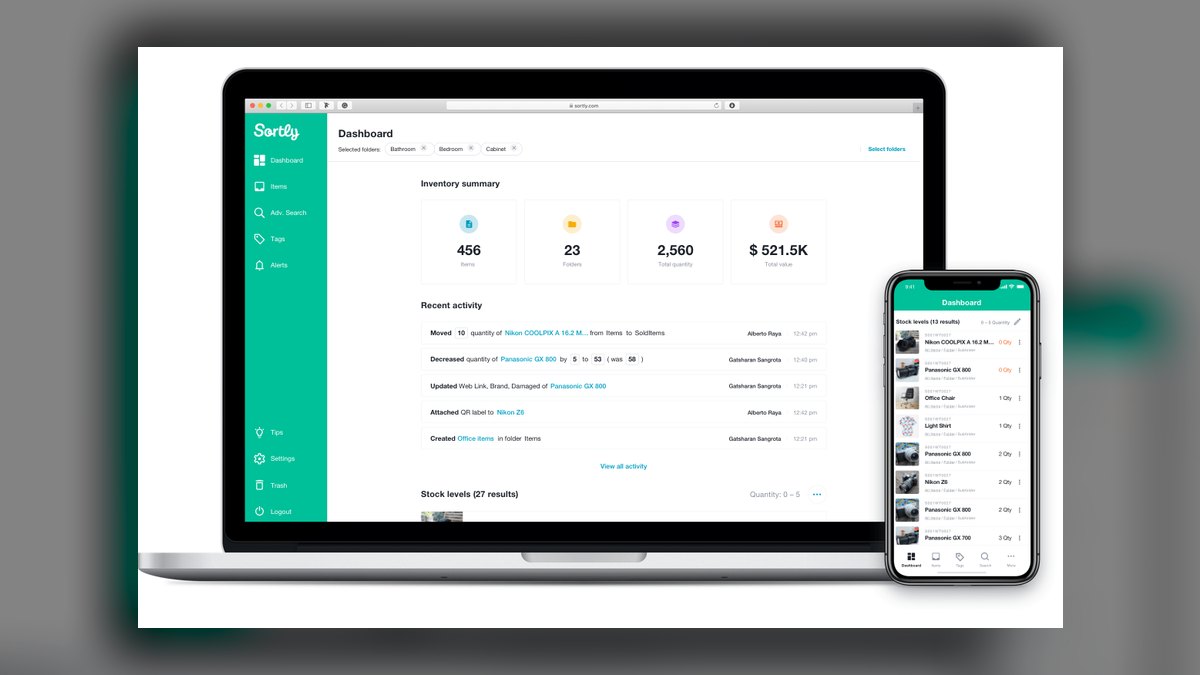
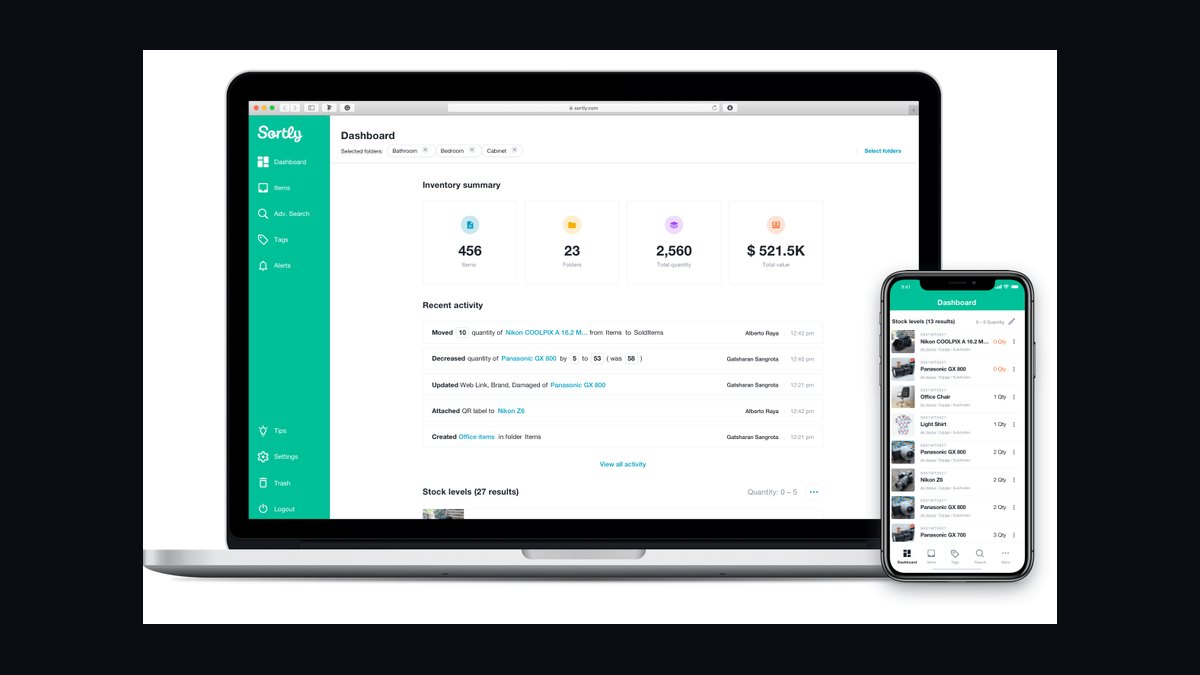
Sortly ranks first because it attacks the hardest home-organizing problem directly: knowing what you own and where it sits. You photograph an item, tag it with AI-assisted recognition, and file it into a nested location path like House → Garage → Shelf B → Bin 3. Printable QR labels tie each physical bin to its digital record. Search retrieves any object by photo or keyword in seconds.
This suits anyone whose clutter is physical objects in places — a garage, pantry, workshop, or seasonal storage closet. It trades away the freeform system-building that Notion AI Workspace offers, so you cannot bend it into a meal planner or maintenance wiki. If your problem is owning three tape measures and never finding one, Sortly wins on capture and retrieval, and its dated export supports insurance claims.
2Notion AI Workspace
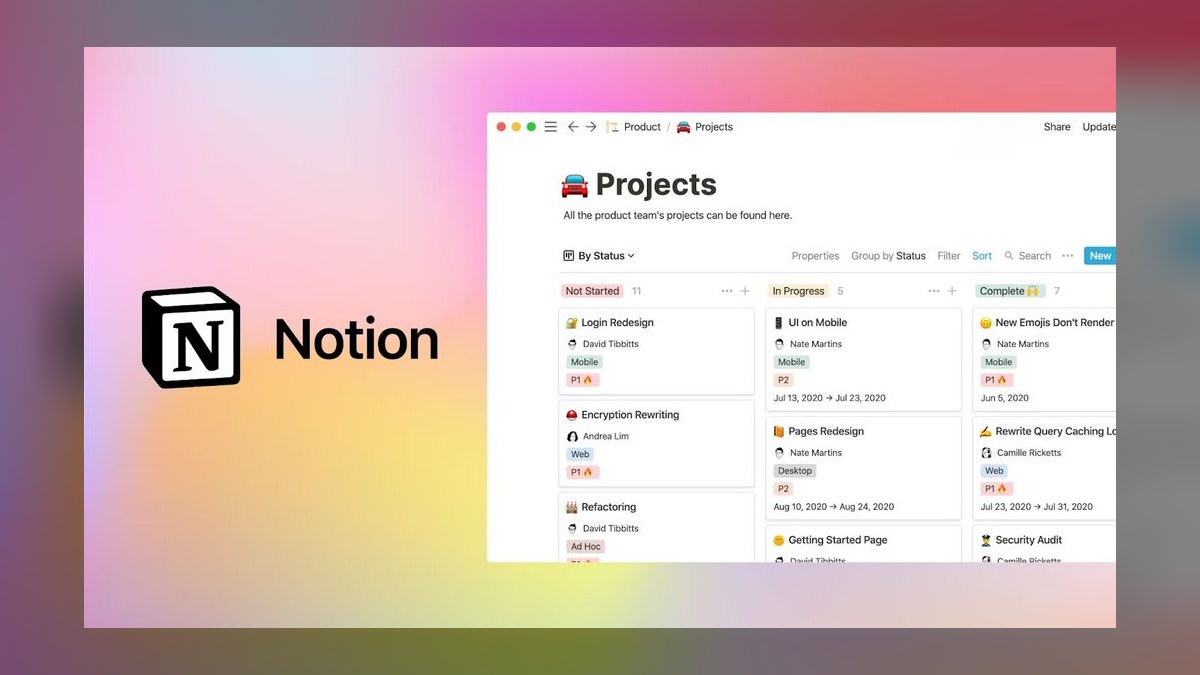
Notion AI Workspace ranks second because it is the strongest tool for people who organize by building flexible systems rather than scanning physical objects. Its AI layer writes, summarizes, and autofills directly inside a workspace of linked pages and databases, generating structured output like a room-by-room decluttering checklist or a twelve-month maintenance calendar. Warranties, manuals, project notes, meal plans, and chore rotations all live in one connected space.
This is for organizers who think in pages and databases and want a household operating system they designed themselves. It trades away the photo-based visual inventory Sortly Inventory App nails, and it requires a paid workspace plan plus the AI add-on. Setup takes real hours before it pays off, so pick Sortly for value on day one and Notion for adaptability over years.
3Amazon Alexa+ Assistant

Amazon Alexa+ Assistant ranks third as the best hands-free organizer because it holds context across a conversation. Ask it to add the stuff for chili to the shopping list and you get a sensible multi-item list rather than one literal entry. It handles shared lists and reminders tied to specific people and places. Routines bundle actions — a clean-up mode that dims lights and announces a fifteen-minute tidy across every Echo.
This fits households that want to talk to an organizer while their hands are full of laundry, and it is included for Prime members. It trades away deep visual databases and data ownership, since your lists live in Amazon's cloud. Against the structured Notion AI Workspace, Alexa+ is a frictionless capture layer with no depth for system-building, so run it as a complement.
4Google Gemini in Google Home

Google Gemini in Google Home ranks fourth as the strongest organizer for households already living on Android and Google services. It brings natural-language understanding to home routines, lists, and Google Keep notes, and ties into Google Calendar for family logistics. Ask it to make a packing list for a weekend trip and the list lands in Keep; recurring reminders sync to every signed-in device automatically, with no separate organizing app to maintain.
This is effectively free with a Google account, with premium AI tiers available, and it runs everywhere Google does. It trades away the purpose-built bin-and-label inventory Sortly Inventory App provides, and it works best when you are committed rather than mixing platforms. Against Amazon Alexa+ Assistant, Gemini integrates deeper with Keep and Calendar but remains a generalist rather than a dedicated organizing product.
5Sweepy Chore Manager App

Sweepy Chore Manager App ranks fifth as the best-value pick because it nails one job cheaply: keeping a home clean without anyone carrying the mental load. You enter your rooms and the tasks each needs, set frequencies, and Sweepy's algorithm distributes chores into a balanced daily list instead of a dreaded weekend marathon. It rebalances automatically when you skip a day, supports multiple household members, and gamifies progress with a cleanliness score.
This is for households whose organizing pain is recurring upkeep rather than one-time decluttering. It trades away inventory tracking and family scheduling entirely, focusing only on cleaning logistics. Against the broad scope of Google Gemini in Google Home, Sweepy delivers far more order per dollar within its narrow lane — a free version covers small homes, and low-cost premium unlocks unlimited rooms and sharing.
6Todoist AI Assistant
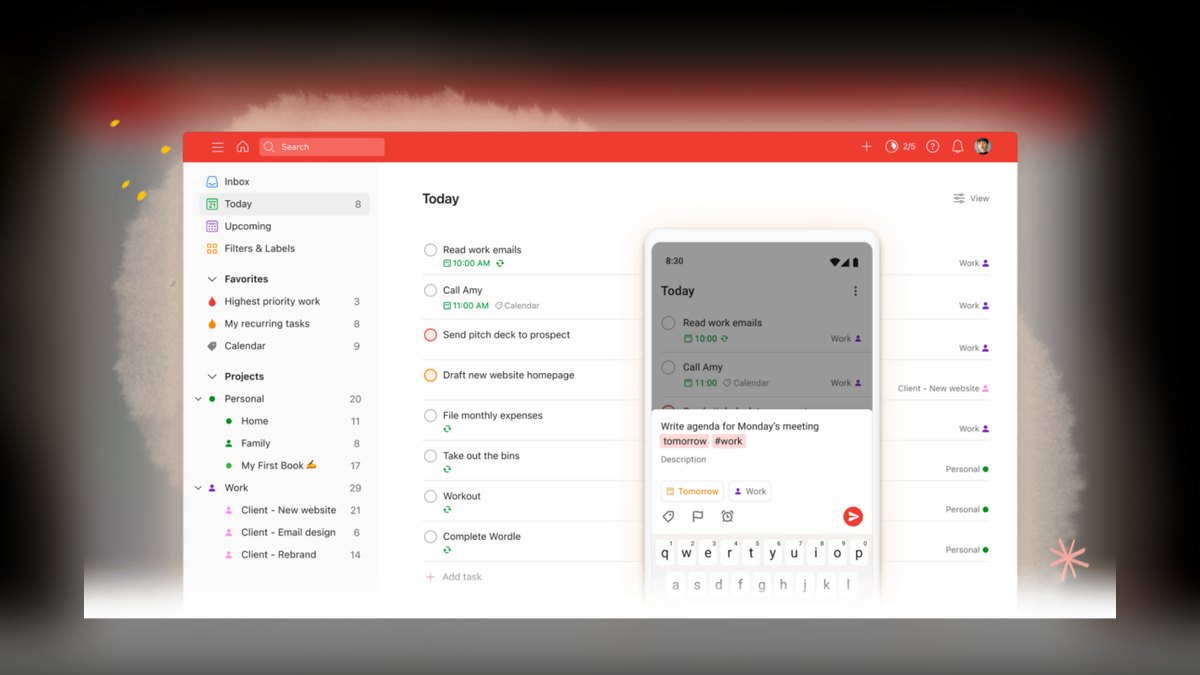
Todoist AI Assistant ranks sixth as the best AI-assisted task manager for converting vague organizing goals into steps you will actually finish. Its AI Assistant takes a fuzzy input like organize the garage and breaks it into concrete subtasks — sort by category, donate duplicates, label bins, hang tools — then suggests a sensible order. Natural-language recurring entries like change HVAC filter every 3 months work reliably across every synced device.
This suits people who need an engine that turns messy intentions into checklists. It trades away visual inventory and automated cleaning schedules, both of which Sweepy Chore Manager App handles better. Against Sweepy's hands-off chore distribution, Todoist gives you more control over how work is broken down but demands more manual setup, making it stronger for multi-week projects than daily upkeep.
7HomeZada Home Management Platform
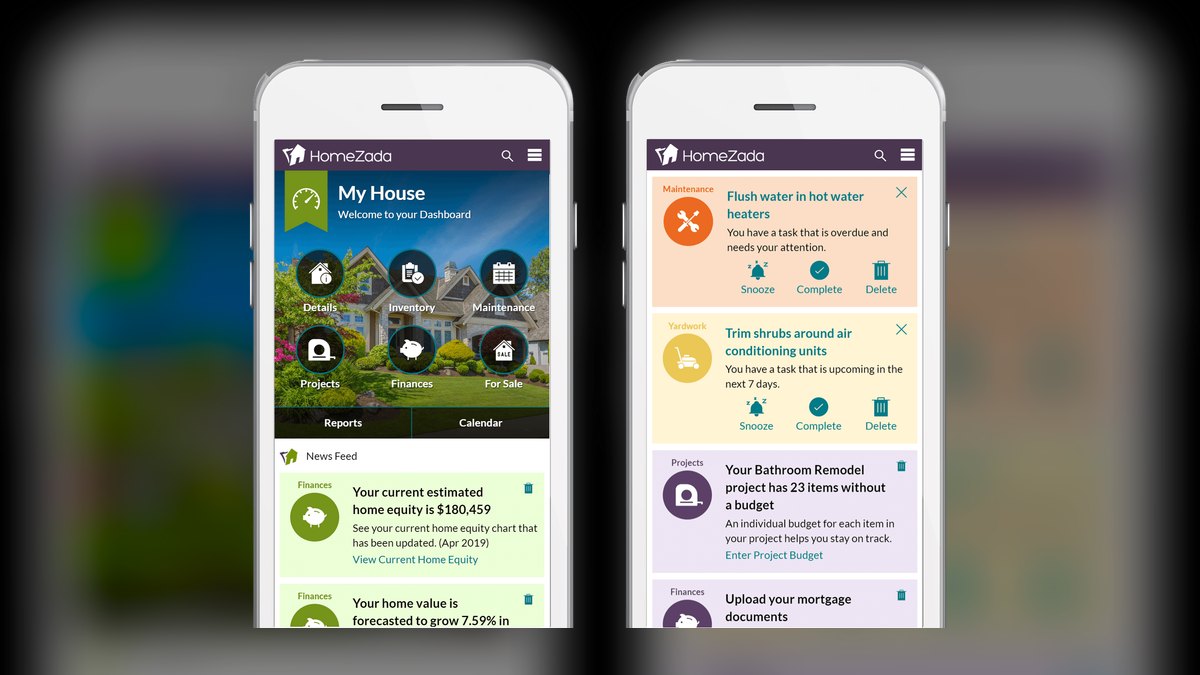
HomeZada Home Management Platform ranks seventh as a digital home-management platform aimed at the whole property rather than just clutter. It combines a home inventory with photos and values, a maintenance scheduler, document storage for manuals and warranties, and home-finance tracking, with AI features that estimate values and surface upcoming maintenance. Log appliances with model numbers and warranties, and it flags filter changes and seasonal tasks before they become repairs.
This is for homeowners who want maintenance, inventory, and property records in one place — more than most renters will ever need. It trades away the simplicity of a plain task list, though its dated report export is genuinely useful for insurance claims. Against the general task engine in Todoist AI Assistant, HomeZada covers far more of the property but is heavier to set up.
8Cozi Family Organizer

Cozi Family Organizer ranks eighth as the long-running family organizer and the best pick for households whose real chaos is people and schedules rather than possessions. A shared color-coded calendar, shared shopping and to-do lists, meal planning, and reminders keep everyone's activities and errands visible in one place. Grocery lists update live across phones, and chores can be assigned per person so nothing quietly slips through the week.
This is for busy families coordinating multiple schedules and errands. It trades away the inventory and maintenance depth HomeZada Home Management Platform provides, and it leans lighter on AI than anything above it. A free ad-supported tier exists, while Cozi Gold removes ads and adds month view and birthday tracking, making it a low-cost workhorse for scheduling rather than asset management.
9OpenAI ChatGPT

OpenAI ChatGPT ranks ninth as the most flexible organizing brain — not an app that stores your things, but one that designs the system holding them. Describe your space and constraints and it produces a decluttering plan, a room layout strategy, a labeling scheme, or a 30-day reset schedule, then adapts when you push back. You can build a custom GPT tuned to your household, its storage spots, and its weekly routines.
This is for anyone who needs a planner and problem-solver behind their organizing effort rather than a tracker. It trades away any ability to record which bin holds the winter coats, which is exactly the job Sortly Inventory App does. Against the fixed family scheduling in Cozi Family Organizer, ChatGPT can design any system you describe but requires you to execute every step yourself.
10Apple Reminders with Apple Intelligence
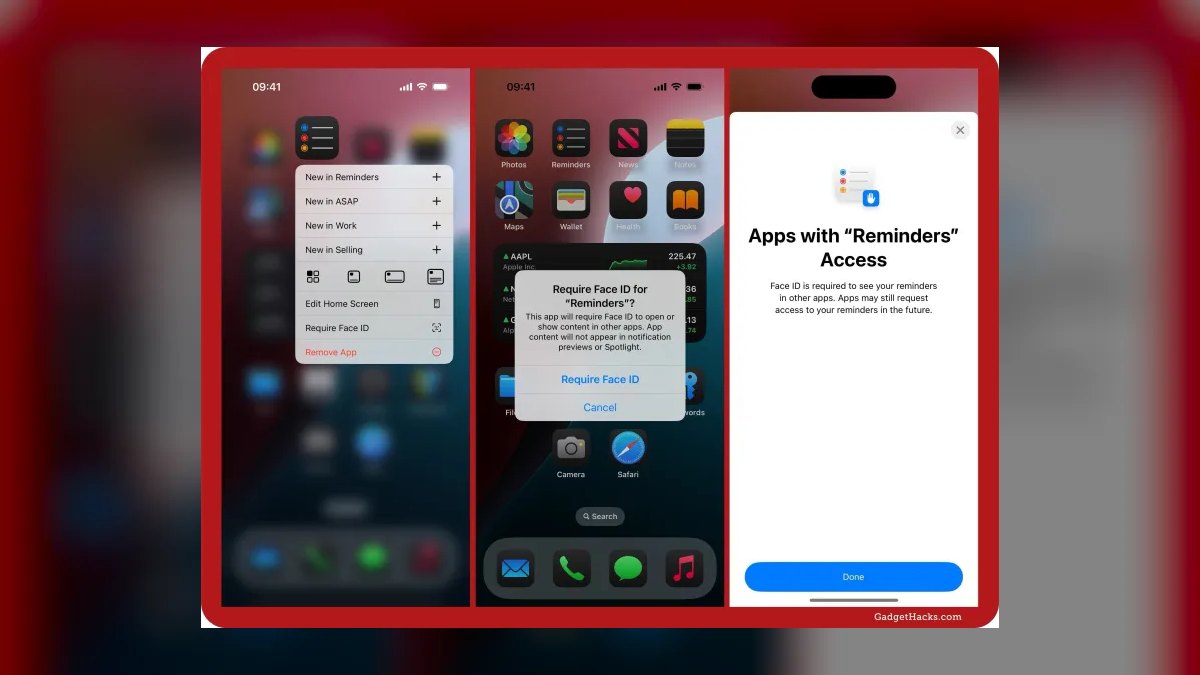
Apple Reminders with Apple Intelligence ranks tenth as the best built-in option for households on iPhone, iPad, and Mac. It needs no extra download, syncs through iCloud, and uses on-device intelligence to suggest tasks, auto-categorize items, and group grocery lists by store aisle. Location-based reminders, shared lists, and Siri capture make it the lowest-friction way to get something written down at all.
This is for the millions already on iPhone who want AI-assisted lists without paying or installing anything. It trades away the deep inventory and system-building capability found higher on this list, and it stops at the edge of Apple's ecosystem. Against the open-ended planning in OpenAI ChatGPT, Reminders cannot design a system for you but will reliably run the one you already have.
How we ranked these
We scored ten tools on five weighted factors: AI that performs real work — item recognition, generative checklists, algorithmic chore balancing — plus time from install to first useful output, cross-platform availability, data export and ownership, and price-to-value. Company stability and evidence of active 2027 updates carried a durability weight. Every product was rated against four distinct household jobs: physical inventory, recurring cleaning, family scheduling, and system-building.
We deliberately ignored "AI" that amounts to text autocomplete on a marketing page, products shipping no usable free tier, and single-platform apps outside Apple's built-in default. Shuttered services like Modsy were omitted regardless of past quality. Anything locking data in without CSV or PDF export was excluded, because an inventory you cannot retrieve is worse than keeping no inventory at all.
What to look for
Name your actual daily friction first, because these tools solve four different problems. Objects you cannot find point to Sortly and its QR-labeled bins. Cleaning nobody wants to own points to Sweepy's balancing algorithm. Colliding schedules point to Cozi. Wanting a household system you designed yourself points to Notion AI. Confirm the specific AI feature you need exists in the free tier before paying anything.
The common mistake is buying a tool for a job it was never designed to do — running inventory inside a task manager, or family scheduling inside a cleaning app. The second mistake is skipping the export question until you have already cataloged 400 items. Test one real space for two weeks before paying; adoption beats feature count, and many households never outgrow the free tiers.
Related questions
Which AI tool is best for tracking physical items at home?
Sortly. You photograph an item, tag it with AI-assisted recognition, and file it into a nested location like House → Garage → Shelf B → Bin 3. Printable QR labels tie the physical bin to its digital record. It suits collections, tools, seasonal storage, and insurance documentation, with a free tier and paid plans for higher item capacity.
How does Notion AI help with home organization?
Notion AI builds custom household systems rather than scanning objects. You create linked databases for maintenance logs, meal plans, warranties, or a moving checklist, and the AI autofills fields, summarizes notes, and answers questions across the workspace. It requires a paid workspace plan plus the AI add-on, but nothing else here is as adaptable for people who think in pages.
What keeps a home clean without the mental load?
Sweepy. You enter your rooms and the tasks each one needs, set frequencies, and its algorithm spreads chores into balanced daily lists instead of a weekend marathon. It rebalances when you skip a day, splits work across household members, and tracks progress with a cleanliness score. A free version covers most homes.
Can Amazon Alexa+ actually organize a household?
As a capture layer, yes. Alexa+ holds context across a conversation, so asking it to add the stuff for chili produces a sensible multi-item list rather than one literal entry. It handles shared lists, reminders tied to people and places, and routines that bundle actions like a 15-minute tidy. Your data lives in Amazon's cloud.
How does Google Gemini work inside Google Home?
Gemini brings natural-language understanding to routines, lists, and Google Keep notes, and ties into Google Calendar for family logistics. Ask for a weekend packing list and it lands in Keep; set recurring reminders and they sync to every signed-in device. It is free with a Google account, but it is a generalist rather than a purpose-built inventory tool.
Which tool handles family schedules and shared lists best?
Cozi. A shared color-coded calendar, shared shopping and to-do lists, and meal planning keep everyone's activities visible in one place, with reminders so nothing slips. It was built for multi-member households, with live grocery updates and per-person chore assignments. The ad-supported version is free; Cozi Gold removes ads and adds month view and birthday tracking.
How do people use ChatGPT for organizing?
As the brain behind the effort, not the storage. Describe your space and constraints and it produces a decluttering plan, a labeling scheme, a room layout strategy, or a 30-day reset schedule, then adapts when you push back. You can build a custom GPT tuned to your household's storage spots and routines. Pair it with Sortly for actual tracking.
Is Apple Reminders with Apple Intelligence good enough?
For Apple households, yes. It costs nothing, installs nothing, syncs through iCloud, and uses on-device intelligence to suggest tasks, auto-categorize items, and group grocery lists by store aisle. Location-based reminders and shared lists work cleanly with Siri. It is not a deep inventory tool, but it is the smartest zero-friction default already on the phone.
FAQ
What is the single best AI tool for home organization in 2027?
Sortly, for most people. Its AI-assisted item capture, QR labeling, and visual inventory attack the core problem directly: knowing what you own and where it sits. If your bottleneck is systems rather than objects — warranties, meal plans, project notes all scattered — Notion AI is the better first pick instead.
Which of these gives the best value for the money?
Sweepy. The free version is genuinely usable rather than a demo, and the premium unlock costs less than nearly every alternative here while solving recurring cleaning, which generates the most daily friction in most homes. You get more order per dollar from it than from any broader assistant on this list.
Do I actually need to pay, or are free tiers enough?
Many households never pay. Sortly, Todoist, Cozi, Sweepy, ChatGPT, Google Gemini, and Apple Reminders all ship real free tiers, not trials. Paid plans mostly raise capacity — more items, more rooms, more users — and unlock advanced AI features. Run the free version on one real space for two weeks before deciding.
Can one app handle inventory, chores, and the family calendar?
Not well. Notion AI comes closest, letting you build all three as linked databases, but that takes real setup effort. Dedicated apps are faster to start and easier to stick with: Sortly for inventory, Sweepy for cleaning, Cozi for the calendar. Most organized households end up running two or three tools together.
Are my photos and home inventory data safe in these apps?
It varies, so check before cataloging valuables. Apple Reminders leans on on-device Apple Intelligence and iCloud. Sortly and HomeZada store data in their own clouds but let you export to PDF or CSV, so you keep a copy you own. Read each app's data and export policy first — portability is the real safeguard.
Which tool is best for insurance documentation?
Sortly and HomeZada. Both record photos, values, purchase dates, and serial numbers, then export a dated report — precisely what insurers ask for after theft, fire, or water damage. HomeZada adds document storage for manuals and warranties, which helps when a claim turns on proving what a fixture originally cost.
What is the best AI tool for building cleaning schedules?
Sweepy, which is purpose-built for it. You input rooms and tasks, set how often each needs doing, and the algorithm balances chores across days and household members. It rebalances after skipped days and gamifies progress with a cleanliness score. Nothing else here is as effective or as cheap for this one job.
How does Todoist's AI Assistant help with organizing?
It converts vague intentions into finishable checklists. Give it "organize the garage" and it returns concrete subtasks — sort by category, donate duplicates, label bins, hang tools — and suggests a sensible order. It also handles natural-language recurring tasks like changing an HVAC filter every three months. It is not an inventory tool.
What is HomeZada actually best for?
Homeowners managing the whole property rather than just clutter. It combines a photo-and-value home inventory, a maintenance scheduler, document storage for manuals and warranties, and home-finance tracking. AI features estimate values and surface upcoming maintenance before it becomes a repair. It is heavier than most renters need, but complete if you treat the house as an asset.
Which tool is best when your hands are full?
Amazon Alexa+. You add to shared lists, set reminders, and trigger routines by voice while carrying laundry, and it holds context across a conversation so multi-item requests work naturally. It is included for Prime members. Google Gemini and Apple Reminders offer comparable voice capture inside their own ecosystems if you are not on Echo.
Sources
- https://www.sortly.com/
- https://www.notion.com/product/ai
- https://www.amazon.com/alexa
- https://home.google.com/
- https://sweepy.app/
- https://www.todoist.com/
- https://www.homezada.com/
- https://www.cozi.com/
- https://openai.com/chatgpt/
- https://support.apple.com/en-us/124025
Related on PULSE
This page will be disappearing soon. Save it to your device for $1 — or read it free while it is here.
@Kory-White- · if Venmo asks, the last 4 of my number are 2012
This page is gone.
This one is off the shelf now. $1 keeps it on your phone for good — the whole page, pictures and diagrams included.
 pulse-ai-infrastructureWhat is GPU memory fragmentation and how do you avoid it in 2027?
 pulse-ai-infrastructureThe 10 Best AI Tools for Design Mockups in 2027
 pulse-ai-infrastructureHow much does a single NVIDIA H100 cluster node cost to lease in 2027?
 pulse-ai-infrastructureThe 10 Best Model Serving Frameworks in 2027
 pulse-ai-infrastructureThe 10 Best AI Tools for Business Dashboards in 2027
 pulse-ai-infrastructureThe 10 Best Vector Databases for RAG in 2027
 pulse-ai-infrastructureWhat infrastructure do you need for fine-tuning versus RAG in 2027?
 pulse-ai-infrastructureThe 10 Best AI Tools for Reading PDFs Aloud in 2027
 pulse-ai-infrastructureThe 10 Best AI Tools for Speech Writing in 2027
 pulse-ai-infrastructureWhat is model serving and how is it different from a REST API in 2027?