

The 10 Best AI Tools for Full-Stack Web Development in 2027
 Curated byKory White · Fractional CRO · Maryland
Quality
Certified
The 10 best ai tools for full-stack web development are ranked below on measured performance, build quality, price, and how each one actually holds up in daily use rather than how it reads on a spec sheet. Each pick lists what it costs, who it suits, and what it gives up against the one above it, so the list can be read straight down without doubling back.
1GitHub Copilot

Copilot ranks first because no competitor matches its editor reach across VS Code, JetBrains IDEs, Neovim, and GitHub Codespaces with equally strong coverage of TypeScript, Python, Go, Rust, and Kotlin. Pricing is the most predictable in the category: Copilot Pro near $10 per month, Copilot Business near $19 per user, and Copilot Enterprise near $39 with custom fine-tuning on your own repositories. GitHub reports a large majority of users feel more productive.
This is the default pick for a mixed full-stack team that wants one tool everyone can use regardless of editor. It trades project-wide reasoning away — Copilot's context is narrower than Cursor's, so in a large monorepo it will hallucinate functions that already exist elsewhere. Choose Cursor instead if cross-file bugs in the seams between your frontend and backend are your dominant time sink rather than raw typing speed.
2Cursor

Cursor takes second on context alone: it advertises a project-wide window in the six-figure token range, well past 100,000 tokens, versus roughly 8,000 on narrow single-file assistants. That lets it answer a request like "find the bug in the login flow" by reading across files rather than only the open buffer. The individual Pro tier runs about $20 per month, placing it in the middle pricing band.
It fits teams working inside tangled monorepos where a Next.js frontend and a Python or Go backend share conventions. The trade is that Cursor is an editor, not a plugin — adopting it means moving your team off their existing IDE setup, which Copilot never asks. If your assistant keeps inventing functions that already exist in your codebase, you have outgrown Copilot's window and this is the upgrade.
3Codeium

Codeium ranks third because it is the only genuinely unlimited free option: unlimited completions for individuals across 70-plus languages and 40-plus IDEs at zero cost. That makes it the strongest zero-budget entry point in the category and a real Copilot alternative rather than a crippled trial. For a solo developer or a team running a two-week bake-off against a real backlog, it removes the budget approval step entirely.
Best for solo developers, students, and teams evaluating before signing anything. What it trades away is the deep project-wide reasoning that Cursor sells at $20 per month — on a large multi-service repo, a single-file-oriented free tool will lose ground. Against Copilot, you give up the enterprise fine-tuning and formal support contract, but for individual work the completion quality is close enough to matter.
4Sourcegraph Cody

Cody earns fourth for pairing a whole-project context window past 100,000 tokens with a self-hosted deployment option, a combination Cursor does not offer. Cody Pro sits at the low end of individual pricing near $9 per month, and Cody Enterprise starts near $19 per user, making large-context reasoning cheaper per seat than most alternatives. It reads across files to answer questions about code it has never had open.
This suits engineering orgs in finance, healthcare, or government that need context to stay inside their perimeter. The trade is setup burden: a self-hosted instance is infrastructure your team now owns and patches, where a cloud tool is a login. Compared with Cursor, Cody bolts onto your existing editor rather than replacing it, which lowers the adoption cost for a team already settled in VS Code.
5Amazon CodeWhisperer

CodeWhisperer places fifth on AWS specificity: it generates code tuned for Lambda, DynamoDB, S3, and API Gateway, and flags common OWASP-style vulnerability patterns inline as you write. The individual tier is free within a monthly suggestion cap, and it integrates with the AWS Toolkit for your editor. In one session it can scaffold a serverless stack — routes, handlers, queries, and a React frontend.
It is for teams whose backend lives entirely on AWS serverless primitives. Outside that home turf it is narrower than Copilot, with less breadth across editors and languages, so a team running Kubernetes on another cloud gains little. The inline vulnerability flagging is a real advantage over Codeium's free tier, but it does not remove the need for a CI security scanner and human review on auth code.
6Tabnine

Tabnine ranks sixth because it is the clearest answer to a hard privacy gate: on-device models advertised up to the 7-billion-parameter range run locally on capable hardware and never transmit your code. Tabnine Pro sits in the $12 to $20 monthly band, and Tabnine Enterprise runs around $39 per user with local deployment and training on your private repositories. No cloud round-trip is required for completions.
This is for regulated industries where sending code context to external servers is a non-starter. The trade is raw capability: a 7-billion-parameter local model does not match a large cloud model on complex multi-file reasoning, and you pay in hardware. Against Cody's self-hosted route, Tabnine keeps inference on the developer's own machine rather than a server you still have to operate.
7v0 by Vercel

v0 ranks seventh as the most specialized tool that still earns a seat: it generates production-ready React components with shadcn/ui and Tailwind, handling multi-component pages while following App Router and Server Component patterns. v0 Pro sits near $20 per month for a capped number of generations, with a free starter tier for evaluation. On Next.js frontend work its output needs less rewriting than a general assistant's.
Frontend-heavy Next.js teams get the most from it. The trade is scope — it does not touch your backend, your database layer, or your tests, so it slots alongside a primary assistant rather than replacing one. Unlike Copilot or Cursor, which charge per seat for everything, v0's generation cap means heavy UI weeks can hit the ceiling before the month ends.
8Replit AI

Replit lands eighth because its paid tiers bundle hosted compute with the assistant, reaching the $25 to $50 monthly range depending on RAM and private-project access. That price buys an environment, not just completions — you get a running full-stack app without configuring a local toolchain. For prototyping, teaching, or shipping something small end to end, that removes the entire setup step other tools assume you have already done.
It fits beginners, educators, and developers building throwaway prototypes fast. The trade is that you are renting infrastructure and accepting its limits, where Copilot at $10 per month plugs into hardware you already own. Teams with an established CI pipeline and a real deployment target get less from the hosted half, which is most of what pushes Replit's price above the assistant-only tools.
9Pieces for Developers

Pieces ranks ninth because it solves tool sprawl rather than code generation: it saves and auto-tags AI-generated snippets across Copilot, ChatGPT, Claude, and Gemini so useful output stops disappearing into chat history. Teams that adopt several assistants end up with inconsistent style and orphaned snippets, and Pieces is the tool built specifically for that failure mode. It is a layer over your assistants, not one of them.
This is for teams already running multiple assistants who need a shared snippet library and house style. The trade is obvious — it writes nothing on its own, so it cannot replace any pick above it. The cleaner fix is standardizing on one or two primary tools per team so the whole stack speaks one dialect; Pieces is the mitigation when that consolidation is not realistic.
10Mintlify

Mintlify ranks tenth as the narrowest useful specialist: it generates documentation rather than application code, with a free starter tier that lets you evaluate output before committing budget. Documentation is the part of full-stack work most likely to rot, and automating a first pass on API docs recovers time no code assistant is aimed at. It complements a primary assistant instead of competing on completions.
It is for teams shipping an API that external developers consume, where stale docs generate support load. The trade is scope — it touches none of the build, test, or debug loop that every tool above it accelerates, so it can never be your only purchase. Adopt it after your primary assistant and CI guardrails are in place, as a quarterly add-on rather than a foundation.
How we ranked these
Ranking weighted four measurable things: context window size (the single most predictive spec for full-stack work, ranging from roughly 8,000 tokens on single-file assistants to well past 100,000 on Cursor and Cody), editor and framework coverage across VS Code, JetBrains, and Neovim, published pricing at individual and team tiers, and the presence of a real free tier usable for a two-week bake-off against a live backlog.
Deliberately ignored: vendor-reported "acceptance rate" and productivity percentages, because they swing wildly by codebase and language and cannot be reproduced outside the vendor's demo repo. Also ignored: benchmark scores on toy JavaScript projects, which reward tools that stumble on typed, layered backends. Model version numbers were skipped too — they change monthly, while context ceilings, IDE reach, and privacy posture stay stable long enough to budget against.
What to look for
Match the tool's home turf to your stack rather than chasing the loudest marketing. AWS serverless shops get more from CodeWhisperer's Lambda, DynamoDB, and API Gateway tuning than from a generalist. Next.js frontend teams get more from v0's shadcn/ui and Tailwind output. Regulated industries should settle privacy posture first — Tabnine's on-device models and Cody's self-hosted instance keep code inside the perimeter.
The common mistake is buying seats before building the gate. Teams scale a tool across forty developers, then discover AI-generated auth handlers merging without review — speed converting quietly into rework and incident time. Wire the CI security scanner, type checks, and a mandatory human reviewer on authentication, payments, and data handling first. Second mistake: adopting five assistants at once, which produces five code dialects and orphaned snippets nobody owns.
Related questions
Which AI tool is best for a solo developer on a budget?
Codeium is the strongest free choice — unlimited completions across 70+ languages and 40+ IDEs at no cost, which makes it a genuine Copilot alternative rather than a crippled trial. If you want a fully AI-native editor, Cursor's individual Pro tier at roughly $20 a month adds project-wide context that a single-file free tool cannot match once a project grows past a few dozen files.
What is the best AI tool for AWS serverless full-stack apps?
Amazon CodeWhisperer, because it generates code tuned specifically for Lambda, DynamoDB, S3, and API Gateway rather than generic patterns. It can scaffold a serverless stack — routes, handlers, queries, and a React frontend — in a single session, and it integrates with the AWS Toolkit for your editor. It also flags common OWASP-style vulnerability patterns inline as you accept suggestions.
How do these tools handle strict data privacy?
Most cloud assistants transmit code context to external servers, which is a hard gate in finance, healthcare, and government. Tabnine leads on privacy with on-device models advertised up to the 7-billion-parameter range that never transmit code, plus enterprise plans supporting local deployment and training on your private repositories. Sourcegraph Cody's self-hosted instance is the other route to keeping context inside your perimeter.
Do I still need a full-stack developer if I use these tools?
Yes. These tools accelerate coding, debugging, and refactoring, but they lack real understanding of business context, user needs, and system architecture. Human engineers still own data modeling, failure handling, security review, and the ugly edge cases that only surface in production. The realistic outcome of adoption is a faster inner loop and higher throughput per developer, not a headcount reduction.
Which tools handle a large monorepo without hallucinating?
Cursor and Sourcegraph Cody, both built for whole-project reasoning with windows well past 100,000 tokens. The diagnostic is simple: if your assistant keeps inventing functions that already exist in your codebase, you have outgrown its context window. Most real bugs live in the seams between files, so cross-file context matters more in a mixed Next.js and Python monorepo than raw completion quality.
How should a team run a two-week evaluation?
Pick two candidates that fit your stack — for most teams Copilot plus one context-heavy option like Cursor or Cody — put them on free or trial tiers, and have three to five volunteers work the real backlog, not a demo repo. Measure cycle time on comparable tickets, review comments per PR, and defect escape rate. Choose volunteers spanning seniority levels.
Where does the speedup actually come from?
Green-field work sees the largest gain: a new CRUD screen, a validated form, or a data table can drop from a half-day to about an hour. Brown-field work inside a tangled monorepo narrows the gain, because the model spends its context budget learning your existing conventions before it can safely add to them. Clean design systems and good test coverage amplify the lift.
How do you stop tool sprawl across a team?
Standardize on one or two primary assistants per team so the whole stack speaks one dialect. Teams that adopt five end up with inconsistent code style and orphaned snippets scattered across chat histories. Pieces for Developers partly tames this by saving and auto-tagging AI-generated snippets across Copilot, ChatGPT, Claude, and Gemini, but a shared prompt convention and vetted snippet library is the cleaner structural fix.
FAQ
How much do AI coding tools typically cost in 2027?
Individual paid plans generally run about $9 to $40 per month. Cody Pro and Copilot Pro sit near $9–$10, Tabnine Pro and Cursor Pro land at $12–$20, and v0 Pro sits near $20 for a capped number of generations. Team and enterprise tiers commonly run $15 to $40 per user per month. Replit runs higher because you are also buying hosted compute.
Can these tools work with any language or framework?
Most leading tools support 20 to 40+ languages, including JavaScript, TypeScript, Python, Go, and Rust, with strong coverage of React, Next.js, Node.js, and Django. Niche or legacy frameworks receive noticeably less accurate suggestions. Validate on your actual stack before committing a team, since a tool that performs brilliantly on a JavaScript to-do app can stumble on a typed, layered backend.
Do AI coding assistants ever generate insecure or buggy code?
Yes, and they do it confidently, which is what makes it dangerous. They can emit injection vulnerabilities, broken authentication logic, race conditions, and outdated patterns. Require mandatory human review on anything touching authentication, authorization, payments, or data handling, plus a security scanner in CI. CodeWhisperer's inline vulnerability flagging helps, but no tool removes the need for a human reviewer who owns the merge.
Which tool has the largest context window?
Cursor and Sourcegraph Cody, both built for whole-project reasoning, advertise windows well past 100,000 tokens versus roughly 8,000 on narrow single-file assistants. Context size is the most concrete and verifiable spec in this category and the one most predictive of real usefulness in big monorepos mixing frontend and backend code. Treat productivity percentages with far more skepticism.
Are these tools worth it for junior developers?
They help beginners learn patterns and cut boilerplate, but over-reliance stunts debugging skill. A junior who accepts every suggestion builds speed without building judgment, then cannot debug the code they supposedly wrote. Pair adoption with code-reading and debugging expectations so skill compounds. A useful house rule: whoever accepted a suggestion must be able to explain it in the PR description.
What is the best value tool for Next.js frontends?
v0 by Vercel is the standout for frontend-heavy Next.js work. It generates production-ready React components with shadcn/ui and Tailwind, handles multi-component pages, and follows App Router and Server Component patterns. A free tier lets you evaluate output quality before upgrading to a paid plan with a generation cap, around $20 per month at the Pro level.
What does a 40-person engineering org actually spend?
At roughly $39 per user per month — Copilot Enterprise or Tabnine Enterprise territory — a 40-person org runs about $18,700 a year. That is trivial against fully loaded salaries but still deserves a deliberate decision rather than a default renewal checkbox. Read the fine print on generation caps and seat minimums before assuming the advertised sticker price is your real cost.
How do you justify the spend to leadership?
Frame it as throughput per developer tied to revenue. If the tools shave 20% off build time for customer-facing features, that capacity either ships more roadmap or frees engineers for reliability work protecting existing revenue. Tie the adoption decision to a concrete throughput or reliability goal rather than a vague desire to use AI, and track cost per seat against measured backlog movement.
Which guardrails should exist before you scale seats?
Wire the gate first: a security scanner, type checks, and linting in CI so generated code cannot merge unreviewed, plus an explicit rule that authentication, payment, and data-handling code always gets a human reviewer. Add a house style and shared snippet library so ten developers do not produce ten dialects. Scaling a tool before the CI gate exists just scales unreviewed code reaching main.
How often should you revisit the tool choice?
Quarterly. This market moves fast — context windows grow, prices shift, and specialists like v0 for Next.js UI or Mintlify for API documentation can slot in alongside your primary assistant rather than replacing it. Keep free options like Codeium and CodeWhisperer's individual tier as fallbacks, and let each team pick the best fit for its slice of the stack.
Sources
- https://github.com/features/copilot
- https://cursor.com/
- https://www.tabnine.com/
- https://aws.amazon.com/q/developer/
- https://sourcegraph.com/cody
- https://replit.com/
- https://pieces.app/
- https://mintlify.com/
- https://v0.dev/
- https://code.visualstudio.com/docs/copilot/overview
Related on PULSE
This page will be disappearing soon. Save it to your device for $1 — or read it free while it is here.
@Kory-White- · if Venmo asks, the last 4 of my number are 2012
This page is gone.
This one is off the shelf now. $1 keeps it on your phone for good — the whole page, pictures and diagrams included.
 pulse-ai-infrastructureHow do you load-test an LLM inference service in 2027?
 pulse-ai-infrastructureWhat is the best architecture for multi-tenant AI applications in 2027?
 pulse-ai-infrastructureThe 10 Best AI Tools for Creating Resumes in 2027
 pulse-ai-infrastructureThe 10 Best AI Tools for Real Estate Websites in 2027
 pulse-ai-infrastructureThe 10 Best AI Observability Tools for RAG Pipelines in 2027
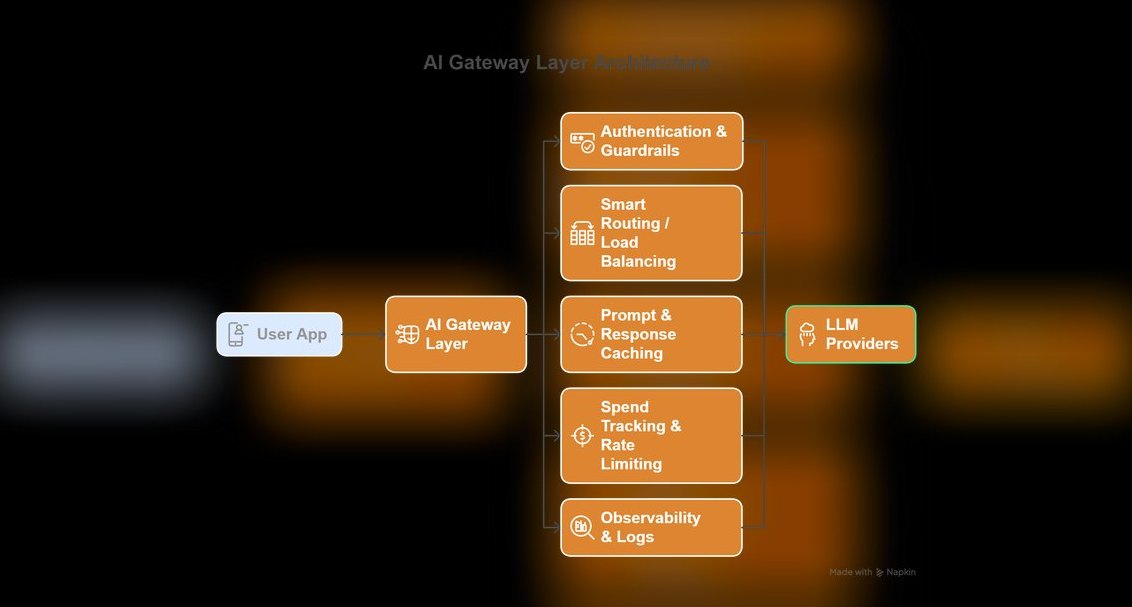 pulse-ai-infrastructureThe 10 Best LLM Gateways in 2027
 pulse-ai-infrastructureThe 10 Best AI Tools for RFP Responses in 2027
 pulse-ai-infrastructureThe 10 Best AI Tools for Progressive Web Apps in 2027
 pulse-ai-infrastructureThe 10 Best Real-Time ML Feature Platforms in 2027
 pulse-ai-infrastructureThe 10 Best AI Tools for Animation in 2027