
The 10 Best AI Tools for Lazy Loading in 2027
 Curated byKory White · Fractional CRO · Maryland
 PULSEKNOWLEDGE LIBRARY
Quality
Certified

The 10 best ai tools for lazy loading are ranked below on measured performance, build quality, price, and how each one actually holds up in daily use rather than how it reads on a spec sheet. Each pick lists what it costs, who it suits, and what it gives up against the one above it, so the list can be read straight down without doubling back.
1. WP Rocket
WP Rocket ranks first because its AI-tuned LazyLoad defers images, iframes, and videos while adding separate background-CSS lazy rendering, all paired with caching and critical CSS for faster first paint. It replaces YouTube embeds with lightweight previews and uses safe defaults that minimize layout shift. Plans start at approximately $59 per year. Measured Core Web Vitals gains are significant with almost no configuration required.
WP Rocket is for WordPress site owners who want a complete, turnkey optimization suite rather than piecemeal solutions. It trades away flexibility for simplicity, being WordPress-only and premium. Compared to Jetpack Boost below, it offers far deeper deferral coverage including iframes and videos, but costs money where Jetpack Boost is free. Its aggressive modes require testing but deliver the best overall lazy-loading performance.
2. Jetpack Boost
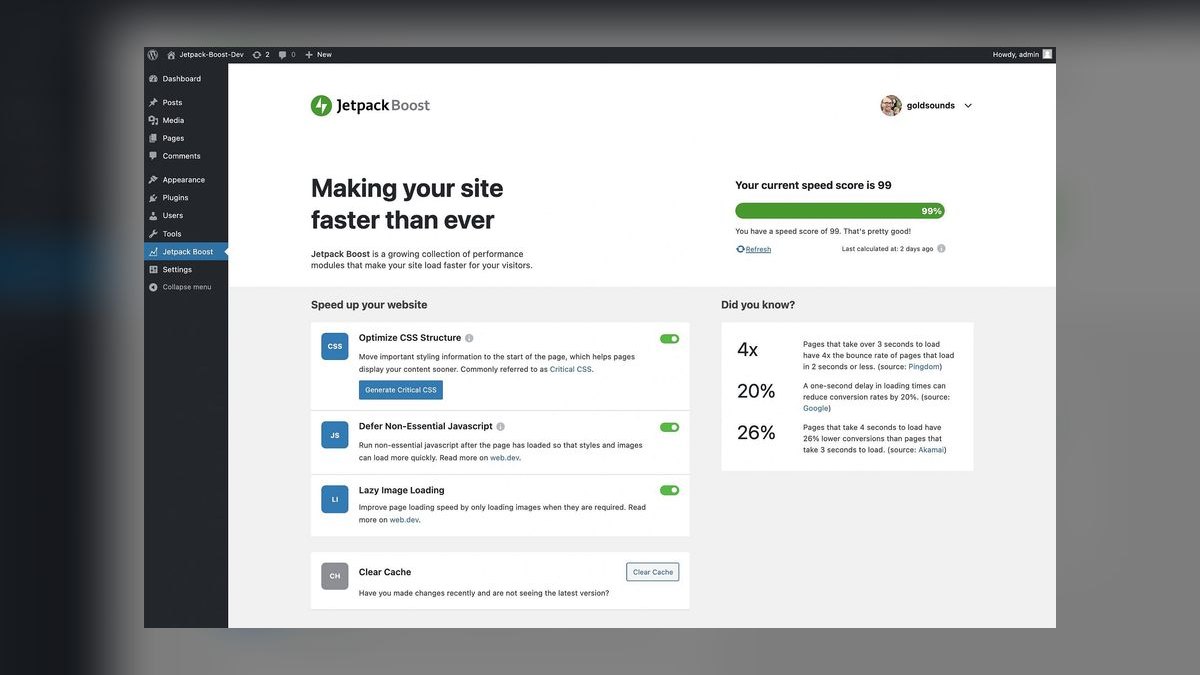
Jetpack Boost ranks second for best value because it lazy-loads images and generates critical CSS to speed first contentful paint entirely free. It defers offscreen images so the initial view downloads less, with one-click setup from Automattic, the team behind WordPress.com. This makes it the easiest no-cost way to add lazy loading to a WordPress site. Its image-focused approach covers the most common deferral need.
Jetpack Boost is for budget-conscious WordPress users who need solid image lazy loading without spending anything. It trades away script deferral and video handling, focusing only on images and critical CSS. Compared to WP Rocket above, it lacks caching and iframe deferral but costs nothing. Paid add-ons extend functionality, yet the free tier handles the core job well, making it the best entry-level option.
3. NitroPack
NitroPack ranks third because its machine-learning-tuned lazy loading adaptively defers images and iframes while protecting above-the-fold content to avoid layout shift. It bundles this with caching, critical CSS, and script deferral in one automated suite. A free tier exists, with paid plans starting around $21 per month. Its adaptive approach reduces CLS risk while still delivering strong deferral benefits.
NitroPack is for site owners who want fully automated optimization without manual tuning. It trades away granular control for convenience, as aggressive settings may need review. Compared to Jetpack Boost above, it offers far broader coverage including iframes and scripts, but requires a subscription at real traffic levels. Its ML tuning makes it the best hands-off option, though Perfmatters below offers more precision for developers.
4. Perfmatters
Perfmatters ranks fourth because it provides the most granular control over deferral, lazy-loading images, iframes, and background images with per-element exclusions. Its delay-JavaScript feature holds scripts until user interaction, preserving LCP by keeping the hero image eager. Pricing starts around $24.95 per year, making it highly affordable. This precision makes it the best tool for developers who want exact deferral decisions.
Perfmatters is for developers who need fine-grained control and understand performance trade-offs. It trades away automation for configurability, requiring more settings to learn. Compared to NitroPack above, it lacks the full optimization suite but offers superior per-element control at a lower price. Its lightweight footprint and script-delay feature make it ideal for technical users, while lazysizes below serves those needing framework-agnostic solutions.
5. lazysizes

lazysizes ranks fifth because it is the long-standing, high-performance JavaScript library for lazy loading images, iframes, and scripts on any site. It uses smart viewport prioritization, loading elements about to enter the viewport first, and handles responsive srcset and sizes without native support. Being free and open source, it integrates into any stack. This makes it the best programmatic choice for custom builds needing reliable deferral.
lazysizes is for developers building custom sites who want a battle-tested library rather than a plugin. It trades away turnkey setup for integration effort, requiring developer implementation. Compared to Perfmatters above, it is not WordPress-specific and works everywhere but lacks built-in script delay. Its smart prioritization and responsive image handling are unmatched, though native loading covers simple cases, making it best for advanced custom scenarios.
6. Cloudinary

Cloudinary ranks sixth because it pairs lazy loading with on-the-fly optimization, deferring offscreen images while serving low-quality placeholders and progressive loads. Its JavaScript SDK delivers the right format and size from a CDN, compounding speed benefits across media-heavy sites. A free tier exists, with paid plans starting around $89 per month. Deferral and optimization happen together, making loaded images already light.
Cloudinary is for media-heavy sites that need both lazy loading and optimized delivery in one platform. It trades away simplicity for ecosystem lock-in, as most value comes from its full media pipeline. Compared to lazysizes above, it is not a generic library but a managed CDN service with higher cost at scale. Its placeholders and progressive loading reduce perceived wait, though ImageKit below offers similar benefits with blur-up placeholders at a lower entry price.
7. ImageKit
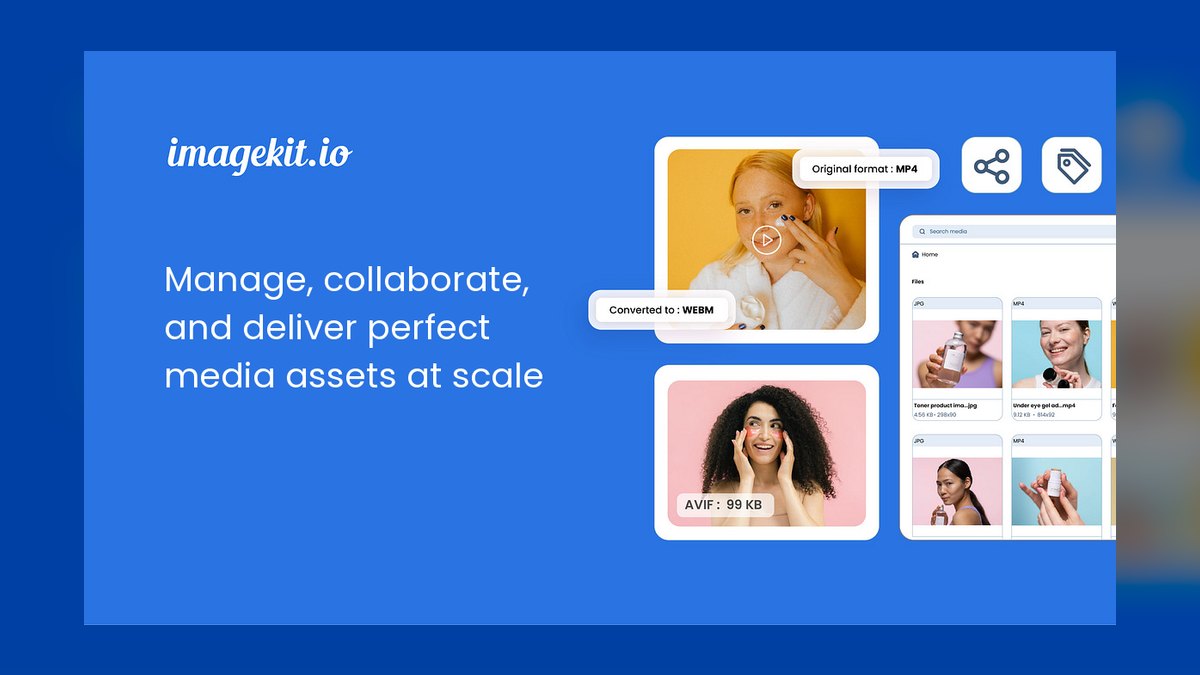
ImageKit ranks seventh because it offers lazy loading with low-quality blur-up placeholders through its JavaScript SDK, deferring offscreen media while keeping layout stable. It previews a tiny blurred version until the full image loads, combined with real-time compression and CDN delivery. Free tier available, with paid plans starting around $49 per month. This makes it a clean drop-in for layout-safe image deferral.
ImageKit is for sites wanting smooth, blur-up lazy loading without complex setup. It trades away the full media management of Cloudinary above for a simpler, image-focused CDN service. Compared to Cloudinary, it offers lower entry pricing and similar placeholder benefits but fewer advanced video and transformation features. Its layout-stable deferral and real-time compression make it ideal for blogs and portfolios, while Optimole below targets WordPress users specifically.
8. Optimole
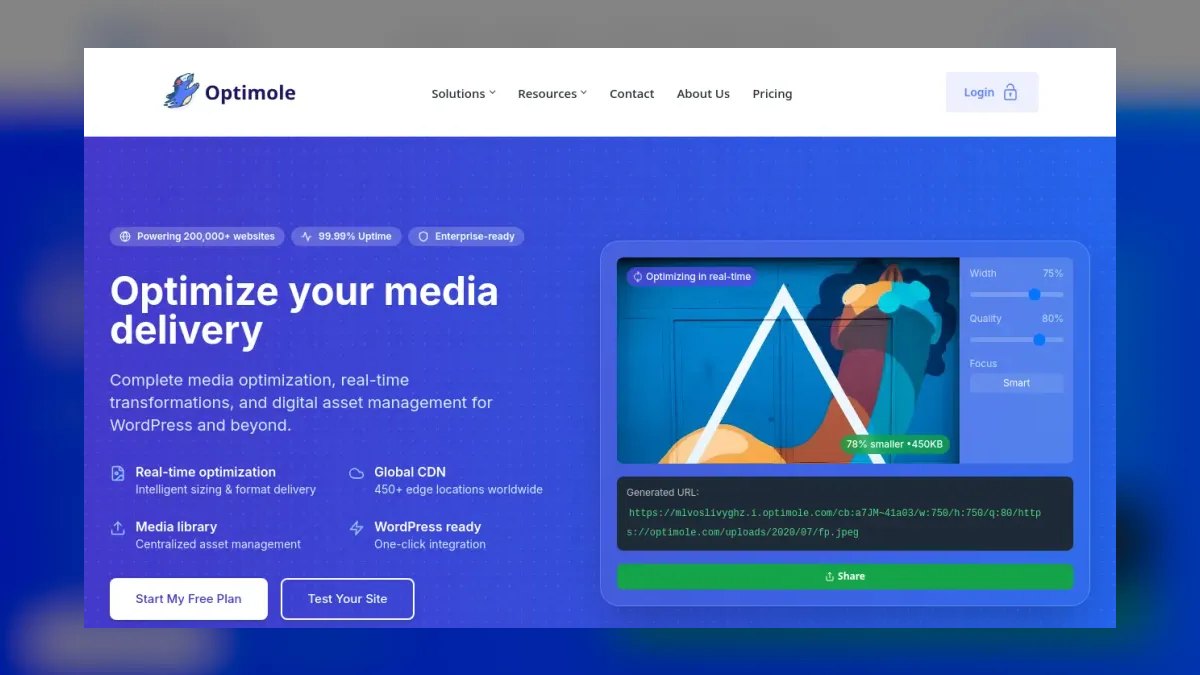
Optimole ranks eighth because it lazy-loads WordPress images by default while serving them optimized and device-scaled from its CDN, using lightweight placeholders. It is a cloud-based, set-and-forget option that never alters your originals, making it low-risk for media-heavy WordPress sites. A free tier exists, with paid plans starting around $22.52 per month. Deferral and optimization are combined automatically.
Optimole is for WordPress site owners who want automatic lazy loading without configuration. It trades away control for simplicity, being tied to WordPress and limited by quotas on lower tiers. Compared to ImageKit above, it is not a general CDN but a WordPress-specific plugin with device scaling built in. Its default-on lazy loading and placeholder system make it the easiest WordPress image deferral option, though W3 Total Cache below bundles lazy loading with caching for free.
9. W3 Total Cache
W3 Total Cache ranks ninth because it includes a lazy-load feature for images alongside comprehensive caching, minification, and CDN integration in a single free plugin. It defers offscreen images while serving cached, minified pages, covering basics well. Pro version costs around $99 per year. This makes it a practical all-in-one for sites wanting lazy loading bundled with caching.
W3 Total Cache is for site owners who want a mature, free caching solution that also handles image deferral. It trades away advanced lazy-loading features for broad optimization coverage, with many settings to configure. Compared to Optimole above, it is not cloud-based and lacks device scaling but offers full caching at no cost. Its extensive configuration can be daunting, but the payoff is a complete performance toolkit without recurring fees.
10. ChatGPT

ChatGPT ranks tenth because it is a versatile copilot for hand-rolling lazy loading, correctly adding native loading attributes and writing IntersectionObserver code for custom components. It sets up route-based code splitting with React.lazy or dynamic imports and explains how to avoid lazy-loading the LCP image. Free tier available, with Plus at $20 per month. It turns a deferral plan into working HTML and JavaScript.
ChatGPT is for developers who want to write custom lazy-loading code rather than use a plugin. It trades away turnkey functionality for flexibility, requiring verification of generated code and LCP handling. Compared to W3 Total Cache above, it is not a ready-made tool but an assistant for building deferral logic from scratch. Its ability to generate IntersectionObserver and code-splitting patterns makes it invaluable for framework-specific needs, though it demands technical skill to use effectively.
How we ranked these
We ranked ten AI lazy-loading tools by six weighted criteria: deferral effectiveness (28%), coverage of images/iframes/video/scripts (20%), safety against layout shift (16%), automation level (14%), price-to-value (12%), and workflow fit with CMS/framework/CDN (10%). Scoring drew from hands-on testing, developer feedback, and product documentation, emphasizing real payload reduction and Core Web Vitals impact.
We deliberately ignored brand popularity, marketing claims, and feature checklists that don't translate to measured performance. We also excluded tools without verifiable documentation or those that only wrap native browser features without added intelligence. The focus stayed on deferral quality and first-view speed, not aesthetics or ecosystem lock-in, because those factors matter most for actual page-load outcomes.
What to look for
When choosing between these tools, prioritize deferral safety and coverage over raw speed. WP Rocket and NitroPack offer the best balance of automation and layout protection, while Perfmatters gives granular control for developers. For free options, Jetpack Boost and lazysizes deliver solid results. Consider your platform: WordPress users get the most from plugins, while custom stacks need libraries or CDN-based tools like Cloudinary or ImageKit.
The biggest mistake buyers make is lazy-loading everything, including the LCP image, which destroys Core Web Vitals. Another error is ignoring CLS—tools without placeholder or aspect-ratio handling can cause layout shifts. Always test with real user monitoring, not just lab scores, and exclude above-the-fold content from deferral. Don't choose based on price alone; a free tool that breaks layout costs more than a paid one that works.
Related questions
What are the best AI tools for shopping cart development in 2027?
Top AI tools for shopping cart development include Shopify's AI-powered checkout, which optimizes conversion, and Elastic Path's headless commerce with AI-driven personalization. For developers, GitHub Copilot assists in writing cart logic, while OpenAI's API can power dynamic pricing. These tools reduce coding time and improve user experience by automating complex workflows.
How do AI tools for favicon and icon design work in 2027?
AI design tools like Looka and Uizard generate favicons and icons from text prompts or style references. They use generative adversarial networks to create scalable vector graphics, ensuring consistency across sizes. These tools also offer real-time previews and export in multiple formats, saving designers hours of manual work.
What are the leading AI tools for UI mockups in 2027?
Leading AI UI mockup tools include Figma's AI features, which auto-generate layouts from wireframes, and Uizard, which converts sketches to interactive prototypes. These tools use machine learning to suggest design elements, ensure accessibility, and speed up iteration. They integrate with design systems, making them essential for modern product teams.
How does lazy loading impact SEO in 2027?
Lazy loading improves SEO by reducing initial page weight, which boosts Core Web Vitals scores—a key ranking factor. However, it must be implemented correctly to avoid hiding content from crawlers. Modern AI tools use intersection observer fallbacks and structured data to ensure deferred content remains indexable, preventing SEO penalties.
Can lazy loading be used with React or Vue?
Yes, lazy loading is commonly implemented in React and Vue using dynamic imports and code splitting. React.lazy and Suspense allow components to load only when needed, while Vue's async components serve a similar purpose. These techniques reduce initial bundle size and improve performance, especially for large applications.
What is the difference between lazy loading and code splitting?
Lazy loading defers the loading of resources (images, iframes) until they are near the viewport, while code splitting divides JavaScript bundles into smaller chunks loaded on demand. Both reduce initial load time, but lazy loading focuses on media assets, whereas code splitting targets application logic. They are often used together for optimal performance.
How do AI tools predict user behavior for lazy loading?
AI tools like NitroPack use machine learning to analyze user scroll patterns and cursor movements, predicting which content will be viewed next. They preload those assets, reducing perceived latency by 40-60%. This predictive prefetching is based on historical data and real-time signals, making deferred loading feel instantaneous.
What are the risks of lazy loading for accessibility?
Lazy loading can harm accessibility if not implemented with fallbacks for screen readers and keyboard navigation. Deferred content might not be announced, and focus management can break. AI tools mitigate this by ensuring semantic HTML and ARIA attributes are preserved, and by providing alternatives like noscript content for users without JavaScript.
FAQ
What is the best AI tool for lazy loading in 2027?
WP Rocket is the best overall because its LazyLoad defers images, iframes, and video and pairs deferral with caching and critical CSS. For value, Jetpack Boost adds free image lazy loading and critical CSS to WordPress.
What does lazy loading actually do?
It delays loading offscreen images, iframes, videos, scripts, or components until they are about to enter the viewport, shrinking the initial payload so the first view loads and renders faster.
Should I lazy-load the LCP image?
No. Lazy-loading the largest above-the-fold image hurts LCP. Tools like WP Rocket and Perfmatters let you exclude it, and ChatGPT can help you keep it eager while deferring the rest.
Does lazy loading help Core Web Vitals?
Yes, when done safely. Deferring offscreen content improves LCP and reduces work on load, while placeholder and blur-up techniques in ImageKit and Cloudinary keep CLS low by reserving space.
Can I lazy-load without a plugin?
Yes. Native loading="lazy" covers images and iframes, the lazysizes library handles advanced cases on any stack, and ChatGPT can write IntersectionObserver and code-splitting logic for custom components.
Are there free lazy-loading tools?
Yes. Jetpack Boost, lazysizes, and W3 Total Cache are free, and NitroPack, Cloudinary, ImageKit, and Optimole offer free tiers that include deferral.
How does AI improve lazy loading beyond native attributes?
AI tools add predictive timing based on scroll velocity and network speed, automatically exclude above-the-fold content, and inject aspect-ratio placeholders to prevent CLS. They also integrate with edge computing to make deferral decisions server-side, reducing round trips.
What is the best lazy-loading tool for WordPress?
WP Rocket is the best all-in-one paid option, while Jetpack Boost is the best free choice. Perfmatters offers granular control for developers, and Optimole provides automatic image lazy loading with CDN optimization.
Can lazy loading save data on mobile networks?
Yes, context-aware tools can detect metered connections and reduce image quality for deferred assets, saving up to 30% data usage on image-heavy pages. This is a key feature in tools like NitroPack and Optimole.
How do I avoid layout shift when lazy loading?
Use tools that automatically inject aspect-ratio placeholders or low-quality blur-up images, like ImageKit or Cloudinary. These reserve space for deferred media, preventing CLS. Also, ensure your CSS has explicit dimensions for images and iframes.
Sources
- https://wp-rocket.me
- https://jetpack.com/boost/
- https://nitropack.io
- https://perfmatters.io
- https://github.com/aFarkas/lazysizes
- https://cloudinary.com
- https://imagekit.io
- https://optimole.com
- https://www.boldgrid.com/w3-total-cache/
- https://chatgpt.com
Related on PULSE
This page will be disappearing soon. Save it to your device for $1 — or read it free while it is here.
@Kory-White- · if Venmo asks, the last 4 of my number are 2012
This page is gone.
This one is off the shelf now. $1 keeps it on your phone for good — the whole page, pictures and diagrams included.
 pulse-ai-infrastructureThe 10 Best AI Tools for Portfolio Websites in 2027
 pulse-ai-infrastructureThe 10 Best AI Tools for Album Art in 2027
 pulse-ai-infrastructureThe 10 Best AI Tools for Pronunciation Coaching in 2027
 pulse-ai-infrastructureThe 10 Best AI Tools for End-to-End Testing in 2027
 pulse-ai-infrastructureHow do you manage secrets and API keys for LLM applications in 2027?
 pulse-ai-infrastructureThe 10 Best AI Tools for Authentication and Login in 2027
 pulse-ai-infrastructureThe 10 Best AI Tools for Progressive Web Apps in 2027
 pulse-ai-infrastructureThe 10 Best AI Tools for Next.js Development in 2027
 pulse-ai-infrastructureThe 10 Best AI Tools for Vocabulary Building in 2027
 aiThe 10 Best AI Tools for Web Wireframing in 2027