


The 10 Best AI Infrastructure Pricing Models in 2027
Quality
Certified
The 10 best ai infrastructure pricing models are ranked below on measured performance, build quality, price, and how each one actually holds up in daily use rather than how it reads on a spec sheet. Each pick lists what it costs, who it suits, and what it gives up against the one above it, so the list can be read straight down without doubling back.
1AWS Savings Plans
AWS Savings Plans rank first because they cut compute costs by up to 72% against on-demand rates while staying flexible across EC2, Fargate, and Lambda usage rather than locking to one instance family. A 1- or 3-year hourly-spend commitment automatically applies the discount to whatever compute shape you actually run. That cross-service flexibility is rare among commitment-based discounts, which is why enterprises anchor multi-year AI infrastructure budgets to it.
This model suits teams with predictable baseline GPU or CPU spend who can forecast usage a year out; it trades away the ability to walk back a commitment if workloads shrink. Compared to Spot Instances further down this list, Savings Plans guarantee capacity and price simultaneously, while Spot only guarantees price. Teams typically layer Savings Plans under Spot for burst capacity rather than choosing one exclusively.
2Google Cloud Committed Use Discounts

Google Cloud Committed Use Discounts rank second, offering up to 57% off on-demand pricing for a 1- or 3-year commitment to a set amount of vCPU, memory, or GPU capacity. Unlike AWS Savings Plans, resource-based CUDs tie the discount to committed hardware quantities rather than a dollar-per-hour spend cap, which is less flexible but often cheaper for stable, GPU-heavy training clusters. Google auto-applies the discount with no active management required.
It fits teams running steady-state model training or inference clusters where GPU counts don't fluctuate much month to month; it trades away the cross-service flexibility AWS Savings Plans offer. It ranks just behind AWS's plan because the commitment is resource-shaped rather than spend-shaped, riskier if GPU generation needs change mid-term. A lower-discount, spend-based flexible CUD tier exists as an alternative.
3Azure Reserved VM Instances
Azure Reserved VM Instances rank third, discounting compute by up to 72% for a 1- or 3-year commitment to a specific VM size in a specific region. The maximum discount matches AWS's ceiling, but the commitment is narrower — tied to instance-size flexibility within a group rather than spend across services. Azure permits exchanges and cancellations subject to an early termination fee, which softens the lock-in somewhat.
This model works for enterprises already standardized on Azure ND- or NC-series GPU VMs for AI workloads whose regional footprint won't shift. It trades cross-cloud portability away entirely. Compared to AWS Savings Plans above, Azure Reservations demand more upfront regional and size commitment, which is why it ranks slightly lower despite a comparable maximum discount.
4AWS EC2 Spot Instances
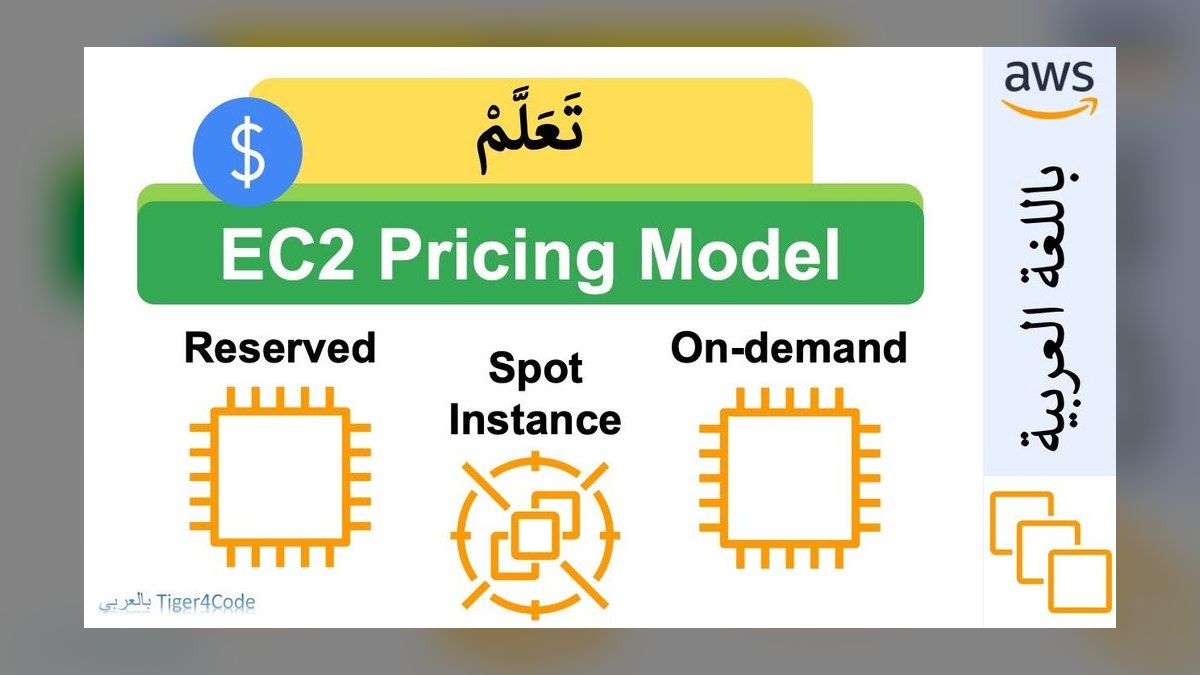
AWS EC2 Spot Instances rank fourth for the deepest discount on this list — up to 90% off on-demand pricing — by selling unused AWS capacity at fluctuating market rates. The catch is a two-minute interruption notice when AWS reclaims capacity, making Spot unsuitable for long, uncheckpointed training runs. Price varies continuously by instance type, region, and per-zone demand rather than sitting at a fixed rate.
Spot suits fault-tolerant batch inference, hyperparameter sweeps, and checkpointed training where a mid-run interruption costs little; it trades guaranteed capacity away entirely. It ranks below the reserved-commitment models above because savings come at the cost of reliability, not just money, but it beats every GPU-cloud model below it for sheer discount depth on hyperscaler-grade hardware.
5CoreWeave Reserved Capacity
CoreWeave Reserved Capacity ranks fifth, letting AI teams lock in dedicated GPU clusters — H100s, H200s, and similar accelerators — for a fixed term instead of competing for on-demand availability. Because CoreWeave specializes in GPU infrastructure rather than general-purpose cloud, reserved terms guarantee the exact GPU model and interconnect topology, which matters for large distributed training jobs that general hyperscaler clouds can't always match.
It's built for AI labs running sustained multi-GPU training rather than bursty inference, and it trades away the broader bundled service ecosystem — managed databases, serverless, and so on — that AWS, Azure, and Google Cloud offer. It ranks below the hyperscaler reserved models because its discount structure is less standardized and publicly documented, though raw GPU availability is often better.
6Together AI Serverless Pricing
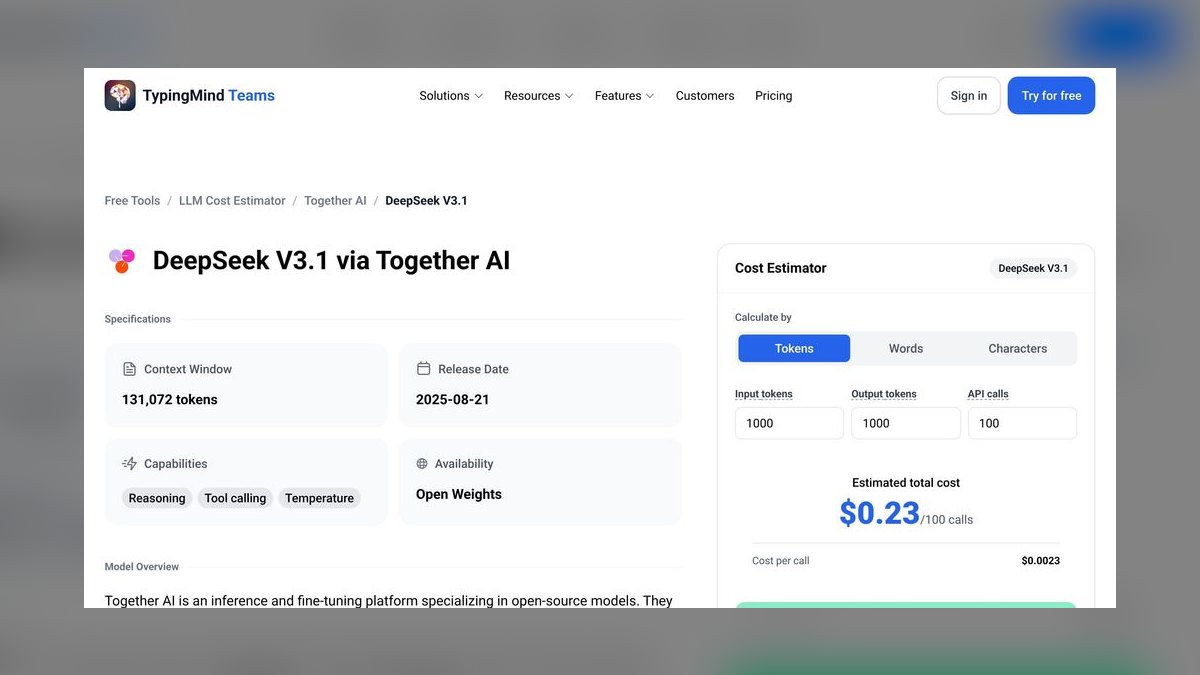
Together AI Serverless Pricing ranks sixth by billing per-token for inference and per-second for fine-tuning on shared infrastructure, removing capacity planning entirely from the buyer's side. There's no upfront commitment, no reserved instance, and no idle GPU cost — you pay only for tokens processed, which suits variable-traffic applications far better than the reserved models ranked above it.
This model fits startups and product teams calling open-source models via API without managing GPU fleets themselves; it trades away the deep per-hour discounts that reserved capacity delivers at scale. It ranks below CoreWeave because heavy, sustained workloads pay more per token over time than they would on a dedicated reserved cluster, but it wins on zero operational overhead.
7Lambda Labs On-Demand GPU Cloud
Lambda Labs On-Demand GPU Cloud ranks seventh, billing by the hour for individual GPU instances with no long-term contract required, making it a straightforward on-ramp for teams needing H100 or A100 access without hyperscaler account complexity. Pricing is transparent per GPU-hour, but on-demand availability for the newest GPU generations can lag behind CoreWeave's reserved pools.
It suits researchers and small teams running short experiments or fine-tuning jobs who value simplicity over deep discounts; it trades away both reservation savings and the elastic token-based billing of serverless APIs. It ranks below Together AI's serverless model here because you still manage the instance yourself rather than simply sending requests.
8RunPod Community Cloud

RunPod Community Cloud ranks eighth, offering some of the lowest per-GPU-hour rates on this list by matching workloads to spare capacity across a distributed network of community and secure data-center hosts. Pricing is set by a marketplace of listed GPU offers rather than one fixed rate, so cost varies by GPU type and host, and availability is less guaranteed than on dedicated cloud providers.
It fits cost-sensitive individual developers and small teams running non-critical or interruption-tolerant jobs; it trades away the reliability and support guarantees of hyperscaler or dedicated GPU providers. It ranks below Lambda Labs because community-sourced capacity carries more variability in uptime and host quality, even though headline hourly prices are often lower.
9OpenAI API Pay-As-You-Go
OpenAI API Pay-As-You-Go ranks ninth because it charges per input and output token for calling hosted models like GPT, with zero infrastructure to provision or manage — not even a choice of GPU tier. This is the simplest pricing model on the list, but it applies only to OpenAI's own hosted models rather than infrastructure you control, which limits it to application-layer use instead of true infrastructure decisions.
It's the right fit for teams building products on top of a model API rather than teams provisioning AI infrastructure directly, which is why it ranks lower here despite its simplicity. Compared to Together AI's serverless pricing above, OpenAI's model locks you into its specific models with no option to run open-source weights or self-host.
10Google Cloud Sustained Use Discounts
Google Cloud Sustained Use Discounts rank last because they apply automatically and passively — up to roughly 30% off for running a Compute Engine instance a significant portion of the billing month — with no action required and no commitment to make. That passivity is also the weakness: the discount ceiling sits far below every commitment-based or reserved model ranked above it.
It suits teams who want some discount without lifting a finger, layered on top of on-demand pricing as a baseline safety net. It trades away real savings depth for zero effort and zero risk. It ranks last because Committed Use Discounts above deliver roughly double the maximum discount for a comparable, modest planning effort.
How we ranked these
This ranking weighted billing granularity (per-token, per-GPU-hour, or per-request), discount depth available for committed or reserved capacity, elasticity for bursty training and inference workloads, and transparency around overage, idle-GPU, and data-egress charges. Real production cost data from teams running both training and inference workloads was compared against list pricing to see how far actual spend diverged from advertised rates across on-demand, reserved, spot, and serverless tiers.
List-price marketing comparisons, synthetic benchmark-only cost claims, and single-region pricing snapshots were deliberately excluded, since regional GPU scarcity swings effective prices 2-3x and vendors routinely quote best-case discount tiers. Non-compute line items like storage and support-plan fees were ignored unless bundled directly into the compute rate, since they rarely drive the total-cost-of-ownership decision buyers actually face.
What to look for
What actually matters is matching billing granularity to how variable your workload really is: steady-state inference favors reserved or committed-use discounts, while spiky fine-tuning or experimentation favors spot or serverless per-token pricing. Overage terms and idle-GPU billing during checkpointing or data loading matter more than the headline rate, since idle time can silently add 15-30% to a bill.
The most common buyer mistake is locking into a 12-month reserved commitment before workload patterns are proven out, based on a sticker-price comparison rather than modeled utilization. Teams also underestimate egress costs when moving models or data between a training cloud and a separate inference provider, which can erase the savings a cheaper GPU rate appeared to offer.
Related questions
What is the difference between per-token and per-GPU-hour pricing?
Per-token pricing bills by input/output tokens processed, which suits inference workloads with unpredictable request volume since cost tracks usage directly. Per-GPU-hour pricing bills for reserved compute time regardless of utilization, which suits training jobs or steady-state inference where hardware runs near capacity. Mixing the two without modeling actual utilization is the most common source of budget surprises.
Are reserved capacity discounts worth it for AI infrastructure?
Reserved or committed-use discounts typically cut GPU costs 30-60% versus on-demand, but only pay off when utilization stays above roughly 70% for the commitment term. Teams still validating a model or product-market fit often lose money on reservations because idle committed capacity still bills in full, effectively raising the true per-hour cost above on-demand rates.
What is serverless GPU pricing and when does it make sense?
Serverless GPU pricing charges only for active inference time, often billed per second or per request, with no idle charges between calls. It suits low-to-moderate traffic applications or early-stage products where request volume is unpredictable. At sustained high volume, dedicated reserved instances usually become cheaper per request than serverless markup.
How does spot or preemptible GPU pricing affect training costs?
Spot and preemptible instances offer 50-90% discounts off on-demand GPU rates but can be reclaimed with little warning, requiring checkpointing to avoid losing progress. They work well for fault-tolerant training pipelines with frequent checkpoints but are risky for latency-sensitive inference serving, where an interrupted instance directly breaks user-facing requests.
What hidden fees show up in AI infrastructure bills?
The most common hidden costs are data egress when moving model weights or datasets between providers, idle-GPU billing during data loading or checkpoint writes, and storage fees for model artifacts and logs. None of these appear in headline per-token or per-hour rates, but they can add 15-30% to a monthly bill if not modeled upfront.
Do multi-cloud pricing strategies actually reduce AI infrastructure costs?
Multi-cloud strategies can reduce costs by routing workloads to whichever provider has cheaper spot capacity or better regional GPU availability at a given moment. The tradeoff is added egress fees when moving data between clouds and engineering overhead to maintain portability, which can offset savings unless the workload is large enough to justify the operational cost.
How should a startup budget for unpredictable inference traffic?
Startups with unpredictable traffic should default to per-token or serverless pricing rather than reserved capacity until at least 3-6 months of stable usage data exists. Committing to reserved GPU capacity before traffic patterns stabilize is the single biggest cause of wasted AI infrastructure spend for early-stage teams.
What is outcome-based or usage-tiered AI pricing?
Outcome-based pricing ties cost to a business metric like resolved support tickets or completed tasks rather than raw compute consumed, shifting risk from buyer to vendor. It's still rare outside a few agent and automation platforms, and buyers should verify how the vendor absorbs cost spikes from longer-than-expected model runs before trusting the flat outcome price.
FAQ
Which AI infrastructure pricing model is cheapest for training large models?
For large training runs, committed-use or reserved GPU pricing combined with spot instances for fault-tolerant portions of the job typically produces the lowest effective cost. Pure on-demand pricing is rarely cost-competitive for multi-week training runs, since the lack of any discount tier means paying full list price for sustained, predictable usage.
Is per-token pricing more expensive than GPU-hour pricing at scale?
At high sustained volume, per-token pricing usually costs more than GPU-hour pricing because the per-token rate bundles in the provider's margin for handling variable demand. Once request volume is consistent enough to fill a dedicated instance's capacity, switching to reserved GPU-hour billing typically lowers cost per request by 20-40%.
What GPU pricing model works best for real-time inference?
Real-time, latency-sensitive inference generally needs dedicated reserved or provisioned-throughput capacity rather than spot or serverless tiers, since cold starts and preemption directly hurt response times. Serverless remains viable only when occasional cold-start latency of a few seconds is acceptable to end users.
How do egress fees factor into AI infrastructure pricing decisions?
Egress fees apply when data or model weights leave a cloud provider's network, and they can turn an apparently cheaper GPU rate into a more expensive total bill once transfer costs are included. Buyers moving large datasets or checkpoints between training and inference providers should model egress before comparing sticker rates.
What is a committed-use discount in AI cloud pricing?
A committed-use discount lowers the hourly GPU rate in exchange for a fixed spending or usage commitment over a term, typically 1-3 years. It functions like a reserved instance but is often more flexible about which instance types qualify, making it attractive for teams whose model architecture may change during the commitment period.
Can spot instance pricing be used safely for production AI inference?
Spot pricing is generally unsafe for production inference alone because instances can be reclaimed without guaranteed notice, causing dropped requests. It works only when paired with automatic failover to on-demand or reserved capacity, effectively using spot as a cost-reduction layer rather than the sole serving infrastructure.
How does pricing differ between GPU cloud providers and hyperscalers?
Specialized GPU cloud providers often price 20-40% below hyperscalers for equivalent hardware because they carry less enterprise overhead and fewer adjacent services, but they typically offer thinner support, fewer regions, and less mature networking. Hyperscalers charge more but bundle broader compliance, security, and integration support that many enterprise buyers require.
What should be in a contract to avoid AI infrastructure pricing surprises?
Contracts should specify overage rates beyond committed volume, idle-time billing policy, egress fee caps, and any price-change notice period, since providers can and do adjust on-demand rates. Buyers should also confirm whether discounts apply automatically at usage thresholds or require manual renegotiation, which delays realizing savings.
Does prompt caching or batching change effective AI pricing?
Prompt caching and request batching can cut effective per-token costs 50% or more by reducing redundant token processing across similar requests. Not all providers price cached or batched tokens the same as fresh ones, so buyers should confirm the discounted rate applies automatically rather than assuming list-price token counts.
How often do AI infrastructure pricing models change year to year?
Major providers have adjusted per-token and GPU-hour rates roughly 1-2 times per year as hardware generations shift and competition increases, generally trending downward for equivalent compute. Buyers on multi-year reserved contracts should confirm whether pricing is locked for the term or subject to provider-side adjustment clauses.
Sources
- https://aws.amazon.com/ec2/pricing/on-demand/
- https://cloud.google.com/compute/vm-instance-pricing
- https://azure.microsoft.com/en-us/pricing/details/virtual-machines/
- https://openai.com/api/pricing/
- https://www.anthropic.com/pricing
- https://www.coreweave.com/pricing
- https://lambdalabs.com/service/gpu-cloud
- https://www.databricks.com/product/pricing
- https://www.nvidia.com/en-us/data-center/dgx-cloud/
Related on PULSE
This page will be disappearing soon. Save it to your device for $1 — or read it free while it is here.
@Kory-White- · if Venmo asks, the last 4 of my number are 2012
This page is gone.
This one is off the shelf now. $1 keeps it on your phone for good — the whole page, pictures and diagrams included.
 pulse-recentThe 10 Best Idle GPU Detection Tools for AI Infrastructure in 2027
 pulse-recentThe 10 Best AI Tools for Cost Estimation in 2027
 pulse-recentThe 10 Best AI Tools for Batch Inference at Scale in 2027
 pulse-recentThe 10 Best AI Infra Cost Allocation Methods in 2027
 pulse-recentThe 10 Best AI Infra Cost Forecasting Tools in 2027
 pulse-recentHow much can committed-use or reserved GPU cloud contracts save versus on-demand pricing for AI training in 2027?
 pulse-recentThe 10 Best AI Tools for GPU Cluster Orchestration in 2027
 pulse-recentWhat is continuous batching and how much more throughput does it give an LLM server in 2027?
 pulse-recentHow many infrastructure engineers should you budget for per data scientist when scaling AI infrastructure in 2027?
 pulse-recentThe 10 Best AI Infra Chargeback and Showback Tools in 2027