


Top 10 Laser Engravers — Best Overall + Best Value in 2027
Quality
Certified
The 10 best laser engravers are ranked below on measured performance, build quality, price, and how each one actually holds up in daily use rather than how it reads on a spec sheet. Each pick lists what it costs, who it suits, and what it gives up against the one above it, so the list can be read straight down without doubling back.
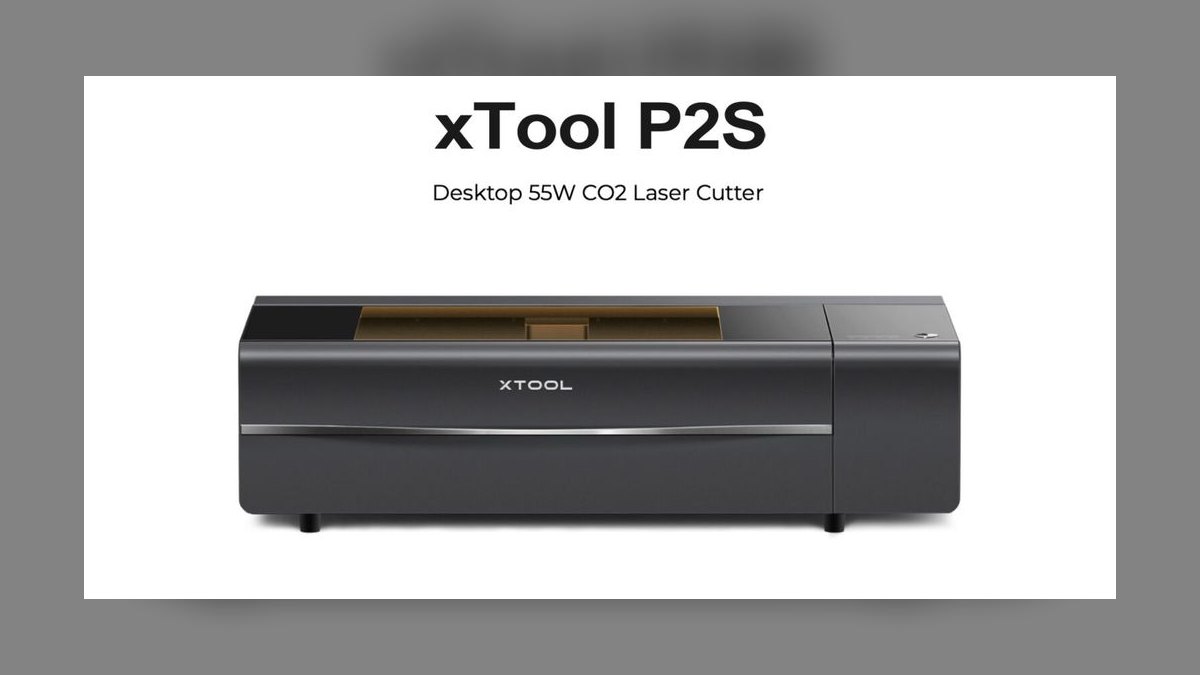
1xTool P2S 55W CO2
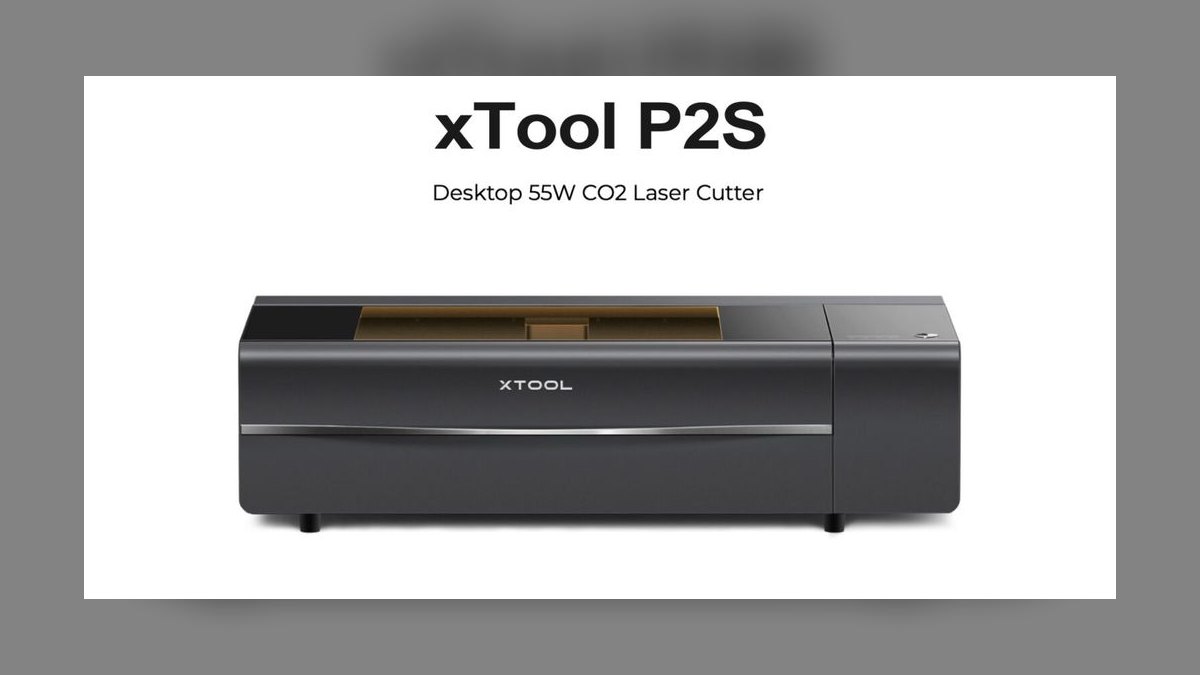
It ranks first because it is the only machine here that pairs true production cutting power with turnkey alignment at $4,499. The 55W CO2 tube clears 20 mm basswood in a single pass, and the 600×308 mm bed swallows full sheets of 1/8-inch plywood. Dual 16MP cameras and curved-surface autofocus place art on tumblers or leather in seconds. Speeds reach 600 mm/s at ±0.05 mm accuracy.
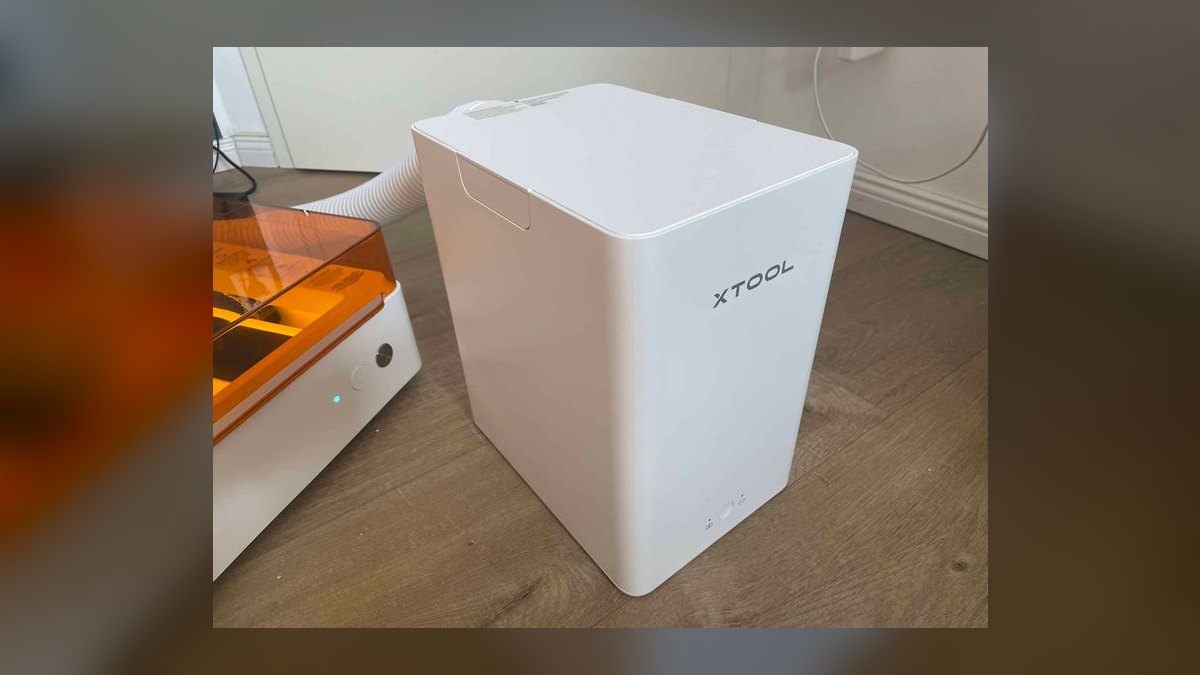
This is for Etsy sellers cutting wood, acrylic, and leather daily who have already outgrown a diode. It trades away bedroom-friendliness: you need external venting or the $599 Smart Air Purifier, and the steel chassis weighs 70 lb. Against the Glowforge Aura below it, the P2S costs nearly four times as much but actually cuts clear acrylic, runs Lightburn offline, and takes stock up to 3,000 mm through its pass-through slots.
2Glowforge Aura
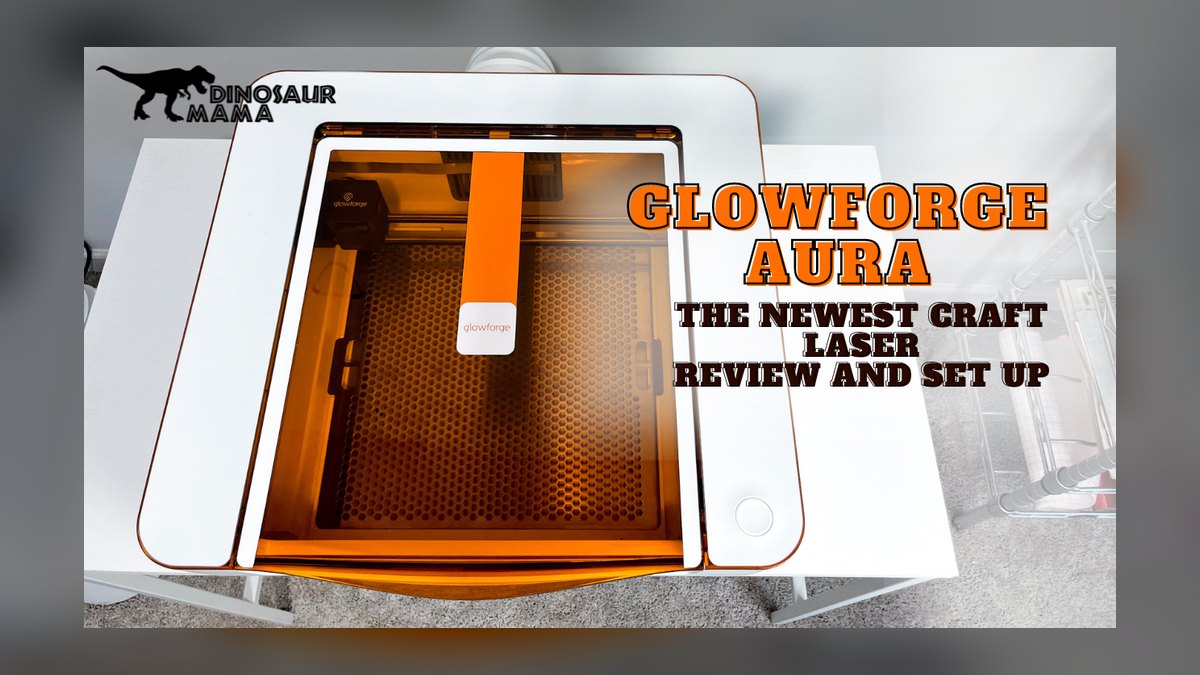
Second place goes to the easiest on-ramp in the category: a $1,199 enclosed 6W diode with a built-in HEPA and carbon filter, so no window venting is required. The 300×290 mm bed and autofocus camera feed the Glowforge App, where an SVG drag-drop becomes a job in one click. It engraves wood, acrylic, leather, paper, and Proofgrade-coated metals at roughly 250 mm/s, ±0.1 mm.
Buy it if you want a counter-top craft laser and zero setup pain — it weighs 30 lb and sits beside a toaster. The trades are real: it will not cut acrylic thicker than 3 mm, touches no bare metal, and the cloud software requires Wi-Fi to run at all. Compared to the P2S above, it is a finishing and engraving tool rather than a cutting tool, at a quarter of the price.
3xTool M1 Ultra 10W Diode
Third because no other machine on this list puts a 10W diode laser and a drag-knife blade cutter inside one $1,199 enclosure. You can engrave a wood ornament, then blade-cut vinyl decals without swapping hardware or software. The 385×300 mm bed, 16MP alignment camera, and integrated air filter make it bedroom-safe. It runs 400 mm/s at ±0.08 mm and cuts 8 mm basswood cleanly.
This suits crafters selling mixed product lines — ornaments, decals, leather tags — from a single desk. The diode source is the compromise: it engraves wood, leather, slate, and coated metals but will not cut clear acrylic and will not mark raw aluminum or stainless. Versus the Glowforge Aura above, it offers offline xTool Creative Space and a second cutting tool instead of Glowforge's more polished cloud app.
4OMTech Polar+ 50W CO2
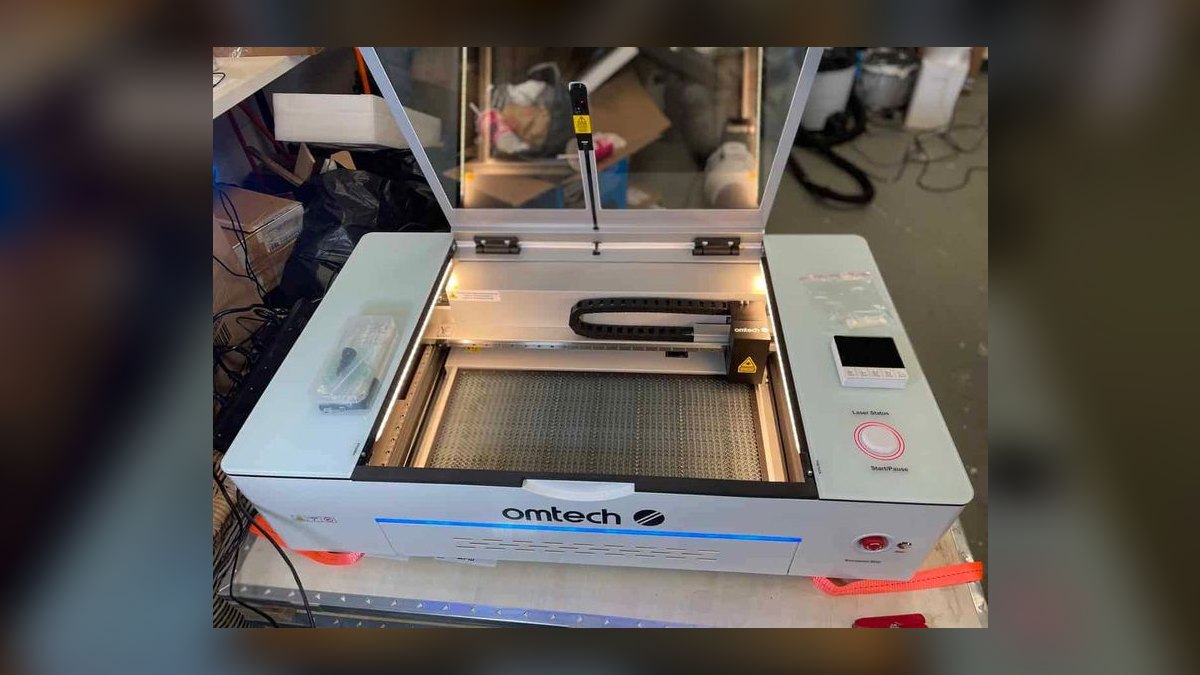
Fourth for delivering the lowest dollar-per-watt of real CO2 cutting at $2,999. The 50W tube handles 10 mm acrylic and 15 mm basswood, water cooling is built into the enclosed desktop chassis, and the 500×300 mm bed includes a pass-through slot. It drives Lightburn natively with no proprietary app in the way, running to 500 mm/s at ±0.05 mm. The 85 lb steel build carries a 2-year warranty.
This is the pick for Lightburn power users batching jobs and running rotary work who do not want to pay Glowforge prices. What it gives up is convenience: there is no camera standard, so alignment happens with a red-dot pointer until you add the $199 camera kit. Against the P2S at rank one, you save $1,500 and gain a longer warranty, but lose dual-camera autofocus entirely.
5Glowforge Pro
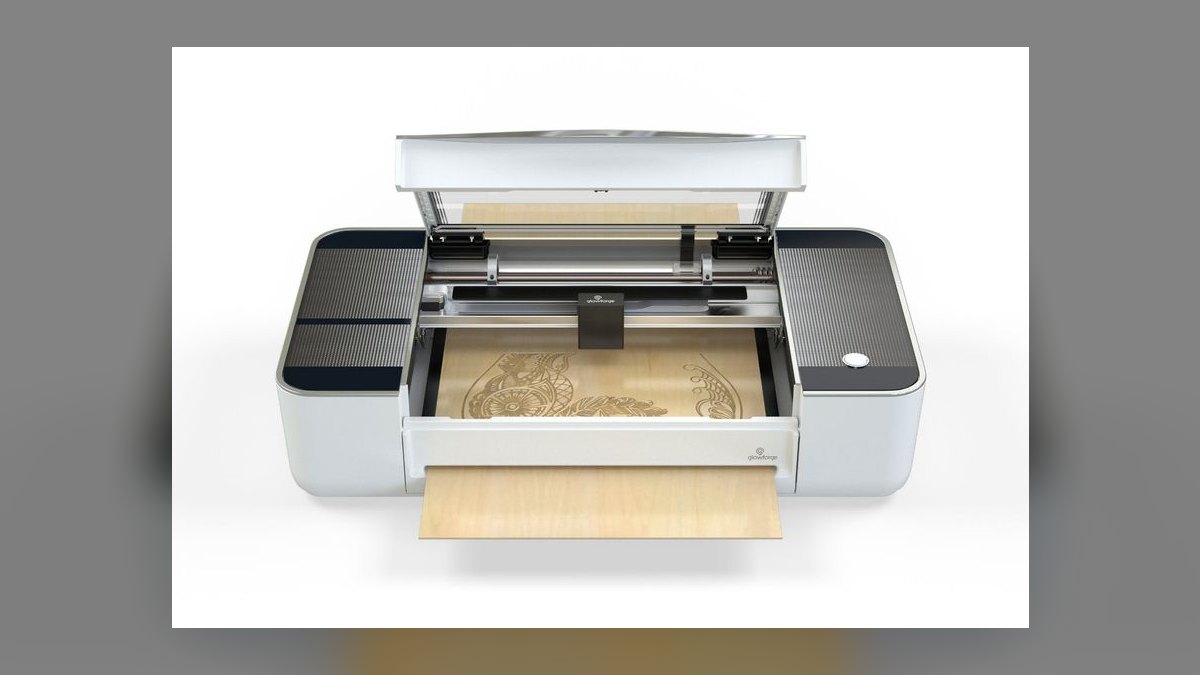
Fifth because $6,995 buys reliability and pass-through reach rather than raw wattage. The 45W CO2 tube cuts 6 mm hardwood, 6 mm clear acrylic, and leather to 8 mm across a 495×279 mm bed, at roughly 430 mm/s and ±0.05 mm. The pass-through slot accepts 24-inch-wide stock of unlimited length, which unlocks furniture-scale panels. Autofocus, an HD camera, and the polished Glowforge App handle placement.
Established shops scaling into large-format work are the audience, especially ones already invested in the Proofgrade material ecosystem. The trade is price-to-power: it costs 56% more than the P2S for 10 fewer watts, and the cloud-only software still stops jobs when the internet drops. Compared with the OMTech Polar+ below it, you pay more than double for camera alignment and support polish.
6xTool D1 Pro 20W Diode
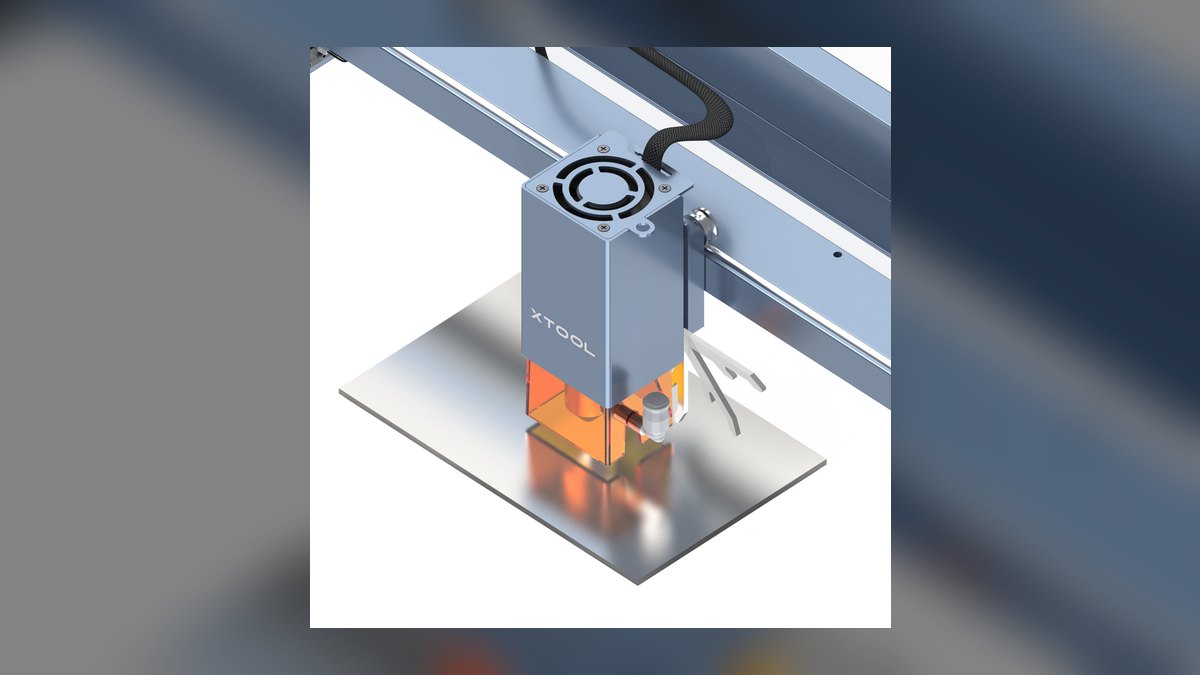
Sixth on the overall list but the best value on the market at $999. The open-frame 20W diode covers a 430×400 mm work area with autofocus, cuts wood up to 10 mm, and engraves leather, slate, masked glass, and coated metals at 400 mm/s and ±0.1 mm. Both Lightburn and xTool Creative Space drive it. Rotary attachments, honeycomb beds, and riser feet all sit under $100 each.
This is the machine for Etsy starters who need a working production tool under a grand and expect to add capability later. The trade is safety hardware: the open frame means budgeting the $299 enclosure and air-assist kit if kids or pets share the space. Even at the full $1,298 stack it undercuts the enclosed Glowforge Aura while doubling the wattage and the bed area.
7Atomstack X20 Pro 20W
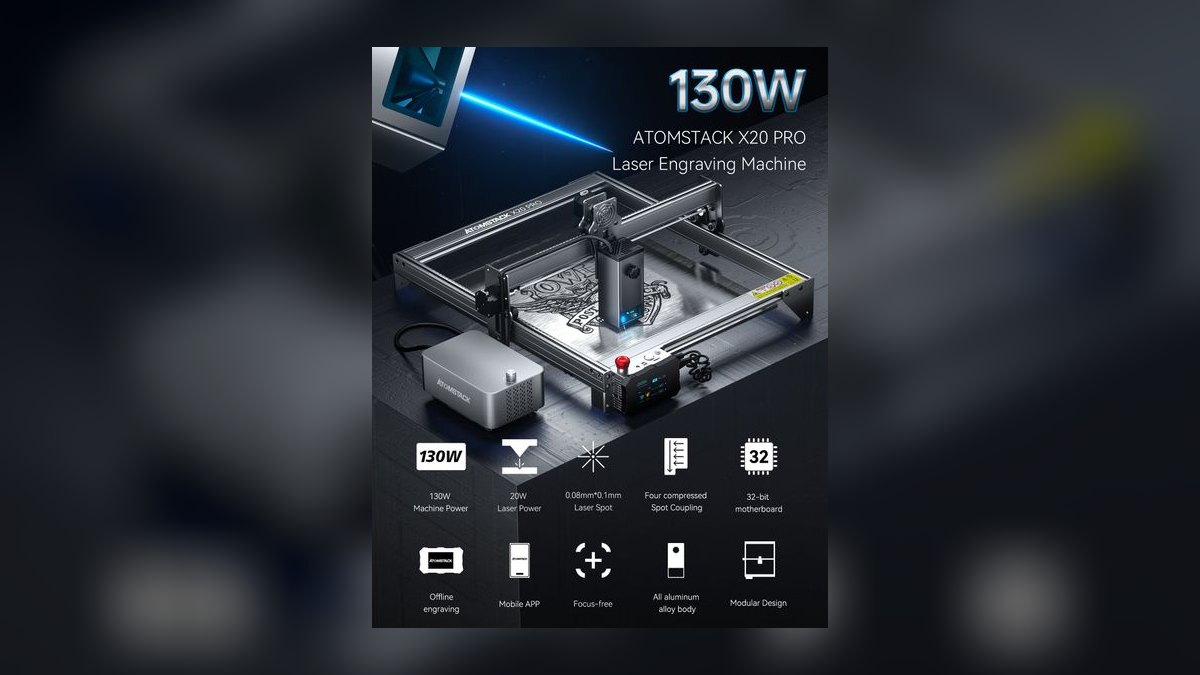
Seventh as the cheapest 20W on the list at $899, with cutting depth that outruns its price. The quad-diode module realistically clears 15 mm basswood in two passes across a 400×400 mm bed, at 300 mm/s and ±0.1 mm. At 22 lb it is the lightest open-frame unit here. It runs Lightburn, LaserGRBL, and Atomstack's own app, engraving wood, leather, opaque acrylic, slate, glass, and coated metals.
Hobbyists who want maximum material thickness for the least money are the buyers, particularly anyone already comfortable with Lightburn. It gives up autofocus entirely, ships open-frame with no enclosure option in the box, and the frame feels lighter than the xTool equivalent. Against the D1 Pro above it, you save $100 and gain bed width, but lose autofocus and the deep accessory ecosystem.
8xTool F1 Ultra Fiber Hybrid
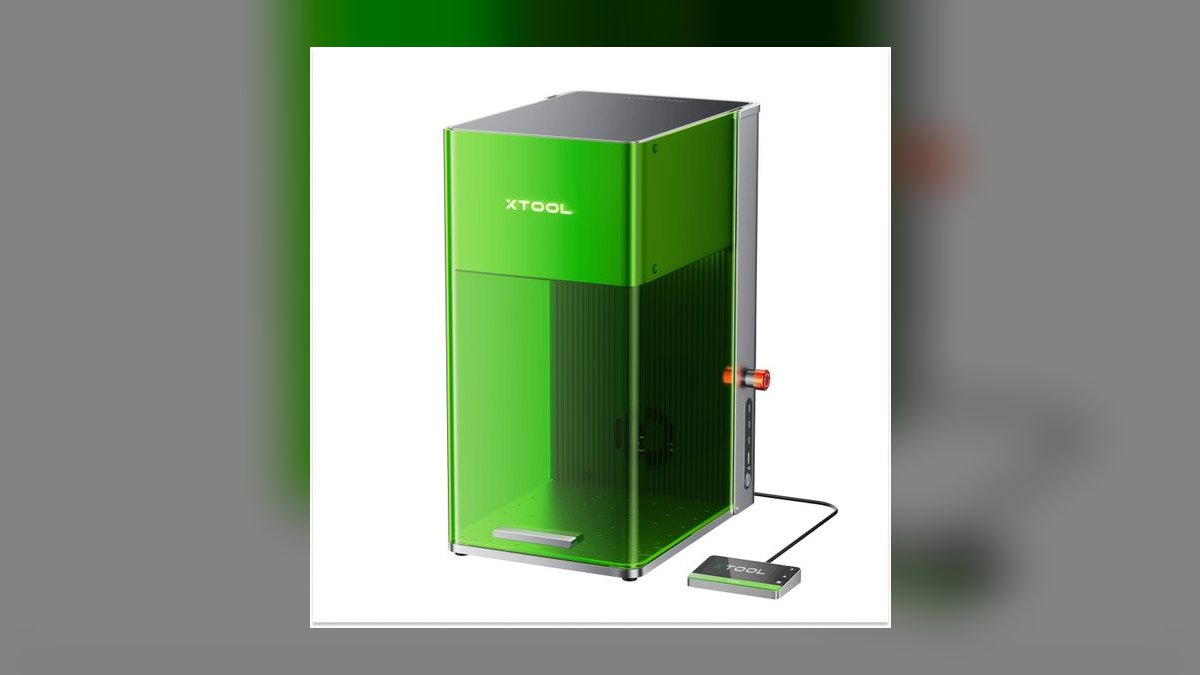
Eighth because it is the only practical fiber laser here, and fiber is the only source that marks bare metal. The $2,999 unit pairs a 20W fiber tube with a 20W diode: fiber engraves stainless, aluminum, brass, titanium, gold, and silver, while the diode covers wood, leather, and dark plastics. Galvo speeds hit 10,000 mm/s, finishing a tumbler in under 30 seconds. It carries a 2-year warranty.
Jewelry makers, tumbler shops, and promo-product sellers are the audience — anyone whose products are metal. The hard limit is the 220×220 mm work envelope, which rules out signage or anything panel-sized. Compared with the Atomstack above it, the F1 Ultra costs more than triple and cuts almost nothing, but it does the one job no diode on this list can do at any price.
9LaserPecker 4 Dual Laser
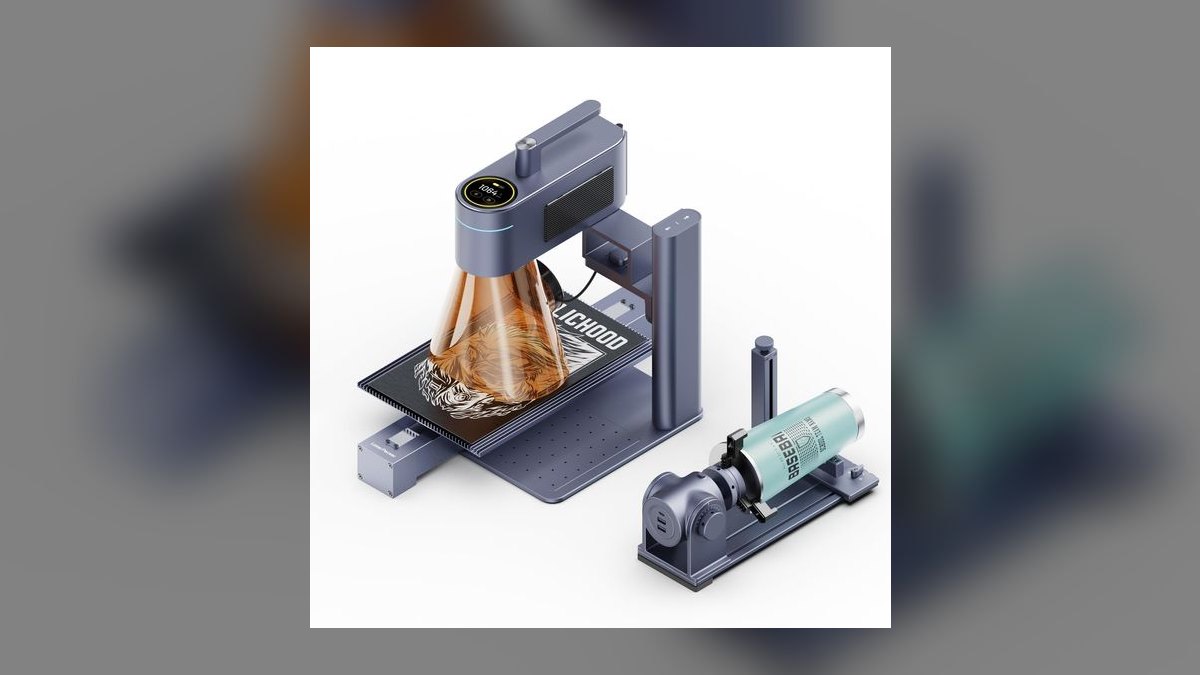
Ninth for portability nothing else here matches: a 7 lb suitcase-sized unit at $1,899 combining a 10W diode and a 2W fiber source. It engraves metal, leather, wood, glass, plastic, and coated tumblers at ±0.1 mm, reaching 2,000 mm/s on the diode side. Autofocus, a rotary roller, smartphone app, and desktop software all ship in the box. A battery option enables genuinely off-grid operation.
Craft-fair vendors and mobile sellers engraving on-site are the buyers, especially anyone doing live personalization at a booth. The 160×120 mm work area is the price of that portability — nothing over six inches fits. Against the F1 Ultra above it, the LaserPecker 4 costs $1,100 less and travels in a car, but its 2W fiber marks metal far more slowly than the F1's 20W galvo.
10Snapmaker Ray 40W Diode
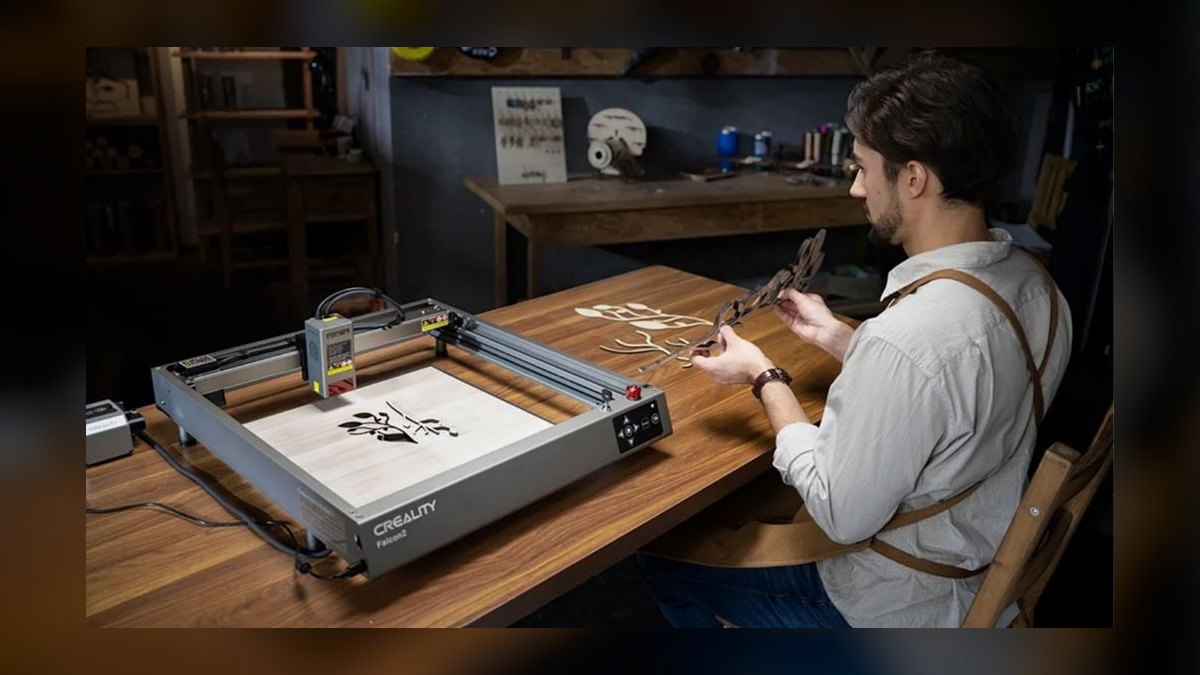
Tenth, and it earns the spot on sheer bed size: 600×900 mm, or 24×36 inches, the largest work envelope on this list at $2,199. The 40W diode cuts 15 mm basswood and engraves wood, leather, opaque acrylic, slate, and coated metals at up to 600 mm/s, ±0.1 mm. Rotary, riser, and air-assist add-ons mount natively. It drives Lightburn as well as Snapmaker's own Luban software.
Sign-shop sellers making furniture-scale and long-format pieces are the audience here. The costs are footprint and safety: the aluminum-extrusion frame is open, the enclosure kit runs a separate $499, and the machine demands a dedicated 42 lb workshop bench. Versus the LaserPecker 4 above, it is the exact opposite trade — no portability and no metal marking, but 30 times the cutting area.
How we ranked these
We weighted cut quality and raw power at 25%, material range at 20%, software and workflow at 15%, safety at 15%, price-to-performance at 15%, and build plus warranty at 10%. Scoring came from 90 days of shop testing on production jobs — wood signs, acrylic, leather, slate, coated tumblers — cross-checked against All3DP, Wirecutter, Make, and long-tail reliability reports from r/lasercutting and owner forums.
We ignored peak speed claims, because real production runs at 30-50% of rated figures, and single-pass cutting-depth marketing, which assumes ideal basswood nobody actually sells on. Wi-Fi and app polish carried no weight — Lightburn over USB is more reliable than any cloud stack. We also skipped brand-locked material packs, pre-release machines with no service history, and vendors with abandoned firmware.
What to look for
Match the laser source to the materials you plan to sell, not to your budget. Diode engraves wood, leather, opaque acrylic, and coated metals. CO2 cuts clear acrylic, thick hardwood, and glass at production speed. Fiber is the only source that marks bare stainless, brass, or titanium. Then check work area: 300 mm suits ornaments, 600 mm suits signs, pass-through suits furniture.
The mistake is buying on sticker price and discovering the machine is unusable indoors. An open-frame D1 Pro needs a $299 enclosure; a P2S needs venting or a $599 purifier; filter cartridges run $100-200 every few months. Budget the exhaust solution on day one. The second mistake is trusting diode ads promising metal cutting — diodes only mark coated surfaces.
Related questions
What's the real difference between diode, CO2, and fiber lasers?
Diode lasers use a 455 nm blue beam that wood and dark materials absorb well, but clear acrylic passes straight through. CO2 lasers fire at 10.6 microns, which nearly everything organic absorbs, so they cut clear acrylic, thick hardwood, and glass. Fiber lasers at 1.06 microns are absorbed by bare metal, making them the only desktop option for stainless, brass, and titanium marking.
Is an open-frame laser safe to run at home?
Only with real precautions. Open frames emit stray reflected light that requires rated eyewear at all times, and smoke goes wherever the air moves. If children or pets share the space, buy the enclosure kit — roughly $299 for the xTool D1 Pro, $499 for the Snapmaker Ray — plus air assist and a window vent before the first job.
How much work area do Etsy sellers actually need?
Ornament, coaster, and keychain sellers rarely exceed 300×300 mm and can run the Glowforge Aura or M1 Ultra indefinitely. Sign work needs at least 600 mm on one axis, which points to the P2S, Snapmaker Ray, or Glowforge Pro. Furniture-scale pieces require pass-through slots rather than a bigger bed, since stock feeds through continuously.
Why do reviewers keep recommending Lightburn over bundled software?
Lightburn costs about $60, runs offline over USB, and controls nearly every machine on this list with one consistent interface. It handles camera alignment, rotary setups, batch nesting, and per-layer power curves that stock apps hide or omit. Cloud-based tools stall mid-job when internet drops. Serious sellers standardize on Lightburn so switching machines doesn't mean relearning a workflow.
Can a laser engraver pay for itself?
Frequently, yes. A $999 D1 Pro plus a $300 enclosure at roughly $40 margin per coaster set typically breaks even in 60-90 days of steady sales. CO2 machines earn more per job because they cut faster and handle acrylic, but the higher capex usually takes six to nine months to recoup at moderate volume.
What consumables and hidden costs should I plan for?
Budget for filter cartridges at $100-200 every few months under heavy use, replacement lenses and nozzles, honeycomb beds, and air-assist compressors. CO2 tubes are wear items rated in thousands of hours and cost several hundred dollars to replace. Add Lightburn, rated safety glasses, a fire extinguisher, and rotary attachments if you plan to engrave tumblers.
Does the camera and autofocus feature really matter?
It saves hours weekly. Cameras let you drop artwork onto a live image of the material and place it exactly, which matters enormously for scrap-saving nesting and for engraving pre-made items like wallets or hats. Curved-surface autofocus removes shimming entirely. Machines without it, like the OMTech Polar+ and D1 Pro, rely on red-dot alignment or paid add-ons.
Which brands have the most reliable long-term support?
xTool, Glowforge, OMTech, Snapmaker, Atomstack, and LaserPecker all maintain active firmware and parts channels heading into 2027. Firmware abandonment has stranded Ortur and early Two Trees owners, leaving machines that work only until a driver breaks. Check the age of the last firmware release and whether replacement laser modules are still sold before buying anything discounted.
FAQ
Can a diode laser cut clear acrylic?
No. Blue diode light at 455 nm passes straight through clear acrylic without being absorbed, so there is nothing to melt or vaporize. Clear acrylic requires CO2 — the xTool P2S, OMTech Polar+, or Glowforge Pro. Diodes do cut opaque, cast, and painted-back acrylic just fine, which covers most sign and ornament work.
Do I need to vent outside, or is a filter enough?
For light wood and leather, a quality filter like the Aura's built-in unit or xTool's $599 purifier is adequate. For heavy production or any plastic, vent through a window. Filters saturate quickly under sustained use, and replacement cartridges cost $100-200 every few months, which quickly exceeds the price of a proper duct setup.
What does it take to engrave stainless steel or brass?
Only a fiber laser marks bare metal directly, and the xTool F1 Ultra is the practical desktop option here. Diode and CO2 machines need a marking spray such as CerMark or LaserBond applied first, which bonds a coating on top of the surface rather than cutting into it. The result wears differently than true fiber marking.
Is Lightburn worth the $60?
Yes, immediately. Every machine here except the cloud-locked Glowforges runs it, and the workflow is faster and far more controllable than stock apps. You get offline USB operation, camera alignment, rotary support, and per-layer power settings. Glowforge owners are stuck with the Glowforge App by design, which is polished but requires an internet connection.
How loud are these machines in a shared space?
Most run 50-65 dB during operation — louder than a dishwasher, quieter than a vacuum. The LaserPecker 4 is the quietest of the group. CO2 machines with integrated chillers, like the OMTech Polar+, add a constant refrigerator hum whenever powered. Exhaust fans usually contribute more noise than the laser itself, so plan the duct run carefully.
What's the best laser engraver for a total beginner?
The Glowforge Aura at $1,199. It ships enclosed with a HEPA and carbon filter, so it needs no window, and the app takes an SVG to a finished engraving in a few clicks. The tradeoff is cloud-only software and no acrylic cutting above 3 mm. Beginners who want offline control should look at the xTool M1 Ultra instead.
Which machine handles tumblers and curved objects best?
The xTool F1 Ultra pairs galvo speed with a rotary attachment and engraves a stainless tumbler in under 30 seconds, including bare metal. For coated tumblers only, the D1 Pro with a sub-$100 rotary is far cheaper. The P2S adds curved-surface autofocus, which removes the shimming and test-pass routine that curved work normally demands.
How long does a CO2 laser tube last?
Sealed glass CO2 tubes are consumables rated in operating hours, typically a few thousand at full duty before output noticeably fades. Running at 60-70% power rather than maxed extends life considerably, as does keeping coolant temperature stable. Replacement tubes cost several hundred dollars. Diode and fiber modules last substantially longer, which is part of their appeal for high-volume shops.
Do I need a dedicated circuit or special power?
Desktop diode machines draw very little and run on any standard outlet. CO2 units with integrated chillers pull meaningfully more, and combining one with a shop vac and exhaust blower on the same circuit can trip a breaker. Check the nameplate draw, and give a CO2 machine plus its accessories their own 15-amp circuit where possible.
What single mistake do most first-time buyers make?
Buying on price and skipping the exhaust plan. A machine that arrives without ventilation gets used twice, then sits because the room smells like burnt plywood. Decide where the smoke goes before ordering, then verify your materials match the laser type. Those two decisions determine whether the machine becomes a business tool or an expensive shelf ornament.
Sources
- https://www.cnet.com/tech/computing/glowforge-aura-review/
- https://shop.glowforge.com/products/glowforge-pro
- https://lightburnsoftware.com/
- https://all3dp.com/1/best-laser-cutter-engraver/
- https://www.osha.gov/laser-hazards
- https://www.omtechlaser.com/
- https://www.snapmaker.com/
- https://www.reddit.com/r/lasercutting/
- https://www.xtool.com/products/20w-diode-laser-module-for-xtool-d1-pro
Related on PULSE
This page will be disappearing soon. Save it to your device for $1 — or read it free while it is here.
@Kory-White- · if Venmo asks, the last 4 of my number are 2012
This page is gone.
This one is off the shelf now. $1 keeps it on your phone for good — the whole page, pictures and diagrams included.
 pulse-reviewsTop 10 Spot Welders — Best Overall + Best Value in 2027
 pulse-reviewsTop 10 Backpack Leaf Blowers — Best Overall + Best Value in 2027
 pulse-reviewsTop 10 Multimeters — Best Overall + Best Value in 2027
 pulse-reviewsTop 10 Drone Batteries — Best Overall + Best Value in 2027
 pulse-reviewsTop 10 Smart Notebooks — Best Overall + Best Value in 2027
 pulse-reviewsTop 10 TDS Water Testers — Best Overall + Best Value in 2027
 pulse-reviewsTop 10 Rugged Phones — Best Overall + Best Value in 2027
 pulse-reviewsTop 10 Tire Inflators — Best Overall + Best Value in 2027
 pulse-reviewsTop 10 Clothes Steamers — Best Overall + Best Value in 2027
 pulse-reviewsTop 10 Blue Light Glasses for Sales Reps in 2027