


Top 10 Monitor Light Bars for Video-Call Lighting in 2027
Quality
Certified
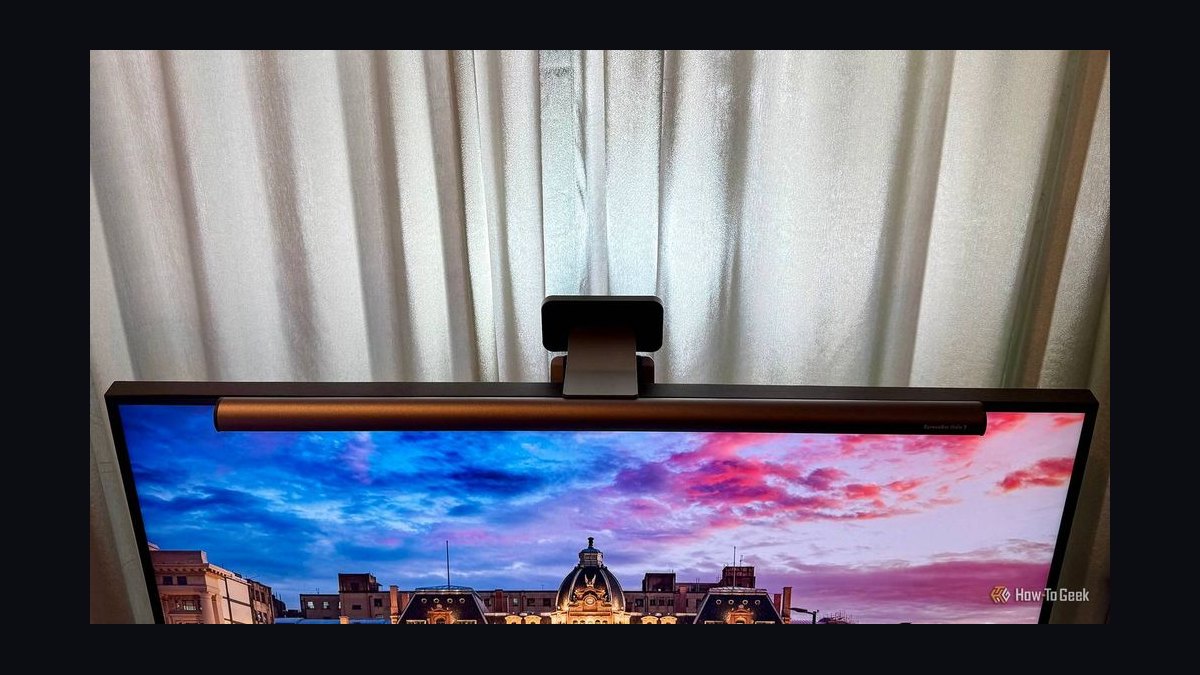
The 10 best monitor light bars for video-call lighting are ranked below on measured performance, build quality, price, and how each one actually holds up in daily use rather than how it reads on a spec sheet. Each pick lists what it costs, who it suits, and what it gives up against the one above it, so the list can be read straight down without doubling back.
1BenQ ScreenBar Halo 2
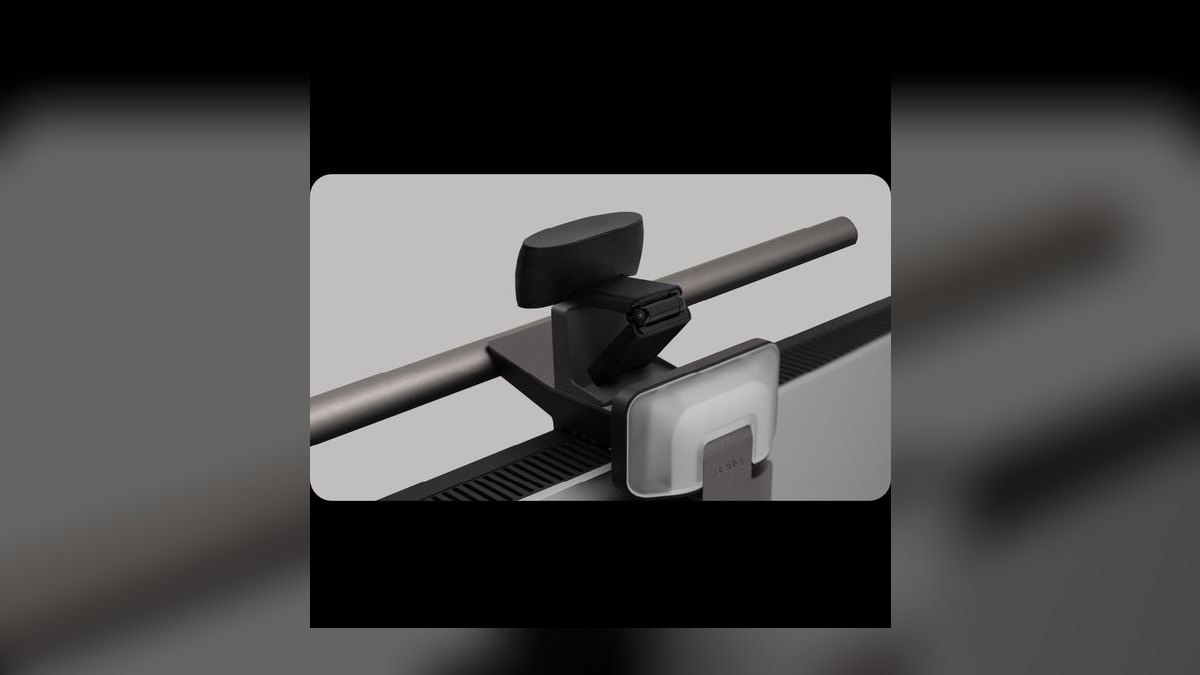
This ranks first because it is the only bar here that pairs a tri-zone rear backlight with an asymmetric front lens, a wireless control puck, and clip compatibility down to a 1000R curve. The 50 cm bar delivers CRI above 95 and roughly 300 lux at 50 cm, with a 3000K-6500K rear glow and USB-C power. An ambient sensor retracks brightness as room light shifts through the day.
This suits account executives and sales leaders who sit on camera daily and want one fixture instead of a softbox rig. It costs $179, the top of this list, its USB-C cable is shorter than the original ScreenBar, and balancing the two zones takes about five minutes. Against the single-zone Halo below it, the extra $50 buys a subtler wall gradient and tighter curved-monitor fit.
2Xiaomi Mi Computer Monitor Light Bar
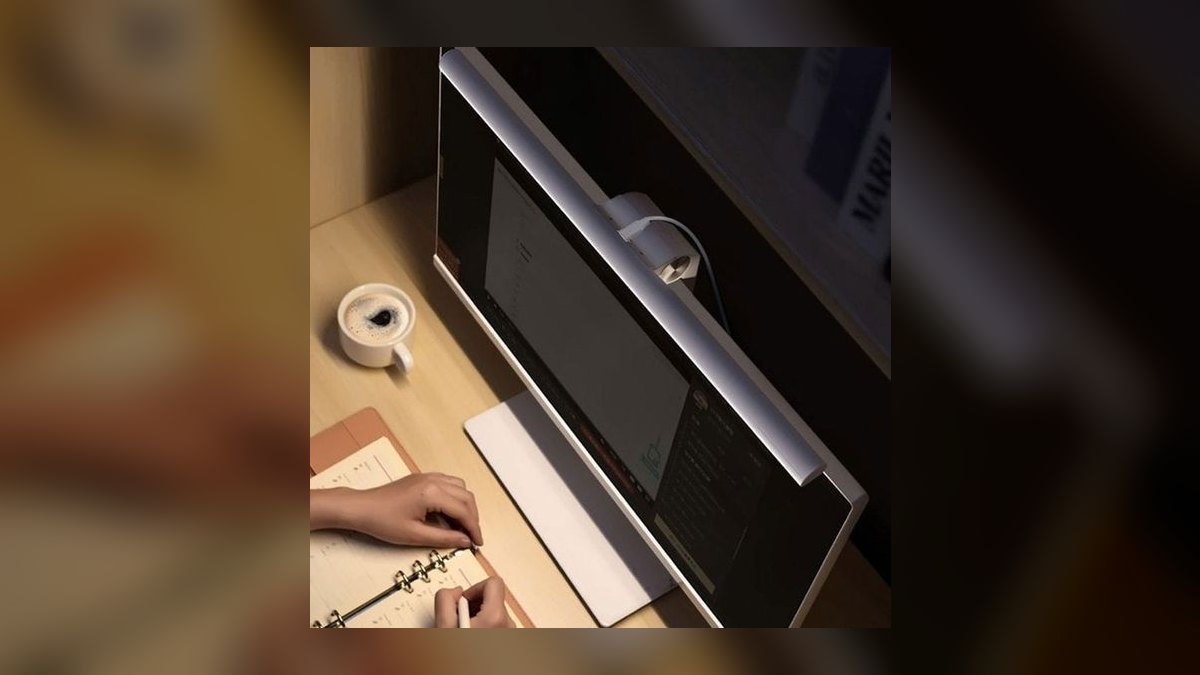
Second place goes to the cheapest bar that still includes a wireless control puck, at $68 versus $179 for the Halo 2. The 45 cm aluminum body uses the same asymmetric front lens approach, covers 2700K to 6500K, and rates around CRI 90. It clips to flat monitors up to 1.8 cm thick and draws power over USB-A. The black finish disappears against most bezels.
This is the pick for reps assembling a home office on personal money who still want dial control instead of touch strips. The tradeoffs are real: CRI 90 can tint skin tones slightly on a 4K webcam, there is no rear backlight zone, and USB-A means a hub on a modern MacBook. Against the Halo 2 above, you lose ambient glow and color accuracy but keep the puck.
3BenQ ScreenBar Halo
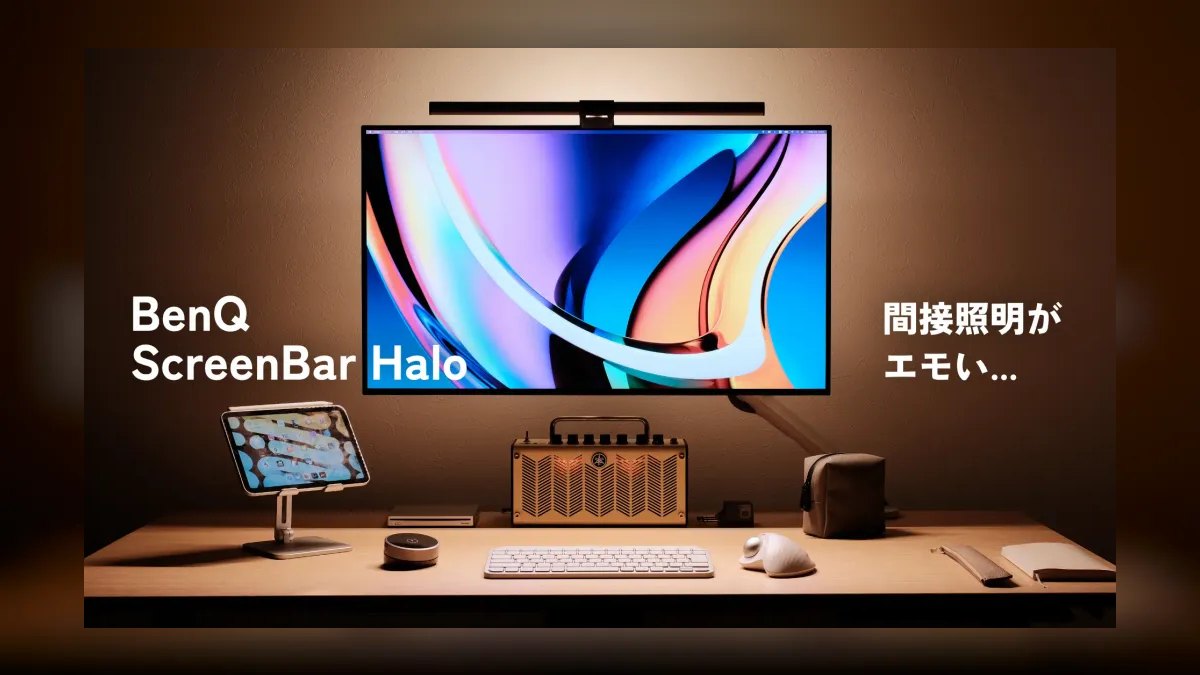
This lands third because it delivers the wireless puck, rear backlight, and CRI above 95 of the flagship for $129 instead of $179. The 50 cm bar spans 2700K to 6500K, carries the same ambient sensor for automatic brightness tracking, and ships with BenQ's three-year warranty. Power runs over USB-A rather than USB-C, and the clip handles curved panels down to 1500R.
This fits reps who want BenQ build quality and puck control but see the tri-zone upgrade as optional. What it gives up against the Halo 2 is real: a single rear zone produces a flatter wall wash, the 1500R clip limit rules out aggressively curved monitors, and USB-A adds a dongle on newer laptops. Color accuracy on camera is identical between the two.
4BenQ ScreenBar Pro
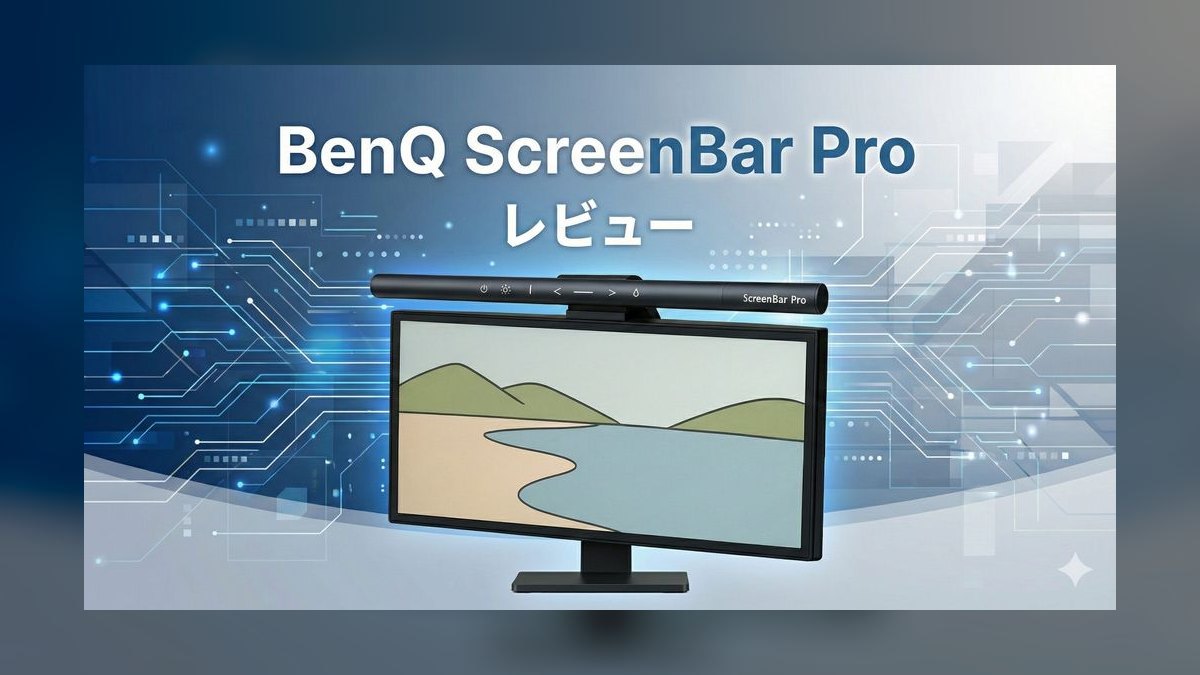
Fourth position reflects a single distinguishing feature: an ultrasonic motion sensor that powers the bar on when you sit and off about five minutes after you leave. The 50 cm bar holds CRI above 95, covers 2700K to 6500K, runs on USB-C, includes the ambient light sensor, and clips to curved monitors. It costs $169, only $10 under the flagship Halo 2.
This is for people who resent touching controls at all and want lighting that simply exists. The compromise is control: there is no wireless puck, so overriding the sensor is awkward, and there is no rear backlight at all. Compared with the Halo above it at $129, you pay $40 more and trade the puck and ambient glow for hands-free automation and USB-C power.
5Quntis Pro+
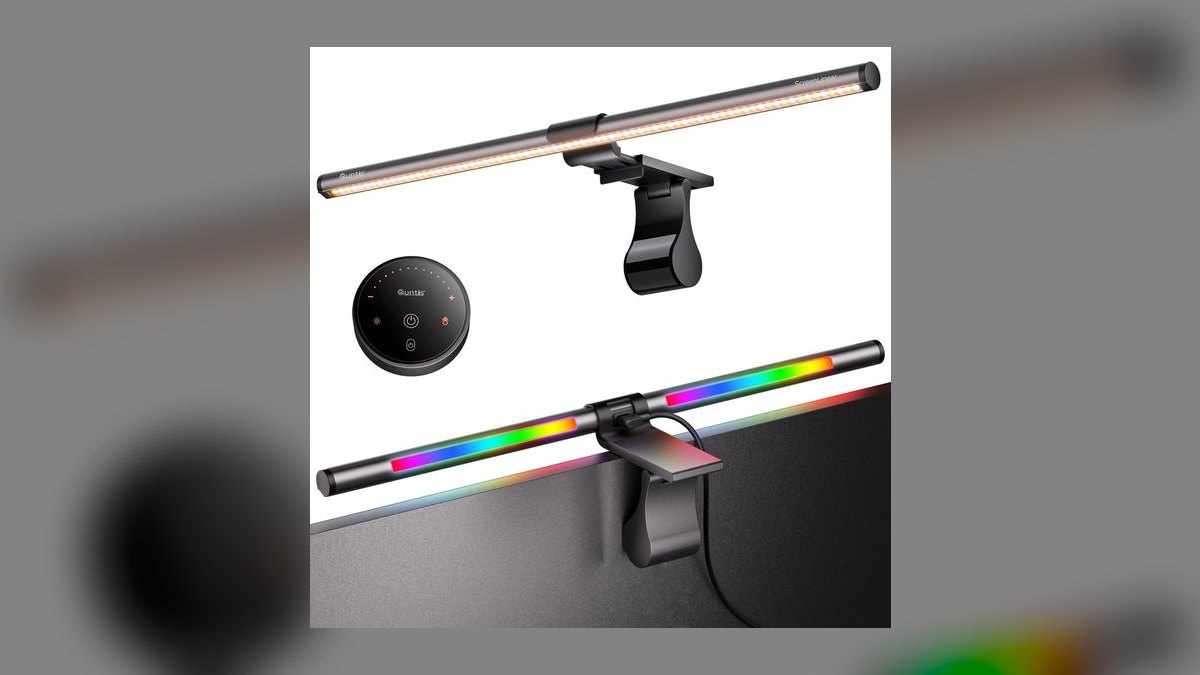
Fifth because it matches BenQ's CRI 95 rating at $60, roughly half the price of the ScreenBar original. The 51 cm aluminum body is wider than most bars here, uses an asymmetric front lens, and offers both a wireless remote and touch controls. Stepless dimming replaces fixed brightness presets, an ambient sensor is included, and the clip handles curved monitors. Power is USB-A. Color range spans 3000K to 6500K.
This works for buyers spending their own money who care about color accuracy more than brand. The catches: USB-A power, no rear backlight zone, and a name that rarely clears corporate IT procurement lists. Against the ScreenBar Pro above, it costs $109 less and matches the front-light rendering, but gives up the motion sensor and USB-C entirely.
6BenQ ScreenBar
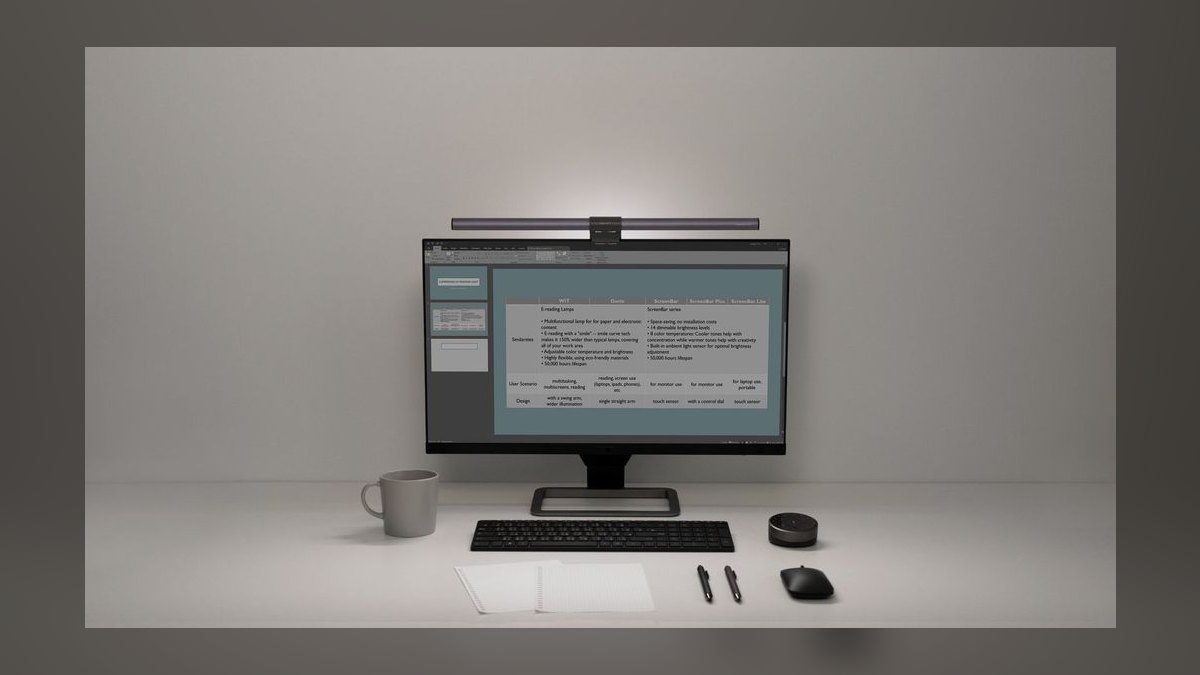
Sixth place is the original bar that created this category, at $109 and still rated CRI above 95. The 45 cm length suits 24-inch monitors better than the 50 cm models, the asymmetric lens keeps light off the panel, and an ambient sensor handles automatic brightness. Controls are a touch strip on the bar itself, color runs 2700K to 6500K, and power is USB-A.
This is for people who adjust lighting once and leave it, so a puck adds nothing. The costs are the absent puck, no rear backlight, and USB-A power. Against the $60 Quntis Pro+ ranked above, this costs $49 more for the same CRI class, buying BenQ's warranty and IT-approved brand recognition rather than any measurable optical advantage on camera.
7Baseus i-wok Pro
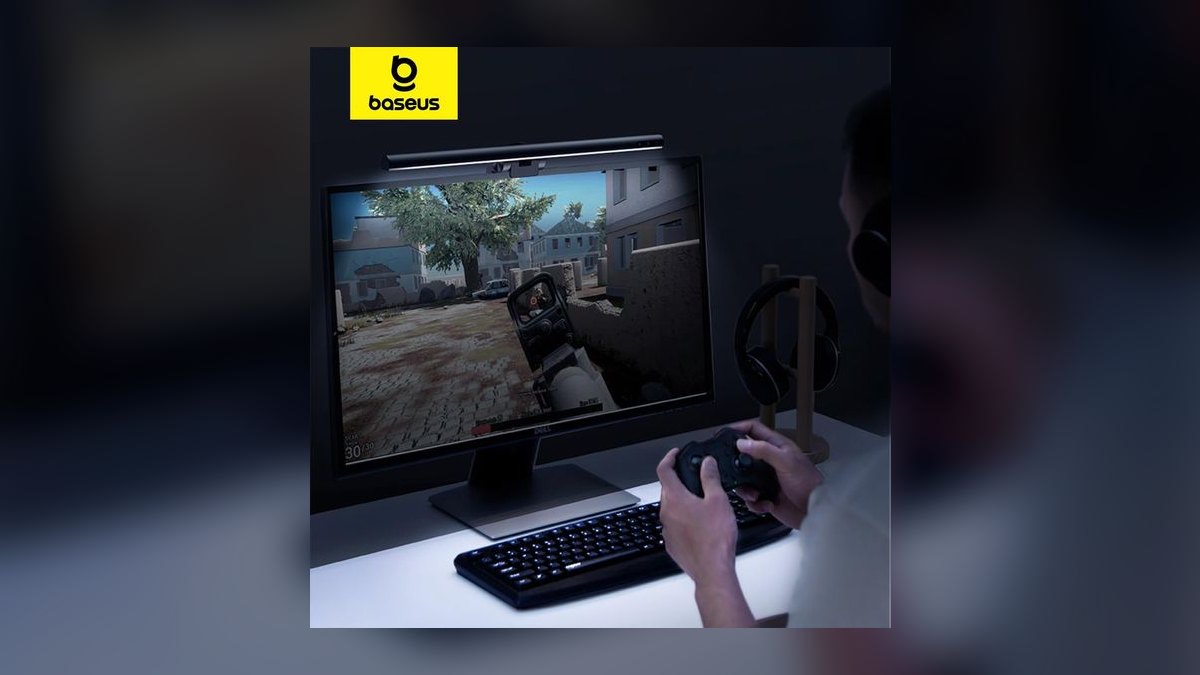
Seventh because it is the only sub-$60 bar with both USB-C power and a wireless puck, at $55. The 42 cm bar uses an asymmetric front lens, rates CRI 90, spans 3000K to 6500K, and includes an ambient sensor. That 42 cm width is short by the standards of this list, making it a natural fit for portable displays and secondary side-screens rather than a primary 27-inch panel.
This suits laptop-first workers who refuse to carry a USB-A adapter. The tradeoffs are CRI 90 skin-tone rendering, a bar too narrow to evenly light the desk in front of a 27-inch monitor, and support handled through Amazon messages. Against the Xiaomi at $68 ranked above, it costs $13 less and adds USB-C, but loses meaningful width.
8Asus ProArt LightBar LB1
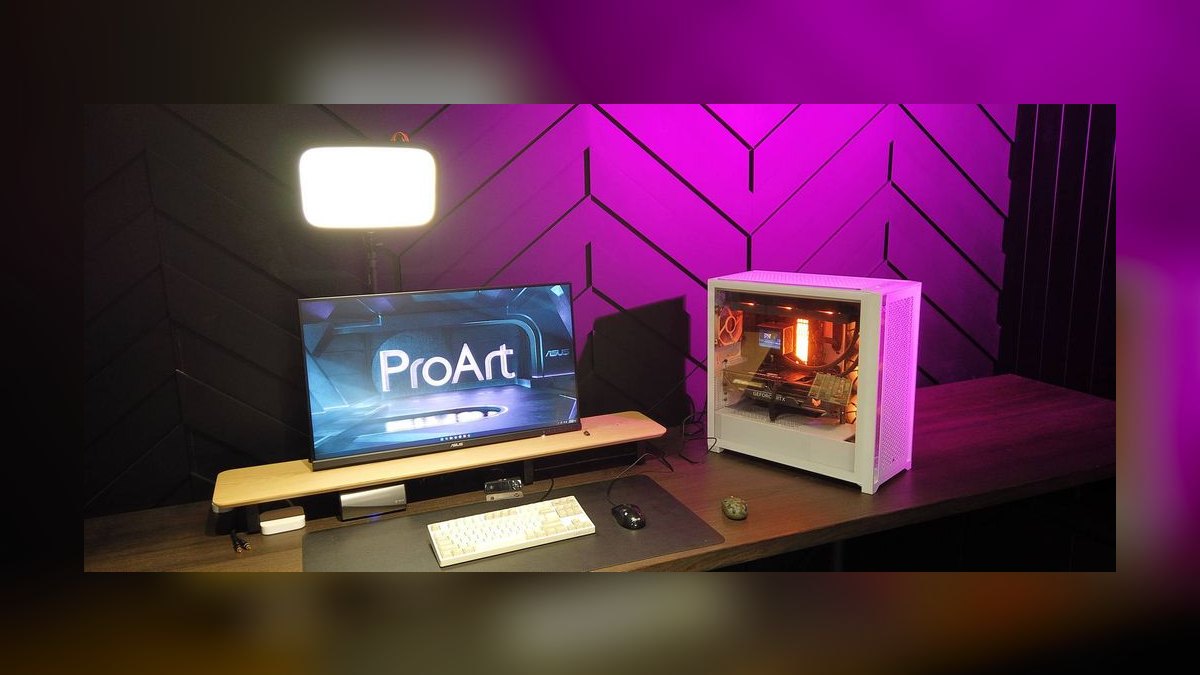
Eighth despite carrying the highest color rendering here, CRI 99, because that accuracy matters mainly outside video calls. The 49 cm bar includes a wireless puck, USB-C power, an asymmetric front lens, a 3000K to 6500K range, and integrated brightness and color calibration aimed at Adobe and DaVinci workflows. It sells for $129, the same price as the BenQ ScreenBar Halo.
This is for sales engineers and marketers who edit video or review color-critical assets between calls. It gives up the rear backlight entirely, US distribution is thin enough that it periodically goes back-ordered, and $129 is real money for a benefit most webcams cannot resolve. Against the Baseus below, the CRI gap from 90 to 99 is visible only on 4K capture.
9Logitech Litra Beam LX
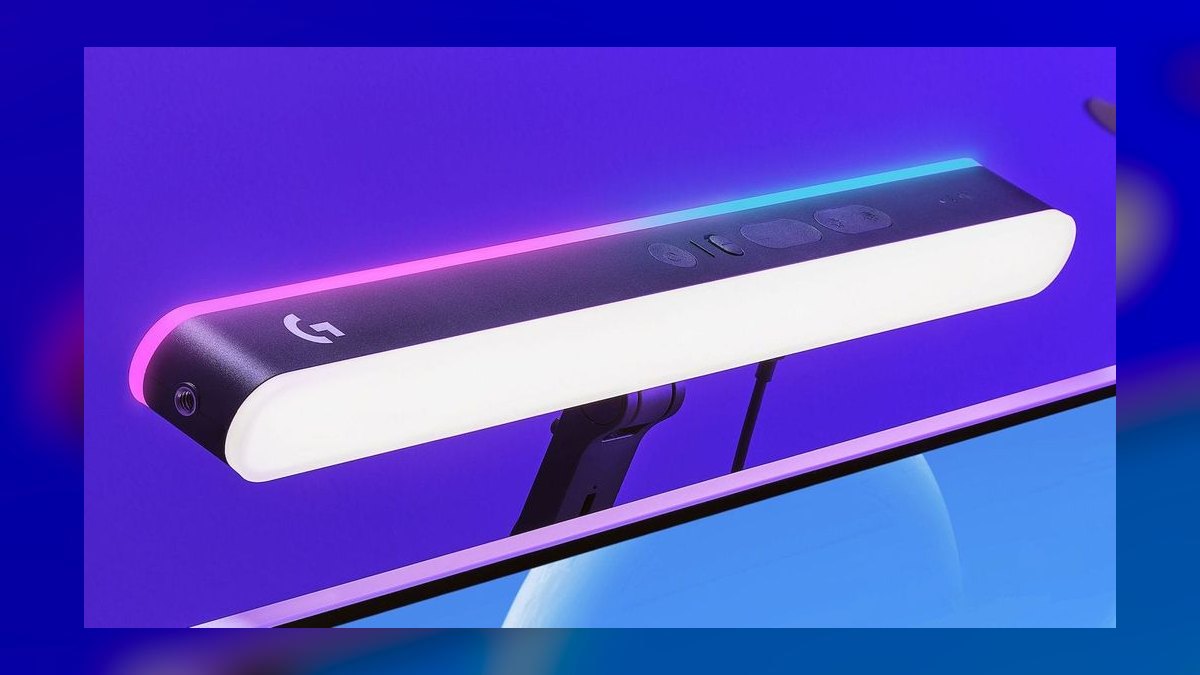
Ninth because at $199 it is the most expensive entry and solves a problem most sales calls do not have. It uses front and rear LED panels, hits 250 lumens, the strongest output listed here, offers RGB on the rear panel, spans 2700K to 6500K white, runs on USB-C, and ships with a stand or monitor clip. Logi Options+ stores scene presets for Zoom, OBS, and Streamyard.
This is built for webinar hosts and streamers who want a branded color wash behind them and saved lighting scenes per app. What it costs is desk space and money: the footprint is larger than a conventional bar, and the feature set is wasted on one-to-one calls. Against the $179 Halo 2, it trades tri-zone subtlety for raw output and RGB.
10MSI MAG Monitor Light Bar
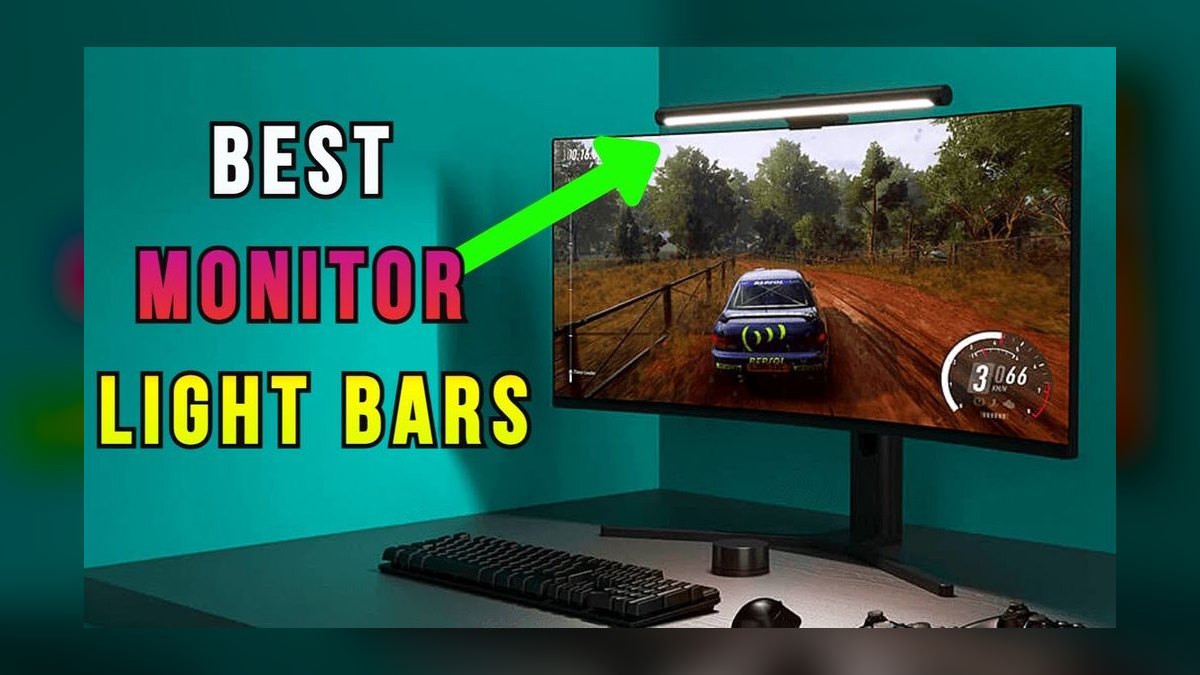
Tenth because CRI 92 and USB-A power place it behind every higher-ranked bar on the fundamentals. The 48 cm unit does include a wireless puck, an asymmetric front lens, RGB rear lighting, a 2700K to 6500K white range, and MSI Center software that syncs with MSI monitors. At $79 it is the cheapest way here to get RGB rear glow alongside usable front task lighting.
This fits people with gaming-leaning desks who want color behind the screen without wrecking on-camera quality. The limits: CRI 92 trails BenQ's 95, USB-A power needs a hub on recent laptops, and MSI Center is Windows-only, so Mac users lose the software layer. Against the $199 Litra Beam LX, it delivers a similar RGB idea at far lower output and cost.
How we ranked these
Ranking weighted four measurable things: color rendering index against a webcam test chart, asymmetric lens spill onto the panel, control ergonomics mid-call, and mount fit across flat and curved monitors down to 1000R. Price mattered only as a ratio to CRI — a $60 bar hitting CRI 95 outranks a $129 bar hitting 90. Power connector, USB-A versus USB-C, was treated as a real daily-friction cost.
Ignored: RGB effects, app ecosystems, and lumen headlines. RGB is wall decoration, not face light, and no buyer picks a call-lighting bar for mood color. Software suites get abandoned or go Windows-only, so scoring them rewards a dependency. Raw lumens were skipped because output at 50 cm past an asymmetric lens matters far more than a spec sheet number nobody measures the same way.
What to look for
Three things decide this: CRI, control placement, and clip geometry. CRI 95 or better keeps skin tones honest on 4K webcams; 90 introduces a green cast recorded calls preserve forever. A wireless puck means you fix brightness without leaning out of frame. And clip geometry is binary — a bar built for flat tops wobbles on a 1000R curve and no amount of light quality fixes that.
The common mistake is buying width by price tier instead of by monitor. A 42 cm bar on a 27-inch panel lights your face and leaves both shoulders in shadow, which reads as under-lit on camera no matter how high the CRI. Measure the panel first, then buy a bar within about five centimeters of it. The second mistake is paying for a rear backlight against a wall you never sit in front of.
Related questions
What size monitor light bar fits a 27-inch monitor?
Match the bar to the panel, not the price tier. A 27-inch monitor is roughly 60 cm wide, so 48–51 cm bars — the BenQ Halo 2, Quntis Pro+, MSI MAG — cover the full frame. The 42 cm Baseus and 45 cm Xiaomi light your face but let shoulder edges fall dark, which reads as uneven on camera.
Do monitor light bars work with an ultrawide monitor?
Not well with one bar. A 34-inch ultrawide is about 80 cm wide, and the longest bar here is 51 cm, so the outer thirds stay dim. Either center a single bar and accept a falloff gradient, or run two shorter bars. Also check the clip: many ultrawides have thick top bezels that exceed the 1.8 cm limit on the Xiaomi.
Can a monitor light bar replace a desk lamp entirely?
For paperwork and keyboard tasks, yes — that is exactly what the asymmetric lens is for, spreading light forward across the desk instead of back onto the panel. What it will not do is light a second work surface or a whiteboard behind you. Reps who sign physical documents off to one side still want a small articulated lamp.
Does a monitor light bar cause screen glare?
It should not. The asymmetric lens on every bar in this list is engineered to throw light down and forward, keeping the panel itself out of the beam. Glare complaints almost always trace to mounting: a clip tilted back, or a bar seated too far forward on a thick bezel. Reseat it and the reflection disappears.
How much power does a monitor light bar draw?
Very little — most bars in this list pull 5 W to 12 W over USB, which is why they run off a monitor or laptop port instead of a wall adapter. The tradeoff is that a monitor's USB hub often cuts power at sleep, so the bar dies with the display. Use a powered hub if you want it independent.
Are monitor light bars actually worth it for eye strain?
The mechanism is contrast, not brightness. Staring at a bright panel in a dark room forces constant pupil adjustment, which is what fatigues eyes over a long day. A bar that raises surrounding surface luminance closer to screen level flattens that gap. Rear backlight zones, like the Halo 2's tri-zone, target the wall behind the screen for the same reason.
Can you mount a light bar on a monitor arm or thin bezel?
Most bars use a counterweighted hook, not a clamp, so they sit on the bezel and need a flat top edge with some depth — the Xiaomi caps at 1.8 cm. Monitor arms do not change this, since the bar rests on the panel, not the stand. Very thin OLED bezels are the real failure case; check the spec first.
FAQ
Which monitor light bar is best overall in 2027?
The BenQ ScreenBar Halo 2 at $179. It is the only bar here combining CRI above 95, a tri-zone rear backlight, a wireless control puck, an ambient sensor, and clip geometry rated down to a 1000R curve. Nothing else in the list does all five. If you take video calls daily, the premium is a one-time cost against years of use.
What is the best budget monitor light bar?
The Xiaomi Mi Computer Monitor Light Bar at $68, because it keeps the wireless puck — the feature most cheap bars drop. If you want maximum color accuracy per dollar instead, the Quntis Pro+ hits CRI 95 at $60. Pick Xiaomi for control ergonomics, Quntis for skin-tone fidelity. Both are USB-A, so budget for a hub on a modern laptop.
Does CRI 90 versus CRI 95 actually show up on a webcam?
On a 1080p webcam in a compressed stream, barely. On a 4K sensor or anything recorded — call archives, demo videos, podcast clips — CRI 90 can push a faint green or magenta cast into skin tones that compression preserves. If your video is archived and rewatched, pay for 95 or better. For live-only calls, 90 is fine.
Should I get USB-C or USB-A power?
USB-C if you power the bar from a laptop, since recent MacBooks have no USB-A port at all. The Halo 2, ScreenBar Pro, Asus ProArt LB1, Baseus i-wok Pro, and Litra Beam LX are USB-C. Xiaomi, the original ScreenBar, the first Halo, and the MSI MAG are USB-A. Powering from a monitor hub makes the distinction mostly irrelevant.
Is the wireless control puck worth paying for?
Yes if your window light shifts during the day. Touch controls sit on the bar itself, so adjusting means leaning forward and out of frame mid-call — visible and awkward. A puck lives next to the keyboard and takes a half-second twist. In a windowless room with stable lighting you will set it once and never touch it.
Do I still need a key light if I have a monitor light bar?
For one-to-one calls, no. A CRI 95 bar at 300 lux handles the job. Add a key light when you record — webinars, demo libraries, podcast video — where directional light gives the face depth a flat front fill cannot. Most people buy the key light first and the bar second, which is backwards for anyone whose work is live calls.
Ring light or monitor light bar for professional calls?
A monitor bar, for business calls. Ring lights stamp a circular catchlight in both eyes and flatten facial contours, a look viewers now read as creator content rather than professional. A bar mimics overhead task lighting, which is what people expect to see. Ring lights still win for close-up beauty or product demos where that flat look helps.
What color temperature should I use for video calls?
Around 4000K to 5000K for daytime calls — close enough to window light that your webcam's auto white balance does not fight two sources. Warmer settings near 2700K look pleasant in the room but push skin orange on camera. Drop toward 3500K only after dark, when the bar is the sole light source in the frame.
Will a light bar fit my curved monitor?
Check the radius number, not the word. Bars designed for flat tops rock on a curve and sit unevenly. The Halo 2 is rated to 1000R, the tightest common curve; the original Halo stops at 1500R, and the original ScreenBar and Xiaomi assume flat panels. Your monitor's spec sheet lists the radius as 1000R, 1500R, or 1800R.
Is the Logitech Litra Beam LX worth $199?
Only if you also stream or host webinars. At $199 it is the priciest here, and what you pay for is the RGB rear panel, scene presets in Logi Options+, and the strongest output in the list. None of that improves a one-to-one call over a $68 Xiaomi. For a bigger footprint and more setup, skip it.
Sources
- https://www.benq.com/en-us/lighting/monitor-light/screenbar-halo-2.html
- https://www.benq.com/en-us/lighting/monitor-light/screenbar-pro.html
- https://www.benq.com/en-us/lighting/monitor-light/screenbar.html
- https://www.asus.com/displays-desktops/monitors/proart/proart-lightbar-lb1/
- https://www.logitech.com/en-us/products/lighting/litra-beam-lx.html
- https://www.tomsguide.com/computing/computing-peripherals/quntis-rgb-pro-plus-review
- https://www.tomshardware.com/peripherals/a-monitor-light-bar-is-the-most-underrated-upgrade-you-can-make-to-your-setup-but-not-all-of-them-are-born-equal-so-heres-how-to-choose-one-that-fits-you
- https://en.wikipedia.org/wiki/Color_rendering_index
Related on PULSE
This page will be disappearing soon. Save it to your device for $1 — or read it free while it is here.
@Kory-White- · if Venmo asks, the last 4 of my number are 2012
This page is gone.
This one is off the shelf now. $1 keeps it on your phone for good — the whole page, pictures and diagrams included.
 pulse-reviewsTop 10 Tablet Styluses — Best Overall + Best Value in 2027
 pulse-reviewsTop 10 Noise-Cancelling Headphones for Sales Reps on Phone Calls in 2027
 pulse-reviewsTop 10 VR Headsets — Best Overall + Best Value in 2027
 pulse-reviewsTop 10 Boom Pole Kits — Best Overall + Best Value in 2027
 pulse-reviewsTop 10 Document Cameras for Remote Demo Recording in 2027
 pulse-reviewsTop 10 Smart Water Leak Detectors — Best Overall + Best Value in 2027
 pulse-reviewsTop 10 Bluetooth Transmitters for TV — Best Overall + Best Value in 2027
 pulse-reviewsTop 10 USB-C Hubs for Sales Travel in 2027
 pulse-reviewsTop 10 LG TVs — Best Overall + Best Value in 2027
 pulse-reviewsTop 10 Clothes Steamers — Best Overall + Best Value in 2027