


Top 10 27-Inch 4K Monitors for Sales Reps in 2027
Quality
Certified
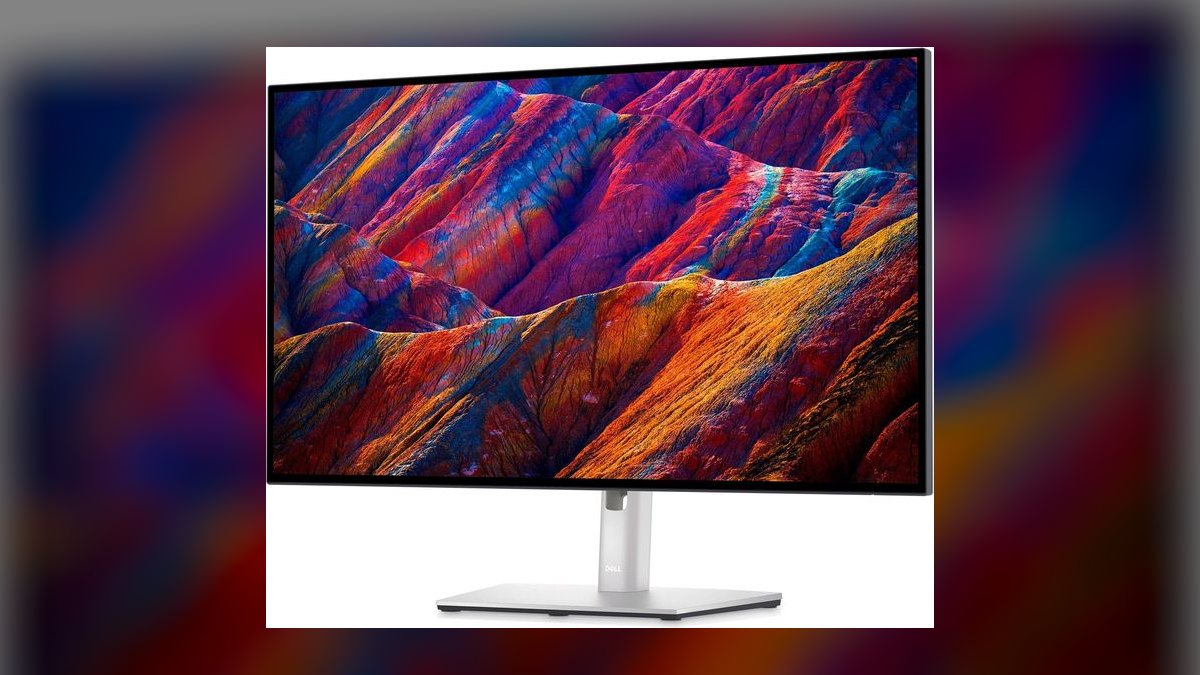
The 10 best 27-inch 4k monitors for sales reps are ranked below on measured performance, build quality, price, and how each one actually holds up in daily use rather than how it reads on a spec sheet. Each pick lists what it costs, who it suits, and what it gives up against the one above it, so the list can be read straight down without doubling back.
1Dell UltraSharp U2725QE
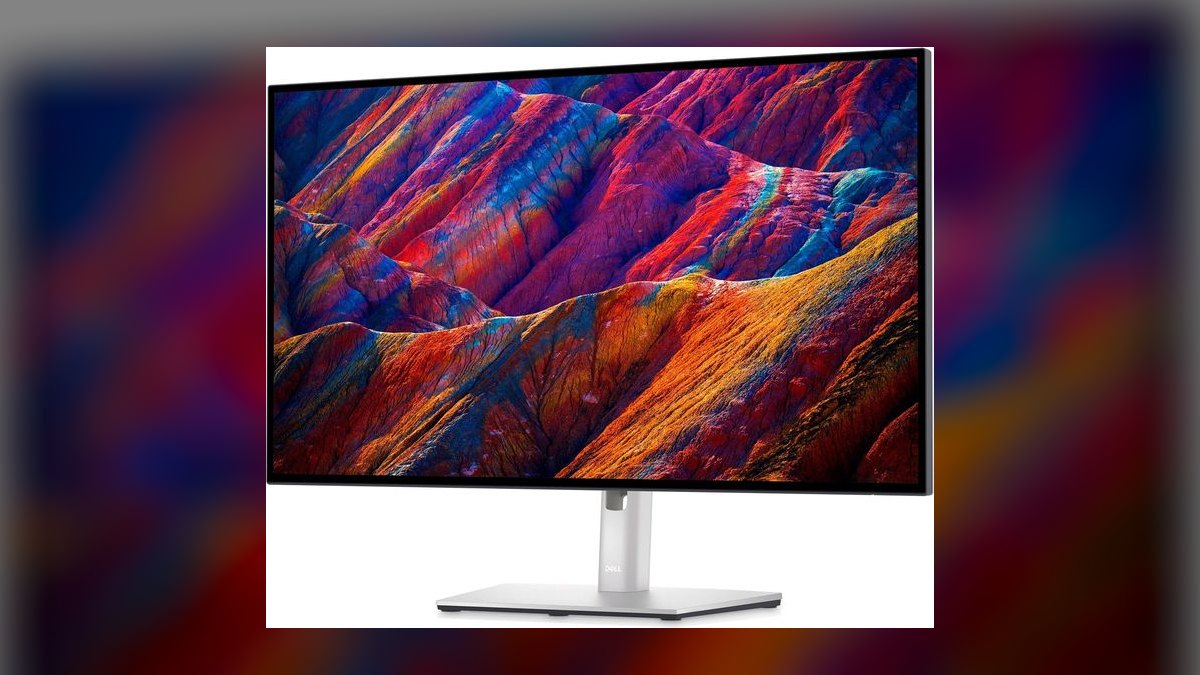
This ranks first because it is the only monitor here that fully replaces a separate dock at $699. The IPS Black panel hits a 3,000:1 contrast ratio, roughly double a standard IPS, so dark Salesforce themes stop looking washed out. Thunderbolt 4 delivers 140W of charging, enough for a 16-inch MacBook Pro. A built-in KVM and 2.5GbE Ethernet jack finish the package at 120Hz.
It suits any rep spending six or more hours daily in CRM, video calls, and screenshare demos from one laptop. What it trades away is money: at $699 it usually needs one-up expense approval, and its DisplayHDR rating is functionally irrelevant for sales work. Against the Apple Studio Display below it, the Dell gives up 5K sharpness and the built-in camera but costs $900 less and adds KVM plus Ethernet.
2Apple Studio Display (2026)
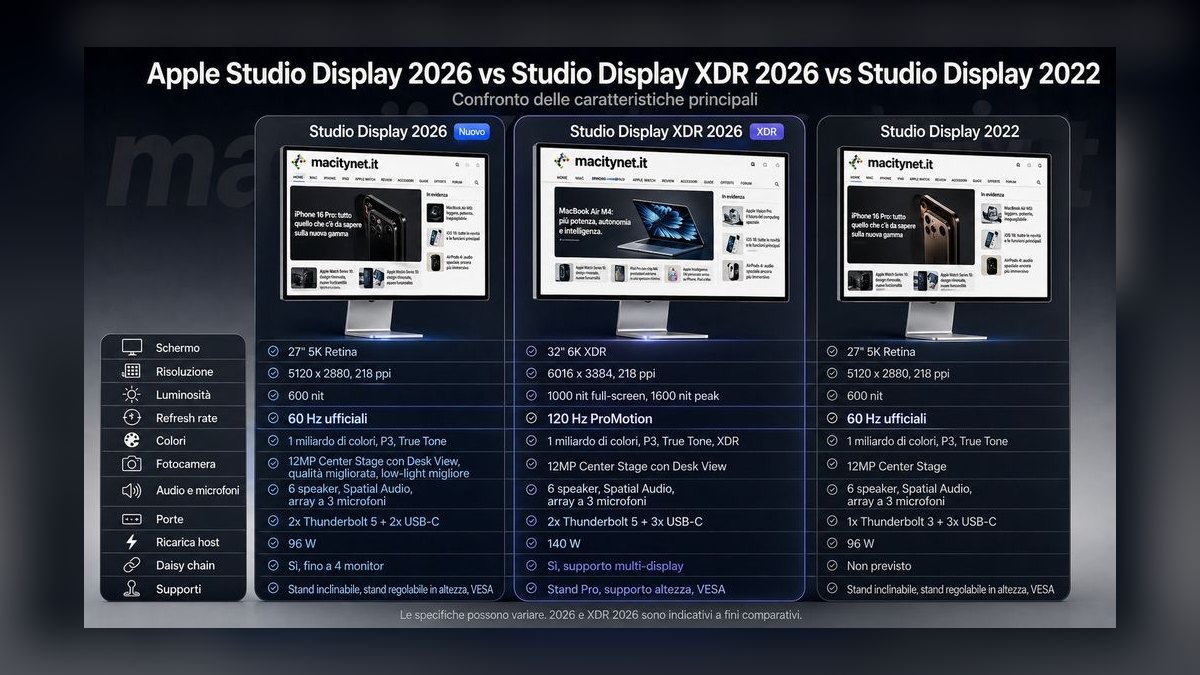
Second place goes to the sharpest panel on this list: 5120x2880 at 218 PPI, nearly double the pixel density of the 4K picks. The March 2026 refresh added Thunderbolt 5, a 12MP Center Stage camera with Desk View, and a six-speaker spatial audio array. Those replace a $200 conference cam and a soundbar outright. It charges a connected laptop at 96W over a single cable at $1,599.
This is for Mac-shop reps where the entire sales org runs macOS and the camera-plus-speaker consolidation justifies the price. It trades away a lot: height adjustment costs $400 extra, there is no local dimming, and you pay Apple margins for an iMac panel without the computer. Compared to the Dell above it, you gain resolution and a camera but lose KVM, Ethernet, and $900.
3BenQ PD2725U
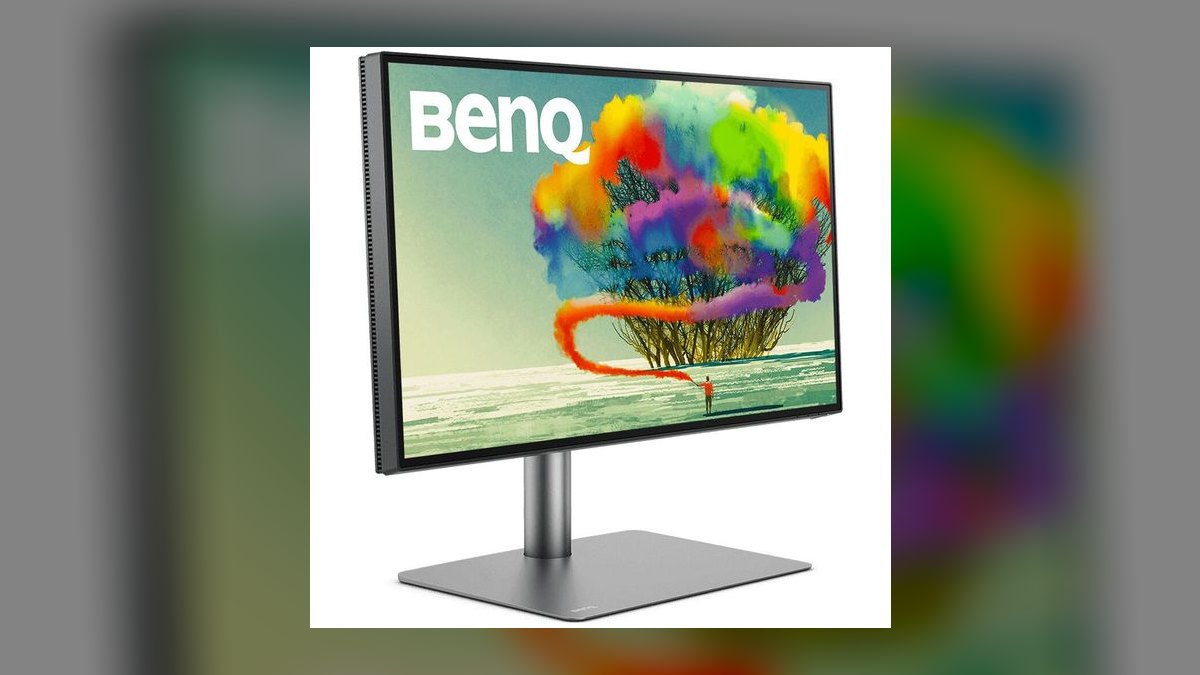
This lands at three on color accuracy plus daisy-chaining. AQCOLOR factory calibration covers 95% DCI-P3 and 100% sRGB at Delta-E of 3 or lower, so a customer sees your brand colors as the design team shipped them. Thunderbolt 3 daisy-chain runs two of these panels from one MacBook Pro port. The included Hotkey Puck remote drives the built-in KVM. Price is $849 at B&H, $899 direct from BenQ.
It fits reps presenting customer-facing decks where brand color shifts get noticed: creative SaaS, ad-tech, media sales, agency sellers. The trade is price, since $849 buys a 4K panel where the Dell above delivers 120Hz, IPS Black contrast, and 140W for $150 less. Choose this over the Dell only when calibrated color and two-panel daisy-chaining outweigh contrast and charging headroom.
4Samsung ViewFinity S8 (S80D)
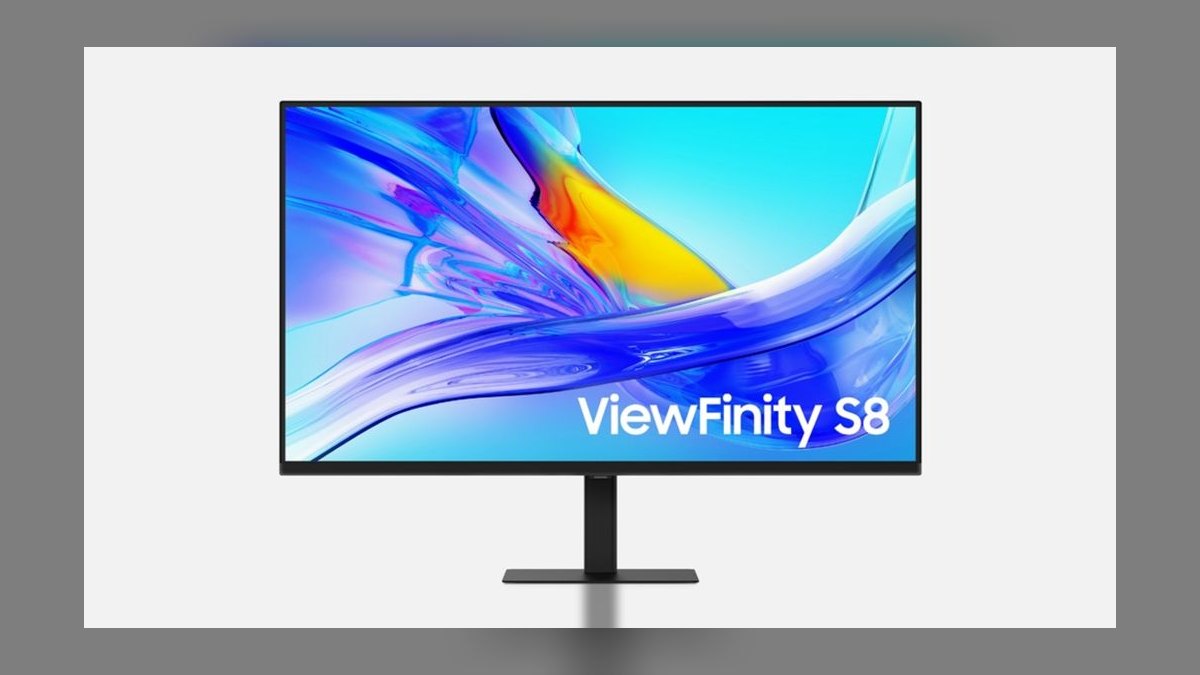
Fourth is the cheapest point at which real single-cable docking exists. At $349 on sale against a $449 list, you get a 27-inch 4K IPS panel, 90W USB-C charging, a built-in KVM, and a Gigabit Ethernet jack. IT Pro called it an impressive 4K monitor for business, and 9to5Mac flagged the feature set for the money. Nothing else under $400 combines all four of those.
This is for BDRs, SDRs, and AEs whose company balks at $699 but signs off on $400 without argument. The cuts are real: 60Hz instead of 120Hz, DisplayHDR 400 that is effectively SDR, and a stand that wobbles more than the Dell's when the desk gets bumped. Against the Dell P2725QE below it, you save roughly $170 and lose the 100Hz panel and Dell's Advanced Exchange warranty.
5Dell Pro P2725QE Plus
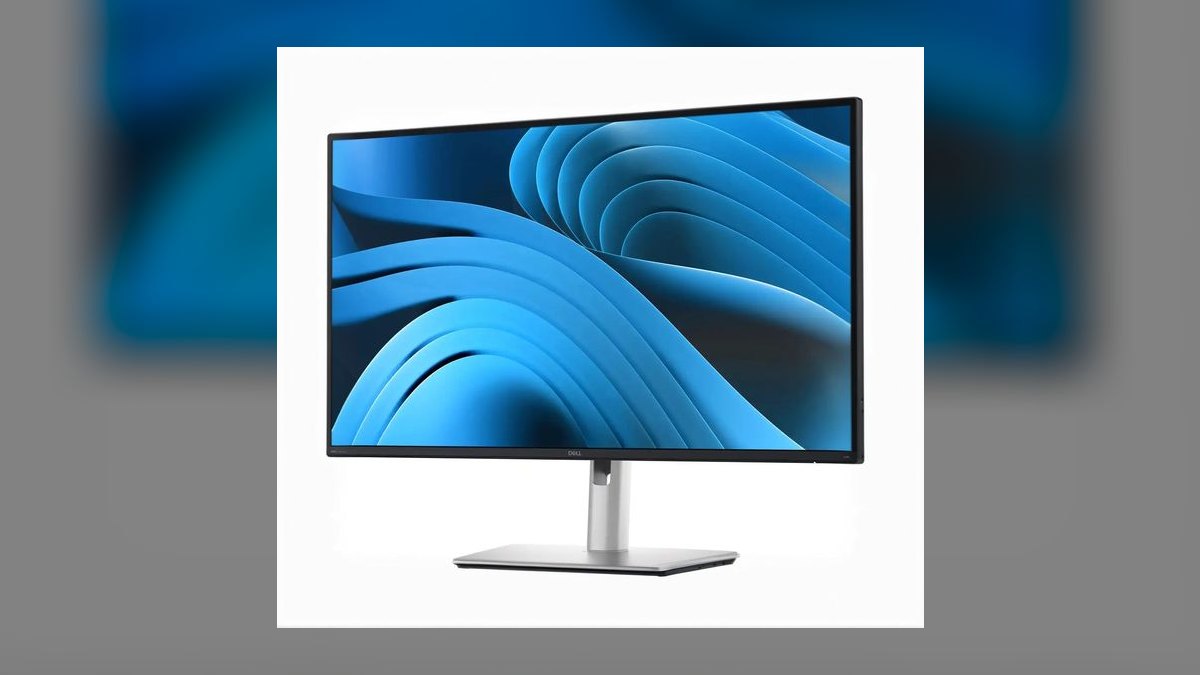
Fifth place reflects 90% of the top pick for 70% of the money. The P2725QE carries the same 27-inch 4K IPS size, 90W USB-C, RJ45 Ethernet, and KVM as its UltraSharp sibling, running at 100Hz instead of 120Hz on a standard IPS panel. It costs $519 at Dell direct and $479 on Amazon. Dell's 3-year Advanced Exchange warranty ships a replacement next-day.
This is aimed at IT-procured rep workstations where the buyer wants the Dell brand and the warranty inside a normal expense threshold. What it gives up is IPS Black contrast and a slightly less rigid stand. Compared with the U2725QE at the top, most reps cannot detect the 100Hz to 120Hz gap, and the $180 saved covers a webcam upgrade plus an MX Master 3S mouse.
6LG 27UP850N-W UltraFine

Sixth is the quiet workhorse of LG's UltraFine line at $449 direct, dropping to $379 on Amazon during sale cycles. It pairs a 27-inch 4K IPS panel with 95% DCI-P3 coverage, VESA DisplayHDR 400, and a 96W USB-C port carrying DisplayPort Alt Mode. The 3-side borderless design looks clean in a dual setup. Its tilt, height, and pivot stand rotates vertical for long lead lists.
It suits single-machine reps who want a solid 4K USB-C display, work over Wi-Fi, and never swap between two computers. The omissions are specific: no KVM and no Ethernet jack, which is exactly what the Dell P2725QE above provides at a similar street price. Pick this only if you genuinely never switch machines; otherwise the Dell's dock features are worth the difference.
7ASUS ProArt PA279CRV

Seventh earns its slot on color credentials at a mid-range price of $469 on Amazon against a $499 list. The panel covers 99% DCI-P3 and 99% Adobe RGB, is Calman Verified, and ships at Delta-E under 2. It adds daisy-chain DisplayPort out, dual HDMI 2.1, and 96W USB-C power delivery. ProArt Preset buttons swap between sRGB, Rec.709, and DCI-P3 instantly.
This targets sales engineers, solutions consultants, and reps who edit customer videos or build one-pagers in Figma. PCWorld called the prior model the go-to for content creators on a budget, which is the honest framing here. Against the LG above it, you gain wider gamut coverage and daisy-chaining for about $90 more, but neither offers the KVM and Ethernet found on the Dell and Samsung picks.
8HP Z27k G3
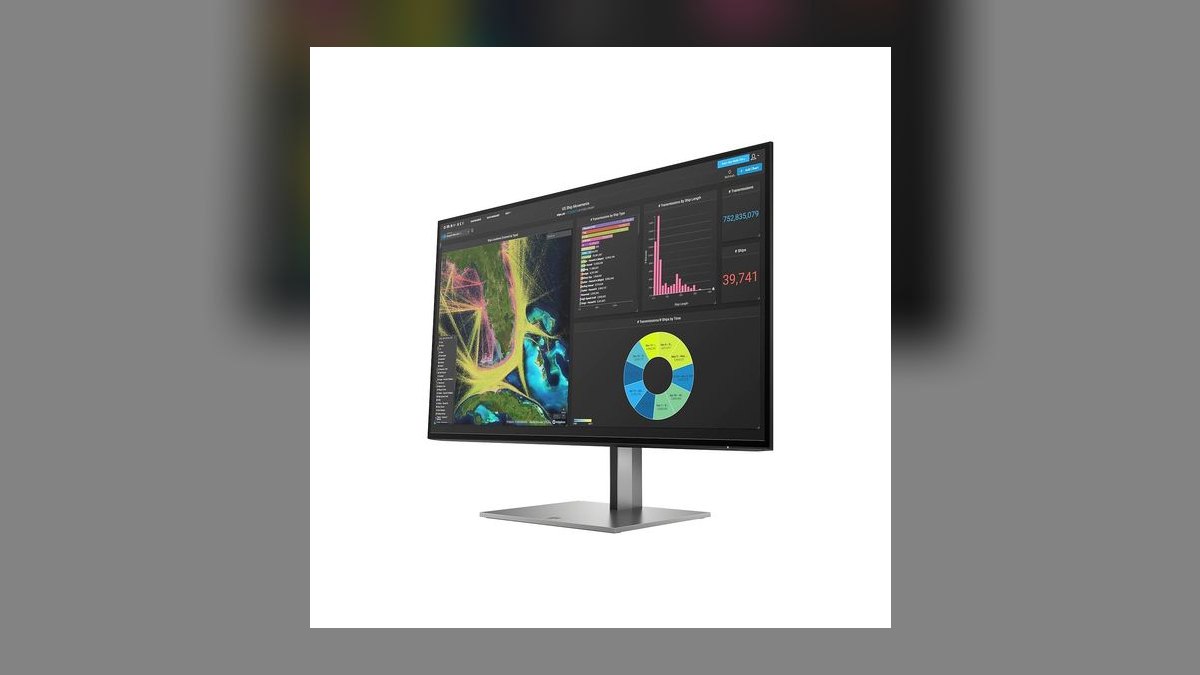
Eighth is HP's enterprise answer to the UltraSharp line at $649 direct, or $579 through CDW with volume pricing. It combines a 27-inch 4K IPS panel with 100W USB-C, an RJ45 Ethernet jack, and daisy-chain DisplayPort. HP calibrates it to 98% DCI-P3 and puts the printed calibration report in the box. HP Display Center handles recalibration on the desktop.
This is for Fortune 500 reps in pharma, finance, or government where IT buys HP exclusively. What it trades away is value on the open market: at $649 it sits $130 above the Dell P2725QE while offering a comparable feature set and 10W more charging. Buy it because your refresh contract ships it with EliteBooks, not because it beats the Dell picks on price or panel.
9Lenovo ThinkVision P27u-20
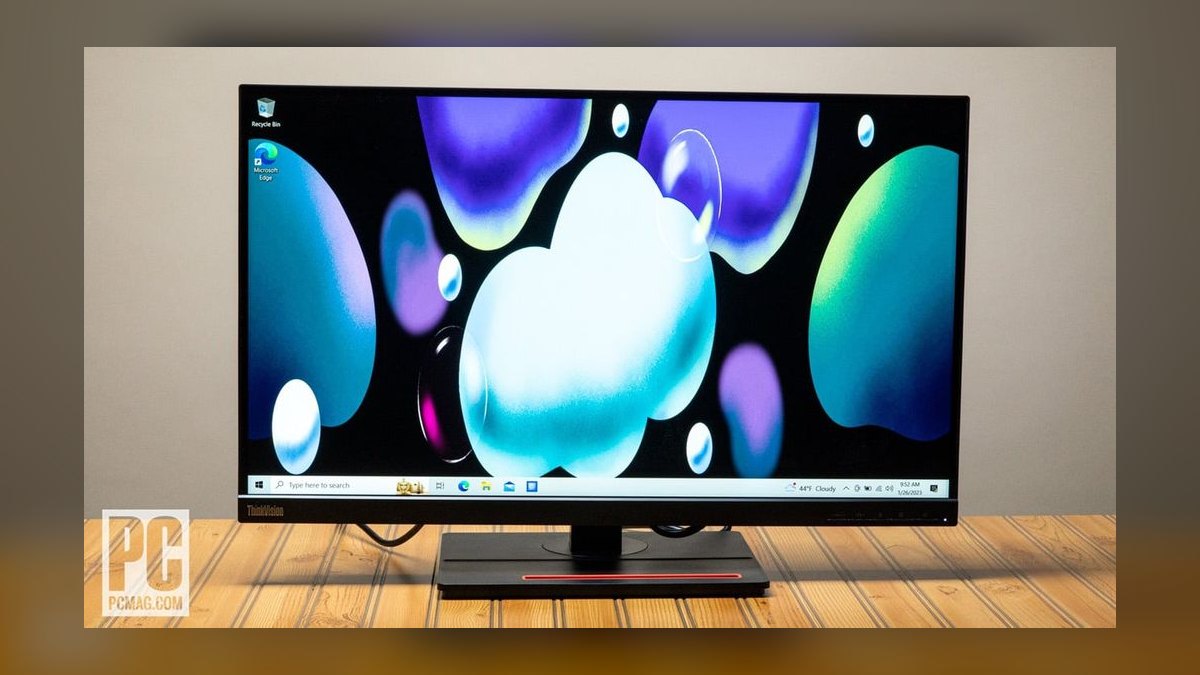
Ninth is the ThinkPad's natural dock partner at $629 from Lenovo direct or $549 on CDW. The 27-inch 4K IPS panel arrives factory calibrated to 99.1% DCI-P3 and 99.5% Adobe RGB, with Thunderbolt 4 supplying 100W of power delivery plus a KVM. Natural Low Blue Light cuts eye strain without the yellow cast macOS Night Shift applies. A 3-year on-site warranty is included by default.
This is for reps at Lenovo-standard shops like large banks and consultancies where ThinkPads are the issued hardware. The stand is purely utilitarian, and at $629 it is priced near the HP above without a clear panel advantage. Compared with the Dell U2725QE at the top, you match the Thunderbolt docking but lose 20Hz of refresh, IPS Black contrast, and 40W of charging headroom.
10BenQ PD2706U
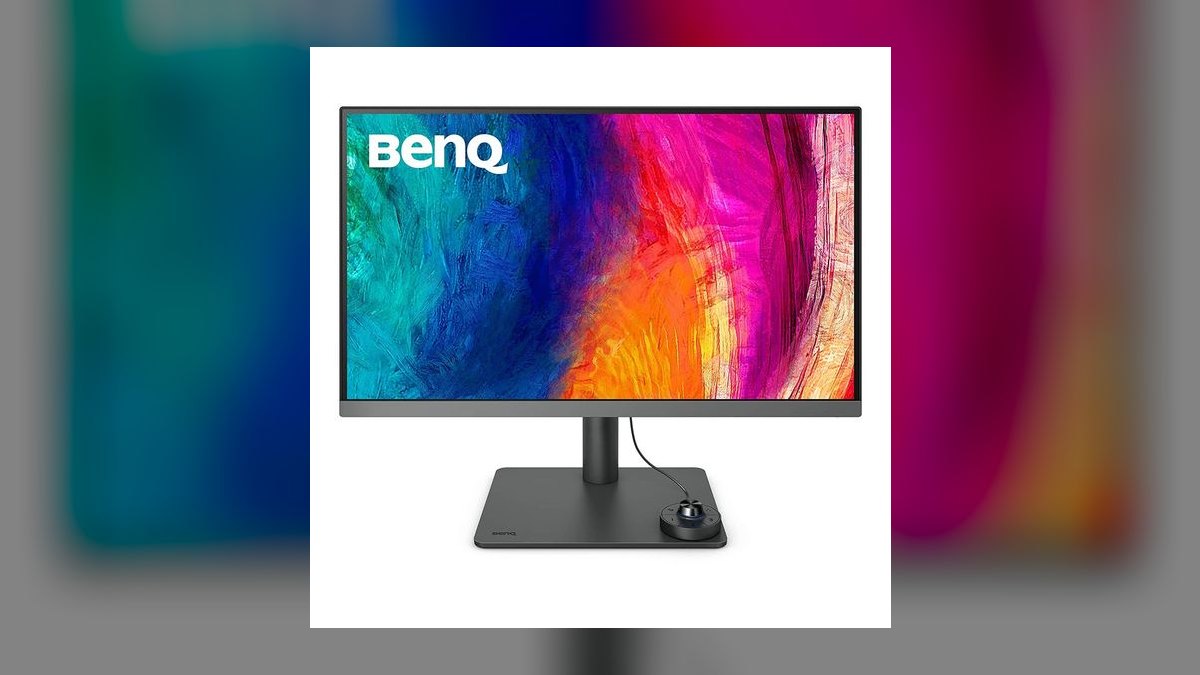
Tenth is the budget DesignVue at $499 from BenQ or $449 on Amazon, roughly half its PD2725U sibling. It keeps AQCOLOR factory calibration, 95% DCI-P3 coverage, and Pantone Validated certification. A built-in KVM, the Hotkey Puck G3 remote, and a dual-view mode splitting the screen into two color spaces round out the feature set. USB-C power delivery drops to 65W.
That 65W ceiling is the catch and the reason it sits last. It runs a MacBook Air or 13-inch Latitude indefinitely, but a 16-inch MacBook Pro on a heavy Zoom call drains slowly through the afternoon. This is for budget-conscious reps on lightweight laptops who want BenQ color without Thunderbolt pricing. Against the ASUS ProArt above it, you get a KVM but give up 31W of charging and wider Adobe RGB coverage.
How we ranked these
We weighted single-cable USB-C docking above everything else: power delivery wattage matched to real rep laptops, a built-in KVM, and an Ethernet jack that kills the conference-Wi-Fi excuse. After that came panel contrast and 4K's 163 PPI at 27 inches, since dense CRM text is the actual daily workload. Stand ergonomics, warranty terms, and street price against typical expense thresholds broke the remaining ties.
We deliberately ignored HDR badges, gaming refresh ceilings, and speaker quality. DisplayHDR 400 is SDR with a brighter backlight and does nothing for Salesforce or Gong. Anything past 120Hz is invisible during a pipeline review. Curved panels were excluded outright — at 27 inches the curve distorts spreadsheet grids without buying any wraparound benefit. Response time, adaptive sync, and wide-gamut coverage stayed out unless the rep also builds decks.
What to look for
Match power delivery to your actual laptop before anything else. 65W runs a MacBook Air; 90W covers a 14-inch MacBook Pro or XPS 14; only 140W keeps a 16-inch MacBook Pro charging through back-to-back Zoom demos. Then decide whether you switch between a work and personal machine daily. If yes, KVM is non-negotiable — it removes a second keyboard, mouse, and dock from the desk.
The common mistake is buying panel specs and discovering the dock later. Reps compare contrast ratios and DCI-P3 coverage, pick the LG, then buy a $180 Thunderbolt dock because there is no KVM or Ethernet — spending more than the Dell P2725QE cost outright. Price the monitor as a docking-station replacement, not a screen. Second mistake: one 32-inch instead of two 27s.
Related questions
Which pick is best for a rep on a company-capped budget?
The Samsung ViewFinity S8 (S80D) at $349 street. It is the cheapest display that still delivers the full single-cable experience — 4K, 90W USB-C charging, KVM, and Gigabit Ethernet. You give up 120Hz and get a slightly wobblier stand, neither of which affects dialer time or pipeline reviews. It clears most $400 expense thresholds without a manager conversation.
Is a built-in KVM worth it for a sales rep?
Only if you run two machines. Reps carrying a locked-down corporate laptop plus a personal MacBook save a keyboard, a mouse, and roughly a minute of replugging every switch — which compounds across a quarter. Single-machine reps gain nothing and should spend that budget on refresh rate or panel contrast instead. The Dell, Samsung, Lenovo, and both BenQ picks include one.
Can I daisy-chain two of these off one laptop port?
Yes on several picks. The BenQ PD2725U supports Thunderbolt 3 daisy-chain, and the Dell U2725QE, HP Z27k G3, ASUS PA279CRV, and Lenovo P27u-20 all offer DisplayPort out. One cable from the laptop then drives both screens plus charging. Confirm your laptop's GPU supports two 4K streams before ordering — some thin-and-light integrated graphics drop the second display to 30Hz.
Why does an Ethernet port on a monitor still matter?
Because screenshare demos die on congested Wi-Fi. A 2.5GbE or Gigabit jack in the monitor means docking the laptop also puts it on wired network, with no separate adapter to forget in a hotel room. The Dell U2725QE, Dell P2725QE, Samsung S80D, and HP Z27k G3 all include one. The LG 27UP850N does not, which is its main omission at that price.
Is IPS Black meaningfully better than standard IPS?
Yes, if you use dark themes. IPS Black roughly doubles contrast to about 3,000:1, so dark-mode Salesforce, Gong thumbnails, and terminal windows stop looking washed-out gray. On white-background documents and spreadsheets the difference is minimal. That is the honest gap between the U2725QE and the P2725QE Plus — worth $180 to dark-theme users, close to invisible to everyone else.
Does the Apple Studio Display replace a webcam and mic?
Largely, yes. The 2026 refresh carries a 12MP Center Stage camera with Desk View and a six-speaker spatial audio array, which credibly retires a mid-tier conference cam plus a soundbar. Fold roughly $300 of avoided accessory spend into the $1,599 price and the math improves. It still lacks height adjustment unless you add the $400 stand, and there is no local dimming.
What should a sales engineer buy instead of the Dell?
The ASUS ProArt PA279CRV at $469. Sales engineers who cut demo videos, touch Figma, or build customer-facing assets get 99% DCI-P3, 99% Adobe RGB, Calman verification, and Delta-E under 2, plus 96W USB-C and DisplayPort daisy-chain. It costs less than the U2725QE and trades the 120Hz panel and KVM for color accuracy you can actually defend to a design team.
How do I get finance to approve a $699 monitor?
Submit it as a docking-station replacement, not a monitor. The U2725QE folds a $180 Thunderbolt dock, an Ethernet adapter, and a KVM into the display, so the line item replaces three SKUs with one. IT teams increasingly prefer that consolidation on refresh cycles. If approval still stalls, the Dell P2725QE Plus at $519 delivers roughly 90% of the capability under most thresholds.
FAQ
Is 4K worth it over 1440p at 27 inches?
For dense web apps, yes. 4K gives 163 PPI versus 1440p's 109, so a full Salesforce opportunity record fits without scrolling and Gong transcripts read like printed text. The exception is an older laptop lacking DisplayPort 1.4 or Thunderbolt 3 — those choke at 4K and drop frames on chart-heavy dashboards. Check your ports before you spend the difference.
How much USB-C power delivery do I actually need?
65W for a MacBook Air or 13-inch ultrabook, 90W for a 14-inch MacBook Pro or Latitude, and 140W for a 16-inch MacBook Pro or mobile workstation. Under-spec it and the laptop drains slowly through heavy Zoom calls, which you discover at 12% battery before a 4 PM demo. The U2725QE's 140W is the only figure here that covers every laptop unconditionally.
Do I need HDR for sales work?
No. DisplayHDR 400 is a brighter backlight with a sticker, and real HDR — DisplayHDR 600, mini-LED, or OLED — starts around $1,200 while delivering nothing inside Salesforce, Slack, or Zoom. Treat any HDR badge on this list as a rounding error, not a reason to pay more. If you also want movies after hours, a television is the better purchase.
Curved or flat for CRM work?
Flat, every time. Curvature earns its keep on 34-inch-plus ultrawides where the screen edges sit far from your eyes. At 27 inches it subtly distorts spreadsheet grids and CRM table alignment in ways that surface after six hours of staring. Every monitor in this ranking is flat, and that reflects consensus across productivity review outlets rather than coincidence.
One large monitor or two 27-inch 4K screens?
Two 27s beat one 32-inch or a 38-inch ultrawide for most selling workflows. The standard layout puts Salesforce and Gong left, Zoom, Slack, and email right, with no window-management overhead. Since the Dell U2725QE and Lenovo P27u-20 both daisy-chain, one Thunderbolt cable still drives the pair. Budget for two of whichever pick fits rather than one bigger panel.
Does 120Hz matter if I never game?
Mildly. Scrolling long Salesforce reports, Notion pages, and Outreach sequence lists feels noticeably smoother at 120Hz than 60Hz, and cursor tracking is cleaner. It is a comfort upgrade, not a productivity one. The 100Hz on the Dell P2725QE Plus is indistinguishable from 120Hz in practice, so do not pay a premium purely for that last 20Hz.
Will an older laptop drive a 4K monitor properly?
Machines four or more years old often cannot. DisplayPort 1.2 tops out awkwardly at 4K 60Hz, and older integrated graphics stutter on dashboards with embedded charts. Older USB-C ports may also lack DisplayPort Alt Mode entirely, which kills single-cable docking. Verify Thunderbolt 3 or DisplayPort 1.4 support first; if neither is present, 1440p is the smarter interim purchase.
Should Mac reps buy the Studio Display or the BenQ?
Buy the Studio Display if the camera and speakers replace hardware you would otherwise expense and 218 PPI matters for demo screenshares. Buy the BenQ PD2725U at $849 if you need height adjustment, Thunderbolt daisy-chain for a second panel, and calibrated color for brand-sensitive decks. The BenQ costs roughly half and includes the KVM and Hotkey Puck the Apple lacks.
What warranty terms should I check before buying?
Look for advance replacement, not depot repair. Dell's three-year Advanced Exchange ships a replacement next-day with the failed unit returning in the same box, and Lenovo includes three-year on-site coverage by default rather than as a paid add-on. A monitor dead mid-quarter with a two-week repair window costs more in lost selling days than the panel itself.
Sources
- https://www.rtings.com/monitor/reviews/dell/u2725qe
- https://www.dell.com/en-us/shop/dell-ultrasharp-27-4k-thunderbolt-hub-monitor-u2725qe/apd/210-bqhr/monitors-monitor-accessories
- https://www.apple.com/studio-display/
- https://www.pcmag.com/reviews/hp-z27k-g3-4k-usb-c-display
- https://www.benq.com/en-us/monitor/creative-pro/pd2725u.html
- https://www.lg.com/us/monitors/lg-27up850n-w-4k-uhd-monitor
- https://www.itpro.com/hardware/monitors/samsung-s8-viewfinity-s80d-monitor-review-an-impressive-4k-monitor-for-business
- https://9to5mac.com/2024/10/17/hands-on-samsung-viewfinity-s8-is-a-budget-4k-display-packed-with-extra-features/
- https://www.howtogeek.com/dell-ultrasharp-4k-thunderbolt-hub-monitor-u2725qe-review/
- https://www.techradar.com/reviews/benq-pd2725u-monitor-review
Related on PULSE
This page will be disappearing soon. Save it to your device for $1 — or read it free while it is here.
@Kory-White- · if Venmo asks, the last 4 of my number are 2012
This page is gone.
This one is off the shelf now. $1 keeps it on your phone for good — the whole page, pictures and diagrams included.
 pulse-reviewsTop 10 Tablet Styluses — Best Overall + Best Value in 2027
 pulse-reviewsTop 10 Car Backup Cameras — Best Overall + Best Value in 2027
 pulse-reviewsTop 10 Red Light Therapy Devices — Best Overall + Best Value in 2027
 pulse-reviewsTop 10 Heat-Pump Dryers — Best Overall + Best Value in 2027
 pulse-reviewsTop 10 USB-C Hubs for Sales Travel in 2027
 pulse-reviewsTop 10 Backpack Leaf Blowers — Best Overall + Best Value in 2027
 pulse-reviewsTop 10 VR Headsets — Best Overall + Best Value in 2027
 pulse-reviewsTop 10 85-Inch TVs — Best Overall + Best Value in 2027
 pulse-reviewsTop 10 Smart Microwaves — Best Overall + Best Value in 2027
 pulse-reviewsTop 10 Blue Light Glasses for Sales Reps in 2027