


How much does a solid-state drive actually degrade in speed after years of heavy use in 2027?
Quality
Certified
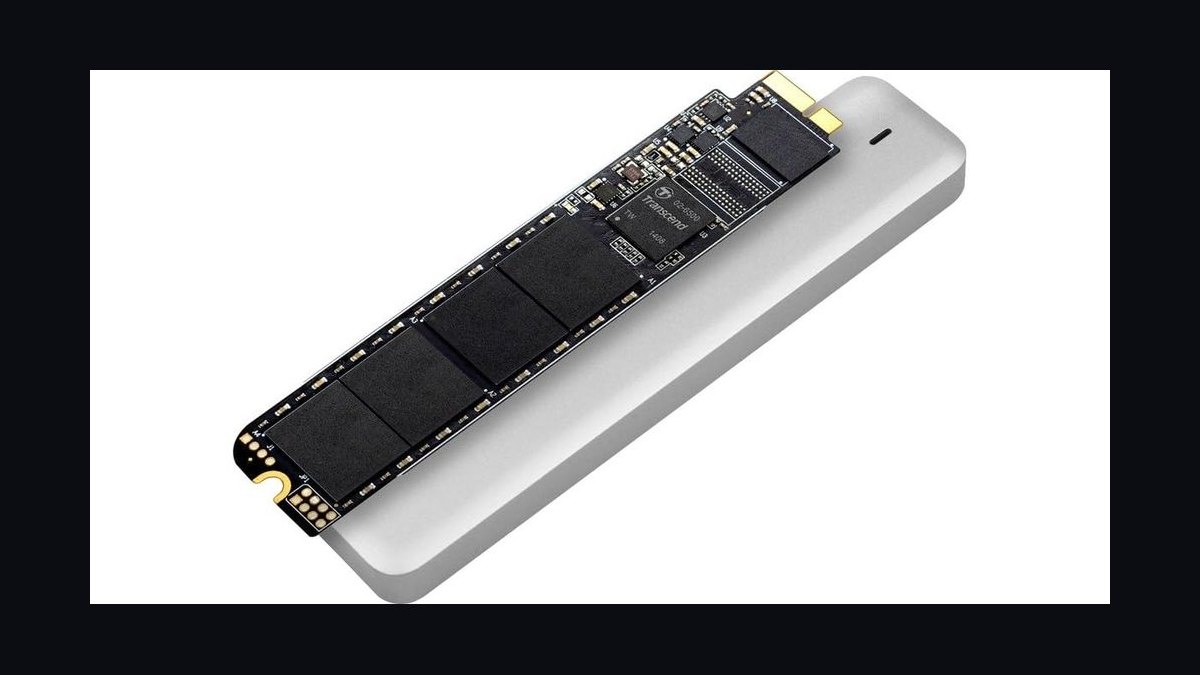
A solid-state drive rarely slows down in a straight line. Under sustained heavy writes, most modern TLC and QLC drives lose only about 5–15% of peak sequential throughput across their rated endurance, but write latency and random-write speed can degrade far more — often 30–60% — once the SLC cache is exhausted and the drive is 80%+ full. In 2027, controller firmware, thermal throttling, and host-side garbage collection matter more than raw cell wear for perceived speed.
What it is and why it matters
The question people are really asking is whether an SSD that has been hammered for years — as a boot drive, a database volume, a video scratch disk, a game library — becomes noticeably slower in daily use. The honest answer is that "degrade" is the wrong mental model if you picture a mechanical hard disk. A spinning platter physically slows as it fragments and the head has to seek further; NAND flash does not work that way at all. An SSD stores charge in floating-gate or charge-trap cells, and over thousands of program/erase (P/E) cycles those cells accumulate trapped charge and oxide wear. The drive does not spin down. It wears out in a different dimension entirely.
That distinction matters because it changes what you should measure. For a hard drive, the failure mode is mechanical and gradual: more seeks, more latency, more noise. For a solid-state drive, the failure modes are electrical and firmware-driven. Cells get slower to program as they age. The controller has to work harder to find clean blocks. The SLC write cache — the fast, single-bit-per-cell region that absorbs bursty writes — shrinks in effective usefulness as the drive fills and as the pool of fresh blocks drains. None of that shows up as a simple "the drive is now 40% slower" number.
What actually shows up in real workloads is a split personality. Sequential reads and writes, the numbers on the box, hold up remarkably well. A drive rated for 3,500 MB/s sequential read will often still hit 3,200–3,400 MB/s after several years of heavy use, because reading is a low-stress operation that does not consume P/E cycles. Random 4K writes and mixed workloads are where the degradation lives. Those are the operations that force the controller to erase blocks, run garbage collection, and fall back to slower native TLC or QLC writes when the cache is full.

Why does this matter in 2027 specifically? Three reasons. First, QLC NAND is now the default in consumer laptops and many budget enterprise drives, and QLC has a much narrower SLC cache and lower native write speed than TLC. Second, drives are denser — 4 TB and 8 TB consumer SSDs are common — and a fuller drive has less spare area for the controller to shuffle data around. Third, workloads have shifted: local AI model caching, container images, and game installs of 100 GB+ generate sustained writes that push drives into exactly the regime where degradation is visible.
The practical takeaway is that you should care less about total terabytes written (TBW) as a headline and more about three interacting variables: how full the drive is, how hot it runs, and how bursty your writes are. A drive at 50% capacity with good airflow can feel identical after five years of moderate use. A drive at 92% capacity in a fanless laptop, receiving 20 GB of writes a day, can feel meaningfully sluggish within 18 months — not because the cells are worn out, but because the controller has nowhere to put incoming data.
The step-by-step process

To understand how an SSD loses speed, walk through what happens to a write over the life of the drive. This is the mechanism, not a metaphor, and it explains every degradation number you will read.
Step 1 — The write lands in the SLC cache. When you save a file, the controller does not write it as TLC or QLC immediately. It writes it in single-level-cell mode, one bit per cell, which is fast and low-stress. On a 1 TB TLC drive this cache might be 100–200 GB when empty; on a QLC drive it might be 30–80 GB, and it shrinks as the drive fills.
Step 2 — The cache fills and the drive "folds." Once the SLC region is full or the drive goes idle, the controller rewrites that data into denser TLC or QLC cells in the background. This is called folding. It is invisible to you until it is not — if you keep writing while folding is in progress, the drive has to interleave incoming writes with cleanup, and throughput drops.
Step 3 — Garbage collection kicks in. Flash cannot overwrite in place. To change one block of data, the controller must read the valid pages, erase the whole block, and rewrite. As the drive fills, there are fewer empty blocks, so the controller spends more time erasing and copying. This is where random-write speed falls hardest.

Step 4 — Wear leveling spreads the load. The controller tracks P/E counts per block and moves data to less-worn blocks. Early in life this is cheap. Late in life, when most blocks have similar high counts, the controller has less freedom, and write amplification rises — meaning more internal writes per host write.
Step 5 — Thermal throttling caps sustained speed. NAND and controllers both slow down when hot. A drive that hits 70–80°C under sustained load will throttle to protect itself. In a laptop with no heatsink, this can cut sustained write speed by half regardless of wear.
Step 6 — The drive reaches steady state. After enough sustained writing, the drive settles into a steady-state performance level that is often 30–50% of its burst speed. This is normal, not a defect. Reviews measure it deliberately.
The critical insight from this flow is that degradation is not a single curve. It is a set of thresholds. The drive behaves well until the SLC cache fills, then behaves differently until garbage collection catches up, then behaves differently again when free blocks run low. Your perceived experience depends on which regime your workload keeps the drive in.
Costs, timelines, and typical ranges
Numbers here should be treated as ranges, because controller firmware, NAND generation, and workload vary enormously. But the broad picture across consumer and prosumer drives in 2027 is consistent enough to plan around.
Sequential read speed after heavy use: typically retains 90–97% of rated speed. A 3,500 MB/s drive often still reads at 3,200–3,400 MB/s. Reads do not consume P/E cycles, so there is little wear mechanism. If your drive feels slow on large file copies, it is almost never the read path.
Sequential write speed after heavy use: retains 85–95% when the drive is under 70% full and has an active SLC cache. Drops to 40–70% of rated speed when the drive is over 85% full or the cache is exhausted. On QLC drives, sustained sequential write can fall to 100–200 MB/s on a drive rated for 3,000+ MB/s burst — a 90%+ collapse, but only under sustained load.
Random 4K write (QD1): this is where aging bites. New drives might deliver 60,000–90,000 IOPS; after years of heavy use at high fill, expect 30,000–55,000 IOPS. That is a 30–50% drop, and it is the number that correlates with "my system feels sluggish."
Latency (99th percentile): the most underrated metric. New drives show 99th-percentile write latency of 100–300 microseconds. Worn, full drives can spike to 1–5 milliseconds under mixed load. That is a 10–20x increase, and it is what causes visible stutter in games and databases.
Endurance consumed per year of heavy use: a typical workload of 20 GB/day writes consumes about 7.3 TB/year. A 1 TB TLC drive rated at 600 TBW would take roughly 80 years to hit its rating. A QLC drive rated at 200 TBW would take about 27 years. Even a write-heavy workload of 100 GB/day — unusual outside of video editing or database servers — consumes 36.5 TB/year, still decades from typical ratings.

Timeline to noticeable degradation: for a well-cooled drive kept under 70% full, most users report no perceptible slowdown for 4–6 years. For a laptop drive kept 90%+ full with heavy writes, noticeable slowdown can appear in 12–24 months. The variable is fill level and thermals, not TBW.
Cost of mitigation: keeping 15–20% of the drive free is free. A $10–15 heatsink or thermal pad on an M.2 drive can prevent throttling worth 30–50% of sustained speed. Over-provisioning — leaving unallocated space — costs capacity but buys back write performance.
Replacement economics: a 2 TB TLC NVMe drive in 2027 costs roughly $100–160. Replacing a degraded drive is usually cheaper than living with it, which is why the practical advice is to monitor and replace rather than to nurse a worn drive.
Where teams get it wrong
The most common error is treating TBW as the primary health metric. TBW is a warranty figure, not a performance predictor. A drive can be at 5% of its TBW rating and still feel slow because it is 95% full with a tiny SLC cache and no airflow. Conversely, a drive at 40% of TBW in a well-ventilated desktop may feel brand new. Teams that watch only TBW miss the variables that actually drive perceived speed.

The second error is benchmarking burst speed and calling it health. CrystalDiskMark's default 1 GB test runs entirely inside the SLC cache on most drives, so it reports near-box numbers even on a drive that collapses under sustained load. If you want to know how a drive really performs, run a 32 GB or 64 GB test, or better, a sustained mixed-workload test like a large file copy plus concurrent random I/O. That is what exposes the steady-state number.
The third error is ignoring fill level. A drive at 95% capacity is not just "a bit slower" — it can be 50% slower on writes because the controller has almost no free blocks to work with. Teams that never clean up old snapshots, container layers, or game installs are effectively degrading their own drives through neglect, not wear.
The fourth error is blaming the drive when the bottleneck is elsewhere. On many systems, a "slow SSD" is actually a thermal issue in a cramped laptop, a SATA link running at 3 Gb/s instead of 6 Gb/s, a PCIe lane misconfiguration, or an operating system that has disabled TRIM. Before concluding the drive has degraded, verify the link speed, check drive temperature under load, and confirm TRIM is active.
The fifth error is over-provisioning by accident and under-provisioning by design. Some users fill a drive to 99% and wonder why it stutters. Others deliberately partition to leave 20% free but never tell the controller, so the drive still thinks it is full. Modern drives handle this automatically if you leave unallocated space, but you have to actually leave it.

The sixth error, and the one that costs the most money, is replacing drives prematurely. A drive that has lost 20% of its random write performance is usually still perfectly usable for years. Replacing it because a benchmark number dropped is a waste of budget that could go to more capacity or a better cooling solution. The right trigger for replacement is not "it benchmarked lower" but "it is causing measurable user-visible latency in a workload that matters."
The seventh error is assuming all SSDs age the same way. DRAM-less drives, QLC drives, and drives with aggressive SLC caching behave very differently from high-end TLC drives with DRAM. A cheap QLC drive can feel dramatically slower after two years of heavy use than an enterprise TLC drive after five, even if both are technically healthy. Understanding which class of drive you own is more useful than any single degradation percentage.
Decision framework: when to choose what
The right response to a slow-feeling SSD depends on what is actually causing the slowdown. This decision tree maps the common scenarios to the appropriate action.
Walking through this: if the drive is full, the fix is free and usually dramatic. If it is hot, a $10 heatsink may recover more performance than a new drive would. If TRIM is off or the link is misconfigured, you have been leaving performance on the table for years without any wear at all. Only after ruling out those three should you consider that the drive itself has genuinely degraded — and even then, the question is whether the workload is latency-sensitive enough to justify replacement.

For most teams and individuals, the right policy is: keep drives under 80% full, keep them cool, verify TRIM and link speed annually, and run a sustained write test once a year to establish a baseline. Replace only when a real workload shows user-visible latency that the above fixes cannot resolve. That approach avoids both premature replacement and the slow erosion of performance that comes from neglect.
Related questions
Does SSD speed degrade permanently, or does it recover?
Most degradation from cache exhaustion and garbage collection is temporary — the drive recovers after idle time and TRIM. Permanent degradation comes from cell wear and rising write amplification, which is gradual and usually small within rated endurance.
How do I measure real SSD degradation at home?
Run a sustained 32 GB or 64 GB write test, not the default 1 GB test. Compare results over time at the same fill level and temperature. Tools like fio, CrystalDiskMark with large test sizes, and vendor utilities give usable baselines.
Does keeping an SSD nearly full really slow it down?

Yes, substantially. Above 85–90% fill, free block availability drops, garbage collection has less room to work, and write speed can fall 40–60%. Leaving 15–20% unallocated is the single highest-impact free fix.
Do QLC drives degrade faster than TLC drives?
QLC drives have smaller SLC caches and lower native write speed, so they hit steady-state slowdown sooner and more severely under sustained writes. Their endurance ratings are also lower. For heavy write workloads, TLC with DRAM remains the better choice.
Is SSD degradation worse in laptops than desktops?
Often yes, because laptops have tighter thermal envelopes and less airflow. A drive that would stay under 60°C in a desktop case may hit 80°C in a thin laptop, triggering thermal throttling that looks like wear but is actually heat.
FAQ
How much slower does an SSD get after five years of heavy use?
Sequential reads typically retain 90–97% of rated speed. Random 4K writes may fall 30–50% at high fill levels, and 99th-percentile latency can rise 10–20x. The drive is rarely "worn out" in the endurance sense — it is usually full, hot, or both.
Does writing a lot of data kill an SSD?
It consumes P/E cycles, but modern drives are rated for far more than typical users write. At 20 GB/day, a 1 TB TLC drive takes decades to approach its TBW rating. The real risk is sustained writes at high fill, which cause slowdown long before wear-out.
Can a degraded SSD be restored to full speed?
Partial restoration is often possible: free up space, enable TRIM, improve cooling, and let the drive idle for garbage collection. A secure erase and fresh install can reset the drive to near-new performance if the cells are not heavily worn.
Why does my SSD slow down when copying large files?
Large copies exceed the SLC cache, forcing the drive to write at native TLC or QLC speed and run garbage collection concurrently. This is normal steady-state behavior, not a defect, and it is measured deliberately in reviews.
Should I replace my SSD if benchmarks dropped?
Usually not. A 20–30% drop in random write performance rarely affects daily use. Replace only when a real workload shows user-visible latency that freeing space, cooling, and TRIM cannot fix.
Do SSDs slow down when they are hot?
Yes. NAND and controllers throttle above roughly 70–80°C to protect themselves. In fanless laptops, sustained write speed can halve purely from heat, with no wear involved at all.
Sources
- https://www.anandtech.com/
- https://www.tomshardware.com/
- https://www.storagereview.com/
- https://www.techpowerup.com/
- https://www.servethehome.com/
- https://www.kingston.com/en/blog/
- https://www.micron.com/
- https://www.jedec.org/
Related on PULSE
This page will be disappearing soon. Save it to your device for $1 — or read it free while it is here.
@Kory-White- · if Venmo asks, the last 4 of my number are 2012
This page is gone.
This one is off the shelf now. $1 keeps it on your phone for good — the whole page, pictures and diagrams included.
 pulse-reviewsTop 10 Smart Water Leak Detectors — Best Overall + Best Value in 2027
 pulse-reviewsTop 10 Drone Cases — Best Overall + Best Value in 2027
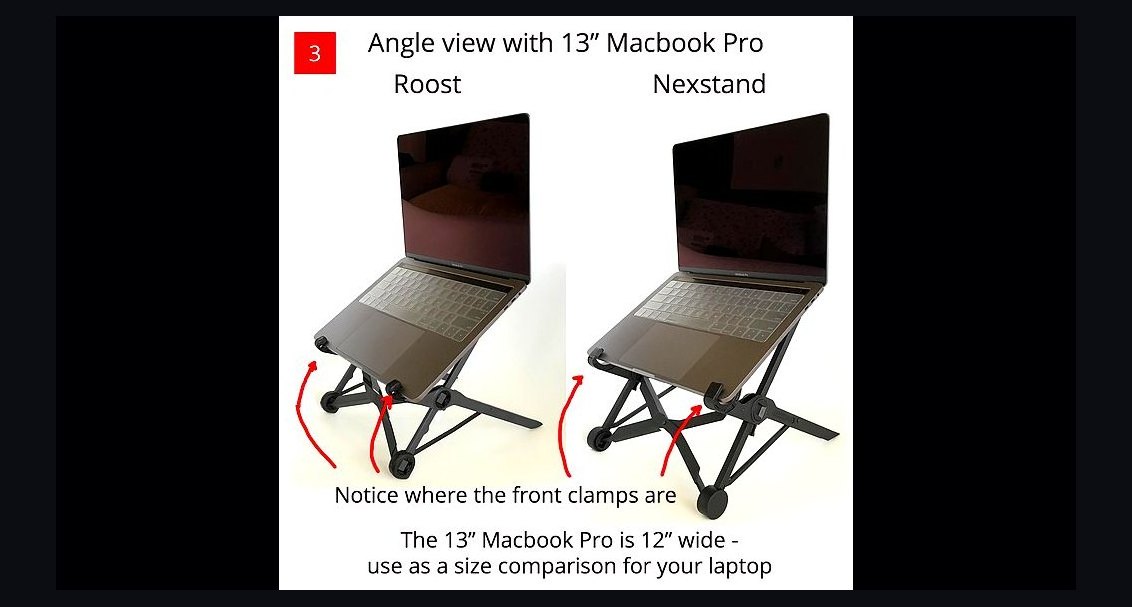 pulse-reviewsTop 10 Laptop Stands for Field Sales Travel in 2027
 pulse-reviewsTop 10 Acoustic Panels for Home Studio — Best Overall + Best Value in 2027
 pulse-reviewsTop 10 Rechargeable Hand Warmers — Best Overall + Best Value in 2027
 pulse-reviewsTop 10 Sports Earbuds — Best Overall + Best Value in 2027
 pulse-reviewsTop 10 Open-Ear Earbuds — Best Overall + Best Value in 2027
 pulse-reviewsTop 10 Blue Light Glasses for Sales Reps in 2027
 pulse-reviewsTop 10 TCL TVs — Best Overall + Best Value in 2027
 pulse-reviewsTop 10 Backpack Leaf Blowers — Best Overall + Best Value in 2027