


How long does a mechanical keyboard actually last before the switches wear out in 2027?
Quality
Certified
A quality mechanical keyboard typically lasts 5–10 years of daily use before switches degrade noticeably, though most rated lifespans run 50–100 million keystrokes per switch. In practice, keycaps, stabilizers, and USB connectors often fail before the switches themselves do, so real-world replacement usually happens around year 4–7.
What it is and why it matters
When people ask how long a mechanical keyboard lasts, they usually picture a single failure mode: the switch wearing out. That is only one of several components that age on a mechanical keyboard, and in most real-world cases it is not the first to go. Understanding the actual wear hierarchy matters because it changes what you buy, what you maintain, and when you replace.
A mechanical keyboard is a set of independent switch modules mounted in a plate, soldered or hot-swapped to a PCB, topped with keycaps, stabilized on long keys, and connected to a host through a controller and cable or wireless radio. Each of those layers has its own durability profile. The switch is rated in actuations — the number of full press-and-release cycles it can survive within spec. Keycaps are rated in material wear, shine, and stem cracking. Stabilizers are rated in rattle, lube migration, and wire wear. The PCB and controller are rated in solder joint fatigue, ESD damage, and connector cycles. The cable or wireless module is rated in insertion cycles and battery degradation.
Switch lifespans are usually quoted as 50 million, 100 million, or occasionally 200 million actuations. These numbers come from manufacturer bench testing under controlled conditions: a machine presses the switch at a fixed force, at a fixed angle, at a fixed rate, with no dust, no liquid, no temperature swings, and no sideways force. Real desks are not that bench. A switch rated at 100 million cycles might see 30 million equivalent cycles of real stress in the same period because of off-axis presses, contamination, and spring fatigue from heat and humidity.
The practical translation: a heavy typist doing 8,000 keystrokes a day on a single keyboard hits roughly 2.9 million actuations per year. Even a modest 50 million-cycle switch would theoretically survive 17 years at that rate. But that math assumes one switch sees every press, which is not how typing works — load spreads across the whole board, and the most-used keys (space, E, T, A, O, I, N) take a disproportionate share. The space bar alone can see 15–20% of all presses on a typical English layout, so it wears several times faster than a rarely used key like Q or Z.
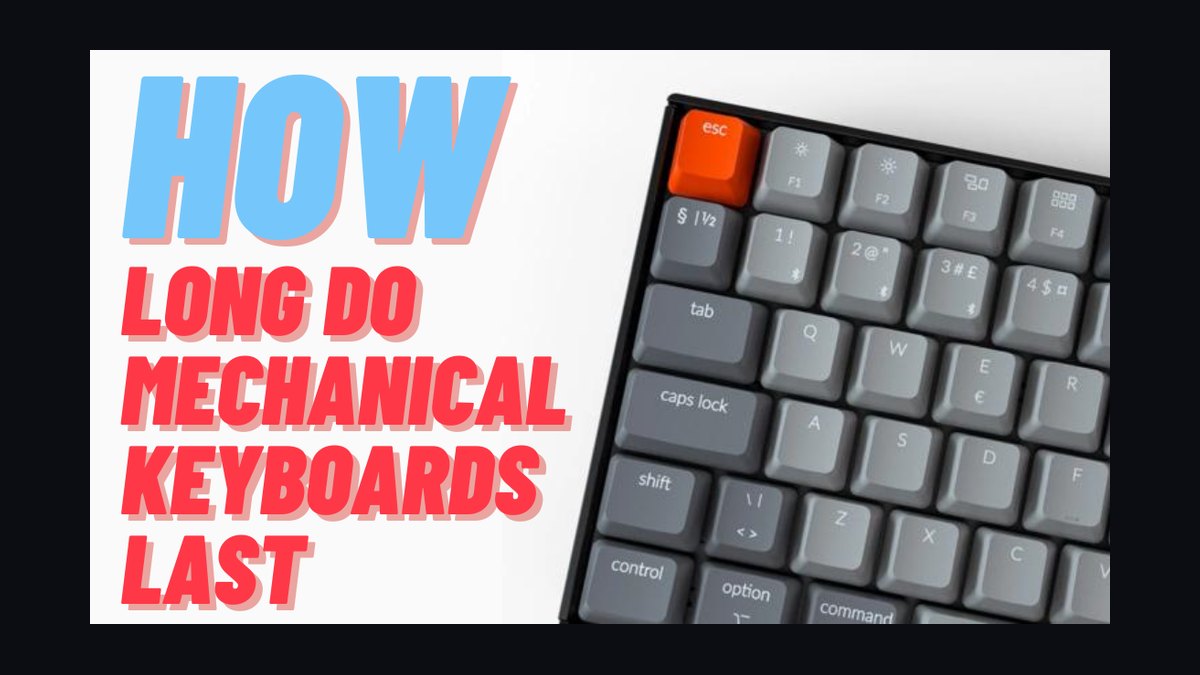
That asymmetry is why a mechanical keyboard rarely dies all at once. It develops a first failure — usually a chattering switch under a heavily used key, a mushy stabilizer on the space bar, or a cracked keycap stem — years before the rest of the board is anywhere near end of life. Whether that first failure ends the keyboard's life depends entirely on whether the board is repairable. A hot-swap board with a failed switch is a two-minute fix. A soldered board with a failed switch is a desoldering job. A board with a failed controller is usually e-waste unless the controller is socketed.
Why this matters in 2027 specifically: the market has shifted hard toward hot-swap sockets, gasket mounting, and modular internals. That shift has changed the economics of keyboard longevity. A $120 hot-swap board bought in 2023 can plausibly still be in service in 2033 because every wear item except the PCB and controller is user-replaceable. A soldered board from 2018 with a failing switch cluster is more likely to be replaced than repaired. The answer to "how long does it last" is therefore less about the switch rating and more about the repairability of the platform you bought.
There is also a perception problem. Mechanical keyboards feel premium for years, and the degradation is gradual. A switch that has lost 10% of its tactile bump still feels fine. A keycap that has developed a light shine still looks acceptable under most lighting. Users often do not notice they are on a worn board until they type on a fresh one side by side. That means self-reported lifespan data skews long: people say "I've had this for eight years" when the board has actually been in a degraded state for the last three.
The honest framing is that a mechanical keyboard has a service life measured in years, not decades, and that service life is dominated by the cheapest, most replaceable parts. Buy for repairability and the board outlives its switches many times over. Buy for price and the board dies with its first non-trivial failure.
The step-by-step process

Understanding how a mechanical keyboard actually wears out requires walking through the failure sequence in the order it typically happens. This is the practical timeline a heavy user should expect, from unboxing to replacement decision.
Stage 1 — Break-in (first 1–4 weeks). New switches feel slightly scratchier and heavier than broken-in ones. The factory lubricant redistributes, the spring settles, and the stem-to-housing contact surfaces polish microscopically. This is not wear in the destructive sense; it is the switch reaching its steady-state feel. Some users mistake this for the switch "getting worse" and return a board prematurely.
Stage 2 — Plateau (months 1 through roughly year 3). This is the long stable period. Feel changes very little. Keycaps on ABS plastic begin to develop shine on the most-used keys — visible as a glossy patch on the space bar, WASD cluster, or home row. PBT keycaps resist shine longer but can still develop it. Stabilizers may begin to rattle slightly as factory lube migrates away from the wire contact points. Nothing here is failure; it is normal aging.

Stage 3 — First functional degradation (roughly years 3–6 for heavy users). This is where the first real problems appear. The most common is switch chatter: a single press registers as two, or a key fails to register on a light press. Chatter usually starts on the highest-traffic switches — space, E, and the keys under your strongest fingers. It is caused by oxidation or contamination on the metal contact leaves inside the switch, not by the spring or stem. The switch still feels fine; it just misreports. Simultaneously, stabilizer rattle on the space bar and shift keys often becomes loud enough to annoy, and ABS keycaps may show visible wear on the legends of the most-used keys.
Stage 4 — Cumulative wear (roughly years 5–8). Multiple switches show chatter or inconsistent actuation. Keycap stems on frequently removed keys may crack, especially on cheap ABS caps. The USB connector or cable may develop intermittent connection issues from repeated insertion and cable strain. On wireless boards, the battery has likely lost 20–40% of its original capacity and needs more frequent charging. The board is still usable but requires maintenance to stay pleasant.
Stage 5 — Platform end of life (years 8+ or after a non-repairable failure). A controller failure, a lifted PCB pad from a botched repair, liquid damage, or accumulated small failures push the board out of service. On a hot-swap board with a healthy PCB, this stage may never arrive — you just keep replacing switches and keycaps indefinitely.
The key insight from this sequence is that the switch rating — 50 or 100 million actuations — describes when the switch's metal contacts and spring are expected to fall out of spec under ideal conditions. It does not describe when your keyboard stops being pleasant to use. That moment arrives years earlier, driven by stabilizers, keycaps, and the first chattering switch.
Costs, timelines, and typical ranges
The numbers below are the ranges a practitioner should plan around. They are not promises; they are the distribution you will see across switch types, use intensity, and environment.
Switch actuation ratings. Common ratings are 50 million cycles for budget switches, 100 million for mainstream quality switches, and up to 200 million for premium or optical switches. Optical and Hall-effect switches often quote higher numbers because they have no physical metal contact to oxidize — the actuation is sensed magnetically or optically. That removes the single most common failure mode (contact chatter) but does not remove spring fatigue or stem wear.
Real-world switch life by use intensity. Light use (under 2,000 keystrokes/day, mostly browsing): switches can last 10–15 years. Moderate use (2,000–6,000 keystrokes/day, mixed typing and gaming): 6–10 years. Heavy use (6,000–15,000 keystrokes/day, professional writing, coding, or competitive gaming): 3–6 years before the first switch fails. Extreme use (15,000+ keystrokes/day, shared or kiosk use): 1–3 years.
Keycap lifespan. ABS keycaps typically show visible shine within 6–18 months of heavy use and can wear through legends in 2–4 years on the most-used keys. PBT keycaps resist shine for 2–5 years and rarely wear through legends. Doubleshot or dye-sublimated legends outlast pad-printed ones by a wide margin. Replacement keycap sets range from roughly $20 for basic ABS to $80–$150 for quality PBT or themed sets.
Stabilizer lifespan. Factory-lubed stabilizers typically stay quiet for 1–3 years of heavy use before rattle develops. Re-lubing is a 30–60 minute job with $10–$20 of supplies and restores quiet operation. Wire bend, a more serious issue, is usually caused by mishandling rather than wear and can happen at any time.
Cable and connector lifespan. A USB-C or USB-A connector is typically rated for 10,000–20,000 insertion cycles. If you unplug daily, that is 3–5 years. If the board stays plugged in, the connector is effectively a non-issue. Detachable cables are cheap to replace; hardwired cables that fail require soldering or a new board.

Wireless battery lifespan. Lithium batteries in wireless mechanical keyboards typically retain 70–80% capacity after 2–3 years and 50–60% after 4–5 years. Replacement is possible on some boards and effectively impossible on others. If the battery is soldered and the board is sealed, plan for a 4–6 year wireless life.
Total cost of ownership. A $100 hot-swap board with a $30 PBT keycap set and a $15 switch set can be maintained for a decade for under $200 total. A $60 soldered board with ABS caps is likely to be replaced entirely at year 4–6, costing more over the same period. The repairable board wins on cost even though it costs more upfront.
Environment multipliers. Dust, humidity, and temperature swing shorten switch life. A board used in a clean, climate-controlled office will outlast an identical board used in a workshop or near a kitchen. Smoking and vaping near a keyboard accelerate contact oxidation dramatically. Spills are a separate category — a single liquid event can end a board's life in seconds regardless of switch rating.
The 2027 market context. Hot-swap sockets are now standard on most boards above the entry tier, which means switch replacement no longer requires soldering. That single change has extended the practical lifespan of a mechanical keyboard by years, because the most common failure — a chattering switch — is now a user-serviceable repair. Boards with socketed controllers and standard mounting patterns are the most future-proof.
Where teams get it wrong
Most bad decisions about keyboard longevity come from a handful of recurring mistakes. Naming them explicitly makes them easier to avoid.
Mistake one: treating the switch rating as the keyboard's lifespan. A 100 million-cycle switch rating does not mean the keyboard lasts 100 million keystrokes. It means the switch, in isolation, under lab conditions, is expected to stay within spec for that many actuations. The keyboard around it — keycaps, stabilizers, cable, controller — has its own, usually shorter, lifespan. Buyers who anchor on the switch number are surprised when the board feels tired at year five.
Mistake two: assuming all switches age the same way. Linear, tactile, and clicky switches wear differently. Clicky switches have a separate click mechanism (a jacket and slider) that can wear or lose its click before the electrical contact fails. Tactile switches can lose bump sharpness as the leaf relaxes. Linear switches are the simplest and often the longest-lived because there is less to go wrong. Optical and magnetic switches eliminate contact oxidation entirely, which removes the most common failure mode but introduces new ones (sensor drift, magnet weakening).
Mistake three: ignoring the space bar. The space bar takes more presses than any other key and sits on a stabilizer, which is the most failure-prone assembly on the board. A keyboard can have 80 perfectly healthy switches and still feel broken because the space bar rattles, sticks, or chatters. Prioritize stabilizer quality and maintenance over switch count.
Mistake four: buying a sealed, non-repairable board for long-term use. If the battery is glued in, the switches are soldered, and the case is ultrasonically welded, the board's lifespan is whatever its weakest component allows. That is fine for a cheap disposable board but a bad choice for a board you intend to keep.
Mistake five: over-lubing during maintenance. Re-lubing switches and stabilizers can extend life, but too much lubricant attracts dust and can migrate into the contact area, causing the exact chatter you were trying to prevent. Less is more, and the correct lubricant matters — dielectric grease on stabilizer wires, a thin PTFE or silicone blend on switch stems.

Mistake six: confusing "still works" with "still good." A board with three chattering keys, a rattling space bar, and shiny legends still types. Users often keep using it for years past the point where a $30 refresh would have restored it to like-new. The lifespan question is really about when to maintain, not just when to replace.
Mistake seven: assuming wireless boards last as long as wired ones. The radio and battery add failure modes. Battery degradation is inevitable and often not user-replaceable. If longevity is the priority, a wired board with a detachable cable is the safer bet.
Mistake eight: neglecting the environment. Dust covers, regular cleaning, and keeping drinks away from the board extend life more than any premium component choice. A $40 board kept clean will outlast a $200 board used over a plate of food.
Decision framework: when to choose what
The right choice depends on how long you need the board to last and how much maintenance you are willing to do. This framework maps use case to the board characteristics that matter most.
If you want maximum lifespan with minimal maintenance: choose a wired board with hot-swap sockets, a socketed or standard controller, PBT doubleshot keycaps, and a metal or high-density plastic case. Replace switches only when they chatter. Expect 8–12 years with occasional keycap and stabilizer service.
If you want maximum lifespan with active maintenance: the same board, plus a spare set of switches and a re-lubing kit. Service stabilizers every 18–24 months and replace chattering switches as they appear. This board can outlive its original owner's interest in the hobby.

If you want lowest upfront cost and accept replacement: a soldered board with ABS keycaps is fine. Plan for a 3–5 year life under heavy use and treat it as disposable. This is a rational choice if you like changing boards anyway.
If you type in a dirty or humid environment: prioritize sealed switches (IP-rated if available), avoid clicky switches with exposed mechanisms, and use a dust cover. Expect the lower end of every lifespan range.
If you game competitively: prioritize low-latency wired connection, optical or magnetic switches for consistent actuation, and a board with replaceable switches. Gaming wear is concentrated on a small key cluster (WASD, space, shift), so those switches will fail first — hot-swap is essential.
If you want a single board for a decade: buy the most repairable board you can afford, not the most feature-rich. Repairability beats specs for longevity every time.
The through-line: longevity is a purchasing decision more than a product spec. The board that lasts is the board you can fix.
Related questions
Do optical or Hall-effect switches last longer than mechanical switches?
They often do, because they have no metal contact leaves to oxidize — the most common failure mode in a mechanical switch. Ratings of 100–200 million actuations are common. However, they introduce sensor drift and magnet degradation as new failure modes, and they are not universally hot-swappable with standard mechanical switches.
How many keystrokes per day counts as heavy use?
Roughly 6,000 or more. A professional writer or programmer typically hits 8,000–12,000 keystrokes on a working day. Competitive gamers can exceed 15,000 during long sessions. Below 2,000 per day is light use.
Can I extend switch life with lubrication?

Yes, but carefully. A thin, correct lubricant reduces friction and slows stem and spring wear. Over-lubrication attracts dust and can migrate into the contact area, causing chatter — the opposite of the goal. Lubricate sparingly and use the right product for the job.
Is a hot-swap keyboard worth it for longevity?
Almost always yes. Hot-swap sockets turn the most common failure — a chattering switch — into a two-minute repair. The trade-off is slightly less rigid mounting and, on some boards, a marginally higher risk of socket wear if you swap switches very frequently.
When should I replace rather than repair a mechanical keyboard?
Replace when the PCB or controller fails and is not socketed, when liquid damage is extensive, or when the case is structurally cracked. Repair when the issue is switches, keycaps, stabilizers, or the cable — all of which are user-serviceable on a well-designed board.
FAQ
How long does a mechanical keyboard actually last before the switches wear out in 2027? Plan for 5–10 years of daily use before switches degrade noticeably, with the first failures typically appearing between years 3 and 6 under heavy use. The switch rating (50–200 million actuations) describes lab conditions, not your desk. In practice, keycaps, stabilizers, and connectors often fail before the switches do, and a hot-swap board can be maintained indefinitely.
What is the most common first failure on a mechanical keyboard?

Switch chatter — a single press registering as two, or a light press failing to register. It is caused by oxidation or contamination on the metal contact leaves inside the switch and usually appears first on the highest-traffic keys like space and E. On a hot-swap board it is a trivial fix; on a soldered board it requires desoldering.
Do PBT keycaps really last longer than ABS? Yes. PBT is harder and more wear-resistant, so it resists the glossy "shine" that develops on ABS within 6–18 months of heavy use. PBT keycaps typically stay looking new for 2–5 years and rarely wear through their legends, especially with doubleshot or dye-sublimated manufacturing.
Does a wireless mechanical keyboard last as long as a wired one? Usually not. The battery is the limiting factor: lithium cells retain roughly 70–80% capacity after 2–3 years and 50–60% after 4–5 years. If the battery is soldered and the case is sealed, the board's practical life is capped at 4–6 years regardless of switch condition. A wired board with a detachable cable avoids this entirely.
How do I know when my keyboard needs maintenance rather than replacement? If the problems are chattering switches, rattling stabilizers, shiny or cracked keycaps, or an intermittent cable, maintain it — those are all replaceable. If the PCB is damaged, the controller has failed and is not socketed, or the case has cracked, replacement is usually the better call.
Does gaming wear out a keyboard faster than typing? It wears out different keys faster. Gaming concentrates presses on a small cluster — WASD, space, shift, and a few ability keys — so those switches fail years before the rest of the board. Typing spreads load across the whole layout, so wear is more even but the total keystroke count is often higher. Both benefit enormously from hot-swap sockets.
Sources
- Cherry MX switch specifications and actuation ratings
- Keyboard University — switch and keycap material guides
- Tom's Hardware — mechanical keyboard reviews and durability testing
- RTINGS — keyboard longevity and durability test methodology
- Wikipedia — Keyboard technology and switch types
- USB Implementers Forum — connector durability specifications
- PCMag — mechanical keyboard buying guides
Related on PULSE
- How to choose your first mechanical keyboard switch type
- Hot-swap vs soldered keyboards: what actually matters
- Keycap materials explained: ABS vs PBT vs POM
- Stabilizer tuning and maintenance for long keyboard life
- Wired vs wireless mechanical keyboards for daily drivers
- When to replace keycaps, switches, and cables on a keyboard
This page will be disappearing soon. Save it to your device for $1 — or read it free while it is here.
@Kory-White- · if Venmo asks, the last 4 of my number are 2012
This page is gone.
This one is off the shelf now. $1 keeps it on your phone for good — the whole page, pictures and diagrams included.
 pulse-reviewsTop 10 Bread Proofers — Best Overall + Best Value in 2027
 electronic-reviewHow Much Should You Budget for a Wireless Charger in 2027?
 pulse-reviewsTop 10 Heated Towel Racks — Best Overall + Best Value in 2027
 pulse-reviewsTop 10 Wireless Meat Thermometers — Best Overall + Best Value in 2027
 pulse-reviewsTop 10 Electric Hot Pots — Best Overall + Best Value in 2027
 pulse-reviewsTop 10 Sunrise Alarm Clocks — Best Overall + Best Value in 2027
 pulse-reviewsTop 10 Phone Battery Cases — Best Overall + Best Value in 2027
 pulse-reviewsTop 10 Thermal Imaging Cameras — Best Overall + Best Value in 2027
 pulse-reviewsTop 10 Phone Cooling Fans — Best Overall + Best Value in 2027
 pulse-reviewsTop 10 Standing Desks for Remote AEs in 2027