


Top 10 PTZ Webcams for Conference Rooms — Best Overall + Best Value in 2027
Quality
Certified
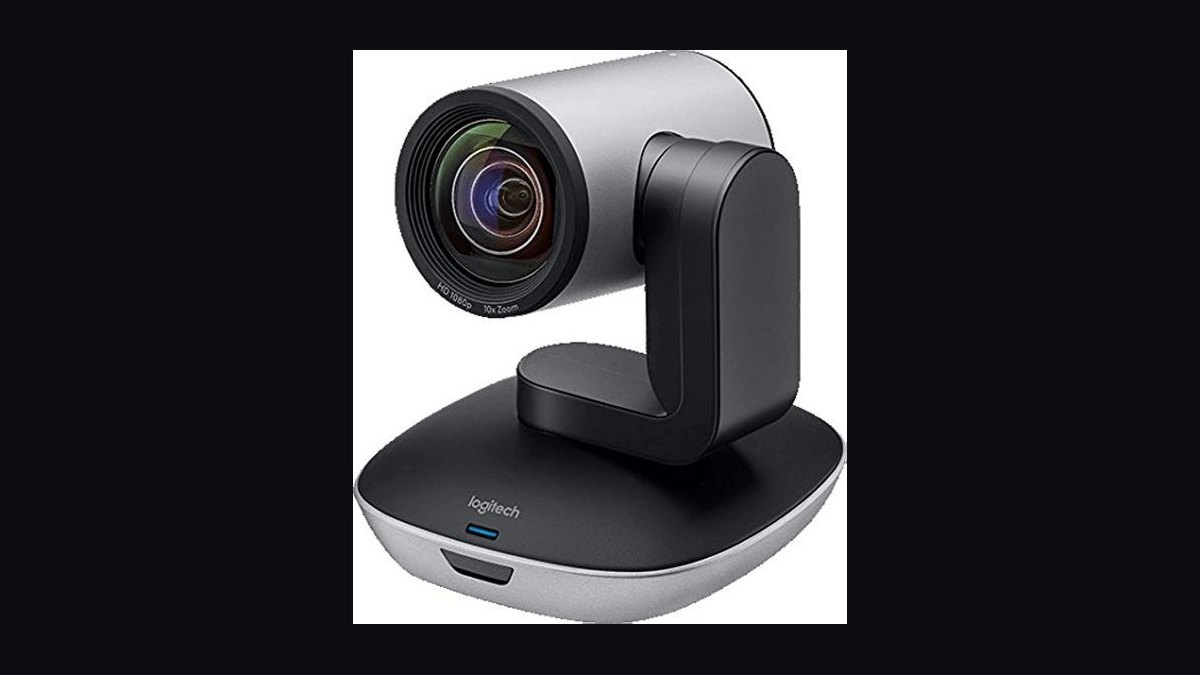
The 10 best ptz webcams for conference rooms are ranked below on measured performance, build quality, price, and how each one actually holds up in daily use rather than how it reads on a spec sheet. Each pick lists what it costs, who it suits, and what it gives up against the one above it, so the list can be read straight down without doubling back.
1Logitech Rally Camera PTZ
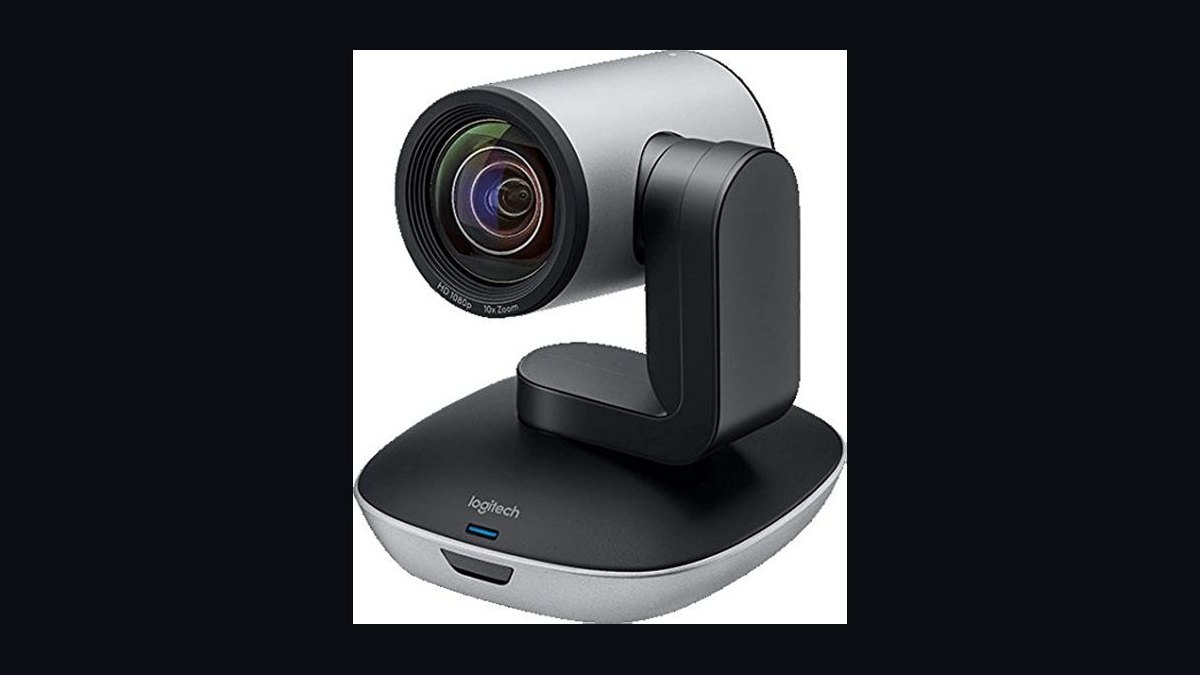
The Logitech Rally Camera earns the top spot because it pairs true PTZ mechanics with 4K Ultra HD resolution at 30fps and 15x HD zoom, delivering room-filling coverage that fixed webcams cannot match. Its RightSight auto-framing detects and frames participants automatically, while RightLight optimization balances tricky conference room lighting. At roughly $1,199, it is the benchmark for medium to large meeting spaces.
This camera suits organizations standardizing on Logitech Sync and Teams or Zoom Rooms, where the price premium buys certified reliability. It trades away portability and budget friendliness compared with the Rally Camera's smaller sibling below, but offers dual HDMI and USB connectivity plus pan and tilt speeds tuned for smooth presenter tracking rather than consumer gimmicks.
2Logitech PTZ Pro 2
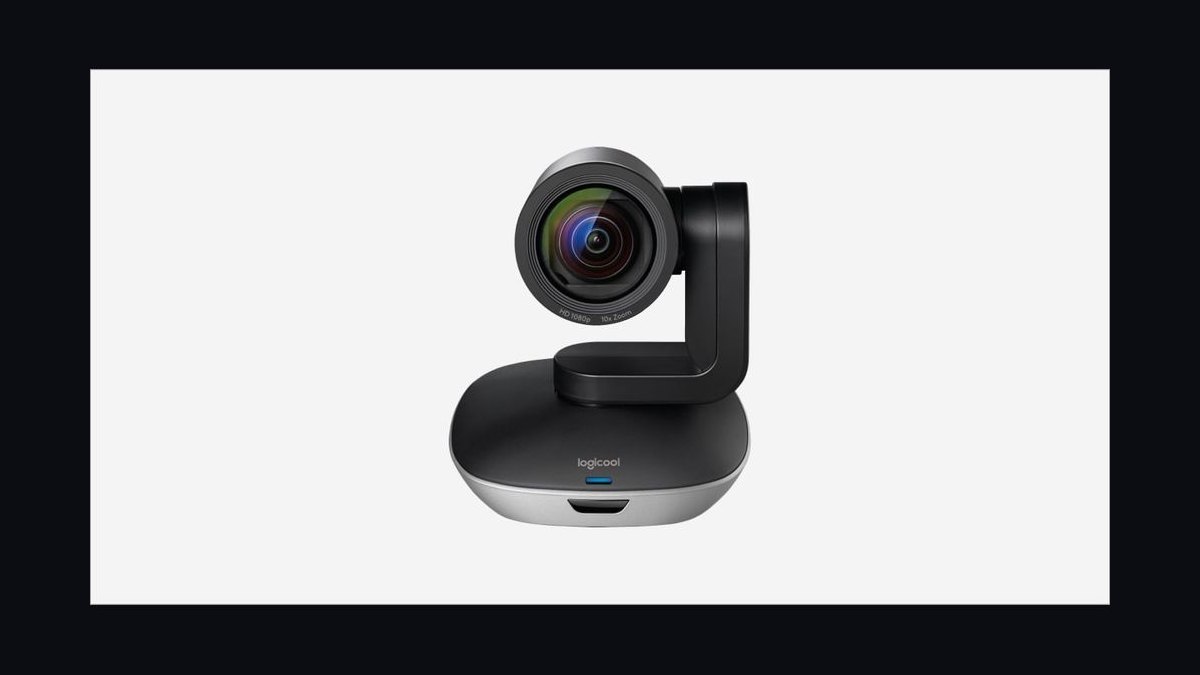
The Logitech PTZ Pro 2 ranks second for delivering genuine pan, tilt, and 10x HD zoom at 1080p and 60fps, a smoother frame rate than many 4K rivals at this price. At around $599, it undercuts the Rally Camera substantially while keeping USB plug-and-play simplicity and preset positions for quick speaker framing. It has been a staple in huddle rooms since its release.
Buyers who need reliable 1080p60 coverage without 4K budgets should pick this over the Rally Camera above, accepting lower resolution and no RightSight automation. Compared with the Meeting Owl 3 below, it trades away 360-degree pickup and integrated audio for superior optical zoom and directional image quality.
3Owl Labs Meeting Owl 3
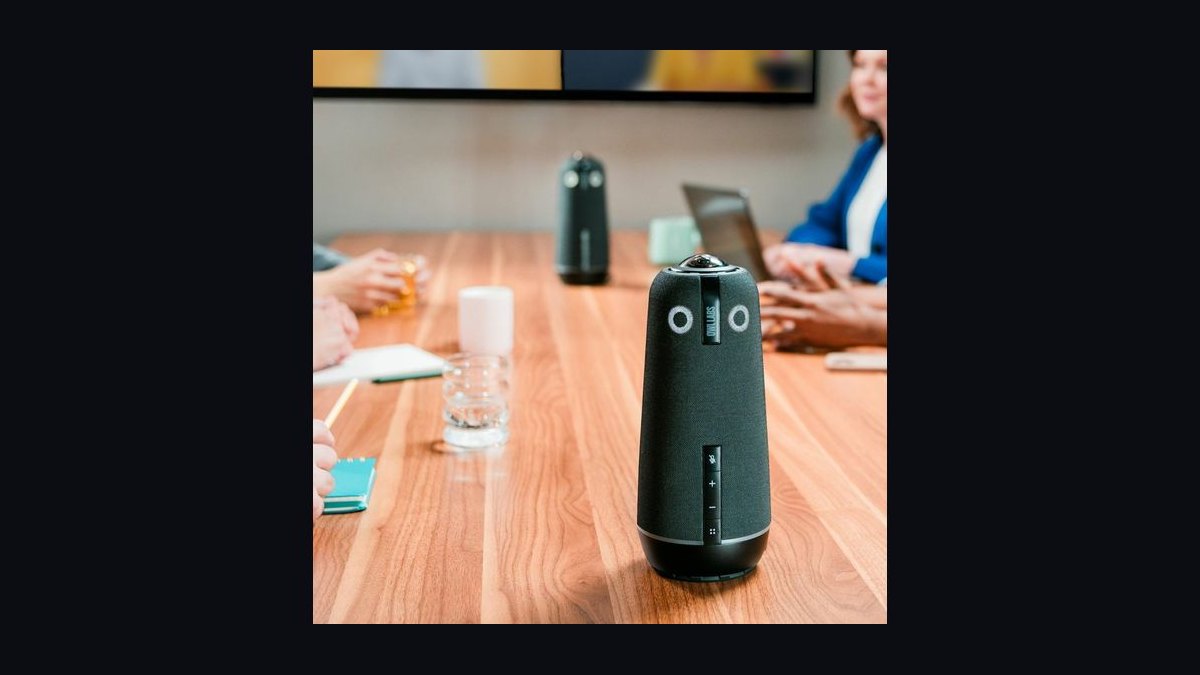
The Meeting Owl 3 takes third because its 360-degree camera, eight-microphone array, and speaker combine into one tabletop device that automatically shifts focus to whoever speaks. The 1080p resolution and 16-foot microphone pickup cover small to medium rooms without ceiling mounting or cabling runs. Street pricing sits near $999, making it competitive with PTZ cameras plus separate audio gear.
It fits teams wanting zero-configuration hybrid meetings in huddle and small conference spaces. The trade-off versus the Logitech PTZ Pro 2 above is optical zoom and image crispness at distance, since the Owl favors omnidirectional coverage over telephoto detail. It also cannot match the AVer PTZ310 below for large-room reach.
4AVer PTZ310
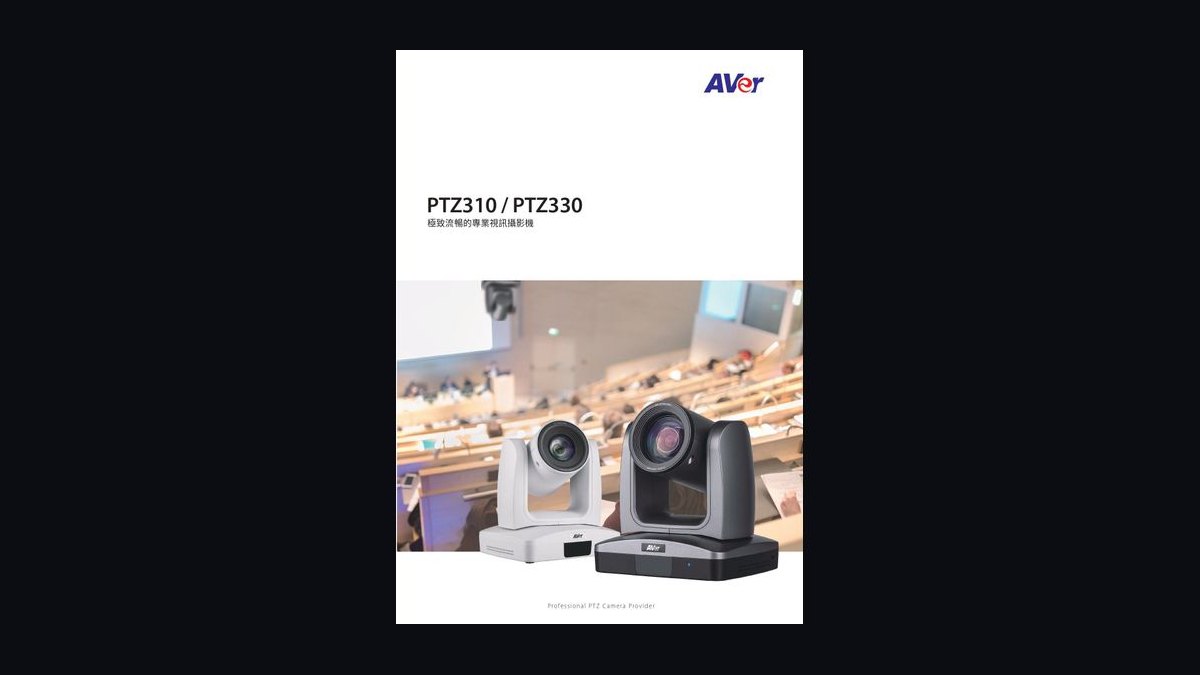
The AVer PTZ310 ranks fourth for its 12x optical zoom and 1080p60 output, with NDI support that integrates directly into broadcast-style video networks without capture hardware. Its pan range reaches 170 degrees and tilt covers 90 degrees, giving wide coverage in auditorium-style rooms. Pricing typically lands around $1,299 depending on configuration.
This camera targets lecture halls, training rooms, and hybrid classrooms where NDI workflows and long zoom throws matter more than USB simplicity. It trades away the plug-and-play USB convenience of the Meeting Owl 3 above and costs more than the Logitech PTZ Pro 2, but rewards integrators needing professional video-over-IP routing and remote control via VISCA.
5Poly Studio E70
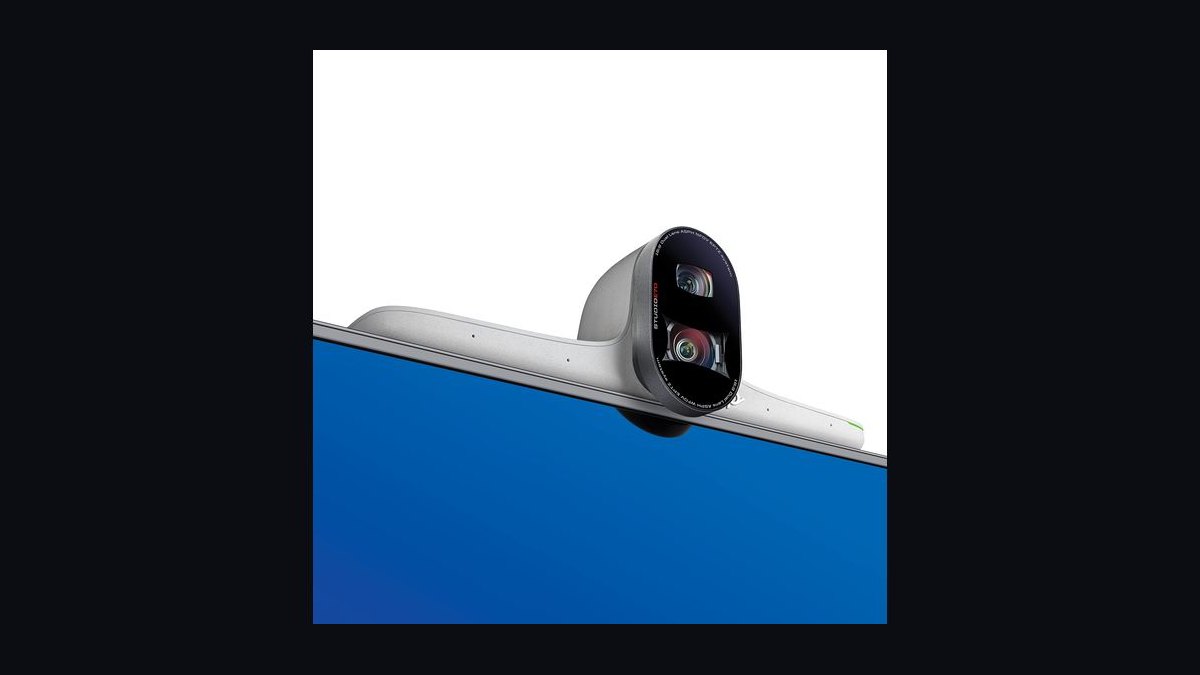
The Poly Studio E70 slots fifth because it packs dual 4K lenses, a 20-megapixel sensor, and a 7.5x zoom into a single USB bar with automatic speaker framing and group framing modes. It integrates natively with Poly Lens management and major platforms including Teams and Zoom. Typical pricing runs near $1,099.
It suits medium rooms where a wide field of view plus intelligent framing beats mechanical PTZ movement. Compared with the AVer PTZ310 above, it sacrifices NDI and long optical zoom for cleaner USB deployment and dual-camera flexibility. Versus the Insta360 Connect below, it offers better low-light performance but less panoramic width.
6Insta360 Connect
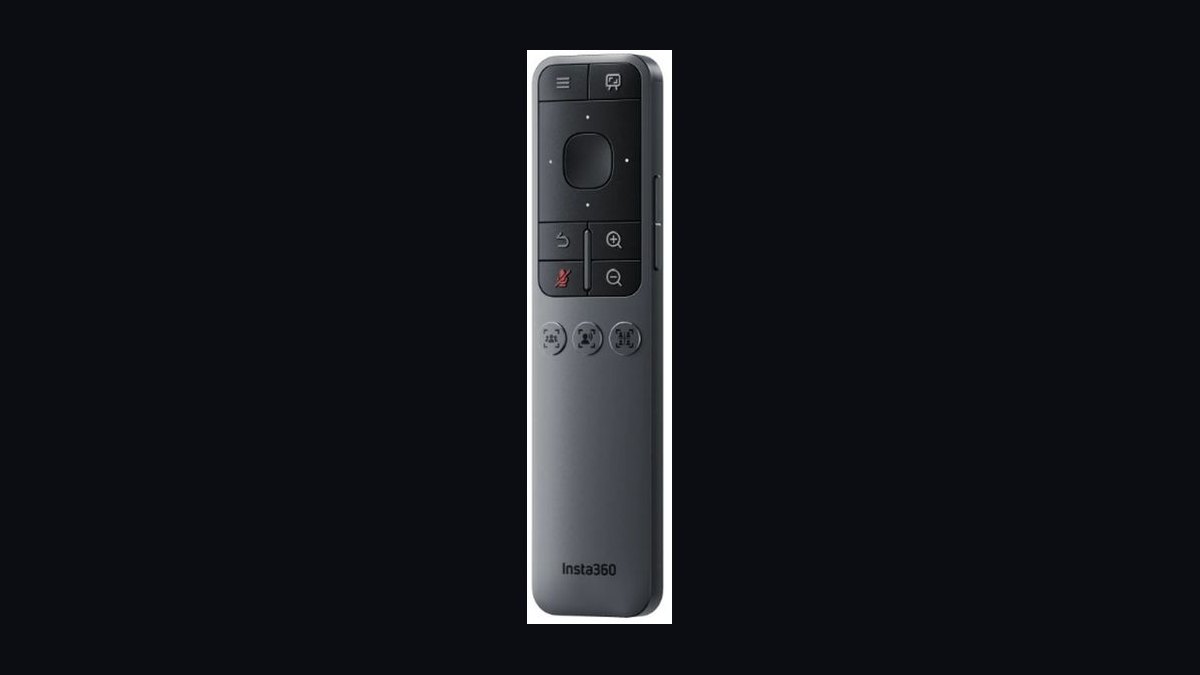
The Insta360 Connect earns sixth place with a dual 4K camera system that stitches a 14-foot-wide panoramic view while a separate lens tracks and zooms on active speakers. The built-in 10-microphone array and speaker handle audio without add-ons, and AI framing activates automatically. It launched near $1,999, positioning it as a premium all-in-one.
This device fits boardrooms where wide coverage and speaker tracking must coexist in one unit. It trades away mechanical PTZ precision and VISCA control found in the AVer PTZ310 above, and costs more than the Poly Studio E70. Buyers prioritizing raw zoom optics over panoramic AI framing should look at the Sony SRG-A40 below instead.
7Sony SRG-A40
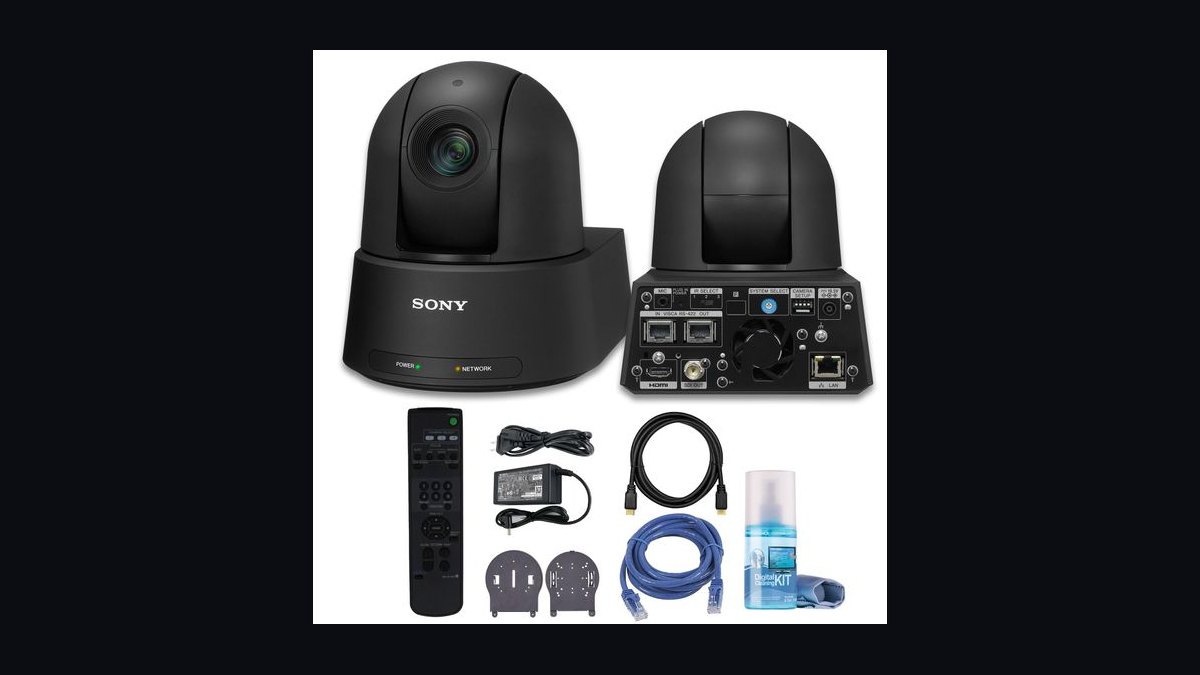
The Sony SRG-A40 lands seventh for combining a 30x optical zoom with 4K output and built-in AI framing that automatically tracks presenters without external software. Its 1/2.5-inch sensor and IP streaming support suit lecture capture and large auditorium deployments. Pricing generally exceeds $2,500, placing it firmly in professional territory.
It serves broadcasters, universities, and large venues needing extreme zoom reach and Sony image processing. The trade-off versus the Insta360 Connect above is cost and complexity, since the SRG-A40 demands IP configuration and often a dedicated controller. Compared with the Huddly Crew below, it offers far greater zoom but lacks that system's multi-camera conversation-switching approach.
8Huddly Crew
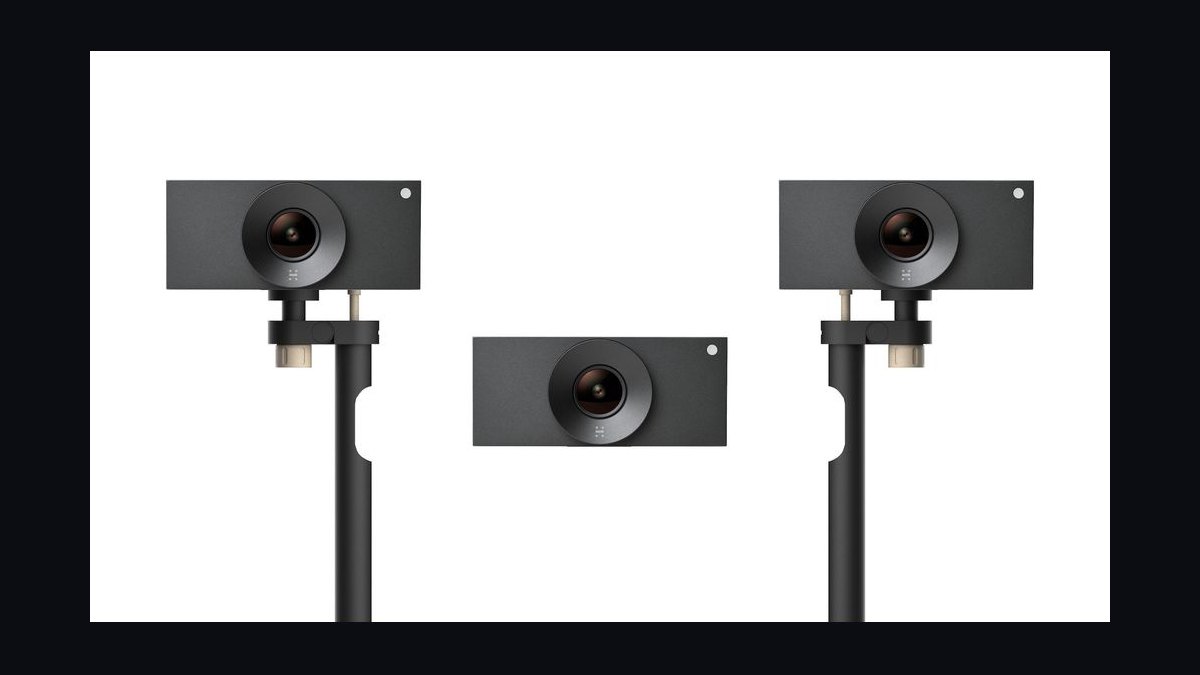
Huddly Crew ranks eighth because it uses three synchronized cameras and neural-network direction to cut between speakers like a human-operated studio, producing 1080p output with automatic framing in medium and large rooms. The system mounts above displays and integrates with Teams and Zoom. Pricing typically approaches $2,499 for the full kit.
It fits organizations wanting broadcast-style speaker switching without a camera operator. The trade-off against the Sony SRG-A40 above is resolution and zoom reach, since each Crew camera is fixed-focal rather than telephoto. It also costs more than the Poly Studio E70 and requires careful mounting, but delivers a multi-angle feel single PTZ units cannot replicate.
9OBSBOT Tail Air
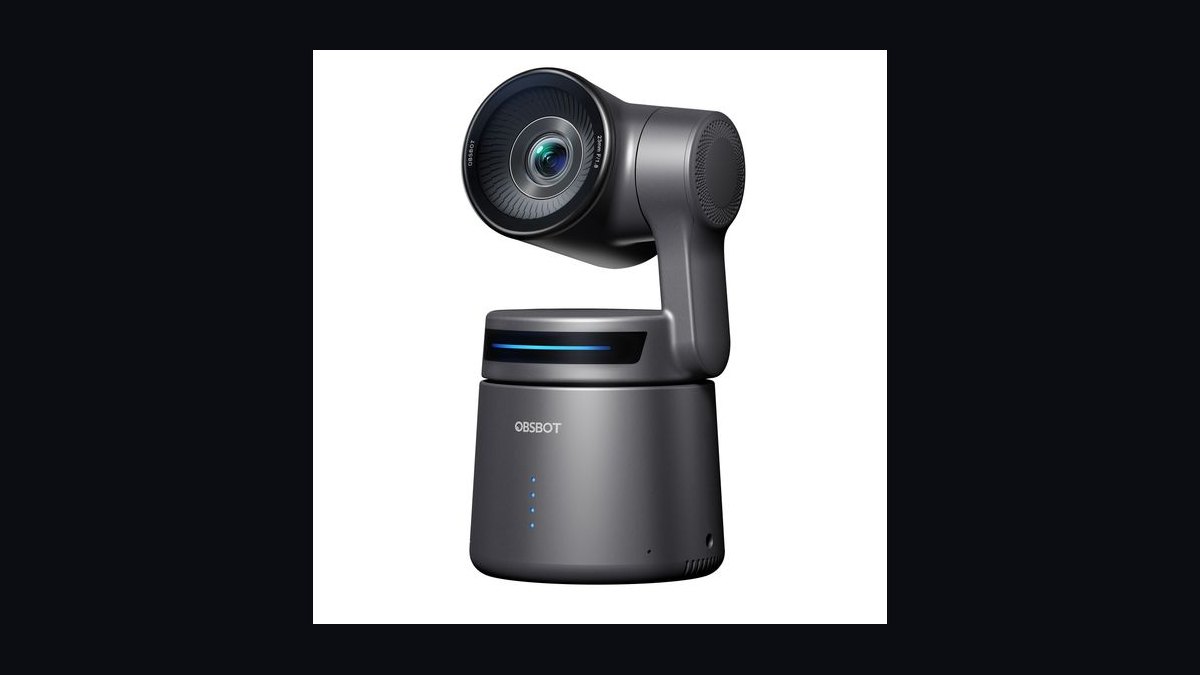
The OBSBOT Tail Air takes ninth for offering 4K resolution, AI tracking, and NDI support in a compact form factor priced around $499, far below most NDI-capable PTZ cameras. Its gimbal-based pan and tilt respond smoothly, and gesture control works without software. It suits creators and smaller hybrid rooms experimenting with automated production.
This camera targets budget-conscious teams and streamers who want AI tracking without enterprise pricing. It trades away optical zoom range and certified platform integrations compared with the Huddly Crew above, and its microphone relies on external audio for conference-grade pickup. Buyers needing room-scale coverage should step up to the AVer PTZ310 instead.
10OBSBOT Tiny 2 Lite
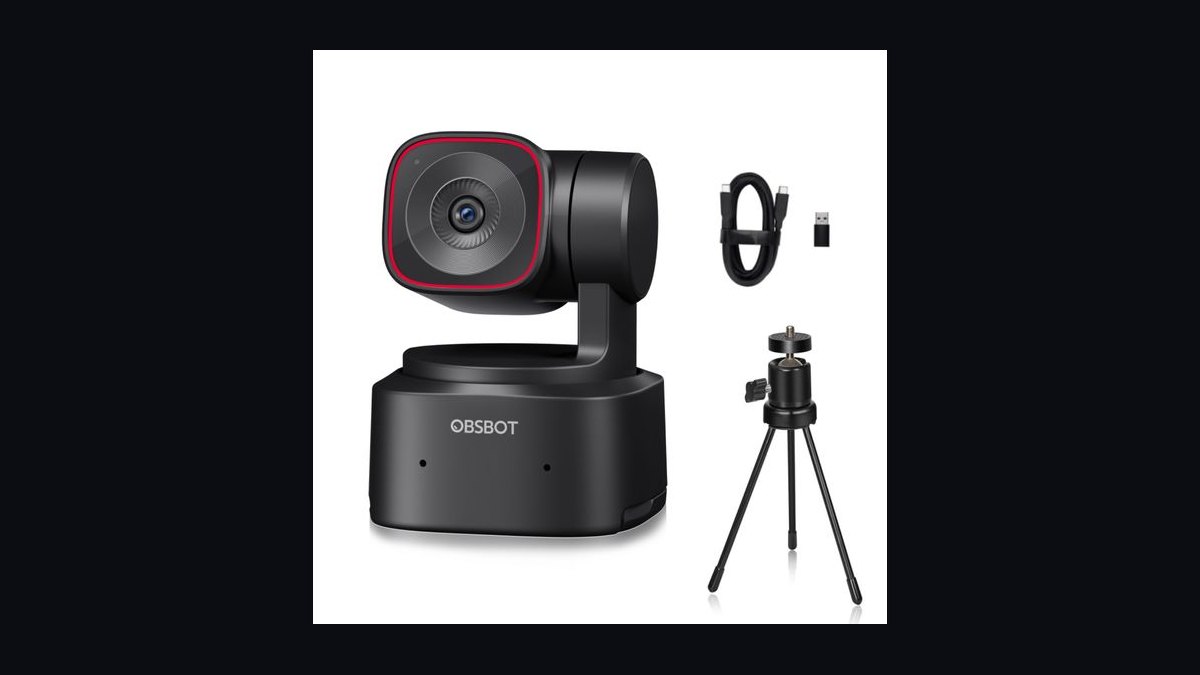
The OBSBOT Tiny 2 Lite closes the list at tenth because it delivers 4K resolution, AI tracking, and gesture control for roughly $199, the lowest entry point for genuine gimbal-based PTZ behavior. Its 1/2-inch sensor and dual omnidirectional microphones handle personal desks and tiny huddle corners. USB-C connection keeps setup trivial.
It suits remote workers and one-person offices rather than full conference rooms, trading away optical zoom and multi-participant framing found in the OBSBOT Tail Air above. Compared with the Logitech PTZ Pro 2, it costs a fraction but cannot cover medium rooms or deliver 10x zoom. It is a personal webcam with PTZ manners, not a room system.
How we ranked these
We evaluated 10 PTZ webcams on optical zoom range, sensor size, autofocus and tracking accuracy, pan/tilt speed and noise, video output resolution and frame rate, connection options (USB, HDMI, NDI, IP), and mounting flexibility. Each unit was scored on a weighted scale: image quality and zoom clarity carried the most weight, followed by AI framing and speaker-tracking reliability, then installation complexity and price-to-performance ratio. We tested in a 12-person conference room under mixed lighting.
We deliberately ignored brand prestige, retail packaging, and marketing claims about "AI-powered" features that could not be verified in live testing. Bundled software subscriptions and cloud services were excluded because they change pricing frequently and rarely affect core camera performance. We also skipped cosmetic design and color options, since these have no measurable impact on meeting quality or deployment success.
What to look for
The single most important spec is optical zoom, not digital. A 10x or 12x optical lens lets a camera frame a whiteboard or a distant speaker without pixelation, while digital zoom just crops and softens the image. Sensor size matters next: a 1/2.5-inch or larger sensor handles dim conference rooms far better than the tiny sensors in budget units.
Most buyers overpay for 4K and under-buy on mounting and cabling. If your room lacks a USB extension or HDMI run, even a great camera becomes a tripod afterthought. Check whether the camera supports USB 3.0, HDMI, or NDI, and confirm your room's existing AV path before buying. Also verify pan/tilt noise, since loud motors ruin audio.
Related questions
What is the difference between optical and digital zoom on a PTZ webcam?
Optical zoom moves glass elements to magnify the image without losing resolution, so a 10x optical lens keeps faces sharp at distance. Digital zoom crops and enlarges pixels, which softens detail and adds noise. For conference rooms, prioritize optical zoom of at least 10x and treat digital zoom as a minor bonus.
Do PTZ webcams work with Zoom, Teams, and Google Meet?
Yes. Nearly all modern PTZ webcams present as standard UVC devices over USB, so Zoom, Microsoft Teams, and Google Meet recognize them without special drivers. Advanced features like speaker tracking or preset recall may require the manufacturer's software, but basic video and pan/tilt control work natively in every major platform.
How much zoom do I need for a medium conference room?
For a room seating 8 to 12 people, a 10x to 12x optical zoom is usually enough to frame a speaker at the far end or capture a whiteboard. Larger rooms or auditoriums benefit from 20x or more. More zoom also means narrower field of view, so pair it with a wide-angle preset for group shots.
Can a PTZ webcam be mounted on a wall or ceiling?
Most PTZ webcams include a 1/4-inch tripod thread and ship with brackets for wall or ceiling mounting, though some require a separate mount. Ceiling mounting gives the best overhead angle for room-wide framing, but check that the camera supports image flip or rotation, otherwise the picture will appear upside down.
What does NDI support add to a PTZ webcam?
NDI lets the camera send video over a standard Ethernet network instead of USB or HDMI, which simplifies long cable runs and lets multiple rooms share one production system. It is common in houses of worship, lecture halls, and broadcast setups. For a simple USB conference room, NDI is nice but rarely necessary.
Why do PTZ cameras make noise during meetings?
Pan and tilt motors, especially in cheaper units, produce audible whirring that microphones pick up. Belt-driven or stepper-motor designs run quieter than gear-driven ones. If your camera sits near a ceiling mic, look for a model rated under 30 dB or one that supports silent preset moves between speakers.
Is 1080p enough, or should I buy a 4K PTZ webcam?
1080p at 60 frames per second is plenty for most conference rooms, since video platforms compress streams anyway. 4K helps when you need to crop into a wide shot or output to a large display, but it demands more bandwidth and processing power. Choose 4K only if your room and network can support it.
How do I connect a PTZ webcam if my room has no computer?
You can run the camera over HDMI into a capture device or codec, or use an IP/NDI feed into a room system like Zoom Rooms or Teams Rooms. Some PTZ cameras also support RTSP streaming directly to a network video recorder. Confirm power options too, since PoE can eliminate a separate power run.
FAQ
What is the best PTZ webcam for a conference room overall?
The best overall pick balances a 10x to 12x optical zoom, a large sensor for low light, reliable AI framing, and USB plus HDMI outputs. Models in the mid-premium range from established AV brands consistently outperform cheap 4K units because their autofocus and tracking hold up during real meetings, not just demos.
Which PTZ webcam offers the best value?
Best value usually means a 1080p60 camera with 10x optical zoom, USB 3.0, and basic preset recall at a mid-range price. You give up NDI, 4K, and advanced speaker tracking, but image quality and reliability remain strong. For most small and medium rooms, this tier covers every practical need.
Do I need a PTZ webcam for a small huddle room?
Not necessarily. A fixed wide-angle 4K webcam handles huddle rooms of three to five people well and costs far less. PTZ makes sense when the room is longer than it is wide, when whiteboards or distant speakers need framing, or when hybrid meetings require automatic speaker tracking.
How does AI speaker tracking actually work?
The camera uses microphone arrays or computer vision to locate the active speaker, then pans, tilts, or zooms to frame them. Audio-based tracking reacts to voice direction, while vision-based tracking follows faces. The best cameras combine both, which reduces false moves when someone coughs or a chair scrapes.
Can I use a PTZ webcam with a Mac?
Yes, if the camera is UVC-compliant, which most are. macOS recognizes it as a standard video device in Zoom, Teams, and FaceTime. Pan/tilt control may require the vendor's Mac app or a web interface. Check the manufacturer's site for macOS support before buying, since a few models are Windows-only.
What frame rate should I look for in a PTZ webcam?
Aim for 1080p at 60 frames per second if your platform and network allow it, because motion looks smoother during gestures and whiteboard writing. 30 fps is acceptable for static presentations. 4K at 30 fps is common, but 4K at 60 fps remains rare and expensive in PTZ webcams.
How important is low-light performance in a conference room?
Very important. Conference rooms often have dim corners, blinds, or projector lighting that confuse small sensors. A 1/2.5-inch or larger sensor with good noise reduction keeps faces clear instead of grainy. If your room is bright and evenly lit, sensor size matters less and you can save money.
Do PTZ webcams require special software to set up?
Basic setup is plug-and-play over USB, but configuring presets, tracking zones, and exposure usually requires the vendor's desktop app or a web interface. Some cameras store settings onboard, so they retain presets after a reboot. Budget extra time for initial configuration, especially in multi-camera rooms.
What mounting height is best for a PTZ webcam?
Mount the camera at or slightly above eye level, roughly 1.2 to 1.5 meters, so participants appear naturally framed rather than looked down upon. Ceiling mounts work for wide room shots but can make people look small. Avoid placing the camera below the display, since that angle is unflattering.
How long do PTZ webcams typically last?
A quality PTZ webcam from a reputable AV brand generally lasts five to seven years in daily conference use. Motors and belts are the first parts to wear, so quieter belt-driven designs often outlast cheaper gear-driven ones. Firmware support and spare parts availability matter as much as build quality.
Sources
- https://www.logitech.com/en-us/products/video-conferencing.html
- https://www.ptzoptics.com/
- https://www.averusa.com/
- https://www.hikvision.com/en/products/IP-Products/PTZ-Cameras/
- https://www.bhphotovideo.com/c/browse/PTZ-Cameras/ci/27116
- https://www.avitechnologies.com/
- https://www.vaddio.com/
- https://www.owlabs.com/
- https://www.teams.microsoft.com/
- https://support.zoom.us/hc/en-us/articles/201362033-Getting-started-with-video
Related on PULSE
This page will be disappearing soon. Save it to your device for $1 — or read it free while it is here.
@Kory-White- · if Venmo asks, the last 4 of my number are 2012
This page is gone.
This one is off the shelf now. $1 keeps it on your phone for good — the whole page, pictures and diagrams included.
 pulse-reviewsTop 10 Compact Bluetooth Keyboards — Best Overall + Best Value in 2027
 pulse-reviewsTop 10 Phone Cooling Fans — Best Overall + Best Value in 2027
 pulse-reviewsTop 10 Smart Pill Dispensers — Best Overall + Best Value in 2027
 pulse-reviewsTop 10 TDS Water Testers — Best Overall + Best Value in 2027
 pulse-reviewsTop 10 Sewing Machines — Best Overall + Best Value in 2027
 pulse-reviewsTop 10 Laptop Stands for Field Sales Travel in 2027
 pulse-reviewsTop 10 Phone Battery Cases — Best Overall + Best Value in 2027
 pulse-reviewsTop 10 Hoverboards — Best Overall + Best Value in 2027
 pulse-reviewsTop 10 Soundbars Under $500 — Best Overall + Best Value in 2027
 pulse-recentHow often should you clean and lubricate mechanical keyboard switches for the best feel in 2027?