


Stay in the deal. — LinkedIn Wallpaper
Quality
Certified
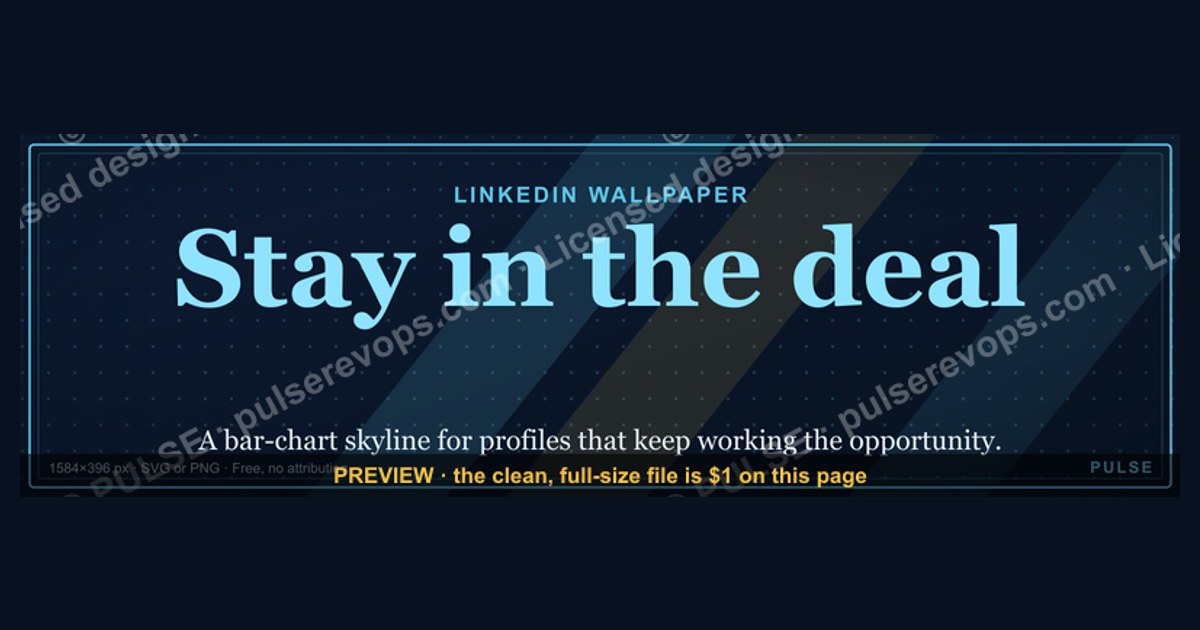
This is a LinkedIn banner — a 1600x500 px downloadable PNG titled "Stay in the deal." — built for revenue teams who want a daily visual reminder that persistence in a live opportunity beats chasing new logos. Use it as your profile header, team channel banner, or deal-room wallpaper. It reads in bold type against a dark field, so it stays legible at thumbnail size.
What this banner is and why it matters
This banner is a piece of visual sales culture, not a marketing asset. It says one thing: Stay in the deal. That single instruction carries a disproportionate amount of revenue weight. Most pipeline reviews reward movement — new stages, new meetings, new logos — while the quieter skill of holding a deal together through silence, procurement delays, and internal reshuffles goes unrecognized. This banner puts that skill on the wall.
The operational logic behind it is straightforward. Acquiring a new customer costs meaningfully more than expanding or closing an existing opportunity, and a deal already in your pipeline has passed qualification, budget, and stakeholder-mapping gates that a cold prospect has not. When a rep abandons a stalled deal too early, the sunk cost is not just the meetings already held — it is the institutional knowledge of who the buyer is, what they care about, and what nearly killed the deal last quarter. That knowledge does not transfer automatically to the next rep who picks up the account.
There is also a behavioral component. Sales teams under quota pressure tend to triage toward the newest, most responsive opportunities because those produce dopamine and activity metrics. Stalled deals are psychologically expensive to revisit — they carry the sting of an unanswered email. A visible reminder that the deal is still live, still winnable, and still worth the awkward follow-up changes the default behavior from avoidance to re-engagement.

For RevOps leaders specifically, this banner serves a diagnostic purpose. If your team's pipeline is full of deals that have not moved in 45, 60, or 90 days, the problem is rarely that reps are lazy. It is usually that the deal was never truly qualified, or that the buyer's internal champion lost political capital, or that the economic buyer was never actually engaged. "Stay in the deal" does not mean "keep a zombie opportunity open forever." It means: before you write it off, do the work of finding out whether this deal is genuinely dead or merely quiet. Those are very different conditions and they require very different responses.
The distinction matters because the two failure modes are symmetrical. Reps who abandon live deals leave revenue on the table. Reps who refuse to disqualify dead deals pollute the forecast and waste selling time. This banner sits on the side of persistence, but the discipline it implies is persistence *with diagnosis* — not blind hope.
The step-by-step process for using this banner

This banner is a downloadable PNG, so the "process" is really about how you deploy it and how you build the habit it represents. Here is the sequence most teams follow.
Step 1 — Download the PNG from this page. The file is 1600x500 pixels, which is the standard LinkedIn banner aspect ratio. It renders correctly on desktop profile headers, company page headers, and LinkedIn newsletter covers. No cropping should be required if you upload it directly.
Step 2 — Choose your placement. The three highest-leverage placements are: (a) your personal LinkedIn profile header, which every prospect sees when they research you; (b) a team Slack or Teams channel banner, which keeps the message in front of reps daily; (c) a deal-room or QBR slide background, which frames the conversation around persistence. Each placement carries a slightly different audience, so the same graphic does different work in each.
Step 3 — Set a re-engagement cadence. The banner is inert without a process behind it. Pick a threshold — commonly 14 or 21 days of no buyer response — and build a standing task that fires when a deal crosses it. The task is not "send a follow-up." The task is "diagnose why this deal went quiet." That might mean calling the champion's mobile, checking whether the economic buyer changed roles on LinkedIn, or asking a mutual connection for a read on the account.

Step 4 — Run the diagnosis. Ask three questions: Is the business problem still real? Is the person who owns that problem still employed and still empowered? Is there a compelling event — a contract renewal, a compliance deadline, a fiscal year boundary — that forces a decision? If all three are yes, the deal is alive and you re-engage with a specific, value-anchored reason to talk. If any is no, you either requalify from scratch or disqualify cleanly.
Step 5 — Log the outcome. Whatever you learn goes into the CRM. "Champion left the company" is a far more useful note than "no response." It tells the next person who touches the account exactly where to restart.
The mermaid diagram below maps this flow.
The key insight in this flow is that "Stay in the deal" is a decision point, not an instruction to keep everything open. The banner exists to make sure the decision gets made consciously rather than by neglect.
Costs, timelines, and typical ranges
The banner itself costs nothing — it is a free download. The real cost is the selling time you invest in re-engagement, and that is where the numbers get interesting.

Time per re-engagement attempt. A genuine diagnosis of a stalled deal takes 20 to 45 minutes of focused work: reviewing the account history, checking LinkedIn for role changes, reading the last three email threads, and crafting outreach that references something specific rather than sending a generic "just checking in." Generic follow-ups take two minutes and almost never work. Specific ones take longer and convert at a materially higher rate.
Recovery rates. In most B2B pipelines, a meaningful share of deals marked "closed lost — no decision" were not actually lost to a competitor. They stalled because the buying committee could not reach consensus, or because a higher-priority initiative consumed the budget, or because the champion went silent. Deals in that category are frequently recoverable six to twelve months later when the compelling event arrives. The exact percentage varies enormously by industry and deal size, so treat any specific figure you see quoted as directional at best.
Cycle length impact. Re-engaged deals tend to close faster than net-new deals of the same size because the discovery work is already done. A deal that stalled at the proposal stage and re-engages nine months later may close in 30 to 60 days rather than the 90 to 120 days a fresh deal would take, because the buyer already knows you, already validated the problem, and is now solving it under time pressure.

Forecast accuracy cost. This is the hidden number. Deals that are kept open past their realistic close date distort the forecast. A pipeline with 30% zombie deals will produce a commit number that misses consistently, and that erodes trust between sales and finance. The discipline of diagnosing stalled deals is as much a forecast-hygiene practice as a revenue practice.
The cost of premature disqualification. The mirror image: disqualifying a deal at day 30 that would have closed at day 120. If your average deal size is $40,000 and you prematurely kill four such deals a year per rep across a ten-rep team, that is $1.6 million in pipeline value discarded. Not all of it would have closed, but the point stands — the cost of over-aggressive disqualification is real and usually invisible because nobody tracks the deals they killed.
Typical ranges to sanity-check against. If fewer than 10% of your stalled deals ever re-engage, your qualification criteria are probably too loose upstream. If more than 40% of your pipeline sits in stages past their expected close date, your stage definitions are too permissive. Both are fixable, and both are visible in a standard pipeline-aging report.
Where teams get it wrong
The most common failure is treating "Stay in the deal" as a license to hoard. A rep who never disqualifies anything is not persistent — they are avoiding a hard conversation. The banner should increase the quality of persistence, not the quantity of open opportunities.

Mistake one: confusing silence with rejection. A buyer who has gone quiet is often not saying no. They are saying "this is not my top priority this week." Those are different signals and they demand different responses. Treating silence as rejection causes premature disqualification. Treating it as a soft yes causes forecast inflation.
Mistake two: re-engaging with nothing new. If your follow-up email says the same thing your last four emails said, you are training the buyer to ignore you. Every re-engagement should carry a new piece of information: a relevant case study, a product update, a regulatory change, a peer's result. Value-anchored outreach gets replies; check-in outreach does not.
Mistake three: ignoring the champion's political reality. Deals rarely die because the product failed. They die because the internal champion lost budget authority, got reassigned, or was overruled by a competing priority. If you have not verified that your champion still has the standing to sponsor this purchase, you are staying in a deal that no longer exists in the form you remember.
Mistake four: no disqualification criteria. Teams need an explicit, written definition of what makes a deal dead. Common triggers: the business problem was solved another way, the budget was formally reallocated, the champion left and no replacement emerged within 60 days, or the buyer explicitly said no. Without written criteria, disqualification becomes a mood rather than a decision.
Mistake five: measuring activity instead of outcome. If your re-engagement metric is "number of follow-ups sent," reps will send more follow-ups. If it is "number of stalled deals that either re-engaged or were cleanly disqualified," reps will do the diagnostic work. Pick the second metric.
Mistake six: letting the banner become wallpaper in the literal sense. Any message that sits in the same place for months stops being read. Rotate the placement, or pair the banner with a recurring pipeline review where stalled deals are discussed by name. The graphic is a prompt, not a substitute for a process.
Decision framework: when to choose what
Not every quiet deal deserves the same treatment. The framework below helps a rep or manager decide, in under two minutes, whether to pursue, nurture, or disqualify.
The logic is deliberately conservative at the top — an explicit no ends the conversation — and progressively more permissive as you move down. The "nurture" branch is where most stalled deals belong. They are not dead, but they are not active either, and they should be removed from the current-quarter forecast while remaining in the long-term pipeline.
Two refinements worth adding. First, deal size should influence the threshold: a $200,000 opportunity justifies more nurture effort than a $5,000 one, because the expected value of recovery is higher. Second, the compelling event test is the single strongest predictor of whether a re-engagement will work. Buyers who have a deadline move; buyers who do not, drift. If you cannot identify a compelling event, your job in the nurture phase is to help the buyer find one — often by quantifying the cost of inaction.
Related questions
What size should the banner be?
1600x500 pixels is the standard LinkedIn banner ratio and the size of this download. It renders cleanly on profile headers, company pages, and newsletter covers without cropping. If you need it for a different channel, keep the same aspect ratio and scale proportionally.
Can I change the wording on the banner?
Yes — treat the download as a starting point. Teams often swap "Stay in the deal" for a phrase that matches their own sales motion, such as "No decision is a decision" or "Qualify harder, close faster." Match the tone to your culture.
Does this work for non-sales teams?
It transfers well to customer success, renewals, and fundraising, where the same dynamic applies: the existing relationship is worth more than the next cold outreach. Recruiters use similar banners for candidate re-engagement.
How often should we review stalled deals?
Weekly for deals in the current quarter, monthly for everything else. The cadence matters less than the consistency — a standing agenda item beats an ad-hoc cleanup every time.
Is the banner free to use commercially?
It is offered as a free download on this page. Use it on your own profile, your team's channels, and internal decks. Do not resell it or claim authorship.
FAQ
What exactly does the banner say?
It reads "Stay in the deal." in bold type on a dark background, sized at 1600x500 pixels. The wording is deliberately short so it remains legible when LinkedIn renders it as a small thumbnail in feed and search results.
Why a banner instead of a slide or a poster?
Because LinkedIn is where sellers, buyers, and candidates actually spend their professional attention. A banner on a profile header is seen by every prospect who researches you before a call. That is a high-frequency, high-intent placement, and it costs nothing to occupy.
Does this conflict with the idea of disqualifying fast?
No — and this is the most important nuance on the page. "Stay in the deal" means diagnose before you abandon. If the diagnosis shows the deal is genuinely dead, disqualify it cleanly and log why. Persistence without diagnosis is just pipeline hoarding.
What is the biggest mistake teams make with stalled deals?
Sending generic check-in emails. If your follow-up contains no new information, you are teaching the buyer to ignore you. Every re-engagement should carry something the buyer did not know before — a case study, a product change, a deadline, a peer result.
How do I know if a deal is truly dead?
Use written criteria rather than a feeling. Common triggers: the buyer said no explicitly, the budget was formally reallocated, the business problem was solved by another vendor, or the champion left and no replacement emerged within 60 days.
Can I use this on a company page rather than a personal profile?
Yes. Company page headers accept the same 1600x500 ratio. It works particularly well for sales-org pages, revenue-team channels, and internal enablement portals where reps see it daily.
Sources
- LinkedIn Help — Banner image specifications and upload guidance: https://www.linkedin.com/help/linkedin/answer/a563659
- HubSpot Blog — Sales follow-up and re-engagement research: https://blog.hubspot.com/sales
- Gartner — B2B buying journey and buying-committee research: https://www.gartner.com/en/sales/insights/b2b-buying-journey
- Harvard Business Review — Research on sales persistence and follow-up: https://hbr.org/topic/subject/sales
- Salesforce — Pipeline management and opportunity stage best practices: https://www.salesforce.com/resources/articles/sales-pipeline/
- Corporate Visions — Research on status-quo bias in B2B buying: https://corporatevisions.com/blog/
- Forrester — B2B revenue and buying-group research: https://www.forrester.com/b2b-marketing/
- McKinsey — B2B sales and growth practice insights: https://www.mckinsey.com/capabilities/growth-marketing-and-sales/our-insights
Related on PULSE
- No decision is a decision. — LinkedIn Wallpaper
- Qualify harder, close faster. — LinkedIn Wallpaper
- The follow-up is the sale. — LinkedIn Wallpaper
- Pipeline hygiene beats pipeline volume. — LinkedIn Wallpaper
- Your champion left. Now what? — Deal Recovery Playbook
- Re-engaging closed-lost opportunities — RevOps Workflow Guide
This page will be disappearing soon. Save it to your device for $1 — or read it free while it is here.
@Kory-White- · if Venmo asks, the last 4 of my number are 2012
This page is gone.
This one is off the shelf now. $1 keeps it on your phone for good — the whole page, pictures and diagrams included.
 graphicPipeline cures all. — LinkedIn Wallpaper
 graphicRenewals Manager — LinkedIn Banner
 graphic“Stay in the deal.” — LinkedIn Banner
 graphic“Speed to lead wins.” — LinkedIn Banner
 graphicReady reps win. — LinkedIn Wallpaper
 graphic“Ready to lead a sales team.” — LinkedIn Banner
 graphic“Sell the problem, not the product.” — LinkedIn Banner
 graphicStartup Founder — LinkedIn Banner
 graphicVP of Sales — LinkedIn Banner
 graphic“The next call is the most important one.” — LinkedIn Banner