

The 10 Best AI Tools for Mixing and Mastering in 2027
 Curated byKory White · Fractional CRO · Maryland
Quality
Certified
The 10 best ai tools for mixing and mastering are ranked below on measured performance, build quality, price, and how each one actually holds up in daily use rather than how it reads on a spec sheet. Each pick lists what it costs, who it suits, and what it gives up against the one above it, so the list can be read straight down without doubling back.
1iZotope Ozone 11 Advanced
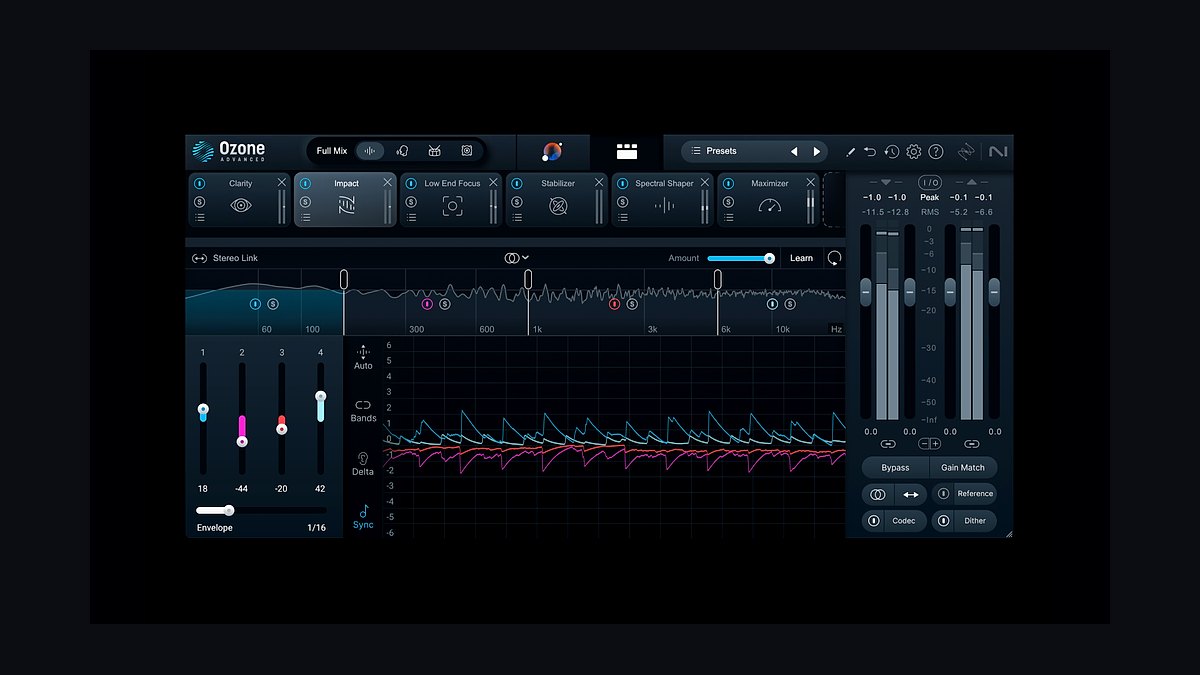
Ozone 11 Advanced ranks first because its Master Assistant builds a complete, fully editable mastering chain — Equalizer, Dynamics, Dynamic EQ, Imager, Maximizer, and Stabilizer — from a genre target or an imported reference song. Nothing is locked: every module shows the exact gain or width applied. The Maximizer's IRC IV limiting with true-peak metering hits streaming targets cleanly, and Master Rebalance lifts or ducks vocals, bass, and drums on a finished stereo file.
It suits engineers and producers mastering more than a handful of songs a year, where roughly $499 beats per-track outsourcing. Standard runs about $249 and Elements about $129 if the full module set is overkill. It runs as VST3, AU, AAX, and standalone. Against Neutron 5 below, Ozone works the stereo master bus rather than individual tracks, so it fixes tonal balance and loudness, not fader-level clutter in a session.
2iZotope Neutron 5

Neutron 5 sits second because it applies the same assistant intelligence to mixing rather than mastering. Mix Assistant listens across every track in a session and sets a starting fader balance — a real time-saver on a 40-track arrangement — while Track Assistant proposes EQ, compression, and saturation matched to the instrument it detects. Unmask uses inter-plugin communication to duck a guitar's EQ exactly where it collides with the lead vocal.
It is built for producers who can write and arrange but lose hours fighting frequency masking and level balance. Advanced lists around $399 and runs in all major DAWs, with the Sculptor module reshaping tone toward instrument-specific targets in real time. It will not finish a master, which is why Ozone ranks above it; bought together in Music Production Suite, the two cover mix and master end to end.
3Sonible smart:bundle

Sonible's smart:bundle earns third for the most surgically intelligent processing on the list, packaging smart:EQ 4, smart:comp 2, smart:limit, and smart:reverb. smart:EQ 4 profiles a multi-track group and spreads instruments across the spectrum with gentle per-band dynamic correction. smart:limit displays loudness, dynamics, and true-peak readouts against Spotify, Apple Music, club, and CD presets, then recommends a ceiling while flagging over-crushed dynamics.
This is for engineers who want AI suggestions inside a precise, fully manual interface rather than a one-click chain. Individual plugins like smart:EQ 4 run around $129, with the bundle frequently discounted. smart:comp 2 compresses spectrally, reacting differently across the band instead of clamping the whole signal. It trades Ozone's single integrated mastering window for separate specialist tools, and its engine also powers Focusrite's FAST range.
4LANDR
LANDR places fourth as the most polished cloud mastering service, and the one that pioneered the consumer category. Upload a mix, pick a style — warm, balanced, or open — and a loudness level of low, medium, or high, and a master returns in minutes with streaming-ready loudness and true-peak ceilings applied automatically. The engine has been retrained repeatedly, and you can export WAV or MP3 and A/B against the original in-browser.
It fits independent artists and bedroom producers who want a fast, consistent master without learning a mastering chain. The subscription bundles mastering credits with distribution to Spotify and Apple Music plus a sample library, scaling from limited high-quality renders to unlimited mastering. The trade against Ozone is control: you adjust style and intensity, never individual EQ bands. For demos, deadline EPs, and high release volume, it is hard to beat.
5Soundtheory Gullfoss

Gullfoss ranks fifth as the intelligent EQ engineers reach for when nothing else cleans up a mix. It is not a genre-matching assistant but a real-time auto-EQ built on a model of human auditory perception, driven by five macro controls: Recover, Tame, Bias, Brighten, and Boost. The algorithm makes its decisions thousands of times per second — Recover pulls clarity out of muddy elements, Tame softens harsh resonances without manual notching.
It lists around $199 as a perpetual VST/AU/AAX license, with a separate Gullfoss Master edition tuned for mastering loudness. Engineers run it on full mixes, master buses, and individual dull vocals or boxy acoustic guitars alike. It is a problem-solver alongside a fuller suite rather than a standalone solution, which is why it sits below Sonible's bundle — one brilliant process, not a complete finishing chain.
6eMastered

eMastered takes sixth for reference matching done well in the browser. Upload a track, optionally upload a reference song, and it tailors EQ, compression, stereo width, and loudness toward that target, then exposes intensity, tone, and a few macro parameters before export. It returns WAV and MP3 masters, allows unlimited revisions within a session, and normalizes output for streaming loudness. It was co-founded with Grammy-winning engineers.
It suits songwriters and small studios wanting a reference-matched master without buying a plugin suite, and it runs on a monthly subscription rather than per-track credits. For users who already have a sonic target in mind, it reaches a usable result faster than LANDR, since reference matching does the heavy lifting. The limitation is shared with every cloud tool: no surgical editing of individual frequency bands.
7Waves Clarity Vx Pro
Clarity Vx Pro lands seventh because it solves the problem upstream of mastering: it is a neural-network noise and reverb remover that strips hum, hiss, room tone, and bleed from vocals with startling precision. Waves pairs it with Waves Online Mastering, a cloud service producing streaming-ready masters against platform loudness targets, and StudioVerse, which suggests and loads community-built plugin chains for a given source inside the DAW.
This stack is for engineers handling imperfect source recordings — podcasts, home-studio vocals, live captures — who need AI repair before mixing and a fast path to a finish. Clarity Vx Pro lists in the low hundreds, appears often in Waves sales, and is included in some Creative Access tiers. Unlike Gullfoss above, it fixes what was recorded rather than shaping tonal balance.
8BandLab AI Mastering
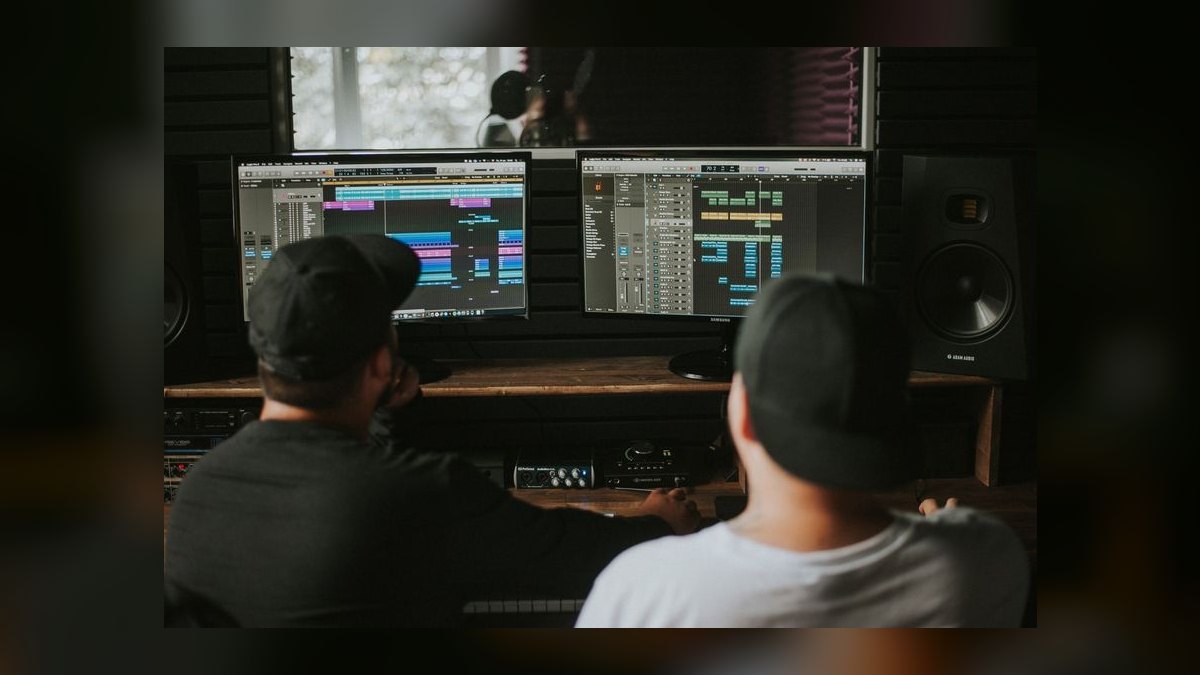
BandLab AI Mastering ranks eighth on value alone: the core mastering feature is free, with no credits and no paywall. Upload a mix in the browser or the BandLab app, pick a preset such as CD Quality, Bass Boost, or Mid Boost, preview instantly, and download. It processes loudness toward streaming levels and shows an immediate before/after comparison, and it lives inside BandLab's free DAW and community platform.
Output will not match a hand-tuned Ozone master, but for demos, social clips, SoundCloud uploads, and rough references it is genuinely usable. It is aimed at students, beginners, and anyone wanting to hear what a mastered version could sound like before spending money. Against eMastered and LANDR, it gives preset-only control with no reference matching and no intensity dial — the reason to upgrade once you outgrow it.
9Focusrite FAST Bundle
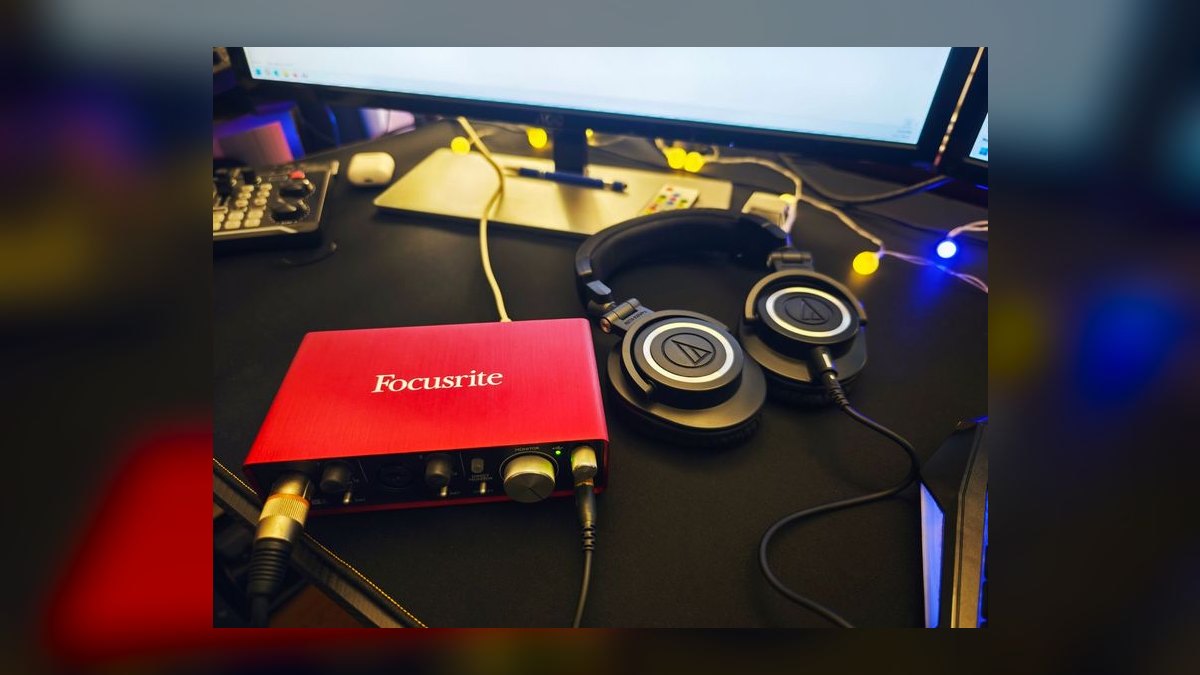
The FAST Bundle places ninth as the friendliest on-ramp to smart processing, built on Sonible's engine but wrapped in simplified macro controls. It includes FAST Equaliser, FAST Compressor, FAST Limiter, FAST Reveal for de-noise and de-reverb, and FAST Verb. FAST Equaliser detects the source and suggests a curve, FAST Compressor sets attack, release, and ratio intelligently, and FAST Limiter handles transparent loudness with true-peak protection.
It is aimed at home-studio owners and newer engineers who want intelligent help across the whole chain without a flagship suite's learning curve, all as real-time plugins in any DAW. Focusrite sells it directly and often bundles it with Scarlett and Clarett interface purchases, keeping the cost low. Against Sonible's own smart:bundle at #3, it trades analyzer depth and per-band precision for speed and a much cleaner interface.
10CloudBounce

CloudBounce closes the list as a fast, no-frills AI mastering service. Upload a track and its engine analyzes it, then applies EQ, compression, stereo enhancement, and loudness maximization, returning a streaming-ready master in minutes. It offers style and profile options plus intensity control, exports WAV and MP3, and sells both per-track and by subscription. The loudness output is tuned for modern streaming delivery.
Its distinguishing feature is an API for developers and high-volume workflows, which makes it genuinely useful to labels, sync libraries, and content shops batch-mastering large catalogs. It is built for volume and quick turnaround rather than detailed single-song work. Like LANDR and eMastered above it, it trades granular control for speed — demanding final masters still belong in Ozone or with a mastering engineer.
How we ranked these
Six factors carried the weight: output quality against a hand-built master, editability of the AI's decisions, loudness accuracy for true-peak and LUFS delivery, workflow fit across VST3/AU/AAX hosts versus browser rendering, reference and target matching, and licensing cost. Plugins running inside Pro Tools, Logic, Ableton, Cubase and FL Studio scored higher for professional use; cloud services earned points on turnaround speed and price per render.
Deliberately ignored: preset counts, marketing language about neural networks, and UI polish — none predicts how a master survives codec conversion. Blind loudness comparisons were discounted too, since louder always wins an unmatched A/B. Legacy plugin catalogs and bundled sample libraries were set aside because they inflate perceived value without improving the AI, and forum popularity was excluded since it tracks discount frequency more than engineering quality.
What to look for
The real fork is editability versus turnaround. If you master more than a few songs a year, a perpetual plugin license — Ozone 11 Advanced around $499, Neutron 5 around $399 — beats per-track credits fast, and you keep the chain when the subscription lapses. If you release sporadically or need distribution bundled, LANDR and eMastered cost less per song and finish in minutes.
The common mistake is buying a mastering tool to fix a mixing problem. Master Assistant cannot unmask a vocal buried under guitars; that's Neutron's Unmask or a clean EQ pass before the bounce. The second mistake is trusting the AI's default intensity — most tools ship loud. Check LRA and true peak, pull the ceiling to -1 dBTP, and A/B at matched level.
Related questions
What's the difference between mixing and mastering?
Mixing balances the individual tracks in a session — levels, EQ, compression, panning — and ends with a single stereo bounce. Mastering treats that finished stereo file as one object, correcting tonal balance, controlling dynamics, and setting delivery loudness. Neutron 5 works on the mixing side; Ozone 11 lives on the master bus. Doing them in the wrong order wastes both.
Does AI mastering work on stems or only stereo files?
Most cloud services accept a stereo bounce only. Ozone's Master Rebalance is the exception: it uses source separation to lift or duck vocals, bass, or drums inside an already-mixed stereo file, which covers many stem-level fixes. If you genuinely need stem mastering, keep the session open and fix the balance in the mix instead of rescuing it later.
How much does AI mastering cost versus a mastering engineer?
Human engineers typically charge per track, and an album adds up quickly. LANDR, eMastered, and CloudBounce run on monthly subscriptions or per-track credits, and BandLab's core mastering is free. A perpetual Ozone 11 Advanced license around $499 pays for itself within a handful of songs if you release regularly, since renders after that cost nothing.
Can I use AI mastering for a vinyl release?
Not safely on its own. Vinyl cutting needs conservative loudness, controlled sibilance, bass summed toward mono below roughly 150 Hz, and headroom the lacquer can physically hold. AI mastering targets streaming loudness by default, which is the opposite. Use the AI master for digital delivery and send a separate, quieter version to a cutting engineer.
What is true-peak limiting and why does it matter?
Sample peaks measure only the digital points you stored; true peak estimates the analog waveform between them, which can overshoot after conversion to MP3 or AAC. That overshoot clips on playback as distortion. Keeping true peaks at -1 dBTP gives the codec room. Ozone's Maximizer and Sonible's smart:limit both meter this explicitly.
Do these tools work for podcasts and spoken word?
Partly. Waves Clarity Vx Pro and iZotope RX are the strongest picks here, stripping hum, room, and bleed from dialogue before anything else happens. For loudness, podcasts target around -16 LUFS depending on the platform, not the -14 music setting most mastering presets assume. Set the target manually rather than accepting the default.
Is reference matching better than genre presets?
Usually, if you pick the right reference. Feeding eMastered or Ozone a song you actually want to sound like gives the algorithm a concrete tonal and dynamic target instead of a genre average. The failure mode is choosing a reference recorded with different instrumentation or arrangement density — the match then pushes your mix somewhere strange.
What should I bounce before mastering?
Bounce 24-bit or 32-bit float WAV at the session sample rate, with the mix bus limiter off and roughly 3 to 6 dB of headroom on the peaks. Never upload an MP3 — you're asking the tool to master codec artifacts. Leave the fades and the tail intact so the limiter has something to work with.
FAQ
Is Ozone 11 Advanced worth it over Standard?
Advanced adds the modules people actually reach for on hard material: Master Rebalance, Stabilizer, the full Dynamic EQ, and Impact, plus component plugins you can place individually in a chain. Standard around $249 covers assistant-driven mastering fine for most releases. Buy Advanced if you master other people's material or need to fix a bad bounce.
Do I need both Ozone and Neutron?
Only if you're mixing and mastering yourself. Neutron 5 solves balance and frequency masking across a multitrack session; Ozone finishes the stereo bus. If you receive finished mixes and only master, Ozone alone is enough. If you own the whole chain, iZotope's Music Production Suite bundles both for less than buying them separately.
Are these perpetual licenses or subscriptions?
iZotope, Sonible, Soundtheory, and Focusrite sell perpetual licenses — you own the version, and upgrades are paid. LANDR, eMastered, and CloudBounce are subscription or credit-based, so access ends when you stop paying. Waves runs both models, with Creative Access as its subscription tier. BandLab's mastering is free with no credit ceiling.
Can AI mastering damage my mix?
It can flatten it. Over-limiting is the usual failure: transients smear, the drums lose punch, and the track fatigues after thirty seconds. Watch the loudness range readout — under about 6 LU generally means you're crushing. Pull the intensity or raise the ceiling, and always compare against your unprocessed mix at matched level.
How fast is cloud mastering?
Minutes, not hours. LANDR, eMastered, CloudBounce, and BandLab typically return a master within a few minutes of upload, and most allow revisions or style changes without re-uploading. That turnaround is the main argument for cloud over plugins when a deadline is real. CloudBounce's API extends the same speed to batch catalog work.
Which DAWs and systems do these support?
The plugins ship as VST3, AU, and AAX, covering Pro Tools, Logic Pro, Ableton Live, Cubase, Studio One, FL Studio, and Reaper on both macOS and Windows, including Apple Silicon natively. Cloud services are DAW-agnostic because you upload a bounced file, so they work from any system with a browser.
What's the best genuinely free option?
BandLab AI Mastering. It's browser- and app-based, has no credit limit on the core feature, offers presets like CD Quality and Bass Boost, and gives an immediate before/after comparison. iZotope occasionally gives away Ozone Elements in promotions, which adds a real plugin to your chain. Both are legitimate starting points before spending anything.
Can I master a whole album consistently with AI?
Yes, with discipline. Master one representative song first, then apply the same chain settings to the rest rather than letting the assistant re-analyze each track independently — per-track analysis is what makes albums sound disjointed. Check the level and tonal balance between adjacent songs afterward, and adjust the quiet ones by ear.
Do I still need a separate limiter after AI mastering?
No. Ozone's Maximizer, smart:limit, and FAST Limiter are already true-peak limiters, and stacking another one after them just adds distortion. Cloud services limit internally before they hand you the file. The only sensible extra stage is a metering plugin so you can verify LUFS and dBTP independently before delivery.
Will streaming normalization undo a loud master?
Largely, yes. Spotify and YouTube normalize toward roughly -14 LUFS and Apple Music toward -16, so a master pushed to -8 gets turned down on playback — you keep the squashed dynamics and lose the volume advantage. Master for the tone you want at a sane loudness and let normalization handle the rest.
Sources
- https://www.izotope.com/en/products/ozone.html
- https://www.izotope.com/en/products/neutron.html
- https://www.sonible.com/
- https://www.landr.com/online-audio-mastering/
- https://www.soundtheory.com/home
- https://emastered.com/
- https://www.waves.com/plugins/clarity-vx-pro
- https://www.bandlab.com/mastering
- https://focusrite.com/products/fast
- https://www.cloudbounce.com/
Related on PULSE
This page will be disappearing soon. Save it to your device for $1 — or read it free while it is here.
@Kory-White- · if Venmo asks, the last 4 of my number are 2012
This page is gone.
This one is off the shelf now. $1 keeps it on your phone for good — the whole page, pictures and diagrams included.
 pulse-ai-infrastructureThe 10 Best LLM Guardrails and Safety Tools in 2027
 pulse-ai-infrastructureThe 10 Best AI Tools for A/B Testing in 2027
 pulse-ai-infrastructureThe 10 Best AI Tools for Solving Math Problems in 2027
 pulse-ai-infrastructureThe 10 Best AI Tools for RFP Responses in 2027
 pulse-ai-infrastructureThe 10 Best AI Tools for Trend Forecasting in 2027
 pulse-ai-infrastructureThe 10 Best AI Tools for Email Marketing Campaigns in 2027
 pulse-ai-infrastructureThe 10 Best AI Tools for YouTube Optimization in 2027
 pulse-ai-infrastructureThe 10 Best AI Tools for Subtitles and Captions in 2027
 pulse-ai-infrastructureThe 10 Best AI Tools for Print Design in 2027
 pulse-ai-infrastructureThe 10 Best AI Tools for Quiz Generation in 2027