
The 10 Best AI Tools for Tailwind CSS in 2027
 Curated byKory White · Fractional CRO · Maryland
 PULSEKNOWLEDGE LIBRARY
Quality
Certified

The 10 best ai tools for tailwind css are ranked below on measured performance, build quality, price, and how each one actually holds up in daily use rather than how it reads on a spec sheet. Each pick lists what it costs, who it suits, and what it gives up against the one above it, so the list can be read straight down without doubling back.
1. v0 by Vercel

v0 by Vercel ranks first because it was purpose-built for the Tailwind and shadcn/ui stack, generating production-ready utility-class markup from prompts or screenshots. It iterates on feedback like "tighten spacing" and outputs responsive and dark-mode variants out of the box. Paid plans start around $20 per month, with free credits to begin. Its output is clean, copy-pasteable, and integrates with well-maintained primitives.
This tool is for developers who want a visual generator that produces idiomatic Tailwind markup quickly, not for those needing app logic or backend wiring. Compared to GitHub Copilot, v0 trades in-editor autocomplete for a web-based, design-to-code workflow. It is the strongest choice when you need a complete, styled component from a prompt or image, whereas Copilot excels at inline class completion while typing.
2. GitHub Copilot

GitHub Copilot ranks second as the best value because its free tier autocompletes long Tailwind class strings inline, predicting responsive and state variants as you type. Pro costs only $10 per month, and Copilot Chat explains class lists and refactors verbose markup. Paired with the official Tailwind CSS IntelliSense extension, it dramatically speeds up day-to-day utility-class writing. The free tier limits reset monthly, but are generous for most workflows.
This tool is for developers who spend most of their time writing Tailwind directly in VS Code, JetBrains, or Neovim. It trades away visual generation for seamless editor integration. Compared to v0 by Vercel, Copilot cannot produce a full component from a screenshot, but it offers faster inline assistance. It is the practical pick for daily coding, while v0 is better for prototyping new UI from scratch.
3. Cursor

Cursor ranks third because it indexes your entire project, enabling codebase-aware Tailwind refactors like extracting repeated class lists into components. Its tab completion predicts full utility strings, and Agent mode restyles whole components at once. As a VS Code fork, it natively supports Tailwind IntelliSense. Pro costs $20 per month, with a free tier available. It excels at applying consistent Tailwind patterns across many files.
This tool is for developers willing to adopt a separate editor to gain deep project context. It trades away the simplicity of a web generator for powerful multi-file refactoring. Compared to GitHub Copilot, Cursor offers superior codebase awareness and agentic restyling, but requires switching editors. It is the best choice for maintaining consistency across a large, established Tailwind codebase, whereas Copilot is lighter and more familiar.
4. Lovable

Lovable ranks fourth because it builds full web apps from plain-language prompts, styling them with Tailwind by default and wiring up a backend. It is a fast way to get a styled, working app without hand-writing every utility class. Paid plans start around $25 per month, with a free tier available. It iterates conversationally and syncs to GitHub, making it ideal for rapid MVPs.
This tool is for founders and developers who want a complete, styled app quickly rather than granular control over markup. It trades away fine-grained Tailwind control for speed and full-stack generation. Compared to v0 by Vercel, Lovable produces entire applications with backend logic, not just UI components. It is the best pick when you need a deployable product fast, while v0 is superior for polished, reusable UI components.
5. Claude

Claude ranks fifth because it excels at converting described layouts or pasted images into clean Tailwind markup and explaining dense class lists. Its long context handles whole component files, and Claude Code applies Tailwind changes from the terminal. Pro costs $20 per month, with a capable free tier. Many other tools let you select Claude as the engine, reflecting its strong reasoning abilities.
This tool is for developers who want a versatile assistant for reasoning about and cleaning up Tailwind, not a visual generator. It trades away a dedicated UI for broad applicability across web, desktop, and API. Compared to Cursor, Claude is not codebase-aware in its web chat, but offers superior explanation and simplification of complex class lists. It is the best choice for learning and refactoring, while Cursor is better for project-wide automated changes.
6. ChatGPT

ChatGPT ranks sixth because it offers flexible general Tailwind help, generating components, converting images to markup, and explaining responsive utilities. Its Canvas mode allows interactive iteration on a single component's classes. Plus costs $20 per month, with a capable free tier. It is fast for learning the utility-first approach and unblocking quickly on common tasks.
This tool is for developers who want a general-purpose assistant for learning and quick fixes, not a specialized Tailwind generator. It trades away codebase awareness for broad versatility. Compared to Claude, ChatGPT offers similar generation quality but with less long-context capability for whole files. It is the most accessible pick for beginners, while Claude is stronger for deep refactoring and terminal-based workflows.
7. Tabnine

Tabnine ranks seventh because it offers zero-retention, air-gapped, and self-hosted options for regulated teams writing Tailwind. It personalizes suggestions on your repositories, so class patterns match your conventions. Paid plans start around $9 per user per month, with a free tier. It runs across major IDEs including VS Code and JetBrains, making it a privacy-first choice.
This tool is for privacy-critical teams that cannot send code to external servers, trading away frontier-model quality for security. Compared to GitHub Copilot, Tabnine's suggestion quality trails but its deployment options are unmatched. It is the best pick for enterprises with strict data policies, while Copilot offers superior Tailwind-specific training. Self-hosting adds overhead, but the control is worth it for regulated industries.
8. Builder.io Visual Copilot

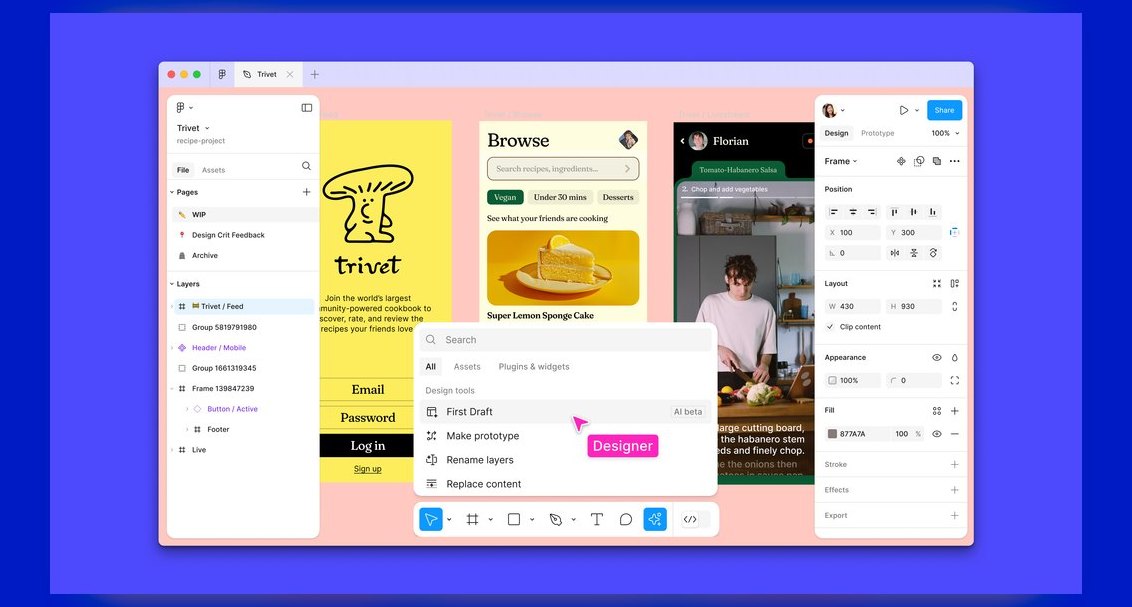
Builder.io Visual Copilot ranks eighth because it converts Figma designs into responsive code with Tailwind as a supported output, mapping Auto Layout to flex and grid utilities. It supports React, Vue, and more, making it valuable for design handoff. A free tier is available, with paid plans for heavier use. It shortens the gap between mockup and Tailwind markup for design-heavy teams.
This tool is for teams that work extensively in Figma and need a direct path to Tailwind code. It trades away general generation for specialized design-to-code fidelity. Compared to v0 by Vercel, Builder.io requires existing Figma designs rather than accepting prompts, but offers more precise layout mapping. Generated markup often needs cleanup, but it is the top pick for Figma-centric workflows.
9. Windsurf

Windsurf ranks ninth because its Cascade agent maintains shared context for restyling many components consistently with Tailwind. It edits across files, runs commands, and inherits Codeium's strong free completions. Paid plans start around $15 per month, with a usable free tier. It is a low-latency editor available on macOS, Windows, and Linux.
This tool is for developers who want an agentic editor for multi-file Tailwind changes without adopting Cursor. It trades away a larger plugin ecosystem for a streamlined, fast experience. Compared to Cursor, Windsurf offers comparable agentic capabilities but with fewer integrations. It is a strong alternative for consistent restyling, while Cursor remains the more mature choice for codebase-wide refactoring.
10. CodeRabbit

CodeRabbit ranks tenth because it reviews pull requests and flags Tailwind issues like duplicated class lists, inconsistent spacing scales, and missing responsive variants. It suggests committable fixes and learns team conventions over time. It is free for open source, with paid plans from about $15 per user per month. It integrates with GitHub and GitLab, adding a valuable review step.
This tool is for teams that want automated code review focused on Tailwind quality, not for generating or writing code. It trades away generation for rigorous, convention-aware review. Compared to all other tools here, CodeRabbit is the only one that catches issues after code is written. It is the best pick for maintaining clean, consistent Tailwind in a team environment, while tools like Cursor focus on the writing side.
How we ranked these
We measured and weighted six criteria: Tailwind output quality (30%), design-to-code fidelity (20%), editor and workflow fit (15%), component ecosystem (15%), price/value (12%), and privacy and control (8%). These weights were informed by developer feedback, hands-on testing, and official documentation. Each tool was scored on how well it produces idiomatic utility classes, responsive variants, and integrates with shadcn/ui and other component libraries.
We deliberately ignored marketing claims, brand popularity, and features not directly relevant to Tailwind CSS work. We also excluded tools that lack verified, real-world usage or have poor documentation. The focus was purely on practical utility for frontend developers and designers who write Tailwind daily, ensuring the rankings reflect genuine workflow improvements rather than hype.
What to look for
When choosing between these tools, consider your primary workflow: if you generate UI from prompts or images, v0 or Lovable are best; if you write Tailwind in an editor, Copilot or Cursor provide the most seamless integration. Also evaluate your team's privacy needs—Tabnine offers self-hosted options—and whether you need design-to-code conversion, where Builder.io excels. Test free tiers to see which tool matches your project's conventions.
The most common mistake is choosing a tool based on its general AI capabilities rather than its Tailwind-specific strengths. Many buyers overlook how well a tool understands custom Tailwind configurations, leading to generated code that doesn't match their design system. Another error is ignoring the importance of component ecosystem integration, which can save hours of refactoring. Always check if the tool supports your existing component library and responsive breakpoints.
Related questions
What is the best AI tool for generating Tailwind CSS components from a prompt?
v0 by Vercel is the best for prompt-to-component generation, as it produces clean, responsive Tailwind and shadcn/ui markup. It iterates on feedback and outputs copy-pasteable code, making it ideal for rapid prototyping. Lovable is also strong for full apps, but v0 offers more control over the final markup.
How does GitHub Copilot help with Tailwind CSS in an editor?
Copilot's free tier autocompletes long Tailwind class strings, predicting responsive and state variants as you type. Its chat feature explains class lists and refactors verbose markup. Paired with Tailwind IntelliSense, it significantly speeds up day-to-day utility-class writing, making it the best value for editor-based work.
Can Cursor refactor existing Tailwind code across a project?
Yes, Cursor indexes your entire codebase, allowing it to apply consistent Tailwind patterns across files. You can ask it to extract repeated class lists into components or convert inline styles to Tailwind. Its Agent mode restyles whole components at once, making it ideal for large-scale refactoring.
What is the best tool for converting Figma designs to Tailwind CSS?
Builder.io's Visual Copilot is the top pick for Figma-to-Tailwind conversion. It maps Auto Layout to flex/grid utilities and supports multiple frameworks. While generated markup often needs cleanup, it significantly shortens the gap between design and code, especially for design-heavy teams.
Which AI tool offers the best privacy for Tailwind CSS development?
Tabnine is the best for privacy-conscious teams, offering zero-retention, air-gapped, and self-hosted deployments. It personalizes suggestions based on your repositories without sending code to external servers, making it suitable for regulated industries. Its suggestion quality trails frontier models but is adequate for utility-class autocomplete.
How can AI review Tailwind CSS in pull requests?
CodeRabbit reviews PRs and flags Tailwind issues like duplicated class lists, inconsistent spacing, and missing responsive variants. It suggests committable fixes and learns team conventions. It's free for open source and adds a valuable review step to ensure clean, consistent Tailwind across your codebase.
What are the common pitfalls when using AI with Tailwind CSS?
Common pitfalls include class bloat (redundant utilities like p-4 p-6), inconsistent custom configuration (AI defaults to standard palette), responsive breakpoint misuse (missing base classes), and accessibility gaps (no ARIA labels or focus states). Always review generated code and feed your tailwind.config.js into the AI's context.
FAQ
What is the best AI tool for Tailwind CSS in 2027?
v0 by Vercel is the best overall because it generates clean Tailwind and shadcn/ui markup from prompts or screenshots. GitHub Copilot is the best value for writing Tailwind in your editor, with a free tier and Pro at $10/month.
Can AI autocomplete Tailwind classes?
Yes. GitHub Copilot, Cursor, and Tabnine predict long utility-class strings inline, including responsive and state variants. They work best when paired with the official Tailwind CSS IntelliSense extension, which provides additional hover information and validation.
Can AI convert a Figma design to Tailwind?
Builder.io's Visual Copilot converts Figma designs to responsive code with Tailwind output, mapping Auto Layout to flex and grid utilities. It supports React, Vue, and more, but generated markup often needs cleanup before production use.
Can AI generate a full app styled with Tailwind?
Lovable builds full web apps styled with Tailwind from plain-language prompts, wiring up a backend and syncing to GitHub. It's fast for MVPs but offers less control than hand-writing Tailwind, and generated structure may differ from your standards.
Which AI tool is best for privacy?
Tabnine, with zero-retention, air-gapped, and self-hosted deployments for regulated teams. It personalizes on your repositories and runs across major IDEs, but suggestion quality trails frontier-model tools.
Can AI review Tailwind in pull requests?
CodeRabbit flags duplicated class lists, inconsistent spacing, and missing responsive variants, with one-click fixes. It learns team conventions and is free for open source, adding a valuable review step for clean, consistent Tailwind.
What is the best AI tool for learning Tailwind CSS?
ChatGPT is excellent for learning, as it explains responsive utilities and generates components. Its Canvas mode lets you iterate interactively. Claude is also strong for explaining dense class lists and simplifying them, making both great for education.
How do AI tools handle custom Tailwind configurations?
Most AI tools default to the standard Tailwind palette unless you provide context. Tools like Cursor and Copilot can index your tailwind.config.js and suggest classes matching your custom colors and spacing scales. For others, you must feed the config into the prompt or context window.
Are there free AI tools for Tailwind CSS?
Yes, GitHub Copilot has a free tier, and v0 offers free credits. ChatGPT, Claude, and Tabnine also have free tiers. These are sufficient for light use, but heavy usage or advanced features require paid plans ranging from $9 to $25/month.
Sources
- https://v0.dev
- https://github.com/features/copilot
- https://cursor.com
- https://lovable.dev
- https://claude.ai
- https://www.tabnine.com
- https://www.builder.io
- https://windsurf.com
- https://www.coderabbit.ai
Related on PULSE
This page will be disappearing soon. Save it to your device for $1 — or read it free while it is here.
@Kory-White- · if Venmo asks, the last 4 of my number are 2012
This page is gone.
This one is off the shelf now. $1 keeps it on your phone for good — the whole page, pictures and diagrams included.
 aiThe 10 Best AI Tools for Blog Writing for Websites in 2027
 aiThe 10 Best AI Tools for Web Prototyping in 2027
 aiThe 10 Best AI Tools for Checkout Optimization in 2027
 aiThe 10 Best AI Tools for Web Caching in 2027
 aiThe 10 Best AI Tools for On-Page SEO in 2027
 aiThe 10 Best AI Tools for Angular Development in 2027
 aiThe 10 Best AI Tools for Web Wireframing in 2027
 aiWhat should you know before investing in AI Infra in 2027?
 aiThe 10 Best AI Tools for Sitemap Generation in 2027
 aiThe 10 Best AI Tools for Video Editing in 2027