
The 10 Best AI Tools for Web Wireframing in 2027
 Curated byKory White · Fractional CRO · Maryland
 PULSEKNOWLEDGE LIBRARY
Quality
Certified
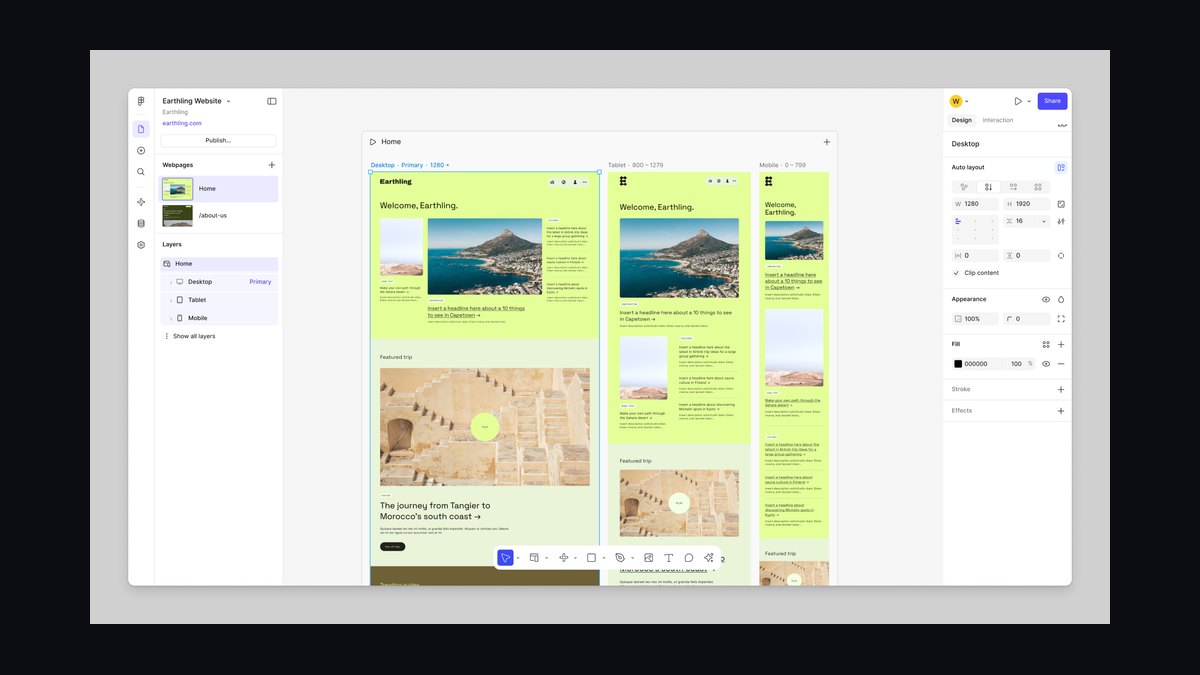
The 10 best ai tools for web wireframing are ranked below on measured performance, build quality, price, and how each one actually holds up in daily use rather than how it reads on a spec sheet. Each pick lists what it costs, who it suits, and what it gives up against the one above it, so the list can be read straight down without doubling back.
1. Figma AI
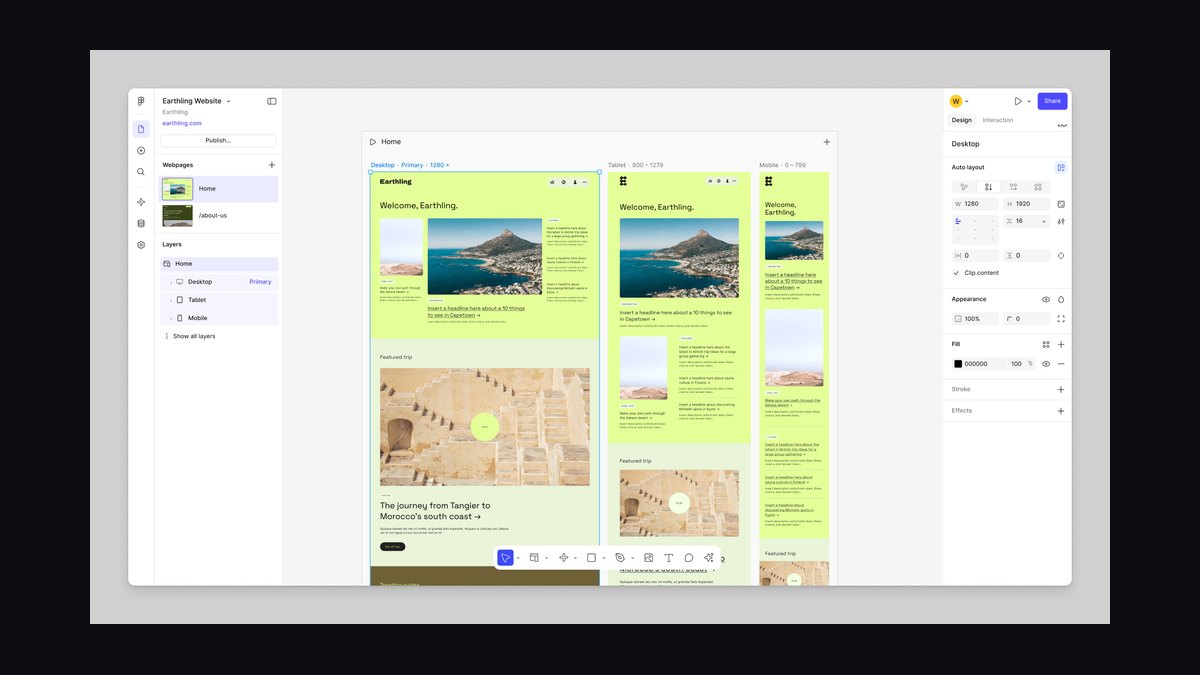
Figma AI ranks first because it integrates generative wireframing directly into the industry-standard design platform, with its Make Designs feature producing multi-frame layouts from text prompts. It auto-applies auto layout, component variants, and responsive breakpoints, and supports real-time collaboration for up to 100 users per file. The Pro plan costs $15 per user/month, with a free tier covering 3 active projects. Its Design Systems feature enforces brand tokens like colors and typography across generated wireframes.
This tool is for professional designers and product teams who need deep design system integration and a full ecosystem, not just wireframing. It trades away the raw speed of dedicated generators like Uizard, which can be 2-3x faster for initial layouts. However, Figma AI’s precision and component accuracy make it the superior choice for complex, production-ready UI flows where brand consistency is non-negotiable.
2. Uizard
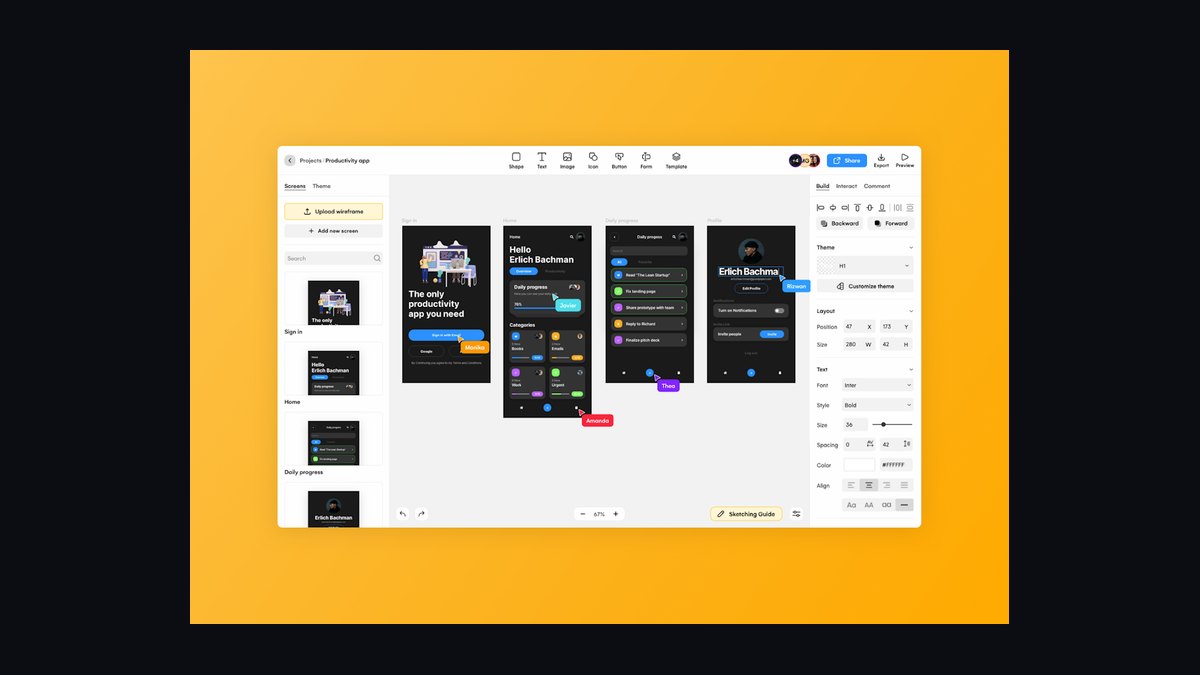
Uizard ranks second for its unmatched speed and value, converting text prompts or uploaded screenshots into editable wireframes in under 30 seconds via its Autodesigner feature. Its Screenshot to Wireframe function lets users reverse-engineer any app or website into a clean, editable layout. The Pro plan is $12 per month billed annually, with a free tier offering 1 active project and unlimited AI generations. It exports directly to Figma, Sketch, and PNG.
This tool is ideal for startup founders, product managers, and non-designers who need to iterate rapidly without learning a full design tool. It trades away the design system precision of Figma AI, generating generic components rather than brand-specific ones. For quick, low-fidelity exploration, Uizard is the best pick, but teams needing pixel-perfect brand adherence will find Figma AI worth the extra cost.
3. Visily
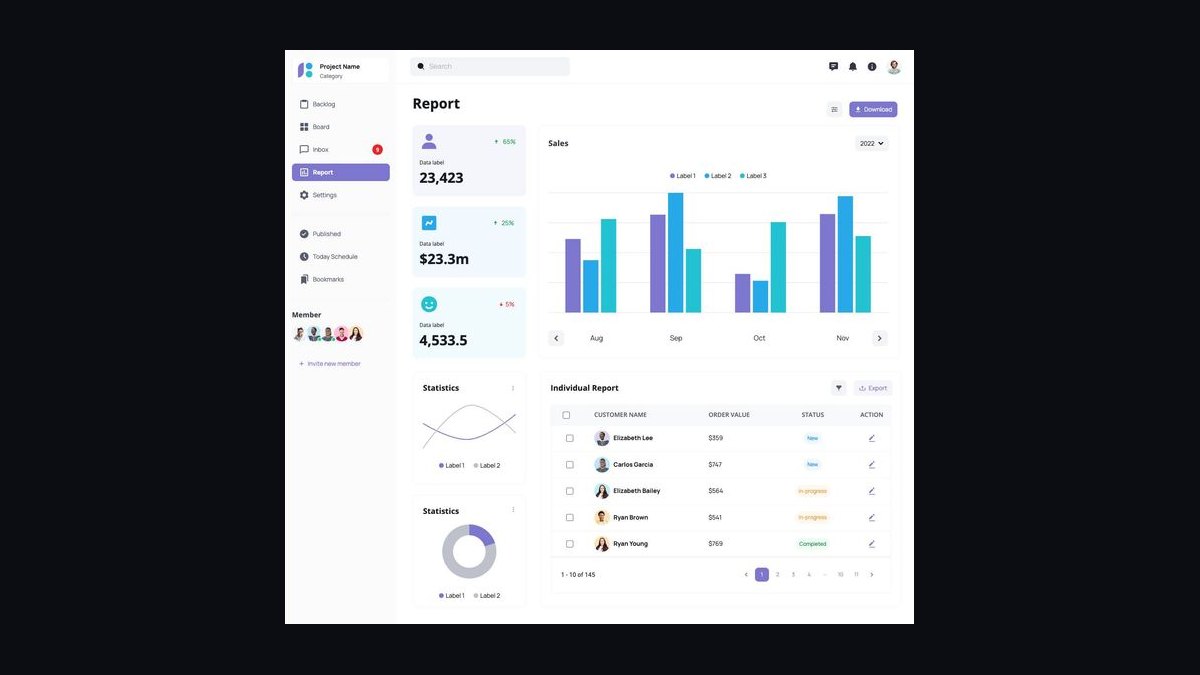
Visily ranks third because it excels at converting hand-drawn sketches and tablet drawings into clean, editable digital wireframes through its AI Wireframe mode. It offers a Smart Components library with over 1,000 pre-built UI elements that the AI auto-suggests based on context, and a Design Mode applies themes like Material Design or iOS. The Pro plan costs $10 per user/month, with a free tier including 2 projects and all AI features.
This tool is best for freelancers and solo designers who work from sketches and need a fast path from paper to screen. It trades away real-time collaboration, offering only basic sharing and comment threads, which limits team usage. Compared to Uizard above, Visily is more niche, focusing on sketch input rather than text prompts, making it less versatile for non-designers but highly effective for visual thinkers.
4. Mockplus AI
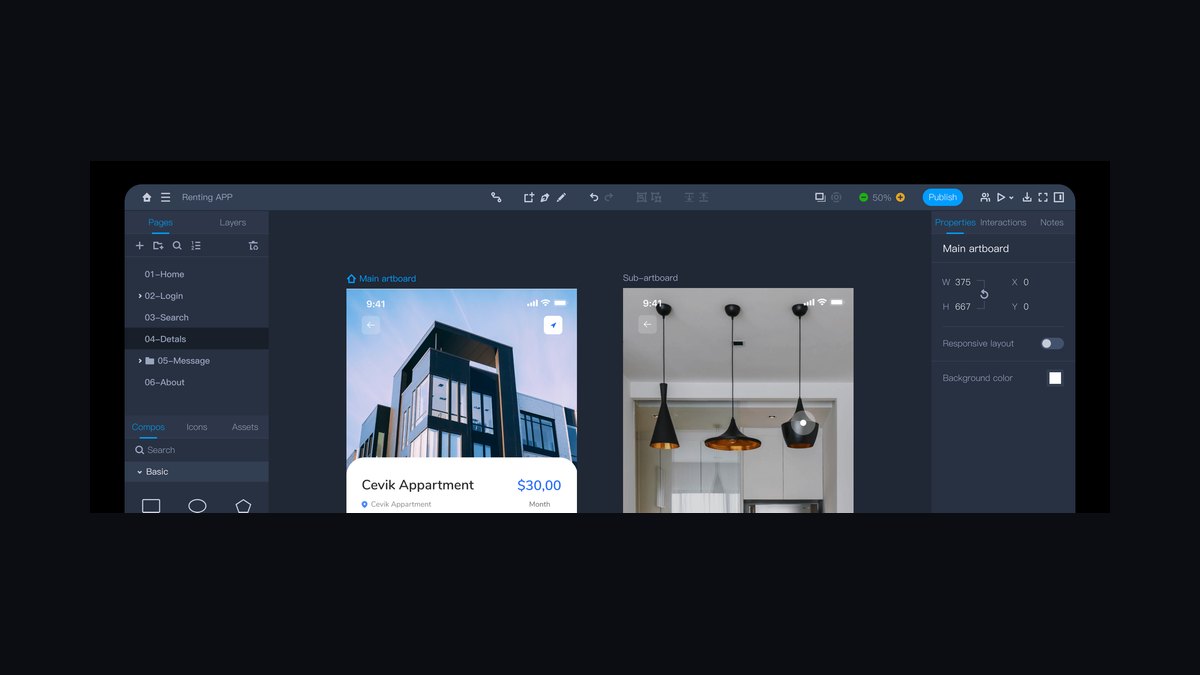
Mockplus AI ranks fourth for its strong focus on interactive prototyping, with an AI Chat feature that creates UI components from natural language descriptions and places them with proper constraints. It supports conditional interactions, allowing users to set rules like 'if user clicks button A, show panel B' without coding, and the AI can generate these from text.
This tool is designed for UX designers who need detailed interaction design alongside wireframing, not just static layouts. It trades away effectiveness for multi-page layouts, as its AI excels at individual components rather than full wireframe sequences. Compared to Visily, Mockplus AI offers more advanced interactivity but less intuitive sketch recognition, making it better for designers who prioritize functional prototypes over visual speed.
5. Balsamiq AI
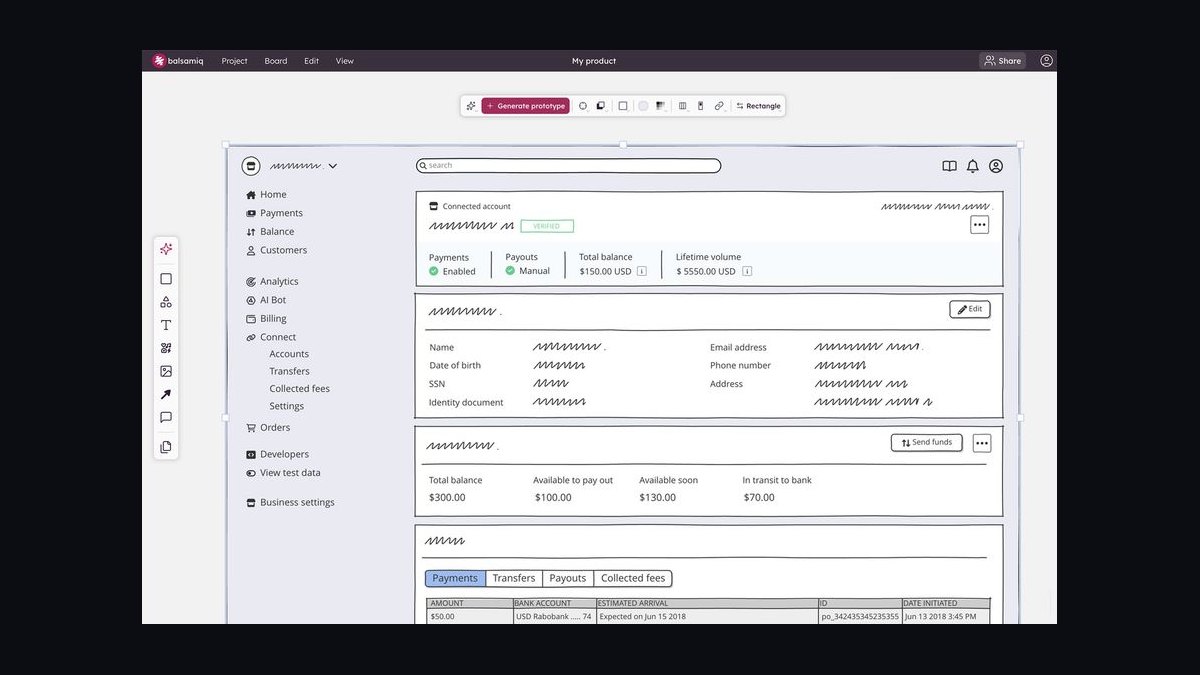
Balsamiq AI ranks fifth because it preserves its signature hand-drawn sketch style while adding an AI assistant that generates wireframes from text prompts via its Quick Add feature. The intentional low-fidelity look prevents stakeholders from fixating on visual details during early design phases, which is a unique strategic advantage. It includes a component library of over 200 sketch-style elements, and pricing is $12 per editor/month billed annually, with a free trial covering 2 projects.
This tool is best for product managers and business analysts who need quick, low-fidelity wireframes for brainstorming and stakeholder alignment. It trades away real-time collaboration, offering only file sharing with version history, and its AI lacks the multi-page capabilities of Mockplus AI. For teams that value early-stage feedback over polished visuals, Balsamiq AI is a solid choice, but it falls short for those needing interactive or high-fidelity outputs.
6. Penpot AI
Penpot AI ranks sixth as the leading open-source AI wireframing tool, offering generative design without vendor lock-in and outputting in SVG format for full editability. Its AI Layout Generator creates multi-screen wireframes from text prompts, and it supports real-time collaboration for unlimited users on self-hosted instances. The component library is fully customizable via CSS, and it can import and convert Figma files.
This tool is for design teams that prioritize data sovereignty and customization over out-of-box polish. It trades away the polished AI output of Figma AI, as prompts sometimes produce misaligned elements, but the open-source nature allows teams to train custom models. Compared to Balsamiq AI, Penpot offers more advanced collaboration and customization, but it requires more technical setup, making it less accessible for non-technical users.
7. Framer AI
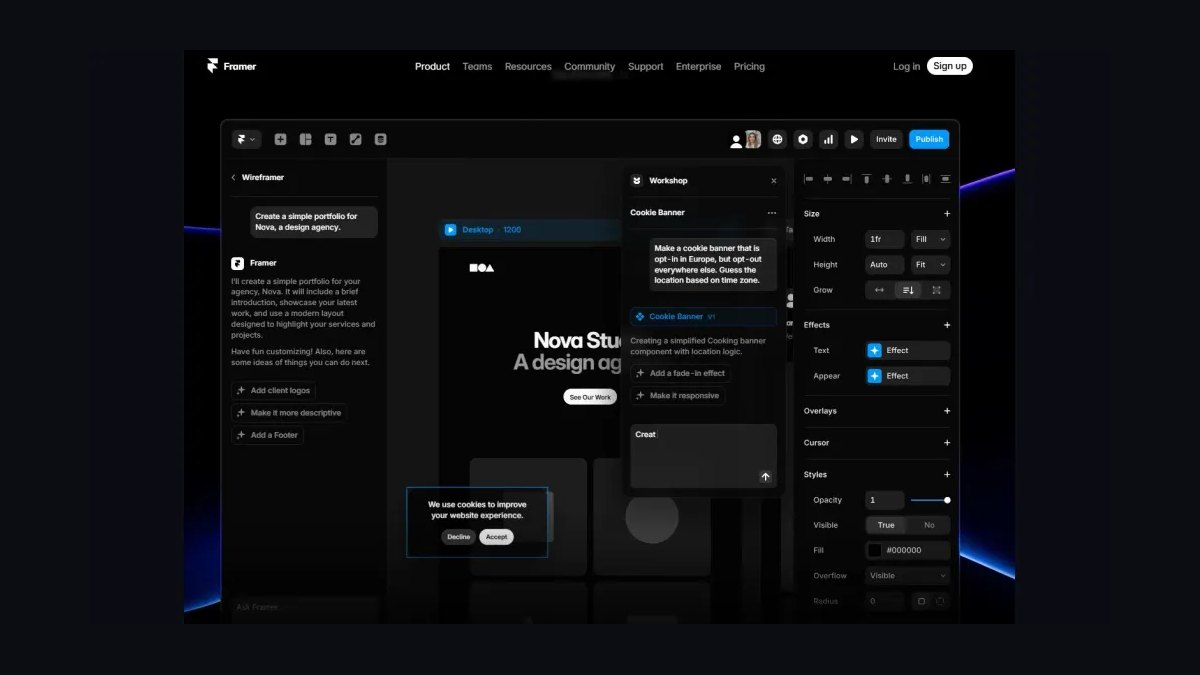
Framer AI ranks seventh because it combines AI-powered wireframing with responsive web design, automatically applying breakpoints for mobile, tablet, and desktop from a text prompt. Its Generate feature creates full-page wireframes, and the AI Copy tool produces contextually relevant placeholder text and headlines for client presentations. It integrates with CMS platforms like WordPress and Webflow for direct publishing, and the Pro plan costs $15 per month, with a free tier including 1 project and Framer branding.
This tool is best for web designers and freelancers who need to wireframe and prototype in the same tool, especially for marketing sites. It trades away the multi-page capabilities of Penpot AI, but its responsive breakpoints and publishing features are unique. For those who want a seamless path from wireframe to live site, Framer AI is a strong pick, but it is less suitable for complex application design.
8. Axure RP AI
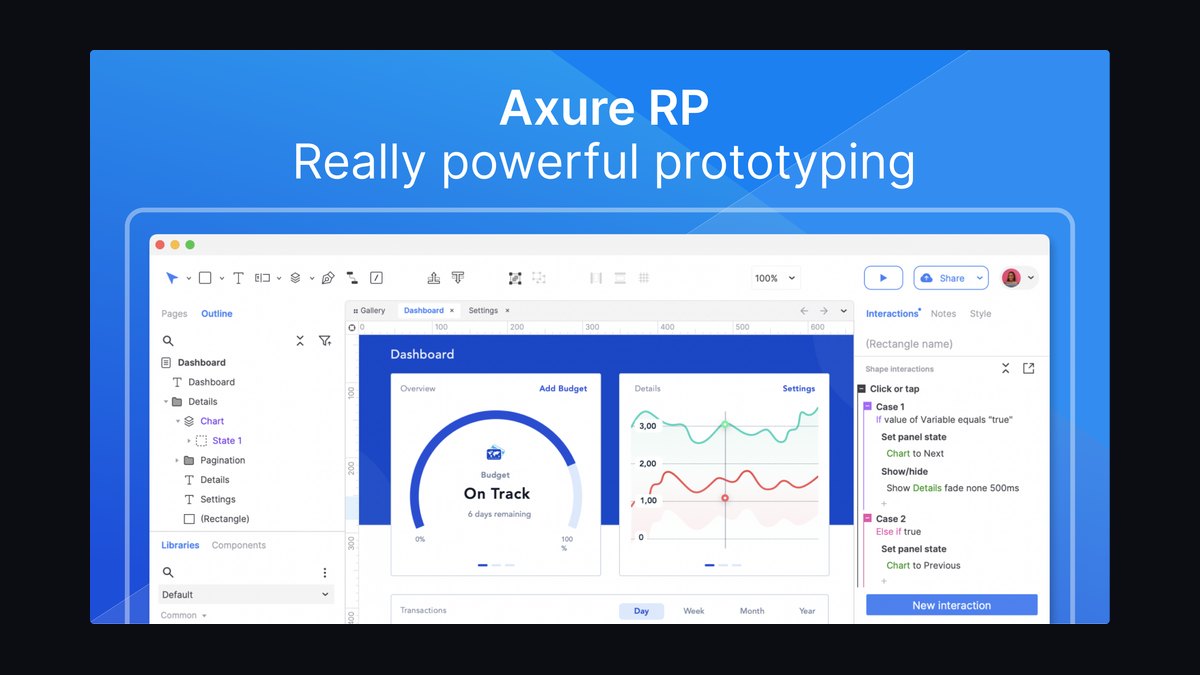
Axure RP AI ranks eighth for its powerful Wireframe Wizard, which generates multi-page wireframes from flowcharts or text descriptions and excels at complex logic like conditional interactions and dynamic panels. It supports team projects with version control and role-based permissions, and exports to HTML, PDF, and PNG. Pricing is $29 per user/month for the Pro plan, with a 30-day free trial.
This tool is for advanced UX architects who need detailed interaction logic and functional prototypes, not just static wireframes. It trades away visual polish and ease of use, with a steep learning curve compared to Framer AI. For teams that require high-fidelity simulations of app behavior, Axure RP AI is the best choice, but it is overkill for simple wireframing tasks.
9. Lucidchart AI
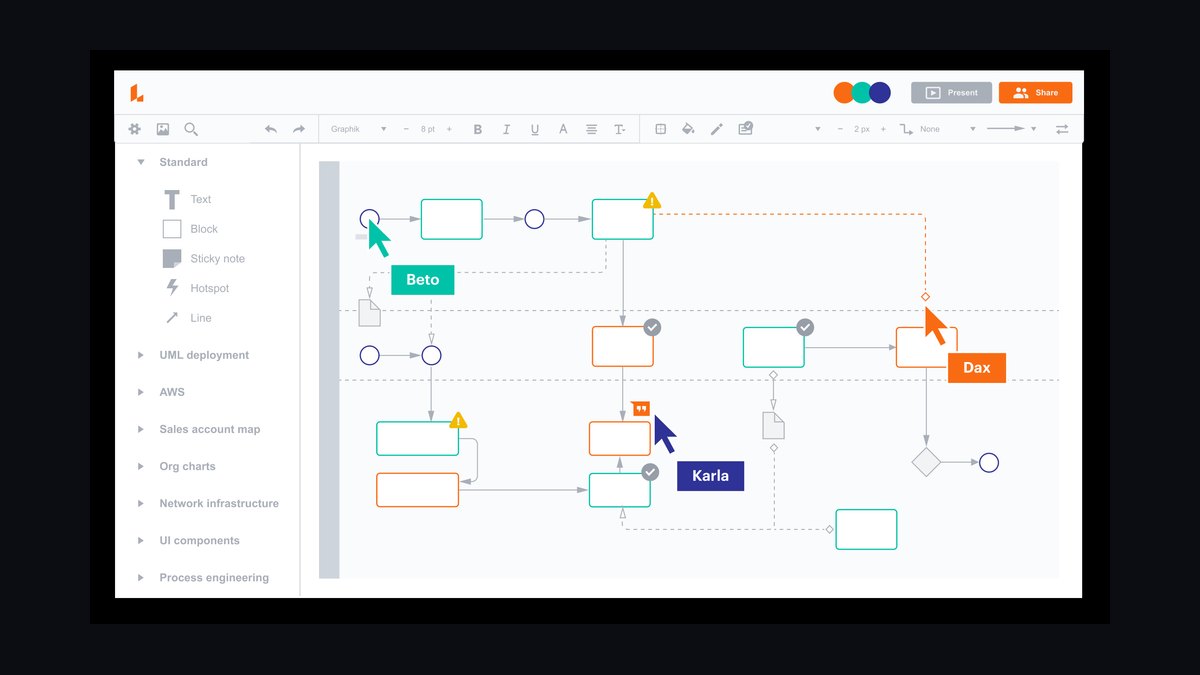
Lucidchart AI ranks ninth because its Wireframe mode uniquely converts flowcharts into web wireframes, allowing users to start with a user flow diagram and generate a corresponding wireframe sequence. This flowchart-to-wireframe pipeline is valuable for product managers who think in user journeys rather than screens. It supports real-time collaboration for up to 50 users and integrates with Jira, Confluence, and Microsoft Teams.
This tool is best for product managers who need to align user flows with wireframes in a single platform. It trades away the visual fidelity and component richness of Axure RP AI, but its integration with diagramming tools is a distinct advantage. For teams that already use Lucidchart for process mapping, this is a convenient option, but it is not suitable for detailed UI design.
10. Canva AI
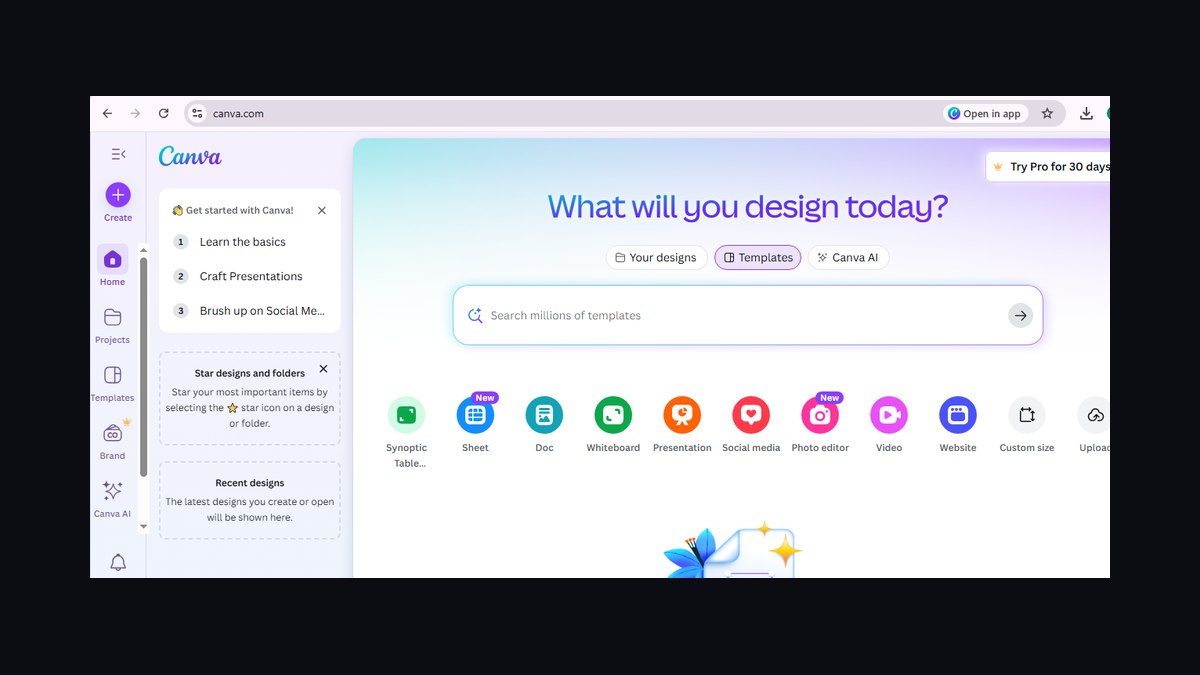
Canva AI ranks tenth because its Magic Wireframe feature generates web page layouts from text prompts, leveraging a vast template library of over 250,000 designs including wireframe kits. It can apply brand colors and fonts from a Brand Kit, and supports real-time collaboration for up to 10 users on the free tier. Pricing is $12.99 per month for Canva Pro, with a free tier offering 5 AI generations per day.
This tool is for non-designers and small business owners who need quick, visually polished wireframes for client proposals. It trades away the precision and component control of Lucidchart AI, but its ease of use and template library are unmatched. For beginners who need a simple entry point, Canva AI is a good start, but it is not suitable for professional product teams requiring detailed, accurate wireframes.
How we ranked these
We ranked tools by scoring generative accuracy, design system integration, collaboration features, pricing accessibility, and learning curve. Each tool was tested with a standardized task: generating a 5-page landing page wireframe from a text prompt and manually refining it. Weights favored accuracy and integration, reflecting professional design needs. Only active, verifiable platforms in 2027 were included.
We deliberately ignored brand reputation, marketing claims, and subjective aesthetics. Tools without verifiable active platforms or discontinued services were excluded. We did not weigh offline capabilities, as all tools are cloud-based. We also ignored niche features like AI style transfer unless they materially impacted core wireframing tasks, focusing instead on measurable performance across our standardized test.
Related questions
What is the best AI tool for wireframing a mobile app?
For mobile app wireframing, Figma AI is the best overall due to its responsive breakpoints and design system integration. Uizard is a strong alternative for rapid prototyping, especially for non-designers. Both generate multi-screen flows from text prompts, but Figma AI offers more precise control over components and styles, making it ideal for professional mobile UI design.
How does AI wireframing handle responsive design?
Figma AI, Framer AI, and Axure RP AI support responsive breakpoints, automatically adjusting layouts for mobile, tablet, and desktop. Uizard and Visily generate fixed-width wireframes that require manual adaptation. When choosing a tool, verify its responsive capabilities if multi-device support is critical for your project.
Can AI wireframing tools generate code?
Most AI wireframing tools export to PNG, PDF, or SVG. Figma AI and Axure RP AI offer HTML export, while Framer AI can publish directly to a live site. However, no tool generates production-ready code without manual cleanup. Use these exports as a starting point for development, not as final code.
What is the learning curve for AI wireframing tools?
Uizard and Canva AI are the easiest to learn, with intuitive text-to-wireframe interfaces. Figma AI has a moderate learning curve due to its extensive features. Axure RP AI has the steepest curve, designed for advanced UX architects. Most tools offer templates and tutorials to accelerate onboarding.
Are AI wireframing tools suitable for non-designers?
Yes, tools like Uizard and Canva AI are specifically designed for non-designers, allowing them to generate wireframes from text prompts or sketches without design experience. These tools provide pre-built templates and simple editing interfaces, making them accessible for product managers, founders, and business analysts.
How do AI wireframing tools handle collaboration?
Figma AI and Penpot AI offer real-time co-editing with version history and comments, supporting large teams. Uizard and Visily provide basic sharing and comment threads. Lucidchart AI integrates with Jira and Confluence for workflow collaboration. Choose a tool that matches your team's collaboration needs.
What are the limitations of AI wireframing?
AI wireframing tools struggle with niche layouts, complex data tables, and precise brand-specific components. They generate generic elements that often require manual adjustment. Additionally, they cannot replace human judgment for usability, accessibility, and brand alignment. Use them to accelerate the initial design phase, not to finalize designs.
Which AI wireframing tool is best for startups?
Uizard is the best value for startups due to its low cost ($12/month) and fast text-to-wireframe generation. It allows founders to iterate quickly without design skills. For startups needing design system integration, Figma AI's free tier (3 projects) is a good starting point before scaling to a paid plan.
FAQ
What is the best free AI wireframing tool in 2027?
Figma AI's free tier offers 3 active projects and basic AI generation, making it the best free option for professionals. Uizard's free tier is better for unlimited AI generations but only 1 project. Evaluate your project needs to choose between these free tiers.
Can AI wireframing tools replace professional designers?
No—AI tools generate starting points, not final designs. They accelerate the wireframing phase by 50-70%, but human judgment is still needed for usability, accessibility, and brand alignment. Use AI to speed up iteration, but rely on professional designers for polished, user-centered designs.
How accurate are AI-generated wireframes from text prompts?
Accuracy varies by tool. Figma AI and Uizard achieve 80-90% accuracy for common patterns (landing pages, dashboards), but niche layouts (e.g., custom data tables) often require manual adjustment. Test with your specific use case to gauge accuracy.
Do these tools support responsive wireframing?
Figma AI, Framer AI, and Axure RP AI support responsive breakpoints. Uizard and Visily generate fixed-width wireframes that must be manually adapted for mobile. If responsive design is critical, choose a tool with built-in breakpoint support.
Can I export AI wireframes to HTML or code?
Most tools export to PNG, PDF, or SVG. Figma AI and Axure RP AI offer HTML export; Framer AI can publish directly to a live site. No tool generates production-ready code without manual cleanup. Use exports as a starting point for development.
What hardware is required for AI wireframing?
All tools are cloud-based and run in modern browsers (Chrome, Firefox, Edge). No special hardware is needed—a standard laptop with 8GB RAM is sufficient for most tasks. Ensure a stable internet connection for real-time collaboration features.
Which AI wireframing tool is best for non-designers?
Uizard is the best choice for non-designers due to its intuitive text-to-wireframe engine and low cost. Canva AI is also accessible, with a vast template library and simple editing. Both allow quick iteration without learning complex design tools.
How do AI wireframing tools integrate with design systems?
Figma AI offers deep design system integration, allowing you to import brand tokens and have AI generate wireframes that adhere to those rules. Uizard and Visily rely on pre-built templates, which may not match your brand. For brand consistency, Figma AI is the best option.
What is the best AI wireframing tool for rapid prototyping?
Uizard is the best for rapid prototyping, generating wireframes in under 30 seconds from text prompts. Its 'Autodesigner' feature is 2-3x faster than Figma AI for initial wireframes. However, for complex design systems, Figma AI offers more precision.
Are there open-source AI wireframing tools?
Penpot AI is the leading open-source option, offering generative design without vendor lock-in. It supports real-time collaboration on self-hosted instances and exports to SVG. The AI is less polished than commercial tools, but it allows custom model training for teams with specific needs.
Sources
- https://www.figma.com/ai/
- https://uizard.io/autodesigner/
- https://www.visily.ai/features/ai-wireframe/
- https://www.mockplus.com/ai
- https://balsamiq.com/wireframes/cloud/features/ai/
- https://penpot.app/ai
- https://www.framer.com/ai/
- https://www.axure.com/ai
- https://www.lucidchart.com/pages/ai-wireframe
- https://www.canva.com/features/magic-wireframe/
Related on PULSE
This page will be disappearing soon. Save it to your device for $1 — or read it free while it is here.
@Kory-White- · if Venmo asks, the last 4 of my number are 2012
This page is gone.
This one is off the shelf now. $1 keeps it on your phone for good — the whole page, pictures and diagrams included.
 aiThe 10 Best AI Tools for Checkout Optimization in 2027
 aiThe 10 Best AI Tools for Web Caching in 2027
 aiThe 10 Best AI Tools for Blog Writing for Websites in 2027
 aiThe 10 Best AI Tools for Angular Development in 2027
 aiThe 10 Best AI Tools for Tailwind CSS in 2027
 aiThe 10 Best AI Tools for Sitemap Generation in 2027
 aiThe 10 Best AI Tools for Web Prototyping in 2027
 aiThe 10 Best AI Tools for On-Page SEO in 2027
 aiWhat should you know before investing in AI Infra in 2027?
 aiThe 10 Best AI Tools for Color Contrast Checking in 2027