


Best smart thermostats for energy savings in 2027
Quality
Certified
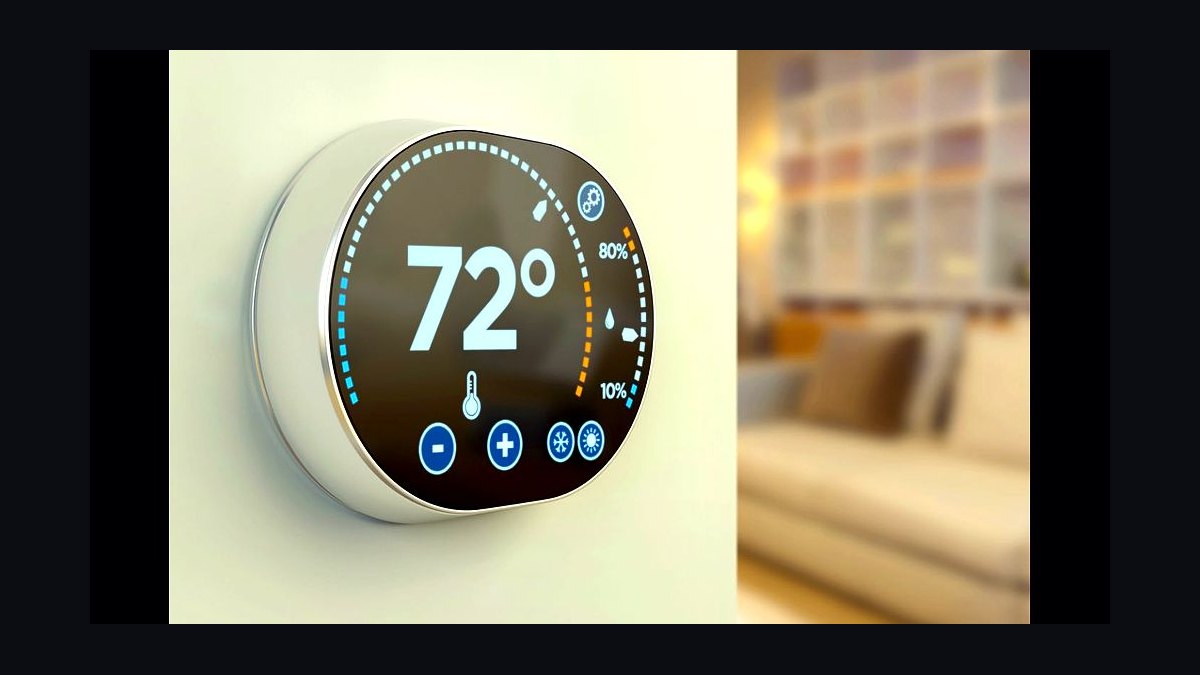
The best smart thermostats for energy savings in 2027 are the ones matched to your HVAC system and actually configured: ecobee Smart Thermostat Premium for multi-room sensor averaging, Google Nest Learning Thermostat for no-C-wire homes, Honeywell Home T9/T10 for staged heat pumps and dual-fuel. Savings come from scheduling, geofencing, and utility demand-response enrollment — not the badge on the wall.
The 1,900-square-foot house that saved nothing for eight months
Picture a two-story colonial outside Columbus: gas furnace, single-stage AC, one thermostat in the downstairs hallway, four occupants with irregular schedules. The homeowner buys a well-reviewed smart thermostat, installs it in forty minutes, connects it to Wi-Fi, and waits for the bill to drop. Eight months later the gas and electric bills are statistically indistinguishable from the prior year, adjusted for degree days. Nothing broke. The device worked exactly as designed. It just never did anything a $25 mechanical thermostat wouldn't have done, because the household left it on a flat hold at 71°F year-round and dismissed the scheduling prompts.
This is the single most common outcome in the field, and it explains why manufacturer savings claims and homeowner experiences diverge so widely. A smart thermostat is not an efficiency device in the way a heat pump or attic insulation is an efficiency device. It is a control device. It changes *when* your equipment runs and *for how long*, and if you never let it change those things, it changes nothing. The U.S. Department of Energy's guidance on thermostats has been consistent for years: setbacks save energy, and the savings scale with the depth and duration of the setback. A device that automates setbacks captures those savings; a device sitting on permanent hold captures none of them.
Now change one variable in that Columbus house. The homeowner enables geofencing on two phones, sets an 8-degree heating setback for unoccupied hours, and lets the schedule run. The furnace stops conditioning an empty house from 8 a.m. to 4 p.m. on weekdays and drops back overnight. Nothing about the furnace changed. The runtime hours dropped, and the bill followed. That is the entire mechanism — and it is why the "which brand saves most" question is usually the wrong opening question. The right opening question is: *what is my house currently doing when nobody is home, and what would it take to stop doing that?*
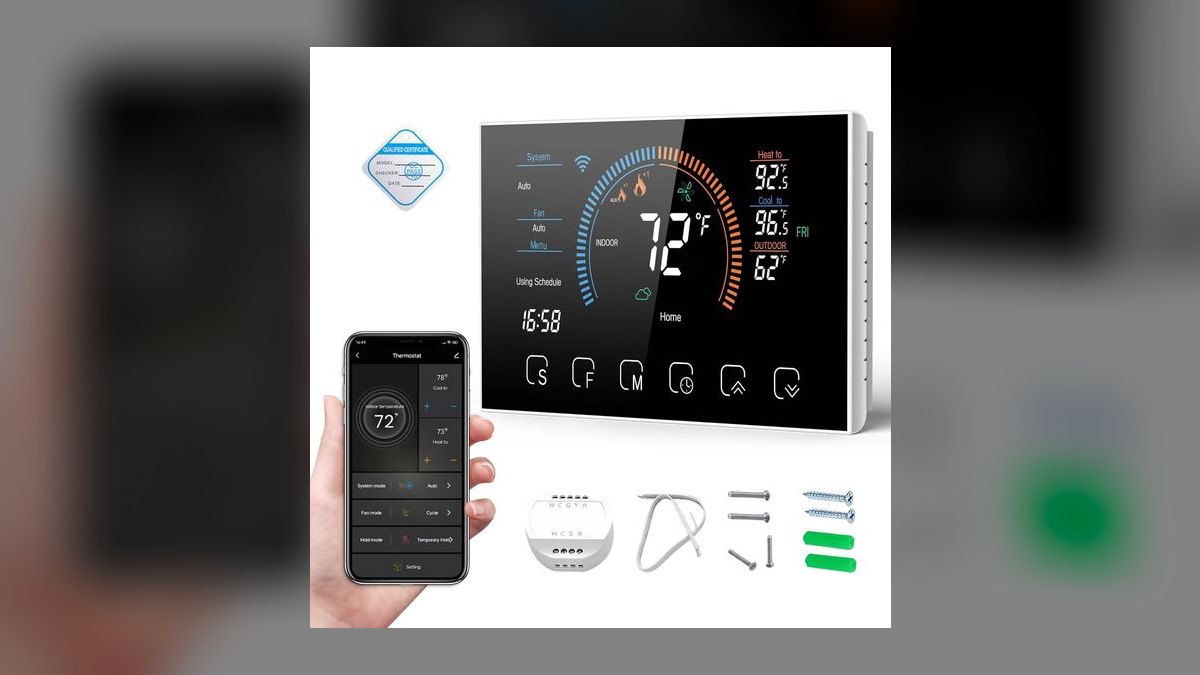
The second most common failure mode is subtler. The same house adds a finished basement office and a second-floor bedroom that runs hot in summer. The hallway thermostat reads 73°F and stops cooling; the upstairs bedroom sits at 79°F. Someone drops the setpoint to 68°F to make the bedroom livable, and now the whole first floor is being overcooled for hours to fix one room. The thermostat is behaving correctly based on the one temperature it can measure. The house is wasting energy because the measurement location is wrong. This is exactly the problem remote sensors were built to solve, and it is the strongest single argument for a sensor-capable platform over a sensor-less one in any house with more than one conditioned floor.
There is an adjacent lesson here that applies well beyond thermostats. In every home-energy system — water heating, EV charging, pool pumps, dehumidifiers — the controller only captures savings if it is allowed to shift or reduce load. The pattern repeats in commercial building management, where a BMS with excellent scheduling capability and every zone locked to "occupied 24/7" produces the same disappointing result as our Columbus colonial. The technology is rarely the constraint. The configuration is.
How the mechanism actually works, from setpoint to gas meter
Strip away the app and the machine learning language, and a smart thermostat does four things a dumb one cannot. Understanding each one tells you which features are worth paying for in your specific house.

Scheduled and automatic setback. This is the load-reduction engine. When indoor temperature is allowed to drift toward outdoor temperature, the rate of heat transfer through the building envelope falls, because that rate is proportional to the indoor-outdoor temperature difference. A house held at 70°F all day loses more heat over eight hours than a house allowed to drift to 62°F. The recovery period costs some of that back, but not all of it — which is why DOE guidance has long held that setbacks produce net savings rather than the "it costs more to reheat" folk myth. Deeper setback, longer duration, larger savings. The smart part is that the device executes this without anyone remembering to.
Occupancy detection. Geofencing uses your phone's location to trigger away mode when the last household phone leaves a defined radius, and to trigger pre-conditioning when someone crosses back inside it. Onboard motion sensing supplements this for people who are home but not carrying a phone. The two approaches fail differently: geofencing fails when someone works from home with their phone off or on airplane mode; motion sensing fails in open floor plans, in rooms behind furniture, and with pets triggering false occupancy. Platforms that fuse both signals — phone location plus multiple room sensors — degrade more gracefully than platforms relying on a single sensor at the thermostat location.
Adaptive recovery. The device learns how long your specific house takes to climb from 62°F to 70°F under given outdoor conditions, then starts the recovery early enough to arrive on time rather than overshooting. Without this, you either wake up cold or you set the schedule conservatively early and give back the savings. The learning period matters: expect roughly a week or two of observed cycles before recovery timing settles, and expect it to re-learn each shoulder season.
Equipment staging and lockouts. This is where heat pump owners live or die. A heat pump with electric resistance backup can run its compressor at a coefficient of performance well above 1, or it can run resistance strips at a COP of exactly 1. If the control logic calls for auxiliary heat too eagerly — because it sees a large setpoint gap and wants to close it fast — you burn expensive resistance kilowatt-hours to recover from a setback that was supposed to save money. Thermostats with configurable auxiliary lockouts (by outdoor temperature and by droop threshold) and with slow, staged recovery are essential here. This is the one case where an aggressive setback can genuinely cost you money, and it is why heat pump owners should use shallower setbacks — often 2 to 4 degrees rather than 8 — with aux heat locked out above a chosen outdoor temperature.

The upstream and downstream effects deserve a mention, because they are where the second tier of value hides. Upstream, fewer short cycles mean less compressor start current and less thermal stress on heat exchangers — the argument for equipment longevity, which is real but hard to quantify for any individual house. Downstream, runtime data feeds filter-change reminders and performance alerts; a system that suddenly needs 40 percent more runtime to hold the same setpoint in the same weather is telling you something — a failing capacitor, a clogged filter, low refrigerant charge — months before it fails outright. Several platforms surface this as an alert. Homeowners who act on those alerts often save more from the avoided emergency service call than from a full year of setbacks.
Real numbers, ranges, and what the benchmarks actually support
Be skeptical of any single savings percentage, including the ones printed on the box. Here is what can be stated with confidence and what cannot.
What is well supported. ENERGY STAR maintains a certification program specifically for connected thermostats, and its criteria are built around demonstrated field performance across large populations of real installations rather than lab tests. If a model carries that certification, its savings claim has been evaluated against actual metered runtime from many homes. That certification list is the single most useful shopping filter available, and it costs nothing to check. The DOE's guidance that setbacks reduce consumption is likewise well established, as is the physics behind it.

What varies enormously by house. The magnitude of savings depends on four things: your baseline behavior, your envelope, your climate, and your equipment. A household that already manually sets back at night and when leaving has captured most of the available savings and will see modest gains. A household holding a flat setpoint 24/7 in a leaky envelope has enormous headroom. A tight, well-insulated new build in a mild coastal climate has little heating and cooling load to optimize in the first place — the thermostat cannot save you money on energy you were never going to use. A drafty 1920s bungalow in Minnesota has a large load and correspondingly large absolute savings from the same percentage improvement.
How to estimate your own case rather than trusting an average. Pull twelve months of utility bills. Separate the heating and cooling portion by subtracting your shoulder-season baseline — the months where you neither heat nor cool represent your non-HVAC load, so anything above that line is HVAC. That number is your addressable spend. Now ask what fraction of that spend happens when nobody is home or everyone is asleep. If your house is empty fifty hours a week and you currently condition it fully during those hours, you have real headroom. If someone is home continuously and already keeps the house cool at night, you do not. This ten-minute exercise predicts your outcome better than any published average.
Payback. Premium models with sensors cost meaningfully more than basic connected models, and professional installation adds more if you are not comfortable with low-voltage wiring. Payback for a high-headroom house can be reasonably fast; payback for a low-headroom house can stretch out past the point where the exercise makes financial sense on energy alone. Two things compress payback substantially. The first is utility rebates, which remain widely available and often cover a meaningful share of the purchase price — many utilities offer instant rebates through their own marketplace stores, and some limit eligibility to specific certified models. Check your utility's site before you buy, not after; buying the wrong model can forfeit a rebate worth more than the price difference between models.

The second is demand response enrollment. Utilities run programs — ecobee's Community Energy Savings and Google's Rush Hour Rewards are the best-known branded versions — where you permit brief, pre-announced setpoint adjustments during grid peak events in exchange for an enrollment payment and annual credits. The savings here are not primarily about your consumption; they are about the utility avoiding peak generation. From the homeowner's side it is close to free money, with the trade-off being a few hours per year of slightly warmer indoor temperature during summer peaks, from which you can usually opt out event by event. Anyone evaluating thermostats purely on energy savings and ignoring demand response is leaving the largest reliable dollar figure on the table.
Time-of-use optimization is the adjacent play that will matter more each year. As more utilities move residential customers onto variable rate structures, the value shifts from reducing total kilowatt-hours to moving them. Pre-cooling a house during a cheap afternoon window and coasting through the expensive 4-to-9 p.m. peak can lower a bill without lowering consumption at all. Thermostats that ingest a rate schedule, or that integrate with a broader home energy management system through Matter or an open API, are positioned for this. If you have solar, a battery, or an EV charger, that integration capability is worth more than any incremental scheduling feature, because it lets one controller coordinate the whole load rather than optimizing the thermostat in isolation.
Trade-offs between the platforms, and the alternatives worth considering
There is no universally best model, and anyone who tells you otherwise is selling something. There are distinct architectures with distinct strengths.
Sensor-first platforms. The ecobee Smart Thermostat Premium is built around remote SmartSensors that report both temperature and occupancy, with the thermostat averaging across whichever sensors it considers relevant. In a multi-floor house with uneven temperatures, this is the difference between fixing the problem and overcooling the first floor to compensate for the second. Its "Follow Me" behavior weights the rooms where people actually are. The trade-off is a C-wire requirement — ecobee ships a power extender kit precisely because its thermostats need continuous power and many older homes have no common wire. The PEK works well but adds a step at the air handler, which is where DIY installs most often stall out.

Learning-first platforms. The Google Nest Learning Thermostat takes the opposite tack: fewer accessories, more inference. Notably, it is designed to operate *without* a C-wire, power-sharing off the existing wires and buffering with an internal rechargeable battery — which makes it the path of least resistance in pre-2000s homes where no common wire exists. Its auto-schedule builds a routine from your manual adjustments over the first weeks, which suits households with consistent patterns and frustrates households with irregular ones; for shift workers and hybrid schedules, turning learning off and setting an explicit schedule is usually the better move. Nest models include humidity sensing and display, and third-generation units can control humidifiers and dehumidifiers, along with a Cool to Dry function that runs the AC to pull moisture down. Power-sharing is elegant but not universal — some systems, particularly certain heat pump and zone-panel configurations, still want a C-wire, and the compatibility checker will tell you.
Staging-first platforms. Honeywell Home's T9 and T10 line is the pragmatic choice for complicated equipment: multi-stage heat pumps, dual-fuel systems that hand off between heat pump and gas furnace, and setups where auxiliary heat control matters more than app polish. They support remote room sensors as well. If your system diagram has more than four wires and the word "auxiliary" in it, start here.
Line-voltage alternatives. None of the above works with electric baseboard or in-wall resistance heat, which run at 120V or 240V rather than the 24V low-voltage control common to forced-air systems. Mysa and Stelpro make smart thermostats built for line voltage. This is a hard compatibility boundary, not a preference — installing a low-voltage thermostat on a line-voltage circuit is a fire hazard, full stop.
Mini-split and ductless systems usually have their own onboard controls and, increasingly, native app control. Third-party IR bridges exist and can add scheduling to older units. Before buying anything, check whether the manufacturer already offers a Wi-Fi adapter for your indoor units.
The alternative nobody wants to hear. If your addressable HVAC spend is large because your envelope leaks, a thermostat is the second-best purchase. Air sealing and attic insulation reduce the load itself rather than scheduling around it, and the savings persist regardless of whether anyone configures anything. The honest sequencing for most older homes is: air seal, insulate, then control. A smart thermostat on a well-sealed house is a genuine optimizer; on a sieve, it is a smaller correction to a bigger problem. The same logic applies to duct sealing in houses with ducts in unconditioned attics, where leakage rates can be severe enough to dwarf any control-side improvement.
Pitfalls that quietly erase the savings

Placing the thermostat where it reads the wrong temperature. Direct sun on the faceplate, a supply register blowing across it, a drafty exterior wall, or a bookcase in front of it will all produce readings that do not represent the occupied space. The device then cycles the equipment to fix a temperature nobody is experiencing. Interior wall, out of sun, unobstructed airflow, roughly at standing chest height. If the existing location is bad, the sensor-averaging approach lets you effectively relocate the measurement without moving the wiring.
Overriding the schedule instead of fixing it. The most damaging habit is the permanent hold. Someone gets cold, taps hold, and the device stops doing the one thing it was bought for. If you find yourself holding repeatedly, the schedule is wrong — change the schedule. Comfort settings that people actually accept beat aggressive settings that people override every evening.
Deep setbacks on a heat pump. Covered above but worth repeating because it is the most expensive single mistake: an 8-degree overnight setback on a heat pump with electric backup can trigger resistance heat during recovery and cost more than the setback saved. Use shallower setbacks, enable adaptive recovery, and configure the auxiliary lockout. If your thermostat cannot lock out aux heat, that is a reason to pick a different one.
Skipping the compatibility check. Both major manufacturers publish online compatibility tools that take your existing wire labels — R, Rc, Rh, W, W2, Y, Y2, G, O/B, C — and tell you whether the model works. Photograph your existing wiring before you pull the old thermostat off the wall. Note which colored wire is on which terminal, not just which colors are present; installers do not always follow convention. Kill power at the breaker, not just at the furnace switch.

Assuming zoning where none exists. Adding a second thermostat only helps if you have a zone panel with dampers. On a single-zone system, a second thermostat has nothing to control. The correct upgrade there is remote sensors. Smart vents are marketed as a zoning retrofit but restrict airflow across the system; closing too many at once raises static pressure, which can reduce efficiency and stress the blower. If you go that route, it needs to be engineered with the system, not just installed room by room.
Letting motion sensors misread pets. A dog that patrols the living room all day will keep an occupancy sensor convinced someone is home. Most platforms let you exclude specific sensors from occupancy logic while still using them for temperature. Do that, and lean on phone geofencing for the home/away decision.
Neglecting it after month two. Review the monthly runtime and savings reports. Change schedules at each season transition — a summer cooling schedule is not a winter heating schedule. Install firmware updates, since control algorithms genuinely improve. Replace backup batteries annually where applicable. Wipe dust off the housing, since a fouled temperature sensor drifts. And treat a sudden runtime increase in stable weather as a maintenance signal worth investigating.
Buying before checking rebates and program eligibility. The order of operations that maximizes return is: check utility rebate list, check demand response program eligibility and its approved model list, check compatibility, then buy. Reversing that order is how people end up with a perfectly good thermostat that their utility will not pay a cent toward.
Related questions
Will a smart thermostat save money if someone is home all day?
Less than in an empty house. Your savings then come from overnight setbacks, adaptive recovery, room-level sensor averaging that stops overcooling unoccupied rooms, and time-of-use load shifting rather than from long daytime setbacks. Real, but smaller.
Do I need a C-wire?

Depends on the model. ecobee thermostats require continuous power and ship a power extender kit to supply it. Nest Learning Thermostats are designed to power-share without a C-wire using an internal battery. Run the manufacturer's compatibility checker with your actual wire labels.
Are smart thermostats worth it with a modern variable-speed heat pump?
The efficiency headroom is smaller because the equipment already modulates well, but staged control, auxiliary heat lockouts, and demand response participation still add value. Choose a model with explicit multi-stage and dual-fuel support rather than the cheapest connected option.
What about renters?
A basic non-learning connected thermostat installs and uninstalls quickly. Keep the original unit and its wiring photo, confirm your lease permits the swap, and reinstall the original when you move. Line-voltage baseboard apartments need a line-voltage model instead.
Does adding remote sensors actually reduce consumption?
In houses with uneven temperatures, yes — because they stop the pattern of overcooling or overheating the whole house to fix one room. In a single-story house with even temperatures, the benefit is mostly better occupancy detection rather than measurable runtime reduction.
FAQ
Do smart thermostats really reduce heating and cooling bills?
They reduce bills when their scheduling, setback, and occupancy features are actually used. The Department of Energy's guidance holds that temperature setbacks lower consumption, and ENERGY STAR's connected thermostat certification evaluates models against field-measured performance across large populations of homes. A device left on a permanent hold saves nothing, regardless of brand.

Which thermostat is best for a heat pump with electric backup?
Choose one with explicit multi-stage heat pump support and configurable auxiliary heat lockouts — the Honeywell Home T9/T10 line is built for this, and ecobee's premium models handle staged equipment well. The critical setting is preventing resistance strips from engaging during normal recovery. Use shallow setbacks of a few degrees rather than deep ones.
Can I install one myself?
Most low-voltage forced-air installs are within reach of a careful DIYer: photograph the existing wiring, cut power at the breaker, run the compatibility checker beforehand, and follow the wiring guide. Call a professional if you have a zone panel, a proprietary communicating system, high-voltage baseboard heat, or no idea which wire does what.
How does humidity factor into cooling savings?
Higher humidity makes a given temperature feel warmer, so ASHRAE comfort conditions require a lower dry-bulb temperature when humidity is high — and allow a higher one once moisture is removed. Thermostats that sense humidity and can run dedicated dehumidification, like Nest's Cool to Dry or ecobee's humidity-aware control, let you hold comfort at a warmer setpoint.
Do smart thermostats work with electric baseboard heating?
Not the mainstream low-voltage models. Baseboard and in-wall resistance heat run at line voltage, which requires purpose-built thermostats such as those from Mysa or Stelpro. Installing a 24V thermostat on a line-voltage circuit is unsafe and will not work.
Is enrolling in a utility demand response program worth it?
Usually yes. You permit brief, announced setpoint adjustments during grid peak events in exchange for enrollment payments and ongoing credits, and most programs let you opt out of individual events. Check your utility's approved model list before purchasing, since eligibility is often restricted to specific certified devices.
Sources
- https://www.energy.gov/energysaver/thermostats
- https://www.energystar.gov/products/heating_cooling/smart_thermostats
- https://www.energystar.gov/products/smart_thermostats/key_product_criteria
- https://www.ecobee.com/en-us/smart-thermostats/smart-wifi-thermostat-with-sensor/
- https://support.google.com/googlenest/answer/9251212
- https://store.google.com/us/product/nest_learning_thermostat_4th_gen
- https://www.honeywellhome.com/us/en/products/air/thermostats/
- https://www.ashrae.org/technical-resources/bookstore/standard-55-thermal-environmental-conditions-for-human-occupancy
- https://www.consumerreports.org/home-garden/thermostats/
- https://www.epa.gov/climateleadership/demand-response
Related on PULSE
This page will be disappearing soon. Save it to your device for $1 — or read it free while it is here.
@Kory-White- · if Venmo asks, the last 4 of my number are 2012
This page is gone.
This one is off the shelf now. $1 keeps it on your phone for good — the whole page, pictures and diagrams included.
 edTop 10 zero-waste starter kits for beginners in 2027
 edHow do I let go of a friendship that no longer serves me in 2027
 edHow do I support a partner going through a career crisis in 2027
 edHow to handle a coworker who takes credit for your work in 2027
 edHow do I rebuild my credit score after a major mistake in 2027
 edTop 10 gardening plants for low-maintenance balconies in 2027
 edHow do I build a daily meditation habit when I can't sit still in 2027
 edTop 10 countries for teaching English abroad with a high salary in 2027
 edHow do I reinvent myself professionally in my 40s in 2027
 edHow do I know if my child is ready for a smartphone in 2027