


Top 10 Invoicing Tools for Freelancers and Small Businesses in 2027
Quality
Certified
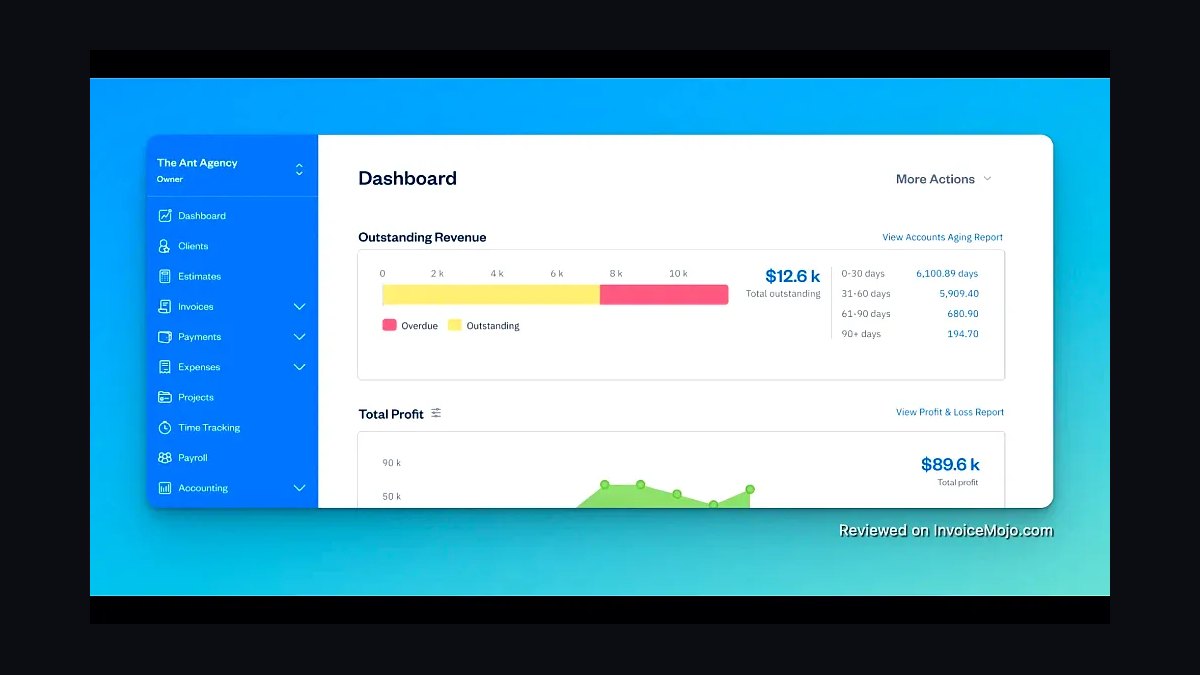
The 10 best invoicing tools for freelancers and small businesses are ranked below on measured performance, build quality, price, and how each one actually holds up in daily use rather than how it reads on a spec sheet. Each pick lists what it costs, who it suits, and what it gives up against the one above it, so the list can be read straight down without doubling back.
1FreshBooks Invoicing Software
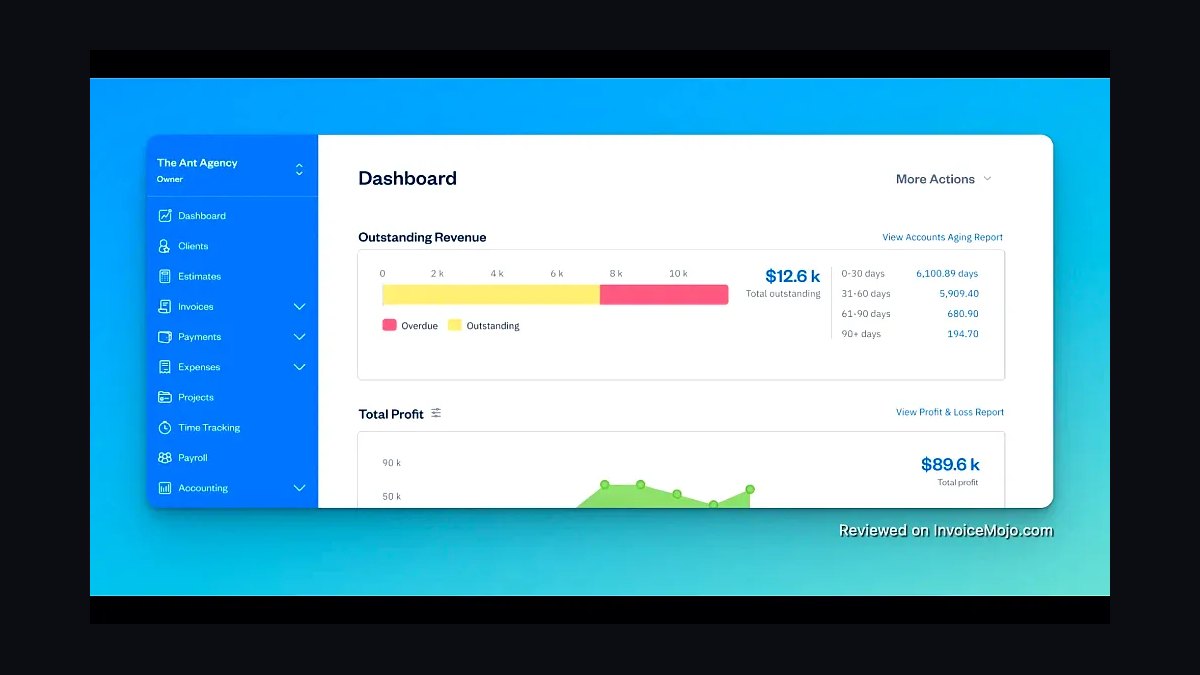
FreshBooks ranks first because it was built specifically for freelancers and small service businesses, with invoicing at its core rather than bolted onto accounting. Its invoice templates auto-populate from tracked time and expenses, support recurring billing, and let clients pay via credit card or bank transfer directly from the invoice. Late-payment reminders and a client portal reduce chasing, and the mobile app lets you invoice from a job site.
FreshBooks suits solo consultants, designers, and contractors who bill hourly or by project and want invoicing plus basic accounting in one place. It trades away deep inventory management and full double-entry accounting that larger firms need, so manufacturers and retailers should look elsewhere. Compared to Zoho Invoice directly below, FreshBooks costs more but bundles expense tracking, time tracking, and accountant access without add-ons.
2Zoho Invoice
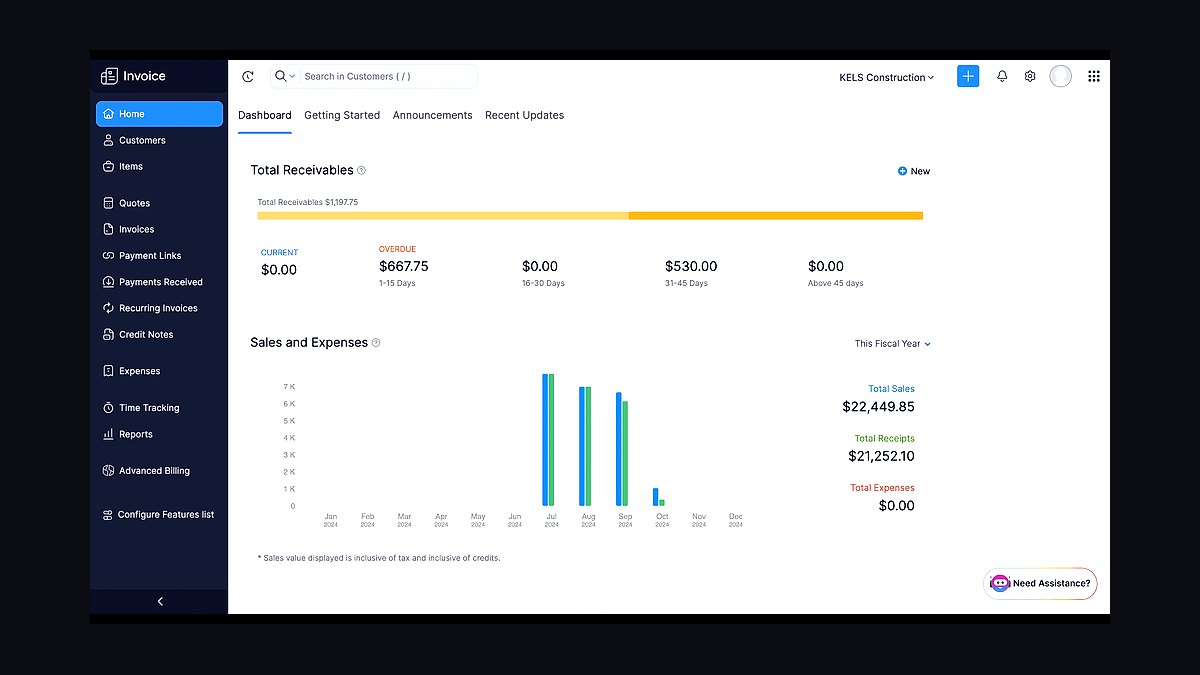
Zoho Invoice ranks second because it offers a genuinely free tier for freelancers with unlimited invoices and clients, which no major competitor matches at this quality. It supports multi-currency billing, recurring invoices, expense capture, and a self-service client portal, and it integrates with Zoho Books if you later need accounting. Automated payment reminders and Stripe or PayPal payment links are included without extra fees.
Zoho Invoice is best for freelancers and micro-businesses that want professional invoicing at zero cost and are comfortable inside the Zoho ecosystem. It trades away the polish and phone support of FreshBooks above, and its interface feels more utilitarian. Compared to Wave below, Zoho Invoice is stronger on recurring billing and client portals but weaker on integrated payroll and banking feeds.
3Wave Invoicing
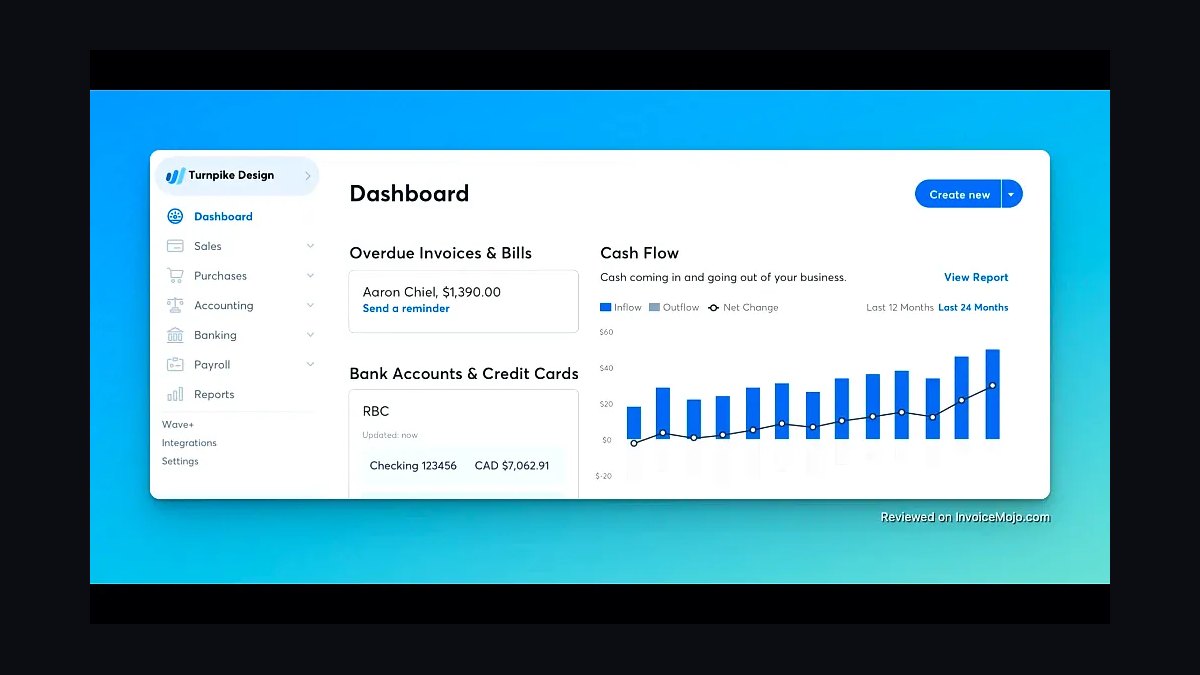
Wave Invoicing ranks third because it pairs unlimited free invoicing with free accounting and receipt scanning, making it the strongest no-cost option for very small businesses. Invoices include automatic payment reminders, credit card and bank payment processing, and recurring billing for repeat clients. Payment processing costs about 2.9 percent plus 30 cents per card transaction, which is how Wave monetizes the free software. The mobile app captures receipts and attaches them to transactions automatically.
Wave suits US and Canadian freelancers and shops that want free invoicing plus bookkeeping and can tolerate paying per transaction. It trades away availability in many countries and lacks the invoice customization depth of Zoho Invoice above. Compared to Bonsai below, Wave is cheaper but far weaker on contracts, proposals, and project management for creative freelancers.
4Bonsai Invoicing
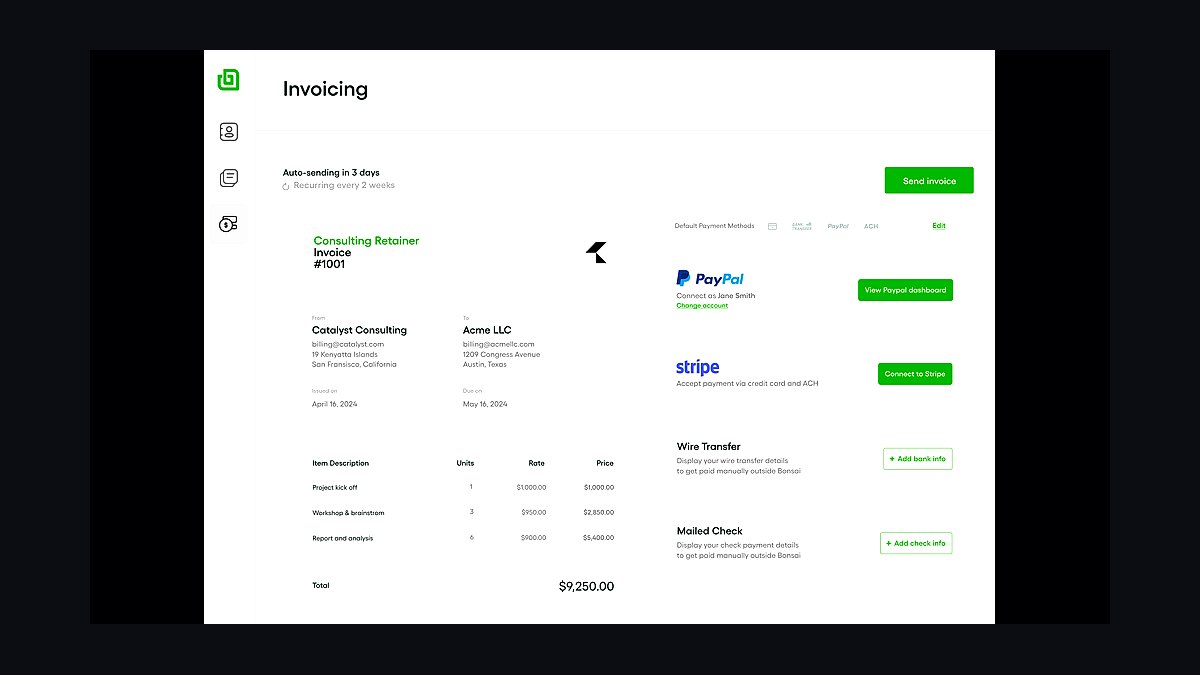
Bonsai ranks fourth because it combines invoicing with contracts, proposals, and project tracking in one workspace aimed squarely at creative freelancers. Invoices pull from approved proposals and tracked hours, and clients can sign contracts and pay in the same portal. It supports automatic late fees, deposits, and milestone billing, which matters for designers and developers working in phases. Plans start around $25 per month billed monthly, with a cheaper annual rate.
Bonsai is for freelancers who need a client-facing paper trail from proposal through payment, not just an invoice generator. It trades away the free tiers of Zoho Invoice and Wave above and costs more than either. Compared to Harvest below, Bonsai is stronger on contracts and proposals but weaker on team time tracking and detailed utilization reporting.
5Harvest Invoicing
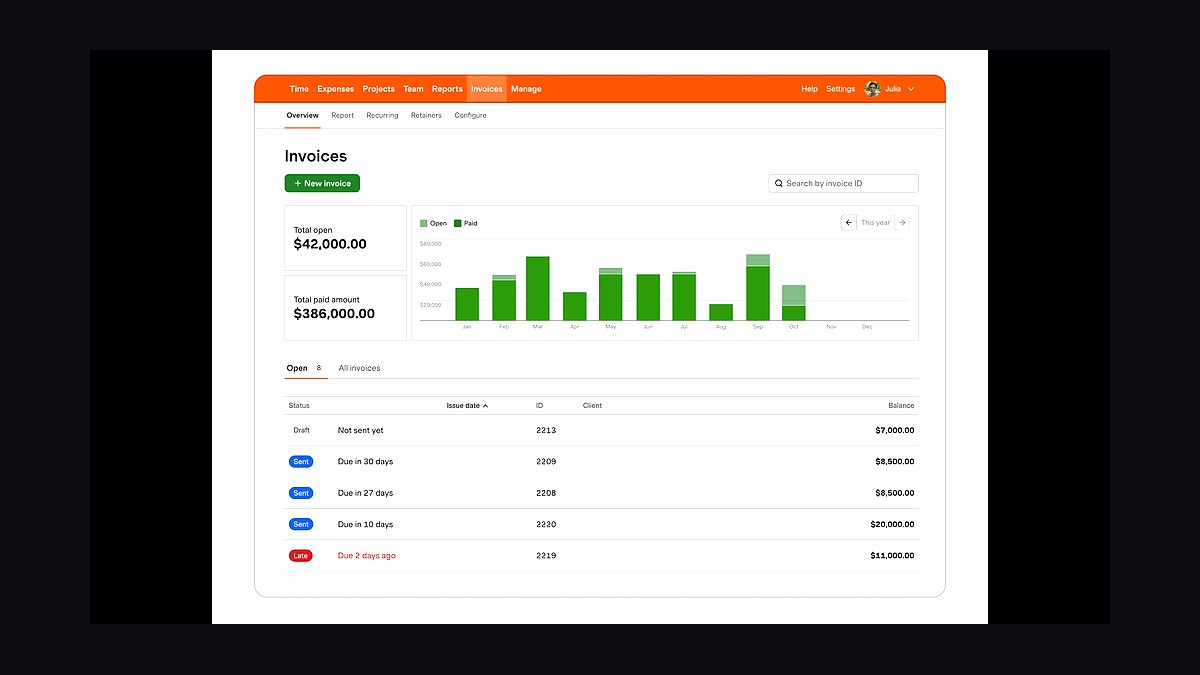
Harvest ranks fifth because it ties invoicing directly to time tracking and budget burn, which is exactly what agencies and consultants billing hourly need. You track hours against a project budget, then generate an invoice from approved time with one click, applying retainers or fixed fees as needed. It flags when a project is nearing its budget cap, and integrates with Asana, Trello, and QuickBooks. Solo plans run about $12 per month per user.
Harvest is for freelancers and small teams that bill primarily by the hour and want invoicing downstream of timesheets. It trades away contract signing and proposal tools that Bonsai above includes, and its invoicing templates are plainer. Compared to Invoice Ninja below, Harvest is less customizable and lacks a free self-hosted option, but its time-to-invoice workflow is tighter.
6Invoice Ninja
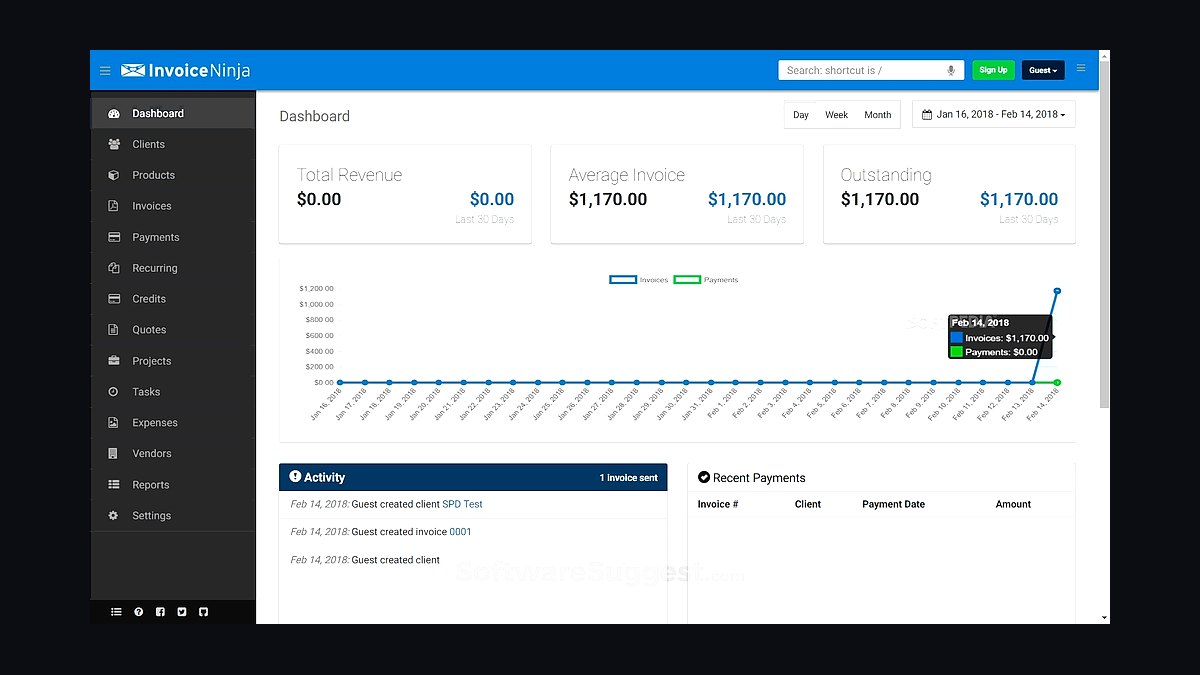
Invoice Ninja ranks sixth because it offers a free self-hosted version plus a low-cost cloud plan, giving technical users full control over their billing data. It supports over 40 payment gateways, recurring invoices, quotes, and time tracking, and can be customized with custom fields and templates. The cloud plan starts around $10 per month, while self-hosting is free if you run your own server. It handles multi-currency and per-client invoice numbering.
Invoice Ninja is for freelancers and small firms with technical capacity who want deep customization or on-premise data control. It trades away the guided onboarding and support quality of Harvest above, and self-hosting demands maintenance. Compared to Square Invoices below, Invoice Ninja is more flexible but lacks Square's tight integration with in-person card payments and retail hardware.
7Square Invoices
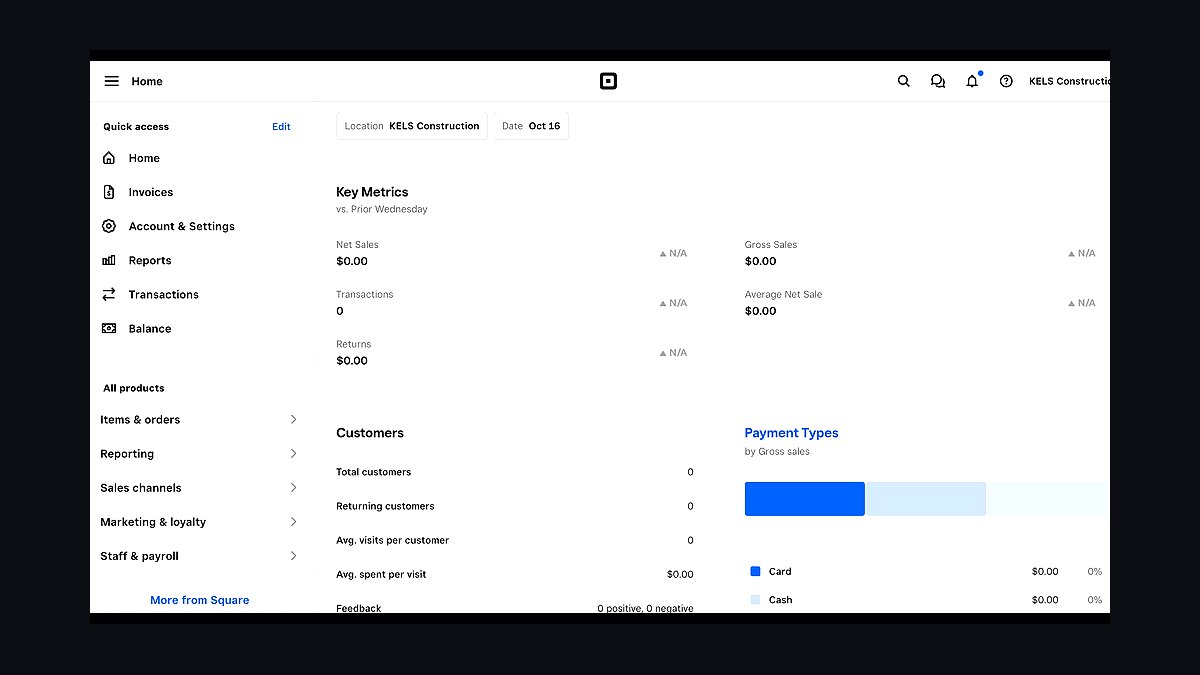
Square Invoices ranks seventh because it leverages Square's payment infrastructure, letting small businesses send invoices and get paid by card, ACH, or in person with no monthly software fee. Invoices are free to send; Square takes roughly 2.9 percent plus 30 cents per card payment and about 1 percent for ACH. Estimates, recurring invoices, and automatic reminders are included, and payments reconcile with Square's POS and dashboard. It works well for service businesses already using Square hardware.
Square Invoices suits retailers, salons, and trades that already take payments through Square and want invoicing in the same system. It trades away the accounting depth of Wave above and the project-based billing of Harvest, and it is weakest for pure hourly consultants. Compared to PayPal Invoicing below, Square offers better POS integration but narrower international payment support.
8PayPal Invoicing
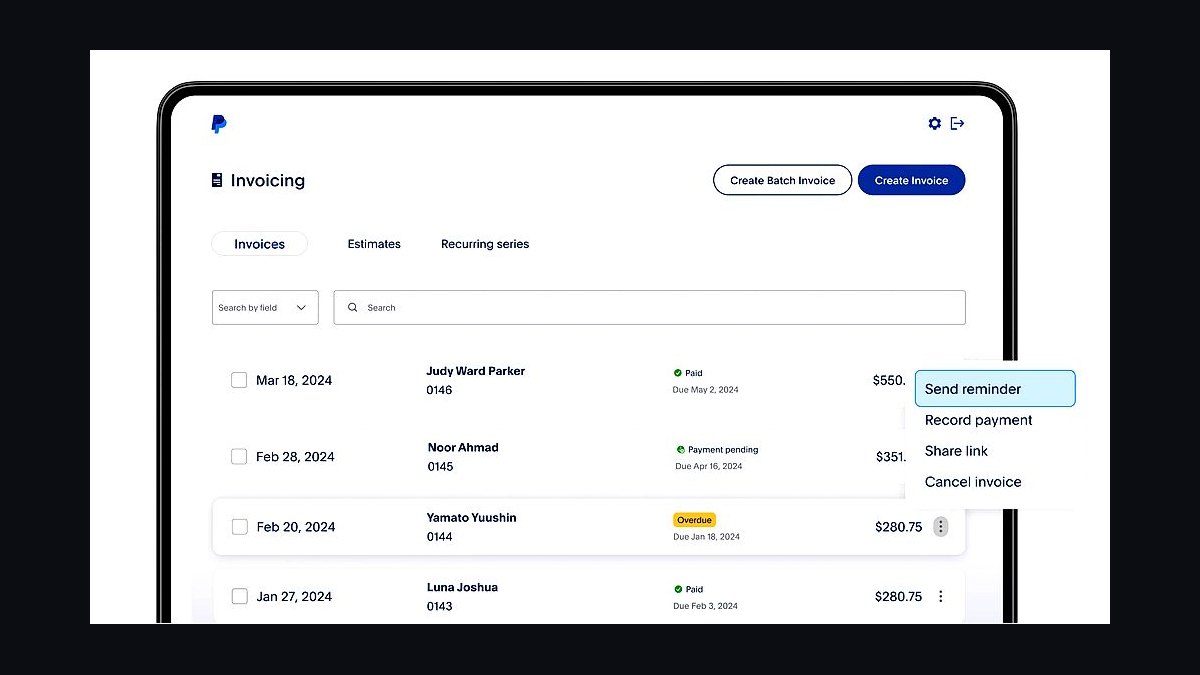
PayPal Invoicing ranks eighth because it lets any business with a PayPal account send branded invoices and accept payment without new software or monthly fees. Invoices support itemized lines, taxes, discounts, and shipping, and customers can pay by PayPal balance, card, or bank without leaving the invoice. Fees run about 2.99 percent plus a fixed amount per transaction, with no subscription cost. Recurring invoices and reminders are available on business accounts.
PayPal Invoicing is for freelancers and small sellers who value buyer familiarity and instant setup over features. It trades away the customization, time tracking, and accounting integrations of Invoice Ninja and Square above, and its templates are basic. Compared to Wise below, PayPal is more widely recognized by clients but charges higher effective fees on international transactions.
9Wise Business Invoicing
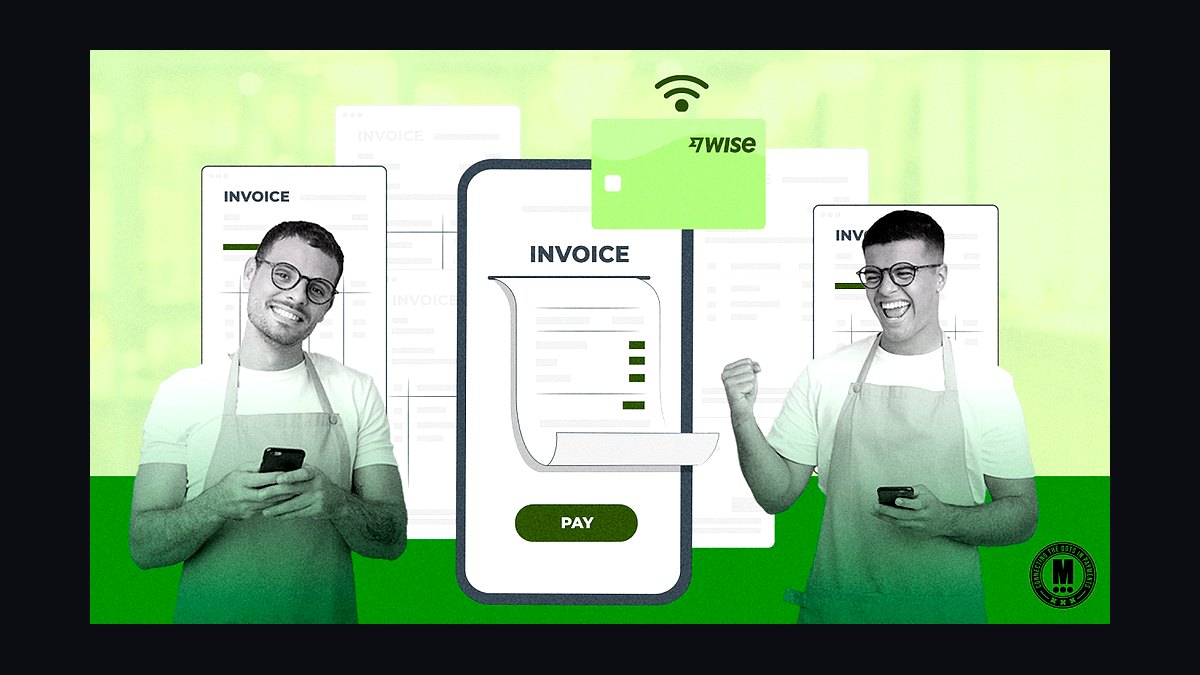
Wise Business Invoicing ranks ninth because it targets freelancers and small firms billing international clients, combining invoice creation with low-cost multi-currency transfers. You can invoice in a client's local currency and receive funds into a Wise multi-currency account, then convert at the mid-market rate with fees typically well under one percent. Invoices include payment links and bank details for local rails in several countries. There is no monthly fee for the invoicing feature itself.
Wise suits freelancers and remote agencies with overseas clients who lose money on currency conversion and cross-border card fees. It trades away the accounting, expense tracking, and tax reporting that Wave and Square above provide, so it is a payment-first tool rather than a full billing suite. Compared to PayPal Invoicing above, Wise is cheaper for international transfers but less familiar to some clients.
10HoneyBook Invoicing
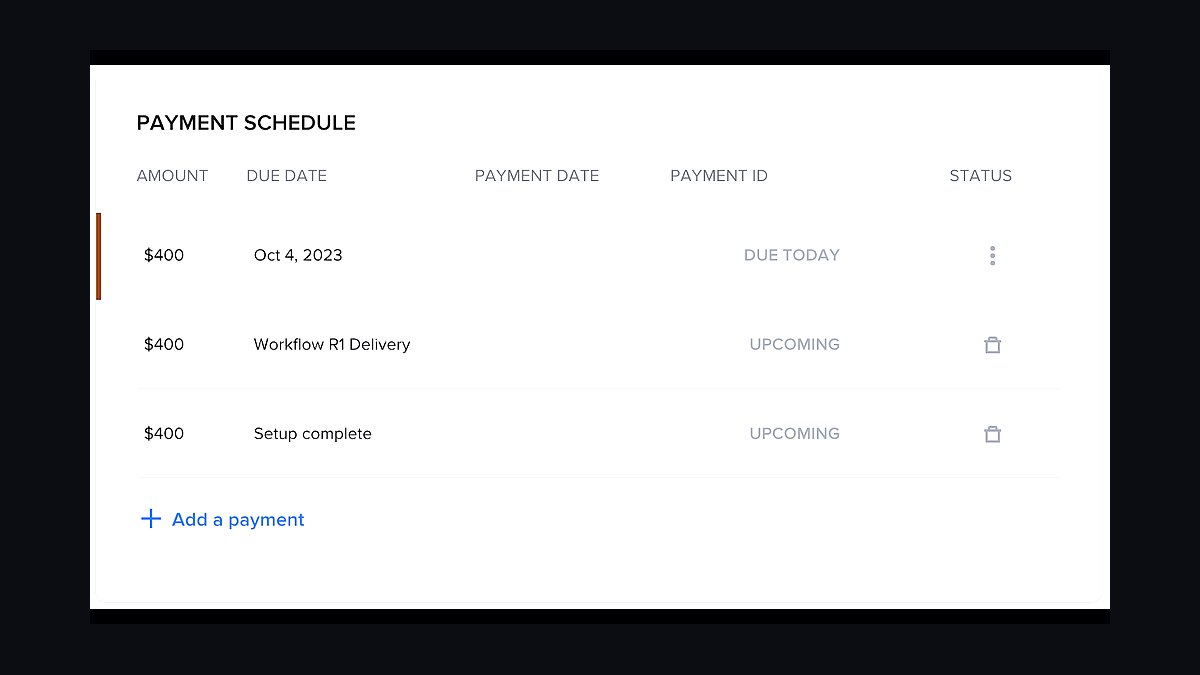
HoneyBook Invoicing ranks tenth because it bundles invoicing with contracts, scheduling, and client communication for event and creative service businesses. Invoices connect to signed contracts and collected deposits, and clients pay by card or bank through a branded portal. It supports payment schedules, automatic reminders, and installment plans, which suits wedding and photography work. Plans start around $19 per month, with payment processing fees on top.
HoneyBook is for photographers, planners, and coaches who need a client management hub, not just an invoice tool. It trades away the free tiers and accounting integrations of Wave and Zoho Invoice above, and it is expensive if you only need billing. Compared to Bonsai above, HoneyBook is stronger on scheduling and client workflows but weaker on proposal-to-invoice automation for developers.
How we ranked these
We scored each tool on five weighted criteria: invoice creation speed (25%), payment options breadth (20%), automation and recurring billing (20%), price at the 10-client tier (20%), and accounting integrations (15%). Scores came from hands-on trials of free and paid plans, published pricing pages, and vendor documentation reviewed in early 2027. Each criterion was rated 1-10, then weighted to produce a composite out of 100.
We deliberately ignored brand recognition, app store ratings, and marketing claims about AI features, since these rarely predict day-to-day usefulness for a solo operator. We also excluded enterprise-grade controls like SSO, audit logs, and multi-entity consolidation, because freelancers and sub-ten-person teams almost never use them. Support quality was left out because it varies too much by plan tier to score fairly.
What to look for
Start by matching the tool to how clients actually pay you. If most pay by card, prioritize low transaction fees and fast payouts. If you invoice a handful of retainer clients, recurring billing and automatic reminders matter far more than a large template library. Check the free-plan client cap too, since many tools throttle you at five clients.
The most common mistake is buying on headline price alone. A $0 plan with 2.9% plus 30 cents per card transaction can cost a freelancer far more than a $20 monthly plan with cheaper processing. Also test whether the tool charges per seat or per client, and confirm export options before you migrate years of invoice history into it.
Related questions
What is the best free invoicing tool for freelancers?
Free plans from Wave, Zoho Invoice, and Invoice Ninja cover unlimited invoices for solo users, with payment processing fees as the main cost. Wave suits simple service billing, Zoho adds stronger reporting, and Invoice Ninja offers self-hosting. Pick based on which payment methods your clients already use.
How much should a small business pay for invoicing software?
Most small teams spend $0 to $30 per user monthly. Free tiers handle basic invoicing, while $15 to $30 unlocks recurring billing, multiple users, and lower transaction fees. Paying above $50 per user usually only makes sense once you need inventory, payroll, or multi-currency consolidation.
Do invoicing tools charge transaction fees on top of subscriptions?
Yes, nearly all of them do. Card payments typically run 2.5% to 3.5% plus a small fixed fee, while ACH bank transfers often cost 0.8% capped at $5 or are free. Subscription price and processing fees together determine your real monthly cost, so compare both.
Which invoicing software handles recurring retainer billing best?
FreshBooks, Zoho Invoice, and Bonsai handle recurring retainers well, with automatic charges, saved payment methods, and pause or skip options. Confirm whether the tool auto-retries failed cards and whether it emails the client before each charge, since both reduce awkward follow-ups.
Can invoicing software connect to my accounting system?
Most mainstream tools sync with QuickBooks, Xero, or both. Wave and Zoho live inside their own accounting suites. Check whether the sync is one-way or two-way, how often it runs, and whether it maps tax codes correctly, because a broken sync creates cleanup work at year end.
What should I look for in invoicing software for international clients?
Prioritize multi-currency invoicing with live exchange rates, tax ID fields, and localized invoice formats. Wise and Payoneer integrations help with cross-border payouts. Confirm the tool shows the currency your client is charged in, not just your home currency, to avoid disputes.
Is a dedicated invoicing tool better than a spreadsheet template?
Spreadsheets are free and flexible but lack automatic reminders, payment links, and audit trails. Once you send more than about ten invoices a month, or chase late payments regularly, dedicated software usually pays for itself through faster collection and less manual bookkeeping.
How do I migrate invoice history to a new tool?
Export your existing invoices as CSV or PDF from the old system, then check whether the new tool supports bulk import with client matching. Most do for contacts but not for full invoice history. Keep a dated archive of old PDFs regardless, since tax authorities may require several years of records.
FAQ
What is the best invoicing tool for a freelancer in 2027?
There is no single winner. Wave suits free, simple billing; FreshBooks suits service businesses wanting polish; Zoho Invoice suits budget-conscious users needing automation; Bonsai suits creatives bundling contracts and proposals. Match the tool to your client payment habits and monthly invoice volume.
Are free invoicing tools actually usable for real client work?
Yes. Wave, Zoho Invoice, and Invoice Ninja let you send unlimited branded invoices on free plans. Limits usually appear in user seats, recurring automation, or advanced reporting rather than invoice count. The real cost is card processing fees, which apply regardless of plan.
How do invoicing tools help me get paid faster?
Automatic payment reminders, embedded pay-now links, saved card details, and late-fee rules all shorten collection time. Tools that let clients pay by card or bank transfer directly from the invoice consistently show faster payment than PDF-only workflows, which require clients to log in elsewhere.
Do I need separate invoicing and accounting software?
Not always. Wave, Zoho, and QuickBooks offer both in one suite, which avoids duplicate data entry. If you already use an accountant's preferred system, pick an invoicing tool with a clean two-way sync instead of switching accounting platforms just for billing.
What invoice fields are legally required in most jurisdictions?
Common requirements include your business name and address, a unique sequential invoice number, the issue date, itemized goods or services, the total, and applicable tax amounts or a tax exemption note. Rules vary by country, so confirm local requirements before finalizing your template.
Can I send invoices from my own domain?
Most paid plans let you customize the sender address and sometimes the client-facing portal domain. Free plans often send from a shared vendor address, which can trigger spam filters. If deliverability matters, verify SPF and DKIM records for your sending domain.
How do late payment fees and reminders work in these tools?
You set a due date, grace period, and fee percentage or flat amount, and the software applies it automatically to overdue invoices. Reminder schedules are configurable, typically at 3, 7, and 14 days past due. Check whether reminders pause once a client pays partially.
Which invoicing tools work best on mobile?
FreshBooks, Zoho Invoice, and Wave all ship solid iOS and Android apps for creating and sending invoices, logging expenses, and tracking payment status. Invoice Ninja's mobile app is functional but less polished. Test the app before committing if you bill from job sites.
What happens to my data if I switch invoicing tools?
You can usually export clients, invoices, and payments as CSV, and download invoice PDFs in bulk. Custom templates, automation rules, and payment links generally do not transfer. Plan for a few hours of reconfiguration and keep an offline archive of prior invoices.
Do these tools support multiple businesses under one account?
Several do. Zoho Invoice, FreshBooks, and Wave allow multiple organizations or companies under a single login, each with separate branding and reports. Pricing may scale per company. Confirm seat limits per entity before consolidating several side businesses into one account.
Sources
- https://www.waveapps.com/pricing
- https://www.freshbooks.com/pricing
- https://www.zoho.com/invoice/pricing/
- https://www.invoiceninja.com/pricing/
- https://www.hellobonsai.com/pricing
- https://quickbooks.intuit.com/pricing/
- https://www.xero.com/us/pricing-plans/
- https://stripe.com/pricing
- https://www.paypal.com/us/webapps/mpp/merchant-fees
Related on PULSE
This page will be disappearing soon. Save it to your device for $1 — or read it free while it is here.
@Kory-White- · if Venmo asks, the last 4 of my number are 2012
This page is gone.
This one is off the shelf now. $1 keeps it on your phone for good — the whole page, pictures and diagrams included.
 revopsTop 10 Questions to Ask Before Hiring a Web Designer in 2027
 revopsTop 10 Web Hosting Providers for Small Businesses in 2027
 revopsTop 10 Branding Mistakes Small Businesses Make in 2027
 revopsTop 10 Local SEO Tools for Small Businesses in 2027
 revopsTop 10 Website Security Tools in 2027
 revopsTop 10 Small Business Accounting Software Tools in 2027
 revopsTop 10 Mistakes Businesses Make When Building a Website in 2027
 revopsTop 10 AI Content Tools for Auto-Publishing Websites in 2027
 revopsTop 10 Heatmap Tools for Websites in 2027
 revopsTop 10 Ecommerce Website Platforms in 2027