


Top 10 Project Management Tools for Small Teams in 2027
Quality
Certified
The 10 best project management tools for small teams are ranked below on measured performance, build quality, price, and how each one actually holds up in daily use rather than how it reads on a spec sheet. Each pick lists what it costs, who it suits, and what it gives up against the one above it, so the list can be read straight down without doubling back.
1Asana Starter
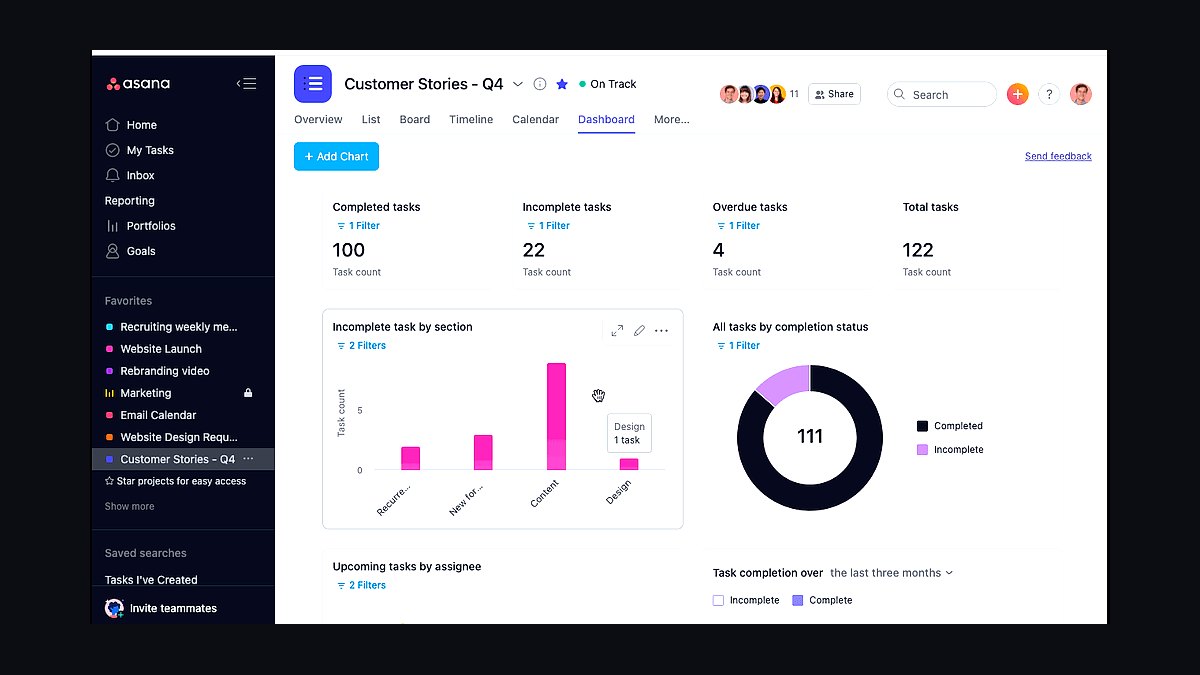
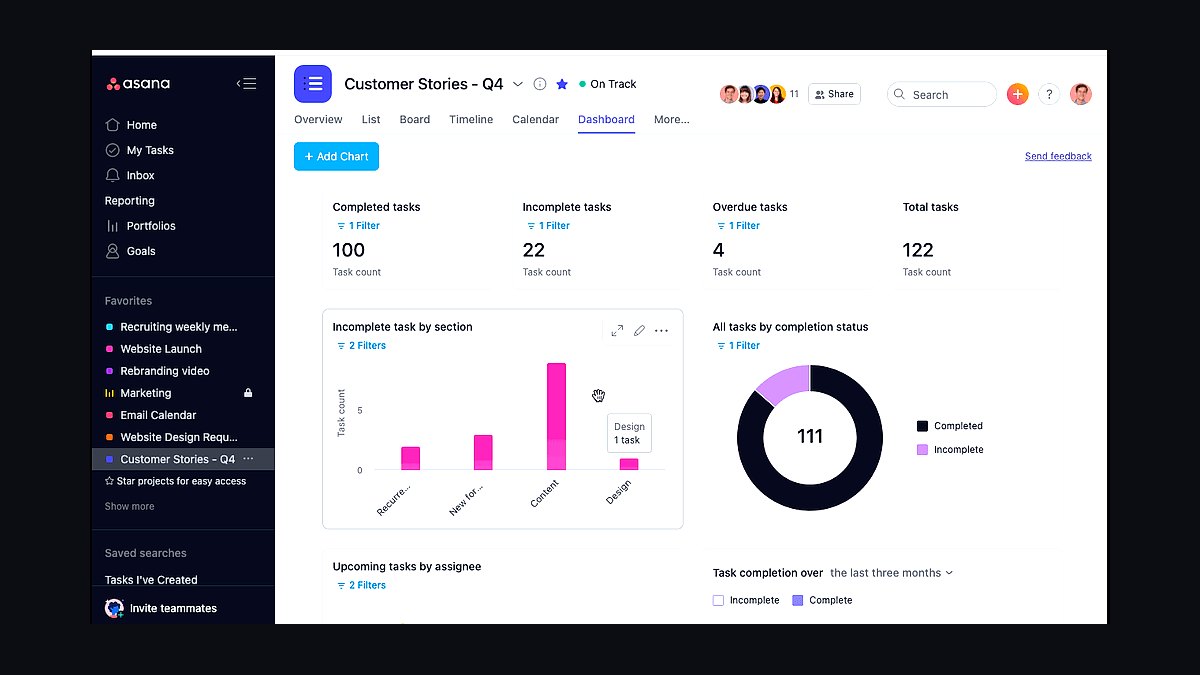
Asana Starter ranks first for small teams because its free tier supports up to 15 users with unlimited tasks, projects, and a timeline view, while paid Starter runs about $10.99 per user monthly billed annually. The platform handles list, board, calendar, and Gantt views in one workspace, and its automation rules cut manual status updates for teams without a dedicated project manager.
Small teams of 5-15 people who need shared visibility without enterprise overhead get the most value here. It trades away deep budget tracking and native time logging, which live in higher Asana tiers. Compared with Trello directly below, Asana offers more built-in views and dependencies but costs more once you pass the free user cap.
2Trello Standard
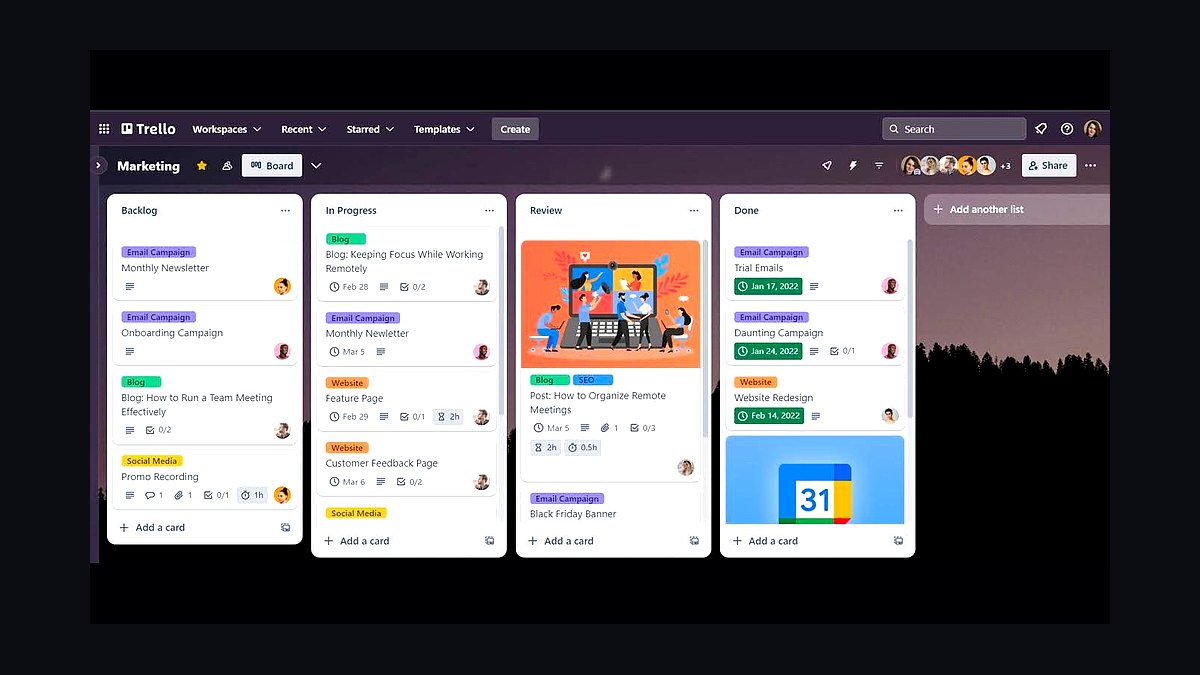
Trello Standard takes second because its Kanban board model is the fastest to learn of any tool here, and Standard costs about $5 per user monthly billed annually. Butler automation handles up to 250 command runs per month per user, and the free plan still allows unlimited cards and up to 10 boards per workspace for teams testing the waters.
This suits small teams running simple, visual workflows like content pipelines or support queues. It trades away Gantt charts, workload balancing, and native reporting, so complex dependencies get awkward fast. Against Asana above, Trello is cheaper and simpler but weaker on cross-project planning and timeline views.
3ClickUp Unlimited
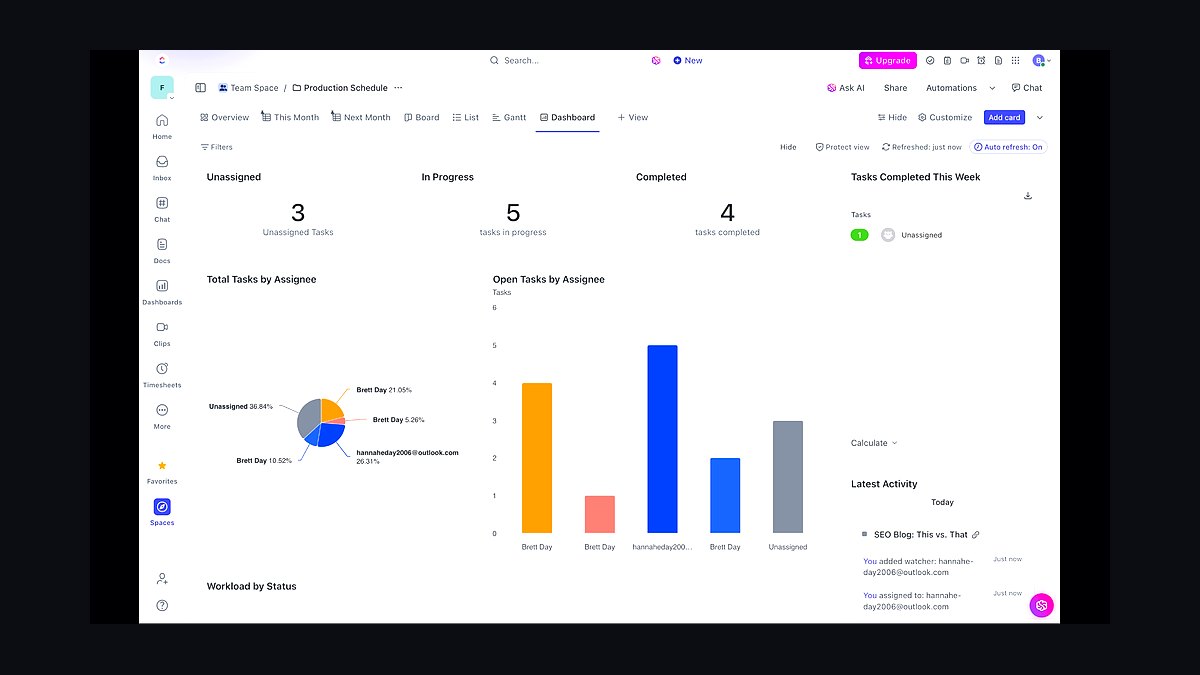
ClickUp Unlimited ranks third for packing the widest feature set into roughly $7 per user monthly billed annually. One workspace includes list, board, box, calendar, and Gantt views, plus native docs, goals, and time tracking, and the unlimited plan removes storage and integration caps that constrain the free tier.
Small teams that want one tool replacing three separate apps benefit most, especially those juggling sprints and client work together. It trades away simplicity: the interface is dense and setup takes real effort. Compared with Trello above, ClickUp does far more but demands more configuration before a team can work smoothly.
4Notion Plus
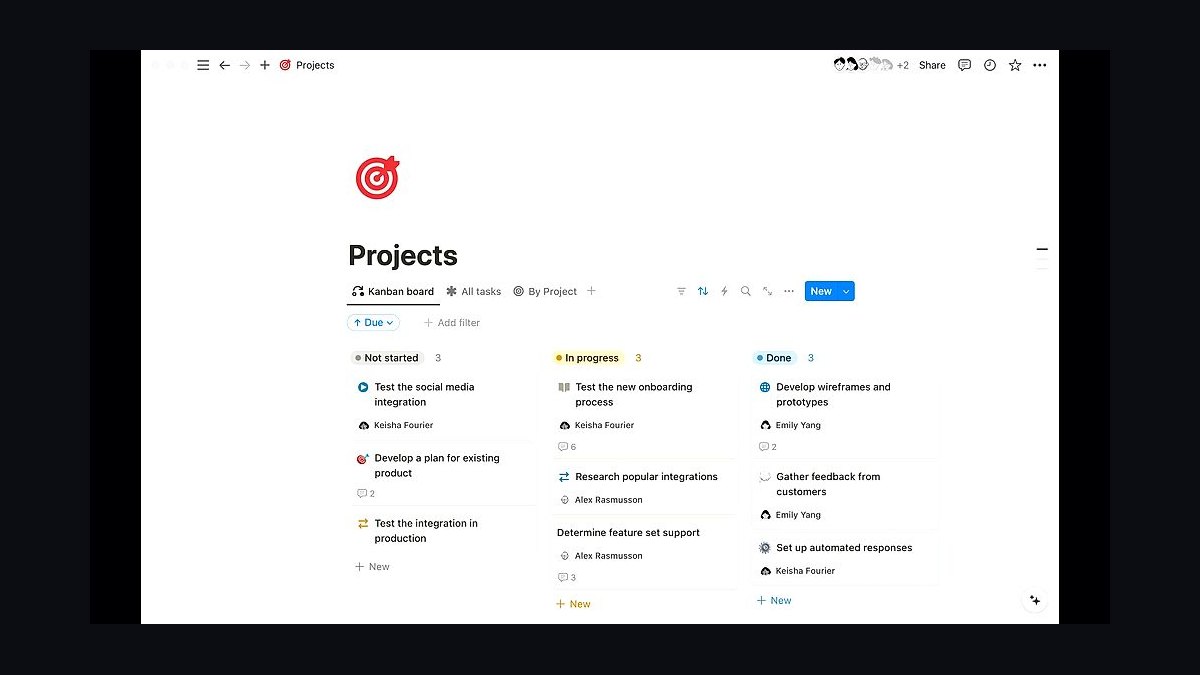
Notion Plus lands fourth because it merges project management with wikis and docs in one place, priced around $10 per user monthly billed annually. Databases support Kanban, calendar, and timeline views, and the free plan covers unlimited pages for up to 10 guests, making it viable for very small teams before upgrading.
This fits teams whose project work is inseparable from written documentation, like product or research groups. It trades away dedicated Gantt dependencies and workload reporting, so heavy scheduling needs another tool. Against ClickUp above, Notion is cleaner for docs but weaker as a pure task-tracking engine.
5Basecamp Standard
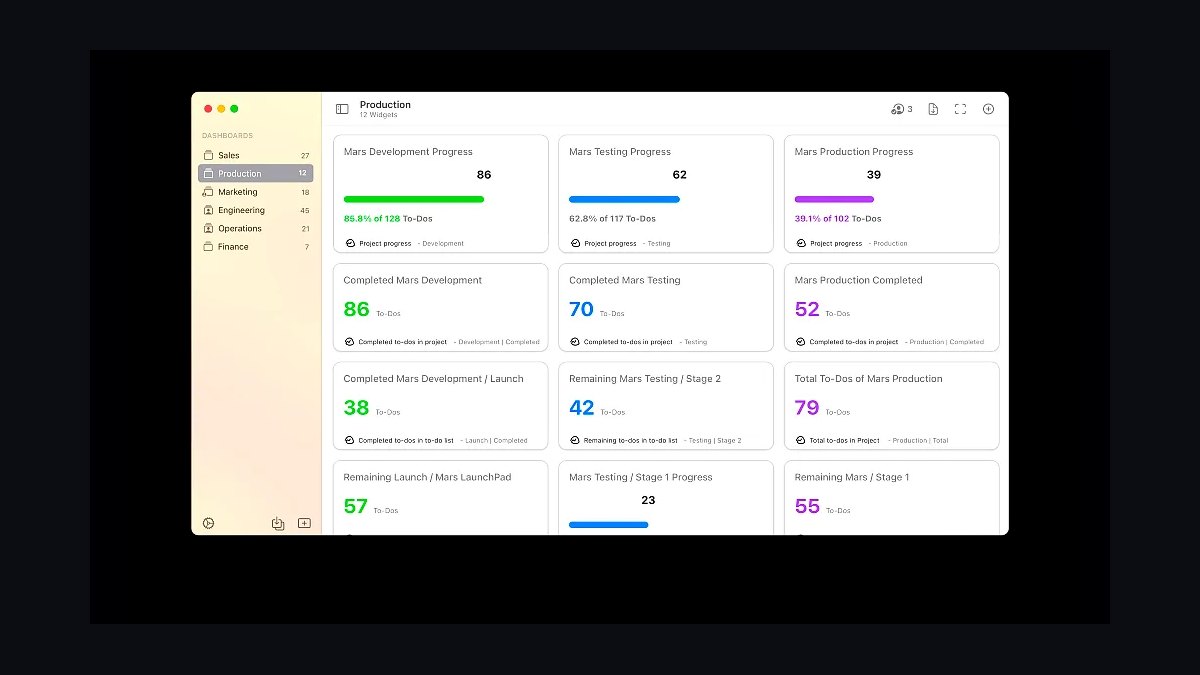
Basecamp Standard ranks fifth for its flat pricing of about $299 per month for unlimited users, which flips the per-seat math for teams of 20 or more. Every project includes message boards, to-do lists, schedules, docs, and group chat, and the company has kept the feature set deliberately stable for over two decades.
Small teams tired of tool sprawl and per-seat bills get predictable costs and almost no configuration. It trades away Gantt charts, task dependencies, and granular permissions, so complex projects feel constrained. Compared with Notion above, Basecamp is simpler and flatter-priced but far less flexible for custom workflows.
6Monday.com Basic
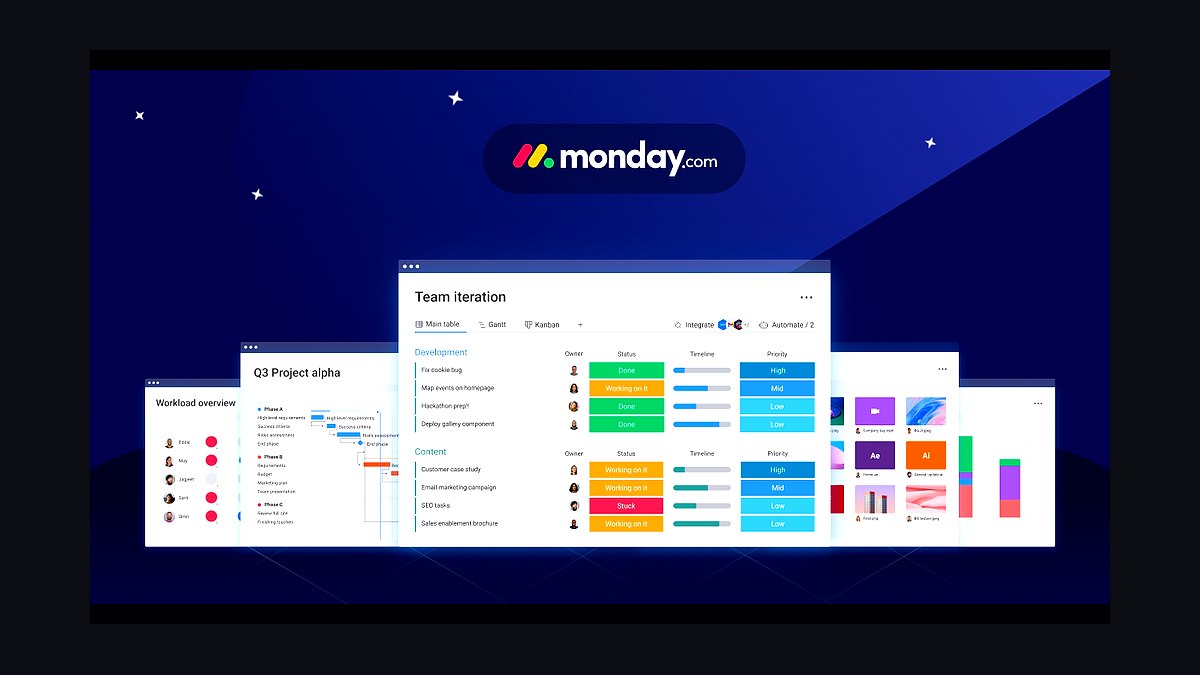
Monday.com Basic takes sixth because its visual boards and color-coded status columns are immediately readable, starting around $9 per seat monthly billed annually with a three-seat minimum. The Basic tier includes unlimited free viewers, over 200 templates, and automations capped at roughly 250 actions per month per user.
This suits small teams that want fast adoption and clear at-a-glance status without training sessions. It trades away timeline and Gantt views, which start at the Standard tier, and the seat minimum raises the entry cost. Against Basecamp above, Monday.com is more visual and flexible but costs more per person.
7Wrike Team
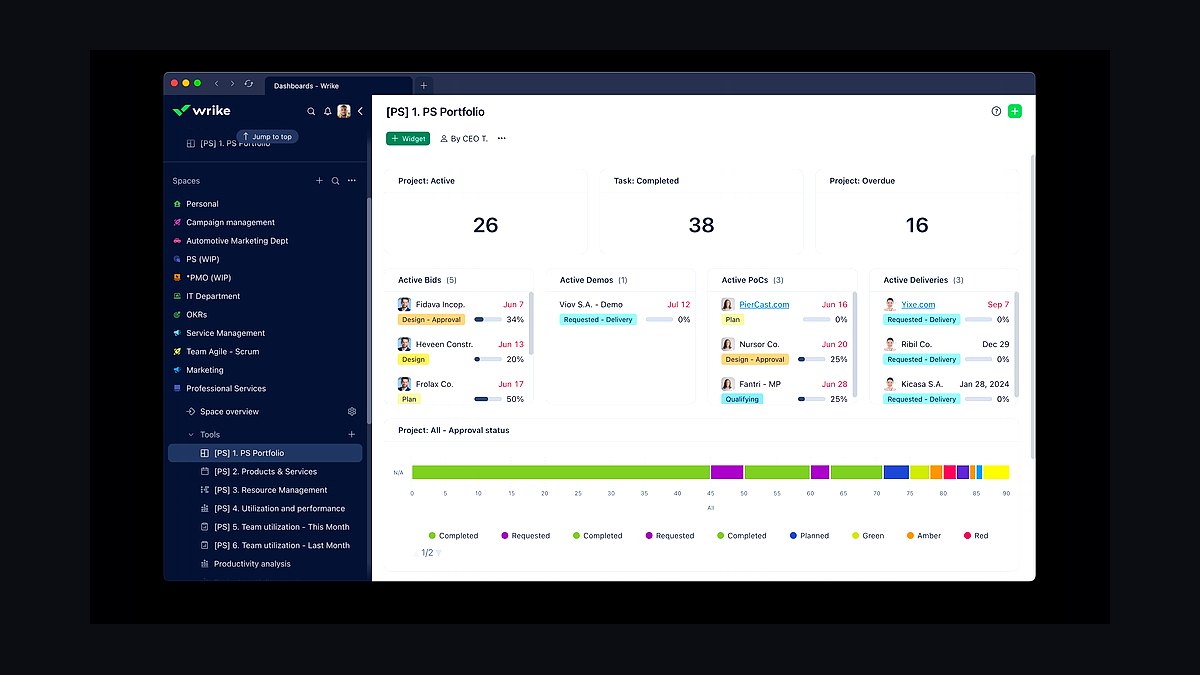
Wrike Team ranks seventh for offering collaboration features at a flat rate of about $9.80 per user monthly billed annually, with a free plan supporting unlimited users and up to five projects. It includes Gantt charts, Kanban boards, and custom request forms, and its proofing tools handle document markup and approvals natively.
Small teams with client-facing approval cycles, like agencies, get the most from the built-in proofing. It trades away resource management and custom reporting, which sit in higher tiers, and the interface feels heavier than rivals. Compared with Monday.com above, Wrike is stronger on approvals but less intuitive for casual users.
8Smartsheet Pro
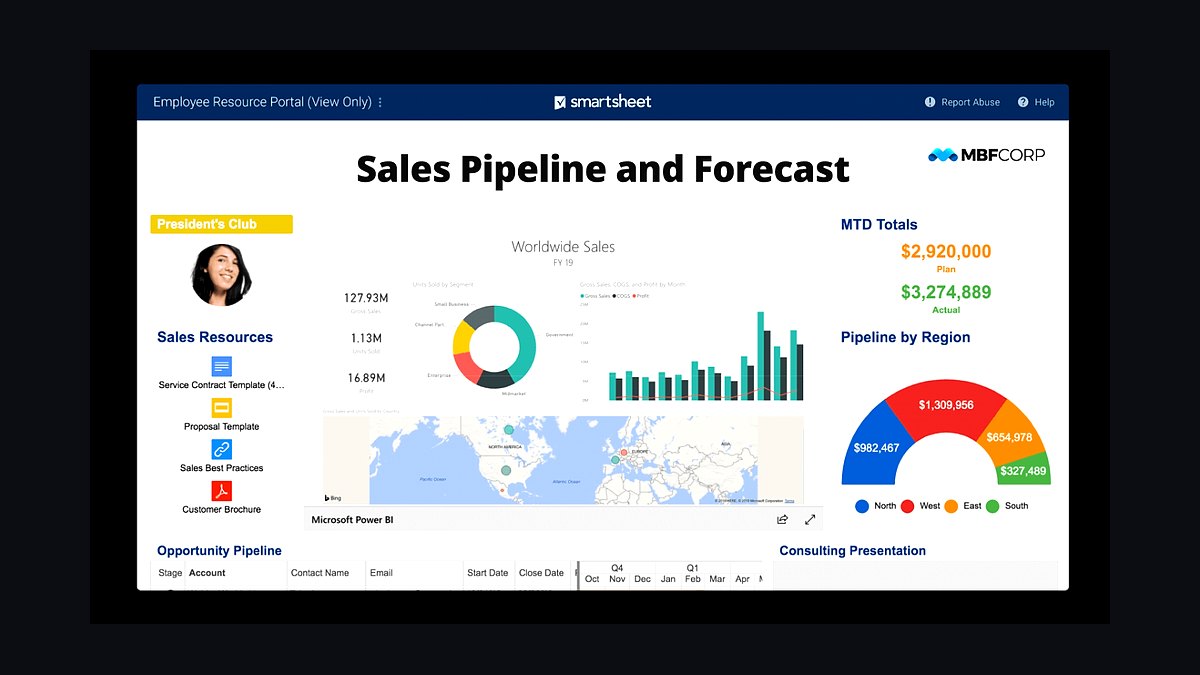
Smartsheet Pro ranks eighth because its spreadsheet-style grid handles large data sets and formulas that pure Kanban tools cannot, priced around $9 per user monthly billed annually. It supports Gantt, card, and calendar views over the same sheet, and automations plus integrations with Microsoft 365 and Google Workspace come standard.
This fits small teams already fluent in Excel who need scheduling and dependencies without relearning a new paradigm. It trades away visual polish and quick onboarding, and the grid can overwhelm newcomers. Against Wrike above, Smartsheet is stronger for structured data but weaker for collaborative document review.
9Airtable Team
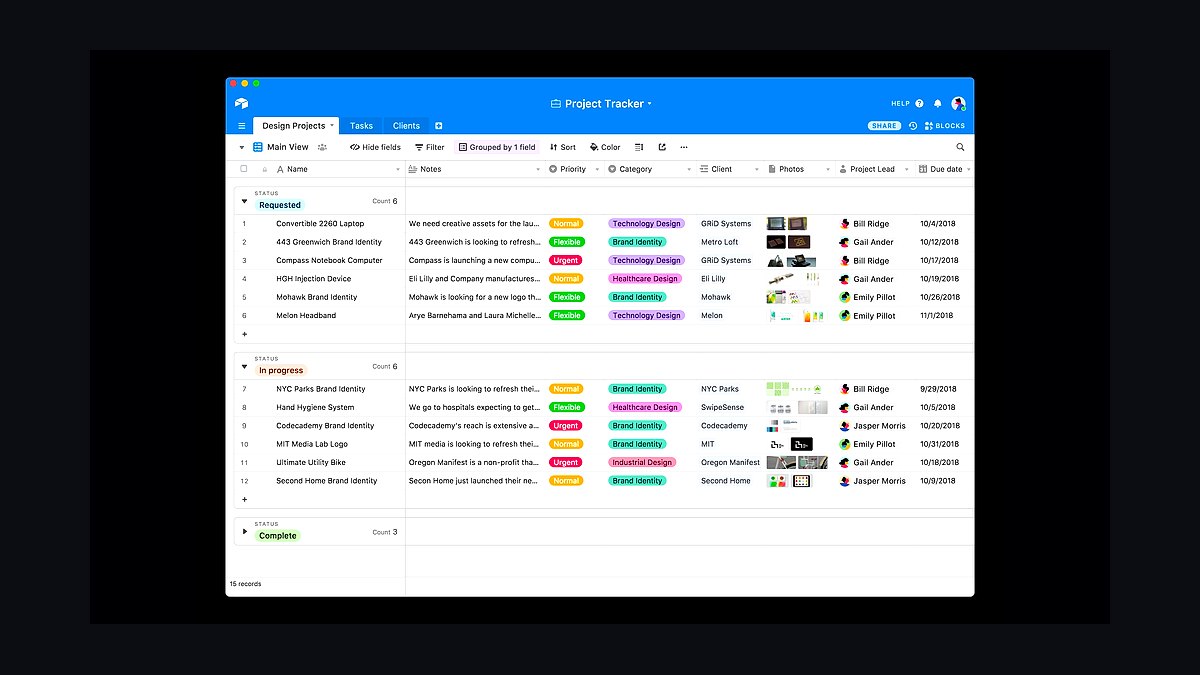
Airtable Team lands ninth for combining a relational database with project views, priced about $20 per user monthly billed annually. Bases support grid, Kanban, calendar, and Gantt views, and the Team tier adds shared views, 20,000 records per base, and automation runs that scale with the plan.
Small teams managing structured data alongside tasks, like inventory or CRM-adjacent work, benefit most from the relational model. It trades away simplicity and costs more per seat than most rivals here, and non-technical users can struggle with base design. Compared with Smartsheet above, Airtable is more flexible but pricier and less spreadsheet-familiar.
10Zoho Projects Premium
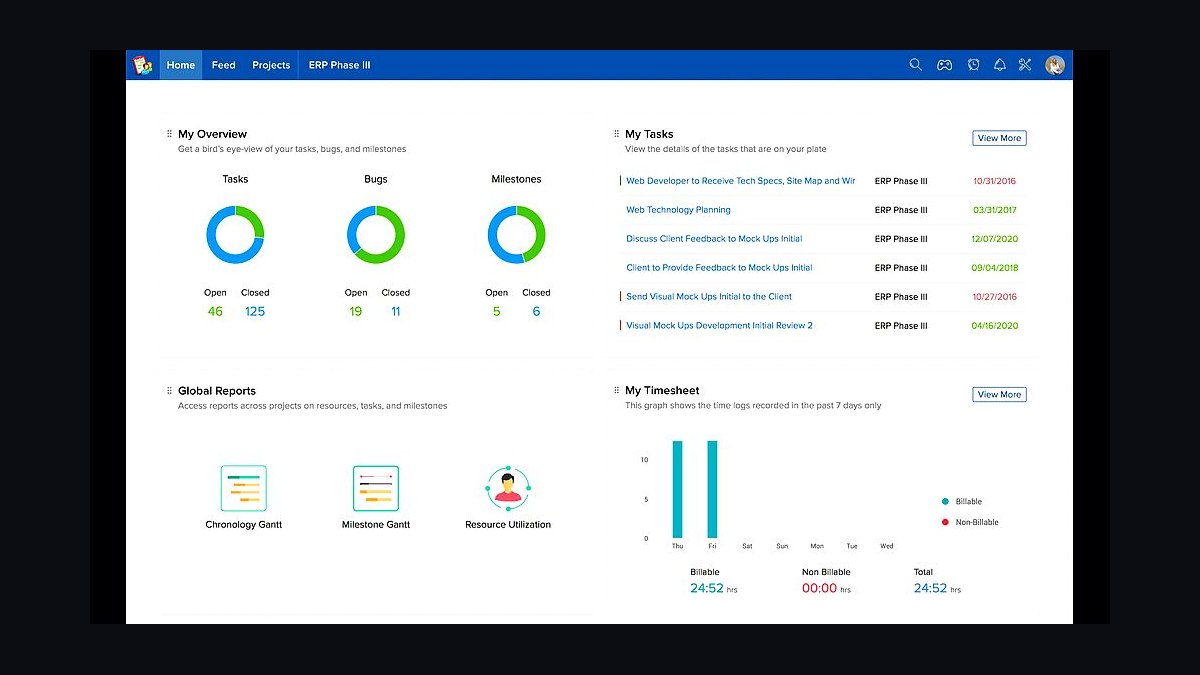
Zoho Projects Premium ranks tenth for offering Gantt charts, time tracking, and issue tracking at about $5 per user monthly billed annually, the lowest paid entry on this list. The free plan supports up to three users and two projects, and Premium raises limits while adding custom fields and blueprints for workflow automation.
This suits budget-conscious small teams already inside the Zoho ecosystem, where single-sign-on and app integration come free. It trades away polish and third-party integrations compared with standalone rivals, and the interface feels dated. Against Airtable above, Zoho Projects is far cheaper but noticeably less modern and flexible.
How we ranked these
We scored each tool on five weighted criteria: per-seat pricing at a 10-person team (30%), time-to-first-value measured by setup and onboarding steps (25%), core feature coverage for task, timeline, and workload views (20%), native integration count with Slack, Google Workspace, and GitHub (15%), and mobile app quality (10%). Scores came from hands-on trials, vendor documentation, and published pricing pages.
We deliberately ignored enterprise-grade features like SSO, audit logs, and advanced permission hierarchies, since small teams rarely need them and they inflate cost. We also excluded marketing claims, analyst quadrant placements, and G2 review averages, which skew toward large-account buyers. Free-tier limits were noted but not scored, because most teams outgrow them within a quarter.
What to look for
Prioritize the view your team actually opens daily. A kanban-first team will resent a Gantt-heavy tool, and vice versa. Check whether guest seats are free, since small teams often loop in clients or contractors. Confirm the per-seat price at your real headcount, not the entry tier, because most vendors jump 40-60% after five users.
The most common mistake is buying for the team you hope to have in two years. Small teams drown in configuration they never finish, then abandon the tool. Pick the simplest option that covers your current workflow, migrate later if you outgrow it. Also test the mobile app before paying, since a weak app kills adoption for field or hybrid teams.
Related questions
What is the best free project management tool for a small team?
Trello, Asana, and ClickUp all offer free tiers that cover basic boards, tasks, and a handful of users. Trello is simplest but weak on dependencies. ClickUp packs more features but has a steeper learning curve. Asana sits between them. Test two for a week with real work before committing.
How much should a 10-person team expect to pay per month?
Most mid-tier plans run $10 to $15 per user monthly, so a 10-person team pays roughly $100 to $150. Annual billing typically saves 15-20%. Watch for guest-seat fees and automation caps, which can add $20 to $50 monthly. Budget for one paid admin seat minimum.
Which tool handles both kanban and Gantt views well?
ClickUp, Wrike, and Smartsheet offer strong kanban and Gantt views in one workspace. Asana's timeline is solid but its kanban is lighter. Monday.com balances both reasonably well. If your team switches views often, pick a tool where both are native rather than bolted on through integrations.
Do small teams really need time tracking built in?
Only if you bill clients hourly or need utilization data. Otherwise, built-in timers add clutter and rarely get used. Tools like ClickUp and Wrike include tracking; Asana and Trello rely on integrations. If billing matters, pick native tracking to avoid syncing headaches and duplicate subscriptions.
How long does onboarding usually take for a small team?
Simple tools like Trello take under an hour to set up. Mid-tier options like Asana or Monday.com need a day or two for templates and automations. Complex platforms like Wrike or Smartsheet can take a week. Factor in training time, since adoption stalls when nobody owns the setup.
What integrations matter most for a small team?
Slack for notifications, Google Workspace for docs and calendar, and GitHub or GitLab for engineering handoffs cover 80% of needs. Zapier fills gaps cheaply. Skip tools that charge extra for basic Slack integration, since that signals aggressive upsell pricing later. Check the integration list before you buy.
Is a per-seat or flat-rate pricing model better?
Flat-rate suits stable teams of five to ten and makes budgeting simple. Per-seat scales down when you shrink but punishes growth. Most vendors push per-seat. If your headcount swings seasonally, flat-rate wins. If you expect steady hiring, per-seat is usually cheaper at scale.
Which tool is easiest for non-technical team members?
Trello and Monday.com score highest for non-technical users thanks to drag-and-drop boards and minimal setup. Asana is close behind. ClickUp and Wrike overwhelm newcomers with options. If half your team avoids software, prioritize simplicity over feature depth, then add tools as comfort grows.
FAQ
What is the best project management tool for a small team in 2027?
There is no single winner. Trello wins for simplicity, Asana for balanced workflows, ClickUp for feature depth per dollar, and Monday.com for visual planning. Match the tool to your team's dominant view and budget. Trial two options side by side for a week before deciding.
Are free plans enough for a small team?
Free plans work for teams under five with simple needs. They usually cap automations, guests, and file storage, and lack timeline or workload views. Once you hit those limits, upgrade costs jump sharply. Start free, but plan the paid tier into your budget from day one.
How do I migrate my team from one tool to another?
Export tasks as CSV, map fields to the new tool's structure, and import in batches. Most vendors offer native importers for Trello, Asana, and Jira. Run both tools in parallel for one week, then cut over. Assign one owner to avoid half-migrated boards lingering for months.
Do I need a dedicated project manager to run these tools?
No, but someone must own setup, templates, and cleanup. On teams under ten, that is usually a lead or ops person spending two to three hours weekly. Without an owner, boards rot, duplicates pile up, and the tool becomes a graveyard. Assign the role explicitly.
Which tool has the best mobile app?
Asana and Monday.com consistently rank highest for mobile usability, with fast task creation and offline support. Trello's app is simple and reliable. ClickUp's app is feature-rich but slower. If your team works in the field, test the app on real devices before committing to a paid plan.
How important are automations for a small team?
Moderately. Automations save time on recurring tasks like status updates and reminders, but small teams rarely hit the limits that justify premium tiers. Start with three to five simple rules, measure the time saved, then expand. Over-automating creates fragile workflows nobody understands.
Can these tools replace email for internal communication?
Partly. Task comments and mentions reduce email threads, but decisions and context still leak into chat and inbox. Most small teams run the tool plus Slack. Set a rule: if it is a task, it lives in the tool; if it is a discussion, it lives in chat. Enforce it.
What happens to my data if I stop paying?
Most vendors downgrade you to the free tier and lock premium features, but keep your data readable. Some, like Smartsheet, restrict access after a grace period. Export everything quarterly as CSV or JSON. Never rely on a vendor's export tool as your only backup.
How do I get my team to actually use the tool?
Start with one real project, not a test board. Keep the structure minimal, and let the team shape it in week one. Celebrate small wins publicly. Remove any tool that duplicates its function. Adoption fails when the tool feels like extra work rather than less.
Should I pick one tool for everything or several specialized ones?
One tool for tasks and projects, plus specialized tools for docs, design, and code, works best for small teams. Consolidating everything into one platform usually means mediocre features everywhere. Pick the task tool carefully, then integrate the rest through Slack or Zapier.
Sources
- https://trello.com/pricing
- https://asana.com/pricing
- https://clickup.com/pricing
- https://monday.com/pricing
- https://www.wrike.com/price/
- https://www.smartsheet.com/pricing
- https://www.atlassian.com/software/jira/pricing
- https://basecamp.com/pricing
- https://www.notion.com/pricing
- https://www.g2.com/categories/project-management
Related on PULSE
This page will be disappearing soon. Save it to your device for $1 — or read it free while it is here.
@Kory-White- · if Venmo asks, the last 4 of my number are 2012
This page is gone.
This one is off the shelf now. $1 keeps it on your phone for good — the whole page, pictures and diagrams included.
 revopsTop 10 Online Store Mistakes New Sellers Make in 2027
 revopsTop 10 Cloud Storage Services for Small Businesses in 2027
 revopsTop 10 Local Advertising Ideas That Still Work in 2027
 revopsTop 10 Proposal Software Tools for Small Businesses in 2027
 revopsTop 10 Facebook Ads Mistakes Small Businesses Make in 2027
 revopsTop 10 AI Automation Ideas for Small Businesses in 2027
 revopsTop 10 Team Chat Apps for Small Businesses in 2027
 revopsTop 10 Paid Advertising Channels for Small Businesses in 2027
 revopsTop 10 Cybersecurity Tips for Small Businesses in 2027
 revopsTop 10 Ways Small Businesses Can Use AI in 2027