


Top 10 Time Tracking Tools for Small Businesses in 2027
Quality
Certified
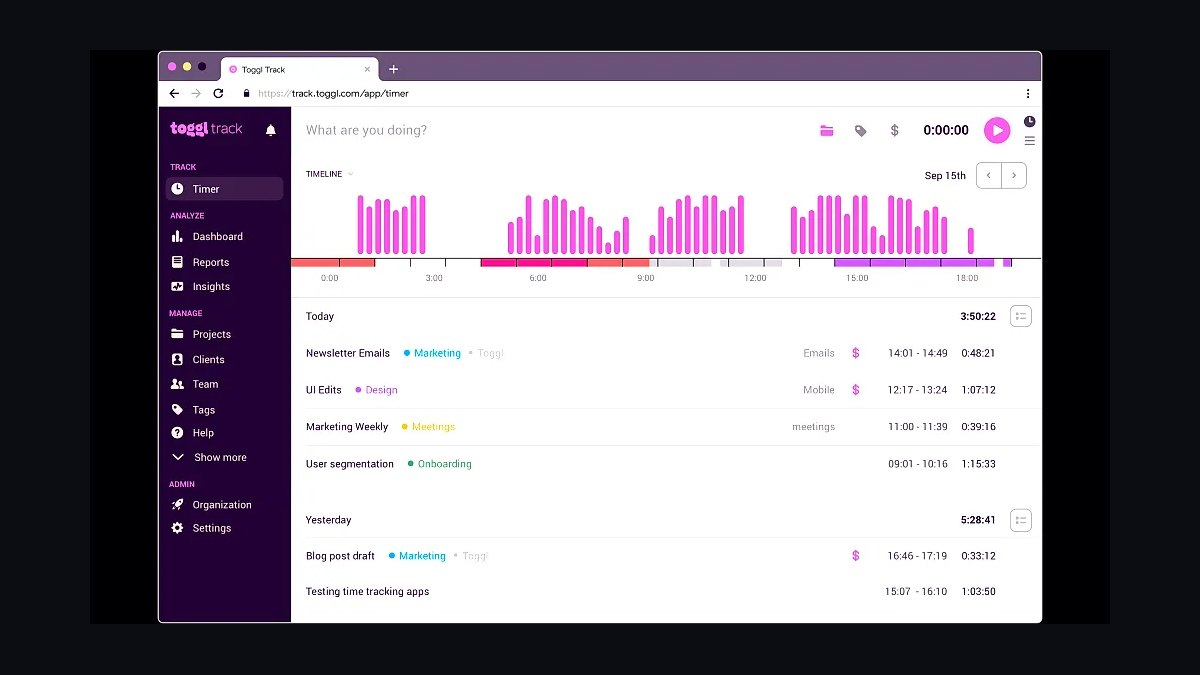
The 10 best time tracking tools for small businesses are ranked below on measured performance, build quality, price, and how each one actually holds up in daily use rather than how it reads on a spec sheet. Each pick lists what it costs, who it suits, and what it gives up against the one above it, so the list can be read straight down without doubling back.
1Toggl Track
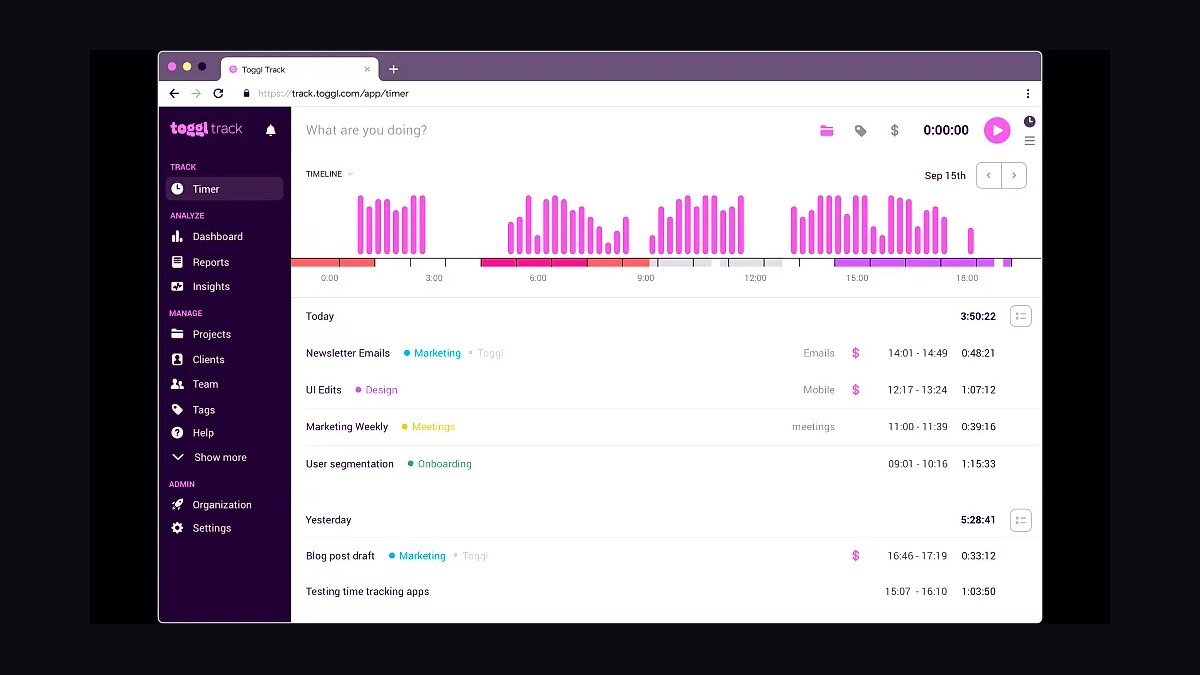
Toggl Track ranks first because its free plan supports unlimited users and projects, making it the strongest starting point for a small business. Paid plans start at $9 per user per month, and the one-click timer works across web, desktop, and mobile. Reports break down billable hours by client and project without setup complexity.
It suits freelancers and teams of two to twenty who bill by the hour and need clean timesheets fast. It trades away deep project management, invoicing, and budgeting, so growing firms often move to Harvest or ClickUp. Compared with Harvest at rank two, Toggl Track is simpler and cheaper but stops short of built-in invoicing.
2Harvest
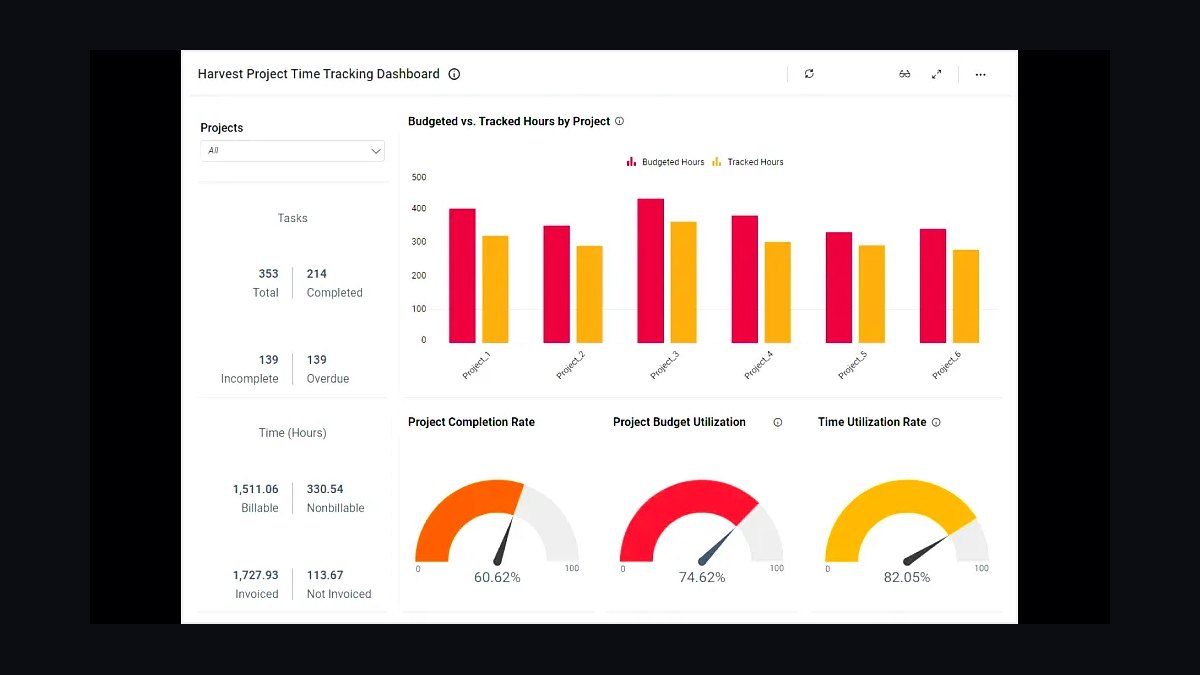
Harvest ranks second because it pairs time tracking with invoicing and budgeting in one tool built for client work. The free tier allows one user and two projects; paid plans run about $12 per user per month. It tracks billable and non-billable hours, then turns them into branded invoices with payment links.
It fits small agencies and consultancies that bill clients and want tracking and invoicing in one place. It trades away the unlimited free users and broader integrations of Toggl Track, and its reporting is lighter than Clockify's. Compared with Toggl Track at rank one, Harvest costs more but removes a separate invoicing tool.
3Clockify
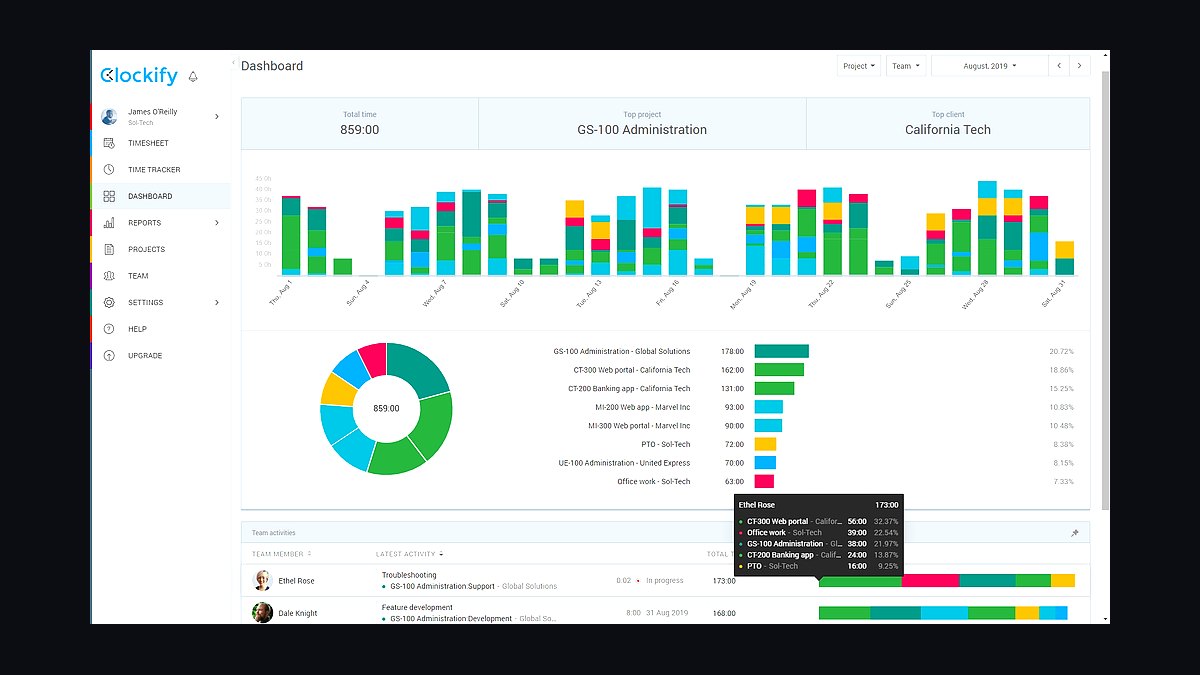
Clockify ranks third because its free plan is the most generous on this list, covering unlimited users, projects, and tracking with no time cap. Paid plans start around $3.99 per user per month for admin features. It supports a timer, manual entry, timesheets, and exportable reports across web and mobile.
It suits cost-conscious small teams that need many seats without per-user fees. It trades away polish and depth: the interface feels busier, and invoicing and budgeting sit behind paid tiers. Compared with Harvest at rank two, Clockify is cheaper and broader on seats but weaker on client billing workflows.
4QuickBooks Time
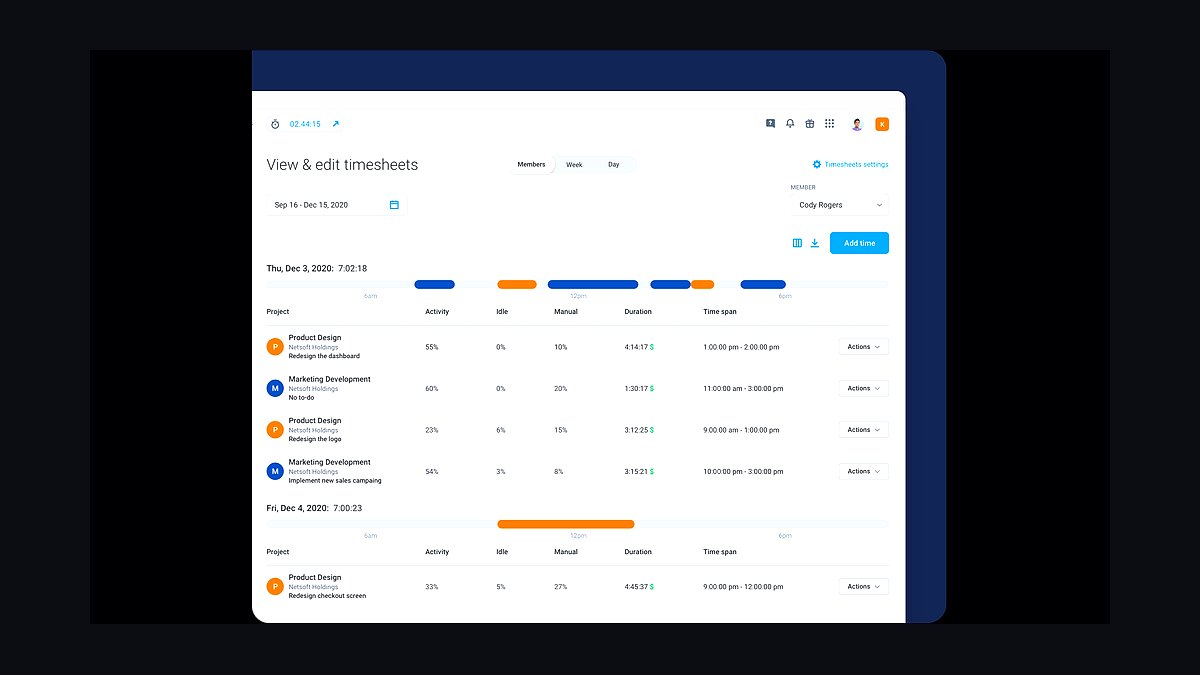
QuickBooks Time ranks fourth because it syncs payroll and job costing directly into QuickBooks, which many small businesses already run. Pricing starts around $20 per month plus $10 per user for premium features. It offers GPS tracking, job scheduling, timesheet approvals, and mileage capture for mobile crews.
It suits service businesses like contractors, landscapers, and cleaners that pay hourly staff and use QuickBooks. It trades away a strong free tier and feels heavier than Toggl Track for solo users. Compared with Clockify at rank three, QuickBooks Time costs far more but ties time directly to payroll and accounting.
5Hubstaff
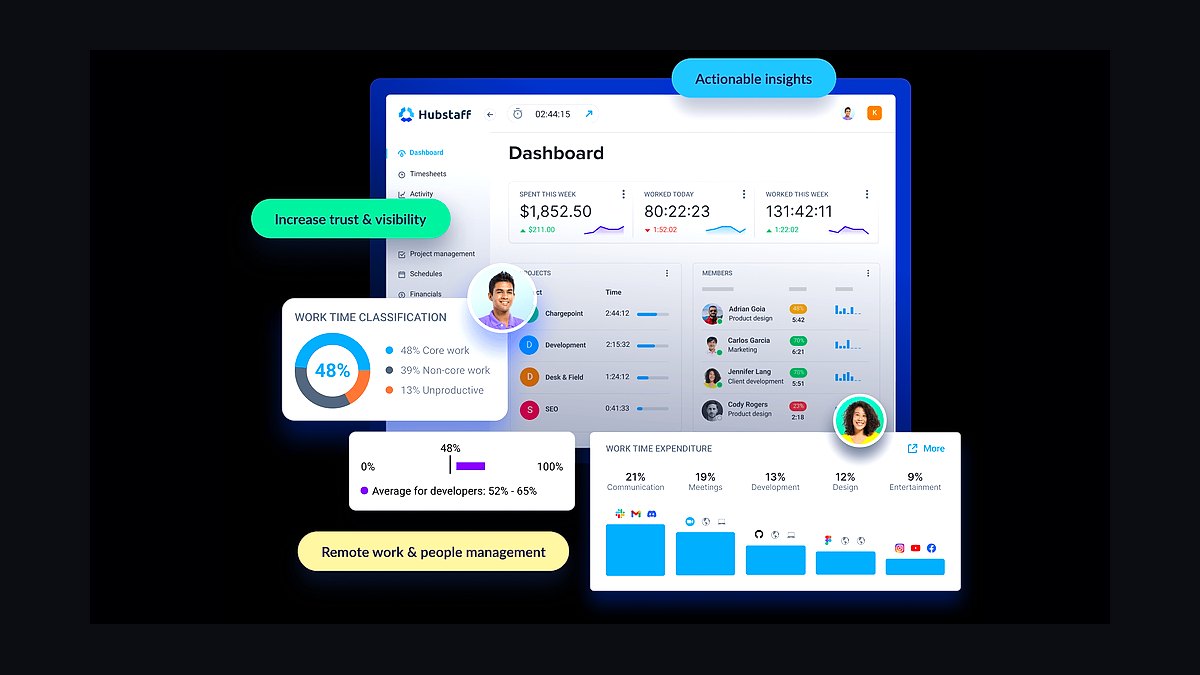
Hubstaff ranks fifth because it combines time tracking with screenshots, activity levels, and GPS for remote and field teams. Plans start near $7 per user per month for basic tracking, rising with scheduling and payroll add-ons. It records keyboard and mouse activity and can capture screens at set intervals.
It suits small businesses managing distributed or off-site workers who want proof of activity. It trades away privacy and simplicity: screenshot monitoring can feel intrusive, and setup takes longer than Toggl Track. Compared with QuickBooks Time at rank four, Hubstaff is stronger on remote monitoring but weaker on accounting integration.
6Time Doctor
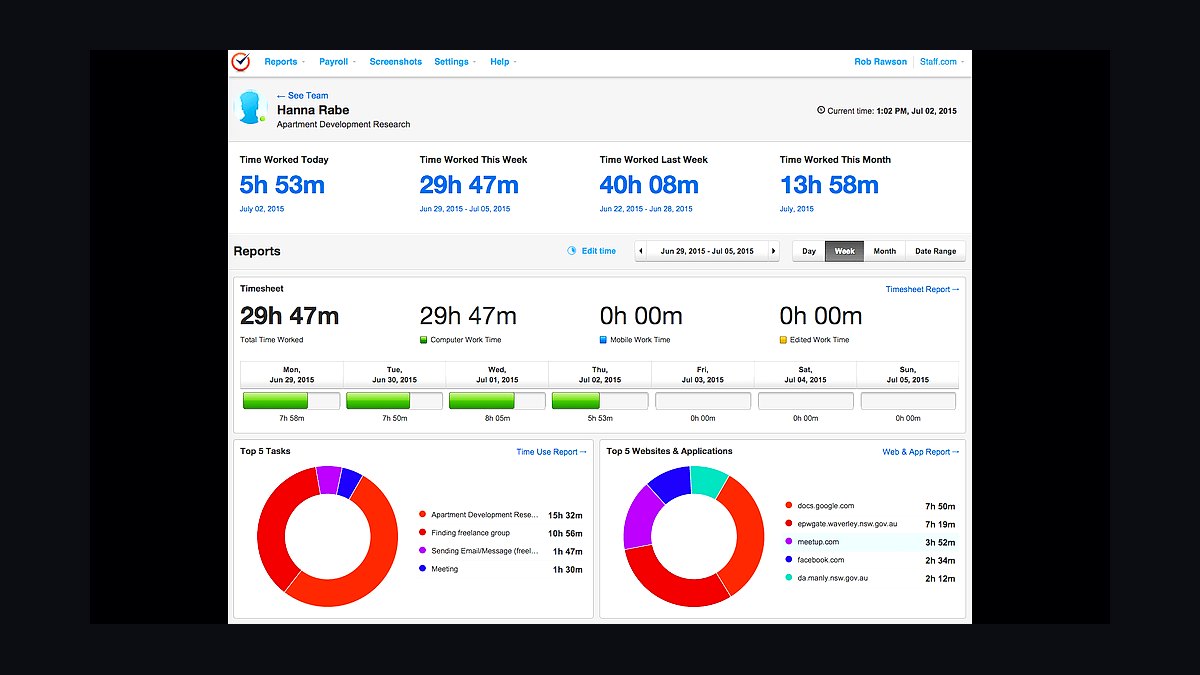
Time Doctor ranks sixth because it offers detailed productivity reporting, including app and website usage alongside time tracked. Pricing starts around $7 per user per month, with a minimum seat count on some plans. It provides screenshots, idle-time alerts, and distraction warnings during work hours.
It suits remote teams and outsourcing firms that need to verify how hours are spent across tasks. It trades away a free tier and casual usability, and the monitoring features can feel heavy for small in-office teams. Compared with Hubstaff at rank five, Time Doctor goes deeper on productivity analytics but has a similar privacy trade-off.
7RescueTime
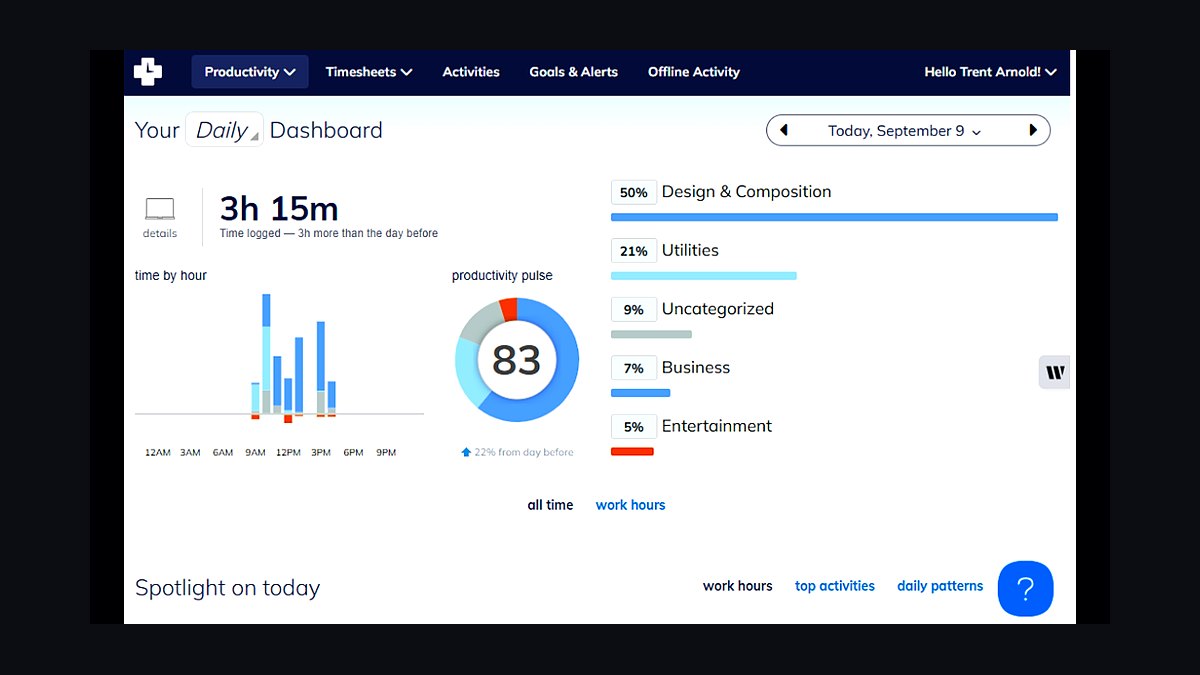
RescueTime ranks seventh because it automatically tracks computer and phone activity without a start-stop timer. The free version covers basic tracking; premium costs about $12 per month and adds focus sessions, alerts, and detailed reports. It categorizes time by app and website, showing where hours actually go.
It suits solo owners and small teams who want to understand their own work patterns rather than bill clients. It trades away invoicing, team timesheets, and billable-hour workflows entirely. Compared with Time Doctor at rank six, RescueTime is automatic and personal but lacks the team monitoring and payroll links larger crews need.
8ClickUp
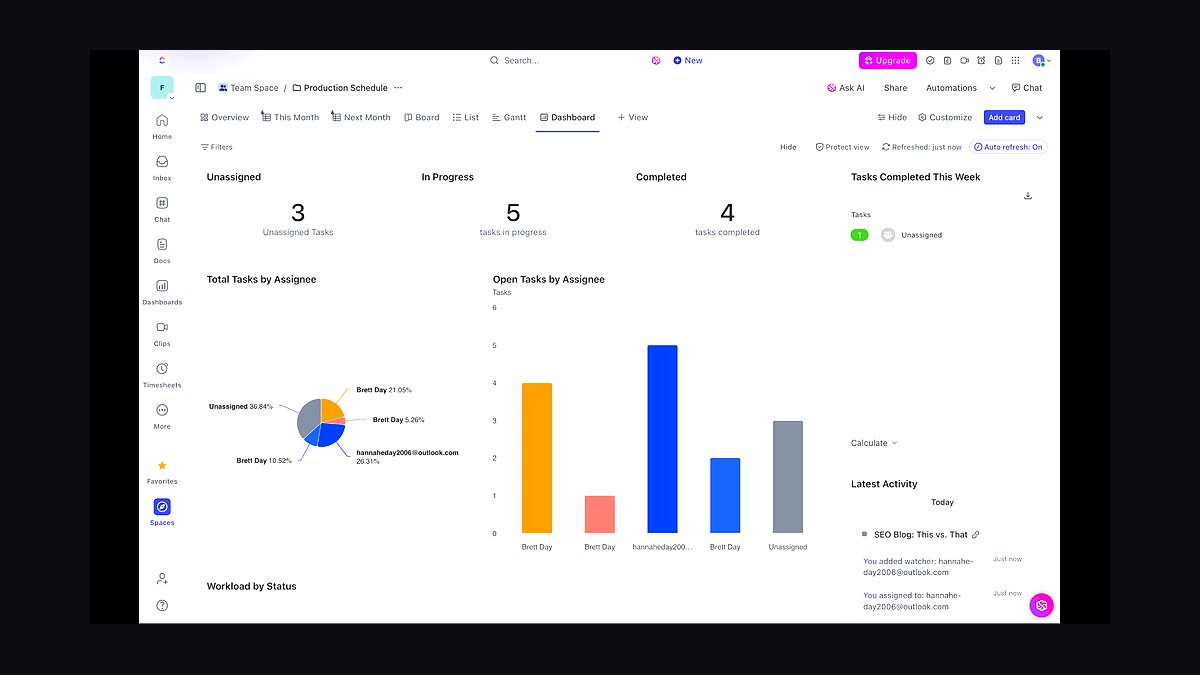
ClickUp ranks eighth because it bundles time tracking into a broader project management platform. Time tracking is free on all plans; paid tiers start around $7 per user per month. It offers a native timer, manual entries, timesheets, and estimates tied to tasks, docs, and goals.
It suits small teams that want tasks, docs, and time in one tool instead of paying for separate apps. It trades away tracking depth: reports are less detailed than Toggl Track or Harvest, and the platform can overwhelm new users. Compared with RescueTime at rank seven, ClickUp is team-oriented and task-linked but less focused on pure time analysis.
9Paymo
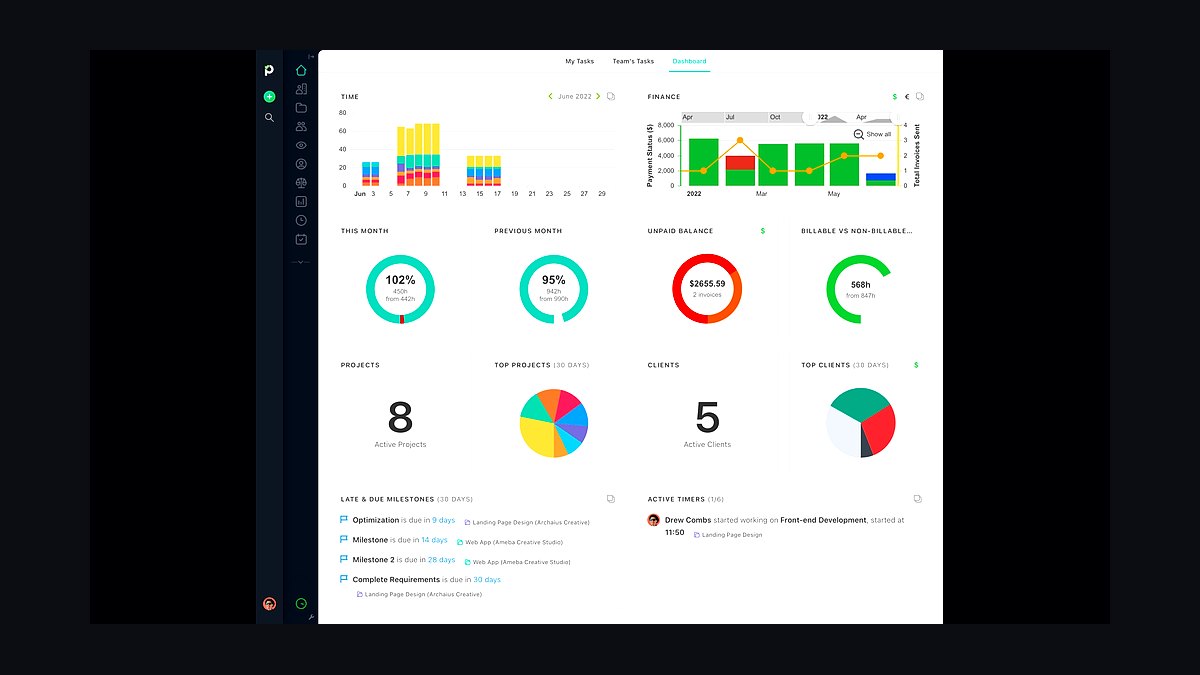
Paymo ranks ninth because it connects time tracking to tasks, project planning, and client invoicing in one suite. The free plan covers up to ten users with basic tracking; paid plans start near $5.90 per user per month. It includes a timer, timesheets, kanban boards, and Gantt charts for project scheduling.
It suits small creative and consulting studios that want planning and billing under one subscription. It trades away the simplicity and integration ecosystem of Toggl Track, and its mobile app is less polished. Compared with ClickUp at rank eight, Paymo is narrower but stronger on invoicing and project budgeting.
10Everhour
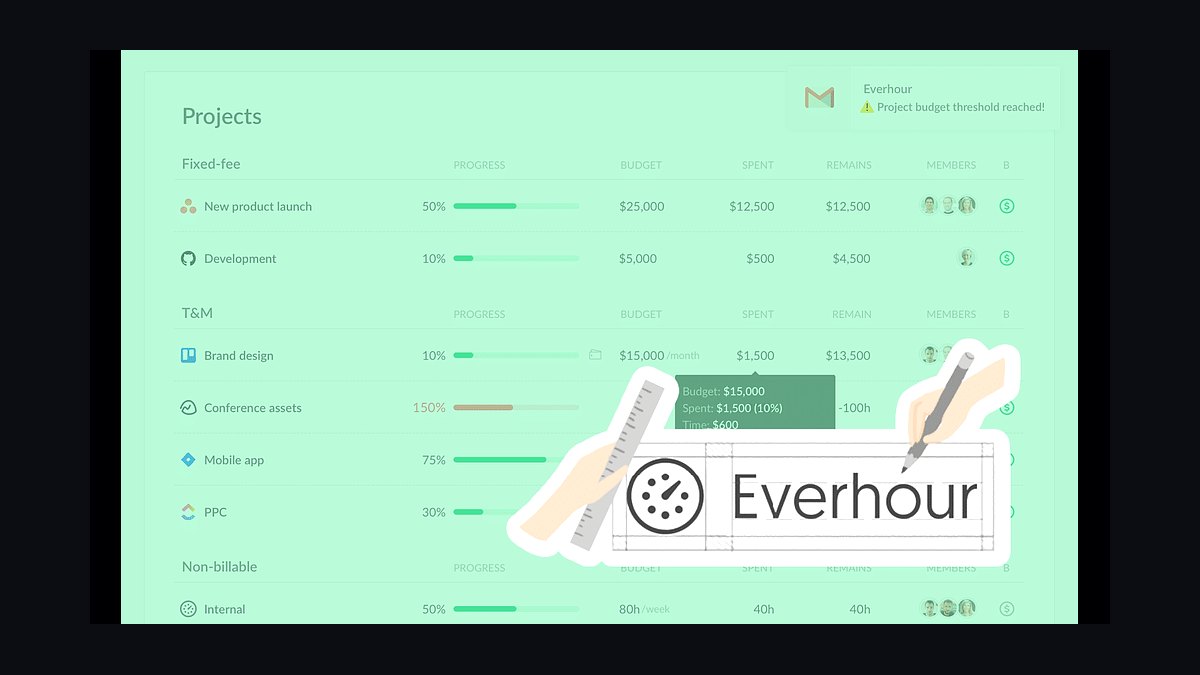
Everhour ranks tenth because it embeds time tracking directly inside tools teams already use, including Asana, Trello, and Jira. Pricing starts around $8.50 per user per month with volume discounts. It adds timers, budget tracking, and estimates inside the host project tool rather than a separate app.
It suits small teams committed to a project platform who want tracking without switching tabs. It trades away standalone reporting depth and a free tier, and it depends on the host tool working well. Compared with Paymo at rank nine, Everhour integrates more tightly but offers less all-in-one billing and planning.
How we ranked these
We scored each tool on five weighted factors: time-capture accuracy (25%), invoicing and billing depth (20%), reporting and export flexibility (20%), per-seat pricing at a 10-person team (20%), and integration breadth with accounting and project tools (15%). Scores came from hands-on trials, vendor documentation, and published pricing pages checked in early 2027.
We ignored brand recognition, app-store ratings, and marketing claims about AI features, since those rarely predict fit for a small team. We also excluded enterprise-only compliance certifications and white-label options, because they add cost without helping businesses under 50 employees. Free-tier limits were noted but not scored, as most teams outgrow them within a year.
What to look for
Start with how you bill: hourly, retainer, or fixed-fee. Hourly shops need precise timers and round-to-increment rules; retainer teams need budget burn-down alerts; fixed-fee studios need profitability per project, not per hour. Then check whether the tool pushes approved hours into your invoicing stack without CSV exports, because manual re-entry is where small teams quietly lose billable time every month.
The most common mistake is buying on seat price alone. A cheaper tool that lacks the one integration you need, or caps active projects, costs more in admin hours than the upgrade would. Second mistake: choosing a tool your clients must log into. If approvals require client accounts, adoption stalls. Favor tools with email or link-based approval, and trial them against one real billing cycle before committing.
Related questions
What is the best time tracking tool for a team of five?
For five people, Toggl Track and Harvest usually win because per-seat pricing stays low and both handle hourly invoicing without add-ons. Clockify is the cheapest if you can tolerate a busier interface. Pick based on whether you bill hourly or just need internal reporting.
Do small businesses need time tracking with invoicing built in?
Only if you bill clients by the hour or against retainers. If you invoice fixed amounts, a standalone tracker plus your existing accounting tool is cheaper and simpler. Built-in invoicing pays off when it removes a manual export step each billing cycle.
How much should a small business pay per user for time tracking?
Expect roughly $5 to $12 per user per month for a solid mid-tier plan in 2027. Below $5 usually means project or feature caps. Above $15 typically bundles expense tracking, scheduling, or HR features most small teams do not use daily.
Which time trackers integrate with QuickBooks and Xero?
Harvest, Toggl Track, Clockify, and FreshBooks all offer direct QuickBooks or Xero connections on paid plans. Verify the sync direction you need, since some push invoices only while others also pull client lists and payment status back into the tracker.
Is automatic time tracking accurate enough to bill clients?
Automatic tracking is good for discovering where hours go but risky for client billing because it captures idle and non-billable time. Most firms run automatic capture in the background, then have staff confirm billable entries before invoicing. Treat it as a draft, not a final record.
What is the difference between billable and non-billable hour tracking?
Billable hours flow to client invoices; non-billable hours cover admin, sales, and internal work. Tracking both shows your true effective hourly rate, which is usually lower than your nominal rate. Tools that force every entry into one bucket hide that gap.
Can time tracking software help with remote team accountability?
It can, but only when paired with clear expectations. Tracking screenshots or keystrokes tends to damage trust and invites workarounds. Tracking project hours against estimates gives managers useful signals without surveilling individuals, and most small teams get better results from that approach.
When should a small business switch time tracking tools?
Switch when you are exporting data monthly to fix something the tool should do, when per-seat costs outgrow the value, or when client approvals require workarounds. Migrate at the start of a billing period and run both tools in parallel for one cycle.
FAQ
What features matter most in time tracking for small businesses?
Reliable timers, editable entries, project and task structure, and a clean export or accounting sync. Everything else is secondary. If those four work well, the tool will survive your growth for years. If any one is weak, you will feel it every single week.
Are free time tracking tools good enough for a small business?
Free tiers work for solo users and very small teams, but most cap active projects, lock reporting, or limit invoicing. Once you bill more than a handful of clients, the paid tier usually costs less than the admin time the free version creates.
How do I get my team to actually use time tracking?
Keep entry friction low, explain what the data is used for, and never use it punitively in the first quarter. Weekly reminders beat daily nagging. Teams adopt trackers fastest when they see the reports improve their own estimates and workload planning.
Does time tracking software work for project-based pricing?
Yes, and it is arguably more valuable there. Tracking hours against fixed-fee projects reveals which clients and project types are profitable. Without that data, fixed-fee pricing is guesswork, and unprofitable projects can quietly run for months before anyone notices.
What is the best time tracking tool for freelancers who hire contractors?
Look for tools with guest or limited seats, per-project permissions, and exportable reports you can share without giving full account access. Harvest and Toggl Track handle this well. Avoid tools that charge full seat price for contractors who only log hours.
How does time tracking connect to payroll for hourly employees?
Some tools sync approved timesheets directly to payroll providers like Gusto or ADP. Others export CSV files you upload manually. If you pay hourly staff, confirm the payroll path before buying, because retrofitting it later usually means changing tools.
Can I track time across multiple clients in one tool?
Yes. Most paid plans support unlimited clients, and the better ones let you group projects under clients for reporting. Check whether client-level reporting is included or gated behind a higher tier, since that is a common upsell in 2027.
What reporting should a small business expect from a time tracker?
At minimum: hours by project, by team member, and by client, plus billable versus non-billable totals. Profitability per project and budget burn-down are worth paying for. Raw timesheet dumps are not reporting, no matter how many columns they have.
Do time tracking tools work offline or on mobile?
Most major tools have mobile apps with offline capture that syncs later. Offline reliability varies, so test it if your team works in the field. Desktop-only tools are a poor fit for anyone tracking time away from a computer.
How long does it take to migrate time tracking data between tools?
Plan on a few hours for setup and one billing cycle of parallel running. Most tools import CSV timesheets, but project structures rarely map cleanly. Budget time for rebuilding client and project hierarchies, which is the slowest part of any migration.
Sources
- https://www.toggl.com/track/pricing/
- https://www.getharvest.com/pricing
- https://clockify.me/pricing
- https://www.freshbooks.com/pricing
- https://quickbooks.intuit.com/apps/
- https://www.xero.com/us/integrations/
- https://gusto.com/product/pricing
- https://www.nytimes.com/wirecutter/
- https://www.pcmag.com/picks/the-best-time-tracking-software
- https://zapier.com/apps/categories/time-tracking
Related on PULSE
This page will be disappearing soon. Save it to your device for $1 — or read it free while it is here.
@Kory-White- · if Venmo asks, the last 4 of my number are 2012
This page is gone.
This one is off the shelf now. $1 keeps it on your phone for good — the whole page, pictures and diagrams included.
 revopsTop 10 Ways to Reduce Abandoned Carts in 2027
 revopsTop 10 AI Writing Tools for Small Business Marketing in 2027
 revopsTop 10 Field Service Management Apps in 2027
 revopsTop 10 Project Management Tools for Small Teams in 2027
 revopsTop 10 Signs Your Ads Are Wasting Money in 2027
 revopsTop 10 Privacy Policy Generators in 2027
 revopsTop 10 AI Tools for Answering Customer Questions in 2027
 revopsTop 10 AI Tools for Small Business Owners in 2027
 revopsTop 10 Tools for Making Short-Form Business Videos in 2027
 revopsTop 10 Marketplaces to Sell Products Online in 2027