


Should I upgrade to HubSpot Enterprise once I need more than 10 custom objects in 2027?
Quality
Certified

Yes. Once you need an 11th custom object, HubSpot's Enterprise tier is the only supported path, because custom object creation is gated to Enterprise hubs and the included allotment is 10. If you are already on Enterprise, you buy incremental object capacity rather than upgrading again. Upgrade only when a scoped, resourced workflow genuinely requires that 11th object.
What it is and why it matters
A custom object in HubSpot is a first-class record type that sits alongside contacts, companies, deals, and tickets. It gets its own properties, its own association labels, its own pipeline-style stages if you need them, and its own reporting surface. Think "Subscriptions," "Locations," "Warranties," "Equipment Units," or "Certifications" — records your business tracks with real structure that a single property field cannot hold. Custom object creation is gated to Enterprise-tier hubs: Marketing Hub Enterprise, Sales Hub Enterprise, Service Hub Enterprise, and Operations Hub Enterprise all unlock the same underlying custom object engine. Professional and Starter accounts cannot define new object schemas at all.
The "10" figure matters because it is the included allotment that ships with an Enterprise portal before you have to purchase more. That number is not an arbitrary throttle. Each custom object schema adds real weight to the platform: its own index tables, its own association tracking, its own workflow enrollment triggers, its own reporting joins. HubSpot prices additional objects because standing up a new object is closer to launching a new data domain than to adding a form field. The platform is built to flex this way, but flexing costs money and adds schema complexity that a smaller team never has to think about.
This matters because the decision to upgrade — or to buy more object capacity — is really a data-modeling decision wearing a billing decision's clothes. Teams that hit the ceiling are usually midway through turning HubSpot into their system of record for something beyond sales and marketing: field service, subscription billing, franchise or location management, certification tracking, asset management. If you are asking this question, you have likely already outgrown the "contacts, companies, deals, tickets" mental model and are trying to represent something specific to your industry.

There is a second reason it matters. Once you commit to a custom object, you also commit to maintaining it. Properties, validation rules, association labels, workflow re-enrollment logic, and reporting definitions all live downstream of that object. Adding an 11th object is not a one-click toggle; it is a new piece of long-term data infrastructure with an owner, a schema, and a migration history. Before paying for more capacity, it is worth asking whether an existing object could absorb the new record type via a property, a property group, or a richer association label. Every unnecessary object you create today is a fixed cost and a migration headache tomorrow.
The "in 2027" framing matters less than most people assume. HubSpot revises packaging and pricing periodically, and the exact included allotment or the price of an add-on pack can shift between now and then. What does not shift is the underlying architecture: custom objects are an Enterprise-gated capability, the included bundle is finite, and capacity beyond it is a commercial purchase. Plan the decision around the architecture, not around a specific price you saw in a blog post.
The step-by-step process
If you have concluded you genuinely need object #11 and beyond, the practical path looks similar whether you are already on Enterprise or coming from Professional. The order below matters, because skipping the audit step is what produces wasted spend.

Step 1: Audit your existing objects first. Before buying capacity, check whether any current object is underused, duplicative, or could absorb the new concept via a property or association label. Pull a list of every custom object in the portal, count its records, and identify which workflows, reports, and integrations depend on it. This step alone resolves a surprising share of "we need more objects" requests. A common finding: a team built "Asset" and "Equipment" as two separate objects years apart, and they are 80% the same schema.
Step 2: Confirm your hub tier. Custom objects live on Enterprise. If you are on Professional or Starter, the first move is the tier upgrade itself, not an object purchase. Professional accounts generally cannot create custom objects at all, so there is no partial path where you buy object capacity without the tier. Decide which hub actually needs the upgrade — Marketing, Sales, Service, or Operations — because object access comes bundled differently depending on which hub you move.
Step 3: Design the schema before touching the UI. Define the object's properties, required associations (to contacts, companies, deals, tickets, or other custom objects), and any pipeline or stage behavior it needs. Map who owns the data, which workflows will read or write to it, and which reports will pivot across it. Write this down. A schema that exists only in someone's head is the leading cause of objects that get rebuilt six months later.
Step 4: Talk to your HubSpot account rep or partner about the object add-on. Additional custom object slots beyond the included allotment are purchased incrementally. This is a commercial conversation, not a self-serve toggle in most portals, so loop in whoever owns the HubSpot contract early. Ask specifically whether the add-on is priced per object, in packs, or as a capacity tier, and whether it flexes down mid-contract.
Step 5: Build and test in a sandbox if you have one. Enterprise plans typically include sandbox environments precisely for this kind of schema change. Validate associations, workflow triggers, and reporting before touching production data. Test the failure cases too: what happens when an associated deal closes, when a record is merged, when a workflow re-enrolls a record that already has the property set.
Step 6: Migrate or backfill existing data. If the new object is replacing a property-based workaround, this is the expensive step. A common pattern: teams simulate a "Location" object using company properties for years, then finally formalize it once volume justifies the object. That migration means deduplicating values, deciding which company property becomes which object property, and rebuilding every report that referenced the old property.
Step 7: Re-train reporting and workflows that touch adjacent objects. A new object often changes how deals or tickets should roll up. Dashboards built on the old model will quietly produce wrong numbers until someone updates them. Assign that work explicitly rather than assuming it happens.
Costs, timelines, and typical ranges

Two separate cost lines drive this decision, and conflating them is the most common budgeting error. The first is the Enterprise tier itself. Moving any hub from Professional to Enterprise is a substantial jump in the monthly subscription, priced per seat with a platform fee layered on top, and it typically also requires a minimum seat commitment and an annual contract. The second, separate cost is the custom object add-on: once you are on Enterprise, additional objects beyond the included bundle are sold in incremental packs at their own line-item price. Because HubSpot revises packaging and pricing periodically, treat any number you see online — including older blog posts and partner comparison pages — as a starting point for a conversation with your rep or partner, not a locked-in figure.
The tier upgrade is usually the dominant line item if you are coming from Professional. If you are already on Enterprise and simply exhausted the included 10, the object add-on is a much narrower purchase. That distinction is the whole reason the question as asked has two different answers depending on where you sit today.
Timeline-wise, the commercial part — upgrading the tier, buying the add-on — can close in days if procurement moves fast, because it is a contract amendment rather than a technical project. The engineering part is what actually takes time. Schema design for a genuinely new object typically runs one to three weeks for a single, well-scoped object with a small team. It runs longer if the object needs custom-coded workflows, external integrations via the API or a middleware tool, or migration of years of historical data out of property fields into proper object records.

Multi-object rollouts stretch further. Standing up both "Locations" and "Equipment" together because they are interdependent regularly becomes a multi-month project once you count stakeholder alignment, sandbox testing, staged rollout, and retraining end users who now have a new record type in their daily workflow. A reasonable planning range for a two-object interdependent rollout with data migration is six to twelve weeks of part-time internal effort, or four to eight weeks if you have a dedicated admin and a partner doing the build.
A useful rule of thumb for budgeting: the software line item — tier plus object packs — is usually the smaller number in the total cost of ownership. The larger, less visible cost is the internal or agency time spent on data modeling, migration, and workflow rebuilding, and that cost scales with how tangled your existing property-based workarounds already are. A team that has been faking "Location" as a company property for three years will spend meaningfully more time migrating than a team implementing the object fresh. Budget the internal hours explicitly, not as an afterthought.
One more cost consideration specific to buying capacity ahead of need: object capacity, unlike seats, does not flex down easily mid-contract in most arrangements. If you buy two extra object slots "for the roadmap" and only use one, you carry the second through the contract term. That makes speculative purchases a common source of wasted RevOps budget.
Where teams get it wrong
The single most common mistake is creating a new custom object to solve what is actually an association or property problem. Teams see "we need to track X" and jump straight to a new object schema, when a well-labeled association between two existing objects, or a repeating property group, would have solved it without consuming one of the precious 10 or triggering a paid add-on. Before every new object request, ask three questions: does this concept have its own lifecycle, does it have its own reporting needs, and does it have many-to-many relationships with multiple standard objects? If the answer to all three is not yes, it is probably a property, not an object.

The second common mistake is upgrading the hub tier reactively, under deal pressure from a single stakeholder, without a schema plan. A team buys Enterprise because "we need custom objects," builds one object in a rush, and then discovers the object's associations do not match how the sales or service team actually works. Deals do not roll up to it cleanly, or the reporting tool cannot pivot across the new object and the standard ones the way leadership expected. Enterprise access should follow a data model, not precede one. Write the schema on paper first, then buy.
Third, teams underestimate how much workflow logic depends on custom objects once built. Re-enrollment triggers, association-based workflow branches, and custom object-based reporting dashboards all need to be maintained by someone who understands the schema. If that person leaves, the object becomes a black box. This is a governance problem more than a technical one: assign an explicit owner to every custom object at creation time, and document the schema somewhere outside HubSpot so it survives a personnel change.
Fourth, teams conflate "custom objects" with generic database features and try to use HubSpot as a full operational database for inventory-level transactional data or high-frequency IoT-style updates. HubSpot's custom object engine is built for CRM-adjacent records with moderate update frequency and rich association needs, not for millions of rapidly changing rows. When object volume or update frequency gets extreme, teams are usually better served syncing a subset of summarized data into HubSpot from an external system of record — an ERP, a field-service platform, a billing system — rather than trying to make HubSpot itself the primary store for that data.

Fifth, and specific to the ceiling, some teams buy additional object capacity preemptively "in case we need it later," which locks in recurring spend for schema that sits unused. Buy capacity when a scoped, resourced project is ready to build, not when a roadmap slide mentions a future possibility. The 2027 framing invites exactly this error: people plan a purchase two years out for a requirement that may never materialize, or may be solved by a product change in the meantime.
Sixth, teams forget that objects are portal-wide. A custom object built by the Operations team is visible and usable across other hubs, which is usually good, but it also means one team's schema decision becomes everyone's data model. That argues for a lightweight review step before any new object is created, even when you have spare capacity.
Decision framework: when to choose what
The decision is not binary between "stay on 10 objects" and "upgrade to Enterprise and buy more." There are really four paths, and which one fits depends on what is actually driving the need past the ceiling.
If the new data concept can be represented as a property, a property group, or a richer association label on an existing object, do that first. It is free, fast, and does not touch your object budget at all. This path resolves more cases than people expect, and it is the correct default answer to "we need an 11th object."
If the concept genuinely needs its own lifecycle and reporting surface but you are not yet on Enterprise anywhere, the Enterprise tier itself is the prerequisite purchase. Shop it against which hub actually needs the object-adjacent features, since object access comes bundled differently depending on which hub you upgrade, and the surrounding Enterprise features differ meaningfully between Marketing, Sales, Service, and Operations.
If you are already on Enterprise and simply exhausted the included 10, the object add-on is a narrower, cheaper purchase than a full tier upgrade. This is the common case for the question as asked, and it is the one where the answer is most clearly "yes, buy the capacity."
If the volume or update frequency of the new record type looks more like operational or transactional data than CRM data, the right answer may be to keep it in an external system and sync a summarized view into HubSpot via integration, rather than expanding your object count at all. This is the path that gets overlooked because it does not involve a HubSpot purchase, and it is often the correct one for high-frequency data.
Related questions
Can I build custom objects on HubSpot Professional?
No. Custom object creation is gated to Enterprise-tier hubs — Marketing, Sales, Service, or Operations Hub Enterprise. Professional and Starter accounts can use standard objects and, in some cases, view objects created elsewhere in the portal, but they cannot define new ones.
Do custom objects count against my contact or storage limits?
Custom object records are tracked separately from your marketing contact tier, but each object schema and its records still add to overall portal complexity and API and workflow load. That can indirectly affect performance and reporting speed at scale, even when it does not show up on a billing line.
Can I delete a custom object once I have bought capacity for it?
Yes, but deletion is permanent and removes all associated records and history, so it is typically done only after confirming no workflows, reports, or integrations still depend on it. Archiving is often safer than deleting if you are unsure, and it frees the slot either way.
Is there a difference between custom objects on Sales Hub Enterprise versus Operations Hub Enterprise?
The underlying custom object engine is shared across Enterprise hubs, but which hub you buy affects which surrounding features come bundled alongside your object access. Pick the hub whose other Enterprise features your team actually needs, not just the one with the object capability.
FAQ
Do I have to upgrade the whole portal to Enterprise, or just one hub? Only the hub you upgrade needs to be Enterprise-tier for its users to get full custom object build permissions. However, once objects exist in the portal, they are generally visible and usable across other hubs too, since objects live at the portal and data layer rather than being siloed inside a single hub's UI.
What exactly counts as one of the 10 included custom objects? Each unique object schema you define — for example "Locations" or "Subscriptions" — counts as one, regardless of how many records exist inside it. A schema holding 50,000 records still counts as a single object against your allotment. Records are not the unit of measure; schemas are.
Will buying more object capacity slow down my portal? Not directly from the purchase itself, but every object you actively use adds workflows, associations, and reporting queries that can add up. Well-designed objects with clean associations perform fine at scale. Poorly scoped objects with excessive properties and heavy workflow chains are what typically cause slowdowns.
Can I test a custom object before committing to the Enterprise upgrade? Some HubSpot partners can demo custom objects in a partner sandbox portal, and HubSpot Solutions Architects will often walk through a proposed schema during a sales conversation before you commit. It is worth requesting before signing, especially for a multi-object rollout where the schema design carries real risk.
Is there a technical difference between the object add-on and just having more seats? Yes. Seats govern how many named users can log in and perform certain actions, while object capacity governs how many distinct data schemas your portal can hold. They are billed and provisioned independently, so adding seats never increases your object allotment.
What happens if I exceed my object limit accidentally? HubSpot will block creation of an 11th or Nth object until you either free up a slot by archiving an existing object or purchase additional capacity. There is no silent overage charge — the UI simply prevents the action, which makes the ceiling a hard stop rather than a billing surprise.
Sources
- https://knowledge.hubspot.com/object-settings/custom-object-overview
- https://developers.hubspot.com/docs/api/crm/crm-custom-objects
- https://www.hubspot.com/pricing/marketing
- https://www.hubspot.com/pricing/sales
- https://www.hubspot.com/pricing/service
- https://www.hubspot.com/products/operations
- https://ecosystem.hubspot.com/marketplace/solutions
- https://blog.hubspot.com/website/custom-objects-hubspot
Related on PULSE
- When should a RevOps team build a custom object versus a new pipeline?
- How do you structure associations between custom objects and deals?
- What triggers a HubSpot data model audit before a re-platforming project?
- How do HubSpot Operations Hub workflows differ from native automation?
- What is the real cost of migrating from Salesforce to HubSpot?
This page will be disappearing soon. Save it to your device for $1 — or read it free while it is here.
@Kory-White- · if Venmo asks, the last 4 of my number are 2012
This page is gone.
This one is off the shelf now. $1 keeps it on your phone for good — the whole page, pictures and diagrams included.
 softwareTop 10 Endpoint Protection Platforms for 2027
 softwareTop 10 ways to choose a HubSpot CRM consultant in 2027
 softwareTop 10 marketplaces to find HubSpot CRM apps and integrations in 2027
 softwareShould I switch from HubSpot CRM to Salesforce once my sales team grows past 25 reps in 2027?
 softwareTop 10 ways to discover HubSpot CRM user communities in 2027
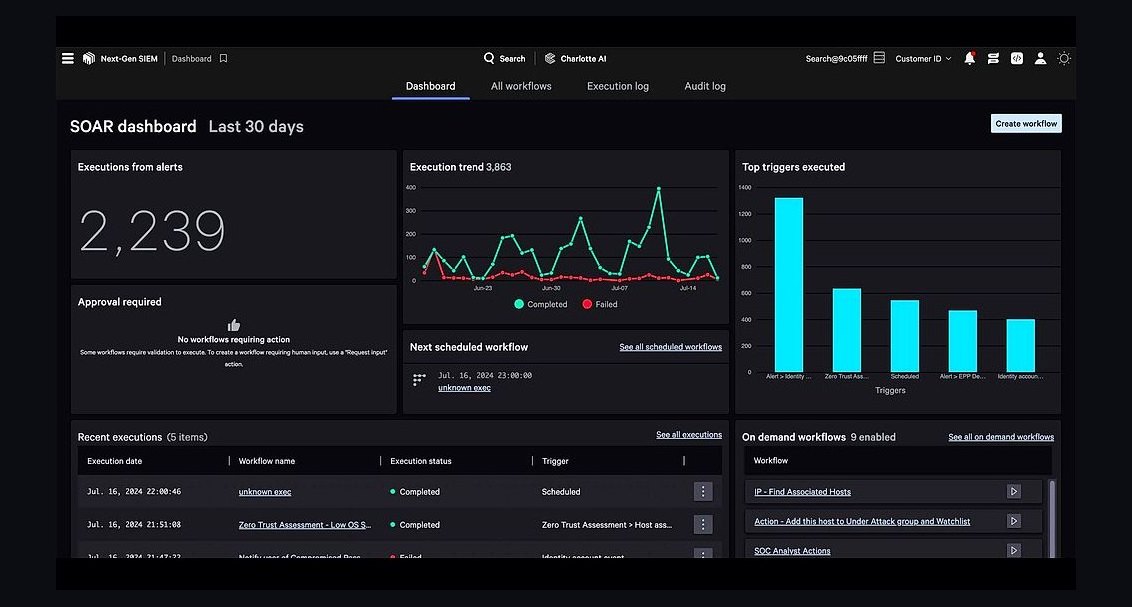 softwareTop 10 Cybersecurity Software for 2027: CrowdStrike, SentinelOne, and Palo Alto Compared
 softwareHow to set up a custom lead routing rule in HubSpot CRM in 2027?
 softwareShould I keep tracking deals in HubSpot CRM notes once I need custom close-date probability forecasting in 2027?
 softwareTop 10 ways to evaluate HubSpot CRM for your business in 2027
 softwareHow to set up email sequences in HubSpot CRM for automated follow-ups in 2027?