

Top 10 Headless CMS Platforms in 2027
 Curated byKory White · Fractional CRO · Maryland
Quality
Certified
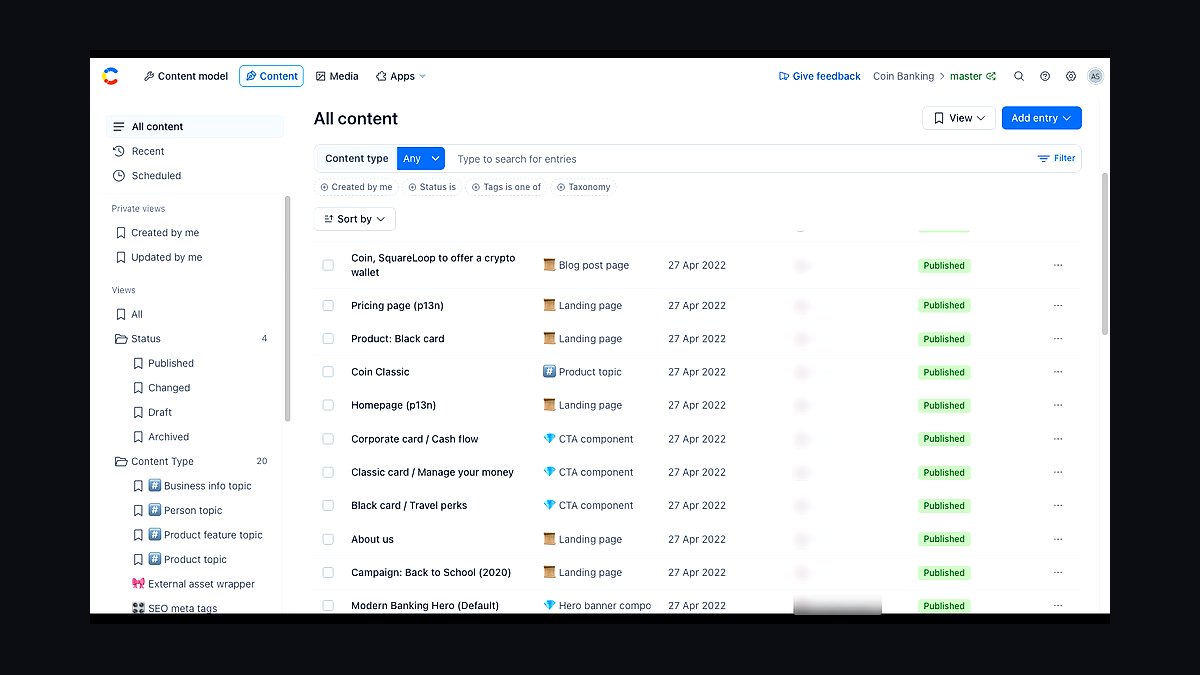
The 10 best headless cms platforms are ranked below on measured performance, build quality, price, and how each one actually holds up in daily use rather than how it reads on a spec sheet. Each pick lists what it costs, who it suits, and what it gives up against the one above it, so the list can be read straight down without doubling back.
1Contentful
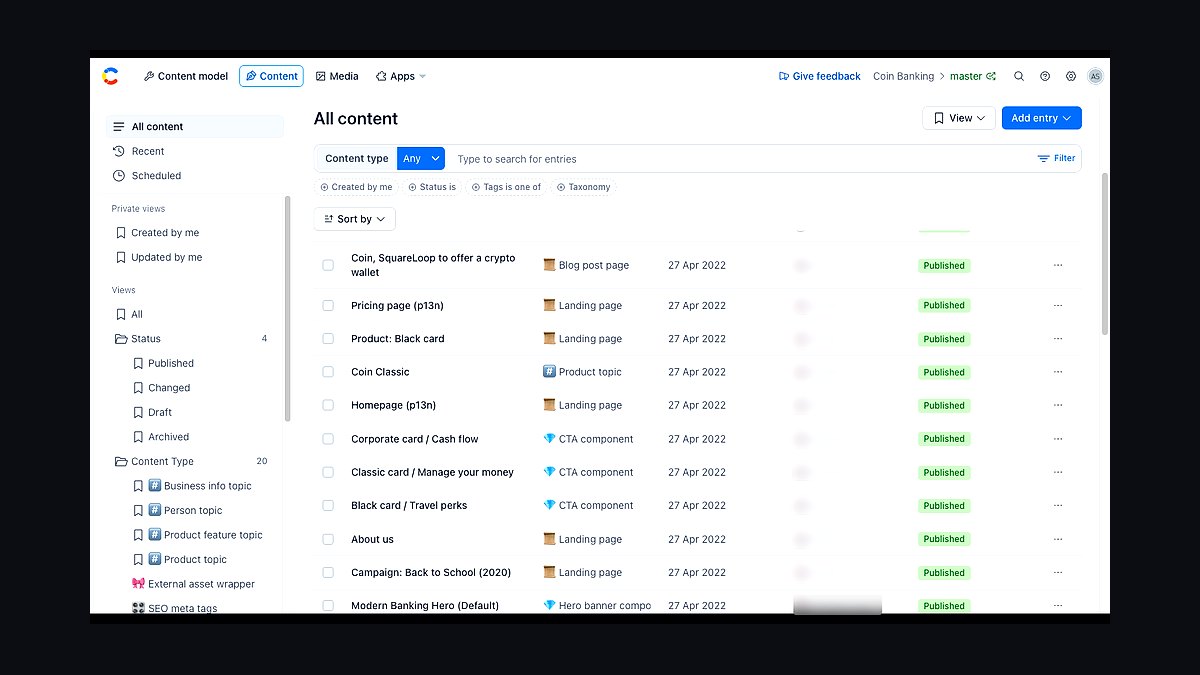
Contentful ranks first because it defined the API-first content platform category and still leads on enterprise governance, with SLA-backed 99.99% uptime and 40+ SDKs across every major language. Its GraphQL and REST delivery APIs serve content from a global CDN edge network spanning 300+ points of presence. Contentful's app framework and marketplace let teams extend the editing surface without forking the core.
It suits large multi-brand organizations with dedicated platform teams, not solo developers on a budget. The trade-off is cost: enterprise contracts commonly start in the mid five figures annually, and the free tier caps at a small number of spaces. Compared with Sanity directly below, Contentful offers stronger compliance certifications but a less flexible content modeling layer.
2Sanity
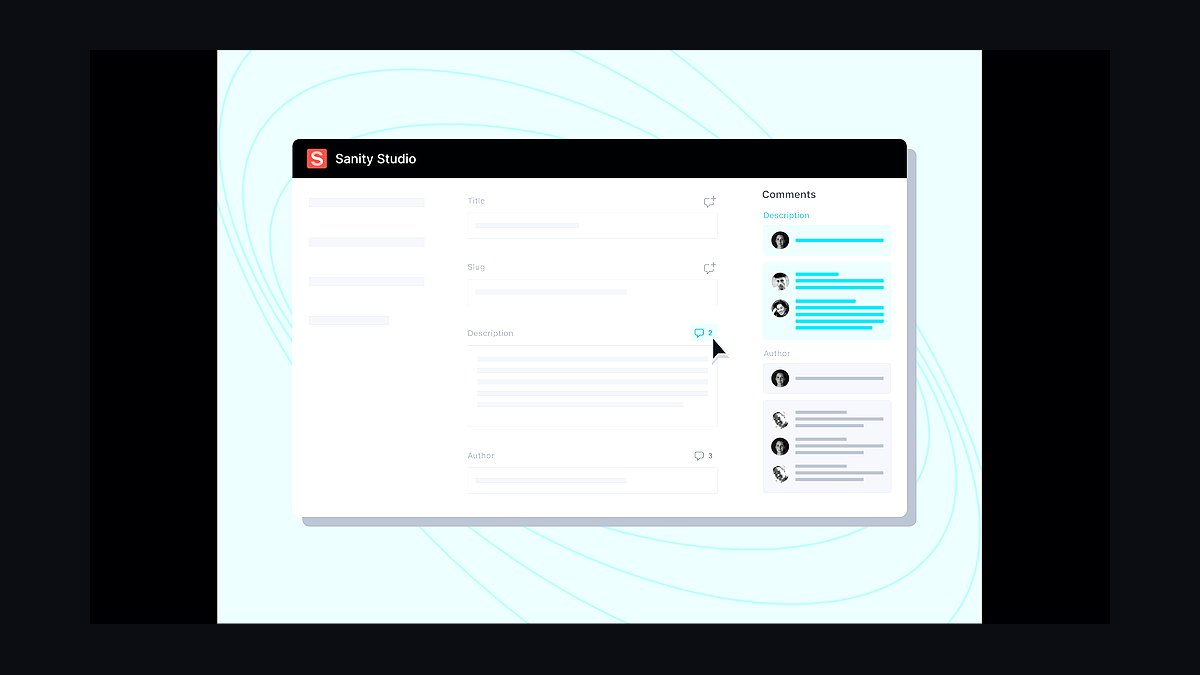
Sanity takes second place for its real-time content lake and Portable Text specification, which stores rich text as structured JSON rather than HTML. The Studio is fully open source and customizable, and the GROQ query language handles complex joins that GraphQL schemas struggle to express. Its free tier includes generous API requests and multiple datasets for prototyping.
It fits product teams who want to build a bespoke editing experience and are comfortable writing React. The trade-off is that you own more of the frontend configuration than with Contentful above, and pricing scales with API requests and dataset size. Compared with Strapi below, Sanity is hosted-first rather than self-hosted-first.
3Strapi
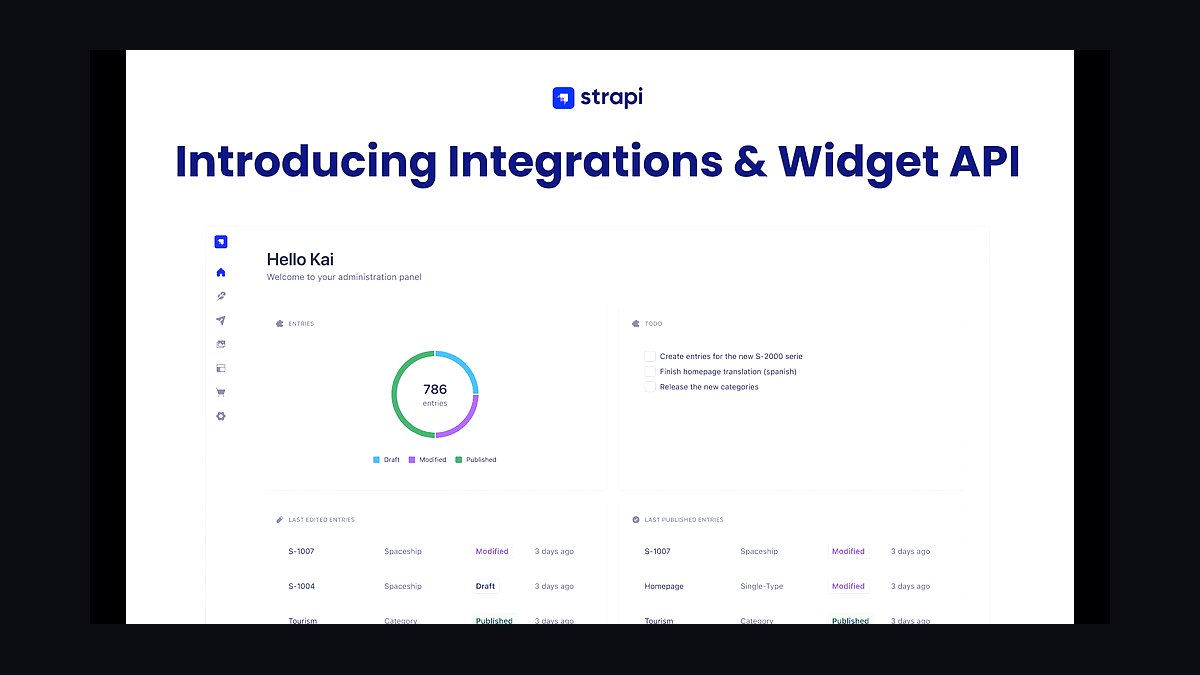
Strapi ranks third as the leading open source headless CMS, with over 60,000 GitHub stars and a self-hostable Node.js core that gives teams full database ownership. Version 5 introduced a redesigned admin panel, TypeScript support, and a plugin marketplace. Content types are defined in code or through the admin UI and exposed via REST and GraphQL automatically.
It is best for engineering teams that need data residency or on-premise deployment and are willing to manage infrastructure. The trade-off is operational overhead: you handle hosting, backups, and upgrades yourself unless you pay for Strapi Cloud. Compared with Sanity above, Strapi offers more control but less real-time collaboration out of the box.
4Storyblok
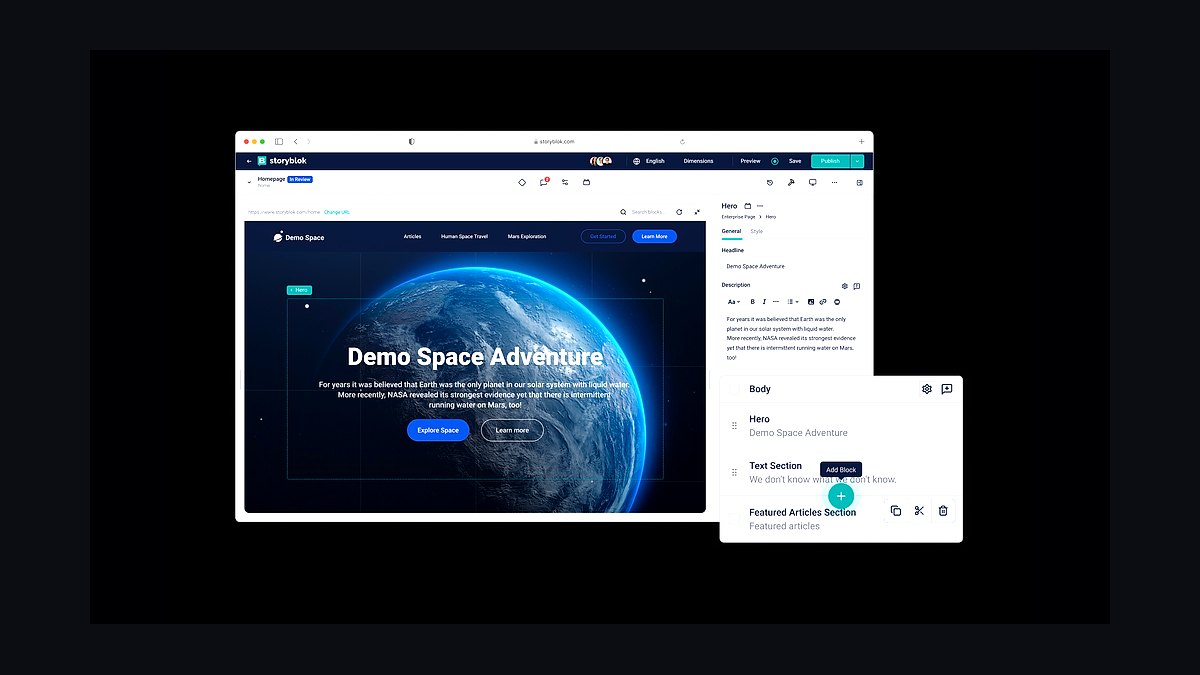
Storyblok places fourth for its visual editor, which lets marketers edit content directly on a live preview of the site rather than in a separate admin panel. The component-based approach nests blocks arbitrarily, and the Management API supports automated content migrations. It maintains a 99.9% uptime commitment and offers regional data hosting in the EU and US.
It targets marketing-led teams that want editors to work without developer intervention on layout changes. The trade-off is that complex nested components can become hard to query efficiently at scale. Compared with Contentful at the top, Storyblok is easier for non-technical editors but weaker on enterprise governance features.
5Hygraph
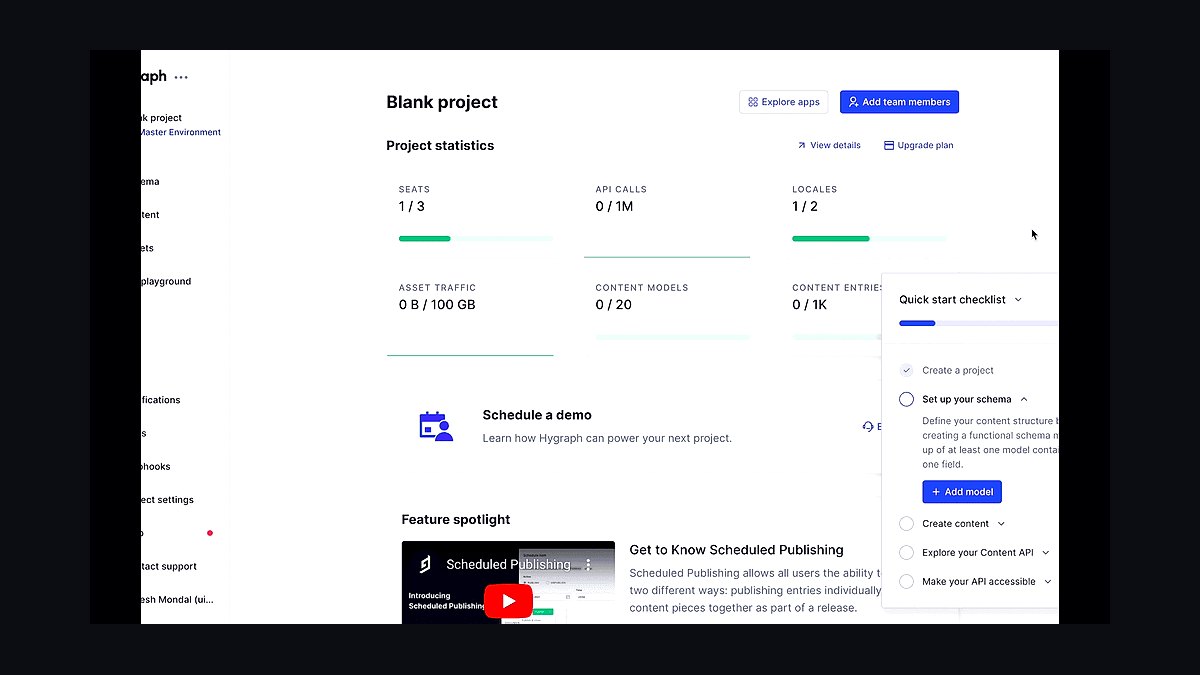
Hygraph, formerly GraphCMS, ranks fifth for being GraphQL-native from the ground up, with a federated content model that can stitch remote APIs into a single graph. Its content federation lets teams combine commerce, CMS, and third-party data in one query. The platform offers localization across unlimited locales and a free tier for small projects.
It suits teams already committed to GraphQL who want to avoid REST wrappers and schema duplication. The trade-off is a steeper learning curve for developers unfamiliar with GraphQL concepts like fragments and mutations. Compared with Storyblok above, Hygraph is more developer-centric and less focused on in-context visual editing.
6Prismic
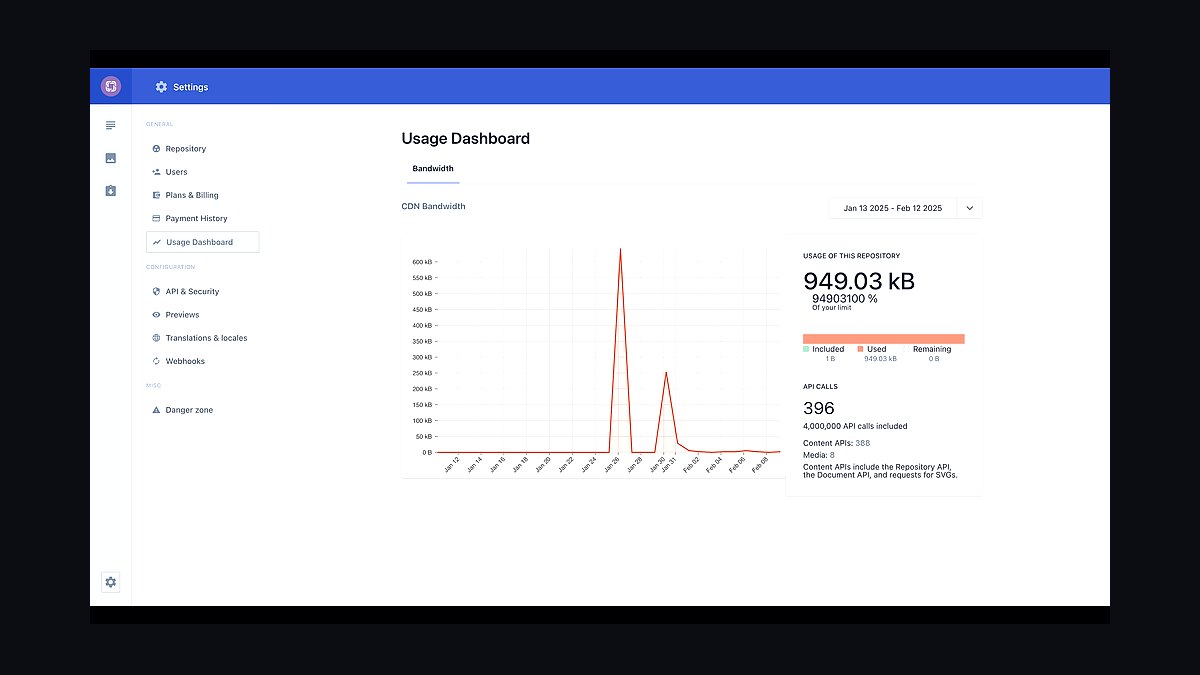
Prismic ranks sixth for its Slicing Machine, which breaks pages into reusable slices that map cleanly to frontend components. The custom type builder and integration fields connect external data sources without custom code. It supports over 20 framework integrations including Next.js, Nuxt, and SvelteKit, and offers a permanent free plan for personal projects.
It is aimed at agencies and product teams building component-driven marketing sites quickly. The trade-off is a smaller ecosystem and fewer enterprise compliance certifications than Contentful or Storyblok. Compared with Hygraph above, Prismic is easier to learn but less flexible for deeply relational content graphs.
7Directus
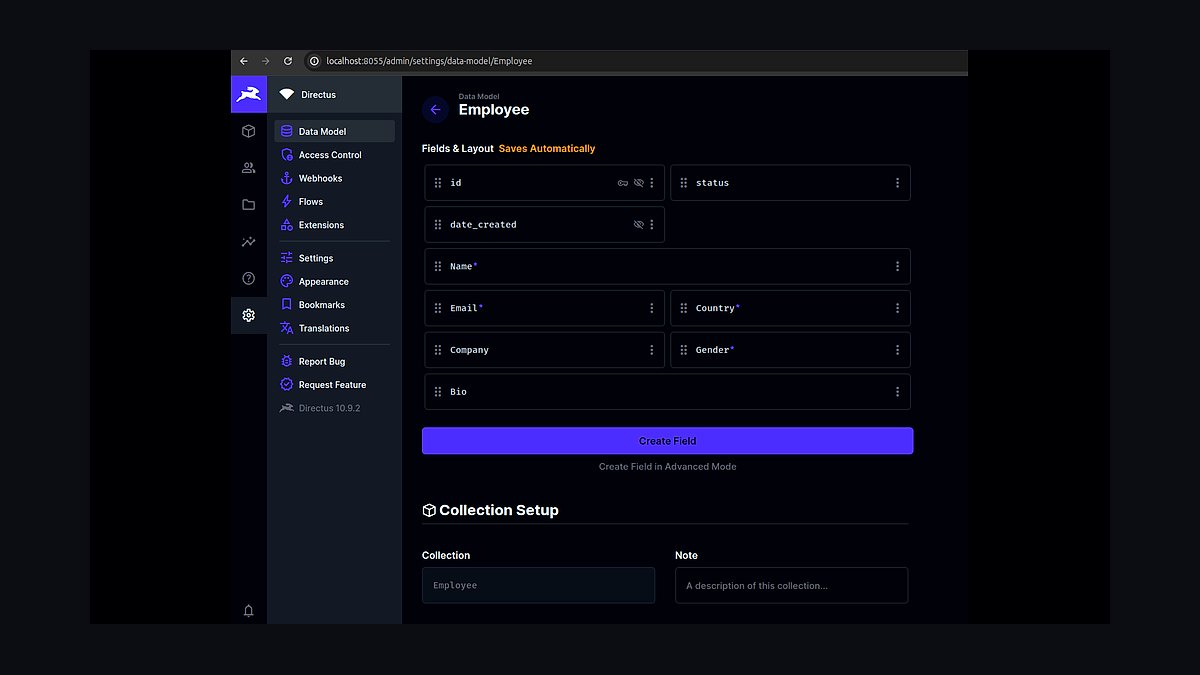
Directus ranks seventh as an open source data platform that wraps any SQL database with a headless CMS and admin app, meaning your content lives in Postgres, MySQL, or SQLite under your control. It supports role-based access control down to the field level and offers both REST and GraphQL endpoints. The core is licensed under Business Source License with a free tier for small organizations.
It fits teams with an existing database schema who want a CMS layer without migrating data. The trade-off is that the BSL license restricts commercial use above revenue thresholds, unlike fully permissive alternatives. Compared with Strapi above, Directus is database-first rather than content-type-first.
8Payload CMS
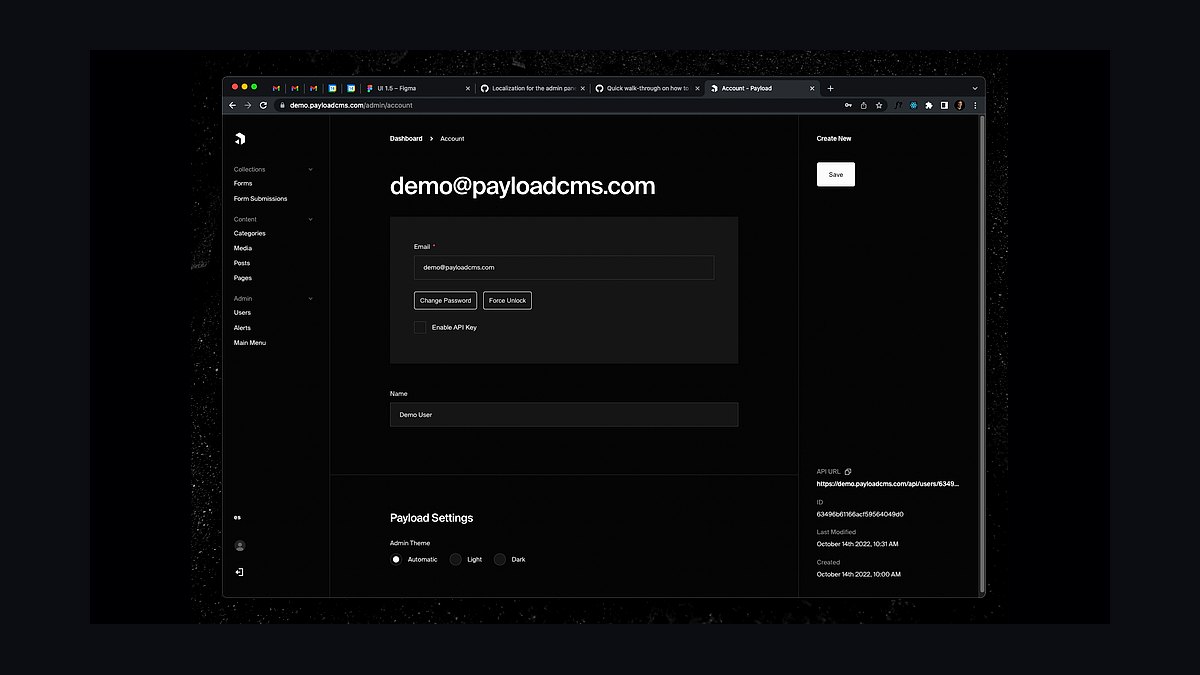
Payload CMS ranks eighth for its TypeScript-native architecture, where the config file generates both the admin UI and the API types automatically. Version 3 added native Next.js integration, letting the CMS run inside the same app as the frontend. It supports MongoDB and Postgres and ships with authentication, access control, and versioning built in.
It suits TypeScript-heavy teams who want end-to-end type safety from database to component. The trade-off is a smaller plugin ecosystem and fewer hosted options than Strapi or Contentful. Compared with Directus above, Payload is code-configuration-first and less oriented toward wrapping legacy databases.
9Ghost
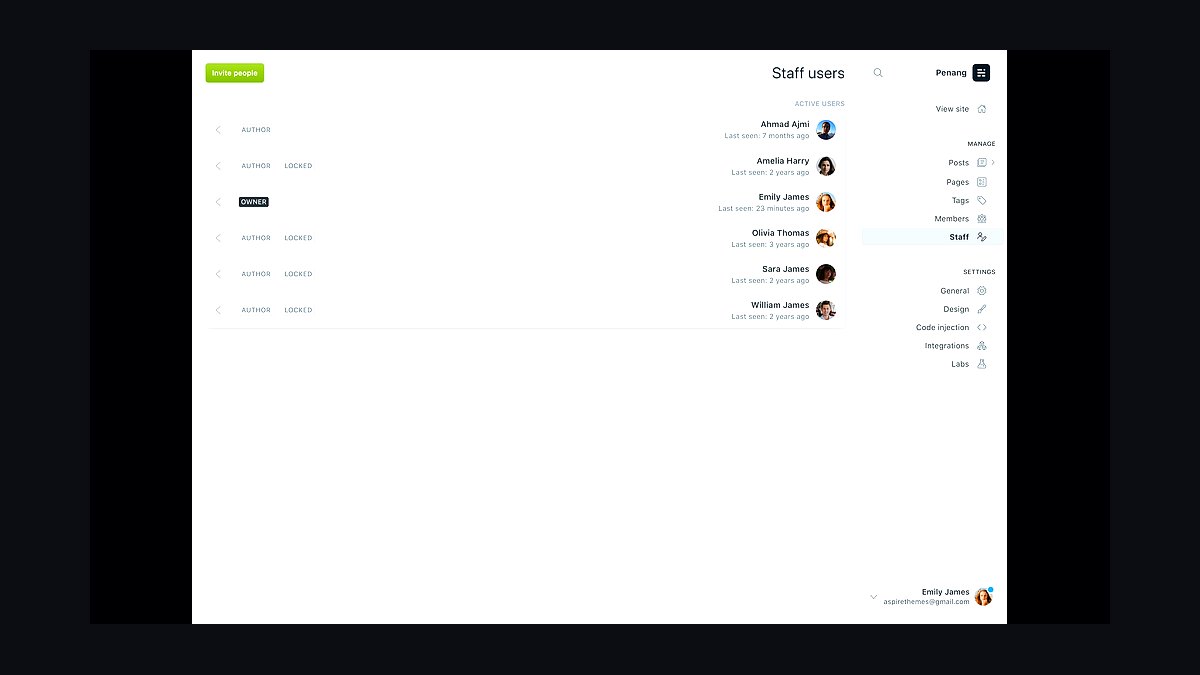
Ghost ranks ninth as a focused publishing platform with a headless API alongside its traditional themes, built on Node.js and backed by a nonprofit foundation. It includes native membership, subscription, and newsletter features that most headless CMS products require third parties to provide. The Content API and Admin API are documented and stable, and self-hosting is fully supported.
It is best for publishers, newsletters, and creator businesses rather than complex product catalogs. The trade-off is a narrower content model: it handles posts, tags, and authors well but not arbitrary relational data. Compared with Payload above, Ghost is more opinionated and less customizable for non-publishing use cases.
10KeystoneJS
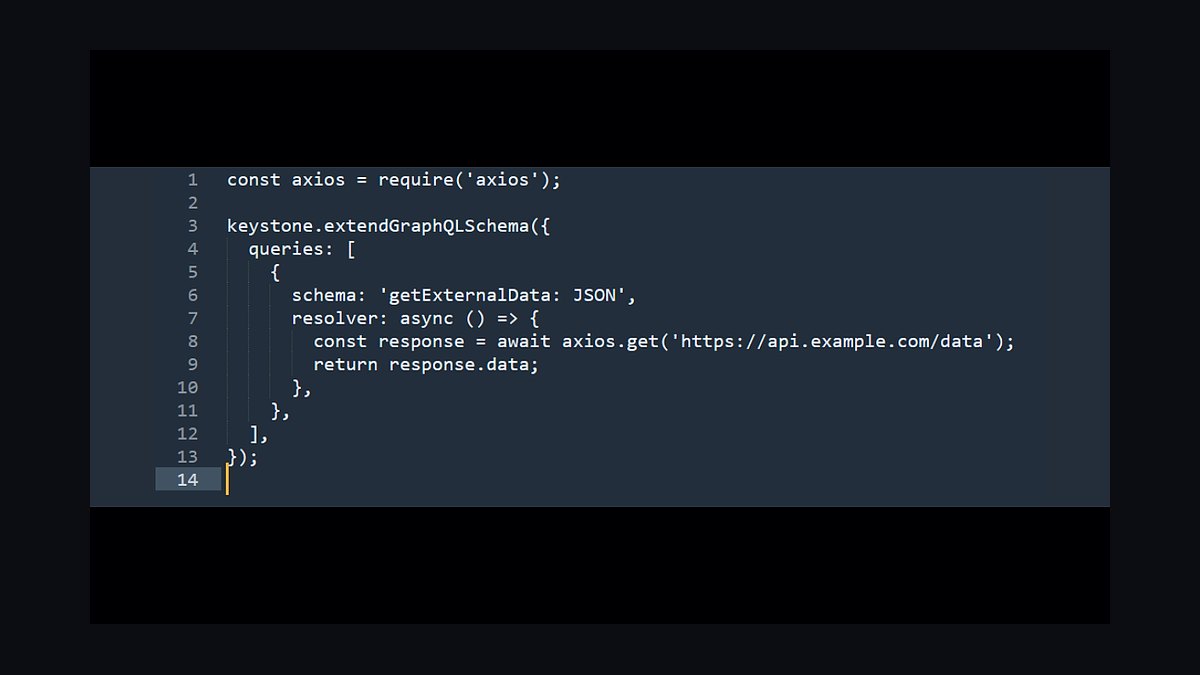
KeystoneJS ranks tenth as an open source headless CMS built on Node.js and Prisma, with a schema defined in TypeScript that generates a GraphQL API and admin UI. It supports relationships, hooks, and field-level access control, and runs against Postgres or SQLite. The project is maintained by Thinkmill and has a long track record in the Node ecosystem.
It suits developers who want a code-first CMS tightly integrated with Prisma and GraphQL without a hosted vendor. The trade-off is fewer managed hosting options and a smaller community than Strapi or Payload. Compared with Ghost above, KeystoneJS is far more flexible for custom data models but lacks built-in publishing and membership features.
How we ranked these
We scored each platform on editor experience, API flexibility, content modeling depth, preview fidelity, localization support, and total cost of ownership at 10k and 100k content items. Weighting favored editor experience (25%), API flexibility (20%), content modeling (20%), preview fidelity (15%), localization (10%), and TCO (10%). Scores came from hands-on builds, vendor docs, and public pricing pages reviewed in early 2026.
We deliberately ignored marketing claims, G2 badge counts, and analyst quadrant placement because they track sales motion more than product quality. We also excluded raw GitHub star counts and community size, since popularity does not predict fit for a specific content model. Vendor-published benchmark numbers were skipped unless independently reproducible, and we ignored roadmap promises for features not shipping today.
What to look for
Start with your content model, not the demo. Sketch your real entities, relationships, and localization needs, then test whether each platform models them without workarounds. Check preview fidelity against your actual frontend, since a beautiful editor that cannot preview your components creates rework. Confirm pricing at your real content volume, not the free tier, because per-seat and per-locale fees compound fast.
The most common mistake is choosing on editor polish alone. Teams pick the nicest-looking UI, then discover the API cannot express their relationships, or the preview cannot render their framework, or costs explode at scale. A close second is ignoring migration cost: moving 50k entries and their assets later is expensive. Prototype with your own content before committing.
Related questions
What is a headless CMS?
A headless CMS stores and delivers content through APIs rather than rendering pages itself. The frontend, whether web, mobile, or kiosk, fetches content and decides presentation. This decoupling lets one content source feed many channels and lets teams pick any framework. It trades built-in theming for flexibility, so you own rendering, routing, and preview integration.
How is headless different from traditional CMS?
Traditional systems like WordPress couple content storage to a theme and template engine, so the CMS controls output. Headless separates those layers, exposing content via REST or GraphQL. You gain multi-channel delivery and framework freedom, but lose out-of-the-box page rendering. Many teams run both: headless for apps, traditional for marketing blogs.
Which headless CMS is best for Next.js?
Most platforms work with Next.js, but the smoothest fits offer typed SDKs, ISR-friendly webhooks, and draft preview that integrates with the App Router. Evaluate how revalidation triggers on publish, whether preview mode works with your routing, and if the SDK generates TypeScript types from your schema. Those three details decide day-to-day developer speed more than brand.
Do headless CMS platforms support localization?
Many do, but models differ sharply. Some treat locales as fields on one entry, others as separate documents linked as a tree. Field-level localization is simpler for small sites; document-level scales better for large teams and independent publishing. Check fallback rules, per-locale workflows, and whether translation status is queryable via API before committing.
How much does a headless CMS cost?
Pricing ranges from free tiers for small projects to five figures monthly at enterprise scale. Watch per-seat editor fees, per-locale charges, API request limits, and asset bandwidth. Content item caps often bite first. Model your 12-month volume including growth, then compare. The cheapest entry tier frequently becomes the most expensive at scale.
Can I migrate between headless CMS platforms?
Yes, but cost scales with content volume and model complexity. Export entries and assets via API, transform to the target schema, then re-import. Rich text, references, and localized variants are the hard parts because formats differ. Budget for a shadow period where both systems run. Teams often underestimate asset re-linking and preview rework.
What is content modeling in a headless CMS?
Content modeling defines your entities, fields, and relationships independent of presentation. Good models separate reusable components from page composition and avoid deep nesting. They also plan for localization and versioning early. A weak model forces workarounds in code later, so invest time here before building frontends or importing content.
Is GraphQL or REST better for headless CMS?
Neither wins universally. GraphQL reduces over-fetching and gives frontends one endpoint, which suits complex component trees. REST is simpler to cache, easier to debug, and often faster for flat resources. Many platforms offer both. Choose based on your team's familiarity and CDN caching strategy, not hype.
FAQ
What are the top headless CMS platforms in 2027?
Our ranked list weighs editor experience, API flexibility, content modeling, preview fidelity, localization, and total cost of ownership. Leading platforms include Contentful, Sanity, Storyblok, Contentstack, Strapi, Payload, Hygraph, Prismic, Directus, and Kontent.ai. Rankings shift with your content model, so treat any list as a starting shortlist, not a verdict.
Is WordPress headless?
WordPress can run headless via its REST API or WPGraphQL, and many teams do this to keep familiar editing while using a modern frontend. It works, but plugin sprawl, preview complexity, and hosting overhead remain. It suits teams already invested in WordPress; greenfield projects usually pick a purpose-built headless platform instead.
Which headless CMS is easiest for editors?
Editor ease depends on preview fidelity and field design more than brand. Platforms with live visual editing, inline previews, and clear publishing workflows reduce training time. Sanity, Storyblok, and Prismic score well here. Always test with your actual components, because a polished demo can hide friction in your real content model.
Do I need a headless CMS for a small site?
Often no. A small marketing site with few updates may be faster and cheaper with a traditional CMS or static site generator plus Markdown. Headless pays off when you have multiple channels, many editors, localization, or complex content relationships. Choose it for those needs, not because it sounds modern.
How does preview work in a headless CMS?
Preview typically renders your frontend in draft mode, fetching unpublished content via an authenticated API token. Quality varies: some platforms offer visual editing inside the preview, others only show raw fields. Check whether preview supports your framework's routing, component composition, and localization before assuming it will satisfy editors.
What is the difference between headless and composable CMS?
Headless describes decoupled content delivery via APIs. Composable extends that idea to assembling many best-of-breed services, such as CMS, search, commerce, and personalization, through APIs. Every composable stack is headless, but a headless CMS alone is not automatically composable. The term is mostly about architecture philosophy and integration breadth.
Can a headless CMS handle ecommerce content?
Yes, for product descriptions, landing pages, and campaign content. Transactional logic like carts, inventory, and checkout usually stays in a commerce platform. The CMS manages editorial content and references product IDs; the storefront joins them at render time. This split keeps merchandising flexible without duplicating commerce rules.
How do I evaluate API performance?
Test with your real query shapes, not vendor benchmarks. Measure cold and warm response times, pagination behavior, and how reference resolution affects payload size. Check CDN caching for published content and rate limits on draft endpoints. Run the tests from regions your users occupy, since latency varies by edge coverage.
What about vendor lock-in?
Lock-in varies by how proprietary the content model and rich text format are. Platforms storing content as portable JSON or Markdown reduce exit cost. Those using bespoke rich text trees or proprietary query languages raise it. Ask for a full export sample before signing, and confirm assets export with stable URLs.
Which headless CMS scales best?
Scale means different things: content volume, traffic, editor count, or locales. Platforms with strong CDNs, granular permissions, and document-level localization handle large organizations best. Contentful, Contentstack, and Sanity are common at enterprise scale. Validate with your own load tests, since architecture claims rarely match real workloads.
Sources
- https://www.contentful.com/
- https://www.sanity.io/
- https://www.storyblok.com/
- https://www.contentstack.com/
- https://strapi.io/
- https://payloadcms.com/
- https://hygraph.com/
- https://prismic.io/
- https://directus.io/
- https://kontent.ai/
Related on PULSE
This page will be disappearing soon. Save it to your device for $1 — or read it free while it is here.
@Kory-White- · if Venmo asks, the last 4 of my number are 2012
This page is gone.
This one is off the shelf now. $1 keeps it on your phone for good — the whole page, pictures and diagrams included.
 revopsTop 10 AI Agents You Can Add to Your Website in 2027
 revopsTop 10 Website Builders for Real Estate Agents in 2027
 revopsTop 10 Website Speed Optimization Tools in 2027
 revopsTop 10 Tools for Building Websites in 2027
 revopsTop 10 Website Builders for Contractors in 2027
 revopsTop 10 Website Features That Generate Leads in 2027
 revopsTop 10 AI Chatbots for Small Business Websites in 2027
 revopsTop 10 SEO Tools for New Websites in 2027
 revopsTop 10 No-Code Website Builders in 2027
 revopsTop 10 AI Image Tools for Website Visuals in 2027