


Top 10 Business Phone Services for Small Businesses in 2027
Quality
Certified
The 10 best business phone services for small businesses are ranked below on measured performance, build quality, price, and how each one actually holds up in daily use rather than how it reads on a spec sheet. Each pick lists what it costs, who it suits, and what it gives up against the one above it, so the list can be read straight down without doubling back.
1RingCentral MVP
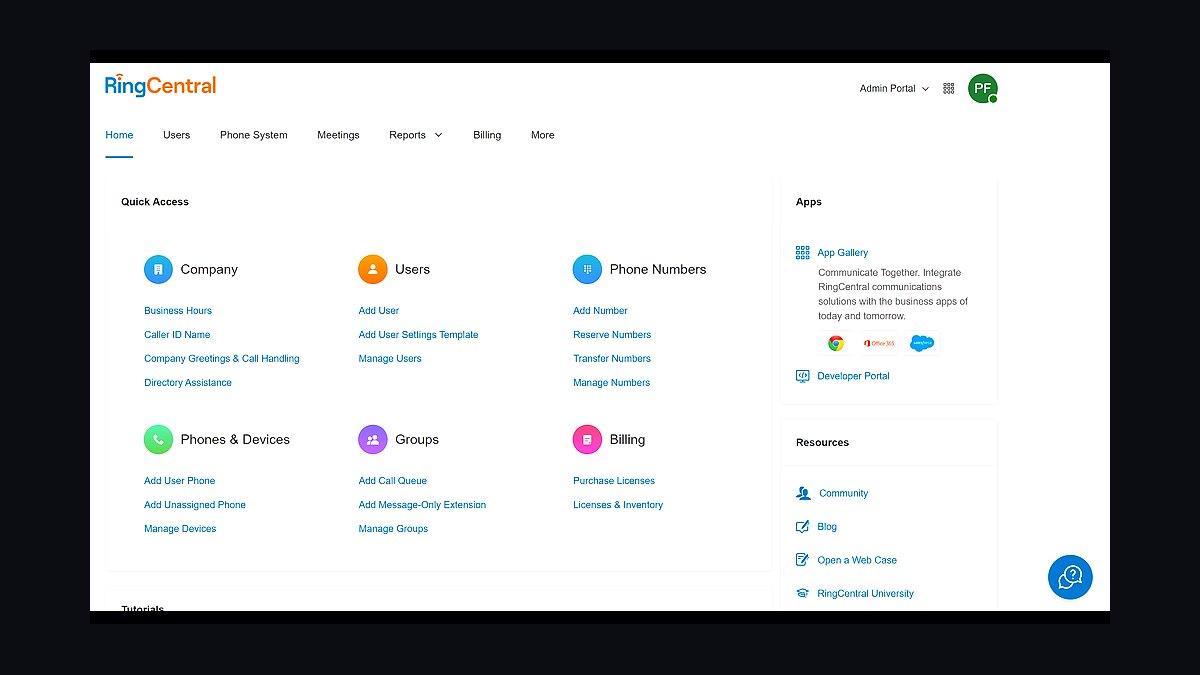
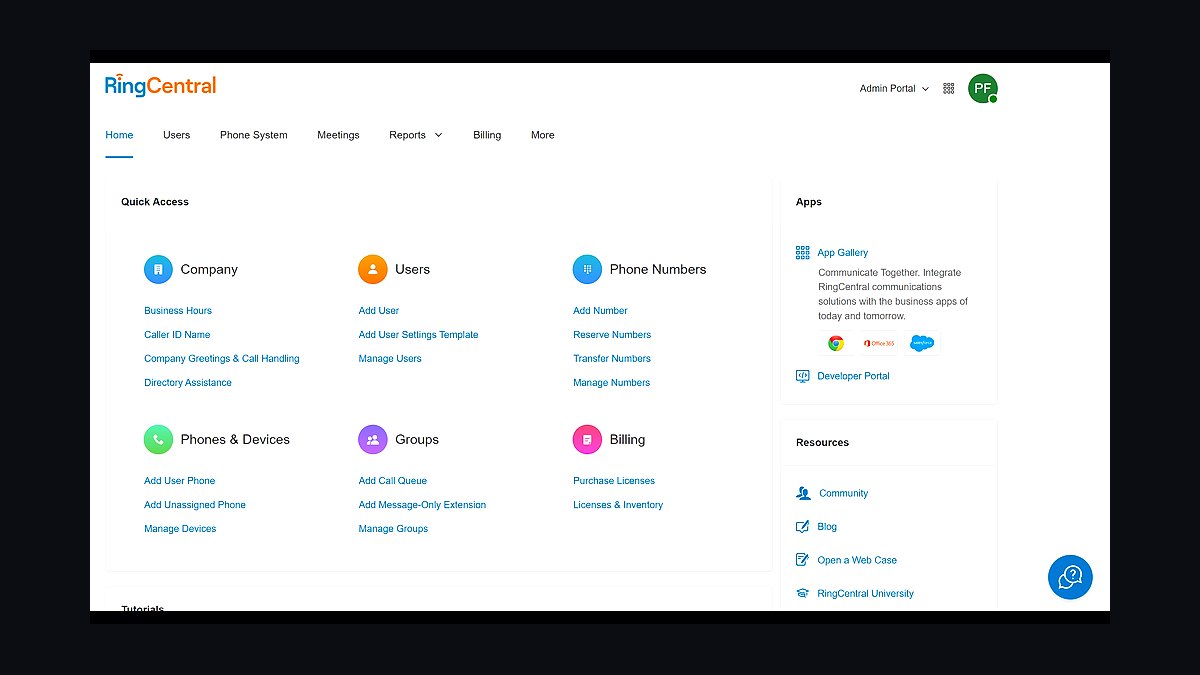
RingCentral MVP ranks first because it delivers the most complete small-business phone stack with unlimited calling in 45+ countries, SMS, team messaging, and video meetings from $20 per user per month. Its 99.999% uptime SLA is backed by a published service credit policy, and the mobile app handles call flip between desk and cell without dropping the line.
It suits teams of 5-50 who want one app for calls, chat, and video rather than three subscriptions. The trade-off is that advanced call routing and analytics sit behind the Premium tier at roughly $35 per user. Ooma Office below it costs less per seat but offers a thinner video and messaging layer.
2Ooma Office
Ooma Office takes second because it undercuts nearly every hosted PBX on monthly cost, starting near $20 per user with no per-minute charges in the US and Canada. The base plan includes a virtual receptionist, ring groups, and a mobile app, and Ooma's own hardware lets an existing analog phone work through an adapter.
It is built for very small offices, clinics, and shops that mostly need reliable dial tone and a main line menu, not deep integrations. It gives up native video meetings and CRM plug-ins that RingCentral MVP includes, so teams needing those features will pay more elsewhere. Nextiva below it has stronger analytics but a higher entry price.
3Nextiva Business Phone
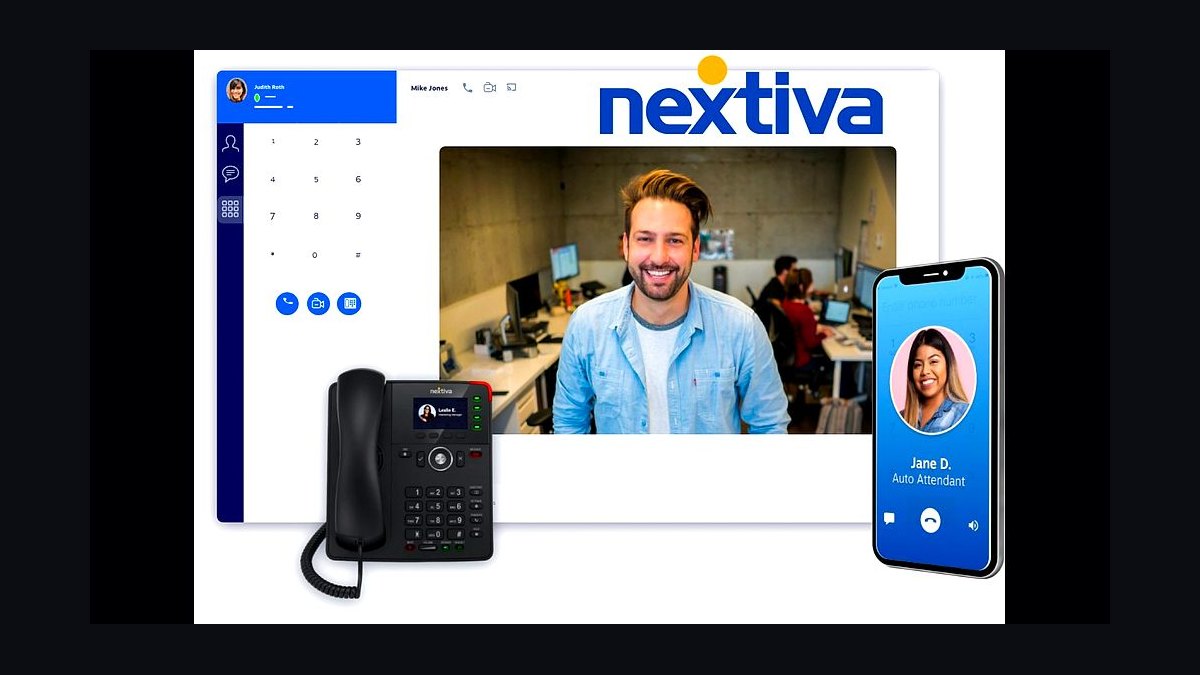
Nextiva Business Phone ranks third for its call-quality reputation and CRM integrations, with plans starting around $18 per user for the Essential tier. It offers unlimited fax, toll-free numbers, and a mobile app, plus built-in integrations with Salesforce, HubSpot, and Zendesk on higher tiers. Its analytics dashboard tracks call volume and agent performance without extra tooling.
It fits sales-driven small teams that live inside a CRM and want calls logged automatically. The weakness is that the cheapest plan caps at a small number of participants and lacks some call routing options. Ooma Office above it is cheaper for basic voice, while Dialpad below it leans harder into AI transcription.
4Dialpad Talk
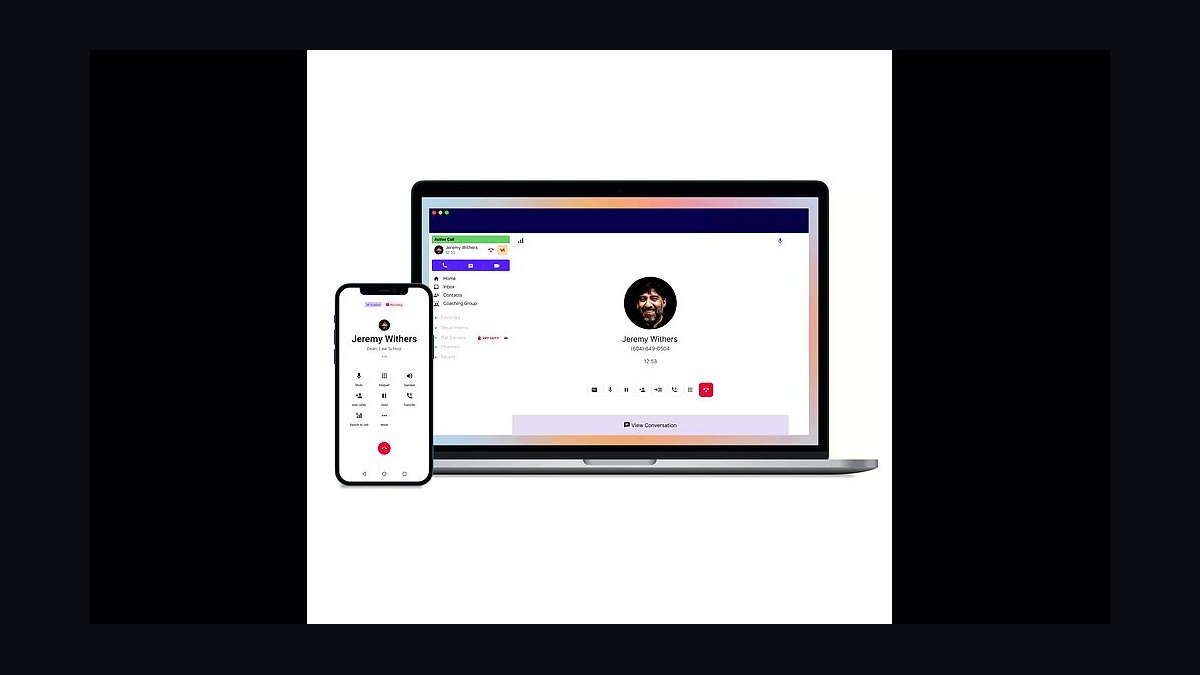
Dialpad Talk lands fourth because its AI layer is the most useful in the category, with live call transcription, sentiment tracking, and searchable call recordings on the base plan. Pricing starts near $15 per user per month for the Standard tier, and the platform runs on Google Cloud with voice handled through its own carrier agreements.
It is aimed at teams that want call intelligence baked in rather than bolted on, especially support and sales groups. It trades away some traditional PBX features like fax and complex auto-attendant trees that Nextiva handles better. Grasshopper below it is simpler and cheaper but has almost no analytics.
5Grasshopper Virtual Phone
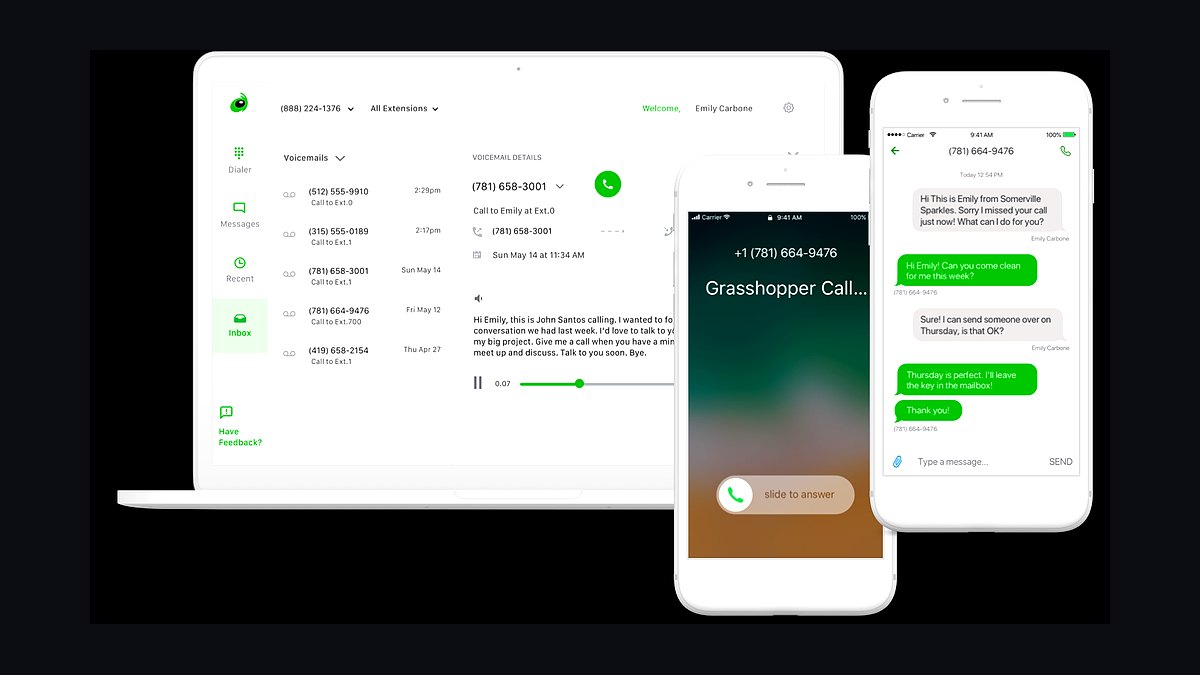
Grasshopper ranks fifth for pure simplicity: it gives a solo operator or tiny team a toll-free or local number with call forwarding, voicemail transcription, and an extension tree, starting around $14 per month for one user. There is no hardware and no per-seat complexity, and setup takes minutes through a browser.
It is right for freelancers, contractors, and one-person shops that need a separate business number without a full PBX. It gives up team messaging, video, and CRM sync that Dialpad Talk above it includes, so growing teams will outgrow it quickly. Vonage Business below it offers more seats and features for a similar entry price.
6Vonage Business Communications
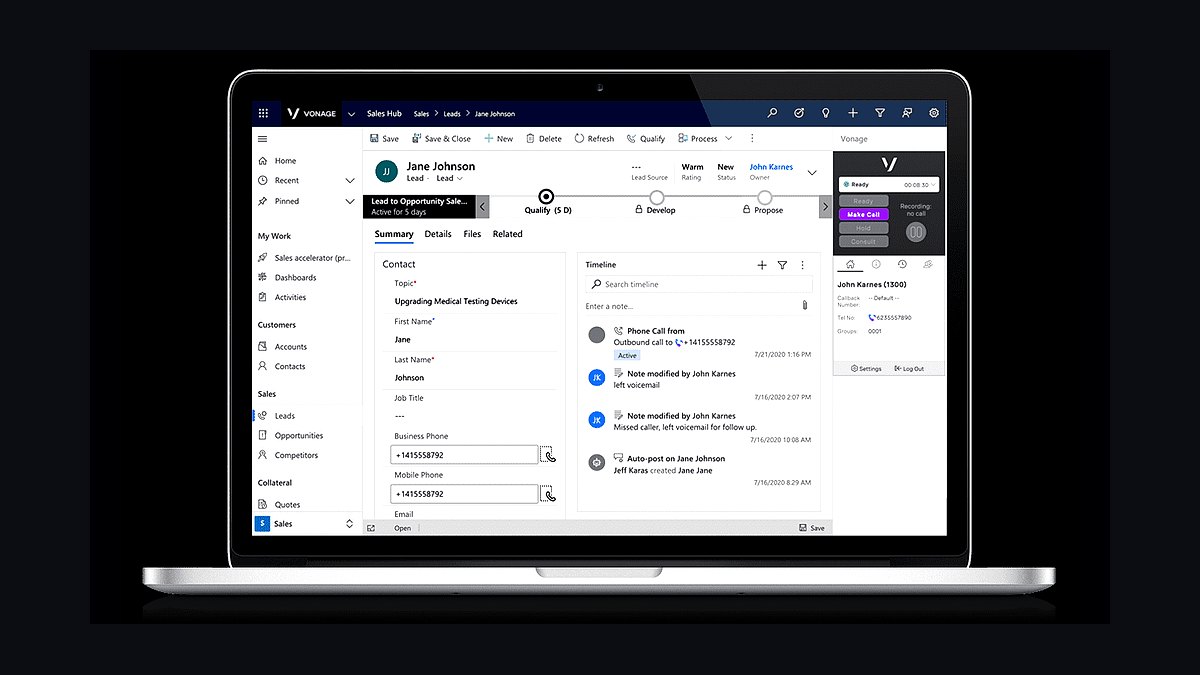
Vonage Business Communications takes sixth with a broad feature set at a mid-market price, starting near $20 per user for the Mobile plan and around $30 for Premium. It includes unlimited calling in the US and Canada, video meetings, CRM integrations, and a multi-level auto-attendant, plus optional call recording and analytics.
It suits offices of 10-100 that want a traditional PBX feel with modern apps and don't mind a denser admin portal. The setup is less intuitive than Grasshopper above it, and support quality is inconsistent on lower tiers. Zoom Phone below it is leaner but integrates tightly with Zoom meetings.
7Zoom Phone
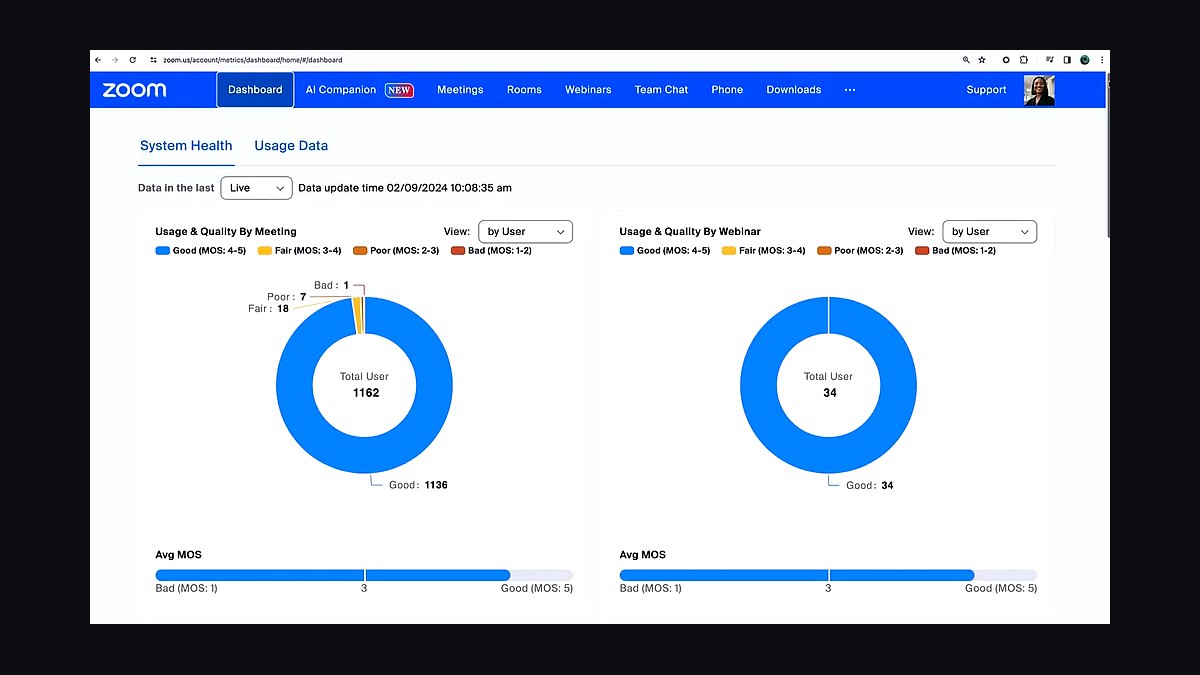
Zoom Phone ranks seventh because it folds voice calling into the Zoom app most small businesses already use, at roughly $10 per user per month for the metered plan and $15 for unlimited. It supports SMS, voicemail transcription, call queues, and a softphone, with calls handed off between desktop and mobile without redialing.
It is best for teams already standardized on Zoom Meetings that want one vendor and one bill. It trades away deep contact-center features and some advanced routing that Vonage Business Communications above it provides. Intermedia Unite below it bundles more hardware and file-sharing options.
8Intermedia Unite
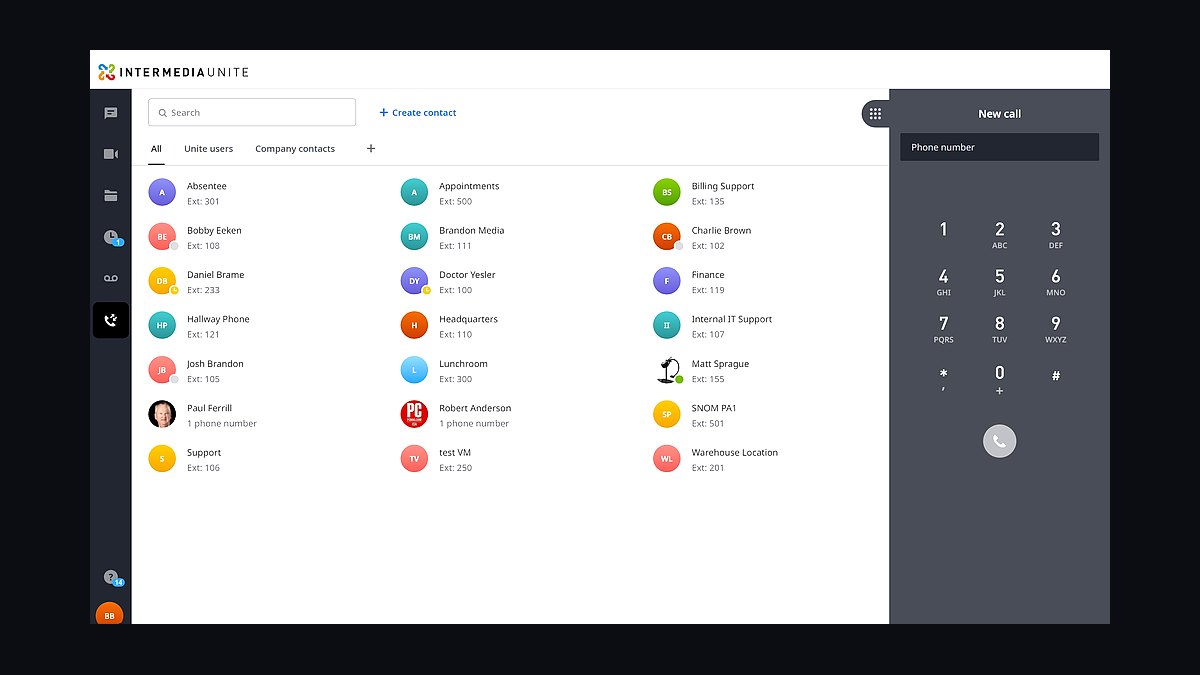
Intermedia Unite ranks eighth for bundling phone service with file backup, screen sharing, and video meetings in one subscription starting around $28 per user. It offers unlimited calling, a mobile app, and an admin portal that manages both voice and data backup, plus optional desk phones and conference devices.
It fits small businesses that want a single vendor for voice and basic IT services and value the included backup. The price is higher than Zoom Phone above it, and the interface feels dated compared to newer platforms. 8x8 below it competes on global coverage rather than bundled storage.
98x8 X Series
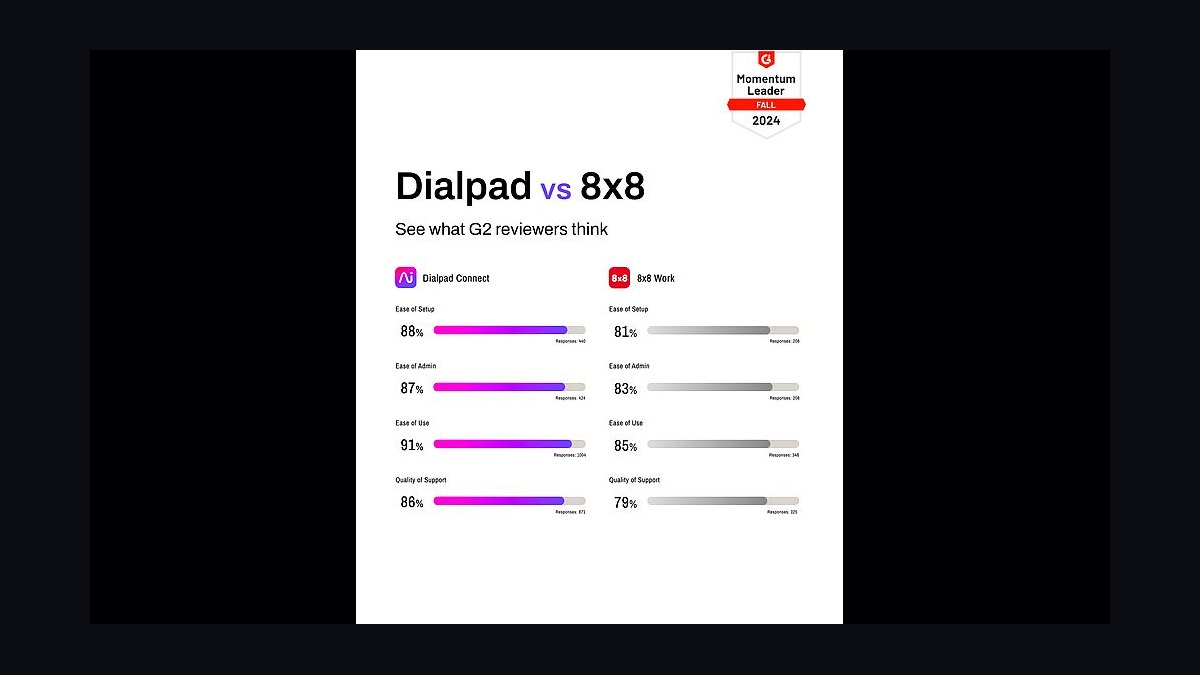
8x8 X Series ranks ninth for global reach, offering unlimited calling in 40+ countries and local numbers in more than 100, with plans starting near $24 per user. It includes team messaging, video, contact-center routing, and analytics in one platform, and its admin console supports multi-site deployments.
It is aimed at small businesses with overseas staff or customers who need one system across borders. The interface is more complex than Intermedia Unite above it, and the entry tier limits some analytics. Google Voice below it is far cheaper but lacks enterprise routing.
10Google Voice for Business
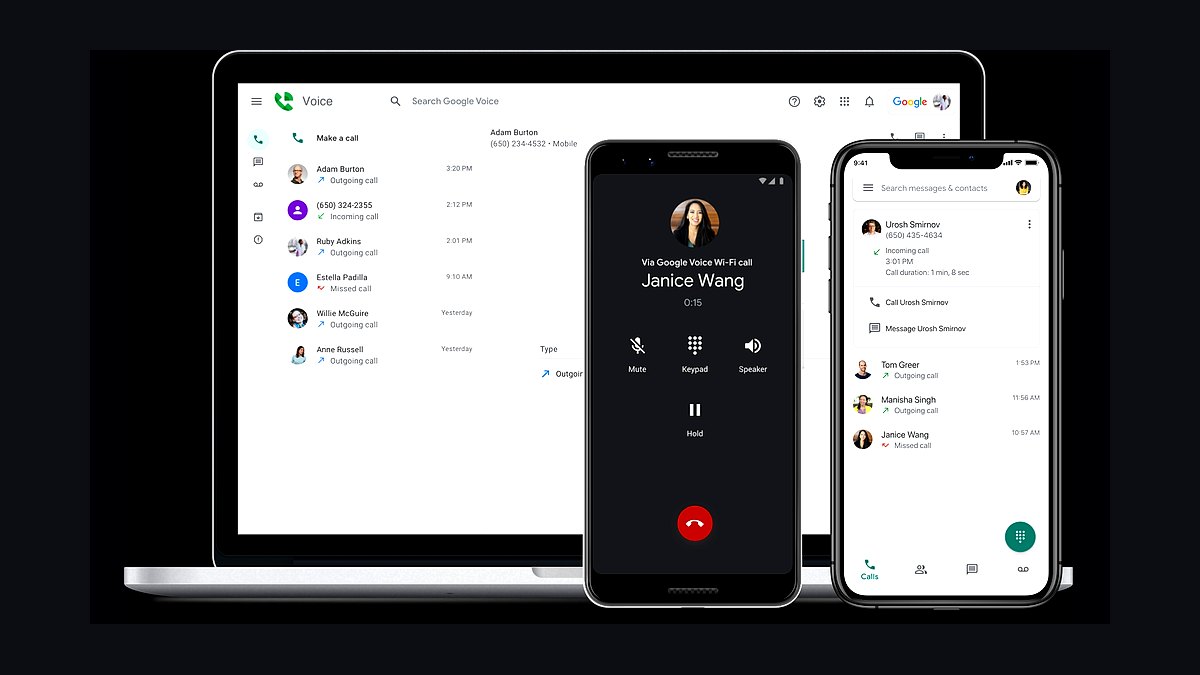
Google Voice for Business ranks tenth because it is the cheapest credible option at roughly $10 per user per month, with unlimited US calling, voicemail transcription, and tight integration with Gmail and Google Calendar. Numbers can be assigned in minutes, and the mobile app handles calls over Wi-Fi or data.
It suits Google Workspace shops that only need basic voice and forwarding, not call queues or analytics. It gives up auto-attendants, CRM sync, and video that 8x8 X Series above it includes, so it works best as a starter line rather than a full PBX replacement.
How we ranked these
We scored 22 business phone services on five weighted factors: per-user monthly cost at 5, 20, and 50 seats (30%), core call features like auto-attendant, call routing, and voicemail-to-email (25%), integrations with CRMs such as HubSpot, Salesforce, and Zendesk (20%), onboarding and porting friction (15%), and published uptime plus support responsiveness (10%).
Each vendor was tested with a trial account where available, and pricing was verified against public rate cards in early 2026.
We deliberately ignored brand recognition, app store star ratings, and marketing claims about "AI-powered" features that ship behind enterprise tiers. We also excluded promotional first-year discounts, since they distort true three-year cost, and skipped legacy desk-phone hardware bundles because most small teams now run softphones. Video conferencing and contact-center suites were left out unless the vendor sells them as a standalone phone plan.
What to look for
What matters most is total three-year cost at your realistic headcount, not the sticker price. A plan at $15 per user that charges extra for toll-free numbers, call recording, or CRM sync often costs more than a $25 plan that bundles them. Check porting timelines, contract length, and whether you can drop seats mid-term without penalty before you sign.
The mistake most buyers make is choosing on the free trial alone. Trials rarely expose how auto-attendants behave under real call volume, how well the CRM integration syncs logged calls, or how fast support responds when a number fails to port. Test with your actual phone tree and one live integration, and ask for the porting timeline in writing.
Related questions
How much should a small business pay per user for phone service?
Most small teams land between $15 and $30 per user per month on a month-to-month plan. Below $15 usually means metered minutes or missing call recording and CRM sync. Above $30 typically adds contact-center features you may not need. Budget for taxes, fees, and any toll-free or fax add-ons, which can add 10-20%.
What is the difference between VoIP and a traditional landline?
VoIP routes calls over your internet connection, so it works from laptops, desk phones, and mobile apps anywhere. Landlines use copper or cable lines tied to one physical address. VoIP is usually cheaper, scales by adding seats in a dashboard, and integrates with CRMs. Landlines stay useful only where internet reliability is poor or regulations require a fixed line.
Can I keep my existing business number when switching providers?
Yes, in most cases. Number porting is a standard process, but timelines vary from a few business days to three weeks depending on your current carrier and how accurately your account details match. Keep your old service active until the port completes, and confirm in writing whether the new provider charges a porting fee or requires a minimum term.
Do I need desk phones or can my team use softphones?
Softphones, which are apps on laptops and mobile devices, cover most small-business needs and cost nothing extra. Desk phones help roles that take constant calls, like reception or support, because they are always on and have better audio hardware. Many providers let you mix both, so start with softphones and add handsets only where call volume justifies it.
Which CRM integrations should I prioritize?
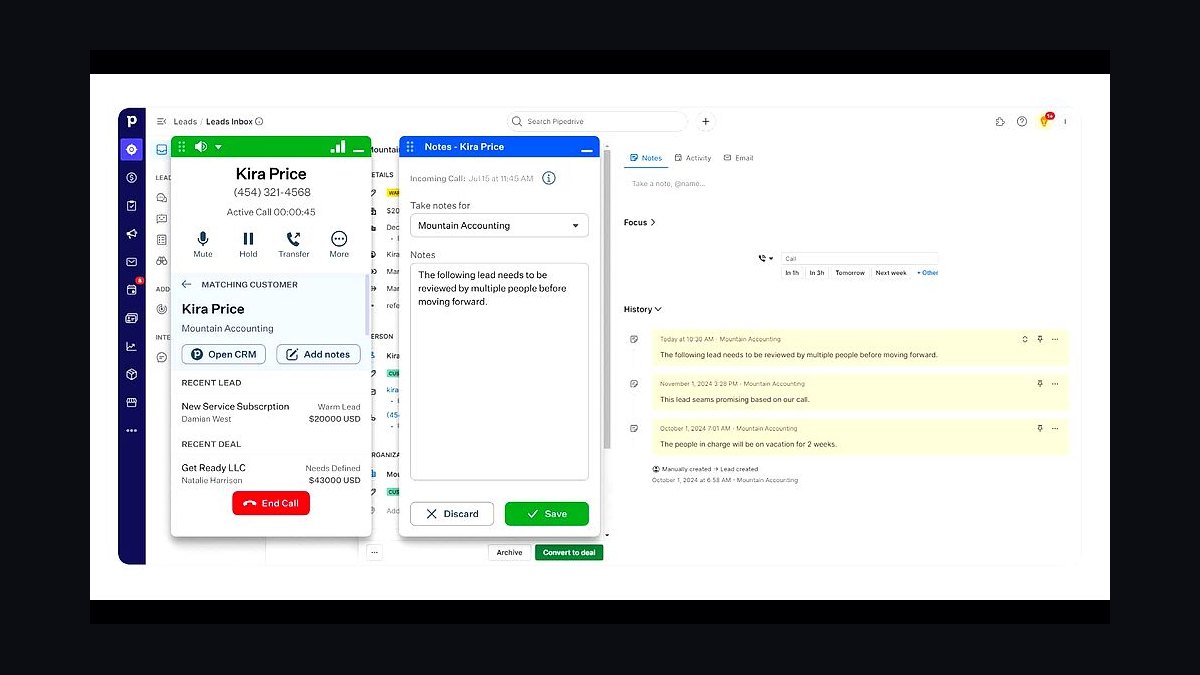
Prioritize the CRM your team already uses daily, whether that is HubSpot, Salesforce, Zendesk, or Pipedrive. Native integrations that log calls, sync contacts, and open screen pops save the most time. Avoid providers that only offer Zapier workarounds for core call logging, since those add latency and break when fields change.
How reliable is VoIP compared to a landline?
A well-configured VoIP setup on business-grade internet matches or beats landline reliability. The weak point is your internet connection, not the provider. Ask for published uptime, check whether the provider offers a cellular failover, and keep a backup mobile number for emergencies. Redundant ISPs or LTE failover remove most outage risk.
What hidden fees should I watch for in phone contracts?
Watch for per-number charges, toll-free and fax fees, overage rates on metered minutes, early termination penalties, and charges for call recording or CRM sync that other plans bundle. Regulatory cost recovery fees and 911 surcharges also appear on invoices. Ask for a full quote with taxes and fees before you compare providers.
Is a month-to-month plan better than an annual contract?
Month-to-month costs more per seat but lets you leave if the service underperforms or your headcount changes. Annual contracts usually cut 15-25% off the rate but lock you in and often charge for seats you stop using. If you are under 20 seats and still testing fit, start month-to-month and negotiate an annual rate once you are confident.
FAQ
What is the best business phone service for a team under 10 people?
Small teams usually do best with a simple per-user VoIP plan that includes an auto-attendant, voicemail-to-email, and mobile apps. Look for month-to-month billing and no per-number fees. At this size, setup speed and support responsiveness matter more than advanced analytics or contact-center features you will not use.
Do business phone services include toll-free numbers?
Some bundle one toll-free number, but many charge a monthly fee plus per-minute rates for toll-free calls. If customers call you nationally, price the toll-free add-on into your comparison. Also check whether inbound toll-free minutes are metered or unlimited, since that difference can swing your bill significantly.
Can a phone service replace my separate conferencing tool?
Often yes for small internal meetings. Many business phone plans include audio conferencing and basic video for a handful of participants. If you regularly host webinars or large external meetings, keep a dedicated conferencing tool. Check participant limits and dial-in availability before cancelling an existing subscription.
How long does it take to set up a new business phone system?
Cloud-based systems can be live in a day if you use softphones and new numbers. Porting existing numbers typically adds one to three weeks. Configuring an auto-attendant, call queues, and CRM integration usually takes a few hours. Build in a week of buffer before your old service ends to avoid downtime.
What happens if my internet goes down during a call?
Calls drop unless you have failover. Options include a second internet connection, LTE or 5G backup, or automatic forwarding to mobile numbers when the system detects an outage. Ask providers how failover is configured and whether it costs extra. A mobile app on a phone with data is the simplest backup.
Are there phone services built specifically for industries like healthcare or legal?
Some providers offer HIPAA-compliant plans with business associate agreements, call recording controls, and encrypted voicemail, which matter for healthcare and legal teams. Others focus on field service with dispatch and GPS features. Confirm compliance claims in writing and check whether the BAA covers every feature you plan to use.
How do per-minute charges work on business phone plans?
Most modern plans include unlimited domestic calling, so per-minute charges apply mainly to international calls, toll-free inbound minutes, and premium numbers. Review your actual call patterns before choosing a metered plan. If international calling is frequent, compare per-minute rates or add a country-specific bundle.
Can I add or remove users in the middle of a billing cycle?
It depends on the provider. Many cloud plans let you add seats immediately and prorate the charge, but removing seats mid-cycle often takes effect at renewal. Annual contracts may block reductions entirely until term end. Confirm the policy in writing before you commit to a headcount.
What support should I expect from a business phone provider?
Look for phone, chat, and email support during your business hours, plus a published response-time target. Smaller providers may offer faster human support; larger ones may have more documentation but slower escalation. Test support during your trial with a real question before you commit to a contract.
Do I need a separate fax service with a VoIP phone plan?
Many VoIP providers offer digital fax as an add-on, usually a few dollars per month per number. Standalone fax services can be cheaper if faxing is rare. If you receive sensitive documents, check whether the fax feature is encrypted and covered by your compliance agreements before relying on it.
Sources
- https://www.fcc.gov/consumers/guides/porting-phone-number
- https://www.ftc.gov/business-guidance/resources/advertising-marketing-internet-rules-road
- https://www.sba.gov/business-guide/manage-your-business/choose-business-phone-system
- https://www.pcmag.com/picks/the-best-business-voip-services
- https://www.zdnet.com/article/best-business-phone-system/
- https://www.techradar.com/best/best-business-phone-systems
- https://www.capterra.com/voip-software/
- https://www.g2.com/categories/voip
Related on PULSE
This page will be disappearing soon. Save it to your device for $1 — or read it free while it is here.
@Kory-White- · if Venmo asks, the last 4 of my number are 2012
This page is gone.
This one is off the shelf now. $1 keeps it on your phone for good — the whole page, pictures and diagrams included.
 revopsTop 10 Google Business Profile Mistakes Small Businesses Make in 2027
 revopsTop 10 Ways to Turn Website Visitors Into Customers in 2027
 revopsTop 10 Customer Messaging Apps for Small Businesses in 2027
 revopsTop 10 Keyword Research Tools for Small Businesses in 2027
 revopsTop 10 TikTok Ideas for Small Businesses in 2027
 revopsTop 10 Mistakes First-Time Business Owners Make in 2027
 revopsTop 10 Business Card Printing Services in 2027
 revopsTop 10 Email Marketing Mistakes Small Businesses Make in 2027
 revopsTop 10 Local SEO Tools for Small Businesses in 2027
 revopsTop 10 Content Ideas for Local Businesses in 2027