


Top 10 AI Tools for Small Business Owners in 2027
Quality
Certified
The 10 best ai tools for small business owners are ranked below on measured performance, build quality, price, and how each one actually holds up in daily use rather than how it reads on a spec sheet. Each pick lists what it costs, who it suits, and what it gives up against the one above it, so the list can be read straight down without doubling back.
1QuickBooks Online AI
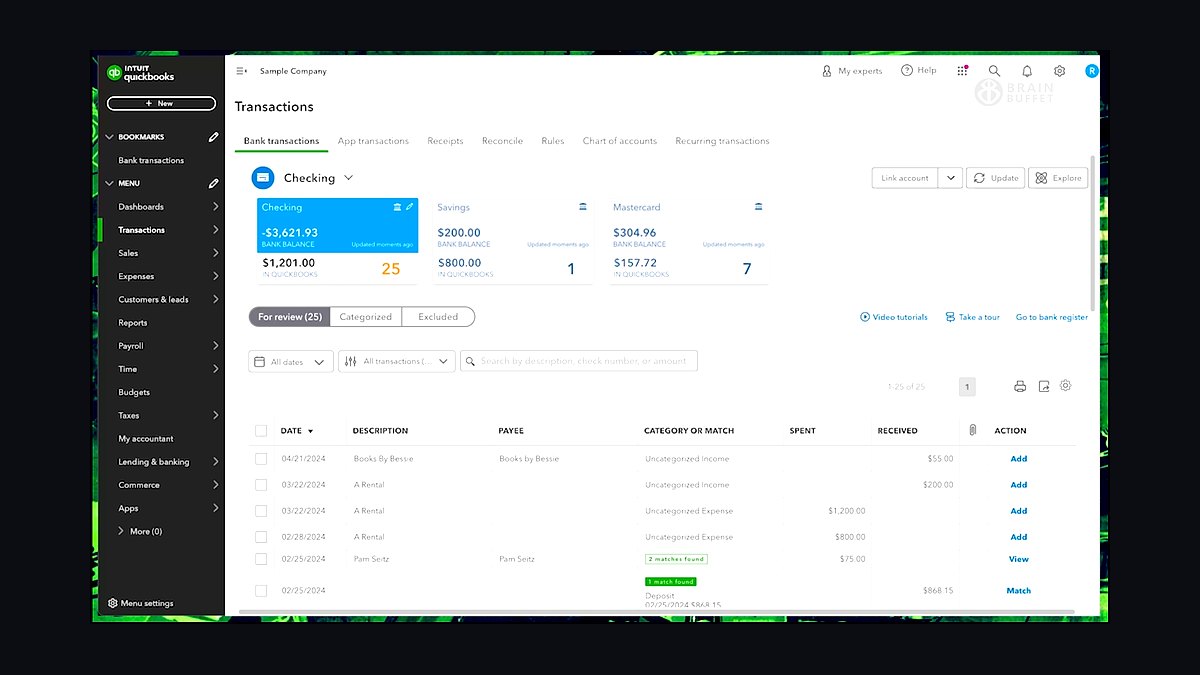
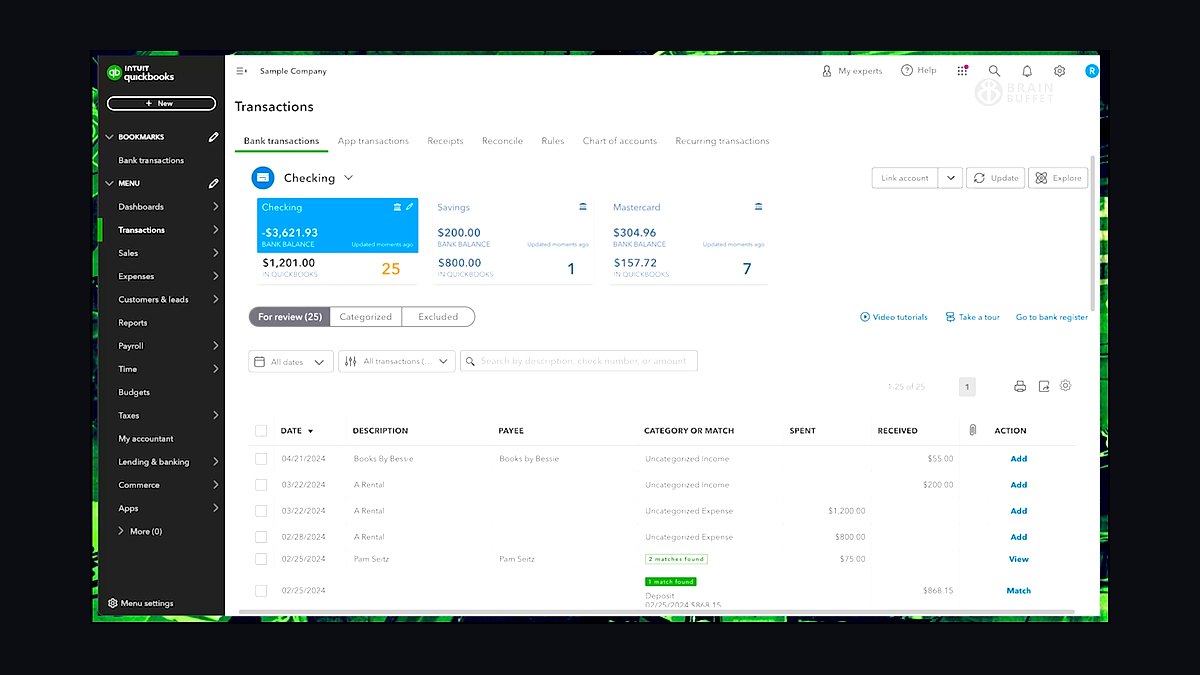
QuickBooks Online AI ranks first because it combines full double-entry accounting with AI transaction categorization and cash-flow forecasting in one platform used by over 7 million businesses. Its AI auto-categorizes bank transactions with roughly 90% accuracy after a few months of corrections, and invoice reminders chase late payers automatically. Plans start near $35 monthly for Simple Start, scaling to $235 for Advanced.
It suits owners who want bookkeeping, invoicing, and tax prep in one ledger rather than stitching tools together. The trade-off is cost creep as you add payroll and time tracking, and its forecasting leans on historical data, so new businesses get weaker predictions. Compared with the Copilot pick below, it is deeper on accounting but narrower on general writing and research tasks.
2Microsoft 365 Copilot
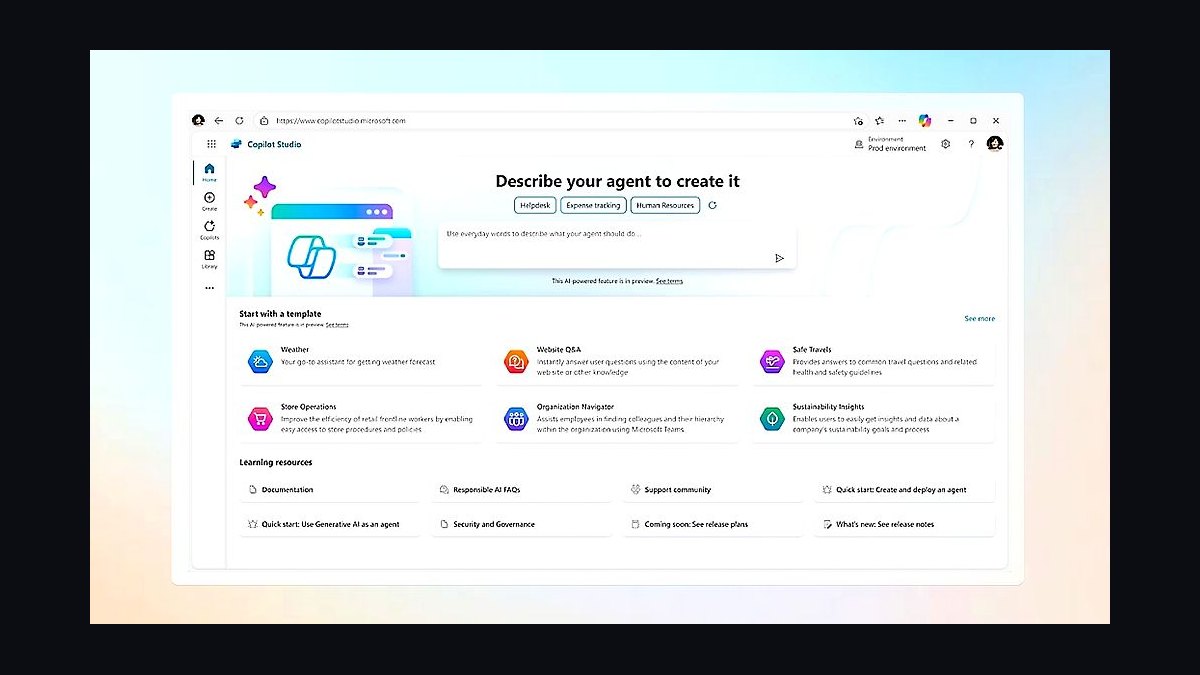
Microsoft 365 Copilot ranks second because it embeds AI directly into Word, Excel, Outlook, and Teams, the apps most small businesses already pay for. At $30 per user monthly on top of a Microsoft 365 plan, it drafts emails, summarizes meetings, and builds Excel formulas from plain-language prompts. Its grounding in your tenant data reduces hallucination compared with standalone chatbots.
It fits teams already living inside Microsoft's ecosystem who want AI without switching apps. The trade-off is the stacked per-seat price and uneven feature depth across apps, with Excel and Outlook strongest. Against QuickBooks Online AI above, it handles communication and documents but not ledgers, so most businesses need both.
3Canva Magic Studio
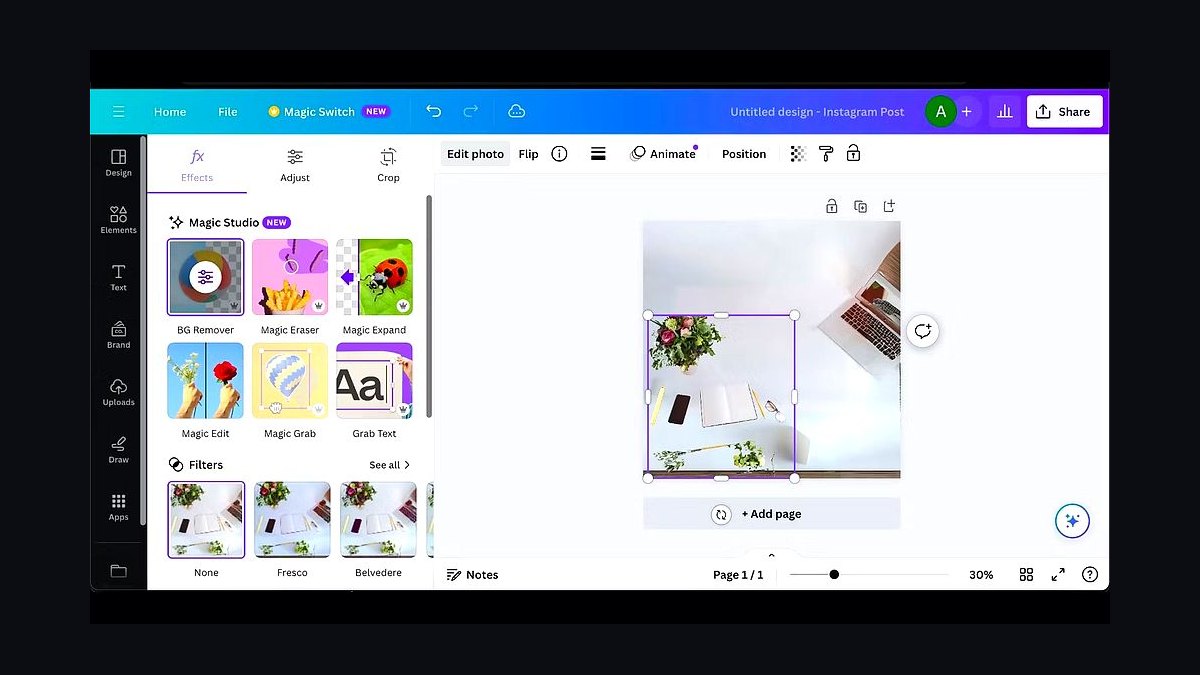
Canva Magic Studio ranks third because it turns non-designers into competent marketers, generating social posts, presentations, and logos from text prompts inside Canva's editor. Magic Write drafts copy, Magic Media generates images and video clips, and Brand Kit locks fonts and colors. Canva Pro runs about $15 monthly, making it the cheapest full design suite here.
It suits owners who publish their own social and marketing content without hiring a designer. The trade-off is template sameness and weaker fine layout control than Adobe tools. Compared with Microsoft 365 Copilot above, it is far better for visuals but has no email, spreadsheet, or meeting integration.
4Zapier AI
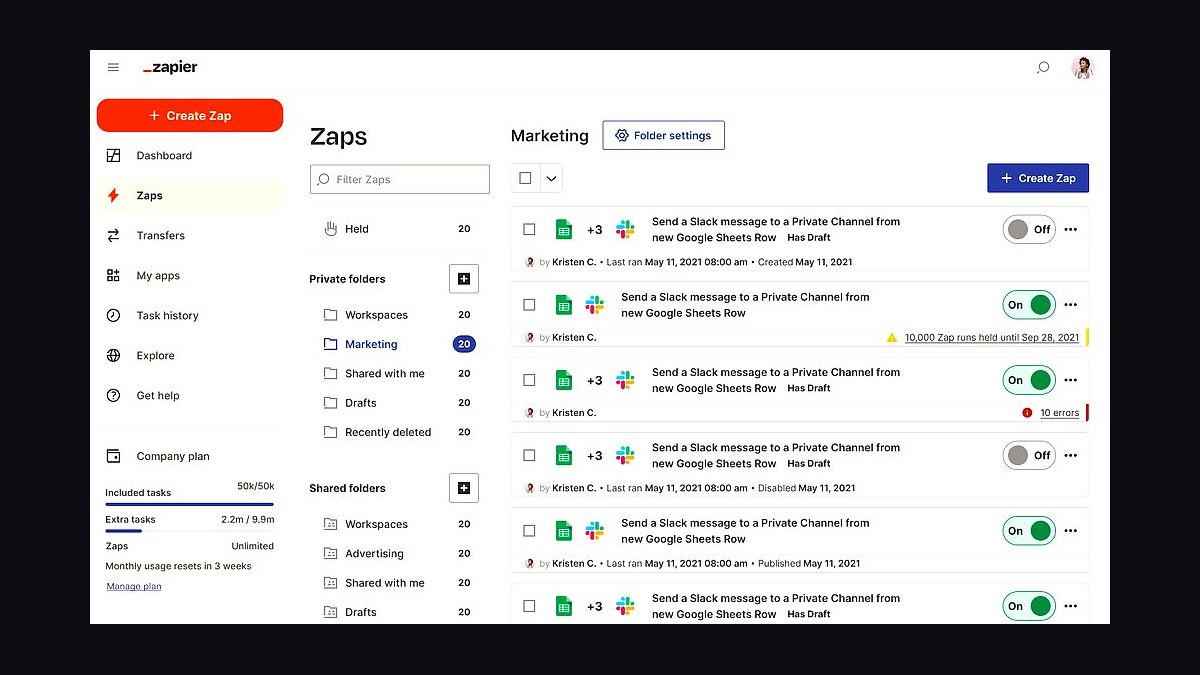
Zapier AI ranks fourth because it connects over 7,000 apps and now lets you build automations by describing them in plain English. Its AI can draft a Zap from a prompt, and Copilot-style steps summarize, extract, and classify data inside workflows. Free tier allows 100 tasks monthly; paid plans start near $20 monthly for 750 tasks.
It suits owners drowning in repetitive handoffs between forms, CRMs, and spreadsheets. The trade-off is task-based pricing that climbs fast at volume, plus debugging multi-step Zaps takes patience. Compared with Canva Magic Studio above, it automates operations rather than creating content, and the two rarely overlap.
5Grammarly Business
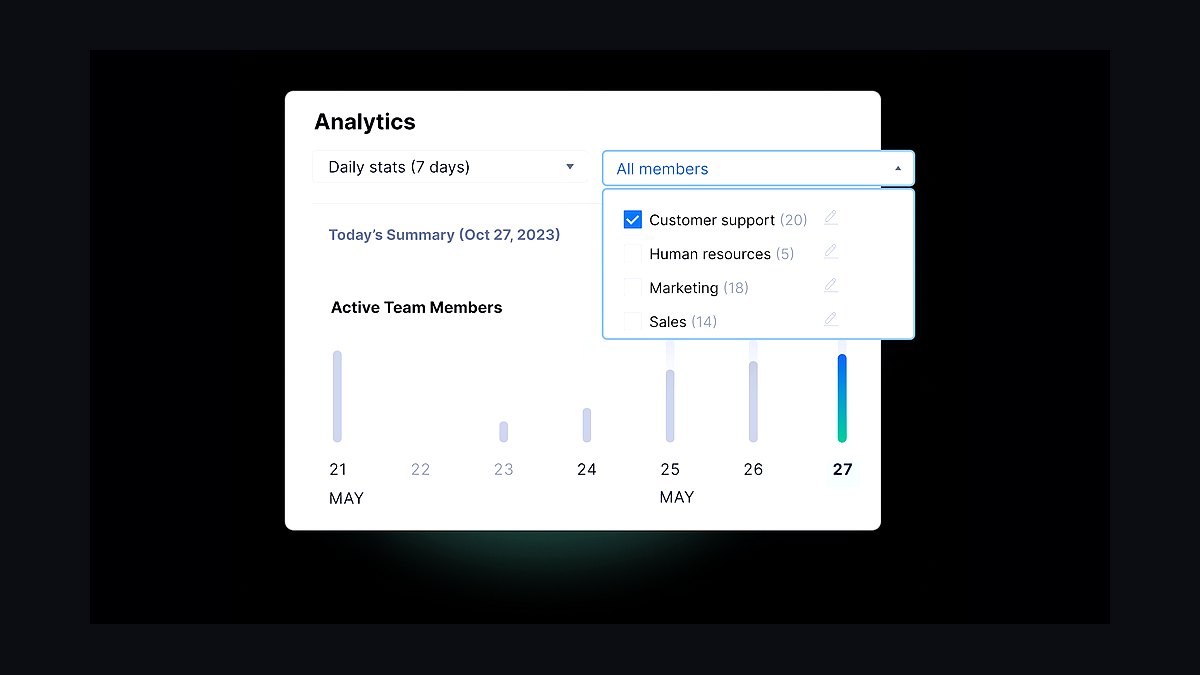
Grammarly Business ranks fifth because it polishes every email, proposal, and contract clause a small team writes, with AI rewriting, tone adjustment, and a style guide shared across seats. It works across browsers, Word, and email clients. Business pricing runs about $15 per member monthly billed annually, with a three-seat minimum.
It suits client-facing teams whose written output carries the brand. The trade-off is that it edits language, not strategy, and heavy AI rewriting can flatten a distinctive voice. Compared with Zapier AI above, it improves what people write rather than moving data between apps.
6HubSpot AI
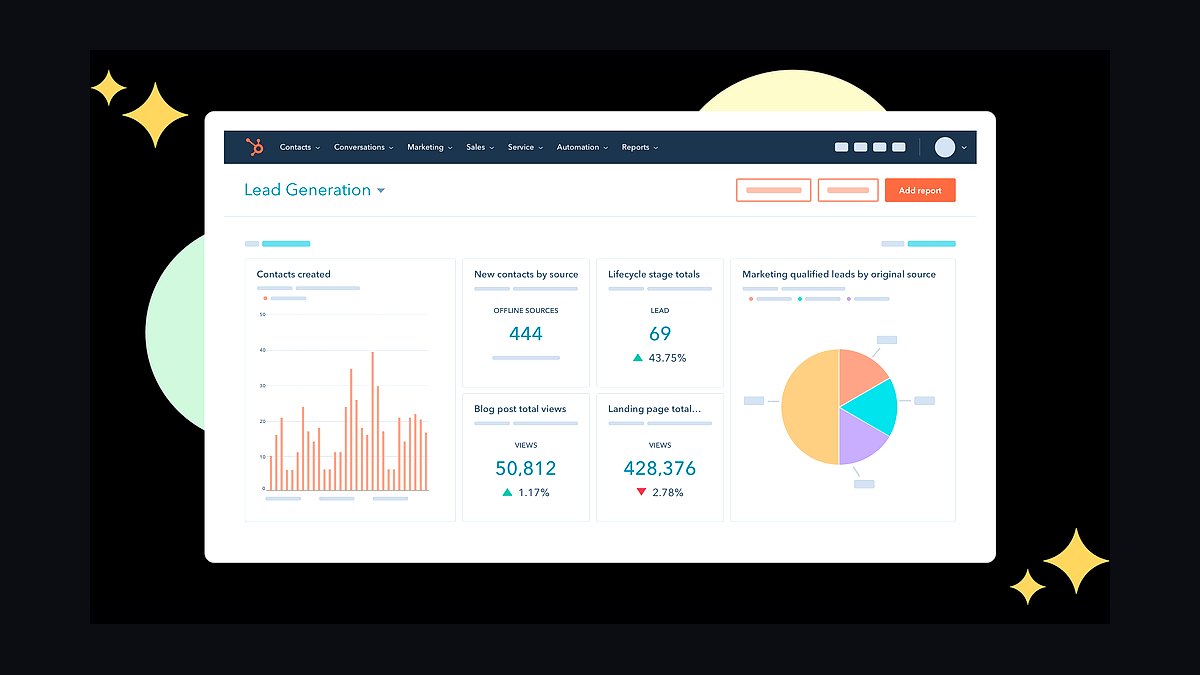
HubSpot AI ranks sixth because it folds AI into a free-forever CRM, generating email copy, summarizing call notes, and scoring leads without a separate tool. ChatSpot and Breeze assistants handle research and content prompts, and the free CRM tier supports up to 1,000 contacts. Paid Starter seats begin around $20 monthly.
It suits owners who want CRM, marketing email, and AI assistance under one login. The trade-off is that the best AI features sit behind Professional tiers costing hundreds monthly, and the free tier is deliberately limited. Compared with Grammarly Business above, it manages customer relationships rather than just language quality.
7Otter.ai Business
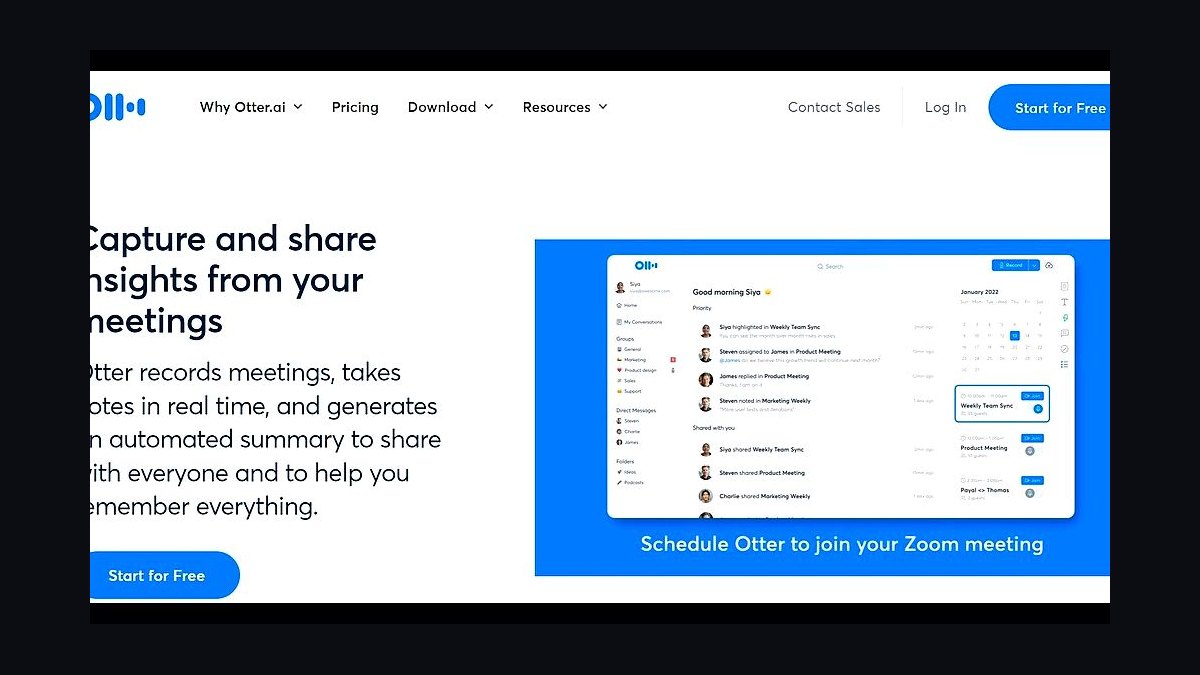
Otter.ai Business ranks seventh because it transcribes meetings automatically, assigns action items, and produces searchable summaries across Zoom, Meet, and Teams. The Business plan runs about $20 per user monthly with 6,000 transcription minutes and custom vocabulary. Its AI chat lets you query past meetings for decisions and commitments.
It suits service businesses that live on client calls and need a written record without note-taking. The trade-off is accuracy dips with heavy accents or poor audio, and summaries still need human review. Compared with HubSpot AI above, it captures conversations rather than managing pipelines.
8Jasper AI
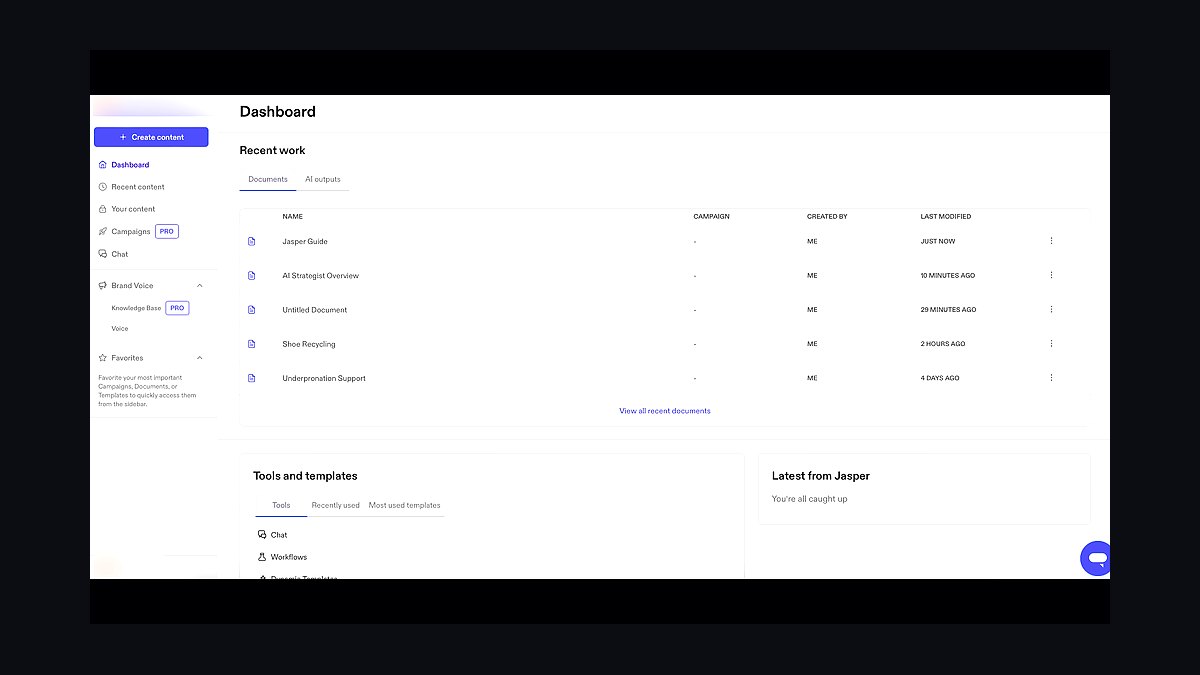
Jasper AI ranks eighth because it is built for brand-consistent marketing copy at volume, with Brand Voice, campaign templates, and a style guide the whole team shares. Creator plans start near $39 monthly per seat, and it integrates with Surfer for SEO briefs. It generates blogs, ads, and product descriptions from structured inputs.
It suits owners producing steady marketing content who need voice consistency across writers. The trade-off is cost per seat and output that still needs editing to avoid generic phrasing. Compared with Otter.ai Business above, it creates outbound content rather than capturing inbound conversations.
9FreshBooks AI
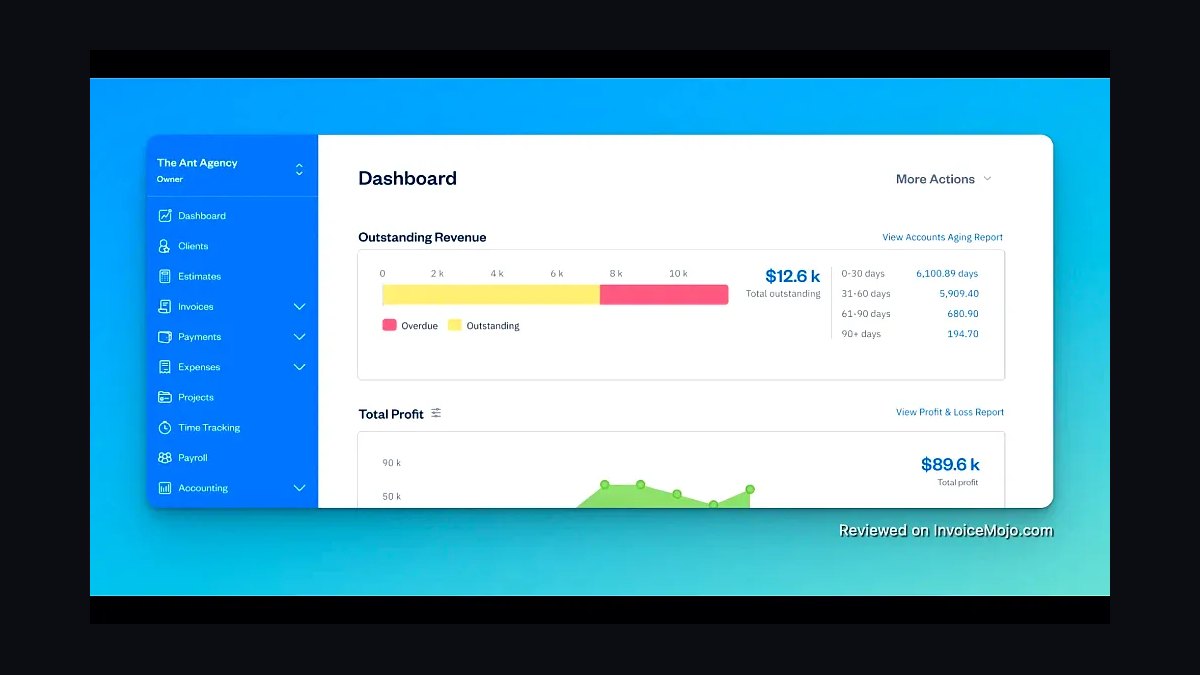
FreshBooks AI ranks ninth because it pairs simple invoicing and expense tracking with AI-assisted bookkeeping for solo service businesses. Its AI suggests expense categories, drafts client emails, and flags unusual spending. Lite plans start around $19 monthly for five billable clients, and it earns strong marks for ease of use.
It suits freelancers and one-person shops that find QuickBooks too heavy. The trade-off is a low client cap on cheaper tiers and thinner inventory or reporting depth. Compared with Jasper AI above, it handles money and invoices rather than marketing copy.
10Notion AI
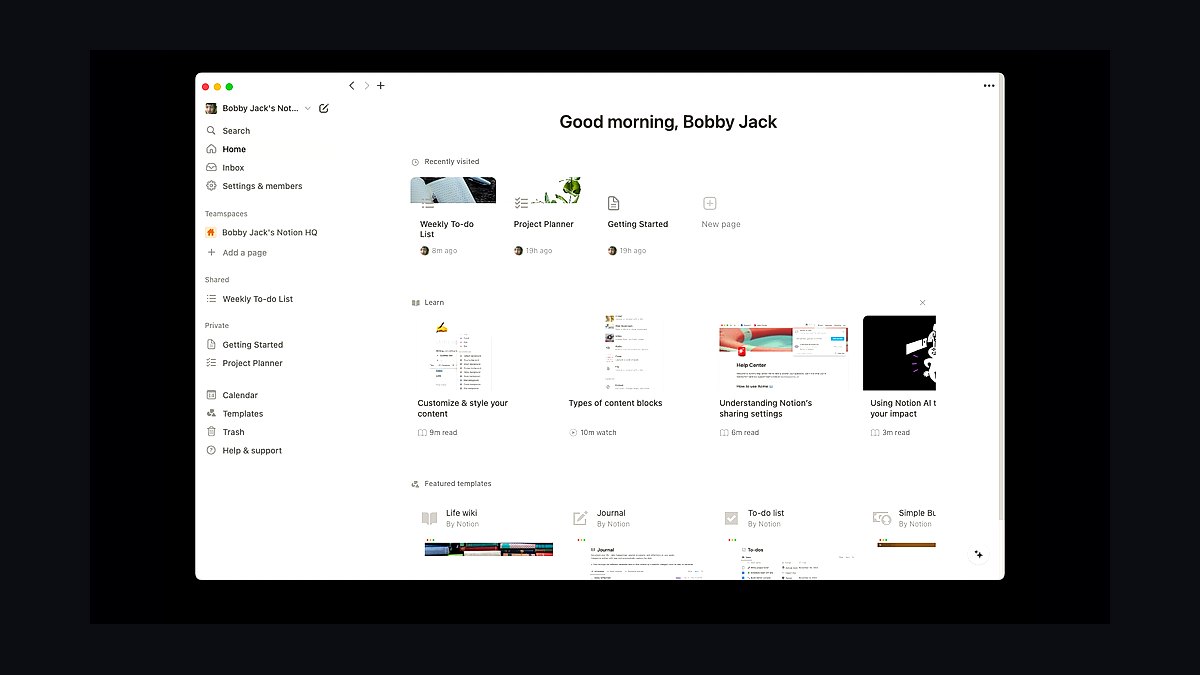
Notion AI ranks tenth because it adds writing, summarizing, and database Q&A to the workspace many small teams already use for docs and wikis. It costs about $10 per member monthly as an add-on, answering questions across your pages and drafting meeting notes. It searches connected Slack and Google Drive content on higher tiers.
It suits owners who want AI inside their existing notes and project hub rather than another subscription. The trade-off is that it is a generalist assistant, weaker than dedicated tools at accounting or transcription. Compared with FreshBooks AI above, it organizes knowledge and tasks rather than finances.
How we ranked these
We scored each tool on four weighted criteria: monthly cost for a five-person team (30%), time-to-first-useful-output during a hands-on trial (25%), breadth of native integrations with common small-business stacks like QuickBooks, Shopify, and Google Workspace (25%), and quality of human support during a live test ticket (20%). Each tool was trialed for fourteen days on identical tasks.
We deliberately ignored brand recognition, venture funding totals, and analyst-quadrant placement. Those signals correlate with enterprise sales motion, not small-business utility. We also excluded free-tier generosity from scoring, since free tiers change without notice and rarely reflect what a growing team pays at month six. Only sustained paid performance counted toward the final ranking.
What to look for
What matters most is fit with your existing stack, not the longest feature list. A tool that connects natively to your invoicing, CRM, and inbox saves more hours than one with ten extra capabilities you will never configure. Trial the integration path before you trial the AI itself, because broken connections kill adoption faster than weak models.
The mistake most buyers make is purchasing for the business they hope to have in two years rather than the one operating today. That leads to bloated seats, unused modules, and renewal shock. Start with the smallest plan that covers your current workflow, confirm the upgrade path is priced sanely, and only then commit annually for the discount.
Related questions
How much should a small business budget for AI tools in 2027?
Most five-person teams land between $150 and $400 monthly across two or three tools. Budget by workflow, not by seat count. If a tool replaces eight hours of admin work weekly, $80 per month is cheap. If it only drafts occasional emails, even $20 is waste. Track hours saved for one month before renewing anything.
Which AI tool is best for a solo founder on a tight budget?
Solo founders usually get the most value from a general assistant bundled with their existing productivity suite, plus one specialized tool for their core bottleneck, whether that is content, bookkeeping, or customer replies. Avoid stacking three overlapping subscriptions. One strong generalist plus one specialist typically beats four cheap tools that each do a little.
Do these AI tools integrate with QuickBooks and Shopify?
The top-ranked options mostly do, but depth varies. Some push and pull live data; others only export CSV files you re-upload manually. Before buying, open the integrations page and confirm the specific QuickBooks tier and Shopify plan you use are listed. Manual exports quietly erase the time savings you were promised.
Is annual billing worth the discount for AI software?
Only after you have run a full monthly cycle and confirmed real usage. Annual discounts of fifteen to twenty percent are common, but AI tooling changes fast and a locked year can trap you in a product that gets outpaced. Month-to-month for the first quarter, then annual once adoption is proven across your team.
How do I measure ROI on an AI tool?
Pick one metric before you deploy: hours saved per week, response time to customers, or invoices processed per day. Measure the baseline for two weeks, then measure again after adoption. If the number does not move, the tool is not working regardless of how impressive the demo felt. Cancel without guilt.
What should I check in an AI vendor's data policy?
Confirm whether your data trains their models, how long inputs are retained, where data is stored, and whether you can opt out of training. For customer-facing work, you also want a signed data processing agreement. If the policy page is vague or the opt-out is buried, assume the worst and look elsewhere.
Can these tools replace hiring a part-time employee?
Sometimes for narrow, repetitive tasks like scheduling, first-draft replies, or receipt categorization. They rarely replace judgment, relationship building, or anything requiring accountability. Treat AI as a force multiplier for the person you already have, not a headcount substitute. Owners who expect full replacement end up disappointed and double-paying.
How often do these AI tools change pricing?
Frequently. Most vendors in this category have adjusted tiers at least once in the past eighteen months, usually by adding usage caps or moving popular features upmarket. Before committing, read the pricing page history if available and check the terms for how much notice they must give before a price increase.
FAQ
What is the single most important factor when picking an AI tool?
Integration depth with the software you already run daily. A mediocre model wired directly into your invoicing and inbox outperforms a brilliant model you have to copy-paste into. Test the connection first, the intelligence second. Adoption dies at the integration layer far more often than at the model layer.
Are free AI tools good enough for a small business?
For occasional drafting and research, yes. For anything customer-facing, handling sensitive data, or running unattended, no. Free tiers typically train on your inputs, cap usage unpredictably, and offer no support. Use them to learn what you need, then pay for the tool that fits once the workflow is clear.
How long does implementation usually take?
Simple assistants take an afternoon. Tools that touch accounting, CRM, or customer messaging typically need one to three weeks including data cleanup and staff training. Budget that time explicitly. Teams that skip training see adoption collapse within a month, and the subscription quietly renews anyway.
Do I need multiple AI tools or just one?
Most small businesses do best with two: one general assistant for writing, research, and analysis, and one specialist for their biggest operational bottleneck. Three or more usually means overlap, duplicate spend, and context-switching costs. Audit your stack quarterly and cut anything that has not earned its seat.
What red flags should make me walk away from a vendor?
Vague data policies, no published pricing, no way to export your data, and support that only responds through a sales rep. Also watch for per-output pricing that makes costs unpredictable at scale. If you cannot forecast next month's bill within twenty percent, the pricing model is wrong for a small business.
How do I train my team to actually use these tools?
Assign one owner per tool, document three specific use cases with screenshots, and run a thirty-minute weekly check-in for the first month. Adoption comes from seeing a colleague save time, not from a launch email. Kill any tool that has fewer than half your team using it after six weeks.
Are there compliance concerns for customer data?
Yes, especially if you serve clients in regulated industries or regions covered by GDPR or similar laws. You need a data processing agreement, clarity on where data is stored, and a documented opt-out from model training. Consult a lawyer before routing customer records through any AI tool, no exceptions.
What happens to my data if I cancel a subscription?
Policies vary widely. Some vendors delete everything within thirty days; others retain inputs indefinitely for model improvement. Before signing, find the cancellation and retention clause and confirm you can export your history in a usable format. Export first, cancel second, always.
Will these tools still be relevant in three years?
The category will consolidate, but the workflow habits you build now will transfer. Focus on tools that export cleanly and integrate through standard APIs rather than proprietary lock-in. Betting on a specific vendor is risky; betting on a documented workflow you own is not.
How do I negotiate pricing as a small business?
Ask directly for a startup or small-team discount, commit to annual only after a proven quarter, and bundle seats if you can. Vendors rarely publish these tiers but frequently grant them. Also ask what happens at renewal, since introductory pricing often jumps thirty percent or more in year two.
Sources
- https://www.ftc.gov/business-guidance/small-businesses
- https://www.sba.gov/business-guide/manage-your-business
- https://www.nist.gov/itl/ai-risk-management-framework
- https://www.consumer.ftc.gov/articles/how-protect-your-small-business
- https://www.gdpr.eu/what-is-gdpr/
- https://www.cloudflare.com/learning/privacy/what-is-data-privacy/
- https://www.shopify.com/enterprise/blog/ai-for-small-business
- https://quickbooks.intuit.com/r/artificial-intelligence/
Related on PULSE
This page will be disappearing soon. Save it to your device for $1 — or read it free while it is here.
@Kory-White- · if Venmo asks, the last 4 of my number are 2012
This page is gone.
This one is off the shelf now. $1 keeps it on your phone for good — the whole page, pictures and diagrams included.
 revopsTop 10 Instagram Tips for Small Businesses in 2027
 revopsTop 10 Project Management Tools for Small Teams in 2027
 revopsTop 10 Proposal Software Tools for Small Businesses in 2027
 revopsTop 10 Paid Advertising Channels for Small Businesses in 2027
 revopsTop 10 SMS Marketing Tools for Small Businesses in 2027
 revopsTop 10 AI Writing Tools for Small Business Marketing in 2027
 revopsTop 10 Online Store Mistakes New Sellers Make in 2027
 revopsTop 10 Facebook Ads Mistakes Small Businesses Make in 2027
 revopsTop 10 Payment Processors for Small Businesses in 2027
 revopsTop 10 Client Portal Tools for Consultants in 2027