


Top 10 CAD Software for Automotive Engineers in 2027
Quality
Certified
The 10 best cad software for automotive engineers are ranked below on measured performance, build quality, price, and how each one actually holds up in daily use rather than how it reads on a spec sheet. Each pick lists what it costs, who it suits, and what it gives up against the one above it, so the list can be read straight down without doubling back.
1Siemens NX

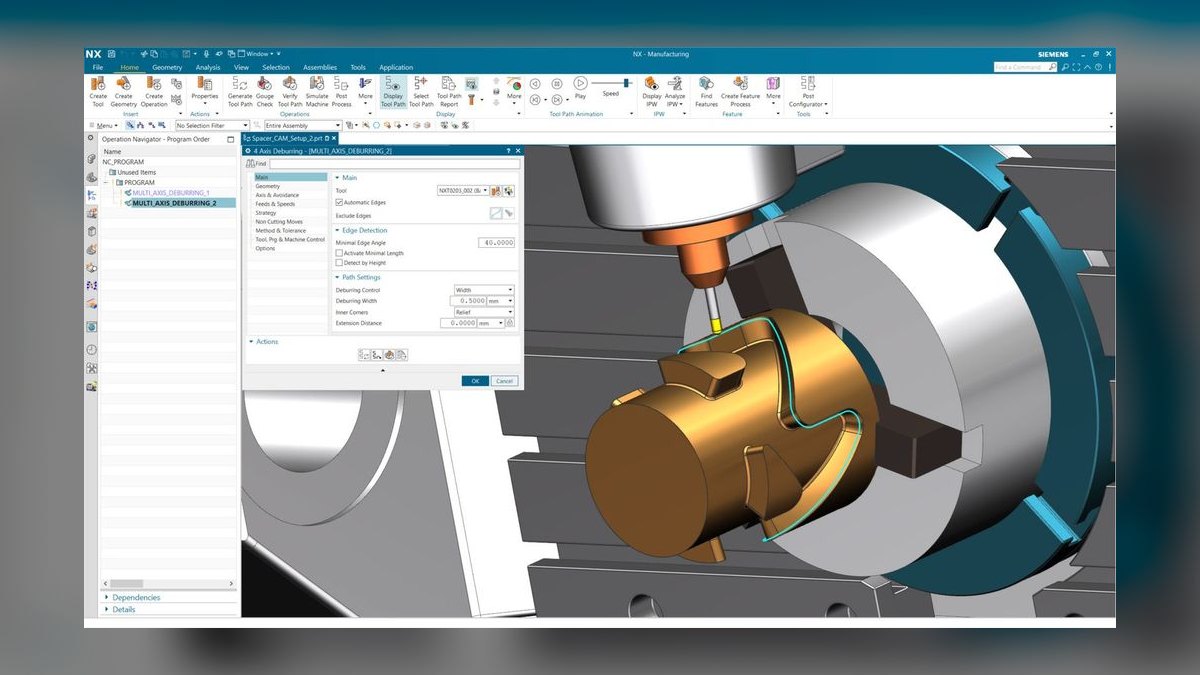
Siemens NX ranks first because it is the broadest single platform in automotive, spanning history-based parametric modeling, synchronous direct editing, freeform surfacing, sheet metal, multi-axis CAM, and digital mock-up tooling built for vehicle-scale assemblies. It handles tens of thousands of components interactively, a capability mid-market tools cannot match. Its integrated CAM keeps toolpaths associative to model changes, removing an export step.
NX is for the enterprise tier where one platform must cover design, surfacing, analysis prep, and manufacturing programming. The trade-offs are cost, module complexity, and a ramp time of months, not weeks. Compared to CATIA, NX offers a more unified environment with stronger CAM integration, while CATIA retains an edge in Class A exterior surfacing heritage.
2CATIA 3DEXPERIENCE

CATIA ranks second as the entrenched standard for exterior surfacing and body engineering at many European OEMs and their supply chains. Its Generative Shape Design workbench provides patch-level control over curvature-continuous G2 boundaries, and its heavyweight DMU handles full-vehicle mockups with tens of thousands of components. The 3DEXPERIENCE platform bundles PLM, collaboration, and simulation, making it a complete ecosystem.
CATIA is for suppliers and OEMs locked into the Dassault ecosystem, where the native file format is non-negotiable. The trade-offs are cost, a long ramp, and platform lock-in. Compared to Siemens NX, CATIA offers superior Class A surfacing heritage but weaker integrated CAM, which often requires a separate tool. It is the correct choice when data-exchange fidelity with a dominant OEM outweighs the desire for a single-platform solution across design and manufacturing.
3PTC Creo

PTC Creo ranks third because its Unite technology opens competitor native files directly, eliminating translation steps for suppliers receiving geometry from multiple OEMs in different formats. Its parametric modeling is rigorous, and its topology-optimization module is well developed for lightweighting, a key automotive priority. Creo scales to large assemblies with simplified representations, handling subsystem work in the low thousands of components comfortably. This multi-CAD capability is a decisive operational advantage in a fragmented supplier landscape.
Creo is for pragmatic engineering teams that must interoperate across several OEM standards without maintaining multiple CAD seats. The trade-off is an interface that rewards discipline and punishes casual use more than SolidWorks. Compared to SolidWorks, Creo offers superior large-assembly performance and native-file interoperability, but has a smaller talent pool and a steeper learning curve.
4SolidWorks
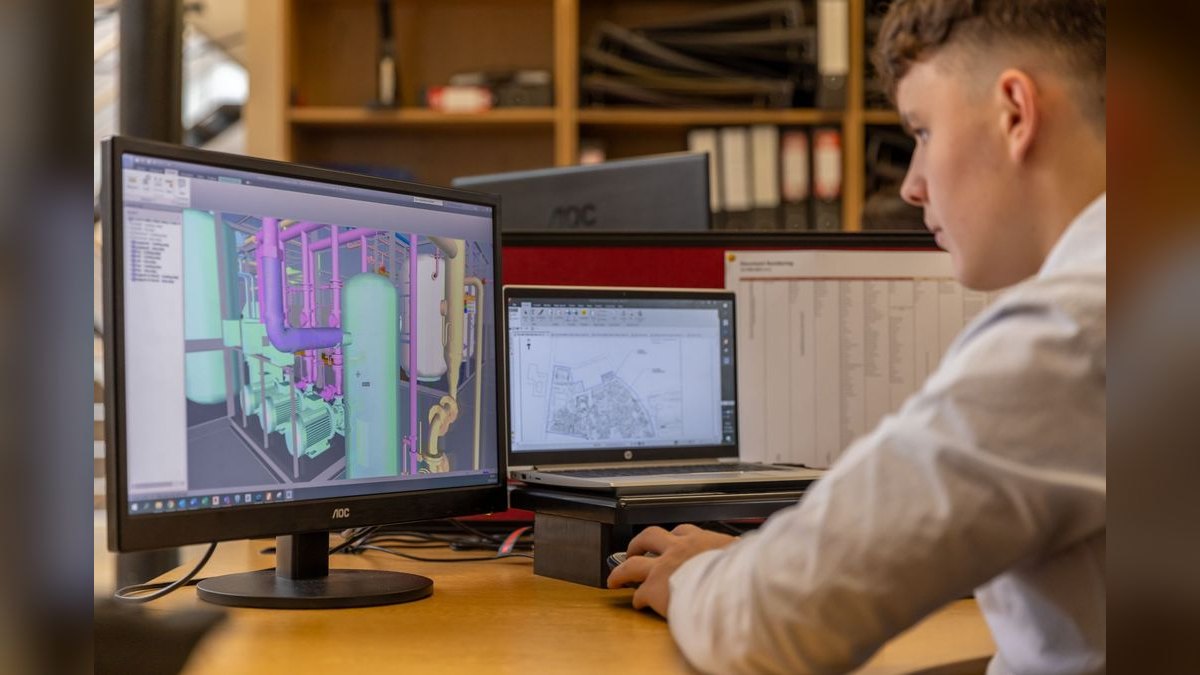
SolidWorks ranks fourth because it wins on ecosystem and hiring, with an enormous talent pool and deep standard-parts libraries. Its sheet metal and weldments are excellent for brackets, mounts, and exhaust systems, and its PDM is a mature, well-understood data-management layer. For component-level supplier work, it is frequently the correct answer, with time-to-productivity measured in days for a competent mechanical engineer. The ability to hire an experienced user quickly is a real operational advantage.
SolidWorks is for tier-2 and tier-3 suppliers doing prismatic parts, sheet metal, and small assemblies up to a few thousand components. The trade-offs are known ceilings in large-assembly performance and Class A surfacing, which require enterprise tools. Compared to PTC Creo, SolidWorks offers a friendlier interface and faster ramp but lacks native multi-CAD file reading.
5Autodesk Fusion

Autodesk Fusion ranks fifth because it collapses CAD, CAM, and light simulation into one subscription at the lowest professional price point, with cloud data management and genuine macOS support. For a small EV startup, a motorsport team, or a prototype shop, one tool that models the part and programs the machine is a large practical win. Its integrated CAM keeps toolpaths associative to model changes, removing an export step. The cloud data management is included, eliminating separate PDM server overhead.
Fusion is for small teams and startups where budget is tight and the same engineer designs and programs. The trade-offs are that it is not built for tens of thousands of components, and Class A surfacing is out of scope, for which Alias exists. Compared to SolidWorks, Fusion offers lower cost and integrated CAM but has a smaller talent pool and weaker large-assembly performance.
6Autodesk Inventor
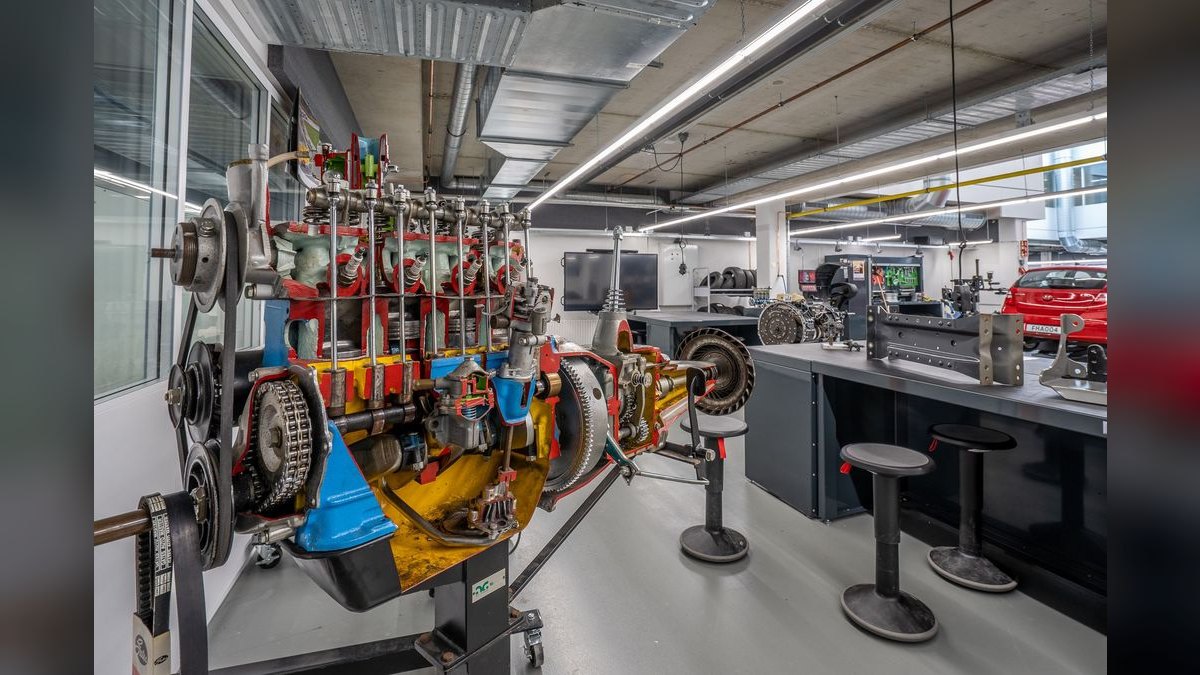
Autodesk Inventor ranks sixth because it is strong on mechanism design, with dynamic simulation of linkages, gear trains, belt drives with contact and friction, mapping directly onto window regulators, seat adjusters, latches, and closures. Its rules-based automation, iLogic, pays off hard on configurable part families, reducing design time for variants. Inventor's sheet metal tools are mature, with bend tables and K-factor control for accurate flat patterns. This mechanism focus is a differentiator in the mid-market tier.
Inventor is for engineers focused on moving parts and mechanisms within subsystems, where dynamic simulation is a daily need. The trade-offs are that surfacing fidelity and CAM depth trail the enterprise tier, so Class A work is out of scope. Compared to SolidWorks, Inventor offers superior mechanism simulation but a smaller ecosystem and hiring pool. It is the right choice when your work is dominated by kinematic analysis of closures and adjusters rather than large assemblies or aesthetic surfaces.
7Autodesk Alias
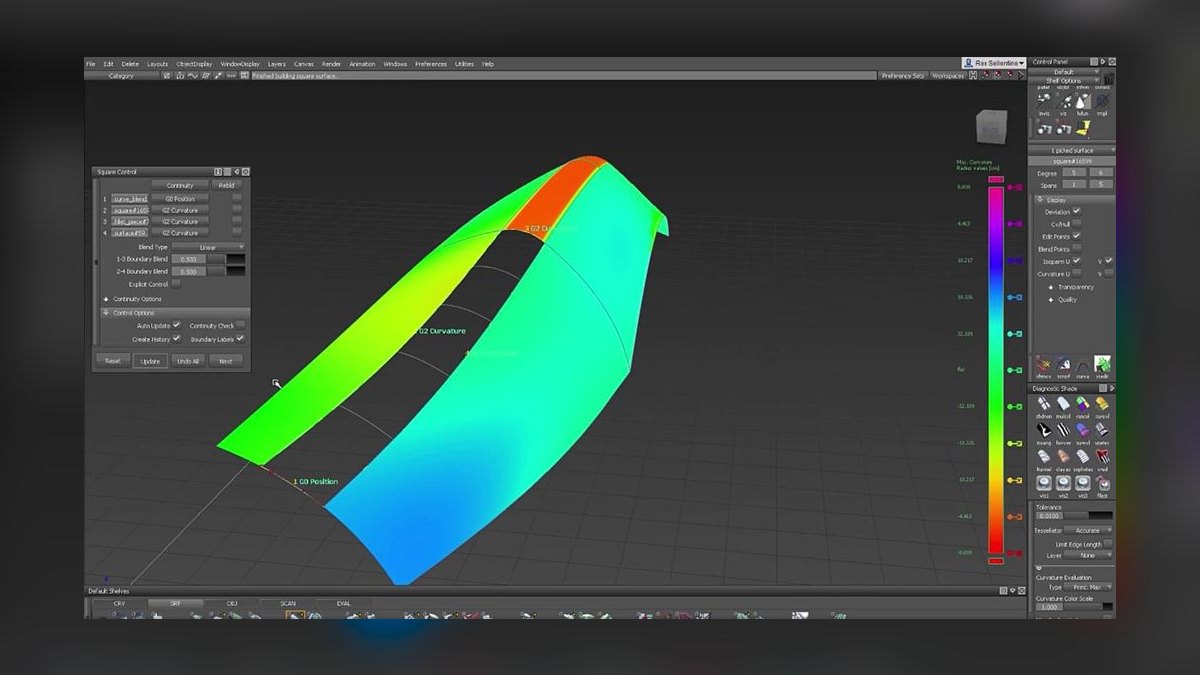
Autodesk Alias ranks seventh because it is the specialist surfacing tool with the highest-fidelity control over surface quality and continuity in the automotive design studio workflow. It has no parametric modeling, simulation, or CAM; what it has is interactive curvature comb and zebra evaluation for Class A exterior surfaces. Alias exports to CATIA or NX for engineering, making it a studio-only tool. Its patch-level control over G2 continuity is unmatched by general-purpose CAD.
Alias is for design studios and Class A surface modelers, never as a company's only CAD. The trade-offs are complete — it lacks all engineering functions, so it must be paired with an enterprise platform. Compared to CATIA's surfacing workbenches, Alias offers a more dedicated and flexible studio workflow, but CATIA integrates surfacing with engineering. It is the right pick when you need the absolute best surface quality for exterior panels and have a separate engineering CAD system.
8Onshape
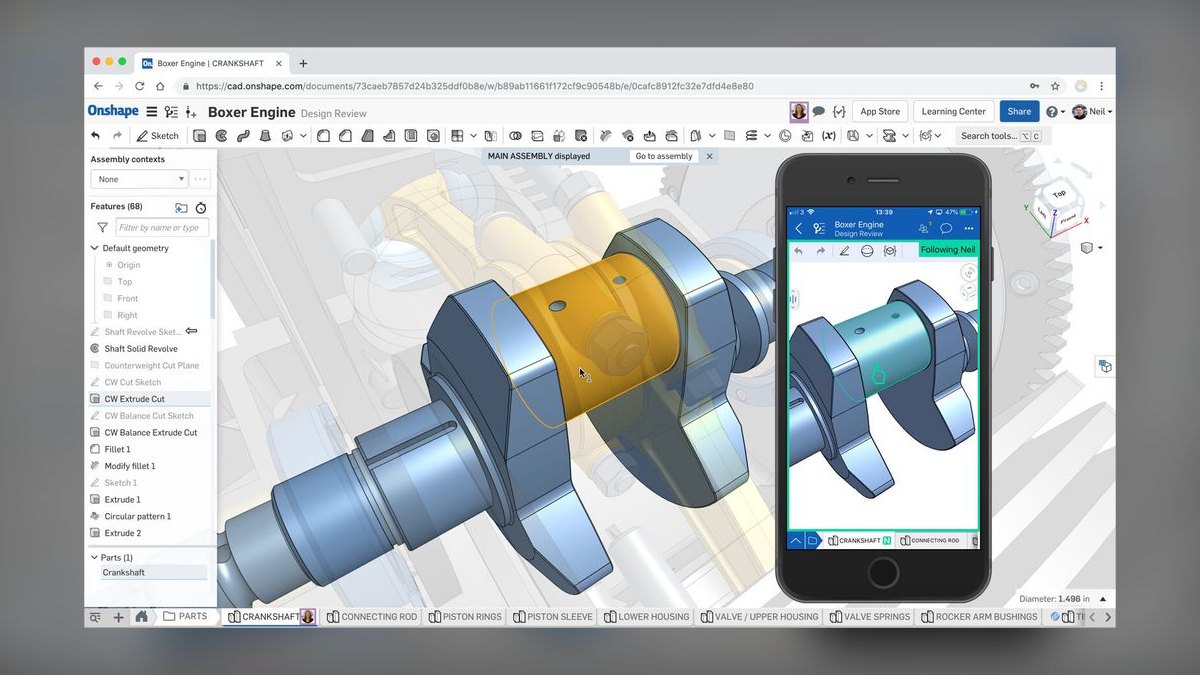
Onshape ranks eighth because it is fully browser-based with database-backed versioning, enabling branching and merging with no file locks, no check-in/check-out, and no local install or PDM server. For distributed teams and supplier collaboration, it removes an entire IT layer, allowing instant access from any device. FeatureScript lets you author real custom features, extending the platform beyond standard parametric modeling. Its cloud data management is included in the subscription.
Onshape is for distributed teams and startups that need real-time collaboration without managing PDM infrastructure. The trade-offs are that it requires connectivity, and very large assemblies and heavy surfacing remain desktop territory. Compared to Autodesk Fusion, Onshape offers superior version control and collaboration but has a smaller ecosystem of integrated CAM and simulation. It is the right choice when your team is geographically dispersed and you need a zero-IT-overhead CAD solution.
9BricsCAD
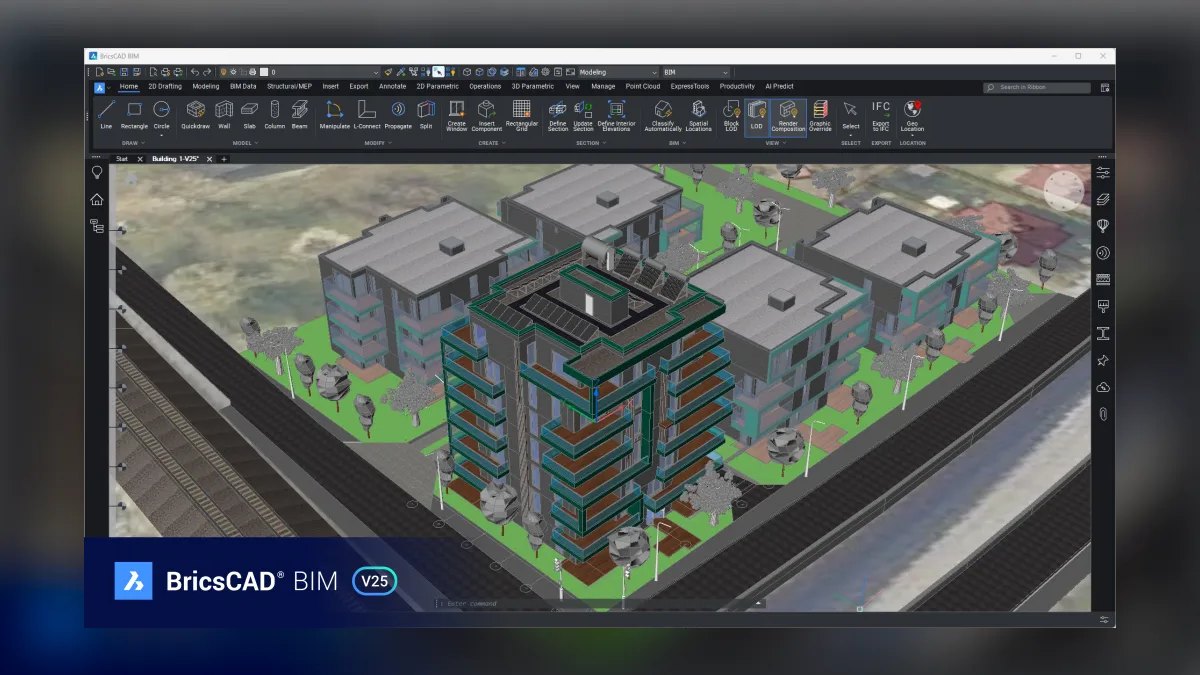
BricsCAD ranks ninth because it matters to shops with a large legacy DWG estate, being DWG-native so 2D detail drawings, fixture layouts, and plant drawings keep working. Its mechanical modules add 3D parametric modeling, sheet metal, and direct editing of imported STEP geometry, bridging 2D and 3D workflows. This makes it a practical migration bridge for shops transitioning from AutoCAD. The cost sits in the low thousands per seat, below mid-market professional tools.
BricsCAD is for shops with a heavy investment in DWG files that need to add 3D capability without abandoning their 2D legacy. The trade-offs are no Class A surfacing and a lower assembly ceiling, so it is not for body engineering. Compared to SolidWorks, BricsCAD offers superior DWG compatibility but a smaller ecosystem and fewer automotive-specific features. It is the right pick when your primary need is preserving legacy 2D drawings while adding basic 3D parametric modeling.
10FreeCAD
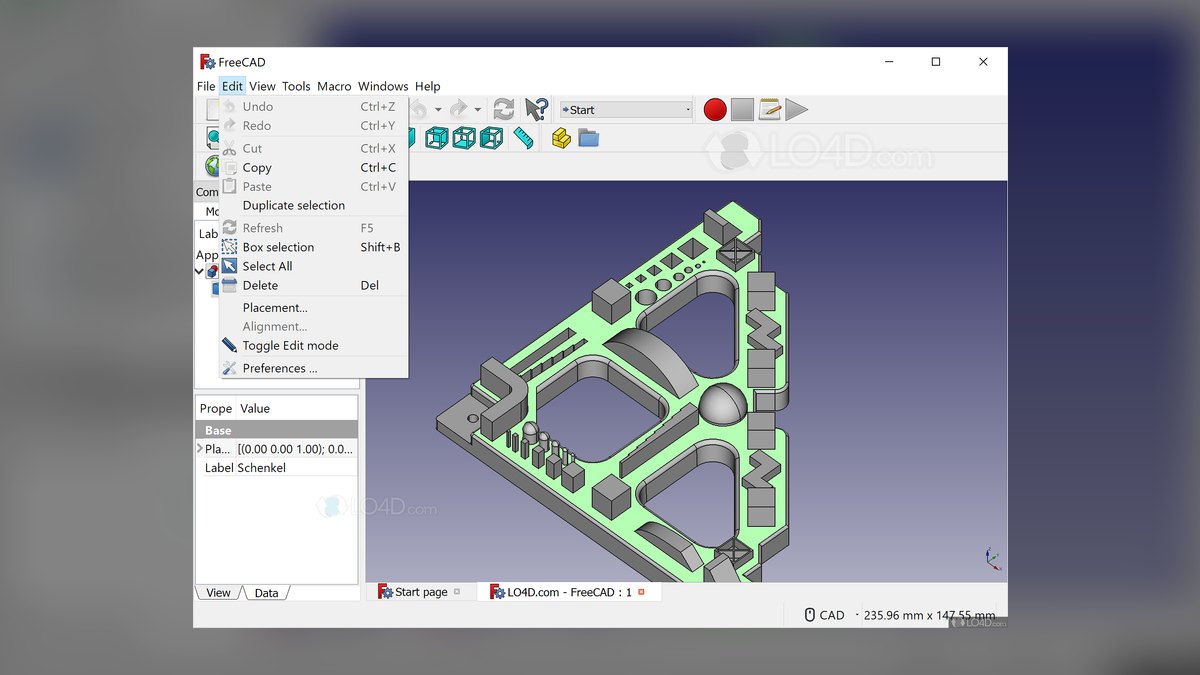
FreeCAD ranks tenth because it is genuinely useful for Formula SAE and Baja teams, jigs and fixtures, and internal tooling, offering parametric part design, an FEM workbench built on CalculiX, and a scriptable Python API. It is free under LGPL, making it accessible to student teams and hobbyists with zero budget. The FEM workbench handles linear static and modal analysis for component screening. Its scriptability allows automation of repetitive tasks.
FreeCAD is for student teams, individuals, and internal tooling where cost is the primary constraint and vendor support is not required. The trade-offs are no Class A surfacing, limited large-assembly handling, and a support model that is community forums rather than a vendor contract. Compared to BricsCAD, FreeCAD offers a lower cost and more open scripting but lacks DWG compatibility and professional polish.
How we ranked these
We measured each CAD platform against three technical forces: geometry class (prismatic, sheet metal, Class A surfacing), data exchange fidelity (native readers vs. STEP/IGES), and assembly scale (component, subsystem, full-vehicle DMU). We weighted these factors based on their impact on real automotive workflows, using published benchmarks and documented trade-offs. We also considered licensing tiers, module costs, and time-to-productivity as secondary but significant criteria.
We deliberately ignored marketing claims, vendor-provided performance numbers, and list prices without quotes, as these are unreliable and heavily discounted at volume. We also excluded qualitative factors like user interface preference and brand loyalty, which do not correlate with engineering capability. The focus was on structural, verifiable differences in kernel capabilities and data handling that determine whether a tool can perform the required work.
What to look for
When choosing between these tools, what matters is matching the software to your specific geometry class, customer's native file format, and largest assembly size. A supplier bidding on body-side panels needs native CATIA or NX read/write capability and G2 surfacing, not just STEP import. For component-level work, SolidWorks or Creo with Unite technology offers a pragmatic balance.
Always run a trial on your worst real dataset, not a demo part, and time cold opens, regen, and rotation on your largest assembly.
The most common mistake is buying a base seat and discovering essential modules are extra, or ignoring the customer's native format until after purchase. Another error is over-standardizing on a single tier: forcing everyone onto enterprise seats wastes money, while forcing everyone onto mid-market tools loses programs. The best stacks are mixed, with a few enterprise seats for customer-facing data exchange and a larger pool of mid-market seats for internal design.
Also, never underestimate data management and migration costs.
Related questions
Which CAD platforms are most common at automotive OEMs?
Siemens NX and CATIA (3DEXPERIENCE) are the dominant platforms at OEMs for full-vehicle and body engineering, with the choice often tracking regional supply-chain patterns. Suppliers frequently maintain seats of these to handle native file formats. PTC Creo is also common, especially for its Unite technology that reads competitor files directly.
What is the difference between G1 and G2 surface continuity in automotive CAD?
G1 (tangent) continuity means surfaces meet with the same tangent direction, but curvature can change abruptly. G2 (curvature) continuity ensures a smooth, continuous rate of curvature change, which is critical for Class A exterior panels. G2 surfaces reflect light without visible breaks, a key quality gate for OEMs.
How does STEP AP242 improve data exchange compared to older versions?
STEP AP242 carries product manufacturing information (PMI) like GD&T as semantic data, not just dumb annotation text. This means tolerances and other critical information are preserved and usable in the receiving CAD system, reducing rework and errors. Older AP203/AP214 flows often lose this semantic richness.
What is the role of JT files in automotive digital mock-up?
JT is an ISO-standardized lightweight format used for digital mock-up and visualization. It carries tessellated geometry plus optional precise B-rep data, allowing full-vehicle assemblies to be reviewed and checked for clashes at a fraction of the file size of native CAD. This enables fast, interactive performance on large models.
Why is assembly scale a critical factor in choosing CAD software?
Every CAD system has a component count where interactive performance degrades. Component-level work is easy anywhere, but full-vehicle DMU with tens of thousands of parts requires NX or CATIA with dedicated DMU tooling like simplified representations and graphics-only load modes. Mid-market tools like SolidWorks hit their ceiling at a few thousand components.
What are the advantages of using Autodesk Fusion for automotive startups?
Fusion collapses CAD, CAM, and light simulation into one low-cost subscription with cloud data management and macOS support. For small EV startups or prototype shops, one tool that models the part and programs the machine is a major practical win. However, it is not built for very large assemblies or Class A surfacing.
How does PTC Creo's Unite technology benefit suppliers?
Creo's Unite technology opens native files from other CAD systems directly, without a translation step. This is crucial for suppliers receiving geometry from multiple OEMs in different formats. It eliminates the re-importing and healing burden, reducing change cycles from hours to minutes when a customer revises a mating surface.
FAQ
What is the best CAD software for Class A surfacing in automotive?
Autodesk Alias is the specialist tool for Class A surfacing, offering the highest-fidelity control over surface quality and continuity. CATIA's Generative Shape Design and NX's freeform toolset also occupy this niche. General-purpose mid-market tools like SolidWorks and Fusion are not suitable for this work.
Is FreeCAD viable for professional automotive engineering?
FreeCAD is useful for student teams, jigs, and internal tooling, but it lacks Class A surfacing, large-assembly handling, and vendor support. The community-forum support model is a risk for production programs where a blocked engineer costs more per hour than any license. It is not recommended for professional automotive work.
How much does enterprise CAD software like NX or CATIA cost?
Enterprise CAD costs an order of magnitude more than mid-market tools. A base seat plus required modules (surfacing, sheet metal, CAM, DMU) can easily exceed the base price. Annual maintenance is typically 15-25% of list. Moving one engineer to enterprise CAD costs more per year than their workstation.
What are the key differences between SolidWorks and Creo for automotive suppliers?
SolidWorks has a larger talent pool, deep standard-parts libraries, and excellent sheet metal, but its large-assembly performance and Class A surfacing are ceilings. Creo offers Unite technology for direct native file reading and rigorous parametric modeling, but its interface is less forgiving. Choose based on your customer's format and assembly size.
How should I evaluate CAD software for my automotive shop?
Run a trial on your worst real dataset, not a demo part. Time cold opens, regeneration, and rotation on your largest assembly. Confirm which native formats you must send and receive, and at what fidelity (geometry only or with PMI). Build a capability checklist and require every vendor to price against that identical list.
What is the role of simulation modules in automotive CAD?
Embedded FEA in mid-market tools handles linear static, modal, and basic thermal checks on components. Nonlinear contact, crash, NVH, and CFD require dedicated solvers. Do not choose a CAD platform based on its simulation module if your real needs are in explicit dynamics or CFD; those are separate purchases.
Why is data management important when choosing CAD?
CAD without PDM fails once a second engineer joins. SolidWorks PDM and Autodesk Vault are separate server products with IT overhead. Onshape and Fusion include cloud data management. Teamcenter and 3DEXPERIENCE are full PLM systems. Decide the data-management answer at the same time as the CAD answer to avoid painful retrofits.
What are the common pitfalls when switching CAD platforms?
Skipping migration cost is a major pitfall: converting legacy libraries, retraining staff, rebuilding templates, and revalidating CAM posts. Budget for running both platforms for one to two quarters. The dominant cost is the productivity dip and library conversion, not the license. Also, avoid over-standardizing on a single tier.
How does hardware affect CAD performance in automotive?
A high-end CAD seat on an underspecified machine performs like a mid-market one. Check the vendor's certified hardware list for GPU and driver combinations. Give large-assembly users enough RAM to avoid page file usage. This is the cheapest performance fix and the most often skipped.
Sources
- https://www.plm.automation.siemens.com/global/en/products/nx/
- https://www.3ds.com/products/catia
- https://www.ptc.com/en/products/creo
- https://www.solidworks.com/
- https://www.autodesk.com/products/fusion-360/overview
- https://www.autodesk.com/products/inventor/overview
- https://www.autodesk.com/products/alias-products/overview
- https://www.onshape.com/en/
- https://www.bricsys.com/en-us/bricscad/
- https://www.freecad.org/
Related on PULSE
This page will be disappearing soon. Save it to your device for $1 — or read it free while it is here.
@Kory-White- · if Venmo asks, the last 4 of my number are 2012
This page is gone.
This one is off the shelf now. $1 keeps it on your phone for good — the whole page, pictures and diagrams included.
 pulse-tech-stacksTop 10 Best Tech Stack Tools for Energy Grid Operators in 2027
 pulse-tech-stacksTop 10 Best Tech Stack Tools for Serverless E-Commerce Developers in 2027
 tkTop 10 Best Tech Stack Tools for First-Time Business Owners in 2027
 pulse-tech-stacksTop 10 Cloud Stacks for Remote Healthcare Telemedicine Apps in 2027
 pulse-tech-stacksTop 10 Best Tech Stack Tools for Early-Stage Fintech Startups in 2027
 pulse-tech-stacksTop 10 Best Tech Stack Tools for IoT Sensor Network Engineers in 2027
 pulse-tech-stacksTop 10 Best Tech Stack Tools for Real Estate Tech Startups in 2027
 pulse-tech-stacksTop 10 Best Tech Stack Tools for Fitness App Developers in 2027
 pulse-tech-stacksTop 10 Best Tech Stack Tools for Clinical Trial Teams in 2027
 pulse-tech-stacksTop 10 Best Tech Stack Tools for Solopreneur SaaS Founders in 2027