

Best Phones for Kids in 2027
 Curated byKory White · Fractional CRO · Maryland
Quality
Certified

The best phone for a kid in 2027 is the cheapest well-supported model that survives their handling. Android budget phones ($100–$250) win on durability, battery, and replacement cost; iPhones win on ecosystem-native controls and multi-year software support. Match the phone to the child's age, not to spec sheets.
Two families of choice: budget Android versus ecosystem iPhone
Almost every "best phone for kids" decision collapses into two camps, and knowing which camp you are in eliminates 80% of the shopping.
Camp one: budget Android. These are the $100–$250 devices sold by carriers and unlocked retailers — T-Mobile's REVVL line, Motorola's Moto G Power family, Samsung's Galaxy A-series, TCL's budget 5G models, and Nokia/HMD's C- and G-series. The defining traits are a large plastic-backed chassis, a 5,000–6,000 mAh battery, a mid-tier MediaTek or Snapdragon chip, a headphone jack, and a microSD slot. Parental control comes from Google's Family Link (free, works on any Android) plus whatever skin-level layer the manufacturer adds — Samsung Kids, Motorola's Family Space, TCL's Family Care. Software support is the weak point: two to four years of security patches, sometimes only two OS upgrades.
Camp two: ecosystem iPhone. Apple's entry-level SE line and older flagship models sit in the $350–$450 range new, and far lower used or refurbished. What you buy is not the hardware — a 4.7" or 6.1" screen and a battery in the 1,800–3,300 mAh range is not impressive on paper — you buy Screen Time, Family Sharing, Ask to Buy, Communication Safety, and roughly five to six years of iOS updates. For a family already running iMessage, FaceTime, Find My, and shared iCloud storage, the marginal setup cost of adding a kid's iPhone is close to zero, and the controls live in the same Settings app the parent already knows.

The honest trade-off: Android gets you a bigger battery, a tougher-feeling body, expandable storage, and a device you can replace twice for the price of one iPhone. iPhone gets you longer safe life, better resale, tighter default privacy, and a control surface that does not require you to learn a second vendor's parental UI. Neither is universally correct. A nine-year-old who plays outside and loses things is an Android case. A thirteen-year-old whose entire friend group is on iMessage, in a household already using Apple devices, is an iPhone case — social exclusion is a real cost, not a vanity one.
A third, smaller camp deserves mention: purpose-built kid phones and smartwatches with voice and location but no open app store or browser. These suit ages roughly 6–9, where the actual requirement is "reach a parent, be findable" and nothing more. They are not smartphones and should not be compared on camera or chip.
What actually breaks, and what actually matters
Parents over-index on cameras and chips. The failure modes that end a kid's phone are, in rough order of frequency: cracked screen from a drop onto a hard floor, liquid ingress, charge-port wear from years of rough plugging, battery degradation, and — the silent one — the device aging out of security updates while still physically fine.
Drops. Screen glass matters less than the case and the drop height. A $25 rugged case with a raised lip and a $10 tempered-glass protector does more for survival odds than any advertised glass generation. Budget it as a mandatory $35 line item on top of the phone price, not an accessory.
Water. IP ratings are tiers, not a spectrum. IP52 means splash-resistant only — rain, a spilled drink, not a pool. IP67 means one meter for 30 minutes. IP68 means deeper or longer per the manufacturer's stated figure. Most budget kid-appropriate Androids land at IP52 or IP67; IP68 is common on mid-range and up. If the kid swims, bikes in rain, or leaves the phone in a jacket pocket in the wash, pay for IP67 minimum. Also note: no manufacturer warranty covers liquid damage, IP rating notwithstanding.

Software support window. This is the specification most worth paying for and the one least advertised at the shelf. A phone with two years of security patches left is a phone that becomes a liability at year three — unpatched browsers and messaging apps on a device a child uses unsupervised. Apple has historically supported iPhones five to six years past release. Google's Pixel line and Samsung's flagship and upper-mid tiers have moved to five-plus years. Budget Androids frequently offer two to four. Check the manufacturer's published support page for the exact model before buying, and subtract the time the model has already been on sale.
Battery. A 5,000 mAh battery on a 720p or 1080p screen with a low-power mid-range chip realistically clears a full school day plus an evening — often 1.5 days for a kid whose screen time is capped anyway. A 1,800–3,300 mAh iPhone battery is engineered tighter and typically needs a nightly charge. Neither is a problem if charging is habitual; the difference matters for kids who forget.
Repairability and replacement cost. The practical question is not "will it break" but "what happens when it does." A $150 phone that gets replaced outright is a cleaner outcome than a $429 phone with a $130 screen repair. Check whether your carrier or manufacturer offers a protection plan, what the per-claim deductible is, and whether it covers accidental damage — some plans cost more over two years than the phone is worth.
Choosing between them without overthinking it
The decision is mostly determined by three inputs: the child's age, whether the household already runs Apple, and how much you can afford to lose.

Read the flow as a sequence of eliminations rather than a scoring exercise. Age eliminates the most options: under ten, an open smartphone is usually a problem you are choosing to have. Ecosystem eliminates the next tier: fighting the family's existing platform costs you setup friction every single time you change a rule. Risk tolerance settles the last split — if the phone is going to a kid who has already lost a water bottle, a jacket, and a retainer this year, buy the device you are willing to replace.
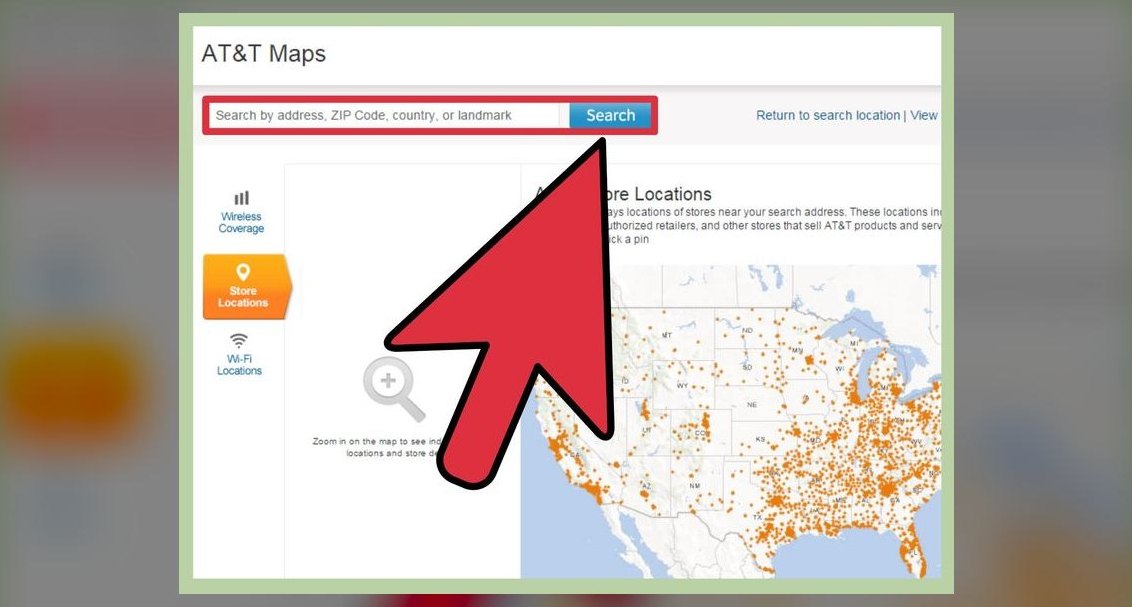
One more filter worth applying: carrier coverage at your specific home and school addresses. A phone locked to a network with weak indoor coverage where your child actually spends the day is a bad phone regardless of its specs. Check the carrier's coverage map by ZIP code, and if possible ask a neighbor on that network. Coverage is the one variable no amount of hardware quality can compensate for.
The numbers that separate the tiers
Concrete ranges, so the trade-offs are visible rather than abstract. These are the bands the market has settled into, not quotes for any specific model.
Under $150. Entry Android. Expect a 6.1"–6.6" HD+ (720p) LCD at 60–90 Hz, an entry MediaTek or Unisoc chip, 3–4 GB RAM, 32–64 GB storage with microSD expansion, a 4,500–5,000 mAh battery charging at 10–18 W, and an IP52 splash rating. Software support is commonly two years of security patches, sometimes on a Go edition of Android. Camera is a 13–50 MP main sensor whose megapixel count substantially overstates real output. Suitable for ages roughly 8–11 for calls, texts, school apps, and light media.

$150–$250. The sweet spot for most kids. 6.4"–6.7" HD+ or FHD+ display, often 90–120 Hz, a mid-tier Dimensity or Snapdragon, 4–6 GB RAM, 64–128 GB storage, 5,000–6,000 mAh battery at 15–30 W charging, and IP52 to IP67. Three to four years of security patches is typical. This band gets you meaningfully better sustained performance in school and video apps, and it is where the durability-per-dollar curve peaks.
$250–$400. Upper mid-range. FHD+ OLED at 90–120 Hz, a competent Snapdragon or Tensor-class chip, 6–8 GB RAM, 128 GB storage, 4,400–5,000 mAh battery, IP67 or IP68, and — critically — four to seven years of updates on the models from vendors that have committed to long support. Cameras become genuinely good here. Justifiable for a teen who will keep the phone three-plus years.
$400+. Entry iPhone territory new, or a prior-generation flagship. You are paying for the software lifespan, the ecosystem, and resale value. A phone that costs $429 and is still safely usable and worth $150 at year five has a lower annual cost than a $150 phone replaced every two years — the arithmetic favors the expensive phone if and only if the child does not destroy it.
Ongoing costs, which people forget. Service on a family plan line typically runs $15–$35 per month depending on carrier and data allotment; kid-focused MVNOs and prepaid plans sit at the low end. Over 24 months, that is $360–$840 — often more than the phone. Case and protector: $25–$45. Optional device protection: $5–$12 per month plus a $30–$150 deductible per claim. Add it up before deciding the hardware price is the decision.

Used and refurbished. A manufacturer-refurbished or carrier-certified device two generations old commonly runs 40–60% off original price and, if the model still has three-plus years of patches left, is the highest-value option on this entire list. Verify the exact model's end-of-support date, check battery health if the platform reports it, and buy from a seller with a return window. Avoid unverified marketplace listings — carrier blocklist status is not visible until activation fails.
A note on how vendors frame value. Carrier "free phone" promotions bundle the device cost into a 24- or 36-month service commitment; the phone is not free, it is financed, and leaving early accelerates the balance. That is a revenue mechanic, not a discount. Read the required plan tier and the term length before treating the sticker as the price.
Setting it up so it stays safe
Buying is the easy half. The controls only work if they are configured before the child ever holds the device, because retro-fitting restrictions onto a phone a kid has already personalized is a fight you do not need.
Order matters. Create the child account first — on Android via Family Link during setup, on iOS by adding a child to Family Sharing. If you set the phone up under an adult account and try to convert it later, you will likely be factory-resetting.
The controls worth turning on, in priority order. (1) Purchase and download approval, so nothing installs without a prompt to your phone. (2) Content filtering in the browser and app store, set to the age tier. (3) Location sharing, which is the single feature most parents actually use daily. (4) Downtime windows — a hard schedule where the phone allows only calls, typically overnight and during school hours. (5) Per-app time limits, which are best applied narrowly to the two or three apps that actually consume the time rather than as a blanket cap. (6) Communication limits restricting who can call or message during downtime.

What controls do not do. They do not stop a determined teenager who has a friend's device, a school Chromebook, or a web version of a blocked app. They are guardrails, not a perimeter. The functional part of the system is the conversation — an explicit, written family agreement covering where the phone sleeps at night (ideally not the bedroom), what happens if it is lost or broken, what content is off-limits, and what the consequence is. Kids follow rules they helped write far more than rules imposed on them.
Sequencing over time. Start restrictive and loosen. Month one: calls, texts, camera, music, and a short approved app list, with a tight time cap. Month three, if it has gone well, add one platform or extend the cap by 30 minutes. By age fourteen or fifteen, most of the automated limits should be gone and replaced by expectations — the goal is a kid who self-regulates by the time they leave for college, not a kid who has been externally controlled until eighteen and then handed an unrestricted device.
Practical setup details people miss. Turn on the device's find-my feature and verify it actually reports a location before handover. Record the IMEI somewhere outside the phone. Set an emergency medical ID with allergies and a parent number, accessible from the lock screen. Enable emergency SOS. Turn off ad personalization and location history in the account settings. If the phone supports it, disable installation from unknown sources. And set the screen to auto-lock in 30 seconds with a PIN the child knows and you also know — a phone the parent cannot open is a control system with a hole in it.
Re-evaluate annually. Check the model's remaining security-patch window each year. When it drops under twelve months, plan the replacement rather than discovering the gap after the fact. A phone that has stopped receiving patches should be retired from unsupervised use, wiped, and either traded in or repurposed as a Wi-Fi-only media device with no email or messaging accounts signed in.
Related questions
At what age should a kid get a smartphone?
There is no universal age. Common practice clusters around 10–12 for a first smartphone, with 6–9 better served by a calls-and-location device. The better test is behavioral: does the child handle possessions responsibly and follow rules without constant enforcement?
Is a used or refurbished phone a bad idea for a child?
Often it is the best idea. A certified refurbished model two generations old costs 40–60% less and, if it still has three-plus years of security patches, is functionally equivalent for a kid's use. Verify the end-of-support date and buy with a return window.
Do kids actually need 5G?
Not really. For messaging, school apps, and streaming at phone resolution, LTE is sufficient nearly everywhere. 5G is worth having only because it extends the phone's useful life as carriers deprioritize older network tiers — a longevity argument, not a speed one.
Should I get a phone or a smartwatch for a younger child?
For ages roughly 6–9, a kids' smartwatch with calling and location covers the actual requirement — reachability and findability — without an app store, browser, or social media. It is also far harder to lose than a phone.
How do I stop parental controls from being bypassed?
Assume they will be tested. Set up the phone under a managed child account so settings cannot be changed without your approval, disable installs from unknown sources, and check the account's device list monthly. Then rely on the family agreement, not the software.
FAQ
What are the best phones for kids in 2027 if I only care about durability?
Prioritize an IP67 or better rating and pair it with a rugged case and tempered-glass protector — that combination matters more than any single phone model. Budget Androids with plastic backs actually survive drops better than glass-backed premium phones, and cost far less to replace.
How much should I spend on a first phone for my child?
For ages 8–11, under $150 covers calls, texts, school apps, and media. For 10–14, the $150–$250 band offers the best durability and battery per dollar. For teens keeping a phone three-plus years, $250–$400 buys longer software support that lowers the real annual cost.
Which parental control system is easier — Apple or Android?
Whichever platform you already use. Apple's Screen Time and Family Sharing live in the same Settings app parents already navigate; Google's Family Link is free, works across virtually all Android devices, and offers comparable app approval, time limits, and location sharing. Cross-platform setups add friction with no benefit.
How long will a kid's phone stay safe to use?
Only as long as it receives security patches. Budget Androids commonly ship with two to four years of patches; upper-mid and flagship models from major vendors now offer five-plus, and iPhones have historically been supported five to six years. Check the manufacturer's published support page for the exact model before buying.
Is a bigger battery worth choosing over a better camera?
For a child, yes. A 5,000–6,000 mAh battery on a mid-range chip clears a school day plus an evening with margin, which prevents the "my phone died so I couldn't call" problem. Camera quality on any modern phone is more than adequate for school projects and video calls.
Do I need a separate line, or can my kid share one?
Each phone needs its own line. Budget $15–$35 per month on a family plan, less on prepaid or a kid-focused MVNO. Over 24 months this often exceeds the phone's purchase price, so factor service into the total before deciding what hardware you can afford.
Sources
- Common Sense Media — phone and device advice for families
- Google Family Link
- Apple — Use parental controls on your child's device
- Apple — Family Sharing
- Samsung — Galaxy A series
- Google Store — Pixel phones
- Motorola — moto g phones
- FCC — Wireless coverage maps and consumer guides
- American Academy of Pediatrics — Family Media Plan
- Consumer Reports — Electronics buying guides
Related on PULSE
This page will be disappearing soon. Save it to your device for $1 — or read it free while it is here.
@Kory-White- · if Venmo asks, the last 4 of my number are 2012
This page is gone.
This one is off the shelf now. $1 keeps it on your phone for good — the whole page, pictures and diagrams included.
 telcoMint Mobile vs Cricket Wireless: which is better in 2027?
 telcoHow much data do I actually need for streaming music in 2027?
 telcoBest Cellular and Wireless Carrier in Florida in 2027
 telcoHow do I activate a new cell phone for the first time in 2027?
 telcoBest Cellular and Wireless Carrier in Austin in 2027
 telcoIs Telco worth it in 2027?
 telcoHow do I unlock my phone to switch carriers in 2027?
 telcoStraight Talk vs Total Wireless: which is better in 2027?
 telcoWhat is the best plan if I barely use data in 2027?
 telcoHow do I avoid an early termination fee when switching in 2027?