

Best Cellular and Wireless Carrier in New York City in 2027
 Curated byKory White · Fractional CRO · Maryland
Quality
Certified

Verizon is the strongest overall cellular and wireless carrier for New York City in 2027, because its coverage holds up in the places that actually break phones — subway platforms, elevator banks, and old masonry buildings. T-Mobile is the value and speed pick, delivering faster mid-band 5G at a lower monthly price for heavy data users.
The outcome you should expect
Pick the right carrier for New York City and the change you feel is not a bigger speed-test number — it's the disappearance of a specific daily failure. The call that used to drop at the bottom of the stairs at your station now survives the descent. The upload of a 40 MB deck from a fourth-floor conference room finishes instead of stalling at 60 percent. Voicemail arrives when it's left rather than in a batch of four at 6 p.m. Those are the outcomes that justify a switch. A carrier that averages 320 Mbps in an open plaza and 4 Mbps in your building's stairwell is worse, in practice, than one that holds a steady 60 Mbps everywhere you actually stand.
Expect meaningful but bounded gains. Moving from a congested prepaid brand to a premium postpaid plan on the same physical network typically converts peak-hour speeds in dense districts from the tens of Mbps into the low hundreds, because you stop being deprioritized behind the parent carrier's own subscribers. Moving between the three national networks changes something different: which physical spectrum bands your phone can latch onto, and therefore how well the signal penetrates glass, steel, and concrete. Those two levers — priority and spectrum — explain almost every real-world difference people notice.
Expect no carrier to be perfect across all five boroughs. New York City is not one radio environment; it's several stacked on top of each other. Midtown is a canyon of reflective glass where mmWave delivers extraordinary short-range speed and dies the moment you round a corner. Much of Brooklyn and Queens is low-rise, where mid-band 5G travels well and performance is consistently good. Staten Island behaves like a suburb, where low-band coverage and tower spacing matter more than peak throughput. The Bronx mixes tall public housing with hills that shadow signal in ways flat maps don't show. Underground is its own country entirely, dependent on the MTA's distributed antenna infrastructure rather than street-level towers.

The practical outcome, then, is a matching exercise rather than a ranking. If your week runs through subway commutes, hospital basements, or century-old office stock, weight in-building reliability and take Verizon. If you're a heavy streamer, hotspot user, or remote worker in newer construction with good window exposure, T-Mobile's speed and price usually win. If you're balancing a family plan across mixed neighborhoods and want middle-of-the-road performance everywhere, AT&T is a defensible third path. And if your budget matters more than your peak throughput, the discount brands riding those same towers get you most of the way there for a fraction of the cost.
One more outcome worth naming: reduced cognitive load. People underestimate how much attention they spend managing a bad connection — walking to a window, re-sending a message, apologizing on a call. A carrier that fits your geography removes a small tax you pay dozens of times a day.
What drives that outcome
Three variables explain nearly all carrier performance differences in New York City, and none of them is marketing.
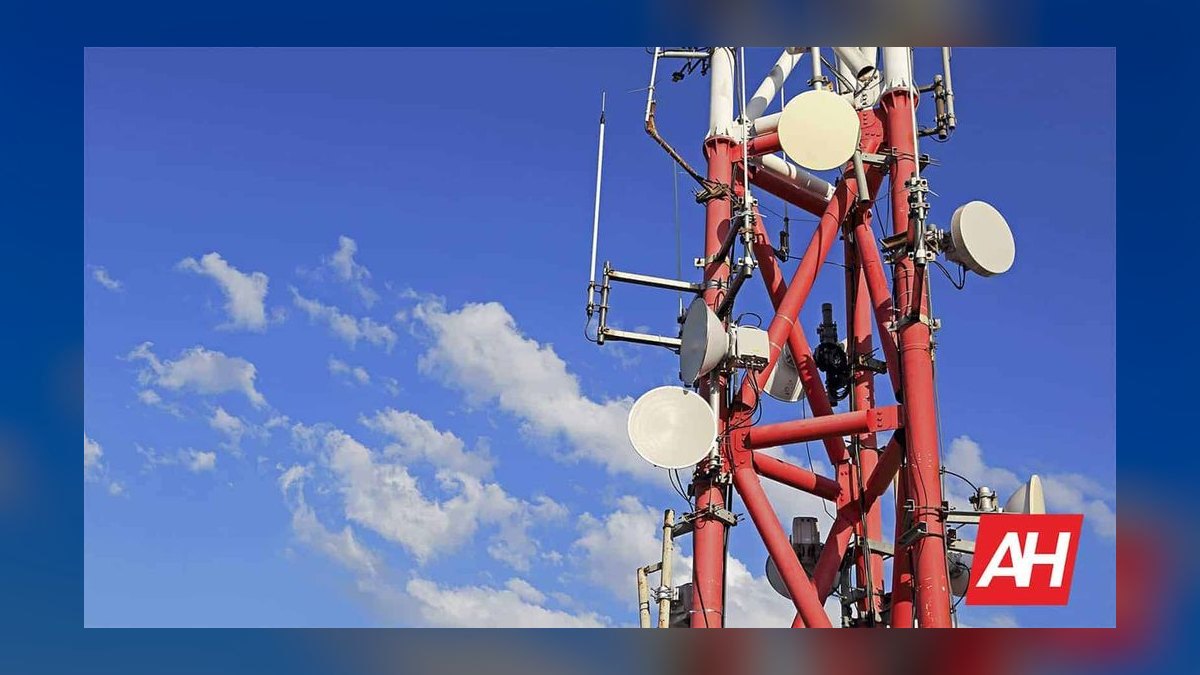
Spectrum band mix. Low-band spectrum (roughly 600–900 MHz) travels far and passes through walls, but carries modest capacity. Mid-band (the C-band and 2.5 GHz ranges) is the sweet spot — good building penetration with substantial throughput, and it's the reason 5G finally felt like an upgrade rather than a logo change. High-band mmWave delivers extraordinary speeds over a block or two with almost no penetration; it's a stadium-and-sidewalk technology, not an apartment technology. A carrier's NYC experience is essentially a function of how much mid-band it has deployed and how densely. This is why the "who has the fastest 5G" question and the "who works in my apartment" question have different answers.

Network priority and deprioritization. Every plan sits somewhere in a queue. Premium postpaid plans get a large allotment of high-priority data — commonly in the 50 GB per month range on flagship unlimited plans — after which you drop to a lower tier for the rest of the cycle. Discount and prepaid brands that ride the same towers sit permanently below the parent carrier's own postpaid customers. On an empty tower this is invisible. On a Midtown tower at 5:45 p.m., it's the difference between a page loading and a spinner. Deprioritization is not throttling in the old sense — it's a queue position that only bites under congestion. In New York, congestion is the default condition for large parts of the day.
Cell density and site placement. A tower serves a finite number of simultaneous users. In dense districts the fix is more sites — small cells on light poles, rooftop installations, in-building distributed antenna systems. Carriers deploy this unevenly, which is why performance can differ block to block within the same neighborhood. Building materials compound it: modern low-E glass with metallic coating is remarkably effective at blocking cellular signal, so a brand-new luxury tower can have worse indoor reception than a prewar walk-up with thin windows.
Two secondary drivers deserve mention. First, device capability: an older phone may lack the radio bands a carrier has newly deployed, so a network upgrade passes you by entirely. Before blaming a carrier, confirm your handset supports its mid-band and C-band frequencies. Second, VoLTE and Wi-Fi calling configuration. A properly provisioned phone hands off to Wi-Fi calling automatically in buildings with weak cellular coverage, which quietly solves the majority of home and office dead-zone complaints. Many people carry a phone where this feature is off or misconfigured after a carrier switch, then conclude the network is bad.

Benchmarks and realistic ranges
Use these ranges as sanity checks rather than promises — measured performance varies by block, floor, hour, and handset.
Speed. In dense Manhattan and downtown Brooklyn, a modern phone on a premium plan with good mid-band 5G coverage will commonly land somewhere in the 150–400 Mbps download range outdoors during normal hours. Peak-hour figures in the most congested corridors fall well below that. Indoors and away from windows, expect a large haircut — often to a third or less of the outdoor number. mmWave, where present, can produce readings in the high hundreds or above, but only within line of sight of the small cell. LTE fallback in a weak spot typically means single-digit to low-double-digit Mbps, which is still enough for calls, messaging, and maps.
Latency. For everyday use, latency matters more than raw throughput. Healthy 5G in the city usually sits in the 20–40 ms range, LTE somewhat higher. Video calls degrade from latency and jitter long before they degrade from bandwidth. If your Zoom calls are choppy but your speed test looks fine, you're likely looking at a congestion or handoff problem, not a capacity one.

Upload. This is where carriers quietly diverge, and where most professionals actually feel pain. Upload allocations are smaller than download by design. Realistic NYC uploads on 5G often run in the 10–40 Mbps range, sometimes lower in congested spots. If your work involves pushing files, backing up photos, or broadcasting video, weight upload heavily in your testing — it's the number that determines whether you can work from a coffee shop.
Price. The premium unlimited tiers from the three national carriers cluster in roughly the $65–$90 per line range for a single line, with steep per-line discounts as you add lines — a four-line family plan often lands closer to $35–$50 per line. Discount brands riding those same networks range from roughly $15–$30 per month for limited-data plans up to $40–$50 for unlimited with a meaningful premium-data allotment. Cable-bundled mobile from a home internet provider is typically the cheapest per line, often in the $30 range, but requires keeping the home internet subscription.
Data allotments. Flagship unlimited plans commonly include a premium-data bucket in the 50 GB range plus a hotspot allowance somewhere between 15 GB and 50 GB. Mid-tier plans cut the hotspot sharply — sometimes to 5 GB or less — which is the single most common upgrade regret among people who tether a laptop.

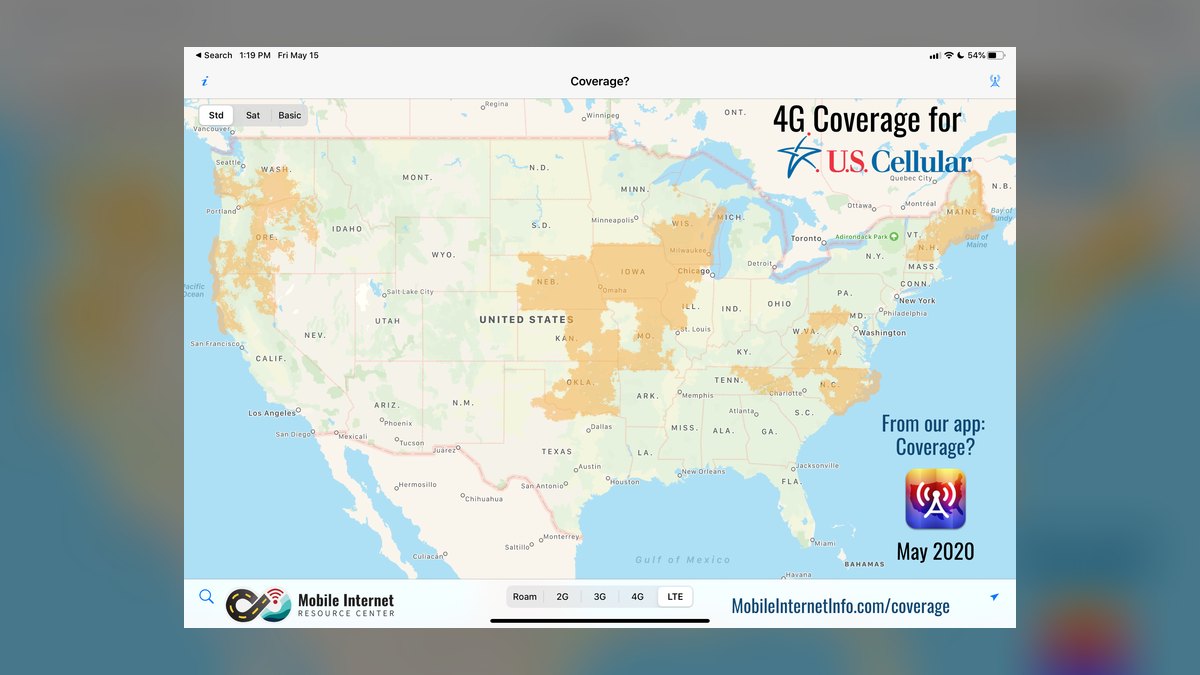
Coverage percentages. All three national carriers claim well over 90 percent population coverage in New York City. That number is nearly useless for decision-making, because population coverage measures outdoor signal at street level. The useful questions are: does it work on your platform, on your floor, in your stairwell. Nobody publishes that map. You have to test it.
Subway. Connectivity in the transit system has expanded substantially and continues to, but it remains uneven across stations, and platform coverage does not guarantee tunnel coverage between stations. Treat station connectivity as a real feature that varies by carrier and by station, and verify it on the stations you actually use rather than trusting a headline count.
Customer service. Independent satisfaction studies consistently show meaningful gaps between carriers, but the gaps are smaller than the marketing suggests, and prepaid or online-only brands trade retail support for lower prices. If you want a store you can walk into when something breaks, that's a real feature worth paying for — and one that discount brands explicitly don't offer.
Risks, edge cases, and failure modes
The coverage map lies by omission. Carrier maps model outdoor signal propagation. They cannot model your building's window coating, your apartment's position in the core of the floor plate, or the elevator you spend four minutes a day inside. Treating a green map as a guarantee is the single most common source of switching regret. The map tells you a carrier has presence in your area; it says nothing about your desk.

Deprioritization is invisible until it isn't. A discount plan tested on a Sunday morning in a quiet neighborhood looks identical to a premium plan. Test it at 6 p.m. on a weekday in the densest place you regularly stand. That's the condition that will define your experience.
Device lock-in and eSIM friction. A phone financed through one carrier is typically tied to it until paid off or until the carrier's unlock period elapses. Switching mid-contract can mean paying off the remaining device balance immediately. Meanwhile, eSIM has made trials dramatically easier — most carriers can provision a line in minutes without a physical SIM, which means you can run a second line for a week to test before porting your primary number. Use this. It's the closest thing to a risk-free evaluation available.
Porting mistakes. Number porting fails most often because of a mismatch in account details — the account number, PIN, or billing address on file with the old carrier doesn't match what you supplied. Retrieve your account number and transfer PIN from the old carrier before starting, and never cancel the old line yourself; canceling first can release the number and make the port impossible.

Promotional pricing decay. Introductory rates frequently expire after a defined promotional term, and taxes and regulatory fees are often excluded from advertised prices on some plans while included on others. The number to compare is your actual all-in monthly total after any promotion ends, not the headline.
Emergency and resilience considerations. During a power outage or major incident, cellular networks in a dense area can become congested to the point of unusability for voice while text messages still get through. This isn't a carrier flaw — it's a capacity reality. If reliability during emergencies genuinely matters for your work, the meaningful mitigations are keeping a second line on a different physical network, enabling Wi-Fi calling everywhere you can, and knowing that SMS degrades far more gracefully than voice calls.
The bundled-plan trap. Cable-bundled mobile is genuinely cheap and rides a strong network, but it couples two decisions. If you move to a building the cable provider doesn't serve, or you want to change home internet, your phone plan pricing changes with it. That's fine if you're settled; it's a hidden cost if you move often, which in this city many people do.

Multi-line optimization. Households frequently overpay by putting everyone on the same tier. A heavy hotspot user and a light texter have genuinely different needs, and mixing tiers within one account — or running one line on a discount brand and another on premium — often saves real money without any felt downgrade. Carriers rarely volunteer this.
Business and small-team edge cases. Teams that depend on connectivity in the field, or that run point-of-sale hardware, should think about failover rather than single-carrier selection. A cellular router with dual SIM slots on two different physical networks is a modest expense against the cost of a day of downtime, and it sidesteps the entire "which carrier is best" question by refusing to depend on one.
A practical rollout plan
Treat this as a two-week evaluation, not a same-day decision at a store counter.
Days 1–2: map your own geography. List the six to ten places you spend the most connected time — home by room, office by floor, your two most-used subway stations, the gym, the client site, the in-laws' apartment. This list, not a coverage map, is your test suite. Note which of those places currently fail and how.
Days 3–4: measure the incumbent. Before switching anything, run speed tests at each location on your current carrier, at both an off-peak and a peak hour. Record download, upload, and latency. Without this baseline you'll have no way to know whether a switch actually helped or you simply got a new phone with better radios.
Days 5–9: trial by eSIM. Activate a cheap prepaid or trial eSIM line on each candidate network — you can often run two simultaneously on a modern phone alongside your primary line. Repeat the same tests at the same locations at the same times. Crucially, test on the discount brand of the network you're considering: if the deprioritized version works acceptably at your worst location, the premium version will be better, and you may not need to pay for premium at all.
Days 10–11: check the non-speed features. Confirm Wi-Fi calling works on your home and office networks. Verify hotspot performance with an actual laptop workload, not a speed test. If international travel matters, read the roaming terms rather than the summary. If you carry a smartwatch, confirm the carrier supports the number-sharing feature for your model — this trips people up after they've already ported.
Day 12: assemble the real cost. Build a twelve-month total: monthly rate after promotions expire, taxes and fees, device payments or payoff, activation charges, and any bundle dependency. Compare that number, not the advertised one.
Days 13–14: port carefully. Get your account number and transfer PIN from the old carrier. Port the number to the new carrier — the new carrier initiates it; you never cancel the old line yourself. Keep the old line active until the port completes and you've confirmed calls and texts arrive on the new one. Then verify voicemail, two-factor authentication codes, and any business lines forwarding to you, because those are what break silently after a port.
A note on scope creep: the same method applies to adjacent decisions people make at the same time. Choosing a home internet provider, deciding whether to replace home broadband with 5G fixed wireless, or picking a data plan for a tablet or vehicle all reward the same discipline — test in the specific place you'll use it, at the specific hour you'll use it, before committing. Fixed wireless home internet in particular is worth a look in New York City: it rides the same mid-band spectrum, installs in minutes, and can be genuinely competitive with cable in well-covered areas, but it inherits every congestion characteristic described above, so a trial is not optional.
Related questions
Does Verizon or T-Mobile work better in the subway?
Both have expanded transit coverage substantially, and station-level connectivity varies. Verizon has historically been strongest in deep platforms and tunnels. Verify on the specific stations in your commute — a trial eSIM and one round trip settles it faster than any published count.
Is a discount brand on the same network good enough?
Often yes. Discount brands ride the identical towers but sit lower in the congestion queue, so they're indistinguishable off-peak and noticeably slower at rush hour in dense districts. If a discount line performs acceptably at your worst location and busiest hour, save the money.
Why is my brand-new apartment building worse for signal than my old one?
Modern low-emissivity glass and steel-frame construction block cellular signal effectively. Newer buildings frequently have worse indoor reception than prewar stock. The fix is usually Wi-Fi calling rather than a carrier change — confirm it's enabled before concluding the network is at fault.
Which matters more, download speed or upload speed?
For most professionals, upload. Downloads are already fast enough for streaming and browsing on any modern plan. Uploads determine whether you can send a file, back up photos, or hold a stable video call. Test upload explicitly; carriers rarely advertise it.
Can I keep my number if I switch?
Yes. Number portability is a legal right for wireless numbers. Have the new carrier initiate the port and never cancel the old line first — canceling releases the number and can make the transfer impossible to complete.
FAQ
How do I actually test coverage in my own building before switching?
Get a prepaid or trial eSIM on the candidate network — most carriers provision one in minutes with no physical SIM required. Then run speed tests in every room, on your floor, in the stairwell, and in the elevator lobby, at both a quiet hour and a peak hour. Record download, upload, and latency each time. Ten minutes of this tells you more than every coverage map combined, because it measures the one location that matters: yours.
What is deprioritization, and will it affect me?
Deprioritization means your data sits lower in the queue when a cell tower is congested. Premium postpaid plans typically get a large high-priority allotment each month before dropping down; discount and prepaid brands sit below the parent network's own customers permanently. It's invisible on an uncongested tower and very visible in a dense district at rush hour. Whether it affects you depends entirely on where and when you use your phone.
Is mmWave 5G worth choosing a carrier for in New York City?
Not by itself. mmWave delivers spectacular speeds but travels a short distance and barely penetrates walls, so it's effectively a sidewalk-and-venue technology. Mid-band 5G is what determines your everyday experience — it balances range, building penetration, and throughput. Choose on mid-band density in your neighborhoods and treat mmWave as an occasional bonus when you happen to stand near a small cell.
What is the cheapest way to get good coverage across the five boroughs?
Discount brands that ride a major network's towers, or mobile service bundled with a home internet subscription, deliver the same physical coverage at a substantially lower monthly rate — with the tradeoff of congestion-time deprioritization and, usually, no retail store support. If your worst-case location tests acceptably on a discount line, that's your answer. If it doesn't, pay for the premium tier on the same network rather than switching networks entirely.
Should I switch my home internet to 5G fixed wireless?
It's worth trialing if your address has strong mid-band coverage. Fixed wireless installs in minutes, requires no technician, and can compete with cable pricing. But it shares the same tower capacity as every phone nearby, so performance varies with local congestion in a way wired connections don't. Test it during your household's actual heavy-use hours before canceling anything.
What breaks most often when porting a number to a new carrier?
Mismatched account details — the account number, transfer PIN, or billing address on file with the old carrier not matching what you gave the new one. After the port completes, the things that fail silently are voicemail setup, two-factor authentication codes, and any smartwatch on a shared number. Check all three within an hour of the switch, while you can still get support easily.
Sources
- FCC National Broadband Map
- FCC — Wireless Local Number Portability
- Verizon Coverage Map
- T-Mobile Coverage Map
- AT&T Wireless Coverage Map
- Ookla Speedtest United States Market Reports
- MTA — Subway Cellular and Wi-Fi Service
- J.D. Power — U.S. Wireless Studies
- FCC — 5G and Spectrum Frontiers
Related on PULSE
- Best Cellular and Wireless Carrier in New York in 2027
- Best Cellular and Wireless Carrier in Salt Lake City in 2027
- Best Cellular and Wireless Carrier in Kansas City in 2027
- Best Cellular and Wireless Carrier in Oklahoma City in 2027
- Best Cellular and Wireless Carrier in New Orleans in 2027
- How do I check if my phone is compatible with a new carrier in 2027?
This page will be disappearing soon. Save it to your device for $1 — or read it free while it is here.
@Kory-White- · if Venmo asks, the last 4 of my number are 2012
This page is gone.
This one is off the shelf now. $1 keeps it on your phone for good — the whole page, pictures and diagrams included.
 telcoMint Mobile vs Cricket Wireless: which is better in 2027?
 telcoBest Cell Phone Plans for International Travel in 2027
 telcoBest Cellular and Wireless Carrier in Boise in 2027
 telcoUS Mobile vs Mint Mobile: which is better in 2027?
 telcoBest Cellular and Wireless Carrier in Wichita in 2027
 telcoWhat is the best two-line cell phone plan in 2027?
 telcoHow do I port my phone number to a new carrier in 2027?
 telcoIs carrier phone insurance worth it in 2027?
 telcoHow do I avoid an early termination fee when switching in 2027?
 telcoBest Cellular and Wireless Carrier in San Diego in 2027