

Best Cellular and Wireless Carrier in Shreveport in 2027
 Curated byKory White · Fractional CRO · Maryland
Quality
Certified

T-Mobile is the best overall cellular and wireless carrier in Shreveport for 2027, combining dense mid-band 5G across the metro with the lowest mainstream unlimited price. Verizon is the better pick if your daily footprint reaches Caddo Lake, Blanchard, or Barksdale, where low-band LTE reach still beats raw speed.
The outcome you should expect
Switching carriers in a mid-size Southern metro like Shreveport does not feel like the marketing implies. What actually changes, in order of how much you will notice it: indoor signal at your house, speed in the places you sit still for more than ten minutes, and behavior in crowds. Everything else — the plan tier names, the streaming bundles, the "5G" badge in your status bar — is noise you will stop noticing inside a week.
Here is the realistic outcome you should expect if you move from an older carrier or plan to T-Mobile's mid-band network inside the Shreveport city limits. Downtown, along the Louisiana Boardwalk, along the Youree Drive corridor, and through the Broadmoor and South Highlands neighborhoods, you should expect a large step up in download speed — the kind where a 2 GB app update finishes before you get out of the driveway instead of trickling through your lunch break. You should expect indoor coverage to hold in single-story brick homes, which is most of the older housing stock here. And you should expect a modest but real improvement in upload speed, which is the thing that actually determines whether a video call from your kitchen table looks like you or looks like a smear.
What you should *not* expect is a coverage miracle at the edges. Northwest Louisiana's population thins out fast once you leave the parish core. The drive out toward Mooringsport and around the Caddo Lake shoreline is exactly the terrain where a mid-band-heavy network runs out of towers and a low-band-heavy network keeps a usable bar of LTE. If you fish, hunt, tow a boat, or have family out that direction, the "faster" carrier can end up being the one that fails you, and it fails you at the worst possible moment — the moment you need a map or a tow truck.

The second outcome worth setting expectations on is cost, and specifically the difference between the advertised price and the number that leaves your bank account. Mainstream postpaid unlimited lines in this market land roughly in the $50–$90 per line range at one line, before taxes and regulatory fees. Prepaid and MVNO options land roughly in the $15–$60 range. But single-line pricing is the worst deal every carrier sells. The moment you add lines, per-line cost drops steeply — a four-line family plan typically prices each line far below what a solo line costs, which is why the honest recommendation for a household is almost never the same as the honest recommendation for one person.
The third outcome is the one nobody warns you about: your phone matters as much as your carrier. A handset that lacks the right mid-band 5G radios will not see the speeds the network can deliver, no matter which logo is on your bill. If you are carrying a device more than four or five years old, changing carriers to chase 5G speed is solving the wrong problem. Verify band support for the specific model you own before you sign anything — this single check invalidates more carrier-switching decisions than any coverage map.
What drives that outcome
Cellular performance is not one thing. It is three separable things that get collapsed into a single bar-count icon, and once you can see them separately, every carrier comparison in every city starts making sense.

Spectrum band is the master variable. Low-band spectrum (roughly the 600–850 MHz range) travels far and penetrates walls, but carries less data. Mid-band (roughly 2.5–3.7 GHz) carries far more data but covers a smaller radius per tower and is stopped more easily by building materials. High-band millimeter wave carries enormous data but barely leaves line-of-sight of its own node — it is a stadium-and-airport-concourse technology, not a coverage technology. A carrier's felt quality in your specific ZIP is mostly a question of which of these bands actually reaches you, and how much of it.
Tower density decides whether the good spectrum matters. Mid-band only helps if there is a mid-band radio close enough to you. Shreveport's flat terrain is genuinely favorable here — there are no ridgelines shadowing whole neighborhoods the way there are in a hill city — so mid-band propagates about as well as mid-band ever does. That flatness is why the metro core performs well on mid-band-heavy networks. It is also why the falloff at the edges is so abrupt: with flat terrain, coverage is almost purely a function of distance from the nearest site, and the sites stop where the subscribers stop.
Congestion and prioritization decide what you get when it counts. Every unlimited plan has a threshold — commonly somewhere in the 30–100 GB range depending on tier — after which your traffic is deprioritized behind other users during congestion. This is not throttling in the old sense; on an empty tower you will not notice it at all. On a busy tower during a Friday evening at a shopping center, or in a stadium parking lot after a game, it is the difference between a working phone and a decorative one. MVNOs and prepaid brands typically sit at a lower priority tier than the parent carrier's own postpaid customers on the exact same towers, which is the single most important thing to understand about why a $25 plan and a $75 plan can look identical on a speed test at 10 a.m. Tuesday and feel completely different at 7 p.m. Saturday.

There is a fourth driver that only shows up for certain people: priority access programs. Public-safety networks give first responders genuine preemption on the network during emergencies, which is why fire departments, EMS, and some hospital systems standardize on a specific carrier regardless of consumer speed rankings. If you work in public safety in Caddo or Bossier Parish, your employer's network choice likely dominates any consumer recommendation, and your personal line may be better on a different carrier than your work line. Splitting them is normal and often correct.
Benchmarks and realistic ranges
The single biggest mistake people make when comparing carriers is treating a peak number as an expected number. Marketing quotes peaks. Your life happens at medians. Here is how to think about the ranges that matter in a market of Shreveport's size and density.
Download speed. On a modern handset with mid-band 5G in a well-covered metro neighborhood, median downloads in the low-to-mid hundreds of megabits per second are a reasonable expectation for the strongest network in the market. On low-band 5G or good LTE, expect roughly 20–100 Mbps. Both of those numbers are, functionally, fine. Streaming 4K needs roughly 25 Mbps. A video call needs a few. The practical difference between 80 Mbps and 300 Mbps shows up only in large downloads, hotspot use with multiple devices, and how gracefully the connection degrades when the tower gets busy — that last one is the real argument for headroom.

Upload speed. Chronically under-reported and disproportionately important. Uploads on LTE and low-band 5G often land in the single digits to low tens of megabits. Mid-band 5G typically multiplies that. If you post video, run a home security camera off cellular, work from a hotspot, or take calls on the go, upload is the number to test, not download.
Latency. Expect somewhere in the 20–60 ms range on a healthy 5G connection and higher on congested LTE. Latency is what makes a connection feel "snappy" independent of throughput, and it is what determines whether a cloud-hosted CRM or a remote desktop session is pleasant or maddening. For anyone doing revenue-operations work out of a truck — logging calls, updating pipeline records, pulling up a quote in a customer's driveway — latency and upload matter more than the headline download figure, because those tools are chatty request-response workloads, not bulk transfers.
Signal strength. Read in dBm, where closer to zero is stronger. Roughly: better than −85 dBm is strong, −85 to −100 dBm is workable, −100 to −110 dBm is marginal, and past −110 dBm you are on the edge of losing usable data even if the bars look optimistic. Your phone will show you this in its settings or a field-test menu, and it is far more honest than the bar icon.

Price ranges. Mainstream postpaid unlimited: roughly $50–$90 for a single line with autopay, before taxes and fees, with the higher tiers buying more premium data, better hotspot allowances, higher video resolution, and sometimes streaming bundles. Prepaid from the major carriers: roughly $50–$60 for unlimited with video caps. MVNOs and value brands: roughly $15–$50 depending on data bucket, often requiring multi-month prepayment to hit the lowest advertised rate. Multi-line postpaid: per-line cost typically falls substantially at three and four lines, which is where the mainstream carriers become genuinely price-competitive with prepaid.
Fees. Budget an extra several dollars per line per month for taxes and regulatory surcharges on postpaid. Prepaid brands more often quote tax-inclusive pricing, which makes their advertised numbers more honest and their comparison to postpaid less favorable than the raw sticker suggests. Always compare the total, not the sticker.
A note on testing methodology. One speed test is data about one moment, on one tower sector, with one device. To learn anything real, test in the five or six places you actually spend time — your bedroom, your kitchen, your desk, your commute, your gym, your parents' house — at both a quiet hour and a busy hour, and write the numbers down. Six data points from your real life beat a thousand crowd-sourced averages from strangers whose lives are shaped differently than yours.

Risks, edge cases, and failure modes
The rural cliff. This is the dominant failure mode in northwest Louisiana and the reason a blanket "T-Mobile wins" answer is incomplete. A network optimized for metro throughput can drop from excellent to unusable within a few miles of leaving the built-up area. If any part of your routine involves the lake, the parish edges, or the two-lane highways heading out of town, coverage reach outranks speed, and the low-band-heavy networks win. Test this before you switch by driving your actual routes with your actual phone — a friend's phone on the candidate network, or a cheap prepaid SIM for a month, is the cheapest insurance available.
Indoor dead zones at a specific address. Metal roofing, low-E coated windows, foil-backed insulation, and concrete all attack mid-band and mmWave hard. Two houses on the same street can have completely different indoor experiences on the same carrier. This is why coverage maps, which model outdoor signal, routinely mislead. If your home is the place you need signal most, the mitigation is Wi-Fi calling — which every mainstream carrier supports and which turns your home internet into your cell tower. A carrier with mediocre coverage at your address plus solid Wi-Fi calling can beat a carrier with better outdoor coverage and no fallback. Configure it, then test it by putting the phone in airplane mode with Wi-Fi on and making a call.
Venue congestion. Independence Stadium, the casino district, and large festival footprints create the hardest conditions any network faces: tens of thousands of devices inside a few hundred yards. Even a strong network can crawl there, and the carriers that perform best are the ones that have deployed dedicated venue capacity rather than the ones with the best metro average. If in-venue connectivity matters to you — you're meeting people, running a booth, processing payments — plan for it explicitly: pre-download tickets and maps, and treat live streaming as a nice-to-have.

MVNO deprioritization at exactly the wrong time. Value brands ride the big networks, and they ride them at lower priority. That trade is completely fine for most usage and completely unacceptable for some. A field technician whose dispatch app is the difference between a completed job and a wasted trip should not be on a deprioritized tier during business hours. A student streaming lectures at home mostly should. Match the tier to the consequence of failure, not to the monthly savings.
Business continuity and the single-carrier trap. For any small business here — an HVAC shop, a clinic, a restaurant taking card payments over cellular backup — a single carrier is a single point of failure. The standard mitigation is diversity: put your point-of-sale backup on a different network than your phones, so a regional outage on one carrier does not stop revenue. This costs very little as a second prepaid line or a cellular failover in your router, and it is the highest-return connectivity spend a small operator can make. The same logic applies to a two-phone household where both adults work remotely.
eSIM and porting friction. eSIM has made switching dramatically easier — often a same-day, no-store-visit affair — but it introduces its own failure modes. A port can stall if the account number or transfer PIN from your old carrier doesn't match exactly, and you can end up briefly without service on either. Mitigations: get your account number and transfer PIN from the old carrier *before* starting, keep the old line active until the new one is confirmed working, don't start a port on a day you need your phone, and if your device supports dual SIM, run both simultaneously for a couple of weeks and let real usage decide.

Contract and device-financing lock-in. The promotions that make a carrier attractive are usually structured as bill credits spread over 24 or 36 months, which means leaving early forfeits the remaining credits and accelerates the device balance. Effectively, a "free phone" is a multi-year commitment with a cancellation fee wearing a costume. Read the credit schedule before you accept a device promotion, and decide separately whether you want the phone and whether you want the carrier — bundling those two decisions is how people end up stuck on a network that doesn't work at their house.
Coverage changes underneath you. Networks are not static. Sites get added, spectrum gets redeployed, and older technology generations get retired. The carrier that is best at your address in 2027 may not be best in 2029, and a plan chosen on a two-year device commitment outlives the evidence it was chosen on. Re-test annually. It takes twenty minutes.
A practical rollout plan
Treat a carrier switch like a small migration project rather than a purchase. The sequence below takes about two weeks of elapsed time, most of it passive, and it converts a guess into a decision you can defend.
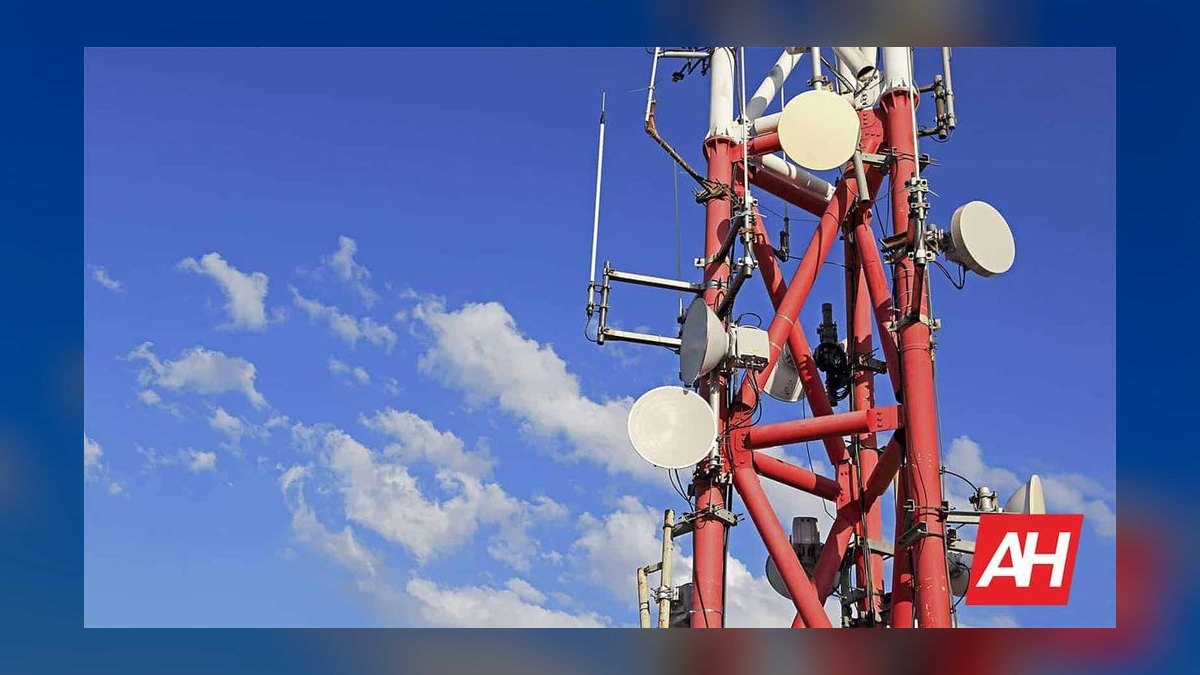
Week one: gather your own evidence. Write down the six to eight locations where you actually need service — home, work, the school pickup line, the gym, the in-laws', the two or three routes between them. For each, note what you need there: just calls, or heavy data, or reliable upload. Then check band support for your current handset, because if your phone can't use a network's best spectrum, the whole comparison changes. Finally, run baseline speed and signal tests at each location on your current carrier at a quiet hour and a busy hour, and record dBm alongside the throughput. You now have a benchmark, which means any change you make is measurable instead of vibes.
Week one, in parallel: buy a cheap trial. A one-month prepaid line on each candidate network — ordered as an eSIM, activated in minutes, no store visit and no commitment — is the highest-value diagnostic available. Run it as your second SIM. Understand that prepaid sits at a lower priority tier, so treat the results as a coverage-and-reach test rather than a peak-speed test: if prepaid holds a usable connection at your parents' place out toward the parish edge, postpaid on that network will do at least as well.
Week two: decide on total cost, not sticker. Build the actual monthly number for each finalist: base rate at your real line count, autopay and paperless discounts you'll genuinely qualify for, taxes and fees, device financing, and any bundle you'd actually use. Include employer, military, first-responder, and senior discounts where they apply — these are frequently worth more than the difference between carriers. Then compare against the coverage evidence you collected. If the cheapest option also covers your locations, the decision is trivial. If it doesn't, you are now trading dollars against a known failure, which is a decision you can make honestly.
Porting day mechanics. Have the old account number and transfer PIN in hand before you start. Do not cancel the old line yourself — porting closes it automatically, and cancelling first can strand the number. Do the port on a low-stakes weekday morning when the old carrier's support line is staffed. After the port completes, verify in this order: outbound call, inbound call, SMS both directions, MMS with a photo, mobile data with Wi-Fi off, Wi-Fi calling with cellular off, hotspot, and voicemail. Then check that any two-factor authentication tied to your number still delivers, because a silent SMS-delivery failure after a port is a genuinely painful way to lose access to your bank.
The thirty-day window. Most carriers have a satisfaction window in which you can reverse a switch with limited penalty. Use it deliberately: re-run your location tests in the first three weeks, not the fourth. If the new network underperforms where you live, you want that discovered while reversing is still cheap.
For households and small businesses, add one step. Decide deliberately whether every line belongs on the same carrier. Consolidating gets you multi-line discounts; splitting gets you resilience and lets each person be on the network that actually works where they spend their day. A reasonable default for a small operator in this market: phones consolidated on the network with the best coverage across your service area, and a second network for payment-processing and router failover. The redundancy costs less than one lost service day.
Related questions
Does a coverage map tell me whether service will work in my house?
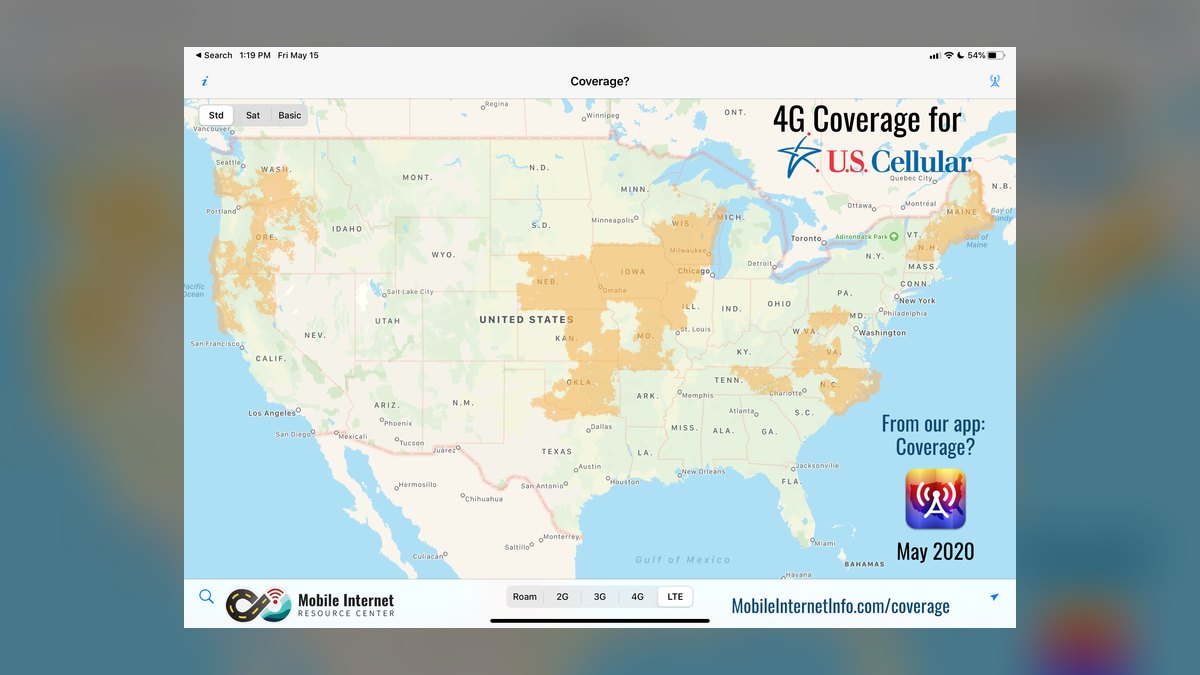
No. Coverage maps model predicted outdoor signal and cannot account for your walls, windows, roof, or insulation. Use the map to rule carriers out, never to rule one in — then verify indoors with a trial SIM, and enable Wi-Fi calling as a fallback.
Is prepaid actually worse than postpaid on the same network?
Same towers, lower priority. On an uncongested tower the experience is nearly identical; during congestion, postpaid traffic is served first. If your worst-case moment has real consequences, pay for the priority tier. Otherwise prepaid is often the better value.
Should I switch carriers to get faster 5G on an older phone?
Usually not. If your handset lacks the mid-band 5G radios a network relies on, changing carriers won't unlock the speeds you're paying for. Check your device's supported bands first — that's often the actual bottleneck, not the network.
What's the cheapest way to test a carrier before committing?
A one-month prepaid eSIM on the candidate network, run as a second SIM alongside your current line. It costs less than a dinner out, requires no store visit, and tests coverage at the addresses you actually care about.
Does one carrier cover both Shreveport and the surrounding parish equally?
Rarely. Metro strength and rural reach come from different spectrum strategies, so the best in-town network and the best out-of-town network are frequently not the same. Choose based on where you spend time, weighted toward where a failure would hurt most.
FAQ
How do I know which cellular bands my phone supports?
Check the manufacturer's specification page for your exact model and regional variant — variants of the same phone sold in different markets sometimes support different bands. Carrier websites also publish device compatibility checkers where you enter your IMEI and get a direct answer about which of their network technologies your handset can use. This takes five minutes and prevents the most common disappointing switch.
What signal strength number should I be looking for?
Signal is reported in dBm, closer to zero being stronger. Roughly, better than −85 dBm is strong, −85 to −100 dBm is workable for most tasks, −100 to −110 dBm is marginal and will struggle with video calls, and beyond −110 dBm you should expect data to fail even when the phone still shows a bar. Your phone exposes this in its settings or a field-test screen, and it is far more informative than the bar icon.
Is Wi-Fi calling a real substitute for coverage at home?
For voice and text at a fixed location, largely yes — it routes calls over your home internet and works well enough that many people with poor indoor cellular signal never notice. It does not help you in the car, it depends on your home internet being up, and handoff between Wi-Fi and cellular as you walk out the door can occasionally drop a call. Enable it regardless; it costs nothing and it is the cheapest fix for a weak-signal house.
Will I lose my phone number if a port goes wrong?
It's recoverable but stressful, and the way to avoid it is to never cancel the old line yourself. Initiate the port from the new carrier with the correct account number and transfer PIN, and let the port close the old account automatically. If the port stalls, the number stays with the original carrier until it completes, which is why keeping that account open is the safety net.
How often should I reconsider my carrier choice?
Once a year is a sensible cadence. Networks add sites and redeploy spectrum continuously, plan pricing shifts, and your own routine changes — a new job across town or a move three miles north can invalidate a choice that was correct when you made it. An annual twenty-minute round of speed and signal tests at your regular locations is enough to catch a network that has quietly fallen behind.
Should a small business put all its lines on one carrier?
Consolidation buys discounts; diversity buys resilience. For most small operators the right answer is a hybrid: employee phones consolidated on whichever network covers your service area best, plus a line or router failover on a different network for anything revenue-critical, such as payment processing. A regional outage on a single carrier should never be able to stop you from taking money.
Sources
- FCC — National Broadband Map (mobile coverage)
- FCC — Consumer guide to wireless coverage and service
- FCC — Cell phone porting and number transfers
- Ookla — Speedtest network performance reports
- Opensignal — mobile network experience research
- J.D. Power — wireless studies and rankings
- CellMapper — crowd-sourced tower and band mapping
- T-Mobile coverage map
- Verizon coverage map
- AT&T wireless coverage map
Related on PULSE
This page will be disappearing soon. Save it to your device for $1 — or read it free while it is here.
@Kory-White- · if Venmo asks, the last 4 of my number are 2012
This page is gone.
This one is off the shelf now. $1 keeps it on your phone for good — the whole page, pictures and diagrams included.
 telcoHow long does it take to port a phone number in 2027?
 telcoHow do I get the best Black Friday cell phone deal in 2027?
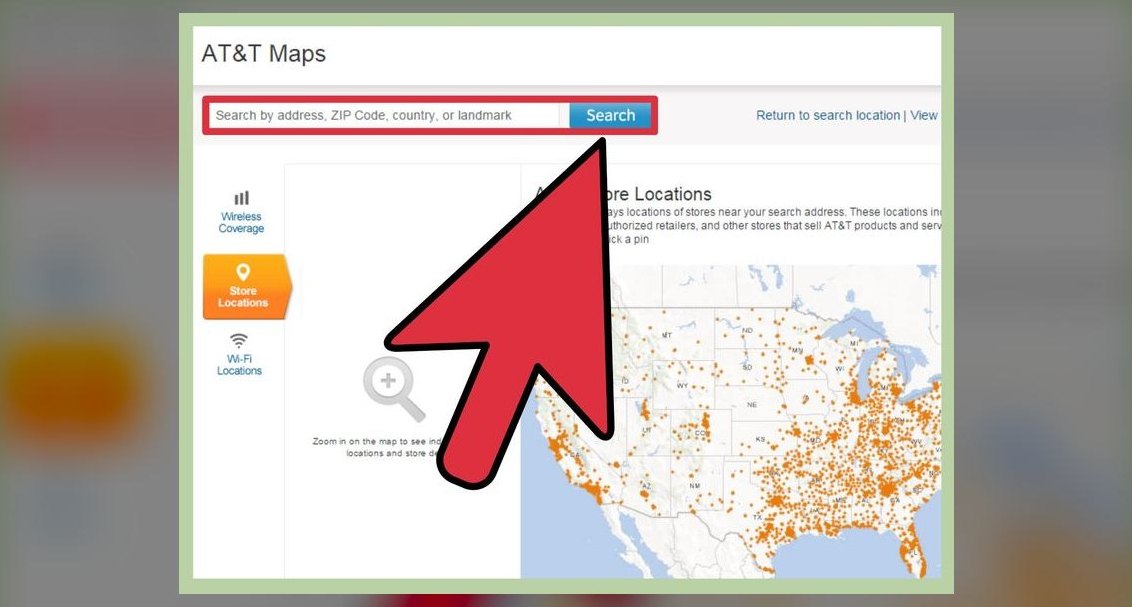 telcoHow do I activate a new cell phone for the first time in 2027?
 telcoCan I bring my own phone to a new carrier (BYOD) in 2027?
 telcoWhat is the best way to approach Telco in 2027?
 telcoBest Cellular and Wireless Carrier in Florida in 2027
 telcoStraight Talk vs Total Wireless: which is better in 2027?
 telcoBest Cellular and Wireless Carrier in Montgomery in 2027
 telcoWhat is the best two-line cell phone plan in 2027?
 telcoDo I really get free streaming (Netflix, Apple TV) with my plan in 2027?