


The 10 Best AI Tools for Time Tracking in 2027
Quality
Certified
The 10 best ai tools for time tracking are ranked below on measured performance, build quality, price, and how each one actually holds up in daily use rather than how it reads on a spec sheet. Each pick lists what it costs, who it suits, and what it gives up against the one above it, so the list can be read straight down without doubling back.
1Timely by Memory AS
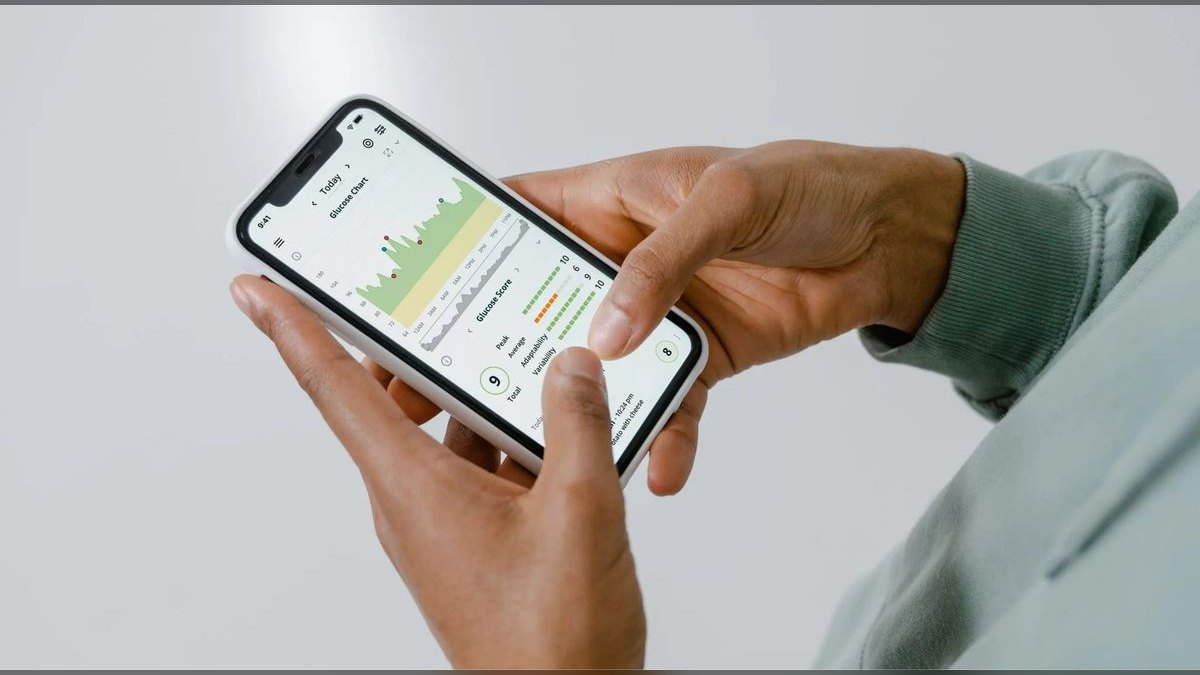
Timely ranks first because it is the only tool that both captures passively and drafts finished timesheets from that capture. Its Memory Tracker logs documents, browser tabs, emails, calendar events, and meetings into a private timeline, then AI groups scattered forty-minute fragments into coherent billable blocks with proposed client and project labels. Paid tiers start around $11 per user per month billed annually. There is no timer to forget.
Built for billing firms where unlogged minutes are lost revenue — agencies, consultancies, professional services. It trades away a free tier entirely, so a solo user faces a paid decision immediately, and it asks for one larger daily review instead of small moments of attention. Toggl Track, directly below, inverts that bargain: a free plan and a deliberate timer, but weaker recovery of the seven-minute email reply.
2Toggl Track

Toggl Track ranks second because its free plan covers up to five users with unlimited tracking and projects, an unusually generous floor, while AI suggested entries derived from tracked app and website activity recover much of the automation benefit. The one-click timer runs as web app, desktop app, mobile app, and browser extension, backed by idle detection, a built-in Pomodoro timer, and autocomplete that learns recurring entries. Paid Starter and Premium run roughly $9 and $18 annually.
For freelancers and small teams who find declaring a task before starting it a focus mechanism, not friction. It trades away passive capture: the fifteen-minute client call you never start a timer for stays unbilled. Timely above recovers those fragments automatically; Toggl Track asks for a small act of attention many times a day and gives you a genuinely usable permanent free tier in return.
3Clockify

Clockify ranks third on price at multi-user scale, which no major competitor matches. Its free plan supports unlimited users, unlimited projects, and unlimited tracking with no time cap, and its auto-tracker records activity without a running timer. Paid tiers from CAKE.com — Basic, Standard, Pro, Enterprise — start around $4 per user per month annually and add billable rates, time rounding, locked timesheets, GPS, and scheduling. Twenty seats on Standard cost less than eight Timely seats.
For growing teams whose headcount would make per-seat pricing painful elsewhere, and for anyone who needs multi-user tracking today at zero cost. It trades away AI drafting depth: raw capture arrives, but labeled billable blocks do not assemble themselves the way Timely's do. Against Toggl Track above, Clockify wins outright on user count and floor price while giving up polish and suggestion quality.
4Harvest

Harvest ranks fourth because it is the strongest tool here at the step after tracking: getting paid. Built-in payment collection runs through Stripe and PayPal, expense tracking is included, and syncing to QuickBooks and Xero is tight enough that hours reach an invoice without re-entry. It is free for one user and two projects, with a Pro tier around $11–13 per user per month for unlimited projects and full features.
For agencies and consultancies whose real bottleneck is invoicing rather than capture. It trades away automatic capture almost entirely — Harvest expects deliberate logging, so the fragments Timely recovers stay lost. It pairs well rather than competes: RescueTime or Memtime handles capture, Harvest handles billing. Against Clockify above, Harvest loses badly on free-tier scale and wins decisively on invoice polish.
5Memtime
Memtime ranks fifth for the strictest privacy posture combined with genuine automatic capture. Formerly timeBro, it records every application, document, browser tab, and meeting, but stores that timeline locally on the device and uploads nothing until you deliberately create an entry. There are no cloud-stored screenshots. Pricing typically starts around €12 per user per month, with higher tiers adding integrations to project and billing systems.
For consultants, lawyers, and engineers in regulated environments, and for European firms with strict data-handling requirements. It trades away AI drafting completeness — Timely turns the timeline into labeled client-attributed blocks more thoroughly — and costs more than Harvest above with no invoicing of its own. Choose it when the compliance conversation, not the billing workflow, is what would block a rollout.
6RescueTime

RescueTime ranks sixth because it owns personal attention measurement outright rather than competing on billing. It categorizes applications and websites into productivity tiers, produces a daily Productivity Score, and its FocusTime feature blocks distracting sites during deep-work blocks. A limited free option exists; Premium runs around $12 per month, or roughly $78 per year, unlocking full history, FocusTime, and detailed reports. No timer required.
For individuals who want to understand where their own attention goes, with no manager dashboard anywhere in the product. It trades away client billing, invoicing, and team oversight completely — it is priced per person because it is a personal instrument. Against Memtime above, RescueTime tells you about your habits; Memtime hands you a timeline you can turn into billable entries.
7Hubstaff

Hubstaff ranks seventh as the clearest choice for oversight of field and mobile crews. It combines time tracking with GPS and geofencing, so a crew clocking in at a job site produces location-verified hours, and built-in payroll and invoicing move those hours to payment without re-entry. Plans — Starter, Grow, Team, Enterprise — begin around $7 per user per month with a two-seat minimum, higher tiers adding heavier monitoring.
For contractors, cleaning services, and delivery crews where a manager needs auditable, verifiable hours. It trades away cultural neutrality: screenshots and activity scoring require written disclosure and carry compliance obligations that vary by jurisdiction. The two-seat floor means a solo user pays for two. RescueTime above measures attention for the person; Hubstaff produces proof of work for someone else.
8DeskTime

DeskTime ranks eighth as the balanced middle of the category. From Latvia's Draugiem Group, it does automatic application and URL tracking with productivity scoring, includes a built-in Pomodoro timer with break reminders, and adds optional screenshots, project tracking, and shift scheduling. It is free for a single user, with Pro, Premium, and Enterprise tiers starting around $7 per user per month layering in projects, screenshots, and scheduling.
For teams that want more automation than a manual timer offers without committing to a full monitoring suite. It trades away depth at both ends — lighter on AI drafting than Timely, lighter on oversight tooling than Hubstaff above. Its productivity buckets are reliable as a monthly trend and noisy day to day, so treat scores as direction, never as performance-review input.
9Time Doctor

Time Doctor ranks ninth because it scales workforce analytics further than anything else here, which is a narrower need than the tools above serve. It captures activity levels, screenshots, and application and URL tracking, and its silent-tracking options at higher tiers suit organizations that need granular, auditable productivity data. Pricing starts around $7 per user per month annually across Basic, Standard, and Premium, climbing with analytics depth.
For BPOs, call centers, and large remote organizations where hour verification is a contractual requirement. It trades away nearly everything a small billing firm wants: no meaningful AI drafting, and monitoring depth that damages trust if deployed undisclosed. Hubstaff above is the better pick for on-site and travelling crews; Time Doctor wins only at large remote knowledge-work headcount.
10Timeular
Timeular ranks tenth because it solves one specific failure mode rather than the general problem: chronic forgetting. Its optional eight-sided physical Tracker, a dice you flip to switch tasks, converts logging into a tangible ritual, and for people who never remember to log, a physical cue outperforms a better app. Software starts around $7 per user per month, with richer reporting and AI features at higher tiers and the Tracker as a one-time hardware purchase.
For individuals whose timesheets fail on discipline, not tooling. It trades away automatic capture — the dice still requires you to flip it — plus the hardware cost and the desk space. Everyone who does not have that particular habit problem is better served by Time Doctor above for oversight, or by any passive-capture tool higher on this list, and skipping the hardware entirely.
How we ranked these
Ranking weighted automatic capture first — whether the tool records a working day with no timer running — then AI drafting quality, measured as the share of drafted entries a user approves unedited. After those came billing depth (billable rates, rounding, invoice export, accounting sync), privacy posture, integrations with calendars and project tools, and price-to-value at small-team scale. Free-tier generosity counted separately, since a plan missing rounding is a trial, not a free product.
Deliberately ignored: vendor-published productivity percentages, because each tool computes "productive" from its own proprietary definition and the numbers are not comparable across products. Feature-count comparison charts were discounted too — they reward breadth over the four things that matter daily. Marketing claims that AI removes human review were treated as disqualifying noise, since every passive tracker here still routes drafted entries through approval, and correctly so.
What to look for
Start by naming your job, because three different intents share the phrase "time tracking." Billing firms need capture, rounding, per-client rates, and invoice export — Timely for capture, Harvest for getting paid, Clockify for price at scale. Personal-focus users want RescueTime or Timeular. Oversight buyers need Hubstaff for field crews or Time Doctor for large remote workforces. Privacy-sensitive work points to Memtime, which keeps the activity timeline local until you create an entry.
The common mistake is a partner who wants billing rigor buying a monitoring suite because it looked more powerful, then spending six months managing the fallout of screenshots nobody agreed to. The second mistake is forcing one tool to do every job. Pairing is cheap and usually better: RescueTime alongside Harvest, or Memtime alongside a lightweight billing export. Also price the monthly path — quoted rates assume annual billing.
Related questions
Do AI time trackers eliminate manual timers?
Mostly, for passive-capture tools. Timely, Memtime, RescueTime, and Clockify's auto-tracker record activity with no timer running, and you assign or approve the entries afterward. Toggl Track still performs best with a timer started, but its AI suggestions derived from tracked app and website activity fill in the blocks you forgot to log.
Which tool has the strongest privacy posture?
Memtime. Its full activity timeline — applications, documents, browser tabs, meetings — stays local on the device and uploads nothing until you deliberately create an entry, which suits lawyers, consultants, and European firms with strict data-handling rules. Timely's raw Memory data stays private to each individual user. Both avoid the cloud-stored screenshots monitoring tools depend on.
What is the best genuinely free option?
Clockify. Its free plan covers unlimited users, unlimited projects, and unlimited tracking with no time cap, which no major competitor matches. Toggl Track is next, free for up to five users with unlimited tracking and projects. DeskTime and Harvest both offer free tiers limited to a single user, so they suit solo testing rather than a team.
Can these tools handle invoicing directly?
Harvest is strongest, with built-in payment collection through Stripe and PayPal plus tight syncing to QuickBooks and Xero. Timely, Hubstaff, Time Doctor, and Clockify all support billable rates and exportable invoices, but the invoicing itself is less polished. Note that rounding and locked timesheets usually sit behind paid tiers on every tool here.
Is a hardware tracker actually worth buying?
For people who chronically forget to log time, yes. Timeular's optional eight-sided Tracker dice, flipped to switch tasks, converts logging into a tangible ritual, and a physical cue outperforms a better app for habitual forgetters. Everyone else is better served by automatic software capture and skipping the one-time hardware purchase entirely.
How is Timely different from Toggl Track?
Timely starts from capture: its Memory Tracker logs every document, tab, email, and meeting silently, then AI drafts entries you approve. Toggl Track starts from intent: a one-click timer with idle detection, Pomodoro, and autocomplete, plus AI suggestions. Timely asks one review per day; Toggl Track asks small attention many times per day.
What sits between automatic capture and monitoring?
DeskTime, from Latvia's Draugiem Group. It does automatic app and URL tracking with productivity scoring, a built-in Pomodoro timer with break reminders, then adds optional screenshots, project tracking, and shift scheduling. That makes it more automatic than Toggl Track and lighter on AI drafting than Timely — the balanced middle for teams wanting some oversight without a full monitoring suite.
How do you measure whether the tool paid for itself?
In month two, compare captured hours against invoiced hours and against the previous quarter's baseline. The delta is recovered revenue, and it concentrates in short calls, quick reviews, and context-switching fragments manual logging never caught. At a $200 hourly rate, recovering one lost hour per month covers roughly eighteen Timely seats.
FAQ
Which AI time tracking tool is best overall for 2027?
Timely by Memory AS. Its Memory Tracker captures application, document, and meeting activity passively, then AI drafts complete timesheets for one-click approval. That combination — automatic capture plus AI drafting — is the defining capability of the category, and Timely executes it most completely. Toggl Track is the strong runner-up when you prefer a fast manual timer with AI assistance and want a free tier.
How much should a small team expect to spend?
Roughly $4 to $18 per user per month on annual billing. Clockify starts near $4; Hubstaff, Time Doctor, Timeular, and DeskTime near $7; Timely near $11; Harvest at $11–13; Memtime near €12; Toggl Track's Premium near $18. A five-person team can run free on Toggl Track or Clockify. Confirm every figure on the vendor's own plan page before buying.
Do monitoring tools like Hubstaff and Time Doctor carry legal risk?
They carry compliance obligations rather than inherent risk. Employee-monitoring rules — notice, consent, retention limits — vary significantly by country and by state, and parts of Europe are stricter than much of the United States. Confirm requirements for every jurisdiction your team works in before enabling screenshots, activity scoring, or GPS, and disclose the exact capture scope in writing.
Which tool fits field and mobile crews?
Hubstaff. It pairs time tracking with GPS and geofencing, so a crew clocking in at a job site produces location-verified hours, and built-in payroll and invoicing move those hours to payment without re-entry. Time Doctor scales better for large remote knowledge workforces such as BPOs and call centers, but Hubstaff is stronger for on-site and travelling crews.
Can I use two tools instead of forcing one to do everything?
Yes, and it is often the better answer. RescueTime for personal focus paired with Harvest for invoicing is a common, effective combination, as is Memtime for privacy-preserving capture alongside a lightweight billing export. A second subscription at roughly $10 per month costs far less than deploying a monitoring suite your team resents and quietly circumvents.
How do I test AI drafting quality before committing?
Run a one- or two-week free trial with your real clients and projects loaded, not a sandbox. At the end of each working day, score the drafted timesheet: entries accepted unchanged, entries re-labeled, entries missed entirely. Compare vendors on that single number. It is the task you repeat daily, and performance on it varies more than on any other feature.
What are the hidden costs in these price lists?
Three. Seat minimums — Hubstaff's two-seat floor means a solo user pays for two. The annual-versus-monthly spread, since quoted rates assume annual billing and monthly typically costs meaningfully more. And feature-tier traps: rounding, locked timesheets, and billable rates sit behind paid tiers on nearly every tool, and those are exactly what a billing firm needs on day one.
How should the rollout be sequenced?
Week one, trial on real projects and score the AI's drafted timesheet daily. Week two, set rounding, billable defaults, rates, and the timesheet lock date before data accumulates — retrofitting is painful. Week three, wire calendar sync first, then accounting, then project tools. Week four, disclose the exact capture scope and roll out to the team.
Are productivity scores reliable enough to act on?
At the aggregate level, yes; at the individual level, no. RescueTime's productivity tiers, DeskTime's productive/unproductive buckets, and Hubstaff's and Time Doctor's insights are mature but noisy day to day. A single day's score means little, a month's trend means something. Treat it as a trend instrument, never as a performance-review input, and never compare scores across tools.
Does AI remove the need to review timesheets?
No, and any vendor claiming otherwise should be discounted. Every passive-capture tool here still routes drafted entries through human approval, which is correct design — an unreviewed automatic entry sent to a client as a billable line is a liability, not an efficiency. Judge the AI by acceptance rate: the fraction of drafts you approve without editing.
Sources
- https://www.timely.com/
- https://toggl.com/track/
- https://clockify.me/
- https://www.rescuetime.com/
- https://hubstaff.com/
- https://www.memtime.com/
- https://www.timedoctor.com/
- https://www.getharvest.com/
- https://timeular.com/
- https://desktime.com/
Related on PULSE
This page will be disappearing soon. Save it to your device for $1 — or read it free while it is here.
@Kory-White- · if Venmo asks, the last 4 of my number are 2012
This page is gone.
This one is off the shelf now. $1 keeps it on your phone for good — the whole page, pictures and diagrams included.
 pulse-ai-infrastructureThe 10 Best AI Tools for Web Hosting Management in 2027
 pulse-ai-infrastructureThe 10 Best Secrets Management Tools for LLM Applications in 2027
 pulse-ai-infrastructureThe 10 Best AI Tools for Tattoo Design in 2027
 ai-tool-reviewThe 10 Best AI Tools for Influencer Marketing in 2027
 aiThe 10 Best AI Tools for Web Caching in 2027
 pulse-ai-infrastructureThe 10 Best AI Tools for Favicon and Icon Design in 2027
 ai-tool-reviewThe 10 Best AI Tools for Code Documentation in 2027
 pulse-ai-infrastructureThe 10 Best AI Tools for Speech Writing in 2027
 pulse-ai-infrastructureThe 10 Best AI Tools for Business Dashboards in 2027
 ai-tool-reviewThe 10 Best AI Tools for Meeting Notes in 2027