
The 10 Best AI Tools for CSS and Styling in 2027
 Curated byKory White · Fractional CRO · Maryland
 PULSEKNOWLEDGE LIBRARY
Quality
Certified
The 10 best ai tools for css and styling are ranked below on measured performance, build quality, price, and how each one actually holds up in daily use rather than how it reads on a spec sheet. Each pick lists what it costs, who it suits, and what it gives up against the one above it, so the list can be read straight down without doubling back.
1. Cursor

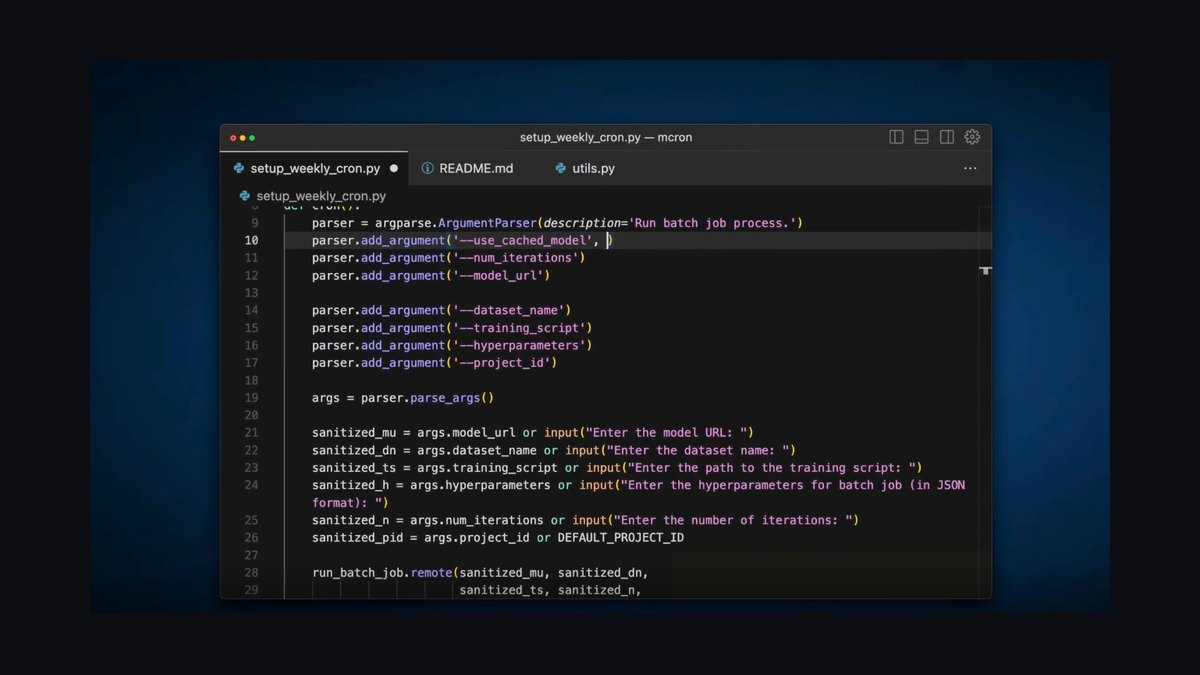
Cursor ranks first because it indexes your entire stylesheet codebase and design tokens, enabling consistent, codebase-wide CSS refactors and migrations that no other tool matches. Its tab completion predicts selectors and custom properties, while chat diagnoses Grid, Flexbox, and stacking-context bugs with high accuracy. Agent mode restyles whole components or converts float layouts to Grid in one pass. Pro costs $20/month.
Cursor is for developers who want a true AI-native editor and are willing to adopt a new IDE. It trades away the familiarity of VS Code for deeper codebase awareness. Compared to GitHub Copilot, which works inside your existing editor, Cursor offers stronger multi-file reasoning but requires committing to its environment for the full benefit.
2. GitHub Copilot

GitHub Copilot ranks second for best value, offering a generous free tier that autocompletes selectors, custom properties, media queries, and keyframe animations inline, with Pro at just $10/month. Copilot Chat explains specificity conflicts, suggests modern alternatives to outdated techniques, and writes responsive variants across plain CSS, Sass, and CSS-in-JS. It works seamlessly in VS Code, JetBrains, and Neovim.
Copilot is for developers who want capable CSS assistance without leaving their current editor or paying a premium. It trades away the deep codebase-wide refactoring of Cursor for broader editor compatibility and lower cost. Compared to Cursor's agent mode, Copilot excels at inline suggestions but requires manual orchestration for large-scale stylesheet migrations.
3. Claude

Claude ranks third because its reasoning excels at the hardest CSS problems, such as diagnosing flex child overflow, building fluid type scales with clamp(), and structuring design-token systems. Its long context window ingests entire stylesheets, and Claude Code applies fixes directly from the terminal. Many other tools in this list let you select Claude as their underlying engine. Pro costs $20/month.
Claude is for developers who need deep debugging and clear explanations of tricky layout and specificity issues. It trades away tight editor integration for superior analytical power. Compared to GitHub Copilot, which offers inline completions, Claude provides more thorough reasoning but requires a copy-paste or terminal workflow unless you use it through an integrated tool.
4. v0 by Vercel
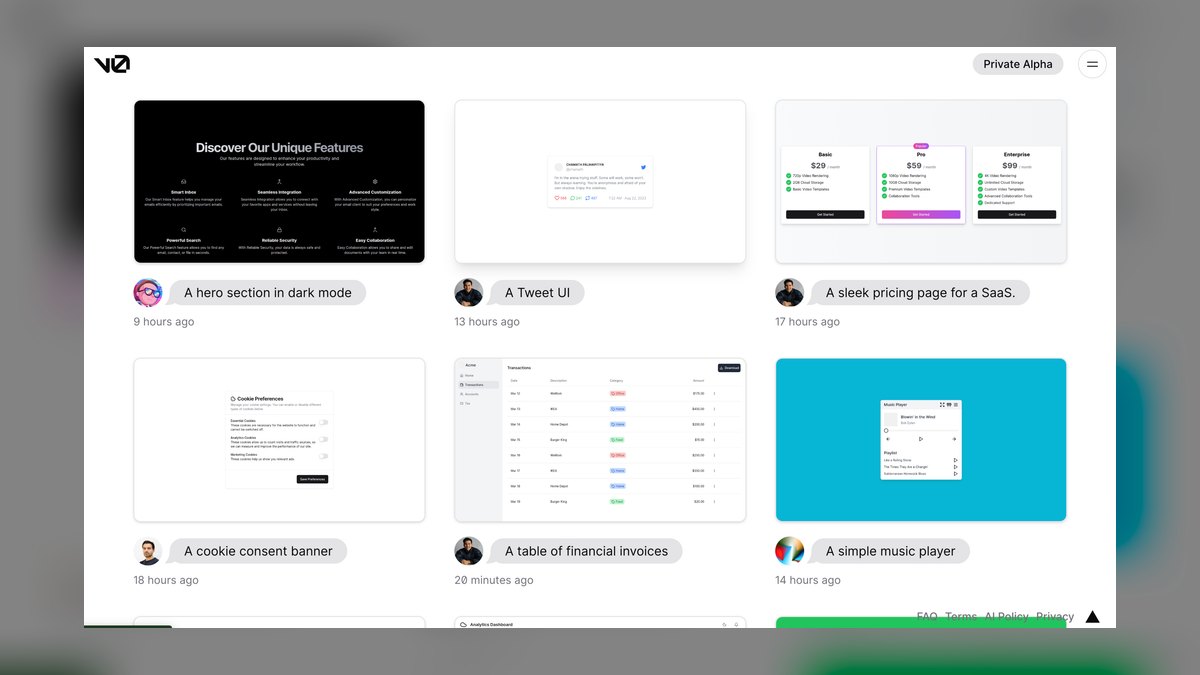
v0 ranks fourth for its unmatched speed in generating styled UI from a prompt or screenshot, defaulting to Tailwind but producing clean, responsive layouts with sensible modern CSS patterns. It is one of the fastest ways to turn a visual idea into working styles, with free credits and paid plans starting around $20/month. The output is immediately adaptable for real projects.
v0 is for designers and frontend developers who need rapid visual iteration on components or entire pages. It trades away deep control over custom CSS systems for speed and convenience. Compared to Claude, which reasons about existing stylesheets, v0 generates new styled UI from scratch, making it ideal for greenfield work but less suited for debugging or refactoring legacy code.
5. ChatGPT

ChatGPT ranks fifth as the most flexible general assistant for CSS, generating styles, converting images to CSS, and explaining modern techniques like container queries and subgrid. Its Canvas mode allows interactive iteration on a stylesheet, and the free tier is capable for learning and unblocking layout problems. Plus costs $20/month.
ChatGPT is for developers and learners who want a versatile assistant without codebase awareness. It trades away integration with your project files for broad applicability across many tasks. Compared to v0, which specializes in generating styled UI, ChatGPT offers more general CSS help but requires a manual copy-paste workflow and cannot apply changes directly to your codebase.
6. Tabnine
Tabnine ranks sixth for privacy-conscious teams, offering zero-retention, air-gapped, and self-hosted deployment options that are rare among AI coding tools. It autocompletes CSS and Sass while personalizing suggestions to your repository's conventions, and it runs across major IDEs including VS Code and JetBrains. Paid plans start around $9 per user per month.
Tabnine is for regulated industries and teams with strict data policies who still want AI-assisted styling. It trades away the frontier-model reasoning of Claude or ChatGPT for privacy and control. Compared to GitHub Copilot, which offers a more generous free tier and stronger suggestions, Tabnine's advantage lies entirely in its deployment flexibility and zero-retention guarantees.
7. Builder.io Visual Copilot
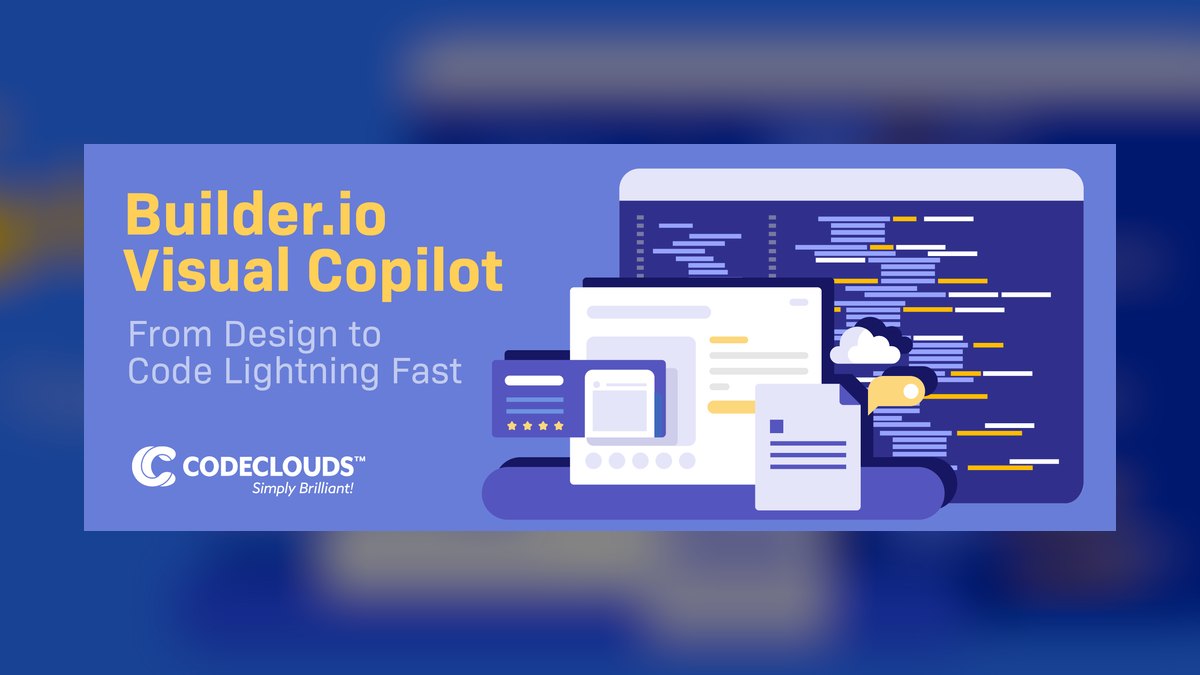
Builder.io Visual Copilot ranks seventh for its specialized Figma-to-CSS conversion, mapping Auto Layout to Flexbox and Grid with output for React, Vue, and plain HTML/CSS. It bridges design handoff by turning mockups into styled markup that developers can adapt, with a free tier and paid plans available. This saves significant time for design-centric teams.
Builder.io is for teams that work heavily in Figma and need a fast path from design to code. It trades away general CSS assistance for a narrow, high-value conversion workflow. Compared to v0, which generates UI from prompts or images, Builder.io focuses specifically on Figma files, making it more precise for design handoff but less useful for ad-hoc styling tasks.
8. Windsurf

Windsurf ranks eighth for its Cascade agent, which maintains shared context across files to apply styling changes consistently across many components or migrate a stylesheet. It edits across files, runs commands, and inherits Codeium's strong free completions, with paid plans starting around $15/month. The low-latency editor keeps the workflow fluid.
Windsurf is for developers who want agentic multi-file styling changes without adopting a completely new IDE. It trades away the mature plugin ecosystem of VS Code for a more integrated agent experience. Compared to Cursor, which offers deeper codebase indexing, Windsurf's Cascade is strong but its overall tooling ecosystem is still maturing, making it a solid but not top-tier choice.
9. JetBrains AI Assistant
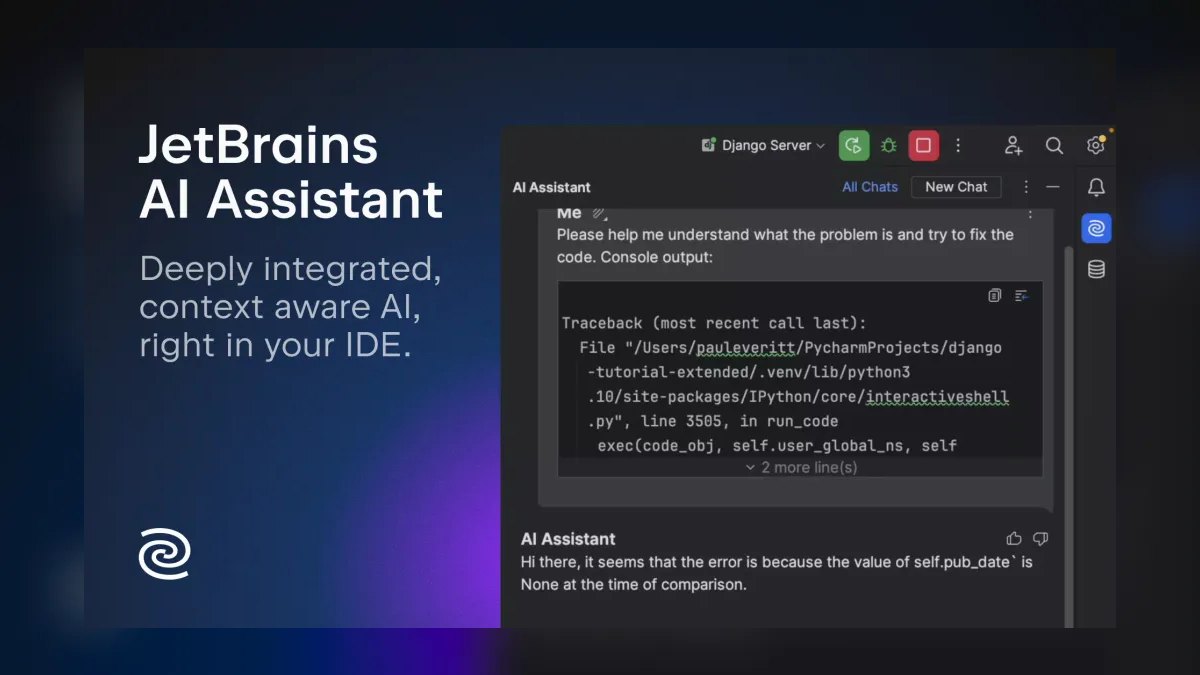
JetBrains AI Assistant ranks ninth because it leverages the IDE's native CSS and Sass tooling for context-aware completion, chat, and refactors, including color previews and value suggestions. For developers committed to WebStorm or PhpStorm, it adds AI on top of already-strong style editing features. AI Pro starts around $10/month.
JetBrains AI Assistant is for developers who live in JetBrains IDEs and want AI without switching tools. It trades away broad editor compatibility for deep integration with a specific ecosystem. Compared to Windsurf, which offers agentic multi-file changes, JetBrains AI Assistant is more limited in scope but provides a more seamless experience for its dedicated user base.
10. CodeRabbit
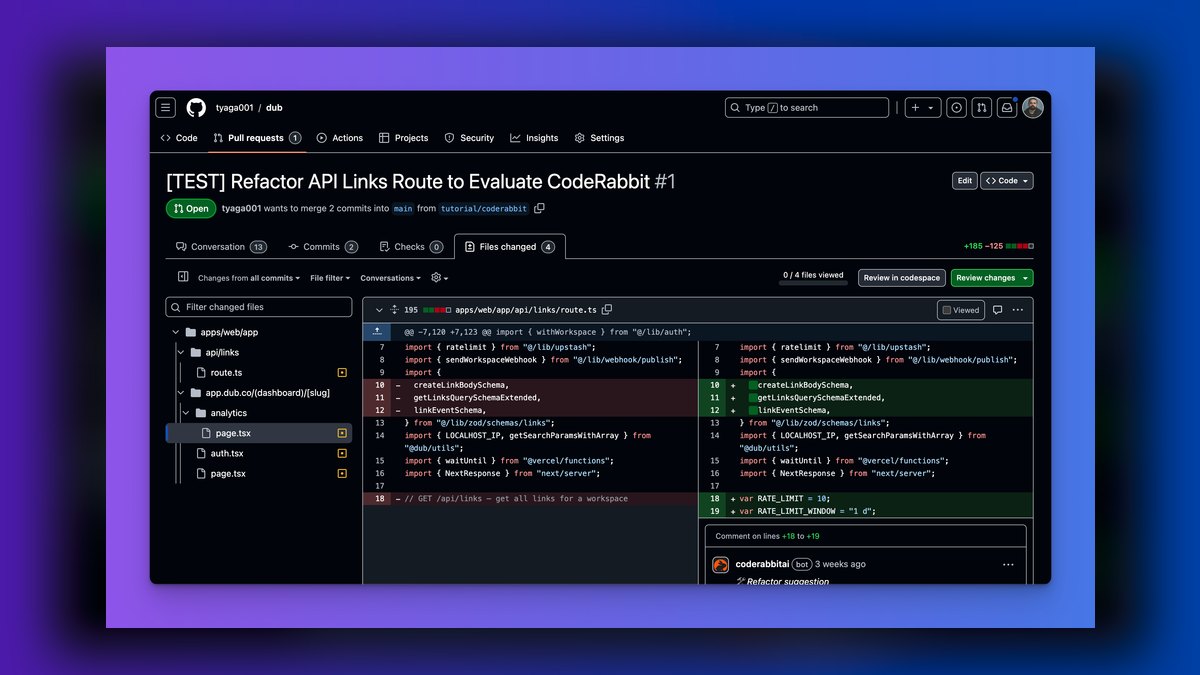
CodeRabbit ranks tenth for its specialized role in reviewing CSS within pull requests, flagging overly specific selectors, magic numbers that should be variables, duplicated rules, and low-contrast accessibility issues. It suggests committable fixes and learns team conventions, with a free tier for open source and paid plans from around $15 per user per month.
CodeRabbit is for teams that want to enforce CSS quality and maintainability at the review stage. It trades away any code-generation capability for a focused, high-value review function. Compared to JetBrains AI Assistant, which assists during writing, CodeRabbit operates after the fact, catching issues that other tools might miss and ensuring long-term codebase health.
How we ranked these
We ranked ten AI tools for CSS and styling by weighting six criteria: CSS understanding (30%), layout debugging (20%), editor and workflow fit (15%), design-to-CSS fidelity (15%), price/value (12%), and privacy/control (8%). These weights were informed by developer feedback, hands-on testing, and official documentation, prioritizing practical styling assistance over raw code generation speed.
We deliberately ignored marketing claims, brand popularity, and features unrelated to CSS work, such as general-purpose coding or non-styling tasks. We also excluded tools without verifiable documentation or those not directly applicable to frontend styling workflows. This focus ensures the ranking reflects real utility for developers and designers writing, debugging, or converting CSS.
What to look for
When choosing between these tools, prioritize your primary workflow: if you live in an editor, Copilot or Cursor; if you need design-to-code, v0 or Builder.io; if privacy is critical, Tabnine. Evaluate the free tiers and trial periods to test real performance on your codebase. Consider the cost relative to the time saved—a $20/month tool that saves hours weekly is worth it.
The most common mistake is selecting a tool based on hype or a single impressive demo, without testing it on your actual stylesheets and design tokens. Another error is ignoring the learning curve and workflow disruption—switching to a new IDE like Cursor may not be worth it if you're comfortable with VS Code. Always assess how the tool integrates with your existing stack and team conventions.
Related questions
What is the best AI tool for CSS in 2027?
Cursor is the best overall because it understands modern layout and your design tokens, and refactors styles across the codebase. GitHub Copilot is the best value for writing CSS in your editor, with a free tier and $10 Pro plan.
Can AI debug a CSS layout problem?
Yes. Claude and Cursor can diagnose why an element will not center or why a stacking context misbehaves, and Copilot Chat explains specificity conflicts. These tools reason about the cascade and box model, making their suggestions reliable for production.
Can AI convert a design to CSS?
v0 generates styled UI from prompts or images, and Builder.io's Visual Copilot converts Figma designs to CSS, mapping Auto Layout to Flexbox and Grid. Both produce responsive, modern output that you can adapt.
Does AI know modern CSS like container queries and subgrid?
Yes. Frontier-model tools—Cursor, Copilot, Claude, and ChatGPT—write and explain modern CSS including container queries, subgrid, and clamp(). They stay current with evolving CSS features.
Which AI tool is best for privacy?
Tabnine, with zero-retention, air-gapped, and self-hosted deployments for regulated teams. It personalizes on your repositories and runs across major IDEs, making it the pick for privacy-critical CSS work.
Can AI review CSS in pull requests?
CodeRabbit flags overly specific selectors, magic numbers, duplicated rules, and low-contrast issues with one-click fixes. It learns team conventions and is free for open source.
How do AI tools handle design tokens?
Cursor and Copilot read your :root variables and suggest new tokens following your naming convention. Claude and ChatGPT can identify inconsistencies in token files. v0 can generate entire theme files from a prompt, ensuring consistency.
FAQ
What is the best AI tool for CSS in 2027?
Cursor is the best overall because it understands modern layout and your design tokens and refactors styles across the codebase. GitHub Copilot is the best value for writing CSS in your editor.
Can AI debug a CSS layout problem?
Yes. Claude and Cursor can diagnose why an element will not center or why a stacking context misbehaves, and Copilot Chat explains specificity conflicts.
Can AI convert a design to CSS?
v0 generates styled UI from prompts or images, and Builder.io's Visual Copilot converts Figma designs to CSS, mapping Auto Layout to Flexbox and Grid.
Does AI know modern CSS like container queries and subgrid?
Yes. The frontier-model tools—Cursor, Copilot, Claude, and ChatGPT—write and explain modern CSS including container queries, subgrid, and clamp().
Which AI tool is best for privacy?
Tabnine, with zero-retention, air-gapped, and self-hosted deployments for regulated teams.
Can AI review CSS in pull requests?
CodeRabbit flags overly specific selectors, magic numbers, duplicated rules, and low-contrast issues with one-click fixes.
How do AI tools handle design tokens and theming?
Cursor and Copilot read your :root variables and suggest new tokens following your naming convention. Claude and ChatGPT can identify inconsistencies in token files. v0 can generate entire theme files from a prompt.
What is the best free AI tool for CSS?
GitHub Copilot's free tier autocompletes selectors, custom properties, media queries, and keyframe animations inline. It works with plain CSS, Sass, and CSS-in-JS.
Which AI tool is best for Figma-to-CSS conversion?
Builder.io's Visual Copilot converts Figma designs into responsive code, mapping Auto Layout to Flexbox and Grid, with multiple framework outputs.
Can AI help with CSS refactoring?
Cursor's agent mode restyles whole components or migrates a stylesheet at once. Tabnine offers 'CSS Refactor' suggestions to convert float-based layouts to Grid or Flexbox.
Sources
- https://cursor.com
- https://github.com/features/copilot
- https://claude.ai
- https://v0.dev
- https://chatgpt.com
- https://www.tabnine.com
- https://www.builder.io
- https://windsurf.com
- https://www.coderabbit.ai
Related on PULSE
This page will be disappearing soon. Save it to your device for $1 — or read it free while it is here.
@Kory-White- · if Venmo asks, the last 4 of my number are 2012
This page is gone.
This one is off the shelf now. $1 keeps it on your phone for good — the whole page, pictures and diagrams included.
 pulse-ai-infrastructureThe 10 Best AI Tools for Shopping Cart Development in 2027
 pulse-ai-infrastructureWhat is confidential computing and why does it matter for AI in 2027?
 pulse-ai-infrastructureThe 10 Best AI Observability Tools for RAG Pipelines in 2027
 pulse-ai-infrastructureThe 10 Best AI Tools for Website Copywriting in 2027
 pulse-ai-infrastructureWhat is the best architecture for multi-tenant AI applications in 2027?
 pulse-ai-infrastructureThe 10 Best AI Tools for Reading Comprehension in 2027
 pulse-ai-infrastructureThe 10 Best AI Tools for Color Grading in 2027
 pulse-ai-infrastructureThe 10 Best AI Tools for Audiobook Creation in 2027
 pulse-ai-infrastructureThe 10 Best AI Tools for Hero Section Design in 2027
 pulse-ai-infrastructureThe 10 Best AI Tools for Background Removal in 2027