
The 10 Best AI Tools for Drupal Development in 2027
 Curated byKory White · Fractional CRO · Maryland
 PULSEKNOWLEDGE LIBRARY
Quality
Certified
The 10 best ai tools for drupal development are ranked below on measured performance, build quality, price, and how each one actually holds up in daily use rather than how it reads on a spec sheet. Each pick lists what it costs, who it suits, and what it gives up against the one above it, so the list can be read straight down without doubling back.
1. Drupal AI Module
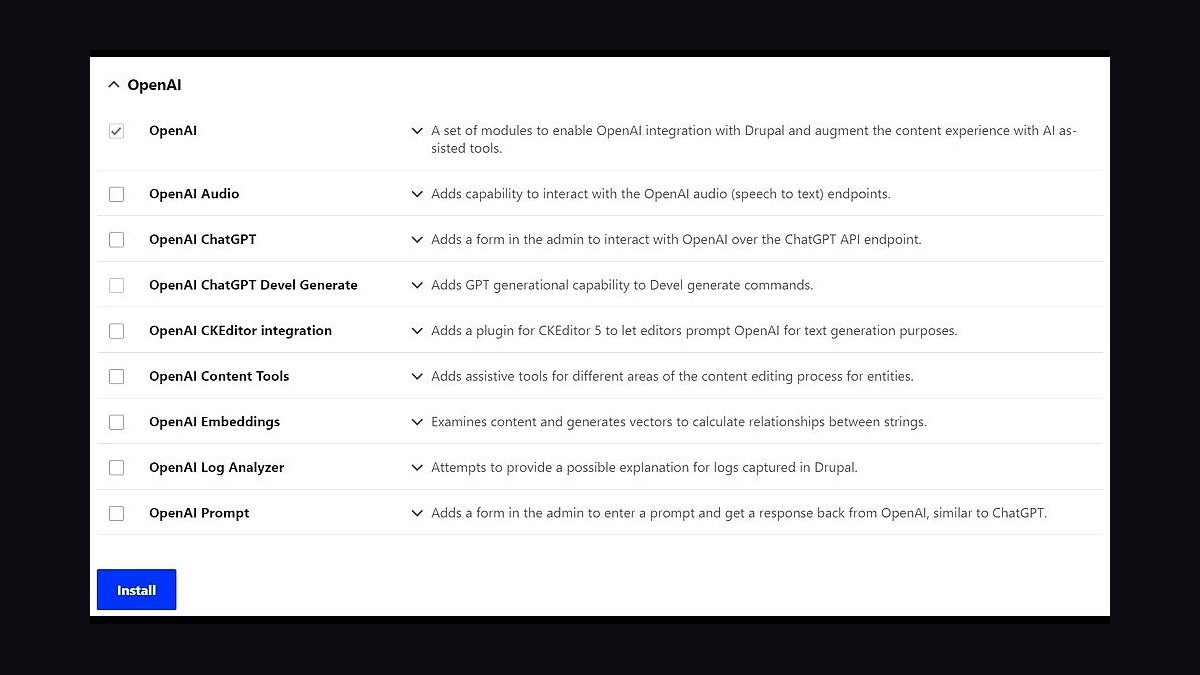
The official Drupal AI module ranks first because it is the only tool purpose-built for the in-admin Drupal surface, wiring OpenAI, Anthropic, Google, or local Ollama backends directly into the CMS. It provides an admin assistant chatbot, content and title suggestions, automatic alt-text generation, and agent workflows on entities, fields, and taxonomy. The module itself is free, with costs limited to LLM API usage.
This is the definitive pick for content editors and site builders who should never leave Drupal for a code editor. It trades away any code-generation capability, which is why it must be paired with an editor-side assistant for module development. Compared to the editor tools ranked below, it covers an entirely different surface, and no single product can replace its deep integration with Drupal's admin UI and entity system.
2. Sourcegraph Cody
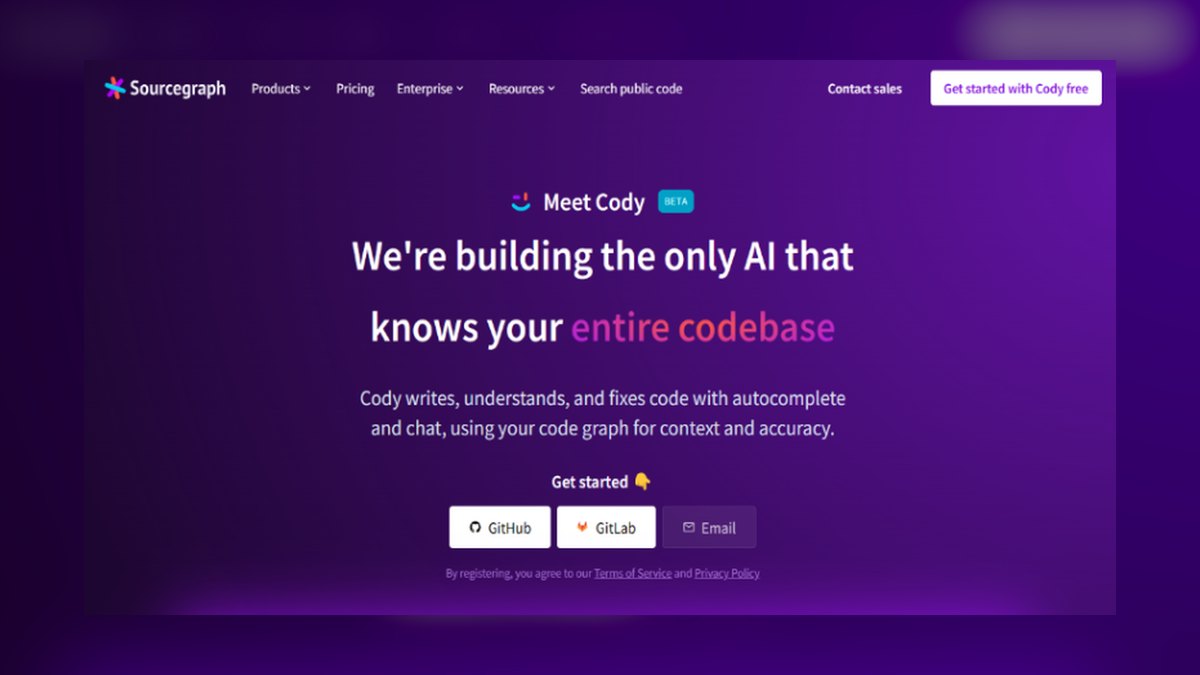
Sourcegraph Cody ranks second because its codebase chat and repository indexing produce the most correct Drupal 11 code in practice, retrieving your real entity classes and service definitions before generating. It can answer questions like where hook_entity_presave() is implemented across custom modules with exact file paths, which is invaluable on legacy sites. Cody offers a genuinely usable free tier for individuals plus a low-cost pro tier, with enterprise pricing for large-codebase indexing.
This tool is for module developers who need to understand and refactor large legacy codebases, not for quick inline completions. It trades away the fastest keystroke-level autocomplete in favor of deep multi-file reasoning. Compared to Cursor below, Cody's codebase chat is sharper for answering questions about existing code, while Cursor excels at whole-module generation against team standards.
3. GitHub Copilot

GitHub Copilot ranks third as the value leader among cloud assistants, with a free tier with capped completions and an individual plan in the low-double-digit dollars per month. Its business plan adds policy controls and IP indemnification, making it a safe enterprise choice. It reaches quality comparable to Cody and Cursor once you enable workspace context features and keep relevant files open, though it typically needs more deliberate setup to get there.
This is for teams already embedded in the GitHub ecosystem who want a solid all-rounder with strong vendor support. It trades away the out-of-the-box repository awareness of Cody and Cursor, requiring more manual context management. Compared to Tabnine below, Copilot is stronger at multi-file reasoning but weaker at fully local, privacy-preserving operation, which is a hard constraint for regulated Drupal sites.
4. Cursor

Cursor ranks fourth because its repository indexing and multi-file composer generation make it a top pick for whole-module work against team standards, with a pro tier around twenty dollars per month bundling frontier models. It supports project rules files to pin Drupal conventions like constructor injection and Drupal 11 attribute-based plugins, converting AI from a standards liability into an enforcer. Its multi-file generation holds your entity, service, and route in mind simultaneously.
This is for module developers whose main job is generating new custom modules or features from scratch, not for editors. It trades away the codebase chat depth of Cody for a stronger generation workflow. Compared to Copilot above, Cursor requires a separate editor environment rather than living inside VS Code, but its out-of-the-box context awareness reduces the setup burden that Copilot needs.
5. Tabnine
Tabnine ranks fifth because its fully local mode keeps code off external servers, making it the standard pick for government and regulated Drupal sites where source cannot cross the network boundary. It offers a free tier, a paid pro tier, and an enterprise tier with self-hosting and shared team context. Its differentiator is privacy-first operation, which is a hard requirement that vetoes most cloud assistants.
This is for teams with strict data policies who still need fast, keystroke-level completion on Twig and PHP. It trades away the multi-file reasoning of Cody and Cursor, being weaker at holding your entity, service, and route in mind at once. Compared to Ollama below, Tabnine provides a more polished, supported experience with team context sharing, but at a recurring cost rather than free open-source software.
6. Ollama

Ollama ranks sixth as the cost floor for local AI, with free and open-source software where your only spend is hardware. Running a capable coding model in the 7B-to-14B-parameter class comfortably wants a modern GPU and at least 8–16GB of RAM, with a few seconds per generation on consumer hardware. Raw accuracy on Drupal-specific hooks trails the best paid tools unless you feed it strong context, but it costs nothing recurring.
This is for privacy-first shops that cannot send any code to the cloud and have the hardware to run local models. It trades away accuracy and speed for complete data sovereignty, requiring more effort to get Drupal-correct output. Compared to Tabnine above, Ollama offers more flexibility with any open model but lacks the polished team context and support, making it better for technical teams comfortable managing their own infrastructure.
7. Codeium Windsurf
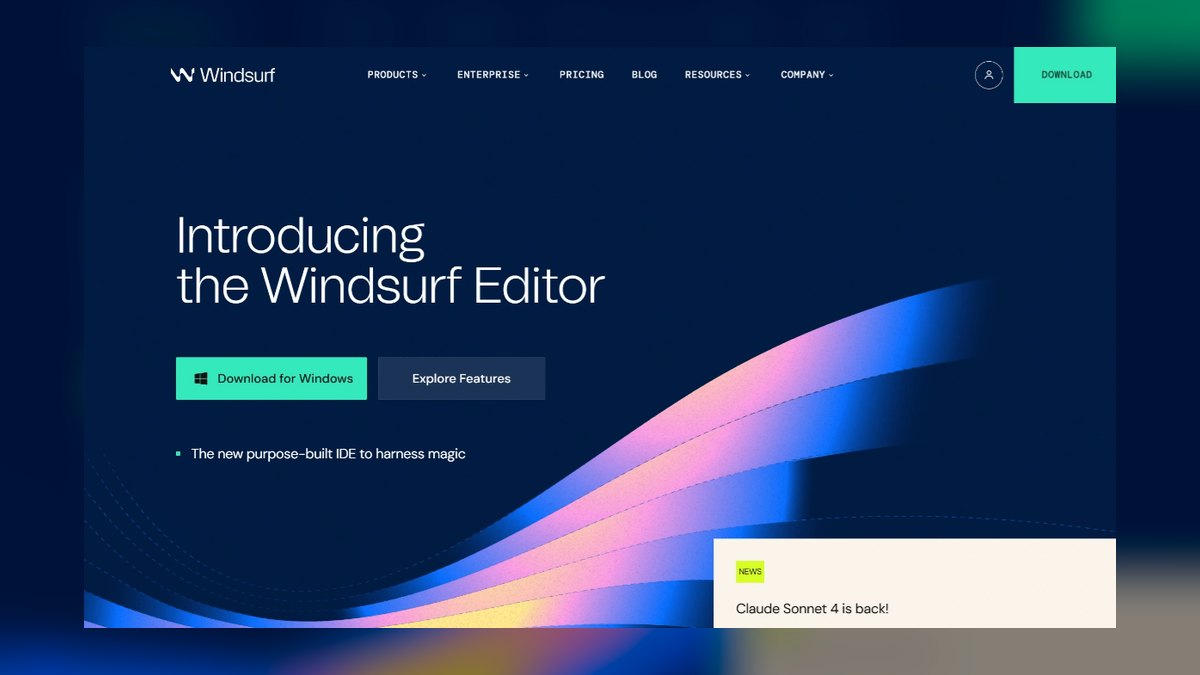
Codeium/Windsurf ranks seventh because it delivers the best inline Twig autocomplete experience, suggesting real field machine names like {{ node.field_ and theme filters like clean_class as you type. It ships a free individual tier with paid professional plans, making it an accessible entry point for Drupal developers. Its strength is speed and keystroke-level completion, not multi-file reasoning.
This is for developers who spend most of their time in Twig templates and PHP files and want frictionless inline suggestions. It trades away the repository-wide context of Cody and Cursor, being weaker at tasks where the assistant must hold your entity, service, and route in mind. Compared to Tabnine above, Codeium is more focused on completion speed and has a stronger free tier, but Tabnine's local mode is superior for privacy-constrained environments.
8. Amazon Q Developer
Amazon Q Developer ranks eighth because it is the natural pick when a Drupal site leans heavily on AWS, generating SDK calls that pair cleanly with Drupal's \Drupal::httpClient() wrapper for S3 file storage, CloudFront invalidation from hook_cron(), and SQS queues. It offers a free individual tier with paid professional plans, making it cost-effective for AWS-centric teams. Its deep AWS integration is its unique differentiator in the Drupal space.
This is for Drupal teams whose infrastructure is firmly on AWS and who need AI assistance that understands both Drupal and AWS services. It trades away general Drupal code awareness for AWS-specific expertise, requiring more context setup for pure Drupal module work. Compared to Codeium above, Q Developer is less useful for Twig autocomplete but far superior for infrastructure code, making it a situational pick rather than a daily driver.
9. Drupal AI Starshot Initiative

The Drupal AI Starshot initiative ranks ninth as the strategic roadmap for AI integration in Drupal, guiding the official module's evolution and best practices. It provides the community-driven vision for how AI should work inside Drupal, ensuring the Drupal AI module stays aligned with core development. It is free and open-source, with costs limited to any LLM provider API usage you choose.
This is for site architects and technical leads who need to plan their AI adoption strategy, not for day-to-day development. It trades away immediate tooling for long-term direction, making it a planning resource rather than a productivity tool. Compared to the Drupal AI module above, this initiative shapes what that module becomes, so it is less directly useful but more strategically important for teams building a multi-year AI roadmap.
10. Drupal Coding Standards Tools

The Drupal coding standards tools, including phpcs with Drupal and DrupalPractice standards, rank tenth as the essential validation layer that makes every AI tool safe to use. They catch deprecated calls, wrong hook signatures, and service injection violations that AI models commonly generate. These tools are free and open-source, running locally or in CI pipelines.
This is for every Drupal team, as no AI-generated hook, entity definition, or update hook should reach production without passing these checks. They trade away generation capability for enforcement, acting as the human gate on AI output. Compared to the AI tools above, these are not generative but are the mandatory complement that converts AI from a liability into a reliable accelerator, ensuring every generated line meets Drupal 11 standards.
How we ranked these
We measured each tool's ability to generate correct Drupal 11 code, focusing on repository context awareness, support for object-oriented patterns, and adherence to modern APIs. We weighted codebase indexing, multi-file reasoning, and the availability of project rules. We also considered privacy features, pricing tiers, and the official Drupal AI module's integration with content workflows.
We deliberately ignored marketing claims, brand popularity, and generic coding benchmarks that don't reflect Drupal-specific challenges. We excluded tools without verifiable public pricing or documentation. We also disregarded anecdotal reviews that lacked concrete testing on Drupal projects, as they often blur the distinct roles of in-admin and editor-side assistants.
What to look for
What matters is matching the tool to the role. For editors, the Drupal AI module is essential. For developers, prioritize repository-aware tools like Cursor or Cody for complex module work, and completion-first tools like Tabnine for Twig. The privacy gate is paramount: if code can't leave your network, local options like Ollama or Tabnine's local mode are non-negotiable.
The biggest mistake is treating these as competitors and buying one tool for everything. This forces a code assistant to handle editorial tasks or an admin chatbot to refactor services, leading to poor results and wasted spend. Another error is ignoring context: a tool that doesn't read your codebase will generate deprecated APIs, creating rework that outweighs any license savings.
Related questions
Does Drupal have an official AI tool?
Yes. The Drupal AI (ai) module on drupal.org is the community's provider-agnostic framework, with sub-modules for an admin assistant, content and alt-text generation, and agent workflows. It supports OpenAI, Anthropic, Google, and local Ollama backends, so you are never locked to a single vendor.
Which AI coding assistant is best for custom Drupal modules?
For multi-file module work, the tools that index your repository — Sourcegraph Cody and Cursor — produce the most correct Drupal 11 code, because they read your existing entity classes and service definitions before generating rather than guessing from generic PHP patterns in their training data.
Can I use AI on a Drupal site without sending code to the cloud?
Yes. Ollama runs models entirely on your own hardware, Tabnine offers a local-only mode, and the Drupal AI module can point at a local Ollama backend. Together these keep both source and content on-premise — the standard requirement for government and regulated Drupal deployments.
Will AI write correct Drupal 11 code out of the box?
Not reliably. Generic models emit deprecated calls and old hook signatures unless you give them context and rules. Feed the tool your src/Entity and service files, pin conventions in a rules file, and always validate with phpcs plus a human review before merging anything.
How do I choose between Cursor and Copilot for Drupal?
Both can work, but Cursor's multi-file composer and repository indexing often yield better Drupal code with less setup. Copilot requires enabling workspace context and keeping relevant files open. Test both with a hook_entity_presave() task that uses a service; the one that reads your code wins.
What is the role of the Drupal AI module in a development workflow?
It handles in-admin tasks like content suggestions, alt-text generation, and taxonomy proposals, keeping editors out of code editors. It also supports agent workflows on entities and fields. For developers, it's not a substitute for a code assistant; it complements it by automating site-building chores.
Are there privacy-safe AI options for Drupal agencies?
Yes. Tabnine's enterprise tier offers self-hosting, and Ollama runs fully local. For cloud tools, ensure your contract covers data residency. The Drupal AI module can be configured to use a local Ollama backend, so content never leaves your server. Always document your data line before adoption.
FAQ
What is the best overall AI setup for Drupal development in 2027?
There is no single winner. The strongest setup pairs an in-admin tool with an editor tool: most teams run the Drupal AI module for editorial and configuration tasks alongside a codebase-aware editor assistant like Cursor, Cody, or Copilot for module development, because no one product is best at both surfaces.
Are there free AI tools for Drupal development?
Yes. The Drupal AI module is free — you pay only your LLM provider's API usage. GitHub Copilot, Codeium, Cody, Tabnine, and Amazon Q Developer all offer free individual tiers, and Ollama with a local coding model is entirely free apart from the hardware you already own.
How accurate is AI at generating Drupal hooks and entities?
Accuracy depends almost entirely on context. With your repository indexed and coding rules configured, the strong tools get common hooks right most of the time; without context, any model will produce deprecated or invalid Drupal 11 code, which is why phpcs and human review stay mandatory.
Which tool is best for Twig templates?
Fast-completion assistants like Codeium/Windsurf and Tabnine give the best inline Twig experience, suggesting real field machine names and theme filters as you type. Repository-aware tools like Cursor and Cody help more when you need a whole template generated from a described layout or existing markup.
Do these AI tools work with Drupal 10 as well as Drupal 11?
The editor assistants are version-agnostic — they write whatever your code shows — so they work with Drupal 10.3 and 11.x alike. Just make sure your rules and context target the version you actually run, since Drupal 11 changed plugin discovery and deprecated several older APIs.
What hardware do I need to run AI locally for Drupal?
For Ollama with a small-to-mid coding model, plan on a modern GPU and at least 8–16GB of RAM for usable speed; CPU-only works but is slow. Cloud tools like Copilot, Cursor, and Cody run on any modern laptop, since their inference happens server-side.
How do I enforce Drupal coding standards with AI tools?
Use project rules files in Cursor or repository custom instructions in Copilot to pin conventions like constructor injection and attribute-based plugins. Then run phpcs with Drupal and DrupalPractice standards on all generated code. This turns the AI from a standards liability into an enforcer.
What is the typical cost of using the Drupal AI module?
The module itself is free. You pay only your LLM provider's API usage, typically fractions of a cent to a few cents per request. For a small editorial team, this lands at a handful of dollars a month, making it negligible compared to the labor it saves.
Can AI handle Drupal's plugin discovery system?
Only if it has context. Drupal 11 uses attribute-based plugins, and a generic model may output annotations. Tools that index your codebase and see existing #[Plugin] attributes will generate correct code. Always test with a custom plugin task before committing to a tool.
Sources
- https://www.drupal.org/project/ai
- https://www.drupal.org/about/starshot
- https://github.com/features/copilot
- https://cursor.com/
- https://sourcegraph.com/cody
- https://www.tabnine.com/
- https://aws.amazon.com/q/developer/
- https://ollama.com/
- https://www.drupal.org/about/11
- https://www.drupal.org/docs/develop/standards
Related on PULSE
This page will be disappearing soon. Save it to your device for $1 — or read it free while it is here.
@Kory-White- · if Venmo asks, the last 4 of my number are 2012
This page is gone.
This one is off the shelf now. $1 keeps it on your phone for good — the whole page, pictures and diagrams included.
 pulse-ai-infrastructureWhat is a feature store and do you still need one for LLM apps in 2027?
 pulse-ai-infrastructureThe 10 Best AI Tools for Lesson Planning in 2027
 pulse-ai-infrastructureThe 10 Best AI Tools for Pronunciation Coaching in 2027
 pulse-ai-infrastructureThe 10 Best MLOps Platforms in 2027
 pulse-ai-infrastructureHow do you prevent prompt injection at the infrastructure layer in 2027?
 pulse-ai-infrastructureHow do you route requests across multiple LLM providers in 2027?
 pulse-ai-infrastructureThe 10 Best AI Tools for Screenwriting in 2027
 pulse-ai-infrastructureThe 10 Best AI Tools for Vocabulary Building in 2027
 pulse-ai-infrastructureThe 10 Best AI Tools for Supply Chain Planning in 2027
 pulse-ai-infrastructureThe 10 Best AI Tools for Database Design in 2027