

The 10 Best AI Tools for Accessibility Audits in 2027
 Curated byKory White · Fractional CRO · Maryland
Quality
Certified
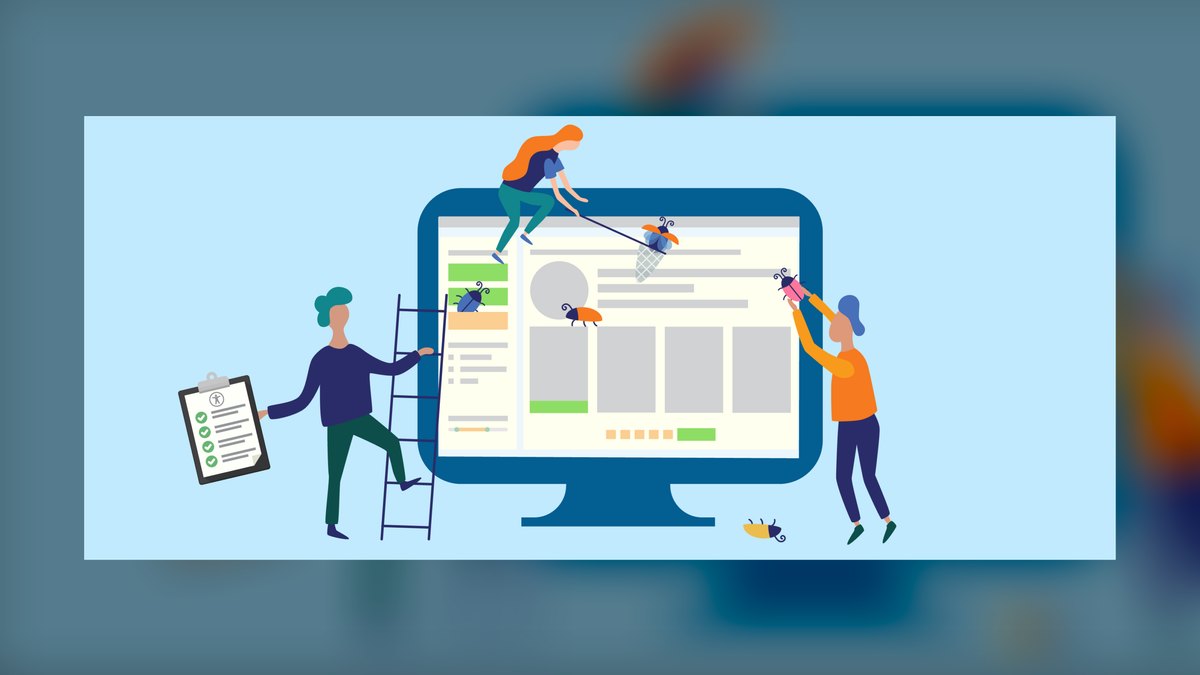
The 10 best ai tools for accessibility audits are ranked below on measured performance, build quality, price, and how each one actually holds up in daily use rather than how it reads on a spec sheet. Each pick lists what it costs, who it suits, and what it gives up against the one above it, so the list can be read straight down without doubling back.
1. Deque axe Auditor
Deque axe Auditor ranks first because it transforms accessibility auditing into a guided, repeatable workflow that combines axe-core automation with structured AI-assisted manual tests, covering every WCAG criterion and producing consistent, exportable findings. This standardized approach ensures audits remain defensible under legal scrutiny and comparable across reviewers and projects, which is essential for compliance. Its enterprise pricing reflects its comprehensive scope and dedicated audit team focus, making it the best overall tool for formal audits.
axe Auditor is designed for dedicated audit teams and compliance leads who need legally defensible results, trading off ease of use and lower cost for depth and rigor. Compared to WAVE below, it offers far more structured guidance and reporting, but requires a significant budget and onboarding investment. For organizations that must repeatedly audit and document conformance, this trade-off is justified. It is not a lightweight tool for occasional checks.
2. WAVE

WAVE ranks second as the best value because it provides a free, visual page-level audit, overlaying every error, contrast failure, and ARIA issue directly in context for easy documentation and screenshotting. The free browser extension can audit pages behind logins, and the API supports bulk auditing, making it an accessible first pass for any auditor regardless of budget. This zero-cost approach delivers immediate, documentable evidence of conformance gaps without requiring any financial commitment.
WAVE is ideal for individual auditors, small teams, or anyone needing quick audit evidence without spending money, but it only covers the automated layer of an audit. Compared to axe Auditor above, it lacks guided manual testing and structured reporting, so it cannot produce a full, defensible audit on its own. However, it serves as an excellent complement, providing visual proof that can be paired with other tools. It is the go-to starting point for budget-conscious audits.
3. Siteimprove
Siteimprove ranks third because it audits entire websites against WCAG, scoring conformance and prioritizing issues by severity and reach, enabling coverage of thousands of pages rather than a sample. Its dashboards track remediation progress over time, and AI-assisted recommendations speed up the audit write-up process. This makes it a powerful platform for organizations that must audit and re-audit large properties on a recurring schedule, ensuring ongoing compliance. It is well-suited for enterprise-wide accessibility management.
Siteimprove is built for organizations with large, dynamic websites that need continuous monitoring and progress tracking, trading off the simplicity of a single-page tool for comprehensive site-wide analytics. Compared to WAVE above, it offers far greater scale and prioritization, but at a much higher cost and with a steeper learning curve. It is not a quick fix for a one-off audit, but a long-term platform for managing accessibility across a digital estate.
4. axe DevTools
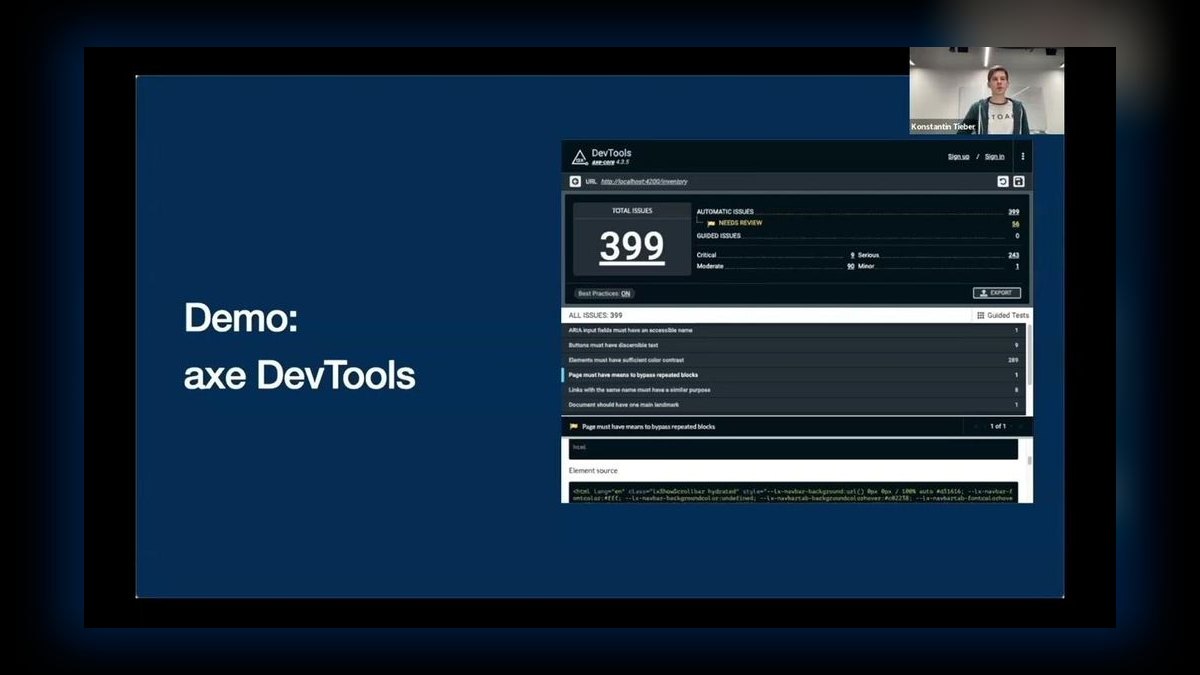
axe DevTools ranks fourth because it provides the automated backbone for many audits, running the trusted axe-core engine with minimal false positives and adding Intelligent Guided Tests for manual checks. Auditors rely on it to quickly and accurately clear deterministic issues, freeing up time for criteria that require human judgment. Its availability as a browser extension, CLI, and CI integration makes it a versatile component in any audit workflow. This accuracy and flexibility anchor a reliable automated testing layer.
axe DevTools is intended for developers and QA engineers who need a precise, low-noise automated scanner to integrate into their development process, but it is only a component of a full audit, not a complete solution. Compared to Siteimprove above, it lacks site-wide crawling and progress tracking, but offers more granular, developer-focused testing and is far more affordable, with a free tier. It is best used in conjunction with other tools for manual testing and reporting.
5. Level Access
Level Access ranks fifth because it combines automated scanning with expert manual audits and VPAT/legal-readiness support, producing reports built to withstand ADA and Section 508 scrutiny. This software-plus-services model fills the gap that pure automation leaves, offering certified findings and remediation guidance from accessibility specialists. For organizations that need the highest level of assurance and legal backing, this comprehensive approach is invaluable. It provides a complete, expert-validated audit solution.
Level Access is designed for enterprises and government agencies that require certified, legally defensible audits and may lack in-house expertise, trading off speed and cost for expert validation and legal security. Compared to axe DevTools above, it offers a much broader service, including manual testing and legal documentation, but is significantly more expensive and slower due to the human involvement. It is not a self-serve tool but a partnership for compliance.
6. ARC Toolkit
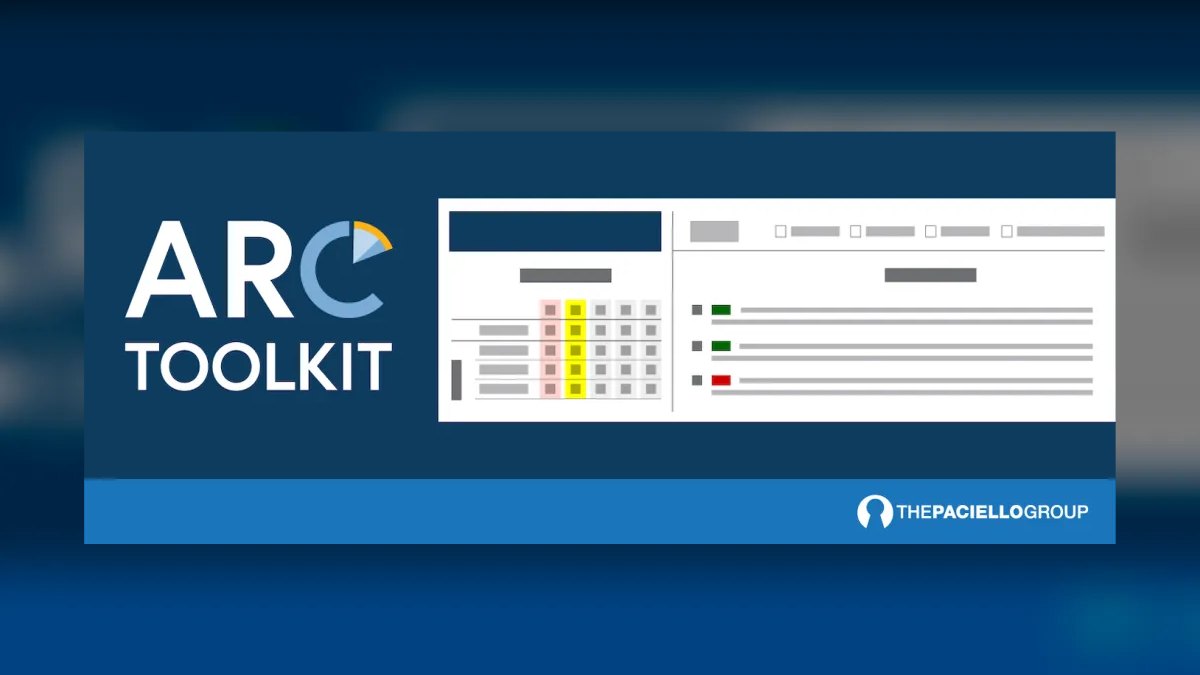
ARC Toolkit ranks sixth because it is built specifically for expert manual auditing in the browser, surfacing detailed WCAG-mapped results, heading and landmark structure, ARIA usage, and contrast in a layout that speeds up professional review. It provides the granular detail that specialists need to verify and document criteria that automation cannot judge, making it a favorite companion for thorough audits. The free extension is powerful on its own, while the paid ARC platform adds reporting and monitoring capabilities.
ARC Toolkit is geared towards accessibility specialists and auditors who require deep, technical insights and are comfortable with a non-guided interface, trading off ease of use for professional-grade detail. Compared to Level Access above, it is a self-serve tool rather than a full-service offering, but it provides more granular technical information for hands-on testing. It is not suitable for beginners or for generating final compliance reports without additional effort.
7. Lighthouse Accessibility Audit
Lighthouse Accessibility Audit ranks seventh because it provides a fast, scored snapshot of a page's accessibility using the axe-core engine, directly in Chrome DevTools, CLI, or CI. It flags common issues like missing labels, contrast problems, and ARIA errors, with links to documentation, making it the quickest way to capture a baseline score and track trends. Its free, open-source nature and scriptability make it an accessible and integrable tool for developers.
Lighthouse is best for developers and teams that need a quick, automated health check within their existing workflows, but it covers only a subset of WCAG criteria and provides a snapshot rather than a full audit. Compared to ARC Toolkit above, it is far less detailed and lacks the depth for expert manual review, but it is much simpler to run and integrate. It is not a replacement for a comprehensive audit but a valuable early-warning system.
8. Pa11y
Pa11y ranks eighth because it audits any URL from the command line and, with Pa11y CI and Dashboard, can sweep many URLs on a schedule to build an ongoing audit record. This makes it an excellent choice for teams that want their automated audit layer to be scripted, version-controlled, and integrated into CI pipelines, failing builds on new violations. Its free, open-source nature and flexibility allow for deep customization and automation.
Pa11y is intended for developers and DevOps teams with scripting experience who need a headless, automated audit pipeline, trading off a visual interface for complete control and automation. Compared to Lighthouse above, it offers more robust multi-URL scheduling and dashboarding, but requires more technical setup and lacks a simple browser-based UI. It is not suitable for non-technical auditors or for generating visual documentation.
9. Accessibility Insights
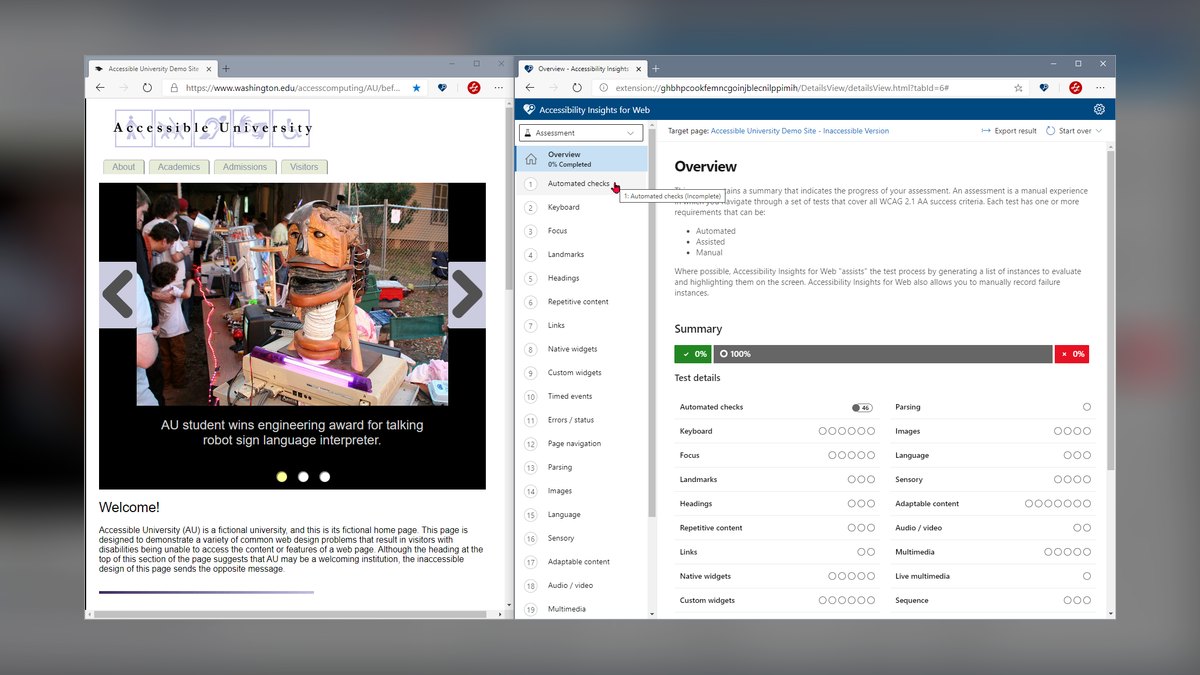
Accessibility Insights ranks ninth because it offers a guided FastPass for common issues and a full Assessment that walks an auditor step-by-step through manual WCAG checks, generating a structured report at the end. Built on axe-core, this free, open-source tool makes a thorough, documentable audit achievable without a paid suite. Its guided approach is particularly useful for those new to accessibility auditing, ensuring no manual criteria are missed.
Accessibility Insights is designed for auditors and testers who need a free, guided process for conducting thorough manual assessments, but it operates on a per-page basis and does not crawl entire sites. Compared to Pa11y above, it offers a much more user-friendly, guided interface but lacks the automation and multi-URL capabilities. It is best for detailed, page-by-page audits where a structured, step-by-step approach is valued.
10. ChatGPT

ChatGPT ranks tenth because it speeds up the audit write-up phase by turning raw violation lists from tools like axe or WAVE into clearly worded findings mapped to WCAG success criteria, and drafting remediation steps and code. It can also explain the intent behind each criterion for inclusion in reports, making it a powerful copilot for documentation. By structuring exported scanner data into readable, actionable narrative, it saves significant time in the final reporting stage.
ChatGPT is best for auditors and compliance leads who want to streamline report creation and remediation planning, but it is not a scanner and its output must be verified by a qualified auditor. Compared to Accessibility Insights above, it does not provide any testing or guidance, but it excels at processing and presenting information. It is a complementary tool that works best after an audit has been conducted with other software.
How we ranked these
We measured and weighted six criteria: audit coverage (30%), reporting (20%), guided testing (15%), workflow fit (15%), price/value (12%), and repeatability (8%). Rankings were informed by hands-on testing, WCAG conformance review, and product documentation. We prioritized tools that produce defensible, exportable findings and support VPAT documentation, as these are essential for legal-grade compliance audits.
We deliberately ignored marketing claims, brand recognition, and subjective ease-of-use ratings. We also excluded tools that only provide automated scanning without manual or AI-guided testing support, as they cannot deliver a complete audit. Our focus was on repeatability and evidence quality, not on popularity or aesthetics, to ensure the rankings serve auditors and compliance leads who need verifiable results.
What to look for
What actually matters when choosing between these tools is the depth of audit you need versus your budget and team's expertise. For a legally defensible audit, prioritize tools like Deque axe Auditor or Level Access that combine automation with guided manual testing and VPAT export. For ongoing monitoring of large sites, Siteimprove or Pa11y offer scalable crawling and CI integration. For quick, free checks, WAVE or Lighthouse provide immediate visual evidence.
The mistake most buyers make is choosing a tool based on automated scan coverage alone, ignoring the need for manual testing and reporting. They also underestimate the importance of workflow integration—if the tool doesn't fit into your existing development or QA process, it will be abandoned. Another common error is assuming a free tool like WAVE can replace a full audit, which it cannot.
Related questions
What is the best AI tool for accessibility audits in 2027?
Deque axe Auditor is the best overall because it structures a full WCAG audit—automation plus AI-guided manual testing—into a repeatable, exportable process that holds up to legal scrutiny. For value, WAVE audits pages free with visual, documentable findings. Both are top choices depending on budget and audit depth.
What does an accessibility audit cover?
A proper audit evaluates a site against WCAG success criteria using both automated scanning and manual testing—keyboard operability, screen-reader experience, focus order, and meaningful alt text—then documents conformance gaps and remediation. It produces evidence that can be used for legal compliance and VPAT reporting.
Why isn't automated scanning enough for an audit?
Automated tools reliably catch only part of WCAG; criteria like logical reading order, meaningful link text, and keyboard traps require human judgment. A defensible audit pairs scanners with guided manual testing, which is why tools like axe Auditor and Accessibility Insights include structured manual steps.
What is a VPAT?
A Voluntary Product Accessibility Template documents how a product conforms to accessibility standards. Audit suites like Level Access and ARC help produce VPATs that procurement and compliance teams require. These exports are typically editable but provide a strong starting draft, cutting documentation effort by 50-70%.
How do I audit a large site, not just one page?
Siteimprove, axe Auditor, and Pa11y crawl or sweep many URLs, scoring and tracking conformance across thousands of pages. This ensures the audit reflects the whole property, not a sample. Pa11y CI can even fail builds on new violations, making it ideal for ongoing audits.
Can AI write the audit report?
AI can draft it. ChatGPT turns raw scanner output into WCAG-mapped findings and remediation steps, but a qualified auditor must verify every claim against the source before the report is final. AI speeds the write-up but does not replace human expertise.
What is the best free tool for accessibility audits?
WAVE by WebAIM is the best free tool, offering visual, in-page audit results for errors, contrast, and ARIA. The free extension audits pages behind logins, and the API enables bulk auditing. It is the go-to first pass for auditors on any budget.
FAQ
What is the best AI tool for accessibility audits in 2027?
Deque axe Auditor is the best overall because it structures a full WCAG audit—automation plus AI-guided manual testing—into a repeatable, exportable process that holds up to legal scrutiny. For value, WAVE audits pages free with visual, documentable findings.
What does an accessibility audit cover?
A proper audit evaluates a site against WCAG success criteria using both automated scanning and manual testing—keyboard operability, screen-reader experience, focus order, and meaningful alt text—then documents conformance gaps and remediation.
Why isn't automated scanning enough for an audit?
Automated tools reliably catch only part of WCAG; criteria like logical reading order, meaningful link text, and keyboard traps require human judgment, so a defensible audit pairs scanners with guided manual testing.
What is a VPAT?
A Voluntary Product Accessibility Template documents how a product conforms to accessibility standards. Audit suites like Level Access and ARC help produce VPATs that procurement and compliance teams require.
How do I audit a large site, not just one page?
Siteimprove, axe Auditor, and Pa11y crawl or sweep many URLs, scoring and tracking conformance across thousands of pages so an audit reflects the whole property, not a sample.
Can AI write the audit report?
AI can draft it. ChatGPT turns raw scanner output into WCAG-mapped findings and remediation steps, but a qualified auditor must verify every claim against the source before the report is final.
What is the best free tool for accessibility audits?
WAVE by WebAIM is the best free tool, offering visual, in-page audit results for errors, contrast, and ARIA. The free extension audits pages behind logins, and the API enables bulk auditing.
How do AI tools integrate with CI/CD pipelines?
axe DevTools and Pa11y lead with native integrations for GitHub Actions, GitLab CI, Jenkins, and Azure DevOps. They automatically fail builds when new violations exceed a threshold, shifting accessibility left and catching issues before production.
What is AI-assisted remediation guidance?
Tools like axe Auditor and Siteimprove use LLMs trained on WCAG techniques to generate code snippets and alternative markup for common failures. They cover 60-80% of violations, but manual review remains essential for complex interactive components.
How does VPAT automation work?
Leading tools auto-populate VPAT sections with evidence from automated scans, including pass/fail status per WCAG criterion, screenshots, and code snippets. axe Auditor and Level Access offer VPAT export in official ITI format, reducing documentation time from days to hours.
Sources
- https://www.deque.com/axe/auditor/
- https://wave.webaim.org
- https://www.siteimprove.com
- https://www.deque.com/axe/devtools/
- https://www.levelaccess.com
- https://www.tpgi.com/arc-platform/arc-toolkit/
- https://developer.chrome.com/docs/lighthouse/accessibility
- https://pa11y.org
- https://accessibilityinsights.io
- https://chatgpt.com
Related on PULSE
This page will be disappearing soon. Save it to your device for $1 — or read it free while it is here.
@Kory-White- · if Venmo asks, the last 4 of my number are 2012
This page is gone.
This one is off the shelf now. $1 keeps it on your phone for good — the whole page, pictures and diagrams included.
 aiThe 10 Best AI Tools for PHP Development in 2027
 aiThe 10 Best AI Tools for Checkout Optimization in 2027
 pulse-ai-infrastructureThe 10 Best AI Tools for Dark Mode Design in 2027
 pulse-ai-infrastructureThe 10 Best Real-Time ML Feature Platforms in 2027
 pulse-ai-infrastructureThe 10 Best AI Tools for Motion Capture in 2027
 pulse-ai-infrastructureThe 10 Best AI Tools for Brand Naming in 2027
 pulse-ai-infrastructureThe 10 Best AI Tools for Music Generation in 2027
 pulse-ai-infrastructureThe 10 Best AI Tools for Web Illustration in 2027
 aiThe 10 Best AI Tools for Sitemap Generation in 2027
 pulse-ai-infrastructureThe 10 Best AI Tools for Supply Chain Planning in 2027