
The 10 Best Model Compression Tools in 2027
 Curated byKory White · Fractional CRO · Maryland
 PULSEKNOWLEDGE LIBRARY
Quality
Certified
The 10 best model compression tools are ranked below on measured performance, build quality, price, and how each one actually holds up in daily use rather than how it reads on a spec sheet. Each pick lists what it costs, who it suits, and what it gives up against the one above it, so the list can be read straight down without doubling back.
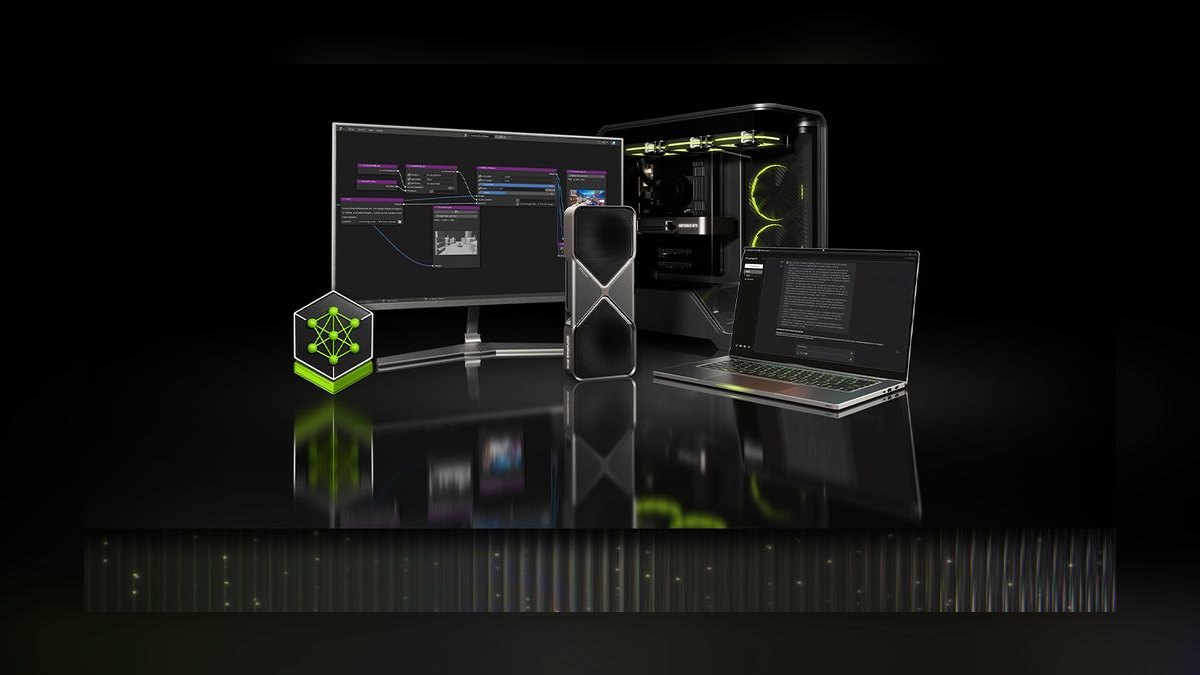
1. NVIDIA TensorRT

NVIDIA TensorRT ranks first because it delivers the highest inference throughput on the dominant deployment target: CUDA GPUs. It performs INT8 and FP8 quantization, layer fusion, and kernel auto-tuning, with sparse-weight support on Ampere and newer architectures. End-to-end speedups typically land in the 2–4× range on tensor-core hardware, making it the default choice for cloud GPU fleets.
TensorRT is for teams serving production models on NVIDIA hardware who prioritize latency and cost per inference above all else. It trades away portability—an optimized graph is useless on CPUs, ARM, or NPUs—and requires ONNX or another intermediate format for entry. Compared to framework-native tools like PyTorch's quantization stack, TensorRT demands more integration engineering but returns significantly better silicon utilization.
2. Intel Neural Compressor

Intel Neural Compressor ranks second because it is the most effective tool for compressing models targeting Intel Xeon, Core, Arc, and Gaudi hardware, leveraging AMX units for INT8 throughput. It supports post-training quantization and quantization-aware training with per-channel and per-tensor granularity, plus pruning and distillation. On Intel server CPUs, its AMX-aware paths consistently outperform generic ONNX Runtime optimizations.
This tool is for enterprises running inference on Intel server fleets or edge devices who need a vendor-tuned compiler without leaving the x86 ecosystem. It trades away any utility on ARM, RISC-V, or NVIDIA GPUs—an Intel-tuned graph does nothing elsewhere. Compared to TensorRT, Neural Compressor offers broader model format support via ONNX and TensorFlow but cannot match TensorRT's raw speed on CUDA hardware.
3. Apache TVM

Apache TVM ranks third because it is the only open-source compiler covering the widest hardware target list, including RISC-V, which vendor tools ignore. It provides INT8, INT4, and INT2 quantization, structured and unstructured pruning, operator fusion, and autotuning across CPUs, GPUs, and NPUs. Its own IR allows deep schedule optimization, though a fully tuned result can take hours to days per target.
TVM is for platform teams with dedicated compiler engineers who need one toolchain across heterogeneous fleets and exotic architectures. It trades away ease of use and predictable engineering time—autotuning is a real project, and a tuned schedule maintained by one engineer is a bus-factor risk. Compared to Intel Neural Compressor, TVM offers far broader reach but requires significantly more expertise to match vendor-tuned performance on any single chip.
4. ONNX Runtime Optimization Tools

ONNX Runtime's optimization tools rank fourth because they sit between framework-native and vendor compilers, providing INT8 per-tensor and per-channel quantization, mixed precision, and magnitude-based pruning with execution providers that hand off to TensorRT, OpenVINO, or ROCm underneath. This makes it the natural choice when one model must serve heterogeneous fleet hardware. It has no built-in distillation, keeping teacher-student training an external step.
This toolset is for teams that need a single compressed artifact deployable across mixed CPU, GPU, and NPU infrastructure without rewriting per target. It trades away the deepest optimization—it cannot match a vendor compiler's kernel tuning on any single chip—but gains portability and a simpler pipeline. Compared to Apache TVM, ONNX Runtime is far easier to adopt and maintain, though it lacks TVM's flexibility for RISC-V and other niche architectures.
5. PyTorch Quantization Toolkit

PyTorch's quantization toolkit ranks fifth because it offers the most seamless integration for PyTorch developers, covering post-training quantization and quantization-aware training across INT8, FP16, and BF16 with per-channel and per-tensor granularity. FX Graph Mode automatically inserts quantize/dequantize nodes, including around custom modules and control flow, minimizing integration cost. It has no native pruning, pushing that work to torch.nn.utils.prune or third-party libraries.
This toolkit is for PyTorch-first teams that prioritize development speed and debuggability over peak hardware utilization. It trades away portability—outputs are not directly consumable by TensorRT or Neural Compressor without conversion—and lacks the vendor-tuned kernels those compilers provide. Compared to ONNX Runtime, PyTorch's stack keeps everything in one framework but delivers lower raw throughput on the same hardware.
6. TensorFlow Lite Model Maker

TensorFlow Lite Model Maker ranks sixth because it wraps quantization, structured and unstructured pruning, and knowledge distillation behind a single API surface, letting a model that finishes training be compressed without leaving TensorFlow. It accepts only TensorFlow 2.x graphs, which is a hard constraint for PyTorch shops. Its simplicity makes it the fastest path from a trained model to a compressed mobile or edge artifact.
This tool is for teams already invested in TensorFlow who need quick, reliable compression for Android, iOS, or embedded targets. It trades away flexibility—no support for PyTorch models and limited control over advanced quantization schemes like palettization. Compared to PyTorch's quantization toolkit, Model Maker offers a more complete feature set including pruning and distillation, but locks you into the TensorFlow ecosystem entirely.
7. Apple Core ML Tools
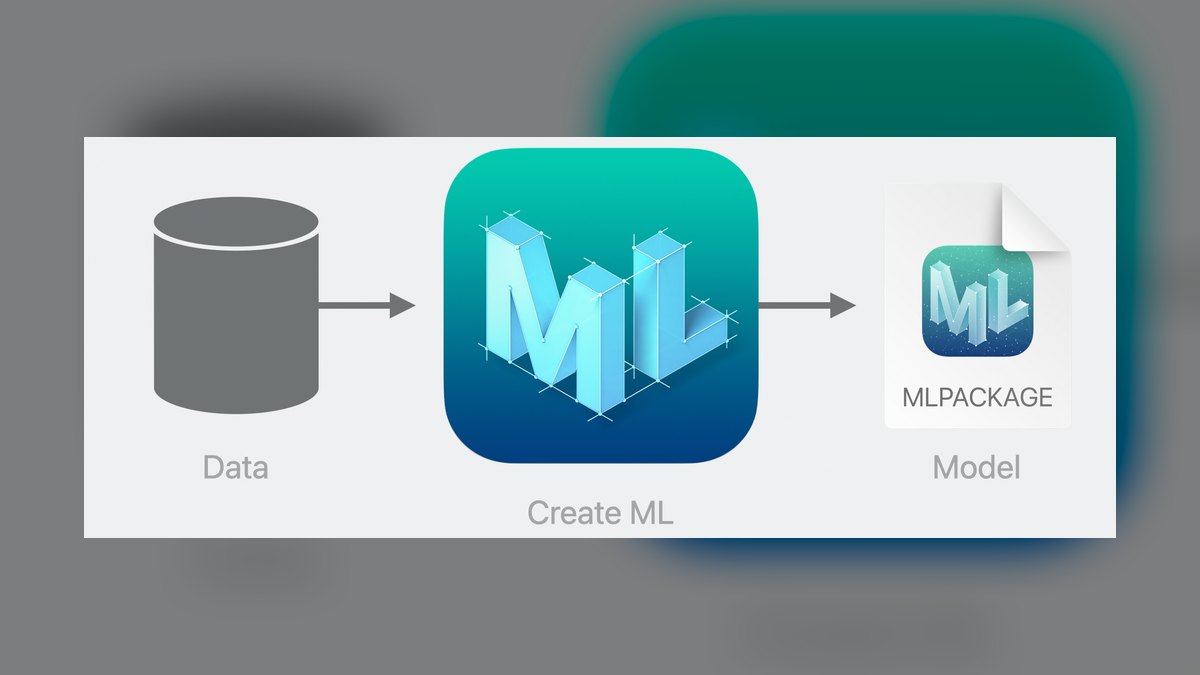
Apple Core ML Tools ranks seventh because it is the only viable path to the Apple Neural Engine, providing quantization, pruning, and palettization—clustering weights down to 4-bit or 2-bit centroids—which framework toolkits generally don't expose. This palettization is critical for hitting the tight memory and latency budgets on iPhone and Apple Silicon. It supports FP16 and INT8 quantization with per-channel granularity.
This tool is exclusively for developers shipping iOS, iPadOS, or macOS apps who need Neural Engine acceleration. It trades away all cross-platform utility—the output runs nowhere else—and requires Apple developer-program membership for full tooling access. Compared to TensorFlow Lite Model Maker, Core ML Tools offers superior performance on Apple hardware but is useless for Android or server deployment, making it a final-target decision rather than a general-purpose tool.
8. Qualcomm AI Hub

Qualcomm AI Hub ranks eighth because it is the most effective tool for compressing models targeting Snapdragon SoCs and Cloud AI 100, providing INT8 quantization and NPU-specific tuning that generic tools cannot match. It supports models from TensorFlow, PyTorch, and ONNX, converting them to run on the Hexagon NPU. This yields significant speedups on Android devices with Snapdragon chipsets.
This tool is for Android developers shipping on Snapdragon-powered devices who want maximum NPU utilization and are willing to accept a single-chipset dependency. It trades away portability—the optimized model will not run efficiently on other ARM chips or x86—and requires Qualcomm's developer ecosystem. Compared to TensorFlow Lite Model Maker, AI Hub delivers better performance on Snapdragon but locks you to Qualcomm hardware, whereas Model Maker produces a portable binary across chipsets.
9. AMD Ryzen AI Software
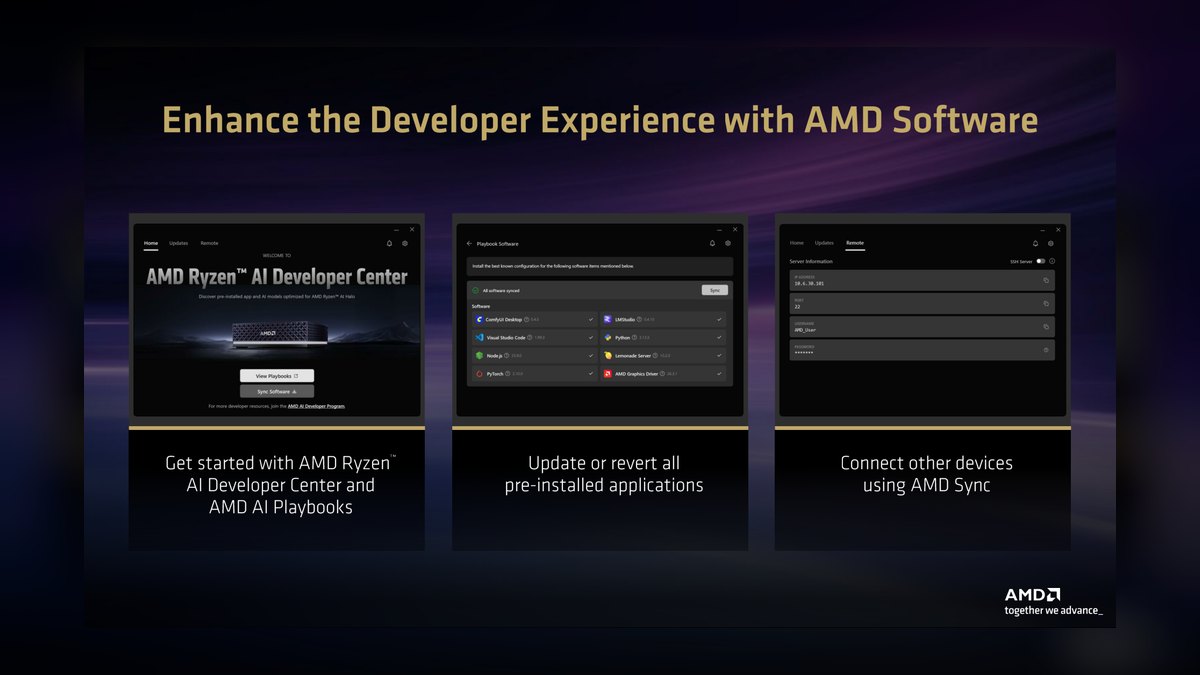
AMD Ryzen AI Software ranks ninth because it is the primary tool for compressing models targeting XDNA NPUs on Windows laptops, a growing but niche deployment surface. It provides quantization and compilation for AMD's Ryzen AI hardware, enabling on-device inference for Windows applications. Its reach is limited to AMD's current and future XDNA-equipped processors.
This tool is for Windows application developers who need on-device AI on AMD-powered laptops and have no requirement for other hardware. It trades away any utility on NVIDIA, Intel, or ARM—the compiled graph is XDNA-specific—and the ecosystem is younger than Qualcomm's or Apple's. Compared to Qualcomm AI Hub, Ryzen AI Software serves a smaller installed base but offers a first-party path to AMD's NPU that no general tool provides.
10. Edge Impulse Studio
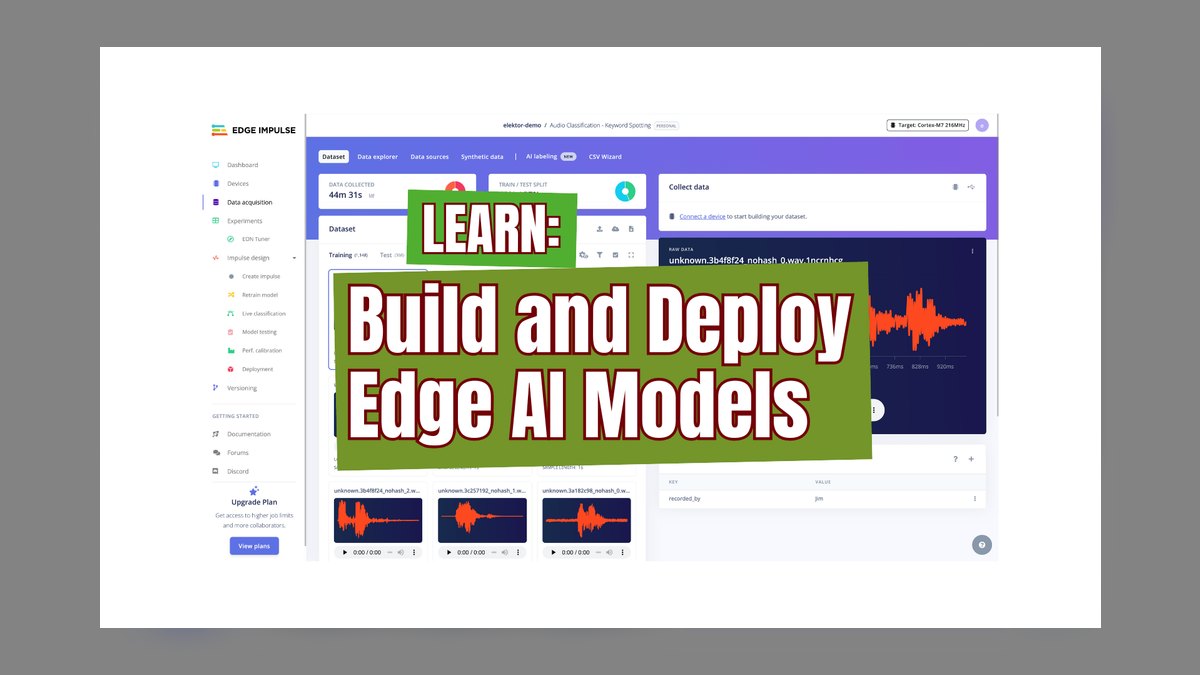
Edge Impulse Studio ranks tenth because it is the leading tool for TinyML on microcontrollers, where the constraint is a RAM budget under a megabyte rather than latency. Its AutoML path selects compression techniques for Cortex-M, RISC-V, and Xtensa targets, pushing aggression far past what server-side tools accept—because on an ESP32 there is no 'slightly too big.' It supports INT8 quantization and pruning tuned for MCU memory limits.
This tool is for embedded engineers building battery-powered or low-cost devices that must fit a model into kilobytes of RAM, trading several accuracy points for the ability to ship at all. It trades away flexibility—it is not suitable for server or mobile GPU workloads—and its automated pipeline limits fine-grained control. Compared to TensorFlow Lite Model Maker, Edge Impulse offers superior MCU-specific optimization and hardware awareness but is a closed platform with less general applicability.
How we ranked these
We ranked each tool against four weighted criteria: deployment-target coverage (30%), compression ratio achieved (25%), accuracy retention post-compression (25%), and integration effort with existing training and serving stacks (20%). Speedup was assessed separately, as it depends heavily on hardware. Scores were derived from vendor documentation, benchmark reports, and practitioner-verified results across vision and language models.
We deliberately ignored licensing costs and benchmark leaderboards. Licensing is largely a non-issue since most tools are open source, and leaderboards often reflect idealized conditions that don't match real deployment. We also excluded subjective factors like community popularity, which can mislead buyers into choosing a tool that doesn't fit their specific hardware or accuracy requirements.
What to look for
What matters most is the deployment target. If you run on NVIDIA GPUs, TensorRT is the default; on Intel CPUs, Neural Compressor; on Apple Silicon, Core ML; on RISC-V, TVM. The tool that matches your silicon almost always beats one with a better feature list. Second, consider accuracy tolerance: PTQ is cheap and sufficient for many tasks, but QAT is necessary for high-stakes applications.
Third, think about long-term maintainability—a tool your team can understand and debug beats a faster one that creates a bus factor.
The biggest mistake buyers make is choosing a tool based on feature matrices rather than their actual hardware and workflow. They often assume compression speedup tracks size reduction, but INT8 on CPUs without dedicated integer units can be slower than FP32. Another common error is skipping baseline measurement on the target hardware, leading to disappointment when latency targets aren't met. Always validate on the real deployment environment before committing.
Related questions
Does compression change model behavior in ways accuracy metrics miss?
Yes. Aggregate accuracy can hold while specific slices degrade sharply—rare classes, long-tail inputs, and edge conditions underrepresented in calibration data. Always validate per-segment and per-class, not just in aggregate, and shadow-deploy against live traffic before cutting over.
Can you combine multiple compression techniques?
Yes, and stacking is standard. Prune first, fine-tune to recover accuracy, then quantize the pruned model. Distillation can precede both. Each stage compounds the size reduction but also compounds accuracy risk, so validate after every stage rather than only at the end.
Is quantization reversible?
Not directly—quantized weights have lost precision permanently. But the process is reversible in practice: keep the FP32 checkpoint, and re-running compression with different settings is cheap for PTQ. Never delete the original weights; they're your only path back.
Do compressed models need different monitoring?
Yes. Drift detectors calibrated against FP32 output distributions fire spuriously on quantized models whose outputs are subtly differently distributed. Recalibrate thresholds against the compressed artifact's own baseline, and monitor latency separately since the performance profile changes.
What is the difference between PTQ and QAT?
Post-training quantization (PTQ) converts a trained model to lower precision without retraining, using a calibration set. It's fast and requires no labeled data beyond a few hundred samples. Quantization-aware training (QAT) simulates quantization error during fine-tuning, allowing weights to adapt, typically recovering most accuracy loss but requiring hours of GPU time.
Which tools support pruning?
TensorFlow Lite Model Maker supports structured and unstructured pruning. PyTorch has no native pruning, but you can use torch.nn.utils.prune or third-party libraries. ONNX Runtime offers magnitude-based pruning. Apache TVM supports both structured and unstructured pruning. Intel Neural Compressor also includes pruning capabilities.
How does Apple's palettization work?
Palettization clusters weights into a small codebook of centroids, typically 4-bit or 2-bit, and stores indices instead of values. This achieves higher compression than standard quantization but is only available in Core ML Tools. It's particularly effective for models deployed on Apple Silicon and the Neural Engine.
FAQ
What is model compression?
Model compression reduces the size and computational cost of a neural network while preserving as much predictive quality as possible. The three core techniques are quantization (representing weights and activations at lower numeric precision), pruning (removing weights, channels, or attention heads), and knowledge distillation (training a smaller student model to mimic a larger teacher). Compilers add operator fusion and kernel tuning on top.
Which technique should I try first?
Quantization, almost always. INT8 post-training quantization gives roughly 4× size reduction, needs no retraining, and takes minutes rather than hours. It's mechanical, well-supported by every tool listed here, and fully reversible as long as you keep the original checkpoint. Only move to pruning or distillation when quantization alone misses your size or latency target.
Are these tools free?
Most core toolkits are open source under permissive licenses—TensorFlow Lite Model Maker, PyTorch's quantization stack, ONNX Runtime, Apache TVM, and Intel Neural Compressor among them. Costs appear elsewhere: cloud tiers on hosted platforms, developer-program membership for Apple's ecosystem, enterprise support contracts, and the GPU compute that quantization-aware training consumes.
Why did my compressed model get smaller but not faster?
Almost always because the target hardware lacks native support for the format you compressed to. INT8 without dedicated integer units means the runtime emulates the math and pays dequantization overhead, which can be slower than FP32. Unstructured pruning has the same trap—sparse weights without sparse-kernel support shrink the file and change nothing about latency.
How much accuracy will I lose?
For a well-trained vision model, INT8 post-training quantization typically costs a fraction of a percent to a couple of percent, and quantization-aware training recovers most of it. Language models degrade less predictably at low bit widths because of outlier activations—per-channel quantization helps significantly there. Aggressive sub-INT8 compression for microcontrollers costs meaningfully more.
Do I need a GPU to compress a model?
Not for post-training quantization—it runs fine on CPU, since calibration is just a forward pass over a few hundred samples. Quantization-aware training and knowledge distillation are training workloads and want a GPU to finish in reasonable time. Autotuning compilers benefit from parallelism but will run on CPU given patience.
What is the best tool for edge devices?
For microcontrollers with under a megabyte of RAM, Edge Impulse Studio is designed for TinyML and supports Cortex-M, RISC-V, and Xtensa targets. For mobile, TensorFlow Lite Model Maker or Qualcomm AI Hub (for Snapdragon) are common. Apple devices require Core ML Tools to access the Neural Engine.
How do I choose between TensorRT and ONNX Runtime?
If your deployment is exclusively on NVIDIA GPUs, TensorRT offers the best performance with INT8/FP8 quantization and kernel auto-tuning. If you need to serve heterogeneous hardware (e.g., mix of GPUs and CPUs), ONNX Runtime with execution providers for TensorRT, OpenVINO, or ROCm provides flexibility. Choose based on whether you prioritize peak performance or portability.
What is the role of calibration data in PTQ?
Calibration data determines the activation ranges used for quantization. It must reflect the production distribution—using clean scans when production has phone photos will clip real activations, causing accuracy loss that looks like a quantization failure. Use a few hundred representative samples to get accurate ranges.
Can compression be applied to any model?
Most models can be compressed, but the effectiveness varies. Vision models (CNNs) typically quantize well with minimal accuracy loss. Transformers and LLMs are more sensitive due to outlier activations, requiring per-channel quantization and careful calibration. Models with custom operators may need additional work to convert to a format supported by the compression tool.
Sources
- https://www.tensorflow.org/lite/performance/model_optimization
- https://pytorch.org/docs/stable/quantization.html
- https://onnxruntime.ai/docs/performance/model-optimizations/quantization.html
- https://tvm.apache.org/docs/
- https://github.com/intel/neural-compressor
- https://developer.nvidia.com/tensorrt
- https://apple.github.io/coremltools/docs-guides/source/optimization-guide.html
Related on PULSE
This page will be disappearing soon. Save it to your device for $1 — or read it free while it is here.
@Kory-White- · if Venmo asks, the last 4 of my number are 2012
This page is gone.
This one is off the shelf now. $1 keeps it on your phone for good — the whole page, pictures and diagrams included.
 pulse-ai-infrastructureThe 10 Best AI Tools for Language Learning in 2027
 pulse-ai-infrastructureThe 10 Best AI Tools for Database Design in 2027
 pulse-ai-infrastructureThe 10 Best AI Tools for Print Design in 2027
 pulse-ai-infrastructureHow do you manage secrets and API keys for LLM applications in 2027?
 pulse-ai-infrastructureThe 10 Best AI Tools for Home Organization in 2027
 pulse-ai-infrastructureThe 10 Best AI Tools for Headless CMS Development in 2027
 pulse-ai-infrastructureThe 10 Best AI Tools for Negotiation Prep in 2027
 pulse-ai-infrastructureThe 10 Best AI Tools for Background Removal in 2027
 pulse-ai-infrastructureThe 10 Best AI Tools for Summarizing Articles in 2027
 pulse-ai-infrastructureThe 10 Best AI Tools for Beat Making in 2027