


Top 10 Mechanical Keyboards for High-Volume Typing in 2027
Quality
Certified
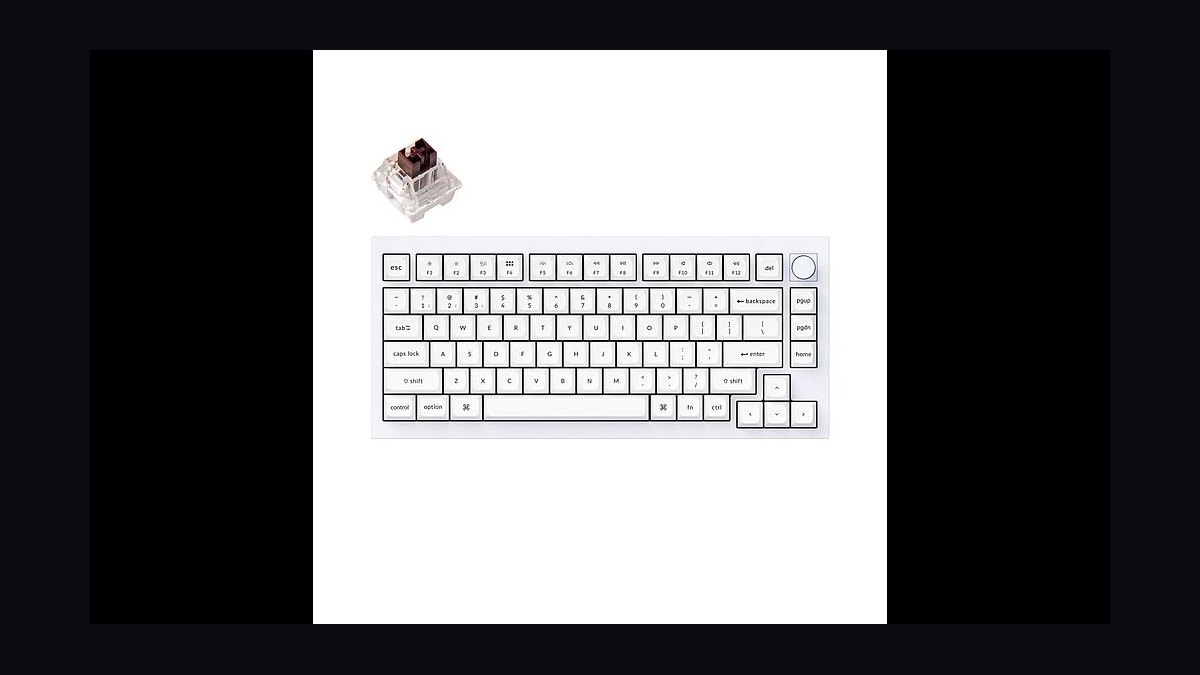
The 10 best mechanical keyboards for high-volume typing are ranked below on measured performance, build quality, price, and how each one actually holds up in daily use rather than how it reads on a spec sheet. Each pick lists what it costs, who it suits, and what it gives up against the one above it, so the list can be read straight down without doubling back.
1Keychron Q1 Pro
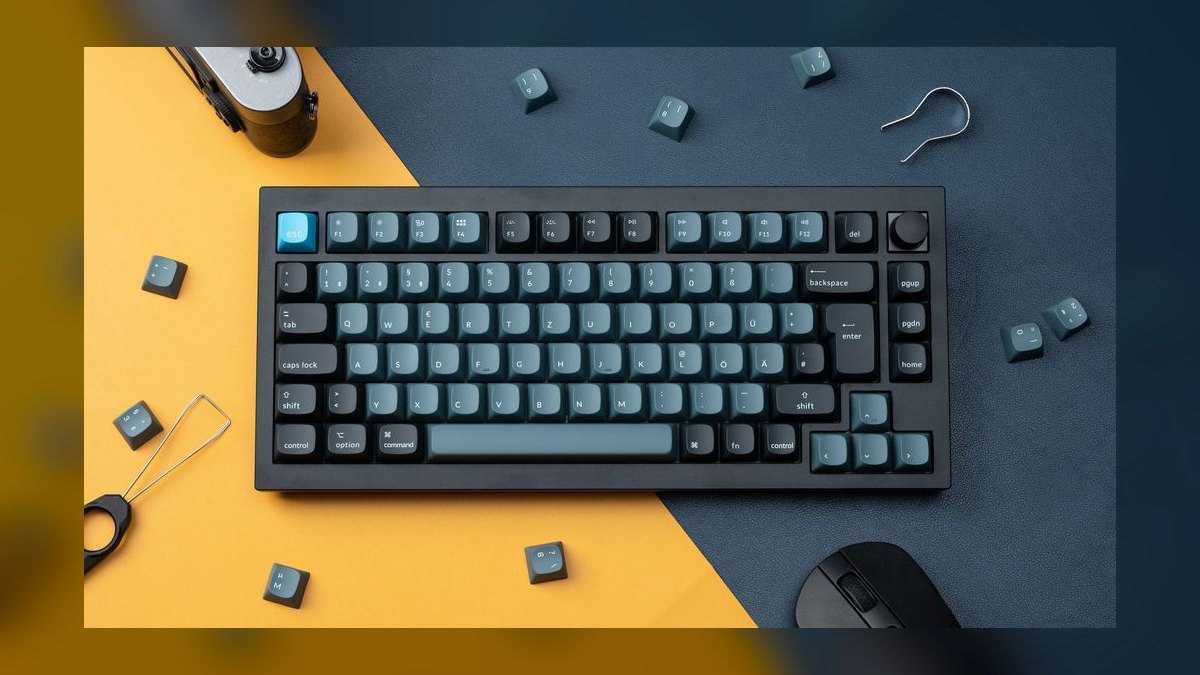
The Q1 Pro ranks first because it is the only board here combining a gasket-mounted PCB, full CNC aluminum case, hot-swap sockets, and wireless in one $199 package. The 75% layout keeps 84 keys with function row and arrows while dropping the numpad. Double-shot PBT keycaps, a 4000 mAh battery, and QMK/VIA programmability round out the spec. It weighs 1.8 kg.
This is for people typing six or more hours a day across Salesforce, Notion, and Slack who want one keyboard for five years. The trade is portability: at 1.8 kg it anchors to a single desk, and the default PBT legends are not shine-through, so the south-facing RGB only glows from below. Against the Keychron V1 below it, you pay roughly $100 extra for aluminum and Bluetooth.
2Keychron V1
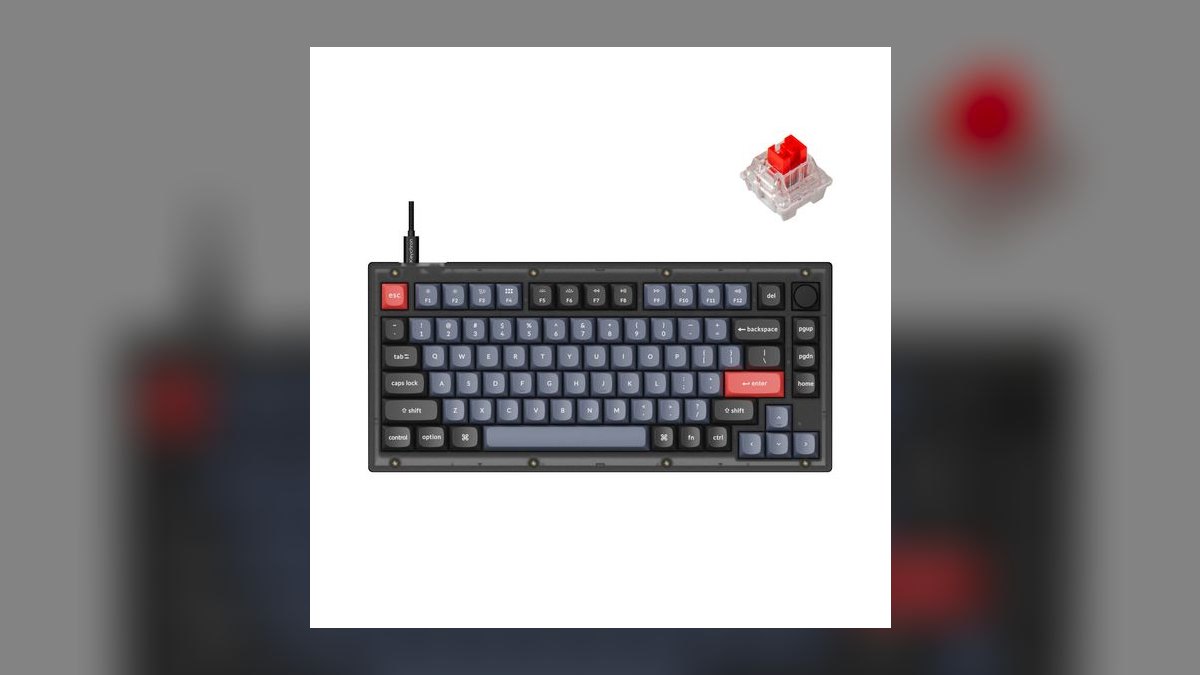
The V1 ranks second because it delivers the Q1 Pro's gasket mount, 75% layout, hot-swap PCB, and full QMK/VIA programmability for $79 barebones or $99 assembled. The case is ABS plastic rather than CNC aluminum, but the gasket mount means the typing sound lands close to its aluminum sibling. Double-shot PBT keycaps and south-facing RGB carry over unchanged from the more expensive board.
This suits first-time mechanical buyers and managers outfitting roughly 20 desks on a $2,000 budget. What it gives up versus the Q1 Pro directly above is Bluetooth — the V1 is USB-C wired only — plus the heft and rigidity of metal. The hot-swap sockets mean you can change switches later once you actually know whether you prefer linear or tactile.
3Logitech MX Mechanical Mini
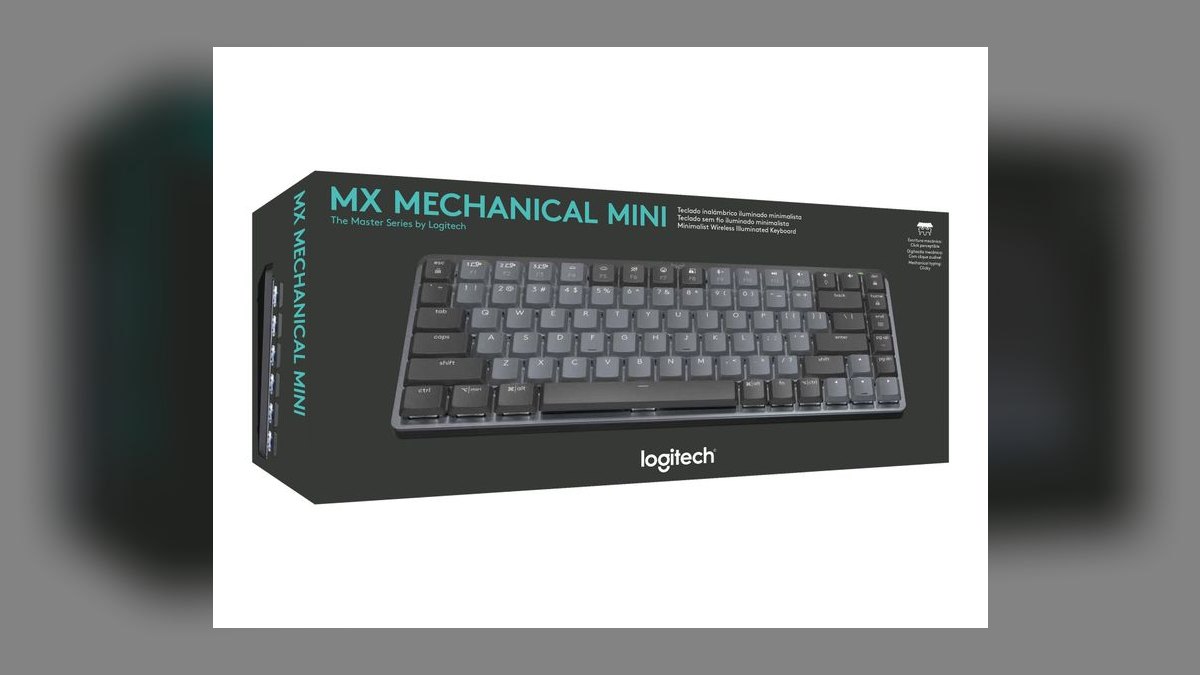
This ranks third on quietness and fleet manageability rather than enthusiast build. Its Tactile Quiet low-profile switches are the quietest mechanical option on this list, and battery runs 15 days with the backlight on or 10 months with it off. The 75% layout pairs with a Logi Bolt receiver plus Bluetooth, Logi Flow multi-device switching, and USB-C charging. It sells for $149.
Buy it if you sit in a shared office or take video calls all day and need typing noise closer to a chiclet board. The trade-offs are real: low-profile switches cut key travel and typing satisfaction, and the switches are soldered, so no later upgrades. Compared with the Keychron V1 above, you pay $50-70 more and lose hot-swap in exchange for silence and IT management via Logi Options+.
4Das Keyboard 6 Professional
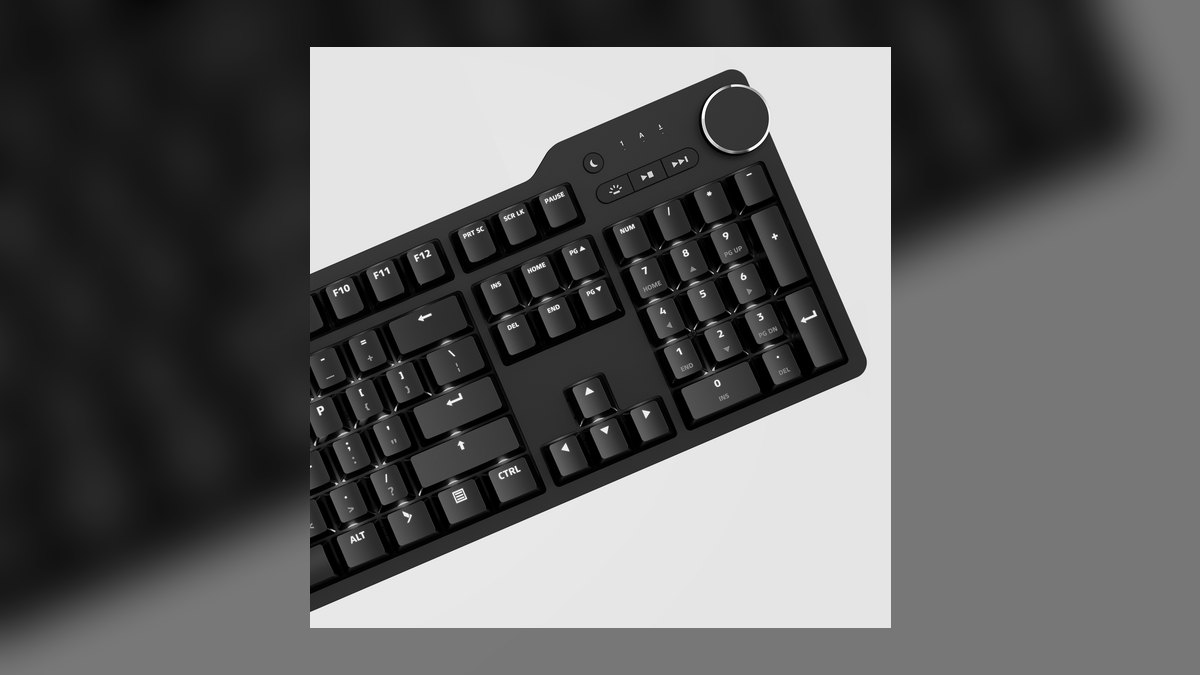
This lands fourth as the premium full-size pick for anyone who genuinely uses a numpad. It runs 108 keys with Cherry MX Brown or Blue switches, an aluminum top plate, dedicated media control buttons, a magnetic foot rest, and a USB-C connection with a two-port USB-A passthrough hub. It carries a two-year warranty and sells for $219 at DasKeyboard.com and Amazon.
Finance ops staff and SDRs running list math all day are the actual audience — the numpad and media keys earn their desk space there. It trades away hot-swap entirely, since the Cherry switches are soldered, and it is wired only with no wireless mode. Against the Logitech MX Mechanical Mini above, it is louder and far larger but uses full-height Cherry switches instead of low-profile ones.
5Keychron K8 Pro
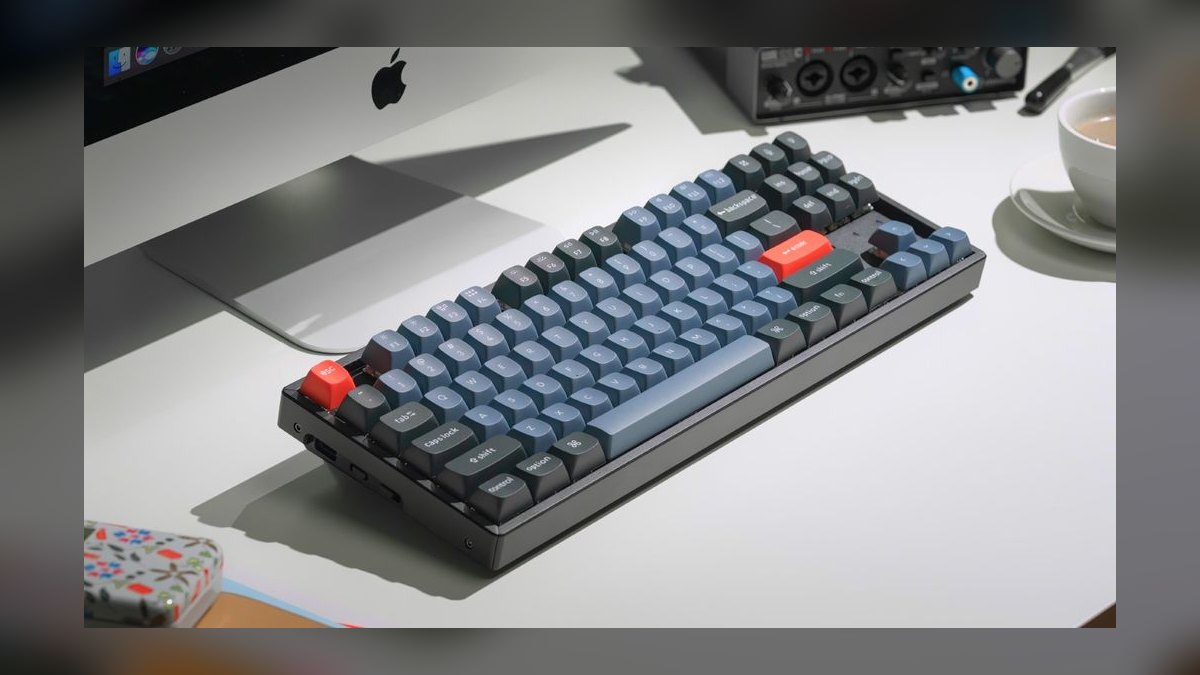
The K8 Pro sits fifth as the TKL choice, running 87 keys that add a full Home/End/PgUp/PgDn navigation cluster without a numpad. It keeps hot-swap sockets, QMK/VIA programmability, Bluetooth 5.1 plus USB-C, double-shot PBT keycaps, and south-facing RGB. Pricing is $109 for the plastic case or $129 for the aluminum frame, which undercuts the Q1 Pro by roughly $90.
Spreadsheet-heavy workers who reach for the nav cluster constantly get the most out of this one. The compromises: the base model is plastic unless you pay the $129 aluminum premium, battery life is shorter than the Q1 Pro, and the TKL footprint is larger than a 75% board for a modest daily gain. Against the Das Keyboard above, it is wireless-capable and hot-swappable but drops the numpad.
6Varmilo VA88M
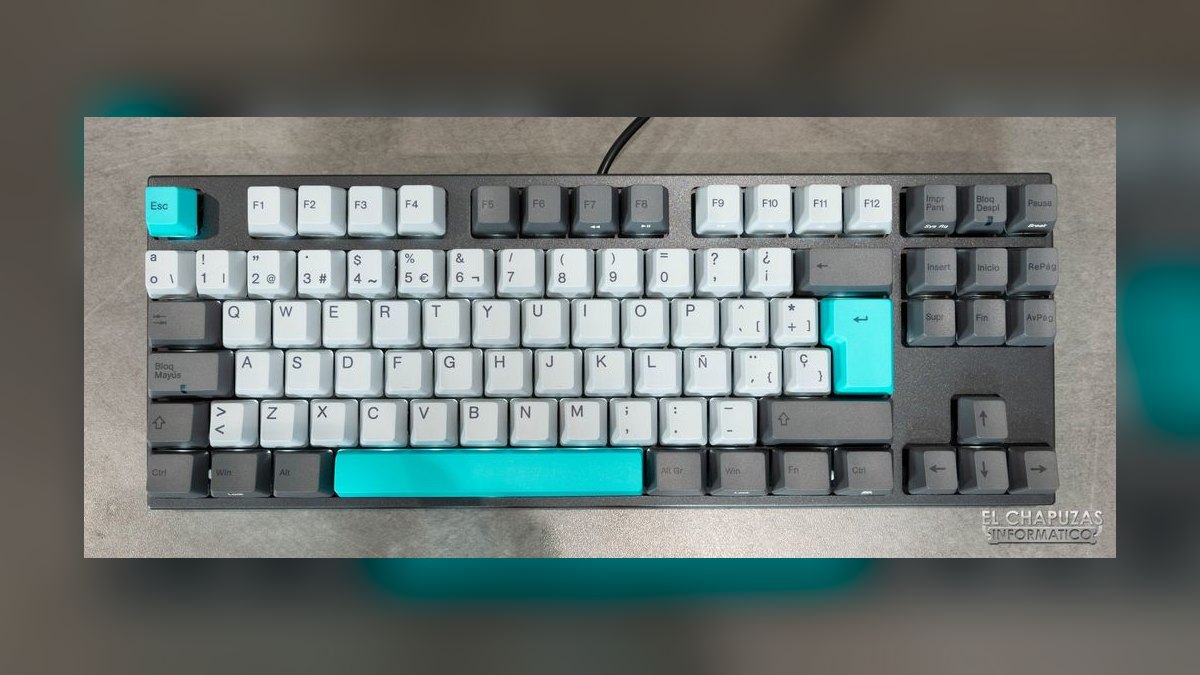
The VA88M places sixth on aesthetics and keycap quality rather than features. It is an 87-key TKL with an aluminum top plate, Cherry MX or Varmilo EC electro-capacitive switch options, and double-shot dye-sublimated PBT keycaps that never fade or develop shine. Themed colorways including Sea Melody, Sakura, and Eucalyptus run $169 to $219 depending on switch and theme at Varmilo.com and Mech Keys.
The buyer here is someone whose desk appears on camera or on social feeds and who values how the board looks and feels over reprogrammability. It gives up a great deal: switches are soldered, there is no wireless option, and no QMK or VIA means very limited remapping. Compared with the Keychron K8 Pro above, it is the same TKL layout at higher cost with fewer functional features.
7Keychron Q1 Max
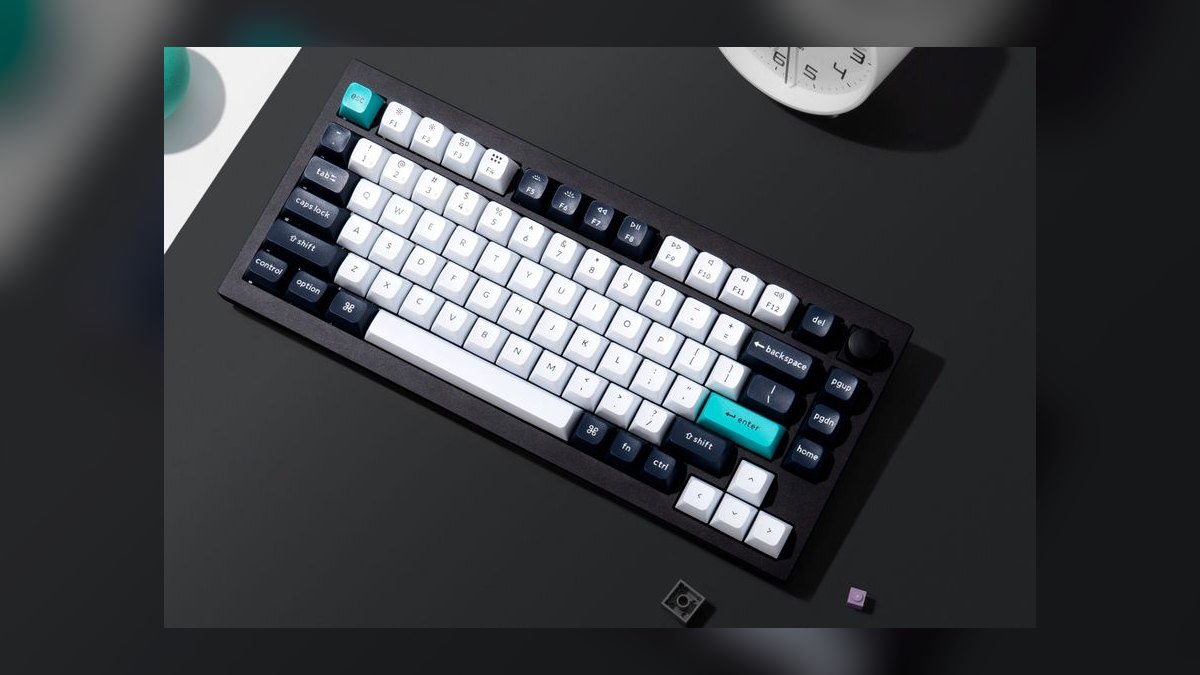
The Q1 Max ranks seventh because its improvements over the Q1 Pro are narrow. It is the refreshed 75% board with the same CNC aluminum case, gasket-mounted PCB, hot-swap sockets, QMK/VIA support, and double-shot PBT keycaps, adding a 2.4 GHz dongle with wired-grade latency and a higher polling-rate option. It costs $219, twenty dollars above the Q1 Pro, and weighs 1.95 kg.
It makes sense for people who game after hours and want sub-millisecond wireless on the same board they work on. The trade is paying more and carrying more weight for latency headroom most typists will never perceive, plus a dongle charging arrangement that is awkward in practice. Against the Q1 Pro at rank one, everything else is identical, which is exactly why it sits lower.
8Drop CTRL
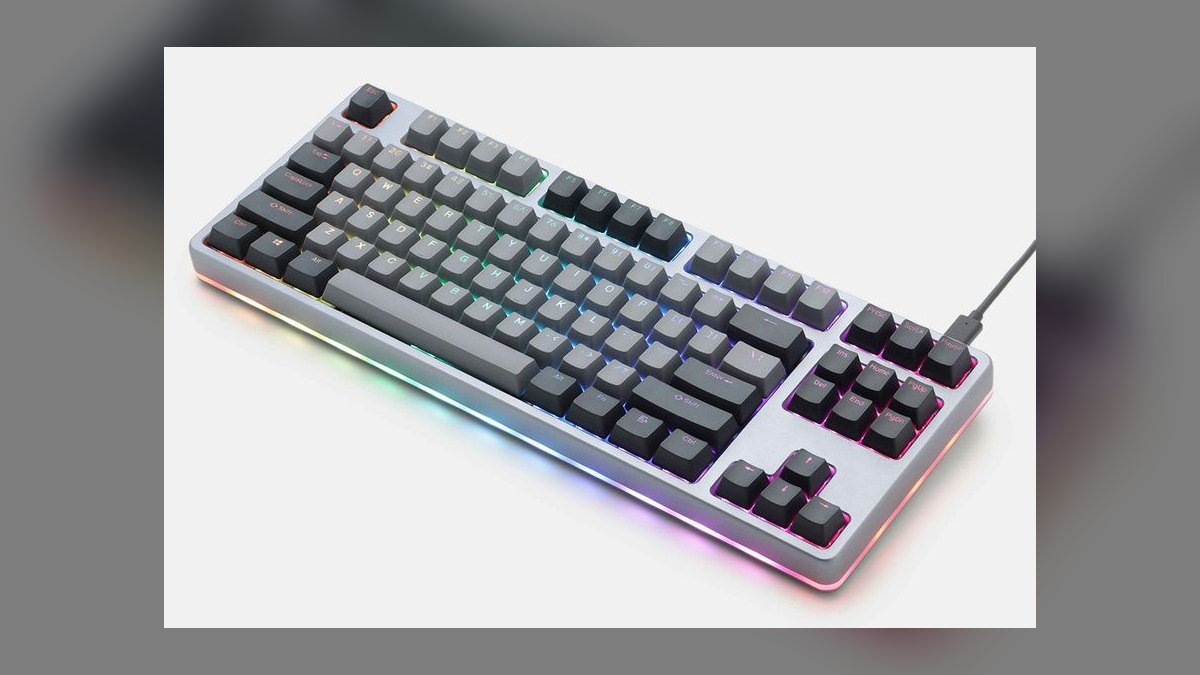
The Drop CTRL lands eighth because it charges $229 — the highest price on this list — without a gasket mount. It is an 87-key TKL with a CNC aluminum low-profile chassis, hot-swappable Kaihua sockets, full QMK/VIA programmability, per-key RGB, and dual USB-C ports supporting passthrough. It sells through Drop.com, and the aluminum chassis is arguably the best-looking low-profile body here.
Long-time enthusiasts who already know which switches they want are the right buyer, since the hot-swap sockets and QMK support reward that knowledge. The costs are steep: wired only, no gasket mount at flagship pricing, and Drop's shipping reliability has slipped since 2024. Compared with the Keychron Q1 Max above, it costs $10 more, drops wireless entirely, and loses the gasket-mounted typing feel.
9Glorious GMMK Pro
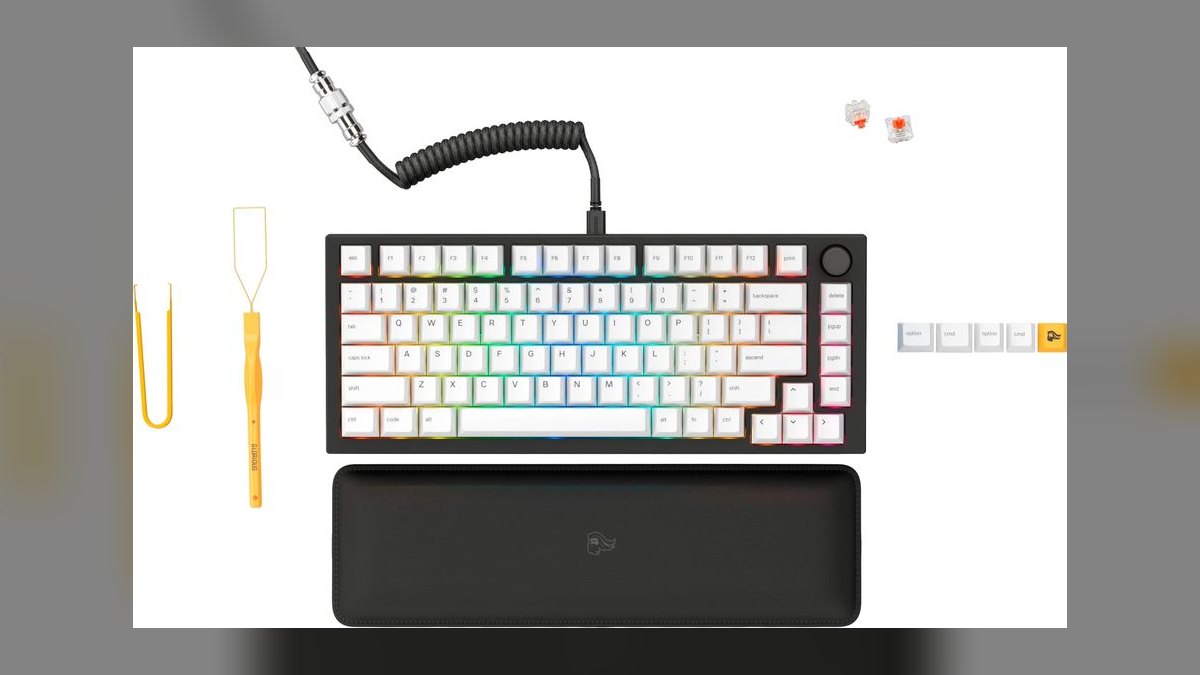
The GMMK Pro ranks ninth on value undercut by keycaps. It offers a 75% layout, CNC aluminum case, gasket mount, hot-swappable PCB, QMK/VIA programmability, and a rotary encoder volume knob for $169 at Glorious.gg and Amazon — thirty dollars under the Q1 Pro for a comparable chassis. The knob adjusts call volume without reaching for a function-row shortcut.
It fits anyone who wants aluminum and gasket mount plus a physical volume control, backed by a large community for switch and keycap swaps. The catch is the stock ABS keycaps, which shine and yellow within about 12 months, so budget for PBT replacements on top of the $169. There is no wireless, and quality control runs inconsistent. Against the Drop CTRL above, it is $60 cheaper and gasket-mounted.
10NuPhy Air75 V2
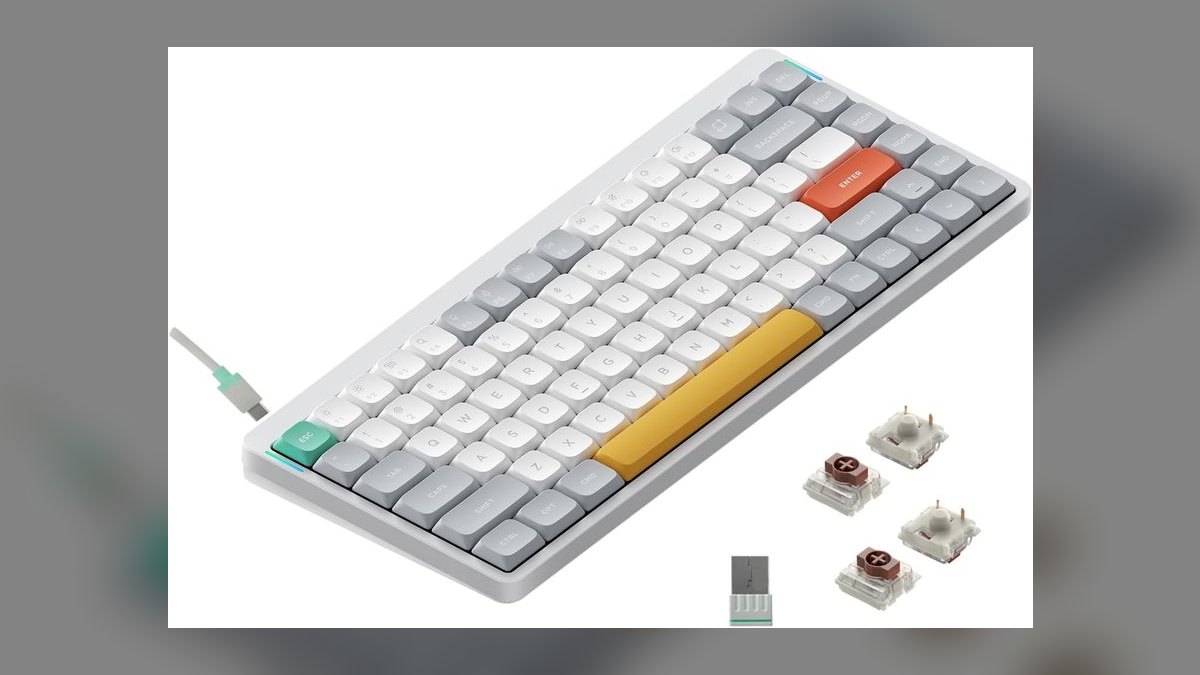
The Air75 V2 closes the list as the travel board, at 16 mm thick and able to slide into a laptop sleeve. It runs a 75% layout on low-profile Gateron switches in Aloe, Daisy, or Cowberry, over an aluminum top plate and a gasket-mounted PCB, with PBT keycaps and RGB backlighting. Connectivity covers Bluetooth 5.1, a 2.4 GHz dongle, and USB-C, at $129.
Hybrid workers carrying a keyboard between home and office each day are the audience, and the dongle keeps latency at wired levels. The concessions are structural: low-profile keycaps will not swap with standard full-height sets, battery life trails standard-profile boards, and QMK/VIA arrived only in a recent firmware update. Against the GMMK Pro above, it is $40 cheaper and portable but far shallower in key travel.
How we ranked these
Rankings weighted sustained typing comfort first: gasket-mounted PCBs, switch actuation force between 45 and 55 cN, and double-shot PBT keycaps over ABS. Serviceability came next — hot-swap sockets plus QMK and VIA programmability — then connectivity including Bluetooth 5.1, 2.4 GHz dongles, and USB-C wired. Layout efficiency at 75%, TKL, and full-size followed, then case construction and 2027 street price against delivered features.
Deliberately ignored: per-key RGB effects, gaming polling rates above what typing can perceive, and colorway availability except where keycap durability was directly at stake. Clicky switches were excluded from top placement because they are unusable in shared offices and on video calls. Brand loyalty, enthusiast community reputation, and unboxing presentation carried zero weight, since none change how a keyboard feels at hour six.
What to look for
The decision comes down to three specifics: hot-swap versus soldered, wireless mode, and layout. Hot-swap boards like the Q1 Pro, V1, K8 Pro, GMMK Pro, and Drop CTRL let you swap switches in 90 seconds when your preference changes; soldered boards like the Das 6 Professional and Varmilo VA88M lock you in permanently. If latency matters, a 2.4 GHz dongle beats Bluetooth. Layout is desk space, not preference.
The common mistake is buying an expensive board before knowing your switch preference. Most first-time buyers pick tactile Browns by default, discover they prefer linears, and have no way to change without desoldering. Start with the $79 Keychron V1, which has the same gasket mount, QMK/VIA support, and hot-swap sockets, learn what you like over three months, then spend $199 on the Q1 Pro knowing exactly which switches to order.
Related questions
What does a gasket mount actually do?
A gasket-mounted PCB sits on rubber or poron strips between the plate and case rather than screwing directly into the chassis. That suspension absorbs impact when you bottom out a key, so shock dissipates into the mount instead of your fingertips. It also deepens the typing sound. The Q1 Pro, V1, GMMK Pro, and NuPhy Air75 V2 all use gasket mounts; the Drop CTRL does not.
Why do double-shot PBT keycaps cost more than ABS?
PBT plastic resists the oils on your fingers, so it never develops the greasy shine that ABS caps get within about twelve months of heavy typing. Double-shot means the legend is a separate piece of plastic molded through the cap, not printed on top, so it cannot wear off. The GMMK Pro ships with ABS caps and most owners replace them.
Is the numpad worth the extra desk width?
Only if you enter numbers daily. Full-size boards like the Das Keyboard 6 Professional add roughly four inches of width, which pushes your mouse further right and rotates your shoulder outward over long sessions. Finance ops and SDRs running list math benefit. Everyone else gains more from a 75% or TKL layout that keeps the mouse closer.
How loud is a mechanical keyboard on a video call?
Quieter than reputation suggests when configured correctly. Tactile or linear switches with PBT keycaps and case foam register at roughly chiclet-keyboard volume through a laptop microphone. The Logitech MX Mechanical Mini with Tactile Quiet switches is the quietest option here. Clicky Blues and Greens are genuinely disruptive and should never go into a shared office or onto a call.
What is QMK and VIA in plain terms?
QMK is open-source firmware that runs on the keyboard itself; VIA is a browser app that edits that firmware without recompiling anything. Together they let you remap any key, build layers, and record macros that live on the board rather than in software. The mapping travels with the keyboard to any computer. Q1 Pro, V1, K8 Pro, GMMK Pro, and Drop CTRL support both.
Does a low-profile mechanical keyboard still feel mechanical?
Partly. The NuPhy Air75 V2 uses low-profile Gateron switches with a gasket mount and gets closer than anything before it, but the shorter travel means less cushion before bottom-out. The trade is portability: 16 mm thick fits a laptop sleeve. Low-profile keycaps also will not swap with full-height sets, so your upgrade path narrows considerably.
Should I buy a barebones kit or an assembled board?
Barebones ships without switches and sometimes without keycaps, which saves about $20 on the Keychron V1 and lets you pick exactly what you want. It only makes sense if you already know your switch preference and are ordering switches separately. First-time buyers should take the assembled version, type on it for a few months, then swap into the hot-swap sockets later.
How much does switch actuation force matter over a long day?
More than most buyers expect. Switches in the 45-55 cN range require less sustained finger pressure across thousands of keystrokes, which is why they dominate typing-focused recommendations. Heavier switches above 60 cN feel deliberate for short bursts but accumulate strain across eight-hour sessions. Weight interacts with mount type: a heavy switch on a rigid case is the harshest combination available.
FAQ
Which keyboard here is the best overall pick?
The Keychron Q1 Pro at $199. It combines a full aluminum CNC case, gasket-mounted PCB, 5-pin hot-swap sockets, QMK/VIA programmability, and three connection modes — Bluetooth 5.1, 2.4 GHz, and USB-C wired — with a 4000 mAh battery. The 75% layout keeps the function row and arrows while dropping the numpad. It is the board most people settle on permanently.
What is the best value option on this list?
The Keychron V1 at $79 barebones or $99 assembled. It shares the Q1 Pro's 75% layout, gasket mount, hot-swap PCB, double-shot PBT keycaps, and full QMK/VIA support. The trade-offs are a plastic case instead of aluminum and USB-C wired only with no Bluetooth. The gasket mount means it sounds nearly identical to its aluminum sibling.
Which keyboard is quietest for a shared office?
The Logitech MX Mechanical Mini at $149 with Tactile Quiet switches. Its low-profile mechanical switches are the quietest on this list, and Logi Options+ gives IT departments actual fleet manageability. Battery runs 15 days with the backlight on or ten months with it off. The trade is no hot-swap capability and a low-profile feel that full-height purists tend to dislike.
Which board should I buy if I need a numpad?
The Das Keyboard 6 Professional at $219. It is the only full-size layout here, at 108 keys with Cherry MX Brown or Blue switches, an aluminum top plate, dedicated media controls, and a two-port USB-A passthrough hub. Switches are soldered, so there is no upgrade path, and it is wired only. Best suited to finance ops and SDRs running daily list math.
What is the difference between the Q1 Pro and the Q1 Max?
The Q1 Max is the $219 refresh of the $199 Q1 Pro. It adds a 2.4 GHz wireless dongle with sub-1ms latency, a higher polling rate option, and Hall Effect switch availability. The gasket mount and hot-swap PCB are identical. It weighs 1.95 kg versus 1.8 kg, and the dongle charging case is awkward. Most typists will not notice the upgrade.
Which keyboard travels best between home and office?
The NuPhy Air75 V2 at $129. At 16 mm thick it slides into a laptop sleeve, and it still delivers a gasket-mounted PCB, PBT keycaps, aluminum top plate, and low-profile Gateron switches in Aloe, Daisy, or Cowberry. It offers Bluetooth 5.1, a 2.4 GHz dongle, and USB-C. Battery life trails standard-profile boards and the keycaps will not swap with full-height sets.
Is there a board with a volume knob?
The Glorious GMMK Pro at $169 includes a rotary encoder that adjusts volume mid-call without a keyboard shortcut. You also get a 75% aluminum CNC case with gasket mount, hot-swap PCB, and QMK/VIA — $30 under the Q1 Pro. Two caveats: the stock ABS keycaps shine and yellow within twelve months, and quality control is occasionally inconsistent.
Which one looks best on camera?
The Varmilo VA88M at $169-219, in Sea Melody, Sakura, or Eucalyptus colorways with dye-sublimated PBT keycaps that never fade or shine. It offers Cherry MX or Varmilo electro-capacitive switches on an aluminum top plate. The costs are real: soldered switches with no upgrade path, no wireless, and no QMK or VIA, so reprogramming is sharply limited.
Should I consider the Drop CTRL?
Only if you specifically want low-profile aluminum and already know your switch preference. At $229 it is the most expensive board here and it lacks a gasket mount, which is the single feature that matters most for all-day typing. You do get a hot-swap PCB with Kaihua sockets, QMK support, and dual USB-C passthrough. Drop's shipping reliability has slipped since 2024.
Is a TKL layout worth it over 75%?
Only if you use the navigation cluster constantly. TKL boards like the Keychron K8 Pro at $109-129, the Varmilo VA88M, and the Drop CTRL add dedicated Home, End, PgUp, and PgDn keys at 87 keys total. Spreadsheet-heavy work benefits. Otherwise the 75% layout gets you arrows and a function row in a noticeably smaller footprint for the same daily use.
Sources
- https://www.rtings.com/keyboard/reviews/best/work
- https://www.cnn.com/cnn-underscored/reviews/best-mechanical-keyboards
- https://www.trustedreviews.com/best/best-mechanical-keyboard-4240310
- https://www.keychron.com/products/keychron-q1-pro-qmk-via-wireless-custom-mechanical-keyboard
- https://www.keychron.com/products/keychron-v1-qmk-via-custom-mechanical-keyboard
- https://www.logitech.com/en-us/products/keyboards/mx-mechanical-mini.html
- https://www.daskeyboard.com/daskeyboard-6-professional/
- https://www.gloriousgaming.com/products/gmmk-pro
- https://nuphy.com/products/air75-v2
- https://drop.com/buy/drop-ctrl-mechanical-keyboard
Related on PULSE
This page will be disappearing soon. Save it to your device for $1 — or read it free while it is here.
@Kory-White- · if Venmo asks, the last 4 of my number are 2012
This page is gone.
This one is off the shelf now. $1 keeps it on your phone for good — the whole page, pictures and diagrams included.
 pulse-reviewsTop 10 Tablet Styluses — Best Overall + Best Value in 2027
 pulse-reviewsTop 10 Drone Batteries — Best Overall + Best Value in 2027
 pulse-reviewsTop 10 Radar Detectors — Best Overall + Best Value in 2027
 pulse-reviewsTop 10 Smart Notebooks — Best Overall + Best Value in 2027
 pulse-reviewsTop 10 Hair Dryers — Best Overall + Best Value in 2027
 pulse-reviewsTop 10 Noise-Cancelling Headphones — Best Overall + Best Value in 2027
 pulse-reviewsTop 10 Backpack Leaf Blowers — Best Overall + Best Value in 2027
 pulse-reviewsTop 10 Multimeters — Best Overall + Best Value in 2027
 pulse-reviewsTop 10 DVD Players — Best Overall + Best Value in 2027
 pulse-reviewsTop 10 Premium Dress Shoes for Sales Executives in 2027