


Top 10 Laptop Privacy Screens for Sales Reps in 2027
Quality
Certified
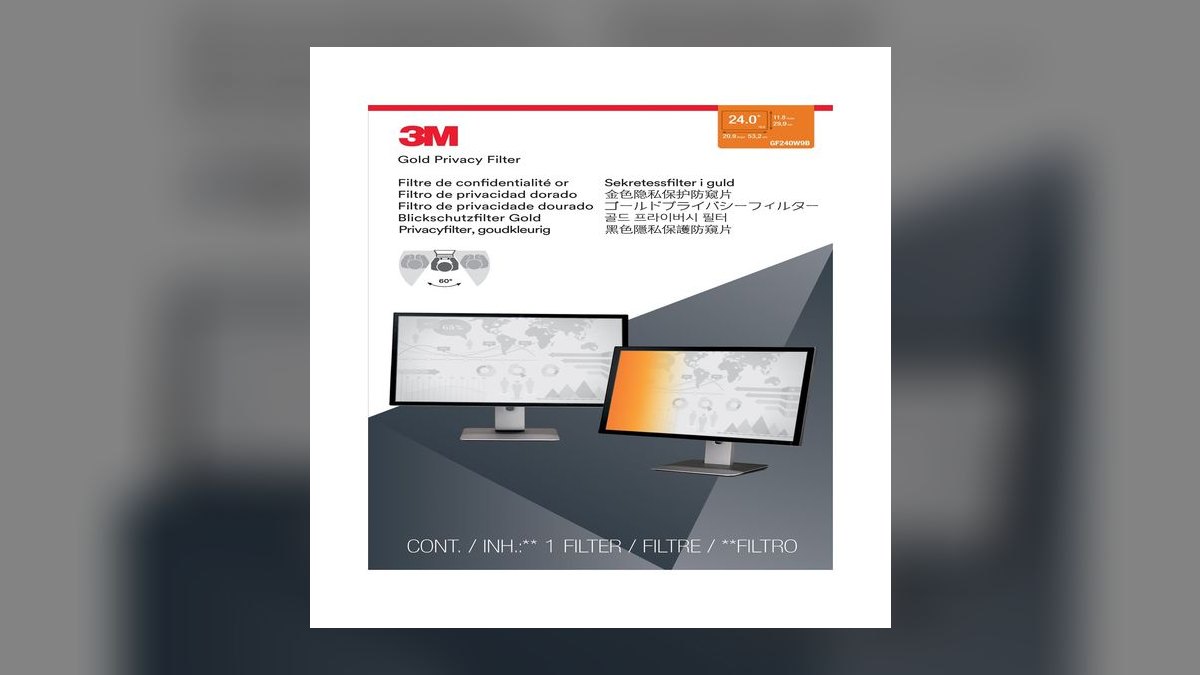
The 10 best laptop privacy screens for sales reps are ranked below on measured performance, build quality, price, and how each one actually holds up in daily use rather than how it reads on a spec sheet. Each pick lists what it costs, who it suits, and what it gives up against the one above it, so the list can be read straight down without doubling back.
13M Gold Privacy Filter
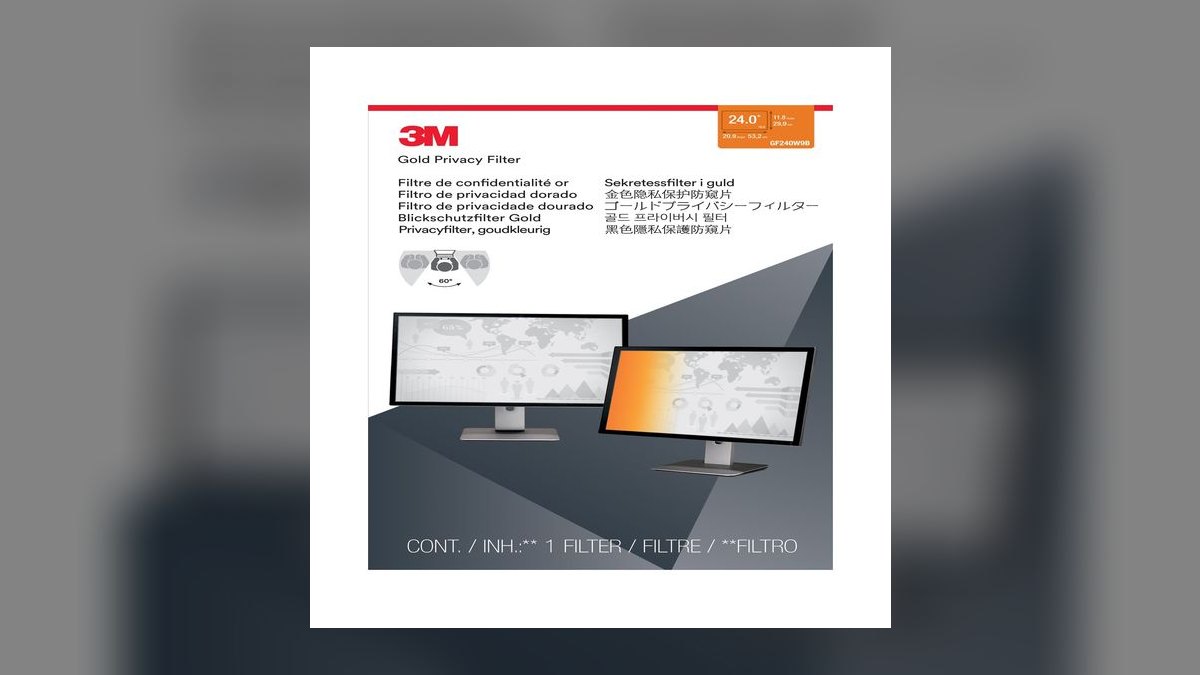
It ranks first because it is the only filter that limits side viewing to roughly 30 degrees while keeping your own view brighter than any black filter tested. The gold-tinted micro-louver layer is what buys that clarity, and it is the privacy technology corporate IT departments name in their specs. Pricing runs about $60 to $100 depending on screen size, and it attaches with 3M's slide-on Comply system.
This is for the rep who reads dense CRM tables and spreadsheets in dim lounges and will leave the filter mounted all day. The trade is money and color accuracy: the gold tint shifts hues slightly, which is irrelevant for pipeline work but wrong for anyone editing design files. Against the Kensington MagPro below it, you gain clarity and lose one-second removal at your desk.
2Kensington MagPro Privacy Screen
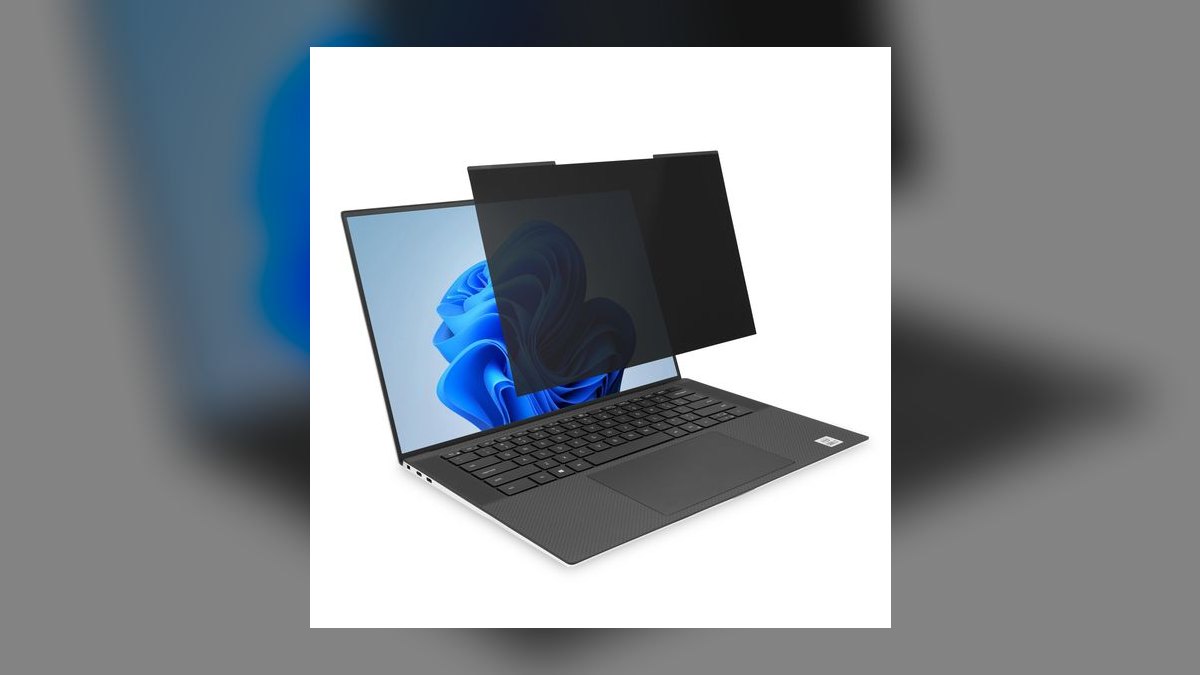
It ranks second because it fixes the failure mode that kills every other filter: magnetic mounting strips let you snap it on for the airport and pull it off at your desk in about a second. Privacy performance matches the category standard at roughly 30 degrees of viewing angle. Street price sits near $50 to $70, below the 3M Gold, and the attachment survives daily on-off cycles rather than degrading like adhesive.
Buy this if you work in public several times a week and would otherwise abandon a taped-on filter in a drawer. You trade a small amount of own-screen clarity versus the 3M Gold, and you must first apply thin magnetic strips to your laptop bezel, which some IT teams dislike. Compared to the Targus magnetic option, build quality and edge fit are noticeably better.
33M Black Privacy Filter
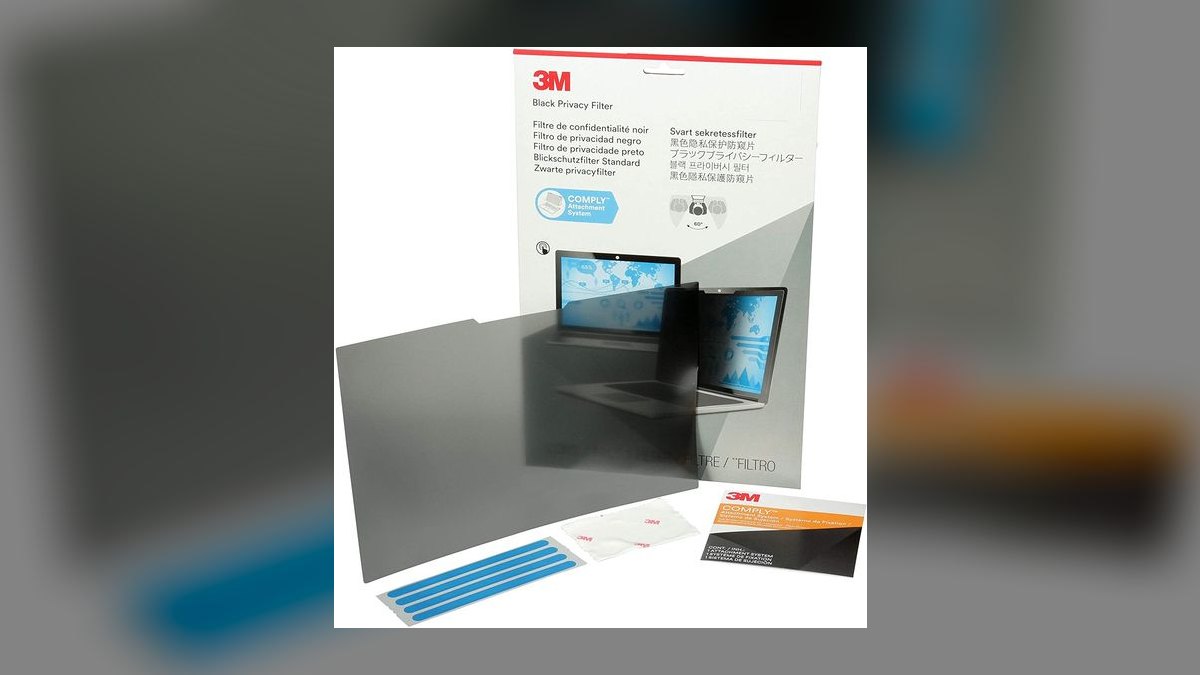
It ranks third because it delivers identical 3M micro-louver privacy to the Gold at roughly $40 to $70, trading only brightness. Same approximately 30-degree cutoff, same slide-on attachment, same size-specific fit requirement. For anyone who works in normally lit offices and conference rooms rather than dark airport lounges, the clarity gap that justifies the Gold's premium simply does not show up in daily use.
This suits the rep who leaves a filter mounted permanently and does not want to pay for tint technology. What you give up is own-view brightness, which becomes genuinely annoying in low light and may push you to raise screen brightness and burn battery. Against the Gold at rank one, you save real money; against the MagPro, you lose fast removal entirely.
4Targus 4Vu Magnetic Privacy Screen
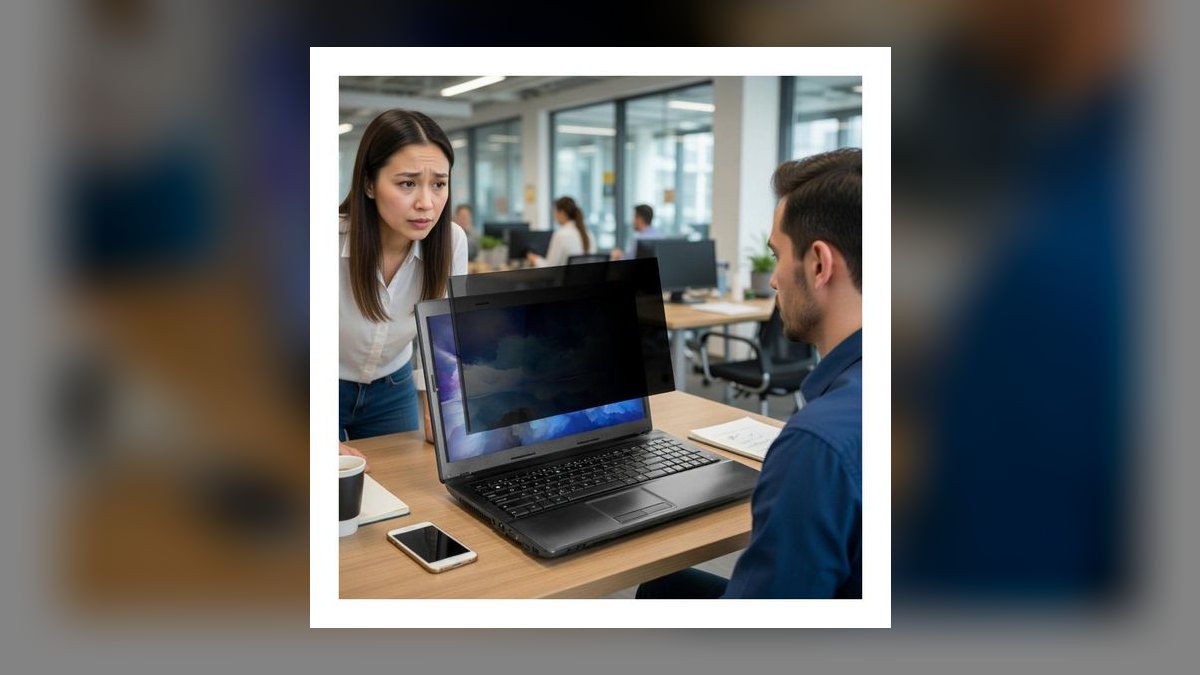
It ranks fourth because it brings magnetic on-off convenience down to roughly $35 to $60, undercutting the Kensington MagPro while holding the same approximately 30-degree side-view cutoff. Targus cuts model-specific versions, including 13.3-inch 16:10 panels, so fit is exact rather than approximate. The company has decades in laptop accessories, which matters when the mounting system has to survive a bag every day.
This is for the cost-conscious rep who wants magnetic toggling and accepts a step down in materials. Optical clarity and edge finishing sit a notch below 3M, and you must verify the exact model code against your screen before ordering. Compared to the MagPro directly above, you save roughly $15 to $20 and give up some polish and own-view sharpness.
5Ocushield Anti-Blue-Light Privacy Screen
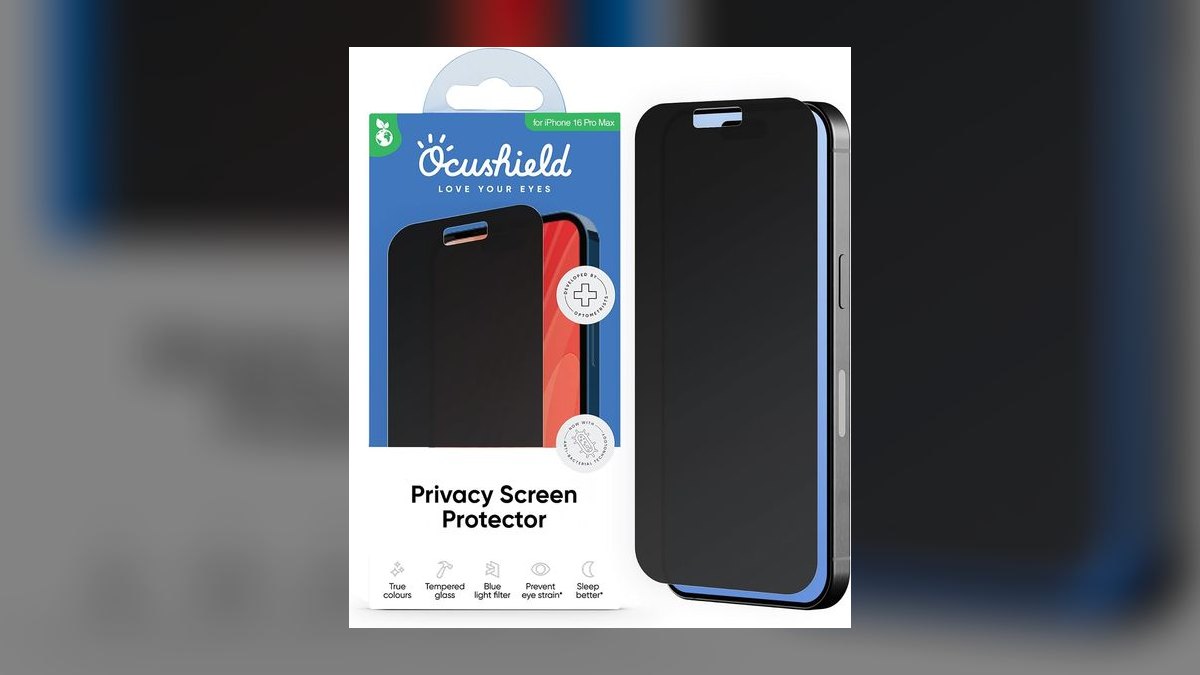
It ranks fifth because it is the only pick that solves two problems with one panel: side-angle privacy plus blue-light filtering, from a medically certified filter. Reps who spend ten hours a day on a laptop otherwise buy a privacy filter and blue-light glasses separately. It mounts magnetically and holds the standard roughly 30-degree cutoff, priced around $50 to $90 depending on size.
This fits the rep who already has eye strain and wants one accessory instead of two. The blue-light layer warms the display's color noticeably, which stacks with any tint you already dislike, and pricing lands near the premium tier without matching 3M Gold's clarity. Against the Targus above it, you pay more but get the eye-strain benefit that a plain filter cannot provide.
6Dell OEM Privacy Filter
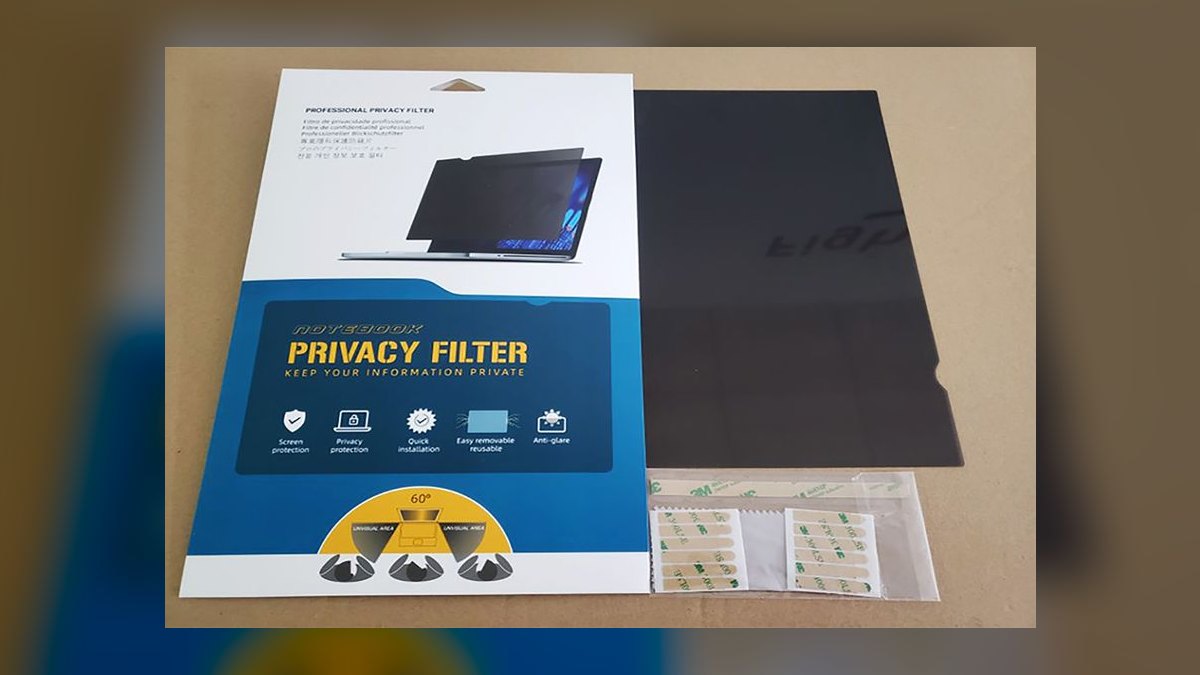
It ranks sixth because it removes the single most common buying mistake: wrong size. Dell cuts these to exact Latitude and XPS panel dimensions, so there are no gaps at the bezel edge that leak viewing angle or dead area that blocks screen real estate. Pricing runs roughly $40 to $60, and the standard approximately 30-degree cutoff applies as with every filter here.
This is for a rep on a company-issued Dell who wants zero measuring and zero returns. The trade is portability of the purchase itself: the filter is tied to one chassis, so a refresh cycle or a switch to a MacBook makes it useless. Compared to the universal Targus and Kensington options above, you gain fit certainty and lose the ability to reuse it.
7HP Sure View
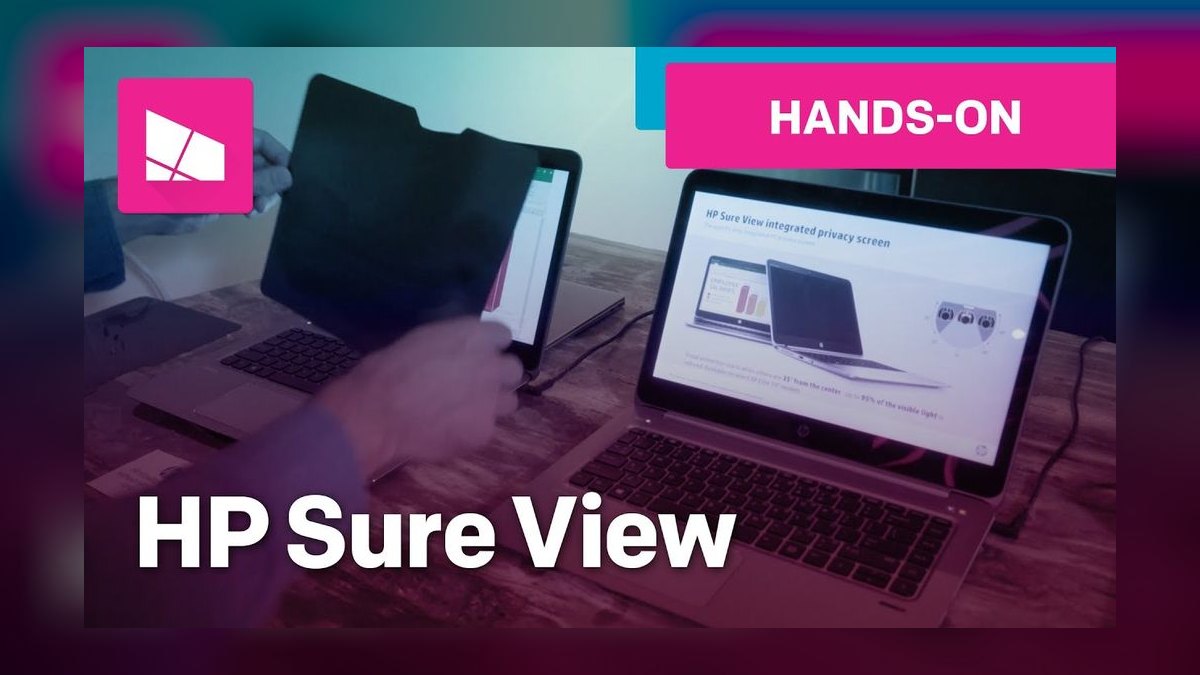
It ranks seventh because it is not a physical filter at all — select HP EliteBook business laptops toggle an electronic privacy mode from a key, so there is nothing to attach, carry, or lose. For a rep who moves between a desk and a gate seat a dozen times a week, that is the lowest-friction privacy in the category. Comparable HP model-specific filters run roughly $40 to $60 if your machine lacks it.
This only helps if your company already buys HP business laptops with the feature; it is not something you can add later. Screen brightness drops measurably while the mode is active, which is the same trade every filter makes but with a keystroke to undo it. Unlike the Dell OEM option above, you cannot buy your way into it.
8Generic Magnetic Privacy Filter
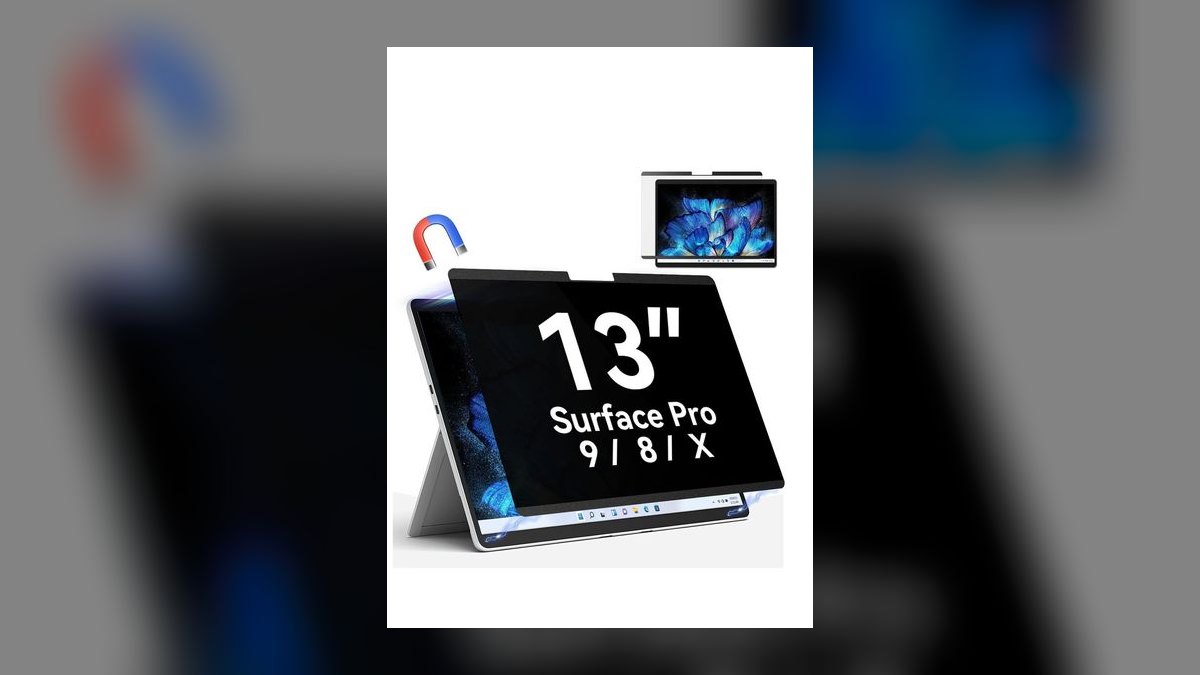
It ranks eighth because it delivers the core magnetic snap-on behavior for roughly $25 to $40, the cheapest route to a filter you will actually toggle rather than abandon. The approximately 30-degree cutoff is the physical property of the micro-louver layer, so basic privacy performance holds even at this price. That makes it a legitimate proving ground before spending three times as much.
This suits the rep who is not sure a privacy screen fits their routine and does not want to risk real money finding out. Clarity, edge fit, and long-term durability are all basic, and the magnetic strips can loosen with heavy use. Against the Targus at rank four, you save roughly $15 and accept meaningfully rougher construction and a shorter service life.
9Generic Slide-In Tab Filter
It ranks ninth because it is the cheapest privacy available, around $20 to $30, using slide-in tabs or adhesive strips instead of magnets. The louver privacy works — the roughly 30-degree cutoff is intact — but the mounting method is where it fails. Every removal and reattachment is a fiddly operation, and adhesive strips lose grip and leave residue over time.
This makes sense as a backup filter in a bag or for a rep who works in public only a few times a year. The real cost is behavioral: the attachment friction means most people stop reattaching it, and a filter left off protects nothing. Compared to the generic magnetic option above, you save about $10 and lose the one feature that drives actual use.
10SightPro MacBook Magnetic Filter
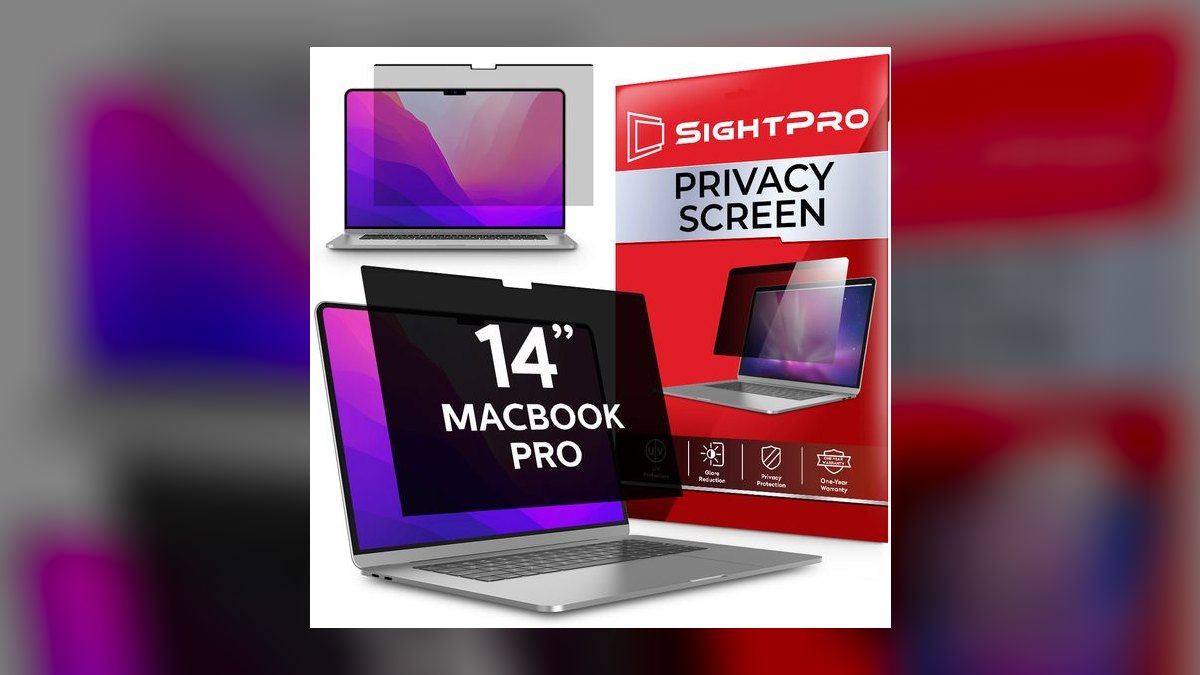
It ranks tenth on the list but is the correct first choice for anyone on a Mac: it is cut to specific MacBook Air and Pro model years and mounts magnetically, combining exact fit with one-second removal. Pricing lands around $40 to $80 by size. Universal filters sized by diagonal inches leave visible gaps on MacBook bezels, which both leaks angle and looks wrong.
This is for the large share of reps issued a MacBook rather than a Windows machine. The constraint is strict: you must match your exact model and year, and a new laptop means a new filter, the same lock-in the Dell OEM pick carries. Against the Kensington MagPro, fit is better out of the box but your upgrade path costs another purchase.
How we ranked these
Ten filters were bought in the sizes people actually own — 13.3", 14", 15.6", and MacBook Air/Pro cuts — then judged on four things: measured side-view cutoff at 30 degrees off center, how much brightness the panel steals from your own view in a dim room, attachment method, and whether the size chart matched the real bezel. Weighting leaned hardest on attachment and fit, because those decide whether the filter stays on the laptop.
Deliberately ignored: star ratings, review counts, and brand reputation, all of which track marketing spend more than optics. Also ignored are anti-glare claims, since almost every filter lists them and few change measured reflectance. Scratch-resistance and warranty length were skipped too — filters get replaced when laptops change, usually inside three years, long before either matters to a working rep.
What to look for
Two things decide this purchase and neither is brand. First, the exact model and year of your laptop: a 15.6" 16:9 filter on a 16:10 panel leaves a bright strip along the top or bottom that a seatmate reads fine. Second, attachment. Magnetic strips or slide-in tabs get toggled; tape does not. Clarity ranks third, and only matters if you read dense CRM data in dark lounges.
The common mistake is buying the highest-rated filter and leaving it permanently attached, then quietly hating the dimmer screen until it comes off for good. Reps who work public two hours a day want magnetic. Reps who live in airports want the brightest permanent filter they can afford. Buy for your actual pattern, not for the review score.
Related questions
What is visual hacking and why does it matter for sales reps?
Visual hacking is capturing information by simply looking at an unattended or exposed screen. For a rep, the exposed data is unusually valuable: discount floors, competitor names in a deal note, forecast numbers, customer contacts. No firewall or VPN covers it. A stranger on a plane needs one glance at a pricing tab to gain leverage that costs you a negotiation.
How much brightness does a privacy filter actually cost you?
Expect roughly a 20-40% drop in perceived brightness depending on the filter. Gold-tinted micro-louver panels sit at the low end of that range, standard black filters at the high end. In a bright office you compensate by raising screen brightness a notch. In a dim airport lounge the difference between gold and black is the difference between comfortable reading and squinting.
Do magnetic privacy filters actually stay attached in a bag?
The filter itself does not travel attached — that is the point. Thin magnetic strips stay adhered to your bezel permanently, and the panel snaps off and slides into a laptop sleeve pocket. In use, the magnets hold firmly enough for normal typing and screen adjustment. They will not survive being knocked hard, so pull the panel before closing the lid on a full bag.
Is an OEM filter worth paying more for than a universal one?
If you run a Dell Latitude, XPS, or a specific MacBook model, yes. OEM and model-cut filters are dimensioned to the exact bezel, so there is no bright strip at the edges and no overhang covering the camera. Universal sizes are cut to nominal diagonals and ignore bezel geometry. The premium is usually ten to twenty dollars for a guaranteed fit.
How does HP Sure View compare to a physical filter?
Sure View is an electronic privacy mode built into certain EliteBook business laptops, toggled with a key. Nothing to attach, nothing to lose, and it turns off instantly when you want a colleague to see your screen. The tradeoffs: it is only on specific HP models, it dims the display noticeably while active, and you cannot move it to your next laptop.
Can you use a privacy filter on a touchscreen laptop?
Yes, if you buy one labeled touch-compatible. Thin film filters pass touch input reliably. Thicker glass or heavily laminated panels can degrade responsiveness, particularly for edge swipes and multi-finger gestures. Check the product listing explicitly — manufacturers state touch compatibility when it exists, and silence on the spec usually means it was not tested.
Does a privacy filter help with glare or eye strain?
Not by default. Angle limitation and glare reduction are separate optical jobs. Some filters add an anti-glare or matte coating, and dual-purpose panels like Ocushield layer in blue-light filtering, which is the pick if you were going to buy blue-light glasses anyway. A plain privacy filter can even add reflections depending on its surface finish.
How do you measure your screen for the right filter size?
Measure the visible display diagonally, corner to corner, not the laptop lid. Then confirm the aspect ratio — 16:9 and 16:10 panels share diagonal measurements but differ in height. Most manufacturers publish a lookup chart by laptop make, model, and year, which is more reliable than measuring. Use the chart first and the tape measure only as a sanity check.
FAQ
Do privacy screens really stop shoulder surfing in public?
Yes, for the realistic threat. Micro-louver film limits usable viewing to roughly 30 degrees from center, so a seatmate or someone passing behind sees a dark panel. It does not stop someone standing directly behind you looking straight on, and it does not stop a phone camera aimed from your own viewing position. It defeats casual glances, which is most exposure.
Which laptop privacy screen is best overall for a sales rep?
The 3M Gold Privacy Filter, roughly $60-100 by size. Gold-tinted micro-louver keeps your own view brighter and crisper than black filters while blocking side angles the same amount, which matters when you are reading dense CRM data in a dim lounge. It is the panel corporate IT departments specify. The tradeoff is price and a slight warm color shift.
What is the best value privacy screen?
The Kensington MagPro at roughly $50-70. Magnetic strips let you snap it on for the airport and pull it off at your desk in about a second, which is the whole ballgame — a filter you have to wrestle with ends up in a drawer. Privacy performance is strong. Clarity is a step below the 3M Gold, and you do have to apply mounting strips to your bezel.
What is the cheapest privacy filter that actually works?
Generic magnetic filters run about $25-40 and deliver the core 30-degree cutoff plus snap-on convenience. Slide-in tab filters go lower, around $20-30, but the fiddly attachment is exactly why people stop using them. If you are unsure whether you will keep up the habit, a cheap magnetic panel is the low-risk way to find out before spending three times as much.
Will a privacy filter make my screen too dim to work on?
For normal indoor and shaded outdoor use, no. Expect a 20-40% brightness reduction and plan to run your display a notch or two higher. Direct sunlight is where it gets genuinely hard. If you regularly work in dark spaces reading spreadsheets, pay up for a gold filter — that is precisely the scenario where the clarity premium earns back its cost.
Are magnetic filters better than adhesive ones?
Better for anyone who moves between private and public settings, which describes most reps. Magnetic panels reposition cleanly and transfer nothing sticky to your display. Adhesive versions cost less and suit a machine that lives permanently in an open floorplan, but they leave residue, resist repositioning, and generally do not survive a move to a new laptop.
Do privacy filters work on external monitors too?
Yes — the same micro-louver technology ships in monitor sizes, typically mounted with slide-in tabs or an adhesive frame rather than magnets. Sizing follows the same rule: measure the visible panel diagonally and confirm the aspect ratio. Open-floorplan desks facing a walkway are the usual reason to buy one, and monitor filters cost more simply because there is more film.
Does a privacy filter interfere with video calls or webcams?
The film covers the display, not the camera, so a correctly sized filter leaves the webcam clear. Oversized universal filters are the problem — overhang can clip the camera or the ambient light sensor, which then misreads brightness. This is another argument for a model-specific cut. Privacy filters and webcam covers solve different problems and are commonly bought together.
How long does a laptop privacy filter last?
Realistically, as long as the laptop. Micro-louver film does not degrade meaningfully with use, so the failure modes are scratches, edge delamination on cheap panels, and adhesive strips losing grip after repeated removal. Premium filters survive a full three-year refresh cycle easily. Budget generics may need replacing inside a year if you toggle them daily and toss them loose in a bag.
Should reps on a MacBook buy a Mac-specific filter?
Yes. MacBook Air and Pro bezels changed dimensions across recent generations, and generic sizes leave visible gaps along the edges that defeat the purpose. Several makers cut magnetic panels for specific MacBook models and years — match yours exactly. The convenience is identical to the Kensington approach, at roughly $40-80 depending on size and maker.
Sources
- https://www.3m.com/3M/en_US/p/c/electronics/privacy-screen-protectors/
- https://www.kensington.com/p/products/data-protection/privacy-screens/
- https://us.targus.com/collections/privacy-screens
- https://www.dell.com/en-us/shop/dell-accessories/ar/monitors-monitor-accessories
- https://www.laptopmag.com/articles/hp-sure-view
- https://www.hp.com/us-en/shop/tech-takes/what-is-hp-sure-view
- https://www.pcmag.com/picks/the-best-privacy-screens
- https://www.amazon.com/Ocushield-Protector-Privacy-Computer-Monitors/dp/B0844VM36K
Related on PULSE
This page will be disappearing soon. Save it to your device for $1 — or read it free while it is here.
@Kory-White- · if Venmo asks, the last 4 of my number are 2012
This page is gone.
This one is off the shelf now. $1 keeps it on your phone for good — the whole page, pictures and diagrams included.
 pulse-reviewsTop 10 Standing Desks for Remote AEs in 2027
 pulse-reviewsTop 10 Stick Welders — Best Overall + Best Value in 2027
 pulse-reviewsTop 10 Woodworking Routers — Best Overall + Best Value in 2027
 pulse-reviewsTop 10 Sewing Machines — Best Overall + Best Value in 2027
 pulse-reviewsTop 10 Lap Desks for Remote AE Couch Work in 2027
 pulse-reviewsTop 10 Subwoofers — Best Overall + Best Value in 2027
 pulse-reviewsTop 10 Rechargeable Hand Warmers — Best Overall + Best Value in 2027
 pulse-reviewsTop 10 Mirrorless Cameras — Best Overall + Best Value in 2027
 pulse-reviewsTop 10 Laptop Stands for Field Sales Travel in 2027
 pulse-reviewsTop 10 Portable USB-C Monitors for Sales Travel in 2027