


What is the average cost of a home webcam setup for streaming in 2027?
Quality
Certified
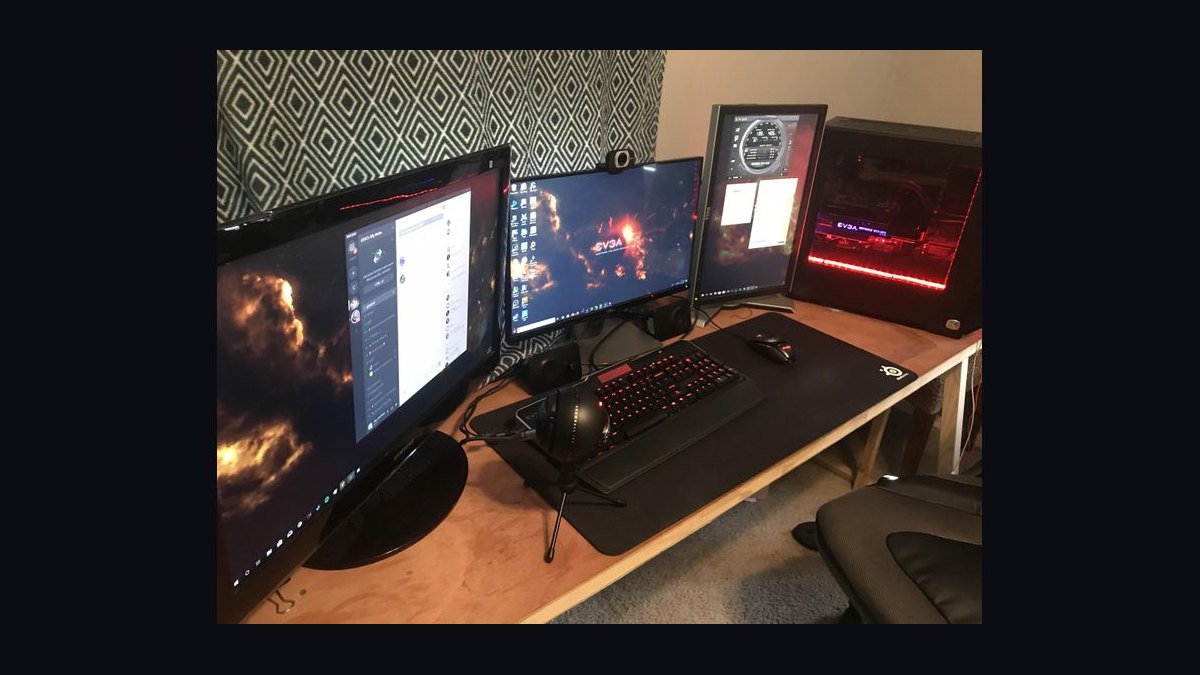
For a typical home streaming setup in 2027, expect to spend roughly $180 to $450 on the webcam and its immediate support gear, with a complete streaming-ready setup averaging about $320. Budget builds land near $120, while 4K or mirrorless-based configurations push past $900 once lighting, audio, and mounting are included.
The outcome you should expect
When people ask about the average cost of a home webcam setup for streaming, they usually picture a single purchase — one camera, one number. In practice, the honest answer is a range with a clear center of gravity, and the center of gravity sits somewhere between $250 and $400 for most people who want a stream that looks and sounds deliberate rather than accidental.
The reason the number is a range and not a point is that "webcam setup" hides three different buying decisions. The first is the camera itself, which in 2027 spans roughly $60 for a basic 1080p unit up to $300 for a high-end 4K webcam and $700 or more if you go the mirrorless-camera-as-webcam route. The second is the supporting gear that makes the camera look good — lighting and mounting — which commonly runs $60 to $200. The third is audio, which most beginners forget and then regret, adding $50 to $150 for a decent USB microphone or headset.
Stack those three layers and the arithmetic is straightforward. A budget-conscious streamer who already owns a laptop or desktop can assemble a genuinely watchable setup for $120 to $180. A mid-range streamer who wants soft, flattering light and clean voice audio lands at $280 to $420. A streamer chasing near-broadcast quality with a 4K webcam, key light, boom arm, and dedicated audio interface can easily spend $700 to $1,100 without touching the computer itself.
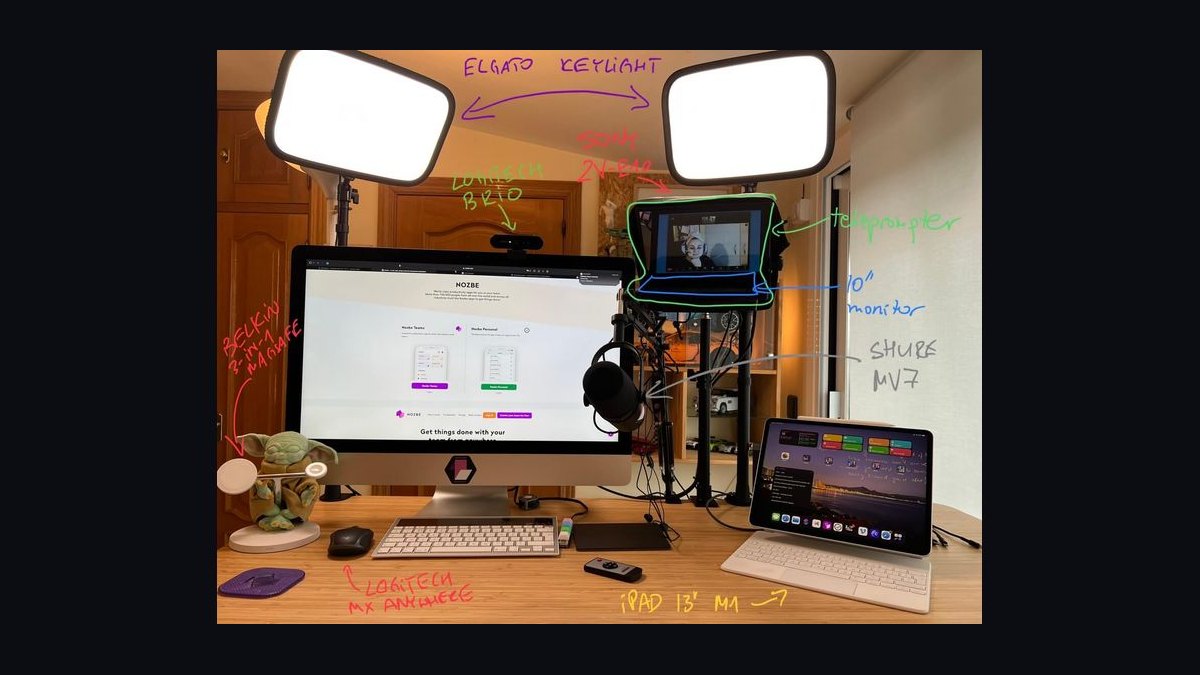
The single most useful framing is this: the webcam is rarely the biggest line item once you build a real setup. Lighting and audio frequently cost as much as or more than the camera, and they change perceived quality more. A $70 webcam with $120 of lighting and a $90 microphone will look and sound better on a stream than a $300 webcam alone in a dim room with laptop speakers. That trade-off is the heart of budgeting this purchase, and it is why the "average" figure of roughly $320 for a complete setup is more meaningful than the average camera price in isolation.
It also matters what you are streaming. A Twitch or YouTube gaming stream benefits from a wide shot, good key lighting, and a mic that rejects keyboard noise. A podcast or interview stream prioritizes voice quality and a tighter framing. A webinar or remote-work stream can get away with less. Each of those shifts the budget by $50 to $150 in one direction or another, which is exactly the kind of variance that turns a single average into a range.
What drives that outcome

Four cost drivers explain almost all of the variance in a home streaming setup: the camera resolution and sensor, the lighting, the audio chain, and the mounting and desk infrastructure. Understanding how each one moves the total is more useful than memorizing any single average.
The camera is the anchor. A 1080p 30fps webcam is the floor and typically costs $50 to $90 in 2027. A 1080p 60fps webcam with better low-light performance runs $90 to $150. A 4K webcam with a larger sensor and autofocus sits at $180 to $300. Above that, using a mirrorless or DSLR camera as a webcam requires a capture card or HDMI interface, pushing the camera-plus-interface combination to $700 and up. Each step up buys you more detail, better performance in poor light, and often better background blur — but the returns diminish fast once lighting is good.
Lighting is the second driver and the most underrated. A single ring light or LED panel costs $30 to $70. A two-light setup with softboxes or diffusers runs $100 to $250. Key lighting does more for perceived video quality than resolution does; a 1080p camera in good light routinely looks better than a 4K camera in a dim room. This is why a modest camera plus a $100 lighting investment is the highest-value combination for most people.

Audio is the third driver. Built-in microphones and laptop mics are the weakest link in most beginner setups. A USB condenser microphone runs $60 to $130. A dynamic microphone, which rejects room noise and keyboard clatter better, runs $80 to $150 and often needs an audio interface or mixer adding $80 to $200. A simple headset with a boom mic is the cheapest acceptable option at $30 to $80. If you stream for hours, audio quality is what keeps viewers, so this is not the place to cut corners.
Mounting and infrastructure is the fourth driver. A basic tripod or clip mount is $15 to $40. A desk-mounted boom arm for the camera or mic is $30 to $80. A monitor stand, cable management, and a stable surface add another $30 to $100 if you do not already have them. These costs are small individually but add up, and they determine whether your setup is adjustable and comfortable for long sessions.
The interaction between these drivers is what produces the average. If you spend heavily on the camera and skimp on lighting and audio, your total may still land near $250 but your stream will look worse than someone who spent $250 the other way around. Budget allocation matters as much as budget size, and the most common mistake is over-indexing on the camera because it is the most visible, most marketed component.
Benchmarks and realistic ranges
Concrete tiers make the average actionable. The following ranges reflect typical 2027 pricing for new gear from mainstream brands, excluding the computer, internet connection, and streaming software, which are separate costs.

The starter tier runs $120 to $200 total. It includes a 1080p webcam at $50 to $90, a single LED panel or ring light at $30 to $60, a headset or basic USB mic at $30 to $70, and a clip or tripod mount at $15 to $30. This tier produces a clean, watchable 1080p stream and is the right entry point for someone testing whether they enjoy streaming before committing more.
The mid tier runs $280 to $450 and is where the average lands. It includes a 1080p60 or entry 4K webcam at $120 to $220, a two-light kit at $100 to $180, a USB condenser or dynamic microphone at $70 to $140, and a boom arm plus cable management at $50 to $100. This tier is the sweet spot for regular streamers who want a setup that looks intentional and sounds professional without a studio budget.
The advanced tier runs $600 to $1,100. It includes a high-end 4K webcam or a mirrorless camera with a capture card at $300 to $800, a three-point lighting setup at $200 to $350, a dynamic microphone with an audio interface at $180 to $350, and premium mounting and desk infrastructure at $80 to $200. This tier approaches broadcast quality and is aimed at streamers treating the activity as a serious pursuit or a business.
The average across these tiers, weighted by how most home streamers actually buy, lands near $320 for a complete setup. If you isolate just the webcam, the average camera price is closer to $130 to $160. That distinction matters because the question asks about the setup, not just the camera, and the setup is what determines the experience.
Two other benchmarks are worth holding in mind. First, used and refurbished gear can cut the total by 30 to 50 percent; a used 1080p webcam and a secondhand light can bring a starter setup under $100. Second, sales events and bundle deals routinely shave 15 to 25 percent off mid-tier totals, so the same $320 setup can often be assembled for $250 with patience. Neither of those changes the average, but both change what any individual pays.
Risks, edge cases, and failure modes
The biggest risk in budgeting a home webcam setup is the hidden cost of incompatibility. A mirrorless camera used as a webcam may need a specific capture card, a dummy battery, and an HDMI cable that together add $150 to $300 beyond the camera. A dynamic microphone may need an audio interface that the buyer did not plan for. A 4K webcam may overwhelm an older computer's USB bandwidth or processing power, forcing an upgrade that dwarfs the camera cost. Always verify the full chain before buying the centerpiece.
The second risk is overbuying the camera. Many first-time streamers spend $250 on a 4K webcam and then stream in a dim room where the 4K detail is invisible and the low-light noise is worse than a cheaper 1080p camera would produce. Resolution is the least important variable once lighting is adequate. Buying a mid-range camera and putting the savings into lighting and audio almost always produces a better stream.
The third risk is underestimating audio. Viewers forgive soft video far more readily than bad audio. A setup that spends $300 on the camera and $0 on a microphone will lose viewers faster than one that spends $120 on the camera and $100 on a microphone. Room echo, keyboard noise, and fan hum are the most common complaints, and all three are solved by a $70 to $120 dynamic microphone or a decent headset.
The fourth risk is mounting instability. A camera balanced on a stack of books or a flimsy clip will drift, vibrate, and frustrate you mid-stream. A $30 boom arm or a $25 tripod solves this permanently and is one of the cheapest quality-of-life upgrades in the entire setup. Do not treat mounting as an afterthought.
The fifth risk is scope creep. Streaming setups invite endless upgrades — a second monitor, a capture card for a console, a stream deck, acoustic panels. None of these are part of the webcam setup proper, but they inflate the real-world spend well past the $320 average. If your goal is a specific budget, define what is in scope before you start shopping and resist adding adjacent gear until the core setup is working.
Finally, there is the edge case of streaming from a laptop with no external monitor. In that configuration, a clip-on webcam and a USB microphone are the only additions needed, and a complete setup can be had for $100 to $150. The average rises when a desktop, dedicated lighting, and a boom arm enter the picture, which is why the same question yields different answers depending on the starting point.
A practical rollout plan
Building a home webcam setup without overspending is a sequence problem, not a shopping problem. Buy in the order that maximizes visible improvement per dollar, and stop when the stream looks good enough for your goals.
Step one: start with what you own. Test your laptop or existing webcam in your actual streaming space at the time of day you will stream. Record two minutes and watch it back. This baseline tells you whether your biggest problem is resolution, lighting, or audio, and it prevents you from buying gear that solves a problem you do not have.
Step two: fix lighting first. A single $40 to $70 LED panel placed at eye level and slightly off-axis will improve your image more than any camera upgrade at the same price. If you already have a window with soft, indirect light, use it and spend nothing. Lighting is the highest-leverage first purchase.
Step three: fix audio second. Add a $60 to $120 USB microphone or a $40 to $80 headset with a boom mic. Position it 4 to 8 inches from your mouth, off to the side of your keyboard, and test for room echo. If echo persists, a $20 to $40 moving blanket or a few acoustic panels behind the microphone solves most of it.
Step four: upgrade the camera third. Only after lighting and audio are handled does a better camera pay off. A $120 to $200 1080p60 or entry 4K webcam is the right target for most people. If you already own a mirrorless camera, price the capture card and dummy battery before deciding it is cheaper than a dedicated webcam.
Step five: stabilize the mounting. Add a boom arm or tripod at $25 to $60 so the camera and microphone sit where you want them and stay there. This is the step that makes the setup feel permanent rather than improvised.
Step six: live with it for a month before upgrading again. Stream regularly, note what actually bothers you, and address only those issues. This discipline is what keeps a setup near the $320 average instead of drifting toward $800 through impulse purchases.
Following this sequence, a typical home streamer reaches a complete, watchable setup for $250 to $400, which is consistent with the average. The plan also makes the trade-offs explicit: every dollar spent out of order buys less improvement than it would have at the right step, which is why so many people spend $600 and still feel their stream looks amateurish.
Related questions
Does the average include the computer and internet?
No. The $320 average covers the webcam, lighting, audio, and mounting only. A computer capable of streaming and a reliable internet connection are separate costs and vary too widely to fold into a single figure.
How much should I spend on just the webcam?
For most home streamers, $120 to $200 is the sweet spot. That buys a 1080p60 or entry 4K webcam with decent low-light performance. Spending more only pays off once lighting and audio are already handled.
Is a mirrorless camera cheaper than a good webcam?
Rarely. A mirrorless camera plus capture card, dummy battery, and cables typically runs $700 or more. It delivers better image quality, but it is not a cost-saving choice unless you already own the camera.
Can I build a setup for under $150?
Yes. A $60 1080p webcam, a $40 LED panel, a $40 headset with a boom mic, and a $15 clip mount total about $155 and produce a clean, watchable stream for beginners.
Do prices drop during sales events?
Often by 15 to 25 percent on mid-tier gear. Waiting for a major sales period can bring a $320 setup down to roughly $250 without changing what you buy.
FAQ
What is the average cost of a home webcam setup for streaming in 2027? A complete setup averages about $320, covering the webcam, lighting, audio, and mounting. Budget builds land near $120 to $180, mid-range setups at $280 to $450, and advanced 4K or mirrorless configurations at $600 to $1,100. The camera alone averages $130 to $160.
Why is the average a range instead of a single number? Because a streaming setup has four independent cost drivers — camera, lighting, audio, and mounting — and buyers weight them differently. Someone who prioritizes audio and lighting can spend $250 and outperform someone who spent $400 on a camera alone, so the total varies with priorities.
What is the most important thing to spend money on? Lighting and audio, in that order, after you have a working camera. Good light makes any camera look better, and clean audio keeps viewers watching. A $70 webcam with $120 of lighting and a $90 microphone beats a $300 webcam in a dim room with laptop speakers.
Can I use my phone as a webcam instead? Yes, and it can reduce the camera line item to near zero if you already own a recent phone. You will still want lighting, a microphone, and a mount, so a phone-based setup typically lands at $120 to $250 — below the average but not free.
How much does a 4K webcam add to the total? A 4K webcam runs $180 to $300 versus $50 to $150 for 1080p, adding roughly $100 to $200 to the setup. That premium only pays off if your lighting is already good and your computer can handle the higher resolution without strain.
Do I need an audio interface for a streaming microphone? Only for XLR microphones. USB microphones plug directly into your computer and need no interface, which keeps the audio line item at $60 to $130. XLR setups sound better in some cases but add $80 to $200 for the interface.
Sources
- https://www.twitch.tv/
- https://www.youtube.com/
- https://www.rtings.com/
- https://www.tomshardware.com/
- https://www.pcmag.com/
- https://www.theverge.com/
- https://www.cnet.com/
- https://www.bhphotovideo.com/
Related on PULSE
- How much does a streaming microphone setup cost?
- Lighting on a budget: what actually improves webcam quality
- 1080p vs 4K webcams for live streaming
- Building a streaming setup when you already own a laptop
- Hidden costs in a home streaming studio
- When to upgrade from a webcam to a mirrorless camera
This page will be disappearing soon. Save it to your device for $1 — or read it free while it is here.
@Kory-White- · if Venmo asks, the last 4 of my number are 2012
This page is gone.
This one is off the shelf now. $1 keeps it on your phone for good — the whole page, pictures and diagrams included.
 pulse-reviewsTop 10 Treadmills — Best Overall + Best Value in 2027
 pulse-reviewsTop 10 Thermal Imaging Cameras — Best Overall + Best Value in 2027
 pulse-reviewsTop 10 Rechargeable Hand Warmers — Best Overall + Best Value in 2027
 pulse-reviewsTop 10 Rotary Tools — Best Overall + Best Value in 2027
 pulse-reviewsTop 10 Open-Ear Earbuds — Best Overall + Best Value in 2027
 pulse-reviewsTop 10 Lap Desks for Remote AE Couch Work in 2027
 pulse-reviewsTop 10 Wireless Meat Thermometers — Best Overall + Best Value in 2027
 pulse-reviewsTop 10 TCL TVs — Best Overall + Best Value in 2027
 pulse-reviewsTop 10 Portable USB-C Monitors for Sales Travel in 2027
 pulse-reviewsTop 10 Laptop Stands for Field Sales Travel in 2027