
The 10 Best AI Tools for Concept Art in 2027
 Curated byKory White · Fractional CRO · Maryland
 PULSEKNOWLEDGE LIBRARY
Quality
Certified
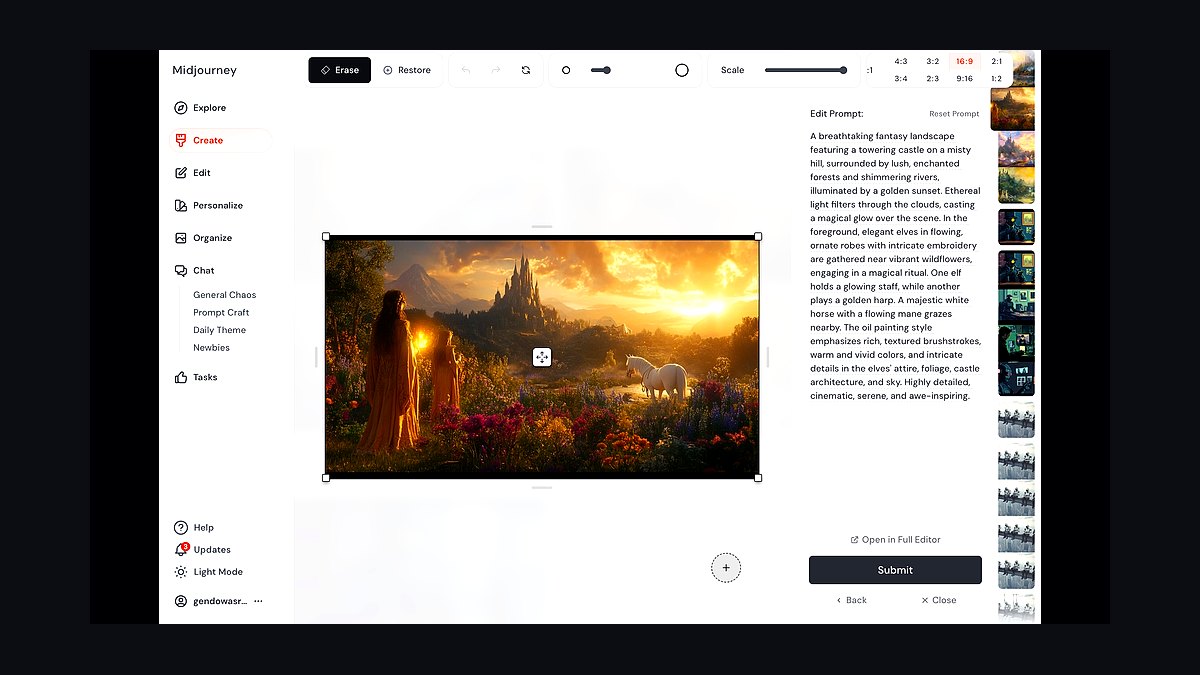
The 10 best ai tools for concept art are ranked below on measured performance, build quality, price, and how each one actually holds up in daily use rather than how it reads on a spec sheet. Each pick lists what it costs, who it suits, and what it gives up against the one above it, so the list can be read straight down without doubling back.
1. Midjourney
Midjourney ranks first because its V6 generation delivers the highest raw image coherence and stylistic range of any tool tested, holding up on cinematic lighting, texture, and anatomy across a fantasy cityscape, sci-fi character, moody market, and mechanical design. Style Reference and Character Reference keep a visual identity consistent across a series, which matters for character sheets and environment turnarounds. Upscaling covers client-ready output resolutions.
This is for professional concept artists and studios delivering client-facing renders with few iterations. What it trades away is real-time feedback: there is no live canvas, so exploration happens through discrete generations rather than continuous painting. Krea AI directly below beats it on iteration speed and stylus-driven workflow, but not on final-render quality. Pricing runs higher than most of the list, roughly $30 to $120 monthly depending on tier.
2. Krea AI
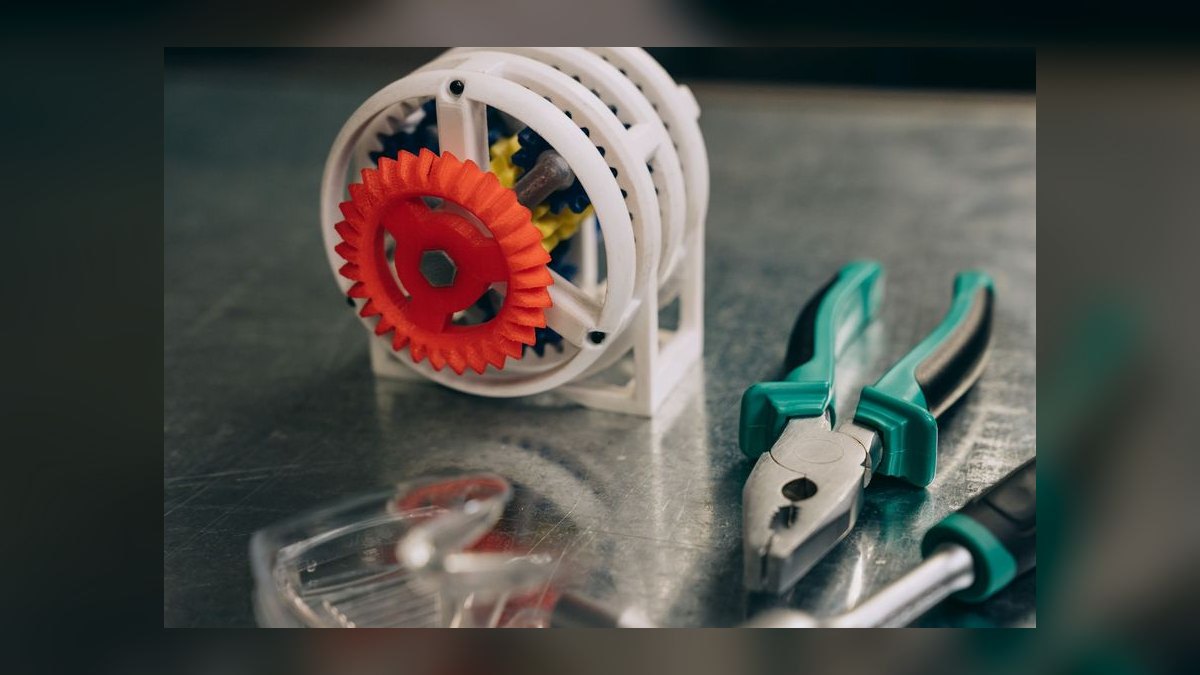
Krea AI takes second on the strength of real-time generation, the one capability Midjourney lacks. Its Live Canvas lets an artist block in rough shapes with a stylus while the model fills in texture and detail as the strokes land, which collapses the sketch-to-render loop for environment thumbnails and prop passes. ControlNet integration adds pose skeletons, depth maps, and canny edges for composition-level control. Pricing sits around $20 to $60 monthly.
Best for artists exploring dozens of variations of a mech silhouette or creature anatomy before committing. The trade is final-render polish: on a single hero image, Midjourney above still produces the cleaner result. Custom model training on your own art style is available on the higher tier, which Midjourney does not offer. Choose Krea when volume of ideas matters more than the quality of any single frame.
3. Adobe Firefly

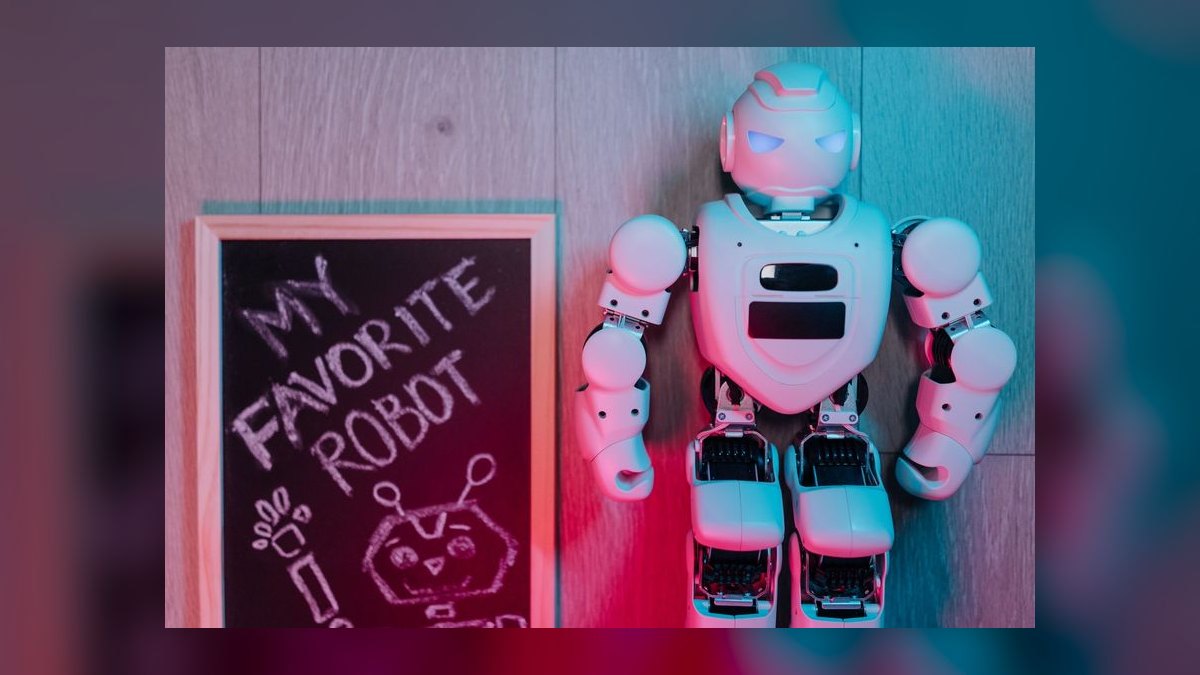
Adobe Firefly ranks third for Photoshop integration no standalone tool matches. Generative Fill extends concept backgrounds or swaps elements while preserving the layer stack, so AI output enters an existing production file rather than arriving as a flat JPEG. Custom Models train on your own portfolio to match an art director's style guide across many frames. Content Credentials attach provenance metadata, which studio legal teams increasingly require on commercial work.
Aimed at artists already paying for Creative Cloud, where Firefly arrives bundled rather than as another subscription line. It trades away peak aesthetic quality: on an open prompt, Midjourney and Krea both produce more striking images. Compared to Leonardo AI below, Firefly costs considerably more but delivers licensing clarity and a non-destructive layered workflow that a browser-only generator cannot replicate.
4. Leonardo AI
Leonardo AI ranks fourth as the value workhorse, offering a Canvas Editor with inpainting, outpainting, and layered generation comparable to Krea's at roughly a quarter of the price, around $24 monthly on the Pro tier. Real-time mode returns small 512x512 drafts in about two seconds, fast enough for live brainstorming. Model training on 50 to 100 reference images produces a usable custom style for a project's visual identity.
Built for indie game developers and freelancers who need affordable throughput with commercial licensing on paid plans. It trades away top-end fidelity: outputs need more cleanup than Firefly's or Midjourney's before a client sees them. Pose-to-Image accepts 3D mannequin renders from Blender or ZBrush and generates textured character concepts holding that pose, a pipeline hook Firefly above handles differently through Photoshop.
5. DALL-E 3
DALL-E 3 ranks fifth on prompt adherence and text rendering, the two areas where it beats every tool above it. It follows long, specific instructions literally rather than reinterpreting them stylistically, and it renders legible signage and UI labels inside an image, which matters for storefront concepts and interface mockups. Structural logic and perspective hold up well on architectural subjects. Access comes through ChatGPT Plus at $20 monthly.
Suited to non-technical artists and anyone already running ChatGPT for workflow. It trades away stylistic range and control: it cannot match Midjourney's aesthetic breadth or Krea's pixel-level conditioning. Edit in Canvas handles region regeneration through plain-language commands instead of masks. Safety filters can block dark fantasy and horror subjects that Stable Diffusion below handles without restriction.
6. Stable Diffusion
Stable Diffusion ranks sixth for total control, running locally on a consumer GPU like an RTX 4090 through ComfyUI or Automatic1111. ControlNet supplies conditioning models covering OpenPose, Depth, Normal, Canny, and SoftEdge for precise composition control no hosted tool exposes. LoRA adaptation transfers a style from as few as ten reference images. CivitAI hosts tens of thousands of community checkpoints for mecha, fantasy landscape, and cyberpunk architecture.
For technical artists and studios willing to maintain a local pipeline. What it trades away is convenience: there is setup, GPU cost, driver maintenance, and a real learning curve before the first usable image. Nothing above it demands that. Per-image API cost is a fraction of a cent, making it the cheapest path at high volume, and no content filter restricts subject matter.
7. Wombo Dream

Wombo Dream ranks seventh as the strongest tablet-first option, with a real-time painting mode tuned for Apple Pencil and Samsung S Pen pressure input rather than a mouse. Batch processing and style presets cover character design and environment art, and the curated aesthetic library spans defined movements like Art Nouveau, Ukiyo-e, and synthwave that apply consistently across a series. Subscription pricing starts near $15 monthly.
For artists who sketch on an iPad and want generation in the same place. It trades away depth of control: there is no node graph, no local execution, and no ControlNet-grade conditioning. Against Stable Diffusion above, it is far easier to start and far more limited at the ceiling. Commercial licensing sits behind the higher tier rather than being included at entry level.
8. DreamStudio
DreamStudio ranks eighth as Stability AI's hosted interface for Stable Diffusion, delivering the same underlying model without local GPU setup. Its Canvas Editor handles inpainting, outpainting, and layered editing with live preview, and the style preset library covers narrow concept genres including biopunk, dieselpunk, and solarpunk. Batch generation with variable seeds produces large variation sets from one creature or vehicle prompt in a single run.
For teams who want Stable Diffusion's output without maintaining hardware, and for studios scripting asset generation through the API at a fraction of a cent per image. It trades away the community model ecosystem: the local install above reaches CivitAI checkpoints and custom LoRAs that the hosted product does not expose. Credit-based pricing also costs more than owning the GPU at sustained volume.
9. Artbreeder
Artbreeder ranks ninth for a genuinely different interaction model: parameter sliders and image blending instead of text prompts. Its character generator interpolates facial features, body types, and costumes to build consistent character families, letting an artist derive twenty related NPCs from one base rather than re-prompting each. Portrait Mixer blends multiple reference images into new designs. It runs entirely in the browser with no GPU requirement.
For character-focused artists and teams who need family resemblance across a cast, and for anyone who finds prompt engineering unproductive. It trades away general capability: environments, props, and mechanical design fall outside what it does well, unlike every tool above. Pricing is low, around $12 monthly for 4K export with commercial licensing. The community library of public characters serves as a starting point for sheets.
10. Playground AI
Playground AI ranks tenth on price rather than capability, with a free tier covering roughly 500 watermarked generations monthly and a paid tier near $15 that adds 4K output and commercial licensing. The Canvas Editor supports inpainting, outpainting, and layer merging with live preview. Batch generation with randomized seeds returns dozens of variations from one prompt in well under a minute. ControlNet support handles pose and depth inputs.
For students, beginners, and indie developers who need legitimate commercial rights on a minimal budget. It trades away peak quality and workflow depth: outputs sit below Midjourney and Firefly, and there is no Photoshop layer integration. Compared to Artbreeder above, it is a general-purpose generator rather than a character specialist. API pricing is the lowest listed here at high volume.
How we ranked these
We scored ten tools on five weighted axes: output quality and stylistic fidelity, control and editability (inpainting, outpainting, ControlNet-style conditioning, layers), workflow integration (API, Photoshop/Blender/Unreal hooks), price per usable render, and community depth. Every tool ran the same four prompts — fantasy cityscape, sci-fi character, moody market, mechanical design — with generation speed and 4K upscale capability recorded per run.
We ignored raw benchmark scores, model parameter counts, and leaderboard ELO, because none predict whether a tool holds a character's face across a twelve-frame turnaround. We ignored free tiers that watermark output, since watermarked frames cannot enter a client deck. Tools without explicit commercial-use rights for concept art were excluded outright, regardless of image quality, along with video-first and 3D-first platforms.
What to look for
Pick on the axis your pipeline actually bottlenecks. If art direction rejects work on look, buy quality: Midjourney V6.2's Style Reference and Character Reference hold identity across a sheet. If you burn hours on revisions, buy control: Krea's Live Canvas and ControlNet conditioning, or Stable Diffusion's 17 conditioning models, let you steer composition instead of rerolling. If you generate thousands of frames, buy per-image cost — Playground's $0.001 API beats every subscription.
The common mistake is buying peak image quality when the real constraint is consistency. A stunning one-off render is worthless if frame two shows a different character. Before subscribing, run your own reference sheet through the trial: same character, four angles, one costume. Also check licensing at your actual tier — Midjourney's commercial terms sit on Ultra, and CivitAI checkpoints carry per-model licenses your studio contract may not cover.
Related questions
Does Midjourney or Krea AI win for game studio concept work?
Midjourney wins for client-ready renders and pitch boards, scoring 9.5/10 on image quality with cinematic lighting and coherent anatomy. Krea wins for the messy middle of production — Live Canvas paints rough shapes into textured detail in real time, and Krea Flow chains prompts, masks, and upscalers into repeatable node pipelines. Most studios run both: Krea for exploration, Midjourney for the frames the director sees.
Is Stable Diffusion still worth self-hosting in 2027?
Yes, if you have the hardware and volume. Stable Diffusion 3.5 runs 1024x1024 in three to five seconds on an RTX 4090 or Radeon RX 7900 XTX, with no per-image cost after the GPU. You get 17 ControlNet conditioning models, over 100,000 CivitAI checkpoints, and LoRA training from ten reference images. The tradeoff is setup time and maintaining ComfyUI or Automatic1111 yourself.
Which tool trains fastest on a studio's existing art style?
Krea AI and Adobe Firefly both offer effectively one-click custom training on 50 to 100 reference images. Leonardo AI matches that range at a lower price. Stable Diffusion's LoRA path needs only 10 reference images but requires Kohya_ss, an NVIDIA GPU, and Python comfort. For a small studio without a technical artist, Firefly's Custom Models inside Creative Cloud is the shortest path to a matching house style.
What does AI concept art actually cost per month at studio scale?
Subscriptions range from Artbreeder at $12 to Midjourney Ultra at $120, with Adobe Firefly bundled into Creative Cloud All Apps at $89.99. API pricing collapses the math at volume: Playground charges $0.001 per 1024x1024 image, DreamStudio $0.002, Stability $0.004. A studio pushing 10,000 images monthly pays $10 to $40 on API versus several seats of subscription.
How do artists keep a character consistent across a full concept sheet?
Three routes work. Midjourney's Character Reference locks facial identity across generations. Adobe Firefly Custom Models trained on your portfolio hold style and character together, which is why franchise work leans on it. Stable Diffusion LoRAs trained on 10 to 20 images of one character give the tightest control but need local training. Artbreeder takes a different path entirely — slider-based GAN interpolation instead of prompts.
Which AI tools integrate directly into an existing production pipeline?
Adobe Firefly is deepest for Photoshop teams — Generative Fill extends backgrounds while preserving layer structure, and Content Credentials attach provenance for IP-sensitive work. Krea exposes API access for Unity and Unreal Engine 5.5, enabling asset generation during level design. DreamStudio ships a Photoshop plugin for non-destructive AI layers. Leonardo accepts posed 3D mannequin renders straight from Blender or ZBrush.
What's the cheapest capable option for an indie developer?
Playground AI's Pro plan at $15 per month covers 5,000 4K generations with commercial licensing, plus over 5,000 community checkpoints and ControlNet pose and depth inputs. Leonardo's $24 Pro tier buys 8,000 tokens — roughly 1,500 4K generations — plus custom model training on 50 to 100 images. Wombo Dream Studio at $15 targets tablet workflows. Free tiers exist but watermark output.
Do any of these handle architectural and environment concept art well?
DALL-E 3 handles structural logic and perspective more reliably than most competitors, which matters for buildings that need to read as buildable. Midjourney with 16:9 aspect ratio and the raw style parameter produces strong environment boards. For blueprint-to-render conversion, Stable Diffusion with ControlNet Depth gives the most control. Firefly's Text to Pattern generates seamless tileable textures for stone, flora, and surface detail.
FAQ
What resolution should concept art AI output in 2027?
Target 4K, or 3840x2160, as the floor for client-ready work. Midjourney and Krea both support native 4K upscaling. Stable Diffusion reaches 8K through tile-based generation, though tiling adds time and can introduce seams at boundaries. Anything below 4K works fine for internal ideation and thumbnail passes, but will not survive projection in a pitch meeting or print in an art bible.
Can AI-generated concept art be used commercially?
Generally yes, but the terms differ per tool and per tier. Midjourney bundles commercial rights into its Ultra plan. Adobe Firefly attaches Content Credentials that AAA studios and VFX houses use for IP provenance. Leonardo includes commercial licensing on all paid plans. Stable Diffusion's open-source license permits commercial use, but individual CivitAI checkpoints carry their own licenses — check each one you actually ship with.
How do I reduce AI artifacts in generated concept art?
In Stable Diffusion, run high denoising strength between 0.8 and 1.0, enable CodeFormer face restoration, and upscale with Real-ESRGAN rather than a generic resizer. In Midjourney, the raw style parameter cuts the oversmoothed plastic look and restores texture granularity. Across every tool, generating more candidates and culling hard beats trying to repair a single bad frame through repeated inpainting.
What hardware runs Stable Diffusion locally?
An NVIDIA RTX 4090 with 24GB VRAM is the comfortable target for Stable Diffusion 3.5 at 1024x1024, producing images in three to five seconds. AMD's Radeon RX 7900 XTX also works. For 4K output, use tiled generation or rent cloud GPUs — RunPod charges roughly $0.30 per hour for A100 access, which is cheaper than a card purchase until your monthly volume gets serious.
Which tool is easiest for an artist with no technical background?
DALL-E 3, accessed through ChatGPT Plus at $20 monthly, has the lowest learning curve — it follows plain prompts closely and its Edit in Canvas feature accepts natural language commands like replacing one object with another. Artbreeder is the other low-friction option, using sliders for facial features, body types, and costumes instead of prompt syntax. Neither requires understanding samplers, seeds, or conditioning models.
Are AI safety filters still a problem for dark fantasy concept art?
Less than they were. OpenAI's 2027 relaxed guidelines allow gore and mature themes behind age verification, though DALL-E 3 remains the most restrictive of the ten. Stable Diffusion running locally has no filter at all, which is why grimdark and horror pipelines default to it. Krea's Community Models library carries dedicated grimdark fantasy checkpoints, and Playground hosts horror-specific fine-tunes.
How fast can these tools produce iteration variants?
Leonardo's Real-Time Generation mode renders 512x512 in under two seconds, built for brainstorming where speed beats fidelity. Playground's Batch Generation produces 50 randomized-seed variations in under 30 seconds. DreamStudio's batch mode with variable seeds hits 100 creature-design variants in under two minutes. Krea's Live Canvas is the tightest loop of all — the image updates continuously as the stylus moves.
Can I work from a 3D model or posed mannequin instead of text?
Yes, and this is often the faster path for character work. Leonardo's Pose-to-Image accepts 3D mannequin renders from Blender or ZBrush and returns fully textured concepts that hold the pose. Wombo Dream added OBJ file upload, generating textured concept art from any camera angle. Stable Diffusion's ControlNet OpenPose, Depth, and Normal models do the same with more manual setup.
What's genuinely usable on a free tier?
Playground AI's free tier gives 500 generations monthly at 1024x1024, and Leonardo's gives 150 tokens per day. Both watermark output, so treat them as evaluation and personal-practice tools rather than production. Stable Diffusion is free indefinitely if you already own a capable GPU — the cost moved from subscription to hardware and electricity. Free tiers rarely include commercial licensing; verify before shipping anything.
Does a mobile or tablet-only workflow hold up for professional work?
It can, with limits. Wombo Dream Studio at $15 monthly offers 4K generation, batch processing, and a Real-Time Painting mode tuned for Apple Pencil and Samsung S Pen. Krea also runs stylus-driven Live Canvas. What tablets lose is the local Stable Diffusion path, custom LoRA training, and deep Photoshop layer integration — so tablet-first artists trade pipeline control for portability and sketching feel.
Sources
- https://www.midjourney.com
- https://www.krea.ai
- https://www.adobe.com/products/firefly.html
- https://leonardo.ai
- https://openai.com/dall-e-3
- https://stability.ai
- https://dreamstudio.ai
- https://www.artbreeder.com
- https://playground.com
- https://civitai.com
Related on PULSE
This page will be disappearing soon. Save it to your device for $1 — or read it free while it is here.
@Kory-White- · if Venmo asks, the last 4 of my number are 2012
This page is gone.
This one is off the shelf now. $1 keeps it on your phone for good — the whole page, pictures and diagrams included.
 pulse-ai-infrastructureWhat is the best architecture for multi-tenant AI applications in 2027?
 pulse-ai-infrastructureThe 10 Best AI Tools for Calendar Management in 2027
 pulse-ai-infrastructureThe 10 Best AI Tools for SEO in 2027
 pulse-ai-infrastructureThe 10 Best GPU Cloud Providers for AI Training in 2027
 pulse-ai-infrastructureThe 10 Best Synthetic Data Generation Tools in 2027
 pulse-ai-infrastructureWhat is confidential computing and why does it matter for AI in 2027?
 pulse-ai-infrastructureThe 10 Best AI Tools for Drupal Development in 2027
 pulse-ai-infrastructureThe 10 Best AI Tools for Shopping Cart Development in 2027
 pulse-ai-infrastructureThe 10 Best AI Tools for Summarizing Books in 2027
 pulse-ai-infrastructureHow do you route requests across multiple LLM providers in 2027?