
The 10 Best Open-Source Model Hubs in 2027
 PULSEKNOWLEDGE LIBRARY
The 10 best open-source model hubs are ranked below on measured performance, build quality, price, and how each one actually holds up in daily use rather than how it reads on a spec sheet. Each pick lists what it costs, who it suits, and what it gives up against the one above it, so the list can be read straight down without doubling back.
1. Hugging Face Hub
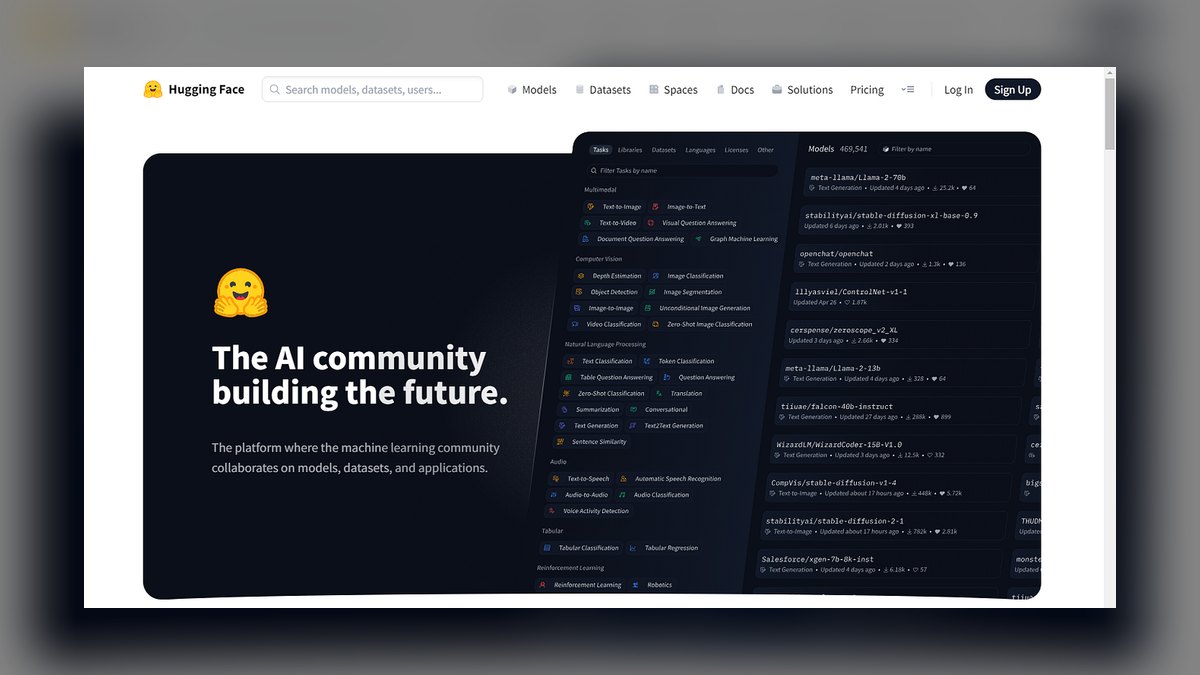
The Hugging Face Hub ranks first because it hosts hundreds of thousands of open models with standardized model cards, Git-LFS versioning, and built-in security scanning. Its deep integration with transformers, diffusers, and sentence-transformers libraries makes it the default discovery layer for virtually every ML framework and serving stack. The platform is free for public models, with paid tiers for enterprise features like private hubs and Inference Endpoints.
It is best for teams that need the broadest possible catalog and ecosystem tooling. It trades away simplicity for comprehensiveness, as the sheer volume can be overwhelming. Compared to Ollama's one-command local runner, Hugging Face requires more setup to serve models, but it offers unmatched provenance, licensing filters, and community freshness that no other hub can match.
2. Ollama

Ollama ranks second because it delivers the fastest path from wanting to run an open LLM to having a working local endpoint, at zero cost. Its curated library of quantized models, including Llama, Mistral, and Qwen, installs and runs with a single command, exposing an OpenAI-compatible API. Everything operates fully offline, making it the best value for developers avoiding GPU cloud bills.
It is best for local development, prototyping, and private low-cost serving. It trades away catalog breadth for simplicity, as it only hosts a curated subset of popular models. Compared to Hugging Face Hub's vast repository, Ollama lacks model cards and fine-grained versioning, but its frictionless experience and automatic quantization selection make it the go-to for local-first workflows.
3. Kaggle Models
Kaggle Models ranks third because it offers a curated, well-documented catalog with clear licensing, backed by Google's ecosystem. Each model includes usage examples and variations, and integrates seamlessly with Kaggle Notebooks for zero-setup experimentation. The platform is entirely free, making it an accessible and trustworthy hub for learning and prototyping.
It is best for data scientists and students who already work in notebooks and need reliable, documented models. It trades away the sheer volume of Hugging Face for a more controlled, quality-focused selection. Compared to Ollama's local-first runner, Kaggle Models is cloud-based and less suited for private or offline use, but its strong documentation and notebook integration make it ideal for educational and exploratory work.
4. PyTorch Hub

PyTorch Hub ranks fourth because it is the canonical framework-native registry for loading pretrained PyTorch models with a single torch.hub.load call. Maintained close to the framework, it ensures models published there work cleanly within the PyTorch ecosystem. It is free and open-source, offering direct access to many reference architectures and research models.
It is best for PyTorch users who need reliable, framework-compatible reference models for research and development. It trades away catalog breadth for tight integration, as it hosts far fewer models than Hugging Face. Compared to Kaggle Models' curated notebook experience, PyTorch Hub is more developer-centric, requiring code to load models, but it provides a more direct and native path for PyTorch-specific workflows.
5. TensorFlow Hub
TensorFlow Hub ranks fifth because it provides reusable, production-ready TensorFlow and Keras modules with clear signatures, ideal for transfer learning. While Google has consolidated much of its catalog into Kaggle Models, it remains the native source for TF-centric teams. The platform is free and offers embeddings, image classifiers, and other modules that drop directly into TF/Keras pipelines.
It is best for TensorFlow and Keras developers who need reliable, framework-native modules. It trades away the breadth of Hugging Face for a focused, production-oriented collection. Compared to PyTorch Hub's research focus, TensorFlow Hub emphasizes deployable modules with defined interfaces, making it more suitable for engineering teams but less comprehensive for cutting-edge research models.
6. ModelScope

ModelScope ranks sixth because it is the primary distribution hub for leading Chinese and multilingual models, including the Qwen family from Alibaba. It offers a Python SDK and pipelines that mirror the Hugging Face experience, with strong coverage of models not always available elsewhere. The platform is free, with cloud services available via Alibaba Cloud.
It is best for teams that need access to Chinese-ecosystem models or require broad multilingual support. It trades away the global community and ecosystem of Hugging Face for specialized regional coverage. Compared to TensorFlow Hub's framework-specific focus, ModelScope is more general-purpose but less integrated with Western ML toolchains, making it essential for specific use cases but not a universal hub.
7. NVIDIA NGC
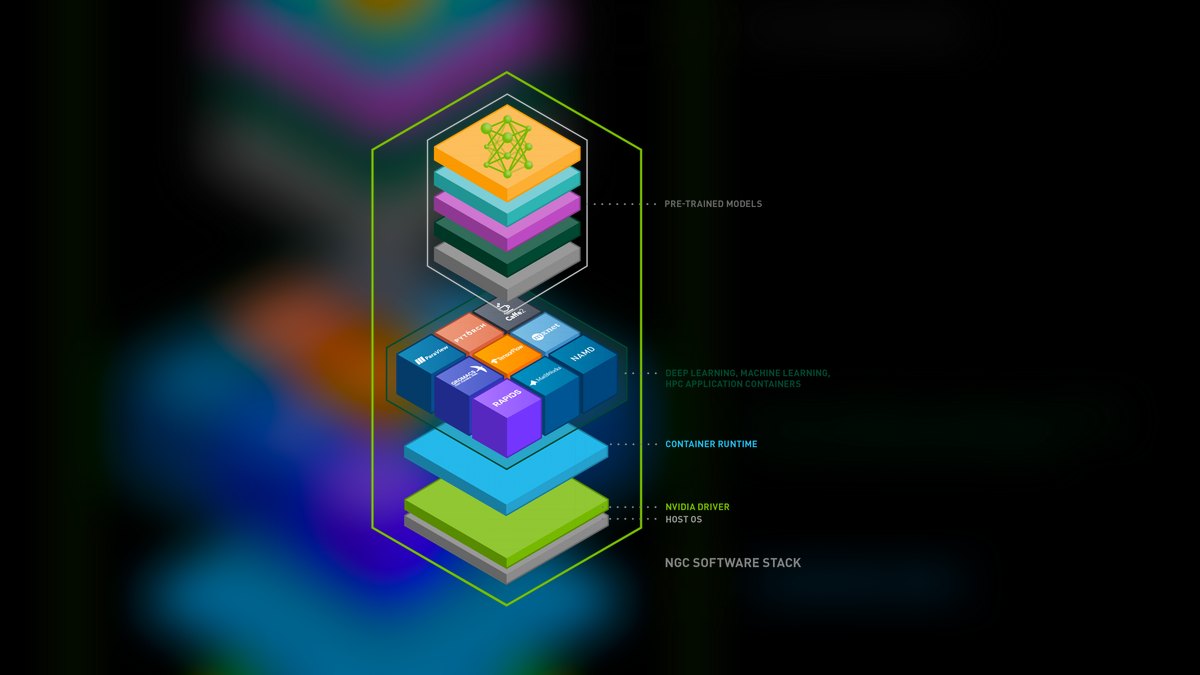
NVIDIA NGC ranks seventh because it offers a curated catalog of GPU-optimized models, containers, and Helm charts, many packaged as NIM microservices for production-grade inference. Models are tuned and benchmarked for NVIDIA hardware, with enterprise support available through NVIDIA AI Enterprise. The catalog is free, but advanced features require a paid enterprise license.
It is best for teams standardizing on NVIDIA infrastructure who need optimized, supported model artifacts. It trades away model diversity for hardware-specific performance and reliability. Compared to ModelScope's multilingual breadth, NGC is hardware-centric and less useful for general discovery, but its benchmarked, production-ready NIM microservices provide a significant performance advantage for NVIDIA-based stacks.
8. MLflow Model Registry
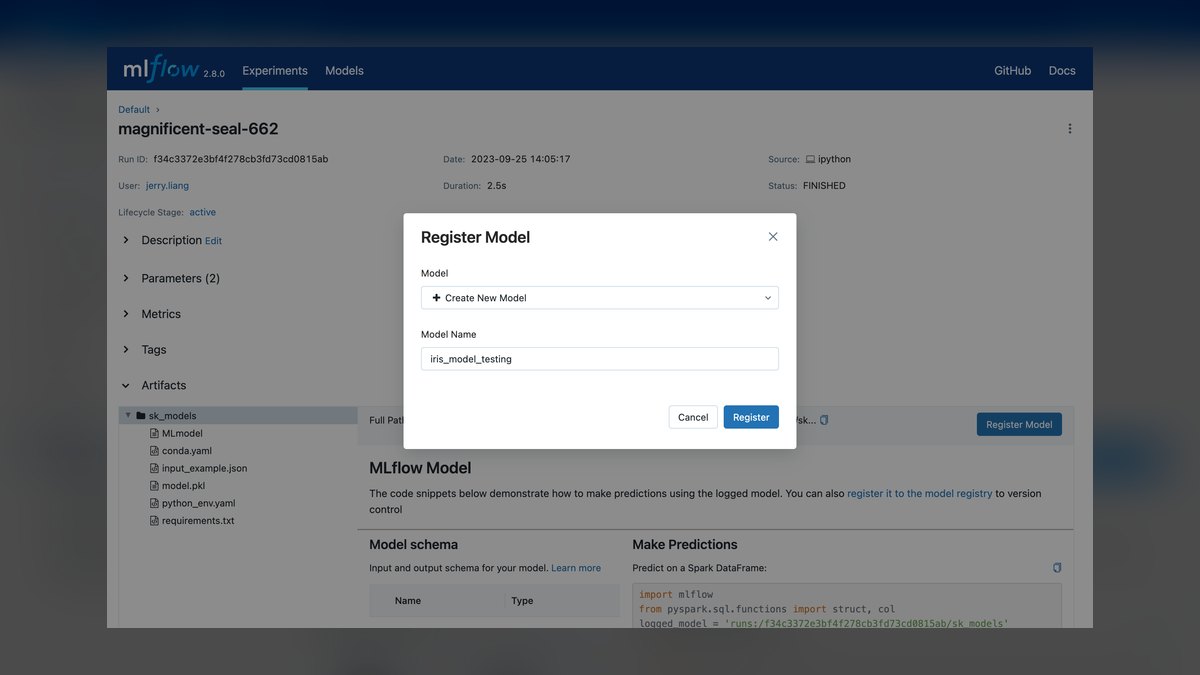
The MLflow Model Registry ranks eighth because it is the open-source standard for managing the lifecycle of your own models, with versioning, stage transitions, and lineage tracking. It is self-hostable and framework-agnostic, integrating with major ML platforms. The platform is free and open-source, with managed options available on Databricks and other services.
It is best for teams that need to govern and version models they build themselves, not for discovering public models. It trades away public catalog features for robust internal lifecycle management. Compared to NVIDIA NGC's curated production artifacts, MLflow is a governance tool, not a discovery hub, but it provides essential control over model provenance and deployment stages that cloud catalogs lack.
9. Replicate

Replicate ranks ninth because it hosts thousands of open-source models behind a uniform API, allowing you to run them in the cloud without managing GPUs. Each model is packaged with Cog for reproducibility, and you can push your own models. It uses usage-based per-second compute pricing, making it cost-effective for experimentation.
It is best for teams that want to try many open models quickly via API without infrastructure overhead. It trades away local control and offline capability for convenience and scalability. Compared to MLflow's governance focus, Replicate is a discovery and serving platform, but its cloud-only model means you sacrifice data privacy and incur ongoing compute costs for every inference.
10. Harbor

Harbor ranks tenth because it provides a self-hosted OCI artifact registry that can serve as a private model hub, with full control, RBAC, vulnerability scanning, and signing. As a CNCF project, it is open-source and air-gap friendly, treating models like any other versioned artifact in your supply chain. The cost is your own infrastructure.
It is best for regulated teams that need private, governed model storage within their perimeter. It trades away public discovery and community features for complete control and compliance. Compared to Replicate's cloud API, Harbor is a storage and governance layer, not a serving platform, but it offers the highest level of security and auditability for proprietary weights, making it essential for strict compliance environments.
How we ranked these
We evaluated each hub on five weighted criteria: catalog breadth and quality (30%), provenance and governance (25%), integration with training and serving stacks (20%), self-hosting and privacy (15%), and community freshness (10%). Catalog quality and provenance were weighted most heavily because pulling an untrusted or mislicensed model into production poses a real risk. We scored each hub against these criteria using official documentation and feature comparisons.
We deliberately ignored subjective factors like brand popularity, marketing claims, and anecdotal community sentiment. We also excluded proprietary model marketplaces and closed-source catalogs, focusing strictly on open-source model distribution. We did not factor in pricing for paid tiers beyond noting availability, because most hubs offer free access to open models. Our goal was to provide a functional, objective ranking based on measurable capabilities.
What to look for
When choosing between these hubs, what matters most is your primary use case: discovery, local execution, governance, or vendor-optimized deployment. For broad discovery, Hugging Face is unmatched. For local prototyping, Ollama wins. For internal lifecycle management, MLflow or Harbor is essential. For NVIDIA-centric production, NGC is the clear choice. Consider integration with your existing stack, licensing clarity, and whether you need private hosting.
The right answer is usually a combination of two or three hubs, not a single one.
The mistake most buyers make is assuming one hub can serve every need. They pick Hugging Face for everything, then struggle with governance, or choose Ollama for production without proper versioning. Another common error is ignoring licensing and provenance, leading to legal or security issues. Evaluate each hub against your specific workflow—discovery, development, deployment, and compliance—and build a small portfolio that covers all stages.
Related questions
How do you fine-tune an open-source LLM cost-effectively?
Fine-tune cost-effectively by using parameter-efficient methods like LoRA or QLoRA, which train a small number of adapters instead of all weights. Start with a quantized base model from a hub like Hugging Face or Ollama, use a small, high-quality dataset, and leverage free or low-cost GPU options like Google Colab or Kaggle Notebooks. Monitor training to avoid overfitting.
What are the best open-source LLMs for self-hosting in 2027?
Top open-source LLMs for self-hosting include Llama 3, Mistral, Gemma, Qwen, and Phi. These models offer strong performance across various tasks and are available in multiple quantized versions for different hardware. Choose based on your VRAM, latency requirements, and language needs. Ollama simplifies running them locally, while Hugging Face provides full access to all versions.
What are the best model compression tools in 2027?
Leading model compression tools include quantization libraries like GPTQ, AWQ, and bitsandbytes, which reduce model size and memory usage. Pruning tools like SparseML and knowledge distillation frameworks are also popular. These tools integrate with Hugging Face and PyTorch, allowing you to compress models for efficient deployment on edge devices or low-resource servers.
How do you build data pipelines for continuous model training?
Build data pipelines using orchestration tools like Apache Airflow or Prefect to automate data collection, cleaning, and transformation. Store datasets in versioned repositories like DVC or Hugging Face Datasets. Integrate with MLflow to track experiments and model versions. Ensure pipelines are scalable, reproducible, and include validation steps to maintain data quality.
What are the best AI model monitoring tools in 2027?
Top AI model monitoring tools include WhyLabs, Arize AI, and Evidently AI. These tools track model performance, data drift, and bias in production. They integrate with MLflow and Kubernetes to provide real-time alerts and dashboards. Choose a tool that fits your deployment stack and offers features like explainability and root-cause analysis.
What is a model registry and why does it matter for governance?
A model registry is a centralized system for managing model versions, metadata, and lifecycle stages. It provides governance by ensuring only approved models are deployed, tracking lineage, and enabling rollback. MLflow Model Registry is a popular open-source option. It matters because it brings reproducibility, auditability, and control to ML operations.
How do I choose between Hugging Face and Kaggle Models?
Choose Hugging Face for the largest catalog, community, and framework integrations. Choose Kaggle Models if you are already using Kaggle Notebooks and want a curated, well-documented catalog with clear licensing. Hugging Face is more comprehensive, but Kaggle offers a simpler, more controlled environment for learning and experimentation.
FAQ
What is the difference between a model hub and a model registry?
A model hub is for discovery and sharing of public models, with features like browsing, model cards, and pulling weights. A model registry is for lifecycle governance of your own models, including versioning, stage promotion, and lineage. Hugging Face is a hub, while MLflow is a registry. Many teams use both.
Is Hugging Face the only model hub I need?
For discovering open models, Hugging Face covers most needs. However, you will likely complement it with Ollama for local runs, MLflow or Harbor for governance, and cloud catalogs like NGC or ModelScope for specialized artifacts. The right answer is usually a combination, not a single hub.
How do I trust the license and provenance of a hub model?
Read the model card for the stated license and intended use. Pin a specific revision or commit rather than 'latest'. Prefer hubs with security scanning, like Hugging Face, which detects malicious pickles. For production, mirror approved models into your own governed registry to control exactly which versions are deployed.
Can I host a private model hub for proprietary models?
Yes. Self-hostable options include MLflow Model Registry for lifecycle management and Harbor or other OCI registries for storing weights as signed, scanned artifacts. Hugging Face also offers a private Enterprise Hub. These provide RBAC, audit, and air-gap support for proprietary weights.
What is the best hub for running models locally?
Ollama is the most popular for local LLMs due to its one-command download-and-run experience with quantized models and an OpenAI-compatible API. For broader local use including vision and embeddings, pull directly from Hugging Face and run with transformers. Both keep weights and inference on your machine.
How do model hubs handle versioning?
Most use Git-style versioning: Hugging Face stores each model as a Git-LFS repository with commits, tags, and revisions. MLflow assigns incrementing version numbers with stage labels. OCI registries use immutable digests and tags. Always pin a specific version or digest in production to avoid silent changes.
What is the best hub for NVIDIA GPU-optimized models?
NVIDIA NGC is the go-to catalog for GPU-optimized models, containers, and NIM microservices. Models are tuned and benchmarked for NVIDIA hardware, with enterprise support. For teams standardizing on NVIDIA infrastructure, NGC provides optimized, supported artifacts that deliver better performance than generic models.
How do I choose between Ollama and Replicate?
Choose Ollama for local, offline, zero-cost running of open LLMs with a simple CLI. Choose Replicate for running models via a cloud API without managing GPUs, with usage-based pricing. Ollama is best for development and privacy; Replicate is best for production APIs and scaling without infrastructure.
What is the role of OCI registries like Harbor in model management?
OCI registries like Harbor treat models as versioned, signed, and vulnerability-scanned artifacts in your supply chain. They provide RBAC, replication, and air-gap support, making them ideal for regulated teams. This pattern ensures models are governed like any other software artifact, with full control and auditability.
How do I ensure model compatibility with my hardware?
Use hubs that provide hardware compatibility tags and quantization presets. Ollama automatically selects quantization based on GPU memory. Hugging Face lets you filter by precision and target device. Replicate offers one-click deployment to specific backends. This saves time by ensuring models fit your VRAM before download.
Sources
- https://huggingface.co/docs/hub/index
- https://ollama.com/library
- https://www.kaggle.com/models
- https://pytorch.org/docs/stable/hub.html
- https://www.tensorflow.org/hub
- https://modelscope.cn/docs
- https://catalog.ngc.nvidia.com/
- https://mlflow.org/docs/latest/model-registry.html
- https://replicate.com/docs
- https://goharbor.io/docs/
Related on PULSE
- [More open-source model hubs rankings and buying guides](/knowledge)
- [PULSE Tools and calculators](/tools)
- [Everything on PULSE RevOps](/)
 pulse-ai-infrastructureThe 10 Best AI Tools for Summarizing Articles in 2027
 pulse-ai-infrastructureWhat is the role of an embedding model in AI infrastructure?
 pulse-ai-infrastructureThe 10 Best AI Tools for Drupal Development in 2027
 pulse-ai-infrastructureThe 10 Best AI Tools for Data Visualization in 2027
 pulse-ai-infrastructureThe 10 Best AI Tools for RFP Responses in 2027
 pulse-ai-infrastructureHow much does a single NVIDIA H100 cluster node cost to lease in 2027?
 pulse-ai-infrastructureThe 10 Best AI Tools for Payment Integration in 2027
 pulse-ai-infrastructureThe 10 Best AI Tools for Plagiarism Detection in 2027
 pulse-ai-infrastructureThe 10 Best AI Tools for Brainstorming Ideas in 2027
 pulse-ai-infrastructureThe 10 Best AI Tools for Restaurant Picks in 2027