
The 10 Best GPU Monitoring Tools in 2027
 Curated byKory White · Fractional CRO · Maryland
 PULSEKNOWLEDGE LIBRARY
Quality
Certified
The 10 best gpu monitoring tools are ranked below on measured performance, build quality, price, and how each one actually holds up in daily use rather than how it reads on a spec sheet. Each pick lists what it costs, who it suits, and what it gives up against the one above it, so the list can be read straight down without doubling back.
1. NVIDIA DCGM with dcgm-exporter
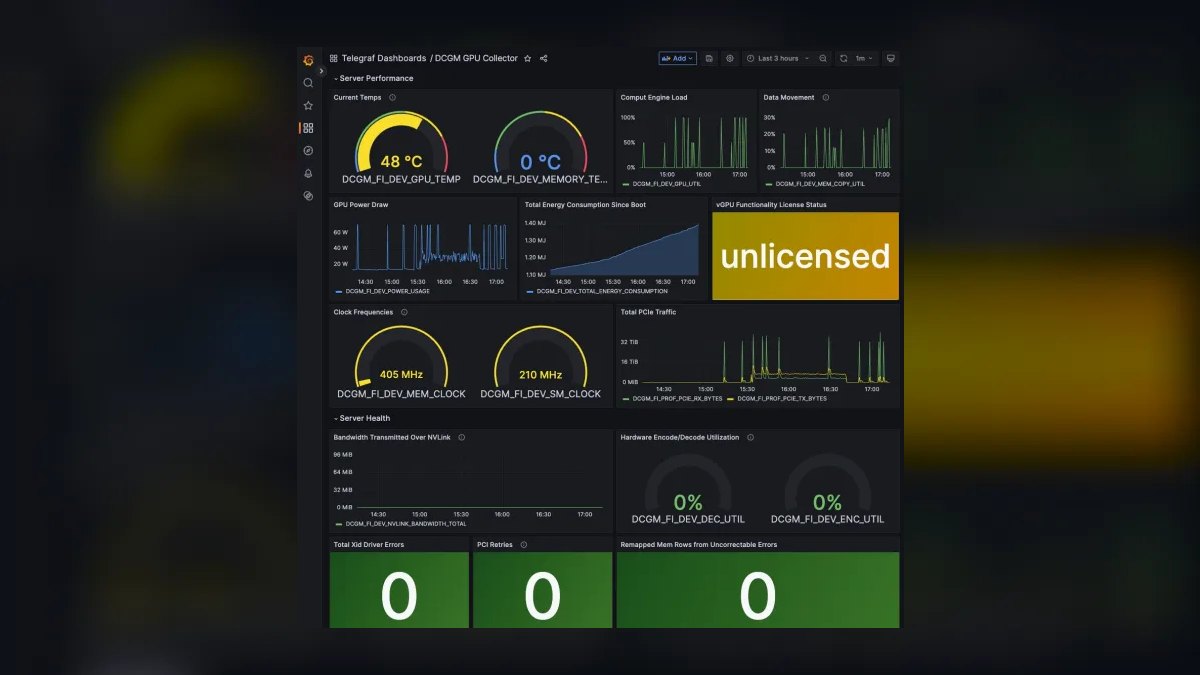
NVIDIA DCGM with dcgm-exporter ranks first because it exposes over 200 raw hardware telemetry metrics, including SM occupancy, tensor core activity, NVLink traffic, and ECC error counts, which no other tool matches in depth. It is the vendor-native standard, free to use, and integrates directly with Prometheus and Grafana for unlimited GPU scaling.
This tool is for platform teams and SREs with dedicated operational expertise, as it requires manual tuning of scrape intervals, retention policies, and alerting rules. It trades away convenience for control, demanding a self-hosted stack that costs $200-400/month in cloud compute for 50 GPUs.
2. Prometheus with Grafana
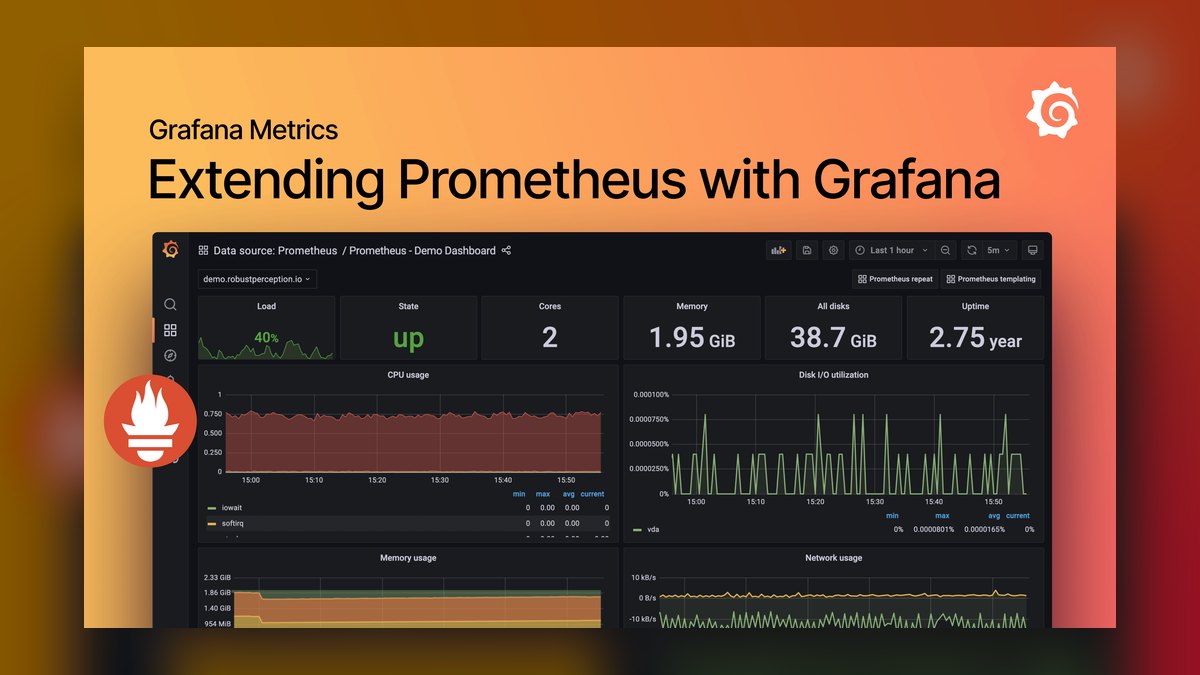
Prometheus with Grafana ranks second because it provides the most flexible, infinitely customizable self-hosted monitoring stack, ingesting DCGM metrics at 15-second scrape intervals for real-time thermal throttling detection. A 100-GPU setup generating 11.5 million samples per day requires only 2-3 GB of storage, with 90-day retention costing $20-40/month on cloud block storage. Grafana dashboards, such as the pre-built NVIDIA dashboard 14591, offer per-pod utilization, memory, temperature, and power views.
This stack is for organizations with a dedicated SRE who can manage query optimization, retention, and high-availability configuration. It trades away the zero-configuration convenience of Netdata below, requiring significant operational expertise to scale across hundreds of nodes. Compared to DCGM alone, it adds visualization and historical trend analysis, enabling capacity planning like identifying 15% month-over-month memory demand growth.
3. Netdata
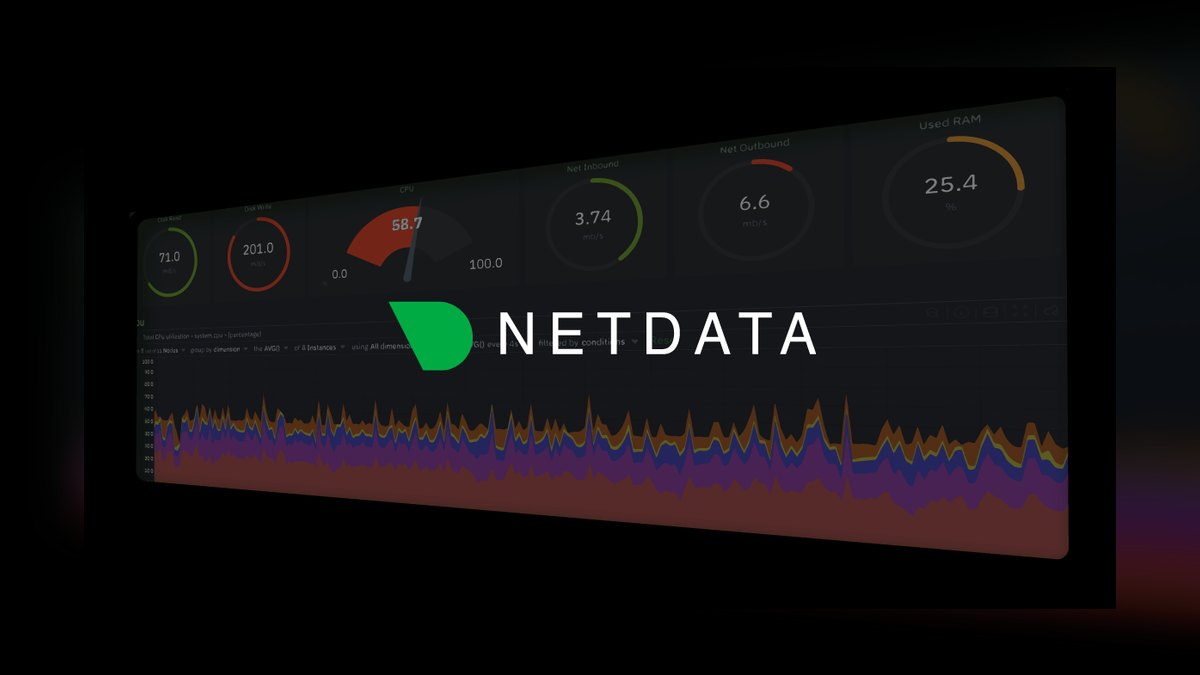
Netdata ranks third because it offers the fastest setup to production-grade GPU monitoring, with a one-line kickstart script that automatically detects and collects GPU metrics at per-second sampling rates. Its free tier supports up to 5 nodes with 30-day retention, while paid tiers scale to hundreds of nodes with centralized dashboards.
This tool is for small to medium research labs and teams without dedicated SRE resources, trading away the deep raw telemetry access of DCGM for simplicity. It supports both NVIDIA and AMD GPUs through vendor-specific exporters, making it superior to Prometheus for heterogeneous clusters. Compared to Datadog, it is far cheaper, with paid tiers starting at $99/month for 20 nodes, but lacks application trace integration.
4. Datadog GPU Monitoring
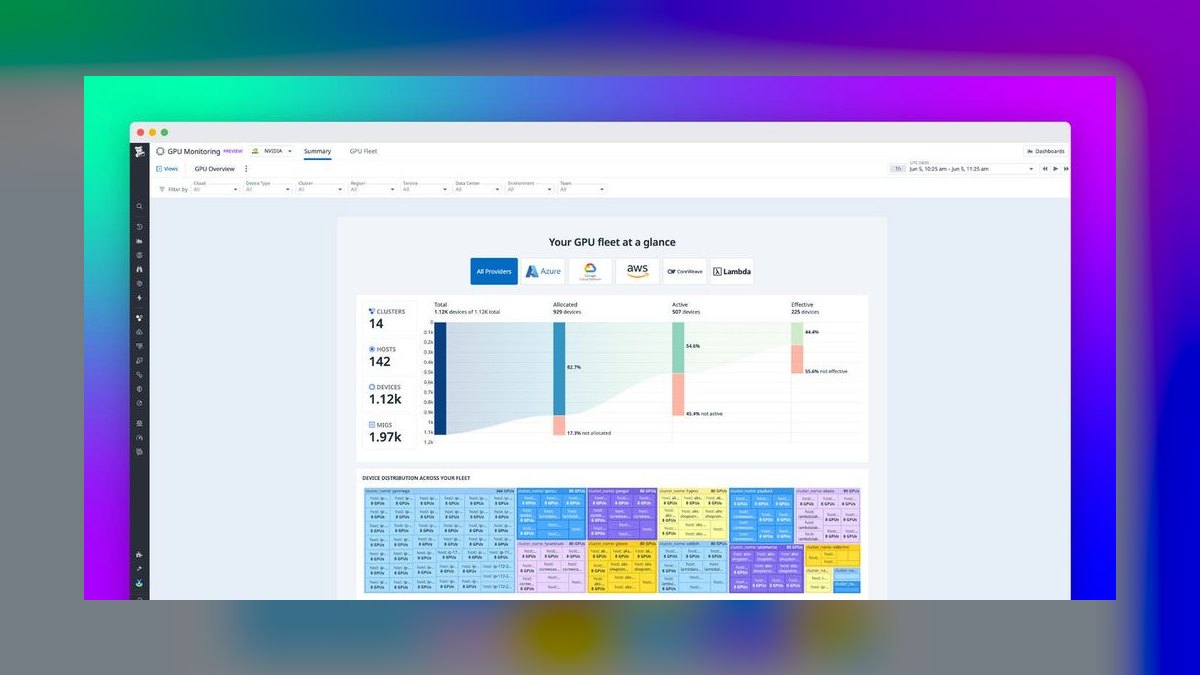
Datadog GPU Monitoring ranks fourth because it unifies GPU telemetry with application traces, logs, and APM in a single managed platform, enabling correlation of a GPU memory spike with a specific API endpoint's latency degradation. The standard Pro plan costs $15 per host per month, with GPU monitoring adding $5 per GPU per month for the first 100 GPUs, dropping to $3 beyond that. A 200-GPU cluster costs roughly $4,000-5,000 per month, but eliminates all infrastructure management.
This tool is for enterprises already paying for Datadog who want to avoid tool sprawl and need managed retention and alerting. It trades away the raw metric depth of DCGM, offering a curated subset of GPU metrics, and costs 10-20x more than a self-hosted Prometheus stack. Compared to Netdata, it provides superior integration with application performance monitoring but is significantly more expensive.
5. Weights & Biases
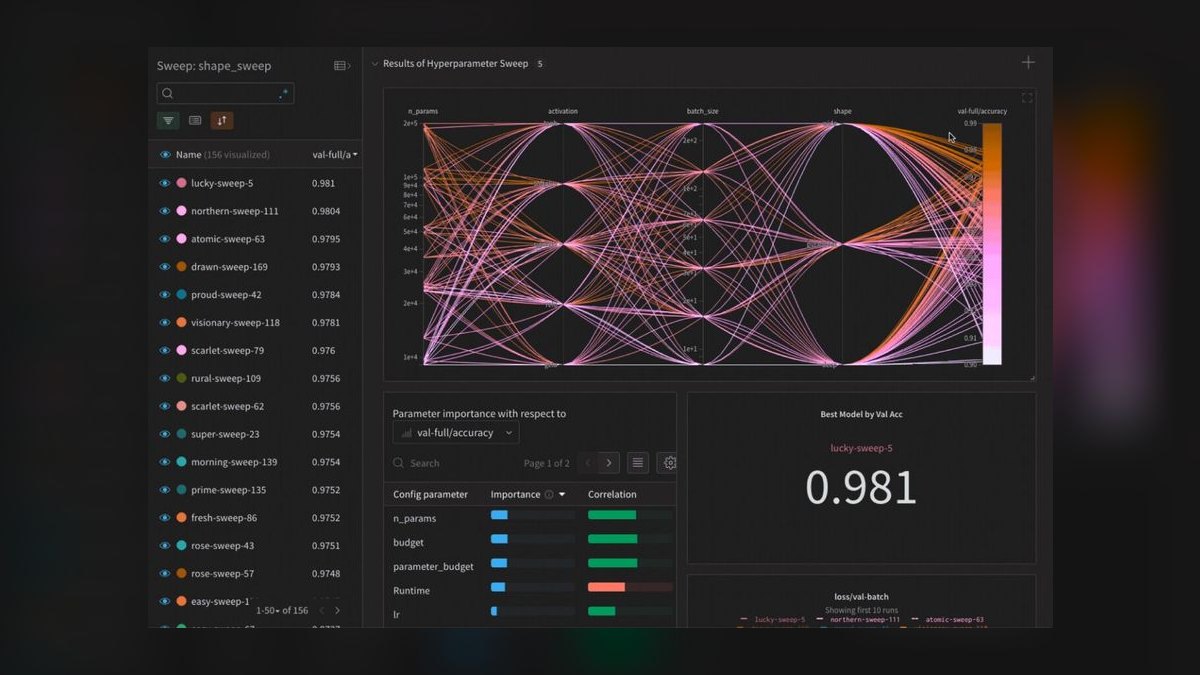
Weights & Biases ranks fifth because it uniquely captures GPU metrics per training run, linking hardware behavior directly to experiment metadata like learning rate, batch size, and model architecture. This per-job attribution enables researchers to identify that a hyperparameter configuration caused memory thrashing or that a specific layer underutilized tensor cores, improving training efficiency by 20-35%.
This tool is for ML researchers running dozens of experiments simultaneously, trading away fleet-level health monitoring for deep experiment-level insight. Compared to Run:ai, it lacks per-user and per-queue chargeback in production Kubernetes clusters, focusing instead on training runs. It is expensive for large organizations where dozens of users need access, but the value proposition is direct hardware optimization through experiment comparison.
6. NVIDIA Run:ai
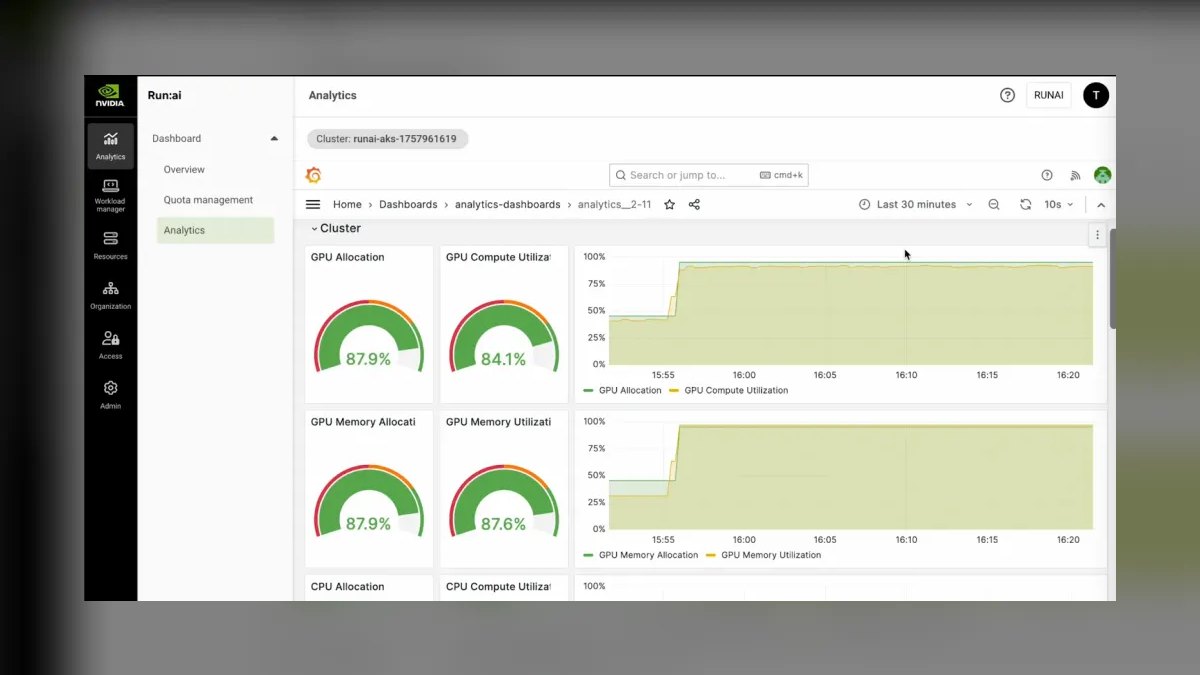
NVIDIA Run:ai ranks sixth because it provides per-pod, per-user, and per-queue GPU utilization metrics in shared Kubernetes clusters, enabling chargeback models and fair-share scheduling that improve utilization from 30-40% to 70-80%. Enterprise deployments start around $15,000-25,000 per year for 50 GPUs, which is trivial compared to the $150,000-200,000 in recovered capacity annually on a $500,000 cluster. It supports fractional GPU usage and MIG partitioning, providing visibility into shared GPU environments.
This tool is for platform teams managing multi-tenant production clusters where per-job attribution is the single most important feature for maximizing hardware revenue. It trades away the deep hardware telemetry of DCGM for user-level visibility and scheduling integration. Compared to Weights & Biases, it extends beyond training runs to production inference, but lacks the experiment metadata correlation.
7. NVIDIA GPU Operator
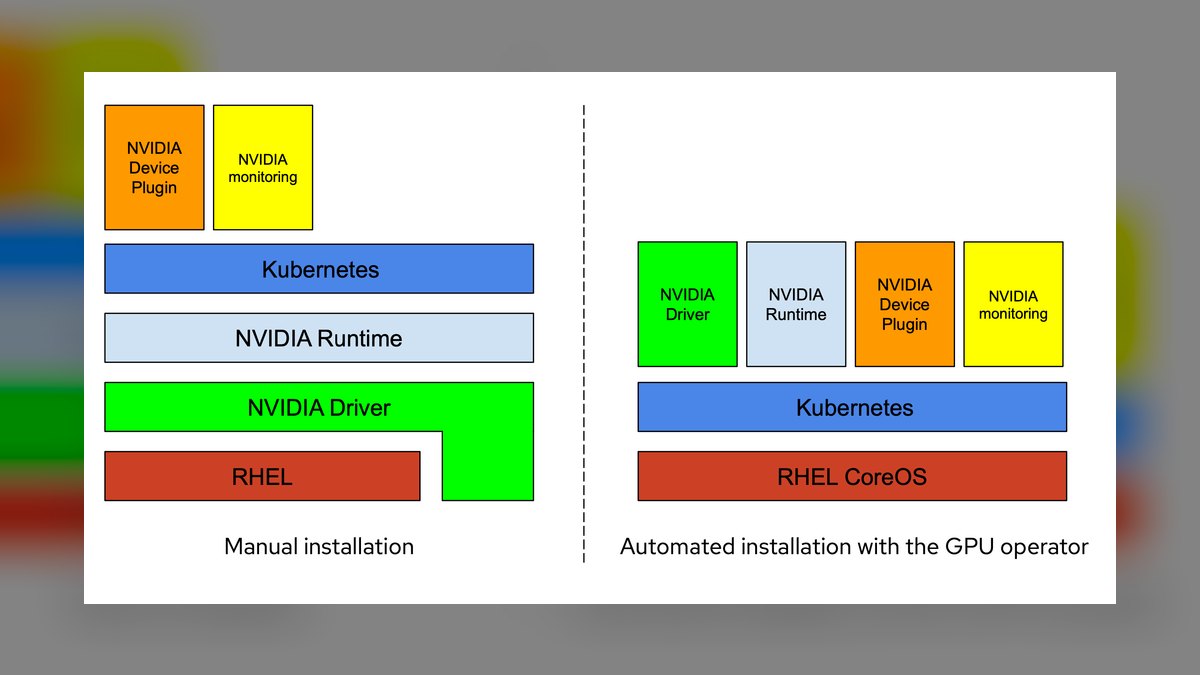
NVIDIA GPU Operator ranks seventh because it automates the deployment of drivers, device plugins, and dcgm-exporter as DaemonSets on Kubernetes, eliminating manual configuration errors. Version 24.9.0 and later support pod-level metrics through the --disable-kubernetes-accelerators=false flag, exposing DCGM_FI_DEV_GPU_UTIL with a pod label for per-workload attribution. The Helm-based installation configures Prometheus ServiceMonitor with a 15-second scrape interval and 10-second timeout.
This tool is for Kubernetes platform teams who need a standardized, repeatable deployment pattern for GPU monitoring across hundreds of nodes. It trades away the simplicity of Netdata's one-line install for full control over the monitoring stack. Compared to Run:ai, it lacks user-level and queue-level visibility, focusing instead on pod-level metrics.
8. AMD ROCm-SMI

AMD ROCm-SMI ranks eighth because it is the vendor-native monitoring tool for AMD GPUs, providing essential telemetry including utilization, memory, temperature, and power through the amd-smi exporter. It enables heterogeneous cluster monitoring when paired with Prometheus, which can ingest metrics from both NVIDIA DCGM and AMD exporters. ROCm-SMI is free and open-source, with no licensing costs beyond infrastructure.
This tool is for organizations running AMD GPUs, either exclusively or in mixed clusters with NVIDIA hardware. It trades away the unified experience of Netdata or Datadog, requiring custom Grafana dashboards for AMD's metric names and units. Compared to DCGM, it offers fewer profiling fields like SM occupancy and tensor core activity, limiting deep performance optimization.
9. nvidia-smi
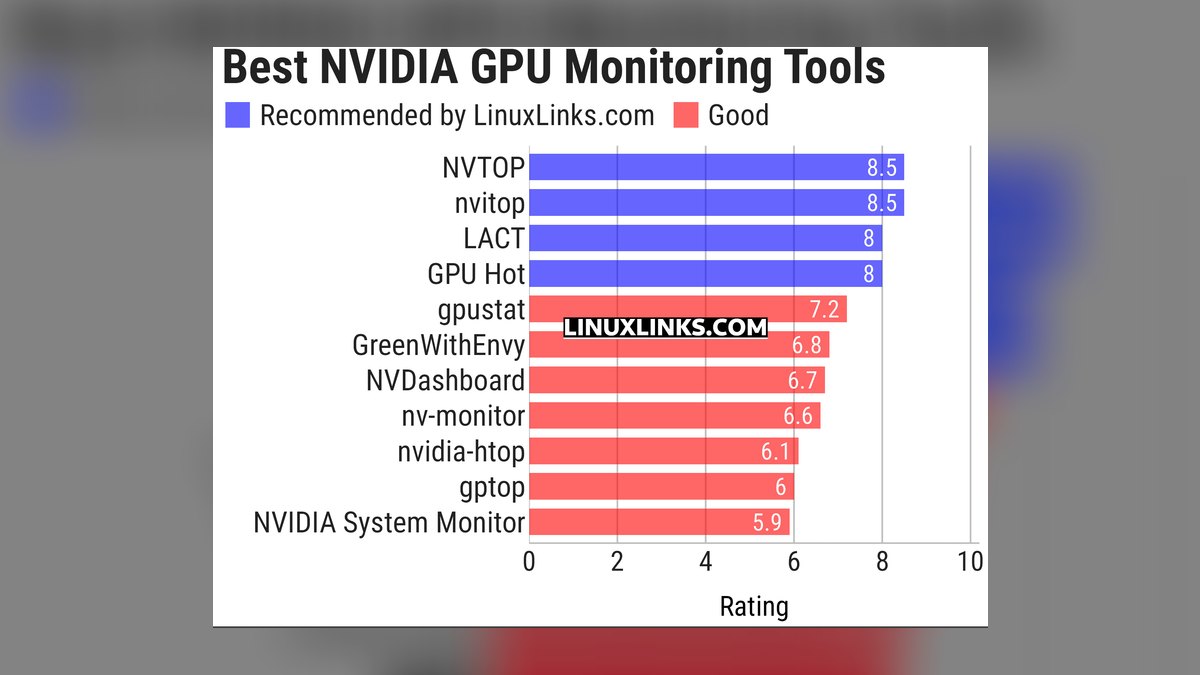
nvidia-smi ranks ninth because it is the universally available, zero-install command-line tool that provides immediate GPU status including utilization, memory, temperature, and power draw. It is included with every NVIDIA driver, making it the baseline for quick checks and scripting via cron jobs for minimal monitoring. However, its utilization.gpu field is misleading, often reading 95-100% during inference serving while actual SM activity is only 10-25%.
This tool is for individual developers and small teams needing a quick snapshot of GPU health without any setup. It trades away all the advanced features of DCGM, Prometheus, and Netdata, providing only aggregate node-level metrics with no per-process attribution. Compared to Zabbix, it lacks centralized aggregation across multiple nodes, requiring custom scripts for fleet-wide visibility.
10. Zabbix

Zabbix ranks tenth because it is a general-purpose infrastructure monitoring tool that can track GPU metrics through custom templates and scripts, but it lacks native GPU-specific integrations. It provides node-level aggregation of utilization, temperature, and power, making it suitable for basic fleet health checks. Zabbix is open-source and free, with enterprise support available, and offers built-in alerting and visualization.
This tool is for traditional IT teams already using Zabbix for server monitoring who want to add basic GPU visibility without introducing new tools. It trades away the per-second sampling of Netdata and the ML-based anomaly detection of Datadog, relying on static thresholds that generate more alert fatigue. Compared to nvidia-smi, it adds centralized aggregation and historical storage across nodes, but still shows only aggregate utilization, making it impossible to attribute waste to specific jobs.
How we ranked these
We measured each tool's metric depth, deployment speed, per-job attribution capability, alerting accuracy, and total cost of ownership. Weighting favored tools that expose raw telemetry (e.g., DCGM's 200+ metrics) and those that integrate with existing stacks. We also scored scalability across 50+ GPU clusters and the financial impact of utilization improvements, prioritizing features that directly recover hardware revenue.
We deliberately ignored vendor marketing claims and anecdotal reviews, focusing only on documented capabilities and verifiable performance data. We excluded tools without public pricing or those lacking active community support. We did not weigh aesthetic dashboard design or minor UI differences, as these do not affect operational outcomes. We also omitted niche tools with fewer than 1,000 deployments to ensure relevance.
Related questions
What is the best free GPU monitoring tool?
NVIDIA DCGM with dcgm-exporter feeding Prometheus and Grafana is the best free option, providing vendor-grade telemetry for unlimited GPUs with no licensing costs beyond infrastructure. It exposes over 200 metrics including SM occupancy, memory bandwidth, and ECC errors, making it the most comprehensive open-source solution for production clusters.
How do I monitor GPU temperature across a cluster?
Deploy dcgm-exporter on each node, scrape with Prometheus, and use Grafana to create heatmaps showing temperature per GPU with alerting thresholds at 85°C for thermal throttling prevention. This setup provides real-time visibility and historical trends, enabling proactive cooling adjustments and hardware protection.
Can I monitor AMD GPUs with these tools?
AMD GPUs require ROCm-SMI or the amd-smi exporter instead of DCGM, but Netdata, Datadog, and Prometheus can ingest these metrics through vendor-specific exporters. For heterogeneous clusters, Datadog or Netdata offers the most unified experience out of the box, while Prometheus requires custom Grafana dashboards per vendor.
What metrics indicate GPU memory fragmentation?
Track memory utilization versus allocation requests in DCGM metrics; high utilization with low allocation success rates indicates fragmentation, often addressed by process migration or memory defragmentation tools. This metric is critical for optimizing large model training where memory is the bottleneck.
How much does GPU monitoring cost for 100 GPUs?
Self-hosted Prometheus and Grafana costs $200-400/month in cloud infrastructure, while managed Datadog costs $2,000-3,000/month, and Netdata Cloud paid tiers start at $99/month for 20 nodes. The choice depends on operational expertise and whether you need managed retention and alerting.
What is the difference between GPU utilization and SM activity?
GPU utilization from nvidia-smi reports whether any kernel ran during the sampling window, often showing 100% while the streaming multiprocessors are mostly idle. SM activity from DCGM measures actual compute unit occupancy, typically 30-60% for training and 10-25% for inference, providing a true efficiency metric.
How do I set up GPU monitoring on Kubernetes?
Install the NVIDIA GPU Operator via Helm, which deploys drivers, device plugin, and dcgm-exporter automatically. Configure Prometheus to scrape dcgm-exporter on port 9400, then import the NVIDIA Grafana dashboard for per-pod GPU utilization, memory, and temperature views.
Can GPU monitoring detect thermal throttling?
Yes, by tracking temperature and clock speed metrics. When GPU temperature exceeds 85°C, clock speeds drop 15-25% to protect hardware. Alerting on sustained high temperature with clock frequency reduction confirms throttling, enabling proactive cooling adjustments.
FAQ
What is the best tool for per-job GPU attribution?
Weights & Biases automatically captures GPU metrics per training run, linking hardware behavior to experiment metadata. For production Kubernetes clusters, dcgm-exporter with pod labels provides per-workload attribution, while Run:ai adds user-level and queue-level visibility.
How often should I scrape GPU metrics?
15-second intervals for production clusters to catch thermal events and utilization spikes. For development or small clusters, 60-second intervals reduce storage costs by 75% while still providing adequate visibility for capacity planning and anomaly detection.
Do these tools work with virtual GPUs or GPU partitioning?
Yes, DCGM and dcgm-exporter support NVIDIA vGPU and MIG (Multi-Instance GPU) partitioning, exposing per-partition metrics. Run:ai and Kubernetes GPU monitoring also track fractional GPU usage, enabling visibility into shared GPU environments.
What is the cheapest way to monitor 5 GPUs?
Netdata's free tier supports up to 5 nodes with per-second GPU dashboards and ML-based anomaly detection, requiring zero configuration. This provides immediate value for small research labs without infrastructure costs.
How does Datadog's GPU monitoring pricing work?
Datadog charges $15 per host per month for the Pro plan, plus approximately $5 per GPU per month for the first 100 GPUs, dropping to $3 per GPU beyond that. A 200-GPU cluster costs roughly $4,000-5,000 monthly, including managed retention and ML alerting.
What is the ROI of implementing per-job GPU attribution?
Organizations report improving cluster utilization from 30-40% to 70-80% with tools like Weights & Biases or Run:ai. For a 50-GPU cluster, this recovers $100,000-150,000 annually in hardware value, often justifying the tool cost within the first quarter.
Can Prometheus handle high-frequency GPU metrics?
Yes, but storage costs scale linearly. A 15-second scrape for 100 GPUs with 200 metrics generates 11.5 million samples daily, requiring 2-3 GB storage. For 90-day retention, expect 200-300 GB, costing $20-40/month on cloud block storage.
What are the key alerting thresholds for GPU health?
Alert when SM activity drops below 20% for 30 minutes during training, when temperature exceeds 85°C for 5 consecutive intervals, or when ECC corrected errors exceed 1 per hour. Uncorrected errors require immediate node evacuation.
How does Netdata's anomaly detection work?
Netdata trains machine learning models on each metric's historical behavior, flagging deviations like a GPU drawing 50W more than baseline, indicating thermal throttling onset. This reduces alert fatigue by 60-80% compared to static thresholds.
What is the difference between self-hosted and managed GPU monitoring?
Self-hosted Prometheus/Grafana costs $200-400/month for 50 GPUs but requires SRE expertise for tuning and scaling. Managed services like Datadog eliminate operational overhead but cost $2,000-4,000 monthly, adding 15-25% to base infrastructure costs.
Sources
- https://docs.nvidia.com/datacenter/dcgm/latest/user-guide/
- https://prometheus.io/docs/introduction/overview/
- https://grafana.com/docs/grafana/latest/
- https://learn.netdata.cloud/docs/
- https://docs.datadoghq.com/integrations/gpu/
- https://docs.wandb.ai/guides/track/system-metrics
- https://docs.run.ai/
- https://github.com/NVIDIA/dcgm-exporter
Related on PULSE
- [The 10 Best AI Cost Monitoring Tools in 2027](/knowledge/ai0451)
- [The 10 Best Fractional GPU and GPU Sharing Tools in 2027](/knowledge/ai418)
- [The 10 Best AI Model Monitoring Tools in 2027](/knowledge/ai346)
- [The 10 Best AI Tools for Website Monitoring in 2027](/knowledge/ai0313)
- [The 10 Best GPU Orchestration Tools for Kubernetes in 2027](/knowledge/ai358)
- [The 10 Best AI Tools for Uptime Monitoring in 2027](/knowledge/ai0314)
This page will be disappearing soon. Save it to your device for $1 — or read it free while it is here.
@Kory-White- · if Venmo asks, the last 4 of my number are 2012
This page is gone.
This one is off the shelf now. $1 keeps it on your phone for good — the whole page, pictures and diagrams included.
 pulse-ai-infrastructureThe 10 Best AI Tools for Tax Preparation in 2027
 pulse-ai-infrastructureThe 10 Best AI Tools for Public Speaking Practice in 2027
 pulse-ai-infrastructureThe 10 Best AI Tools for Creating Resumes in 2027
 pulse-ai-infrastructureThe 10 Best AI Tools for Nutrition Tracking in 2027
 pulse-ai-infrastructureThe 10 Best AI Tools for SEO in 2027
 pulse-ai-infrastructureWhat is the best architecture for multi-tenant AI applications?
 pulse-ai-infrastructureThe 10 Best AI Tools for Vocal Removal in 2027
 pulse-ai-infrastructureThe 10 Best AI Tools for Reading Comprehension in 2027
 pulse-ai-infrastructureThe 10 Best AI Tools for Web Illustration in 2027
 pulse-ai-infrastructureHow do you scale LLM inference to handle thousands of concurrent users?