
How Many Employees Should I Schedule Each Shift at My Dry Cleaner in 2026?
 Curated byKory White · Fractional CRO · Maryland
 PULSEKNOWLEDGE LIBRARY
Quality
Certified

Most dry cleaners need two to three employees per shift at peak and one to two during lulls. Divide each day's average gross profit by your per-person daily target — roughly $180 — to get the headcount. A $540 Monday needs three; a $360 Wednesday needs two. Staff the drop-off and pickup peaks, not the flat grid.
What shift staffing actually means in a dry cleaning plant
Shift staffing at a dry cleaner is not one number. It is two coverage curves laid on top of each other — the counter curve and the production curve — and the mistake almost every owner makes is scheduling only the first one and hoping the second one sorts itself out.
The counter curve is driven by customer arrivals. Someone walks in, drops a bag, gets a ticket, pays for last week's order, asks about a stain. That interaction takes two to five minutes depending on how many pieces are in the bag and whether the customer is in your system. Counter demand is spiky and completely outside your control: it happens when your customers commute, not when it's convenient for you.
The production curve is driven by garment volume. Sorting, tagging, cleaning, pressing, bagging, and racking are all tasks that can be time-shifted. A shirt dropped at 8 a.m. does not have to be pressed at 8:05 a.m. — it has to be pressed before the promise date on the ticket. That flexibility is the single most valuable scheduling lever you have, and most owners never use it.
Here is why the distinction matters in dollars. A counter person standing idle during the 11 a.m. lull produces nothing. That same person, cross-trained to run a shirt unit, produces eight to twelve garments an hour during that same lull. Nothing about the schedule changed except what you asked them to do when the door stopped opening. If your labor cost per garment is $2.20 and you can pull it to $1.80 by absorbing idle counter time into production, on 4,000 garments a month that is $1,600 back in your pocket without cutting a single hour of pay.

The second reason it matters is quality risk. When you understaff the counter, customers wait, tickets get rushed, and pieces get miscounted — and a miscounted ticket becomes a lost-garment claim three days later. When you understaff production, you miss promise dates, and a missed promise on a Thursday suit for a Friday wedding costs you a customer for life. Those two failures come from opposite errors, which is exactly why a single flat headcount per shift fails: it is simultaneously too many bodies at 11 a.m. and too few at 5:30 p.m.
So the working definition: shift staffing is deciding, hour by hour, how many people are on the floor and what fraction of their time is pointed at the counter versus the plant. Everything below is a method for getting to that number with arithmetic instead of memory.
Building the schedule step by step
Work through this in order. It takes about two hours the first time and twenty minutes a week after that.

Step 1 — Pull ninety days of point-of-sale data, broken out by day of week and by hour. You want three columns: transaction count, garment count, and gross profit. Most POS systems in this industry will export this; if yours will not, run daily Z-tapes into a spreadsheet for four weeks and you will have a serviceable picture. Do not use a single week — one rainy Saturday or one holiday will distort it badly.
Step 2 — Agree on a per-person daily gross-profit target with your manager. For a typical dry cleaner where ticket sizes are small and volume carries the business, $180 a day in gross profit per person is a reasonable floor. Set it out loud so the team knows the standard: if you show up, take care of an average number of customers, and give average service, you should produce no less than $180 a day in gross profit. This number is yours to set — a high-ticket urban shop with alterations revenue might justify $250; a small-town counter-only operation might land at $140. Whatever you pick, write it down and use the same one every week or the comparison across days becomes meaningless.
Step 3 — Divide. Headcount for a given day equals that day's average gross profit divided by your per-person target. $540 Monday ÷ $180 = 3 people. $360 Wednesday ÷ $180 = 2. $720 Saturday ÷ $180 = 4. Round to the nearest whole person, and when you land exactly on a half, round down and cover the gap with a part-time overlap rather than a full extra body.
Step 4 — Distribute those bodies against the hourly curve. The division tells you how many; the hourly data tells you when. Dry cleaning has two sharp peaks — the 7-to-9 a.m. drop-off window before work and the roughly 4:30-to-6:30 p.m. pickup window after work — with a soft middle. If Monday earns three people, that rarely means three people from open to close. It means two on the counter at 7 a.m., one through the 10-to-2 lull while the plant runs, and two back on for the evening pickup, with the third body's hours living in production.
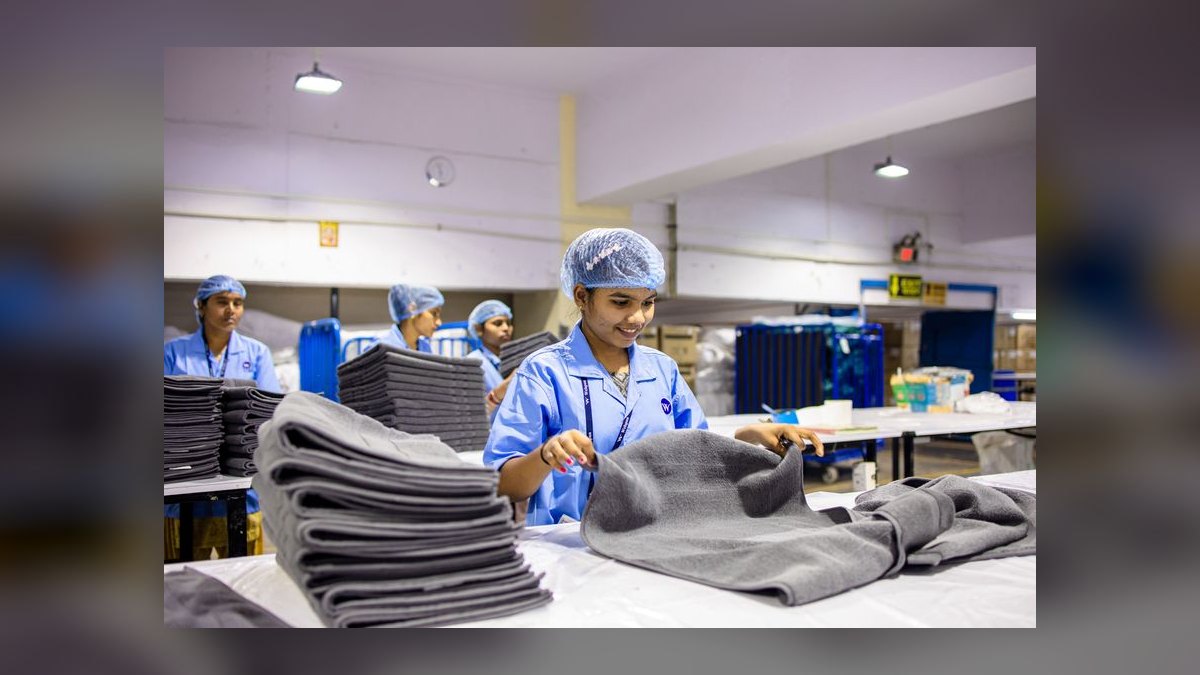
Step 5 — Check the ratio. During peak, a healthy load is roughly eight to twelve orders per employee per hour. Above fifteen and you are understaffed — the line is forming and counts are getting sloppy. Below five and you are paying someone to watch the door. During slow hours, six to eight orders per employee per hour is normal, and that person should have production work queued.
Step 6 — Layer in production capacity. Count backward from garments, not orders. A single presser finishes eight to twelve garments an hour on standard shirts and pants, but only three to five an hour on dresses, lined suits, and anything requiring hand finishing. A 200-garment day with a typical mix needs roughly two to three presser-shifts plus one to two people on sorting and bagging. Budget one to two hours of sorting and tagging per 100 garments — that "invisible" work is real hours, and if you leave it out of the schedule your pressers will sit waiting for work that nobody staged.
Step 7 — Publish it two weeks out and hold it. Schedule volatility costs you retention, and in a business where a trained presser takes months to replace, retention is a scheduling input.
Step 8 — Re-run monthly, not weekly. Weekly re-cutting chases noise. Monthly re-cutting catches real seasonal drift while giving your staff stable hours.

Costs, timelines, and the ranges that tell you whether it's working
Labor is the largest controllable line in a dry cleaning P&L, and the ranges below are the ones worth watching.
Labor as a percentage of revenue. Most owners target somewhere in the mid-twenties to low-thirties as a percentage of sales for total store labor, counter and plant combined, excluding the owner's own draw. If you are running above the mid-thirties consistently and your volume is stable, the schedule is the first place to look, not pricing. Below the low twenties, check your promise dates and your redo rate — you may be buying that number with quality.
Labor cost per garment. This is the sharpest single metric in the business. Divide total labor cost, including payroll taxes and workers' comp, by garments processed in the same period. A small independent typically lands somewhere around $1.50 to $2.50 per garment; a high-volume plant with good equipment can push toward $1.00 to $1.80. Above $3.00, you are almost certainly carrying idle hours. Below $1.00, verify you are not running people ragged and eating it in turnover and redos. Track this weekly on a rolling four-week average so one odd week does not send you re-cutting the whole schedule.

What one unnecessary body costs. An extra employee on a six-hour shift at $14 an hour is $84 in straight wages. Add payroll taxes, unemployment insurance, and workers' comp — which is not cheap in a plant with pressing equipment and solvent — and the loaded cost is meaningfully higher than the hourly rate suggests. Repeat that every weekday and you are into four figures a month for one habit nobody ever re-examined. Conversely, the same math means adding a genuinely needed four-hour part-timer to the Saturday peak is a small number against the revenue it protects.
Overtime. Overtime is where good schedules quietly go bad. A full-timer at 44 hours costs you four hours at time-and-a-half — the equivalent of six straight-time hours — and it usually happens because someone stayed late to finish a backlog that better production sequencing would have prevented. Watch it weekly and treat any recurring overtime on the same shift as a scheduling defect, not a staffing shortage.
Weekend lift. Plan on Saturdays running meaningfully heavier than an average weekday in total garments — commonly on the order of forty to sixty percent more. If a Tuesday moves 150 garments, a Saturday plausibly moves 210 to 240. That usually translates to one extra counter person and one extra presser, and the Saturday counter rush tends to compress into roughly 9 a.m. to 1 p.m. rather than splitting into two clean peaks.
Seasonality. Coat and blanket season and the spring formalwear run both push volume up materially, while late summer is typically the trough. Do not hire to the peak. Cover seasonal lift with extended hours for existing cross-trained staff and one or two seasonal part-timers, then let those hours fall away rather than carrying a body through the slow months.

Timeline to see results. Give a re-cut schedule three to four weeks before you judge it. The first week your team will fight the new rhythm and your numbers will look worse. By week three, labor cost per garment should be trending toward your target and idle time should be visibly down. If it is not moving by week four, the problem is not the headcount — it is task assignment or equipment throughput, and no amount of re-dividing will fix that.
Ramp cost of a new hire. A counter person is productive in a week or two. A presser who can handle mixed goods at speed and quality takes considerably longer — often a couple of months to reach full output. Build that into any plan that assumes new headcount solves a peak problem next month. It will not; cross-training someone you already have will.
Where dry cleaners get shift staffing wrong
Scheduling from memory instead of the register. The most common failure is the owner who has run four people on Tuesday for eleven years because Tuesday used to be busy. Volume shifted, the schedule did not. Every schedule should be traceable to a number you can point at on a report.

Treating the average day as the day. If you staff to the daily average, you are overstaffed at 11 a.m. and underwater at 5:30 p.m. simultaneously — and both errors cost money. Averages are for the headcount calculation only; distribution has to follow the hourly curve.
Scheduling only the counter. Owners see the front because that is where the customers are. Meanwhile pressers are idle waiting for someone to sort a rack, or the counter person is buried in unbagged orders. Every schedule needs both curves on it, and the handoff points between them written down.
Refusing to cross-train. A dedicated counter person and a dedicated presser who cannot cover for each other is two bodies where a well-trained operation runs one and a half. Cross-training is what lets you shrink total headcount without shrinking coverage — a trained employee should be able to move from counter to a shirt unit in under five minutes. It is also your absence insurance: a single-role staff means one sick call becomes a service failure.
Ignoring idle time because it feels rude to measure. If someone is standing with nothing to do for more than fifteen minutes at a stretch, that stretch is overstaffed. Track it for two weeks with nothing more than a notepad by the register. When you see the same gap every day, do not cut the person — cut the hours around the gap. Split the 4-to-7 p.m. two-person block into one person from 4:00 and a second from 5:30 and you have kept your coverage and bought back ninety minutes a day.

Avoiding split shifts and part-timers. Two four-hour part-timers pointed at the two peaks cover a dry cleaner's demand curve far better than one eight-hour full-timer who is paid through the lull. A student who works 3:30 to 7:30 and a retiree who works 7 to 11 cover both rushes and neither is paid to watch an empty lobby. The trade-off is real — more people to train and schedule, and part-timers turn over faster — so use them at the edges of the curve, not as your core.
Cutting the schedule so thin there is no float. Running exactly to the math with zero slack means one no-show becomes a two-hour line. Build a small buffer into peak coverage and keep one person on call for Saturdays. A schedule that only works when nobody is sick is not a schedule.
Letting one number carry all locations. If you run more than one store, each needs its own day-of-week gross-profit history. Two shops four miles apart can have completely different peaks depending on whether they sit near an office corridor or a residential strip.
Never telling the team the target. The $180 number only changes behavior if people know it exists. When the standard is stated plainly, the counter starts asking about alterations and same-day upcharges on their own — which is the cheapest revenue lift in the building.

Choosing the right shift pattern for your volume
There is no single correct pattern; there are four common ones, and the right one follows from your daily garment volume and your service promise.
Under roughly 75 garments a day — the one-and-a-half pattern. One person opens and covers the morning counter while staging sorted work; a second comes in for four to five hours covering the evening peak and clearing the press backlog. Total daily labor around ten to twelve hours. The risk is coverage — a single sick call closes you or degrades you badly — so this pattern demands a reliable on-call and an owner willing to work the counter.
Roughly 75 to 150 garments a day — the two-plus-peak pattern. Two people core, with a third part-timer overlapping the 4:30-to-6:30 pickup rush and Saturday morning. Both core people must be cross-trained. This is where most independents live and where the gross-profit division does its best work, because the marginal third body is a real decision rather than a foregone conclusion.

Roughly 150 to 250 garments a day — the split-crew pattern. Now production genuinely needs dedicated hours. Run a production start before the doors open — often 6 or 7 a.m. — so yesterday's afternoon drop-offs are finished before today's rush lands. Two on the counter at peaks, two to three in the plant, with the plant crew's start time set by your promise structure: same-day service forces a presser to stay until at least 5 p.m., while next-day service lets you push everything to the early morning block, which is usually cheaper and calmer.
Above roughly 250 garments a day — the staged-shift pattern. Two production shifts with a deliberate overlap, plus counter staffing that steps up and down across the day rather than changing once. At this volume the bottleneck moves from bodies to equipment, and the scheduling question becomes how many hours you can keep the machines actually loaded rather than how many people you can afford.
Cutting across all four: choose the pattern from volume, then choose start times from your promise dates, then check the result against labor cost per garment. If the pattern you picked pushes that number outside your range, you picked the wrong pattern for your volume — or your promise dates are more aggressive than your equipment can support at any headcount.
Re-test the pattern whenever volume moves more than about twenty percent in either direction for three straight weeks, or when you change your service promise. Both are structural changes; everything else is noise.
Related questions
How many hours should each employee work per shift?
Four to six hours suits peak-focused part-timers; six to eight suits core cross-trained staff. Shorter shifts let you match the two daily peaks precisely without paying through the midday lull, but they add training and scheduling overhead. Most independents run a mix of both.
Should the owner count as one of the scheduled employees?
Only if the owner reliably works a defined shift. Counting an owner who floats in and out creates phantom coverage and hides real understaffing. If you do count yourself, use the same per-person gross-profit target you apply to everyone else.
How do I handle a no-show during the evening rush?
Keep one cross-trained person on call for peak windows and have a written fallback: pull the presser to the counter, pause production, catch it up in the pre-open block tomorrow. Production is time-shiftable; the counter is not.
Does adding a drive-through or lockers change the headcount?
Usually it shifts timing more than headcount. Lockers and after-hours pickup flatten the evening peak, which often lets you cut thirty to sixty minutes off your closing coverage. Drive-throughs can raise transaction speed but need a dedicated body during rush.
How often should I re-run the staffing math?
Monthly for the headcount division, quarterly for the shift pattern itself, and immediately after any change to hours, pricing, or service promise. Weekly re-cutting chases noise and destabilizes your team's schedule for no measurable gain.
FAQ
What's the minimum number of employees I need for a single shift?
Two is the practical floor for most operations: one on the counter and one in the plant. A very low-volume location can run one person for short stretches, but you accept real risk — no bathroom coverage, no second set of eyes on ticket counts, and a single sick call closing the store. If you run one person, restrict it to the deepest lull hours and never during a peak.
How do I know if I'm overstaffing a shift?
Two signals. First, idle time: if someone has nothing to do for more than fifteen to twenty minutes at a stretch, on the same shift, repeatedly, that block is overstaffed. Second, labor cost per garment drifting above your target range on a rolling four-week average. One bad week is weather; four weeks is a schedule problem.
Should I schedule more people on weekends or weekdays?
Weekends, particularly Saturday morning. Saturday commonly runs forty to sixty percent heavier in total garments than an average weekday, with the rush compressed into roughly 9 a.m. to 1 p.m. Midweek — Tuesday through Thursday — is typically your leanest stretch and where the gross-profit division most often says you can drop a body.
What if I have a very small dry cleaner with just one or two employees?
Cross-train relentlessly, publish tight hours rather than long ones, and use drop boxes or lockers to absorb demand outside staffed windows. With two people you can cover counter and production, but you must be able to swap roles instantly. Also build an on-call relationship with a former employee or a family member for sick days.
How do seasonal changes affect my staffing needs?
Coat and blanket season and the spring formalwear run both push volume up meaningfully; late summer is usually the trough. Cover the lift with extra hours for existing cross-trained staff and one or two seasonal part-timers rather than permanent hires, so the cost falls away when the season does.
Can I use historical sales data to predict staffing, or is gut feeling better?
Data, without question — but use enough of it. Ninety days minimum, broken out by day of week and by hour, and compared against the same period last year where you have it. Gut feeling encodes what your store was two years ago. The register knows what it is now.
Sources
- https://www.bls.gov/ooh/personal-care-and-service/ — U.S. Bureau of Labor Statistics occupational data covering laundry and dry-cleaning workers
- https://www.bls.gov/iag/tgs/iag812.htm — BLS industry data for personal and laundry services
- https://www.dol.gov/agencies/whd/overtime — U.S. Department of Labor guidance on overtime pay requirements
- https://www.dol.gov/agencies/whd/flsa — Fair Labor Standards Act wage and hour rules
- https://www.sba.gov/business-guide/manage-your-business/hire-manage-employees — Small Business Administration guidance on hiring and managing employees
- https://www.dlionline.org/ — Drycleaning & Laundry Institute, the industry trade association for cleaners
- https://www.osha.gov/dry-cleaning — OSHA safety guidance for dry cleaning operations
- https://www.irs.gov/businesses/small-businesses-self-employed/employment-taxes — IRS employment tax obligations affecting loaded labor cost
Related on PULSE
- How Many Employees Should I Schedule Each Shift at My Thrift Store?
- How Many Employees Should I Schedule Each Shift at My Vintage Clothing Store?
- How Many Employees Should I Schedule Each Shift at My Record Store?
- How Many Employees Should I Schedule Each Shift at My Comic Book Store?
- How Many Employees Should I Schedule Each Shift at My Smoke and Vape Shop?
- Should I open or buy a Blo Blow Dry Bar franchise in 2027?
This page will be disappearing soon. Save it to your device for $1 — or read it free while it is here.
@Kory-White- · if Venmo asks, the last 4 of my number are 2012
This page is gone.
This one is off the shelf now. $1 keeps it on your phone for good — the whole page, pictures and diagrams included.
 pulse-qHow Many Sales Reps Do I Need to Hire for My Commercial Printing Company in 2026?
 pulse-qWhat Service Fees Should a Mobile Mechanic Charge in 2026?
 pulse-qHow Many Agents Do I Need to Recruit for My Real Estate Brokerage to Grow Production in 2026?
 pulse-qHow Many Sales Reps Do I Need to Hire for My Pharmaceutical Company in 2026?
 pulse-qHow Do I Know How Many Cooks and Servers to Schedule Each Shift at My Pizza Restaurant in 2026?
 pulse-qHow Many Sales Reps Do I Need to Hire for My SaaS Company to Hit Next Year''s Goal in 2026?
 pulse-qHow Many Employees Should I Schedule Each Shift at My Tutoring Center in 2026?
 pulse-qWhat Add-On Fees Should I Be Charging That I'm Not in 2026?
 pulse-qHow Do I Make a Service Fee Tangible So It Adds Real Value in 2026?
 pulse-qHow Many Stylists Should I Schedule Each Day at My Hair Salon in 2026?