 Pulse Reviews and Analysis
Top 10 Monitor Calibrators in 2027 — Best Overall + Best Value

Top 10 Monitor Calibrators in 2027 — Best Overall + Best Value
*Published June 23, 2026 · Updated June 23, 2026*
The best monitor calibrator overall in 2027 is the Calibrite ColorChecker Display Pro (CCDIS3) — a fast, repeatable colorimeter that nails sub-2-minute profiles, supports OLED and wide-gamut panels, and ships with Calibrite's mature PROFILER software for around $269. It is the device most working photographers, retouchers, and color-critical editors land on because it balances accuracy, speed, and price without forcing a spectrophotometer-level spend.
The best value pick is the Datacolor SpyderX2 Ultra at roughly $199, which delivers genuine professional accuracy, a 2000-nit brightness ceiling for HDR and mini-LED work, and Datacolor's clean wizard-driven app. If you want most of the Display Pro's capability for less money, the SpyderX2 Ultra is the smart buy.
Below are ten real, currently-sold calibrators ranked for accuracy, software, panel coverage, and price. Use the selector to jump to your tier.
1. Calibrite ColorChecker Display Pro (CCDIS3) 🏆 BEST OVERALL

Type: Colorimeter | Price: ~$269 | Software: Calibrite PROFILER | Best for: Photographers and color-critical editors
The ColorChecker Display Pro is the direct descendant of the legendary X-Rite i1Display Pro, and it remains the reference everyone else gets measured against. Its glass-filtered RGB sensor reads modern wide-gamut, OLED, and high-brightness panels accurately, and profiles complete in under two minutes.
The PROFILER software is the strongest in the category, with ambient light compensation, profile validation, and multi-monitor matching.
What earns it the top spot is consistency: run the same display twice and you get the same numbers. For anyone whose paycheck depends on color, that repeatability is worth more than a flashy feature list.
Pros:
- Best-in-class measurement repeatability
- Mature PROFILER software with validation and ambient compensation
- Handles OLED, wide-gamut, and HDR panels
- Multi-display matching built in
Cons:
- Pricier than entry colorimeters
- No printer profiling (display only)
Verdict: The default professional choice and the safest single purchase in 2027.
2. Datacolor SpyderX2 Ultra 💎 BEST VALUE
Type: Colorimeter | Price: ~$199 | Software: SpyderX2 (Datacolor) | Best for: HDR and mini-LED creators on a budget
The SpyderX2 Ultra sits at the top of Datacolor's current lineup and reads displays up to 2000 nits, making it genuinely capable for HDR and mini-LED monitors. Calibration runs under two minutes, and the wizard-driven software is approachable for newcomers while still exposing the targets pros expect.
At roughly $70 less than the Display Pro, it delivers the accuracy that matters for photo and video work, which is why it lands as the best value device of the group. The room-light monitoring is a nice extra for anyone editing in changing daylight.
Pros:
- 2000-nit ceiling covers HDR and mini-LED
- Excellent accuracy for the price
- Friendly, fast wizard software
- Ambient room-light monitoring
Cons:
- Software less flexible than Calibrite PROFILER for advanced targets
- Display-only, no print workflow
Verdict: The best money-for-accuracy pick and the one to beat under $200.
3. Calibrite Display Pro HL

Type: Colorimeter | Price: ~$279 | Software: Calibrite PROFILER | Best for: High-luminance and HDR displays
The Display Pro HL ("High Luminance") is Calibrite's modern flagship colorimeter, rebuilt to measure very bright HDR panels and OLEDs with improved low-light sensitivity. It pairs with the same PROFILER software as the Display Pro, so the workflow is identical, but the sensor is tuned for the brightness extremes that newer monitors hit.
If you run an HDR-capable mini-LED or OLED display and want Calibrite's ecosystem, this is the upgrade over the standard Display Pro.
Pros:
- Tuned for bright HDR and OLED panels
- Strong low-light shadow accuracy
- Full PROFILER feature set
- Frequently on sale near $199
Cons:
- Overkill for standard SDR monitors
- Display-only
Verdict: Buy it if your display is HDR or unusually bright; otherwise the Display Pro is enough.
4. Datacolor SpyderPro

Type: Colorimeter | Price: ~$279 | Software: SpyderPro (Datacolor) | Best for: Multi-display pros across panel types
The SpyderPro is Datacolor's premium colorimeter and calibrates standard and HDR LCDs, mini-LED, Apple XDR / Liquid Retina, and OLED panels, with a brightness capability up to 2000 cd/m². It can profile an unlimited number of connected displays, which makes it a clean fit for studios running several monitors that all need to match.
The software has been overhauled for a single streamlined workflow rather than the old tiered Spyder apps, and it shows in the smoother experience.
Pros:
- Broad panel support including XDR and OLED
- Unlimited connected-display calibration
- Reworked single-app workflow
- Strong HDR brightness handling
Cons:
- Priced at the top of Datacolor's range
- No printer or projector profiling
Verdict: A polished multi-monitor workhorse and the strongest Datacolor option for studios.
5. Calibrite ColorChecker Display Plus (CCDIS3PL)
Type: Colorimeter | Price: ~$329 | Software: Calibrite PROFILER | Best for: Brighter displays in the older CCDIS3 family
The Display Plus extends the original ColorChecker Display Pro with a higher luminance ceiling, letting it profile brighter HDR monitors than the base model. It uses the same proven PROFILER software and sensor lineage, so accuracy and repeatability are excellent.
With the newer Display Pro HL now in the lineup, the Plus is often discounted, which can make it a savvy pickup if you find a deal.
Pros:
- Higher brightness range than the base Display Pro
- Same reliable PROFILER workflow
- Proven sensor accuracy
- Often discounted now
Cons:
- Superseded in spirit by the Display Pro HL
- Display-only
Verdict: A strong buy at a discount; otherwise step up to the Display Pro HL.
6. Datacolor Spyder X2 Elite

Type: Colorimeter | Price: ~$289 | Software: SpyderX2 Elite | Best for: Advanced control and expanded targets
The Spyder X2 Elite is the feature-rich tier of the X2 family, adding advanced calibration targets, expert tone-curve control, soft-proofing, and StudioMatch tools on top of the same accurate sensor used across the X2 range. Reviewers have praised it as a reliable, do-everything option for photographers and videographers who want more knobs to turn.
If the Ultra's straightforward wizard feels limiting, the Elite gives you the deeper controls without changing hardware accuracy.
Pros:
- Advanced targets and expert controls
- Soft-proofing and StudioMatch tools
- 2000-nit class accuracy
- Trusted, widely reviewed lineage
Cons:
- Costs more than the SpyderX2 Ultra for software, not sensor gains
- Display-only
Verdict: Pick it over the Ultra only if you genuinely want the advanced software features.
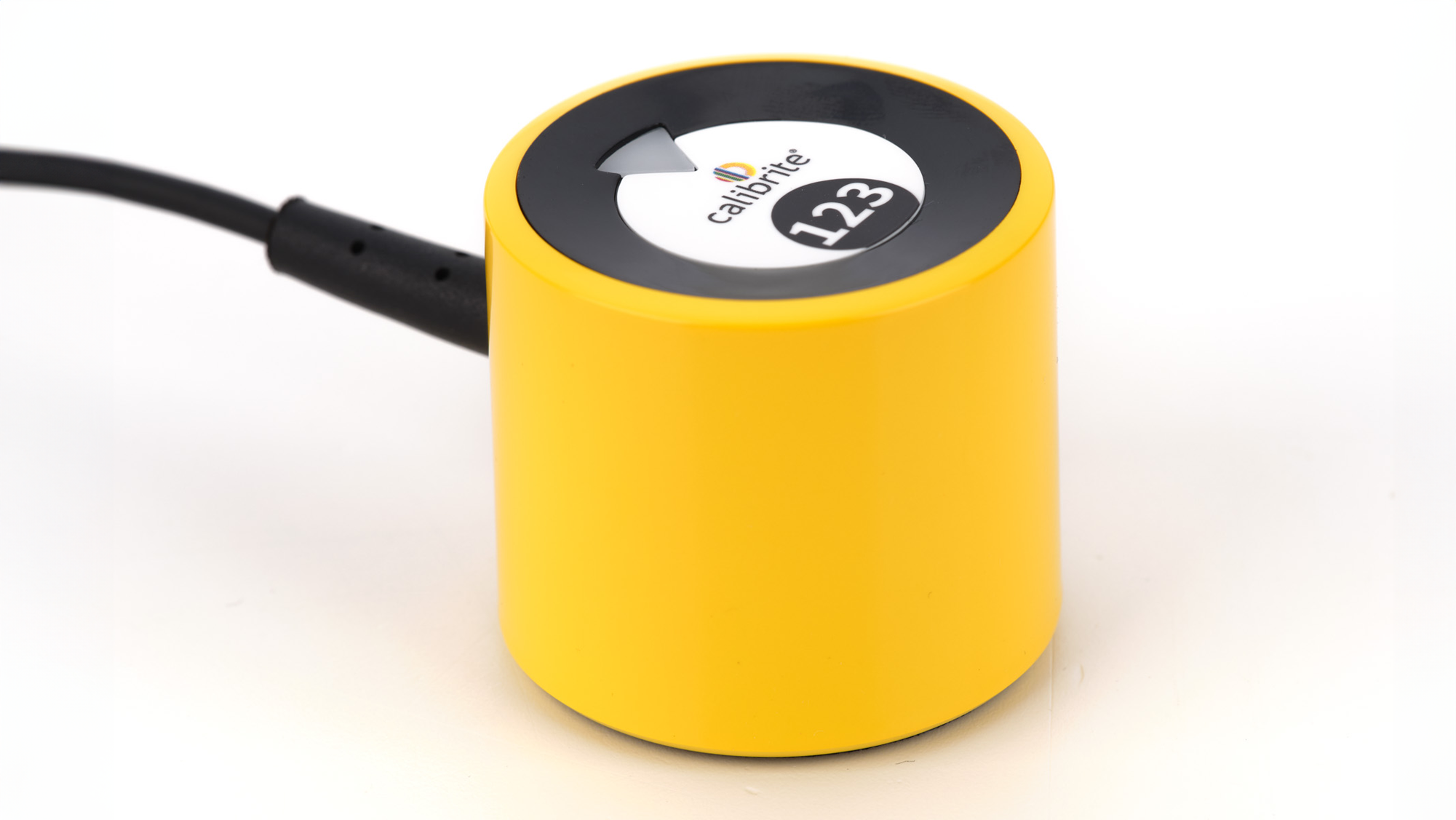
7. Calibrite Display 123

Type: Colorimeter | Price: ~$159 | Software: Calibrite PROFILER (simple mode) | Best for: First-time calibrators wanting minimum fuss
The Display 123 is Calibrite's entry colorimeter and the cheapest way into the brand without compromising core accuracy. Its name comes from a simple 1-2-3 workflow that gets a clean profile with almost no decisions to make. For anyone who has never calibrated a screen and just wants accurate color fast, this is the friendliest on-ramp.
It lacks the brightness range and advanced controls of the Pro models, but for a standard SDR photo-editing monitor it does the job well.
Pros:
- Lowest-cost Calibrite device
- Dead-simple 1-2-3 workflow
- Genuine Calibrite sensor accuracy
- Great first calibrator
Cons:
- Limited brightness ceiling
- No advanced targets or HDR focus
Verdict: The best beginner buy if you have a standard monitor and a tight budget.
8. Calibrite Display SL

Type: Colorimeter | Price: ~$179 | Software: Calibrite PROFILER | Best for: Step-up novices who want more than the 123
The Display SL sits between the entry Display 123 and the Pro-class devices, giving slightly more capable novices a bit more headroom and control while staying affordable. It runs the same PROFILER software, so you keep validation and ambient features without paying flagship money.
It is a sensible middle rung for someone who has outgrown a true beginner tool but does not need HDR-grade brightness handling.
Pros:
- Affordable step-up from the Display 123
- Full PROFILER software access
- Good accuracy for standard panels
- Simple, quick profiling
Cons:
- Not built for ultra-bright HDR panels
- Display-only
Verdict: A tidy mid-range pick when the 123 feels too basic and the Pro feels like too much.
9. Datacolor SpyderX Pro

Type: Colorimeter | Price: ~$169 | Software: SpyderX Pro | Best for: Reliable everyday calibration on a budget
The previous-generation SpyderX Pro is still sold and still excellent for everyday calibration, offering fast profiles, solid accuracy, and room-light monitoring. With the X2 line now on top, the SpyderX Pro frequently drops in price, making it one of the better budget colorimeters you can buy from a trusted name.
It will not reach the X2 Ultra's brightness ceiling, but for a standard SDR monitor it delivers dependable results.
Pros:
- Fast, accurate everyday calibration
- Room-light monitoring included
- Often discounted now
- Trusted Datacolor support and updates
Cons:
- Lower brightness ceiling than X2 models
- Older sensor generation
Verdict: A reliable budget colorimeter, especially when it goes on sale under the SpyderX2.
10. Calibrite ColorChecker Studio

Type: Spectrophotometer | Price: ~$649 | Software: Calibrite PROFILER + Print | Best for: Display plus printer and projector profiling
The ColorChecker Studio is a spectrophotometer rather than a colorimeter, which means it can profile displays, projectors, printers, and scanners in one device. For anyone who needs their on-screen image to match what comes out of a printer, it is the all-in-one tool, bundling a ColorChecker Classic Mini target for custom camera profiles too.
It costs far more than the colorimeters above and is overkill for screen-only work, but for a print-to-screen color pipeline it earns its price.
Pros:
- Profiles displays, printers, projectors, and scanners
- True spectrophotometer accuracy
- Includes ColorChecker Classic Mini target
- One device for a full print workflow
Cons:
- Much more expensive than colorimeters
- Slower and overkill for screen-only users
Verdict: Buy only if you need print profiling; screen-only editors should pick a colorimeter.
Frequently Asked Questions
Do I really need a hardware calibrator, or can I eyeball it? Eyeballing brightness and contrast helps, but you cannot judge precise white point or gamma by eye. A hardware colorimeter measures actual light output and builds an ICC profile your operating system applies automatically, which is the only reliable way to get accurate, repeatable color.
Colorimeter or spectrophotometer — what is the difference? A colorimeter (Display Pro, SpyderX2) uses filtered sensors and is fast, affordable, and excellent for screens. A spectrophotometer (ColorChecker Studio) measures the full light spectrum, costs more, and can also profile printers and projectors.
Most people only need a colorimeter.
How often should I recalibrate my monitor? Every two to four weeks for color-critical work, or monthly for general use. Displays drift as the backlight ages, and most calibration software can schedule reminders or run automatic re-validation.
Will one calibrator work on my laptop, external monitor, and OLED? Yes — modern devices like the SpyderPro and Display Pro HL support LCD, mini-LED, OLED, and Apple XDR panels, and can match multiple connected displays. Check the brightness ceiling if you own a very bright HDR screen.
Is the SpyderX2 Ultra really good enough versus the Display Pro? For the vast majority of photo and video editors, yes. The SpyderX2 Ultra delivers professional accuracy and HDR brightness coverage for less money. Step up to the ColorChecker Display Pro mainly for its more flexible PROFILER software and proven repeatability.
Can I use these on Windows and macOS? All listed devices support both current Windows and macOS, and the software installs system-level ICC profiles on each. Always download the latest software version from the manufacturer before your first calibration.
Related on PULSE
- Best Photo Editing Monitors — pair your calibrator with a wide-gamut, factory-calibrated panel for the cleanest results.
- Best Color Grading Software — calibrated displays only pay off when your editing pipeline respects the ICC profile.
- Pulse Tools: Monitor Calibration Checklist — a step-by-step routine for first-time calibration and recurring re-checks.
Bottom Line
For most people in 2027, the Calibrite ColorChecker Display Pro is the best monitor calibrator: accurate, fast, well-supported, and backed by the strongest software in the category. If you want to spend less without giving up real accuracy, the Datacolor SpyderX2 Ultra is the standout value and handles HDR brightness that older budget units cannot.
Choose the Display Pro HL or SpyderPro for very bright HDR and OLED panels, the Display 123 as a beginner's first calibrator, and the ColorChecker Studio only if you need to profile printers alongside your screen. Whatever you pick, calibrate on a schedule — a profile from last quarter is already drifting today.