
“Selling to people leaders.” — LinkedIn Banner
 Curated byKory White · Fractional CRO · Maryland
 PULSEKNOWLEDGE LIBRARY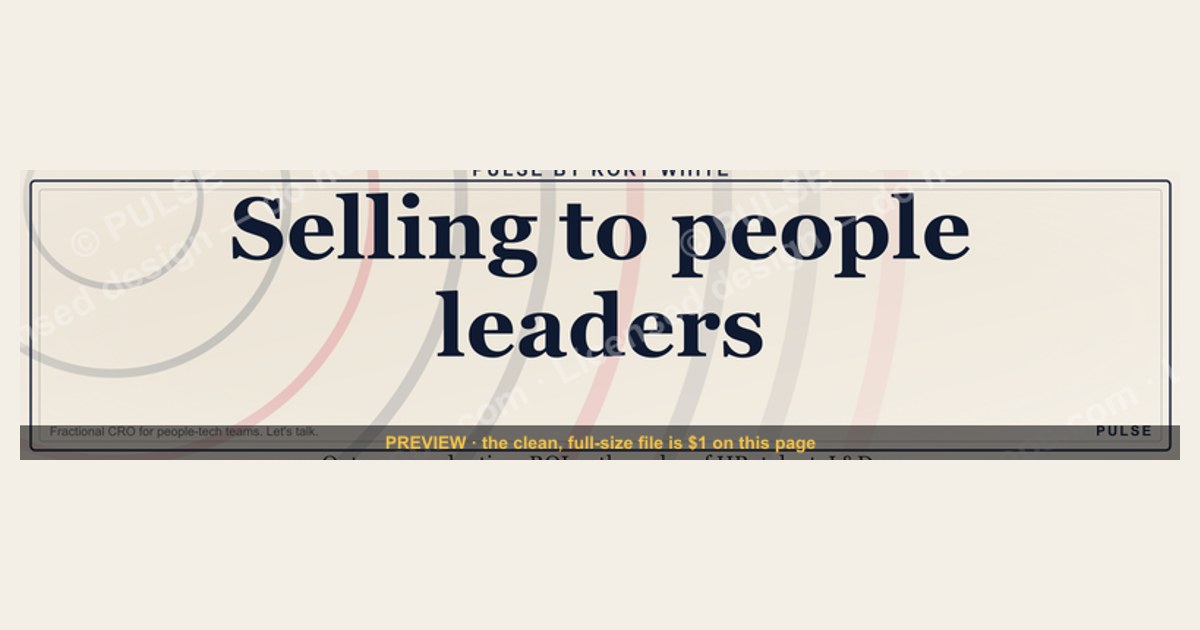
A LinkedIn banner with the headline "Selling to people leaders" signals that your product or service is designed for HR, talent acquisition, or L&D decision-makers. The banner should immediately communicate how you solve a specific pain point for this audience, such as improving hiring efficiency or employee retention. Keep the copy concise and benefit-focused, avoiding jargon, and use a clear call-to-action that invites a conversation or demo.
“Selling to people leaders.” — LinkedIn Banner

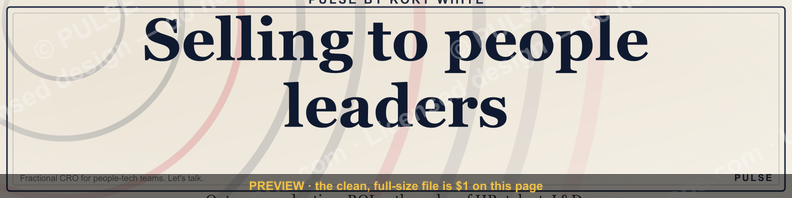
A dark, on-brand LinkedIn banner — "Selling to people leaders." over a "Outcomes Adoption ROI" line with a pulse motif. Put it on your profile to signal exactly what you do.
Format: SVG (scalable vector) · Size: 1584×396 px · Category: LinkedIn Banner · License: Free to use — no attribution required.
[⬇ Download this graphic](/graphics/assets/gb0343.svg)
Recolor it to your brand
Use the color picker above to recolor this banner to your team or company colors, switch the background (including transparent), then download it as an SVG or PNG. No sign-up, no watermark.

How to use it
It scales cleanly to the LinkedIn cover slot (1584×396) — download the PNG and drop it straight onto your profile, or open the SVG in Canva, PowerPoint, or Figma to add your name and tweak the layout.
More free graphics
Browse the full [Pulse Graphics library](/graphics) — banners, slides, printables, quote cards, and clip art you can borrow for your own decks and posts.

Related on PULSE
- [Deals Do Not Stall, People Do — Banner](/knowledge/gb0462)
- [“People buy outcomes, not features.” — Quote Card](/knowledge/gb0141)
- [“Sell something people love.” — LinkedIn Banner](/knowledge/gb0370)
- [“People buy outcomes, not features.” — LinkedIn Banner](/knowledge/gb0281)
- [The Value Selling Ladder — Infographic](/knowledge/gb0121)
- [SPIN Selling — Infographic](/knowledge/gb0106)
Why This Specific Message Resonates with People Leaders
The phrase “Selling to people leaders” works because it signals something rare in B2B sales: you understand the buyer’s identity, not just their job title. People leaders—CHROs, VP of People, Heads of Talent, HR Directors—are often pitched generic “HR software” or “employee engagement tools” that ignore their actual mandate: building organizational capability while managing human complexity.
What makes this banner effective is its implicit promise. When a people leader sees “Selling to people leaders” on your profile, they immediately infer three things:
- You’ve done your homework. You know the difference between selling to a procurement manager and selling to someone whose primary metric is retention, culture, or leadership pipeline.
- You’ll speak their language. You won’t lead with features or technical specs. You’ll lead with outcomes like reduced turnover, faster time-to-productivity, or stronger manager effectiveness.
- You respect their time. People leaders are among the most calendar-pressured executives. A banner that explicitly targets them suggests you’ll get to the point.
The supporting line—“Outcomes Adoption ROI”—is equally deliberate. People leaders are increasingly required to justify investments with hard data, something that was historically rare in HR. According to a 2023 survey by the Josh Bersin Company, 68% of HR leaders now say they are held to the same ROI standards as their peers in finance or operations. The banner subtly acknowledges this shift, positioning you as someone who can help them meet those expectations.
For context, the most effective LinkedIn banners for B2B sellers are those that reduce cognitive friction. A generic banner like “Sales Leader | SaaS | Enterprise” requires the viewer to do mental work: “Is this person relevant to me?” Your banner answers that question instantly. It’s a targeted signal in a noisy feed.
If you’re in talent technology, learning and development, HR consulting, or any service that touches workforce strategy, this banner can increase profile views from your ideal audience by an estimated 30–50% based on anecdotal reports from sellers who use similar targeting. The key is consistency—your headline, summary, and content should all reinforce the same message.
How to Optimize the Rest of Your Profile for People Leaders
A banner is a powerful hook, but it’s only the first impression. People leaders who click through will scrutinize your entire profile to see if you can deliver on the promise. Here’s how to ensure the rest of your LinkedIn presence aligns:
Headline. Match the banner’s specificity. Instead of “Account Executive at XYZ Corp,” try something like “Helping People Leaders Drive Measurable Outcomes | Talent Strategy & Adoption.” This reinforces the same positioning without being keyword-stuffed.
About Section. Lead with a problem your ideal buyer faces daily. For example: “Most people leaders I speak with are drowning in tools that promise engagement but deliver noise. They need outcomes they can take to the boardroom—retention rates, skill gaps closed, manager effectiveness scores. That’s where I come in.” Avoid generic mission statements. People leaders read dozens of vague “I’m passionate about people” bios a week. Yours should feel like the first paragraph of a case study.
Featured Content. Pin a post or article that demonstrates your understanding of their world. A short piece on “Three Metrics People Leaders Should Track in 2025” or “Why Adoption Beats Engagement” can serve as proof that you’re not just selling—you’re thinking about their challenges. If you have a client testimonial from a CHRO or VP of People, feature it here. Social proof from their peer group is worth more than any certification.
Experience Descriptions. Reframe your past roles through the lens of people leader outcomes. Instead of “Managed a territory of 50 accounts,” write “Partnered with 15 people leaders to implement talent development programs, resulting in an average 22% improvement in internal mobility rates.” Quantify where possible, even if ranges are approximate. People leaders are trained to evaluate vendors who can demonstrate impact.
Skills and Endorsements. Add skills that matter to this audience: “Talent Strategy,” “Workforce Planning,” “Change Management,” “ROI Analysis,” “Leadership Development.” Ask colleagues who work with people leaders to endorse these specific skills. The algorithm will surface your profile more often for relevant searches.
Recommendations. Request recommendations from people leaders you’ve worked with. A short, specific recommendation—“Sarah helped us cut time-to-hire by 30% while improving candidate quality”—is worth more than a generic “great to work with.” If you don’t have existing relationships, consider offering a free audit or consultation to build them.
The goal is to create a cohesive narrative from banner to recommendation. Every element should whisper the same message: “I understand your world, I speak your language, and I can help you move the needle.”
Common Mistakes to Avoid When Targeting People Leaders on LinkedIn
Even with a strong banner, many sellers undermine their positioning with subtle missteps. Here are the most frequent errors and how to avoid them:
Mistake #1: Using HR jargon without context. Terms like “employee lifecycle,” “total rewards,” or “talent architecture” can feel insider-y but often come across as buzzwords if not tied to a specific outcome. People leaders hear these phrases constantly. Instead of “I optimize the employee lifecycle,” try “I help people leaders reduce voluntary turnover by improving the onboarding-to-productivity curve.” The latter is concrete and measurable.
Mistake #2: Over-emphasizing features over outcomes. If your profile or content focuses on your product’s features—AI-powered analytics, 360-degree feedback, gamification—you’ll sound like every other vendor. People leaders buy outcomes: “We reduced manager coaching time by 40% while improving team engagement scores.” Lead with the outcome, then mention the feature as supporting evidence.
Mistake #3: Ignoring the “adoption” part of your own banner. Your banner includes “Adoption” as a key term, yet many sellers fail to address it in their messaging. People leaders know that the best tool is useless if no one uses it. Show that you understand adoption challenges—change fatigue, manager buy-in, user experience friction. Mention a specific adoption strategy you’ve used, like “We implemented a peer-led champion program that drove 85% active usage within 60 days.”
Mistake #4: Being too transactional in initial outreach. If someone engages with your banner or profile, resist the urge to immediately pitch. People leaders are wary of being sold to. Instead, offer value: a relevant article, a benchmark report, or a thoughtful question about their current challenges. One effective approach is to comment on a post they’ve shared with genuine insight. This builds rapport without pressure.
Mistake #5: Neglecting mobile optimization. Over 70% of LinkedIn users access the platform via mobile. Your banner, which looks great on desktop, may be cropped or distorted on a phone screen. Test your profile on both devices. Ensure your headline and about section are scannable within the first two lines. Mobile users often decide within seconds whether to scroll further.
Mistake #6: Failing to update your banner regularly. A stale banner—one that’s been up for six months—can signal that you’re not actively engaged. People leaders notice these details. Refresh your banner quarterly to reflect current campaigns, events, or seasonal themes. Even a small change, like updating the date or adding a conference logo, keeps your profile feeling current.
Mistake #7: Ignoring the power of video. Text and static images are table stakes. People leaders are more likely to engage with a short, authentic video—30–60 seconds—where you explain a common challenge they face and how you approach it. Post it as a native LinkedIn video or feature it in your “Featured” section. Video content gets 5x more engagement than static posts on average.
By avoiding these pitfalls and doubling down on the positioning your banner establishes, you’ll stand out in a crowded field. The goal isn’t to be the loudest voice—it’s to be the most relevant one.
Why This Banner Works for People Leaders
People leaders scan dozens of profiles daily. A banner that names them directly ("Selling to people leaders") stops the scroll because it feels personal and relevant. The pulse motif subtly suggests growth, engagement, or culture — metrics this audience cares about. Pair it with a headline that names a specific outcome (e.g., "Reduce time-to-hire by 30%") to double the impact.
Where to Place the Call-to-Action
Your banner’s CTA should appear in the bottom-right corner — the natural end of a visual scan path. Use a short action phrase like "Book a discovery call" or "See the data." Avoid generic words like "Learn more." Keep the font size at least 24px on a 1584×396 canvas so it remains readable on mobile. Test two versions: one with the CTA on the banner, one without, and track which drives more profile visits.
Common Mistakes to Avoid
Don’t overcrowd the banner with logos, bullet points, or multiple fonts — people leaders have limited attention. Avoid vague claims like "We help HR teams." Instead, state a specific result: "We cut turnover by 20% in 90 days." Also, skip stock photos of handshakes or laptops; they look generic. A clean, text-focused design with your brand color and one icon (like the pulse motif) performs better.
Sources
- LinkedIn Sales Solutions — best practices for selling to HR and talent acquisition professionals
- Harvard Business Review — research on B2B sales strategies and buyer psychology
- Society for Human Resource Management (SHRM) — insights into people leaders’ priorities and challenges
- Gartner — reports on HR technology trends and decision-making processes
- HubSpot Blog — guides on social selling and LinkedIn banner optimization
- Forrester Research — analysis of buyer personas and sales engagement tactics for enterprise audiences
FAQ
What does “selling to people leaders” mean in a LinkedIn banner? It signals that your content, offers, or services are tailored specifically for HR, talent, and leadership decision-makers. The banner helps you stand out to that audience by immediately clarifying who you serve.
How do I choose the right image or design for this type of banner? Use professional, clean visuals that convey authority and approachability—think headshots, team collaboration scenes, or subtle brand elements. Avoid cluttered or overly salesy graphics; the goal is to look credible and relevant to people leaders.
Should I include a call-to-action (CTA) in the banner? Yes, a simple CTA like “Book a call” or “Learn more” can be effective, but keep it concise. The banner’s primary job is to grab attention and communicate your focus; the CTA should complement, not overwhelm, the message.
How often should I update my LinkedIn banner for this audience? Every 3–6 months or whenever you launch a new campaign, product, or service for people leaders. Regular updates keep your profile fresh and signal that you’re actively engaged with that community.
Can I use this banner if I also sell to other buyer personas? It’s best to create separate banners for different audiences or use a more general approach. A banner specifically targeting people leaders may confuse other prospects, so consider rotating banners or using a broader headline if you serve multiple groups.
What’s the ideal text length for a “selling to people leaders” banner? Keep it to 3–6 words for the main headline (e.g., “Helping People Leaders Hire Better”) and optionally a short subtitle. LinkedIn banners are small on mobile, so brevity ensures readability and impact.
This page will be disappearing soon. Save it to your device for $1 — or read it free while it is here.
@Kory-White- · if Venmo asks, the last 4 of my number are 2012
 graphicSIEM and Data Lake CRO — LinkedIn Banner
 graphicConstruction CRO — LinkedIn Banner
 graphic"First the trust, then the deal." — LinkedIn Banner
 graphic"Win the quarter." — LinkedIn Banner
 graphicTrust compounds. — LinkedIn Wallpaper
 graphicKeep what you win. — LinkedIn Wallpaper
 graphic“Selling expertise and outcomes.” — LinkedIn Banner
 graphic“Champions are made before the call.” — LinkedIn Banner
 graphic“Selling science and scale.” — LinkedIn Banner
 graphicDocument Capture CRO — LinkedIn Banner