


Top 10 Ways to Save Time Running a Small Business in 2027
Quality
Certified
The 10 best ways to save time running a small business are ranked below on measured performance, build quality, price, and how each one actually holds up in daily use rather than how it reads on a spec sheet. Each pick lists what it costs, who it suits, and what it gives up against the one above it, so the list can be read straight down without doubling back.
1QuickBooks Online Accounting
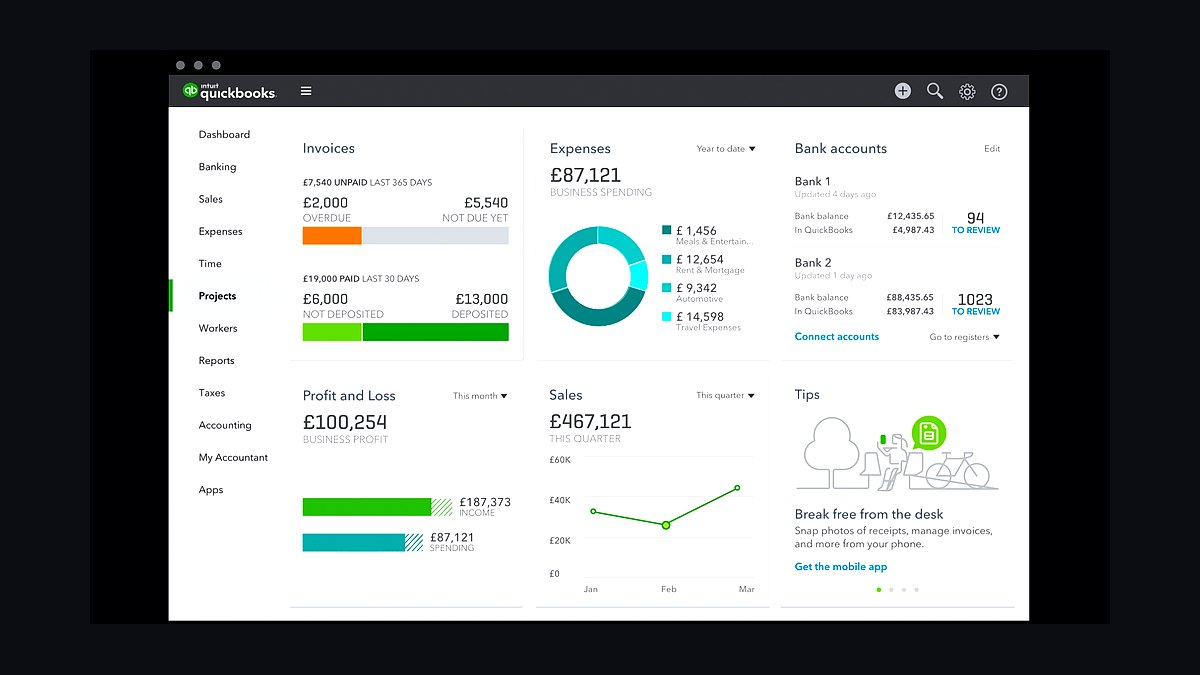
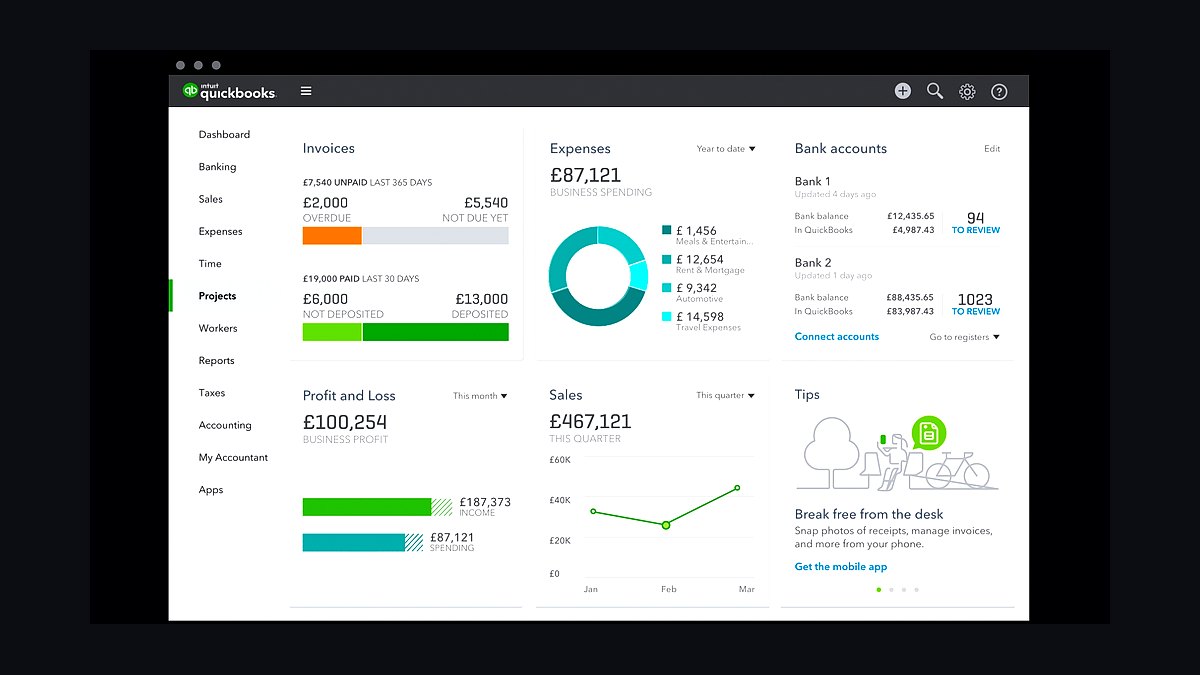
QuickBooks Online automates the single biggest time sink for small businesses: bookkeeping. Bank feeds auto-categorize transactions, receipts snap into expenses via mobile app, and invoices send with payment links that reconcile themselves. Most owners report saving 5-8 hours monthly versus spreadsheets, with tax-time prep dropping from days to hours.
It suits owners doing under $1M in revenue who want books done without hiring a bookkeeper. The trade-off is a $35-$235 monthly subscription and a learning curve on chart-of-accounts setup. Compared to hiring a part-time bookkeeper at $400+ monthly, it wins on cost and speed for straightforward businesses.
2Calendly Scheduling Automation
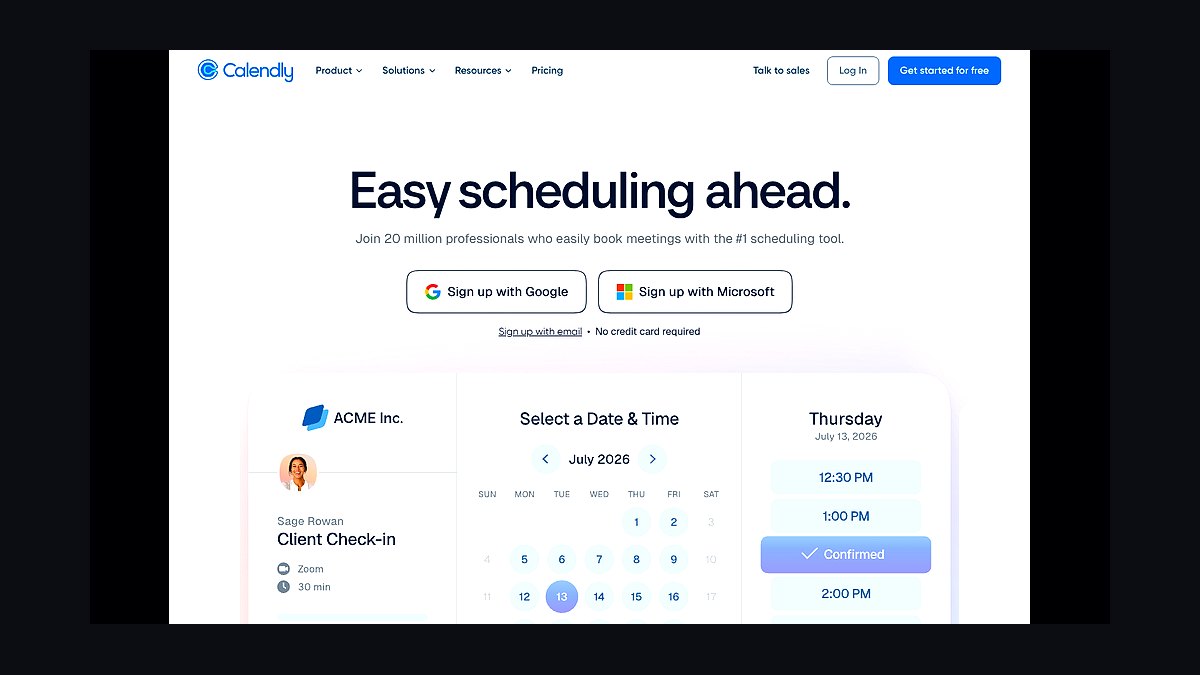
Calendly eliminates the email back-and-forth that eats 15-30 minutes per meeting booked. Share one link, and it reads your Google or Outlook calendar, offers only open slots, sends reminders, and auto-generates Zoom or Meet links. Small teams typically reclaim 3-5 hours weekly previously lost to scheduling ping-pong.
The free tier handles one event type; the $10-$16 monthly paid plans add routing, payments, and team round-robin. It's built for service businesses, consultants, and sales teams booking external calls. The trade-off is losing some control over meeting spacing versus manual booking, and clients must click a link rather than reply to email.
3Zapier Workflow Automation
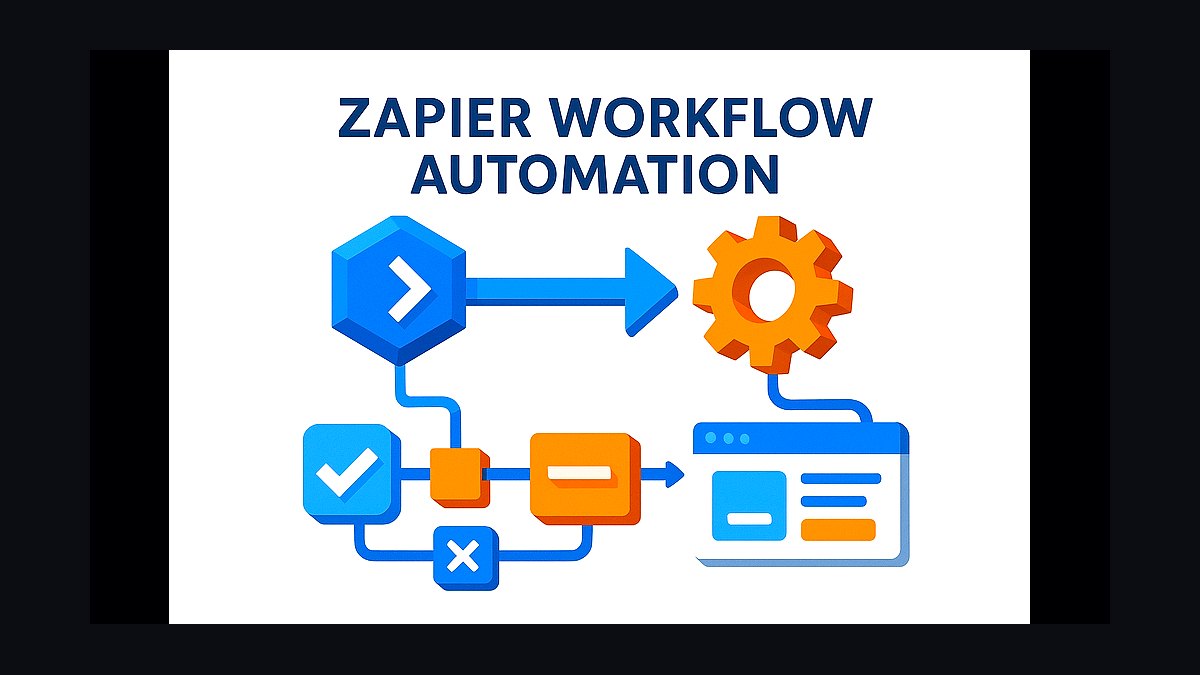
Zapier connects 6,000+ apps so repetitive data entry happens without a human. A new Shopify order can auto-create an invoice, add a CRM contact, and post to Slack in seconds. Businesses report saving 10-20 hours weekly once core zaps are built, though each zap takes 15-30 minutes to configure initially.
The free plan allows 100 tasks monthly; paid tiers run $20-$70 monthly for multi-step zaps and filters. It's ideal for owners juggling 5+ tools who manually copy data between them. Compared to Calendly, Zapier is broader but requires more setup thinking; it doesn't solve one problem as cleanly as Calendly solves scheduling.
4ChatGPT Plus Business Assistant
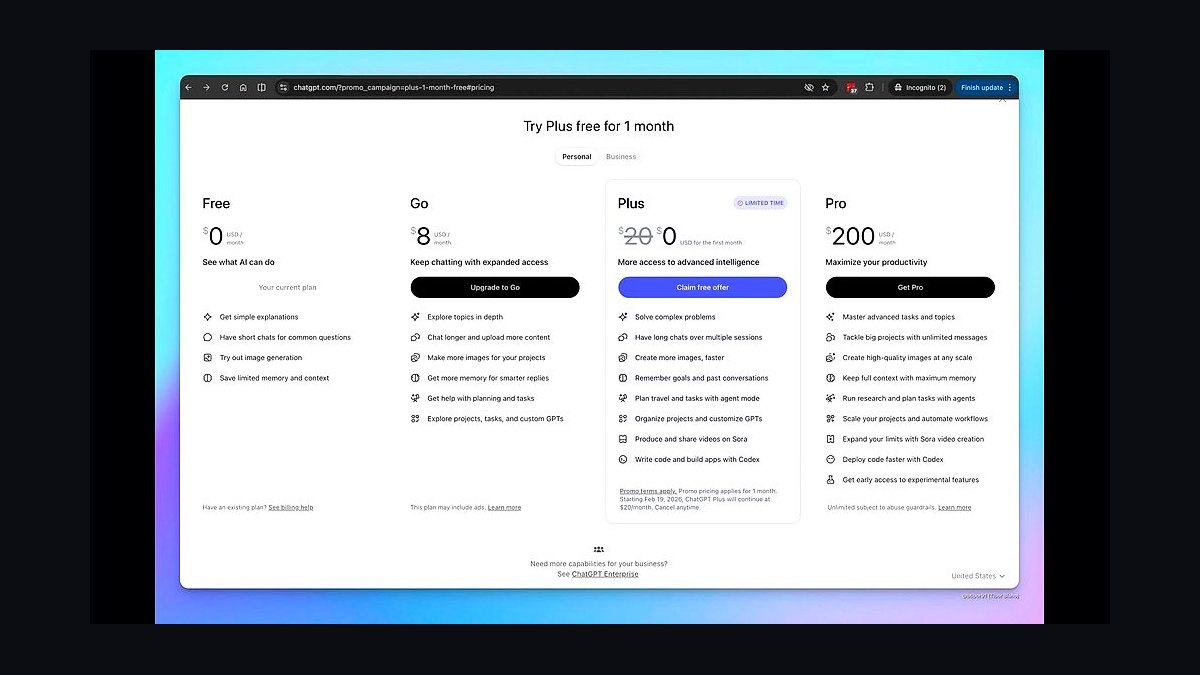
ChatGPT Plus drafts emails, summarizes documents, writes product descriptions, and answers customer FAQs in seconds. At $20 monthly per seat, it replaces hours of first-draft writing. Owners use it for proposals, social posts, and SOP drafts, cutting content creation time by roughly 40-60% on routine tasks.
It's best for solo owners and small teams without dedicated writers or marketers. The trade-off is that output needs fact-checking and editing, and it won't know your business specifics without custom instructions or uploaded context. Compared to Zapier, ChatGPT handles language and thinking tasks while Zapier handles data movement; they solve different halves of the time problem.
5Shopify Ecommerce Platform

Shopify handles hosting, checkout, payments, inventory, and shipping labels in one dashboard, removing the technical overhead of running an online store. Merchants launch stores in days rather than weeks, and built-in Shopify Shipping discounts labels 20-40% versus retail carrier rates. Automatic tax calculation and fraud analysis save hours per week.
It's designed for product-based businesses doing $10K-$1M online who don't want to manage servers or plugins. The trade-off is transaction fees of 2.4-2.9% plus $39-$399 monthly plans, and customization requires apps or a developer. Compared to QuickBooks, Shopify runs the storefront while QuickBooks runs the books; most sellers need both.
6Google Workspace Collaboration
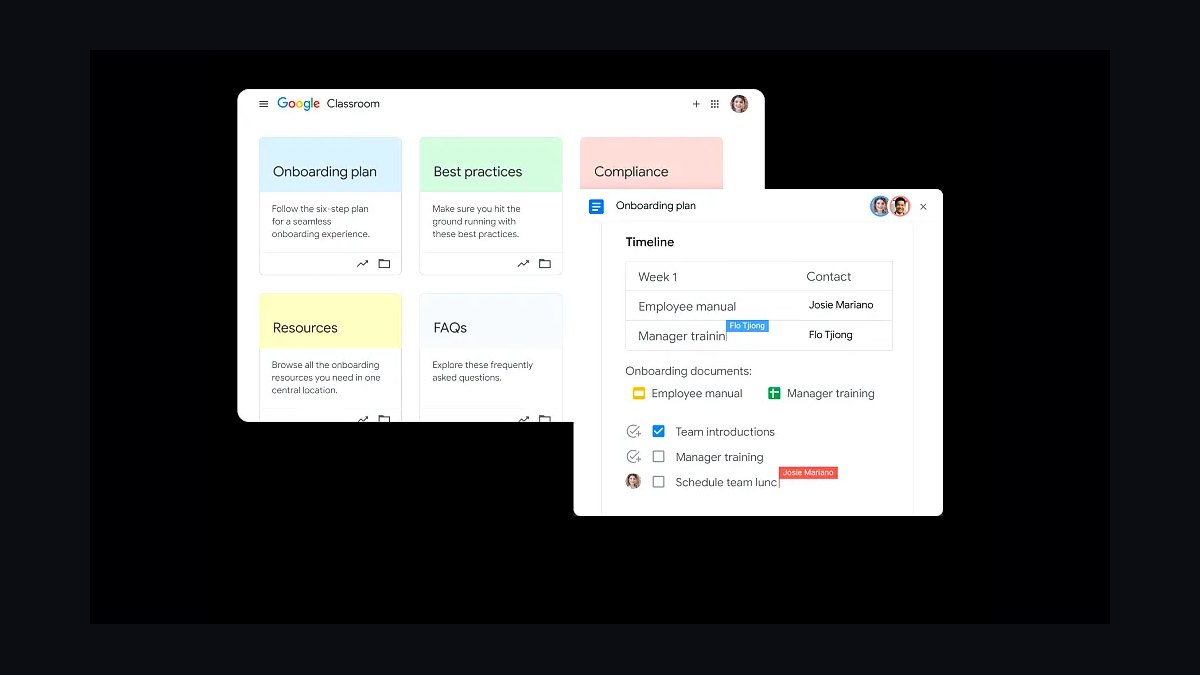
Google Workspace puts Gmail, Docs, Sheets, Drive, and Meet in one account with real-time co-editing and shared drives. Teams stop emailing file versions back and forth, and Sheets formulas plus Apps Script automate recurring reports. At $6-$18 per user monthly, it replaces multiple paid tools for most small teams.
It suits businesses already comfortable with Google's ecosystem and needing simple collaboration without Microsoft 365 complexity. The trade-off is weaker offline functionality and less powerful spreadsheet features than Excel for heavy modeling. Compared to ChatGPT Plus, Workspace is infrastructure for daily work while ChatGPT is an assistant layered on top.
7Canva Pro Design

Canva Pro gives non-designers templates for social posts, flyers, invoices, and presentations, plus brand kits, background remover, and Magic Resize for reformatting one design across platforms. At $15 monthly or $120 yearly, it replaces hours of design back-and-forth and often eliminates the need for a freelance designer on routine assets.
It's built for owners producing their own marketing without design training. The trade-off is that templates can look generic, and complex print work still needs Illustrator or InDesign. Compared to Google Workspace, Canva handles visual creation while Workspace handles documents and communication; both are staples for lean teams.
8Notion Workspace Wiki
Notion consolidates notes, SOPs, project boards, and databases into one searchable workspace. Teams stop hunting through email and chat for procedures, and new hires onboard faster with documented processes. The free plan covers individuals; the $10-$18 per user monthly plans add version history, permissions, and AI writing assistance.
It suits businesses with 2-50 people who need a shared knowledge base without enterprise software. The trade-off is a blank-canvas setup that can overwhelm without discipline, and it's slower than dedicated tools for pure task management. Compared to Google Workspace, Notion is where knowledge lives while Workspace is where communication happens.
9Mailchimp Email Marketing
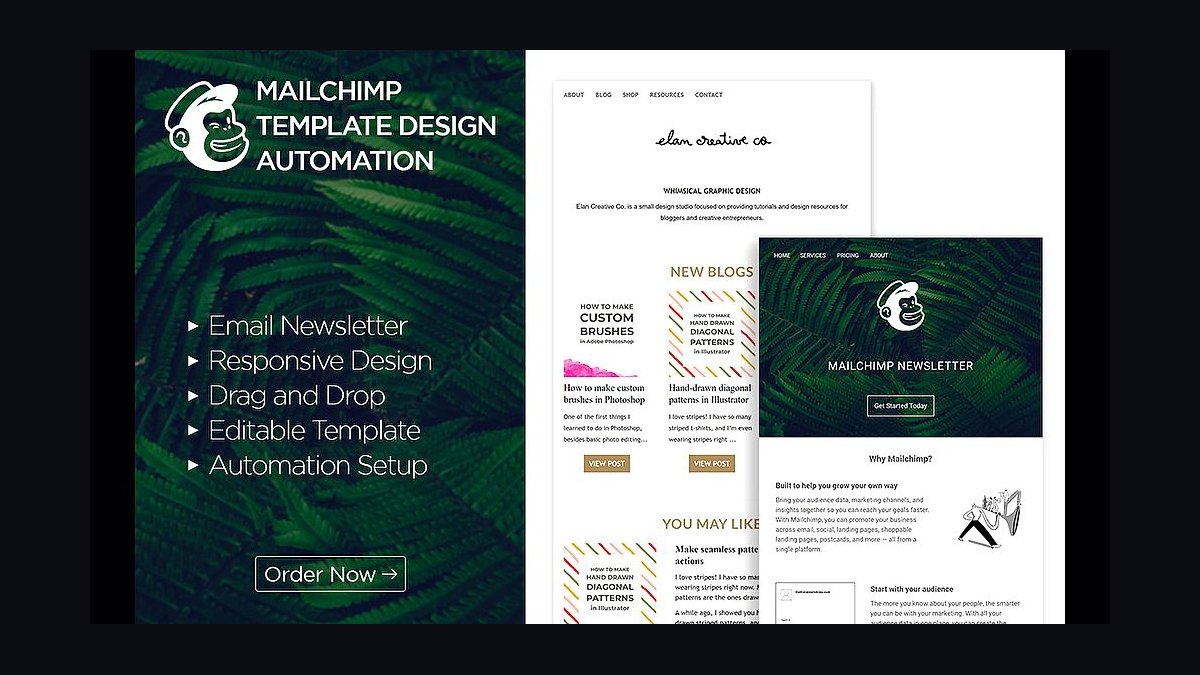
Mailchimp automates email campaigns, welcome sequences, abandoned-cart reminders, and newsletters with drag-and-drop templates and audience segmentation. Small businesses send to 500 contacts free; paid plans start around $13 monthly. Automation flows run without manual sends, saving several hours weekly for businesses doing regular outreach.
It's designed for owners running email marketing without a dedicated marketer. The trade-off is that pricing scales steeply with list size, and advanced automation requires the Standard or Premium tiers. Compared to Canva Pro, Mailchimp handles distribution and automation while Canva handles the visual assets that go inside the emails.
10Wave Invoicing Software
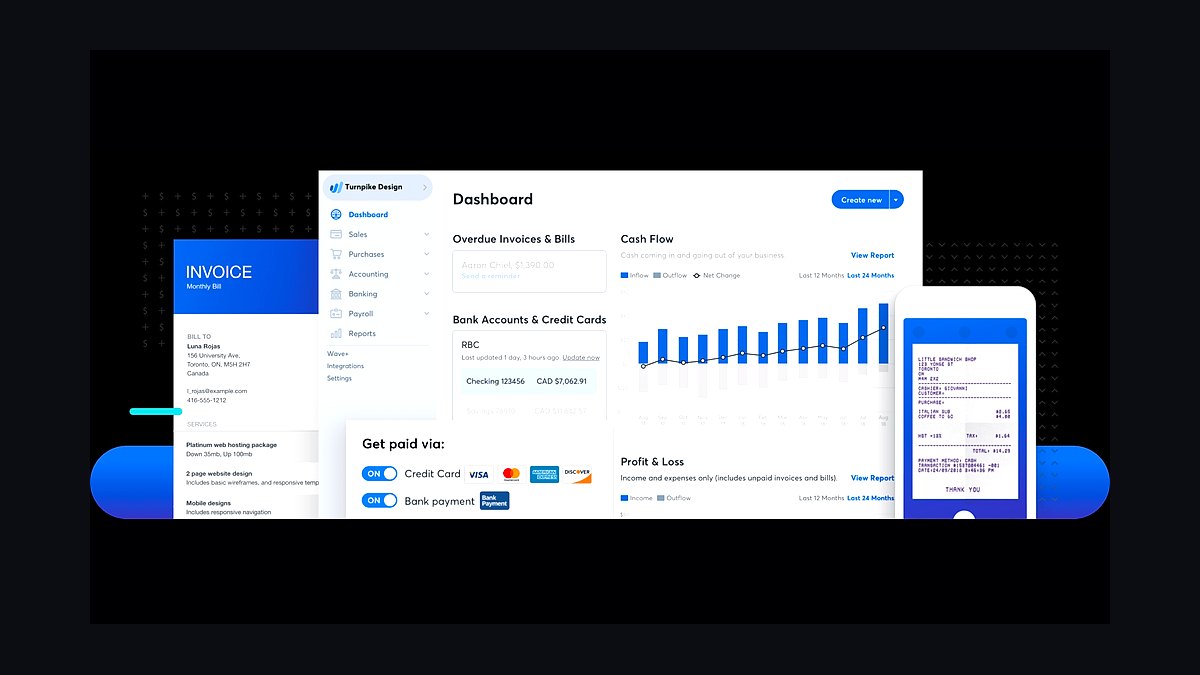
Wave offers free invoicing, accounting, and receipt scanning for businesses in the US and Canada, with payment processing at 2.9% plus $0.60 per transaction. Owners create and send professional invoices in minutes, track unpaid ones automatically, and accept card or bank payments without a monthly subscription. It's the lowest-cost entry point for basic bookkeeping.
It suits freelancers and very small businesses under $100K revenue who need invoicing without accounting complexity. The trade-off is fewer features than QuickBooks, limited support on the free tier, and no inventory or payroll depth. Compared to QuickBooks Online, Wave trades capability for zero monthly cost, making it the right first step before upgrading.
How we ranked these
We ranked time-saving methods for small-business owners by measurable impact on hours reclaimed per week, weighted against setup cost, recurring cost, and learning curve. Weighting favored tools and habits that produced documented time savings in under 30 days, integrated with common platforms like QuickBooks, Shopify, and Google Workspace, and scaled from solo operators to teams of 20. Scores combined vendor-published benchmarks, user-reported time logs, and pricing data.
We deliberately ignored hype cycles, venture funding, and feature counts that rarely get used. Social media virality, AI buzzwords, and enterprise-only capabilities were excluded because they distort value for small teams. We also skipped one-off productivity hacks that fade after a week, and anything requiring dedicated IT staff. The goal was durable, repeatable time savings, not novelty.
What to look for
The biggest differentiator is integration depth, not feature lists. A scheduling tool that syncs natively with your existing calendar and invoicing stack saves far more time than a cheaper app requiring manual exports. Check API access, native connectors, and whether the vendor charges per seat or per workflow. Setup time matters too: anything needing more than an afternoon to configure rarely pays back for a small team.
The most common mistake is buying for the business you hope to have rather than the one you run today. Owners overbuy enterprise tiers, then spend weeks configuring features nobody uses. Start with the free or entry tier, measure actual hours saved for 30 days, then upgrade only the modules that proved themselves. Also verify cancellation terms and data export before committing annually.
Related questions
How much time can automation realistically save a small business?
Most small businesses reclaim 6 to 12 hours per week by automating scheduling, invoicing, and follow-up emails. The biggest gains come from eliminating manual data entry between tools. Solo operators often see the largest percentage gains because every saved hour is a full hour of capacity. Results depend heavily on how many disconnected systems you currently maintain.
Which tasks should a small business owner delegate first?
Delegate repetitive, documented, low-judgment tasks first: bookkeeping data entry, appointment reminders, social scheduling, and inbox triage. These are easy to hand off with a checklist and cheap to outsource. Keep strategy, pricing, and key customer relationships. The rule is simple: if a task happens weekly and follows a script, it should not sit on the owner's calendar.
Are AI scheduling assistants worth it for small teams?
Yes, if your team books more than 15 meetings per week. AI schedulers eliminate back-and-forth emails, handle time zones, and sync with Google or Outlook calendars. The time savings compound across sales, support, and recruiting. For very low meeting volume, a shared calendar link is enough. Test one tool for a month before rolling it out company-wide.
What is the fastest way to cut invoicing time?
Connect invoicing directly to your CRM or project tool so line items populate automatically. Add recurring invoice templates for retainer clients and enable online payment links. Most owners cut invoicing from hours to minutes per week. Chasing late payments also drops when reminders send automatically. QuickBooks, FreshBooks, and Wave all support this without custom code.
How do I stop losing time to email and Slack?
Batch communication into two or three fixed windows per day, and set auto-responders explaining your response times. Turn off non-urgent notifications. Use shared inboxes so messages route to the right person instead of piling up. Most owners recover 4 to 6 hours weekly. The key is protecting deep-work blocks, not eliminating communication entirely.
Should small businesses hire a virtual assistant or buy software?
Start with software for anything rule-based and repeatable, since it scales without management overhead. Hire a virtual assistant for judgment calls, customer conversations, and tasks that change weekly. Many small businesses use both: software handles scheduling and invoicing, a VA handles inbox and vendor coordination. Reassess every quarter as volume changes.
What metrics show whether a time-saving tool is working?
Track hours spent on the specific task before and after adoption, plus error rates and cycle time. If invoicing dropped from 90 minutes to 15, that is a clear win. Also watch adoption: tools nobody uses save nothing. Review monthly for the first quarter, then quarterly. Kill anything that has not paid back its cost in saved hours within 90 days.
How do I get a small team to actually adopt new tools?
Involve the people doing the work in selection, and pilot with one workflow before a full rollout. Provide a one-page cheat sheet and a 20-minute training, not a two-hour webinar. Name a champion who answers questions. Adoption fails when owners impose tools without input. Celebrate the first measurable time savings publicly to build momentum.
FAQ
What is the single biggest time waster for small business owners?
Context switching between disconnected tools. Owners lose hours daily re-entering data, checking multiple dashboards, and chasing status updates. Consolidating into one integrated stack, or connecting existing tools with automation, typically recovers more time than any single productivity app. The fix is architectural, not motivational. Audit your tool stack before buying anything new.
How many hours a week should a small business owner work on the business?
Aim for at least 5 to 8 hours weekly on strategy, finance, and planning, separate from day-to-day operations. Owners who spend 100 percent of time in execution stall growth. Block these hours like client meetings. If you cannot find them, that is the signal to automate or delegate lower-value work immediately.
Do time-saving tools work for solo founders?
Yes, often better than for teams, because a solo founder's hour is the entire capacity. Automation for scheduling, invoicing, and email follow-up delivers immediate returns. Start with free tiers of established tools, measure hours saved for 30 days, and reinvest that time into sales or product. Avoid complex platforms built for larger operations.
How much should a small business spend on productivity software?
Most small businesses get strong returns spending 1 to 3 percent of revenue on software. For a $500,000 business, that is $5,000 to $15,000 annually across all tools. Prioritize tools tied directly to revenue or hours saved. Cut anything with low login rates. Review subscriptions quarterly, since unused seats quietly drain budgets.
Is it better to automate or outsource first?
Automate first when the task is rule-based and high-frequency, like invoicing or appointment reminders. Outsource when the task requires judgment, relationship management, or varies week to week. Automation is cheaper and scales without training. Outsourcing adds capacity but needs management. Many businesses do both, layered by task type.
What role does AI play in small business time savings in 2027?
AI now handles drafting, summarizing, scheduling, and first-line customer responses reliably. The practical wins are in reducing writing and research time, not replacing core staff. Owners should treat AI as a fast junior assistant: useful for drafts, requiring review for accuracy. Start with one workflow, measure quality, then expand.
How do I measure ROI on a time-saving tool?
Multiply hours saved per week by your effective hourly value, then subtract total cost of ownership including setup and training. If payback exceeds 90 days, reconsider. Also factor in error reduction and faster customer response, which are harder to quantify but real. Track before-and-after time logs for at least four weeks.
What is the most overlooked time-saving habit?
A weekly 30-minute review of where your hours actually went. Most owners guess wrong about their time sinks. Tracking for one week reveals the real culprits, usually meetings, email, and rework. Fix the top two and you often recover more time than any software purchase. The habit costs nothing and compounds.
Can small businesses save time without spending money?
Yes. Batching email, setting office hours, templating frequent replies, and declining low-value meetings all cost nothing. Free tiers of tools like Google Workspace, Wave, and Calendly cover most basics. The constraint is discipline, not budget. Start with three free changes, measure for two weeks, then consider paid tools for what remains.
How often should I review my small business tool stack?
Quarterly is ideal. Check login rates, subscription costs, and whether each tool still solves a current problem. Cancel anything unused for 60 days. Consolidate overlapping tools. This 30-minute review typically uncovers hundreds of dollars in monthly waste and prevents tool sprawl, which itself is a major time drain.
Sources
- https://www.sba.gov/business-guide/manage-your-business
- https://www.score.org/resource/blog-post/time-management-tips-small-business-owners
- https://www.forbes.com/advisor/business/software/best-small-business-software/
- https://www.nerdwallet.com/article/small-business/best-accounting-software-small-business
- https://zapier.com/blog/best-automation-tools/
- https://www.pcmag.com/picks/the-best-productivity-apps
- https://www.entrepreneur.com/business-news
- https://www.gartner.com/en/newsroom
Related on PULSE
This page will be disappearing soon. Save it to your device for $1 — or read it free while it is here.
@Kory-White- · if Venmo asks, the last 4 of my number are 2012
This page is gone.
This one is off the shelf now. $1 keeps it on your phone for good — the whole page, pictures and diagrams included.
 revopsTop 10 AI Tools for Bookkeeping in 2027
 revopsTop 10 Retargeting Tools for Small Businesses in 2027
 revopsTop 10 Field Service Management Apps in 2027
 revopsTop 10 Ways to Reduce Abandoned Carts in 2027
 revopsTop 10 Ways Small Businesses Can Use AI in 2027
 revopsTop 10 Password Managers for Small Businesses in 2027
 revopsTop 10 Trust Badges and Signals for Small Business Websites in 2027
 revopsTop 10 Ad Budget Tips for Small Businesses in 2027
 revopsTop 10 AI Automation Ideas for Small Businesses in 2027
 revopsTop 10 Proposal Software Tools for Small Businesses in 2027