
Top 10 Document Management Systems for Government Contractors in 2027
 Curated byKory White · Fractional CRO · Maryland
 PULSEKNOWLEDGE LIBRARY
Quality
Certified
The 10 best document management systems for government contractors are ranked below on measured performance, build quality, price, and how each one actually holds up in daily use rather than how it reads on a spec sheet. Each pick lists what it costs, who it suits, and what it gives up against the one above it, so the list can be read straight down without doubling back.
1. DocuSign Gov

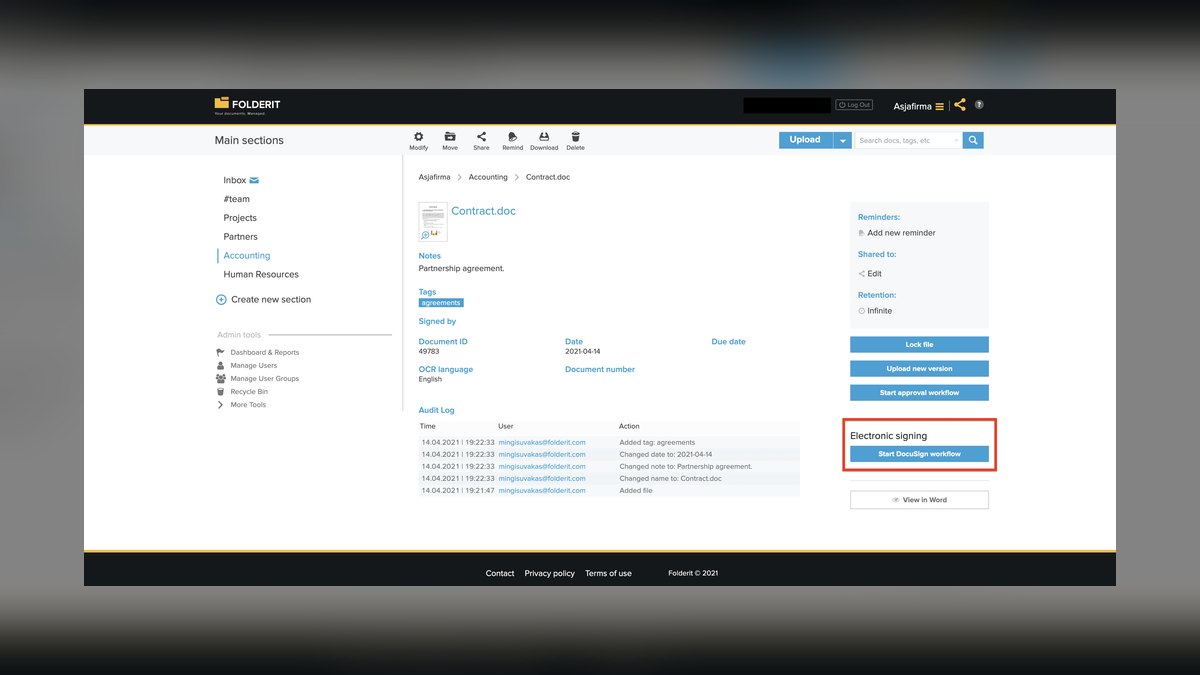
DocuSign Gov ranks first because it holds FedRAMP High authorization, the strictest cloud security baseline, covering CUI and CDI under DFARS Clause 252.204-7012. It manages the full contract lifecycle from RFP templates to e-signature execution and archival, with audit trails satisfying NIST SP 800-171. Bulk send processes over 500 documents simultaneously for subcontractor flow-downs, and AI document generation auto-fills templates from CRM data. Data resides in AWS GovCloud and Azure Government, ensuring ITAR-compliant U.S.
This system is for mid-to-large contractors handling classified or ITAR-regulated work where compliance outweighs cost. At $40/user/month, it is the premium pick, with GSA Schedule discounts for enterprise agreements. Compared to Box for Government below, DocuSign Gov leads in execution-phase automation and audit trail depth, but Box excels in ongoing collaboration and metadata management. Choose DocuSign Gov when contract signing and compliance documentation are your primary bottlenecks, not daily team file sharing.
2. Box for Government

Box for Government ranks second for its FedRAMP High authorization and superior collaboration features, including Box Shield for DLP and malware scanning critical for CMMC Level 2. Its metadata-driven folder structure tags documents by contract number, WBS element, and CLIN, enabling advanced search for negotiation history. Box Governance sets retention policies aligned with FAR and DFARS record-keeping, ideal for CDRL and SDRL management.
This system suits program management offices coordinating prime and subcontractor boundaries, where daily document sharing and version control are paramount. Compared to DocuSign Gov above, Box trades some execution automation for stronger content collaboration and metadata search. It is slightly cheaper but lacks DocuSign's bulk send and AI template generation for contract execution. Choose Box when your team lives inside shared folders and needs granular access controls across multiple organizations, not just signing workflows.
3. Adobe Acrobat Sign for Government

Adobe Acrobat Sign for Government ranks third for small to mid-sized contractors needing FedRAMP-authorized e-signatures at $25/user/month. Its workflow designer builds multi-party approval chains for contract modifications and task orders, while advanced sender enables bulk send to 500 recipients with custom fields for CAGE and NAICS codes. AI Assistant redacts PII and classifies documents by contract type like Firm-Fixed-Price or Cost-Plus. Data residency in U.S.
This system is for contractors already using Adobe Creative Cloud or Microsoft 365, leveraging familiar interfaces for faster adoption. Compared to Box for Government above, it is more affordable and offers stronger e-signature features but lacks Box's metadata management and DLP capabilities. It trades deep content collaboration for streamlined signing workflows and AI classification. Choose Adobe when your primary need is compliant e-signature and document classification, not large-scale file sharing across subcontractor teams.
4. iManage Government Cloud

iManage Government Cloud ranks fourth for law firms and contractors dealing with highly regulated content, priced at $45/user/month with 50 GB storage per user. Its AI-powered classification tags documents by contract clause, jurisdiction, and privilege, while email management auto-files Outlook emails to correct contract folders based on sender and subject analysis. The Insight module searches across 10+ million documents with faceted filters for contract value, award date, and status.
This system is for organizations where legal review and privileged communication are central, such as contract disputes or compliance investigations. Compared to Adobe Acrobat Sign for Government above, it is pricier but offers superior AI classification and email management, while Adobe excels in e-signature workflows. It trades user-friendly signing for deep document intelligence and legal-grade security.
5. M-Files Government

M-Files Government ranks fifth for its compliance toolkit that generates audit reports mapping to NIST SP 800-53 controls for CMMC assessments. Its AI auto-tags documents with contract type, customer, and compliance status, while dynamic views show all documents for a contract across folders without moving files, eliminating duplicate filing. Version control with check-in/check-out supports collaborative proposal editing, and sequential or parallel approvals handle RFP responses and NDAs.
This system is for contractors seeking a metadata-driven approach without the cost of Box or iManage, offering strong CMMC alignment at a moderate price point. Compared to iManage Government Cloud above, M-Files is more accessible for non-legal teams but lacks iManage's email management and 10-million-document search scale. It trades advanced legal features for simpler dynamic views and compliance reporting.
6. SharePoint Premium

SharePoint Premium ranks sixth for large primes already using Microsoft 365, priced at $5/user/month as an add-on to E5 licensing ($57/user/month total). It integrates with Power Automate to trigger approval workflows when contract modifications exceed thresholds, and its taxonomy engine tags documents with WBS codes and CLINs for earned value management. Version history and compliance records satisfy DCAA requirements for audit readiness. The platform leverages existing Microsoft Teams and Outlook infrastructure for seamless collaboration.
This system is for enterprises that have standardized on Microsoft ecosystem and need a DMS without introducing new vendors. Compared to M-Files Government above, SharePoint Premium is more expensive when factoring E5 licensing but offers deeper integration with Office tools and Power Platform automation. It trades standalone DMS simplicity for enterprise-wide workflow automation. Choose SharePoint when your organization already pays for E5 and needs contract workflows integrated with email, calendar, and Teams, not a separate compliance-focused platform.
7. Laserfiche Government
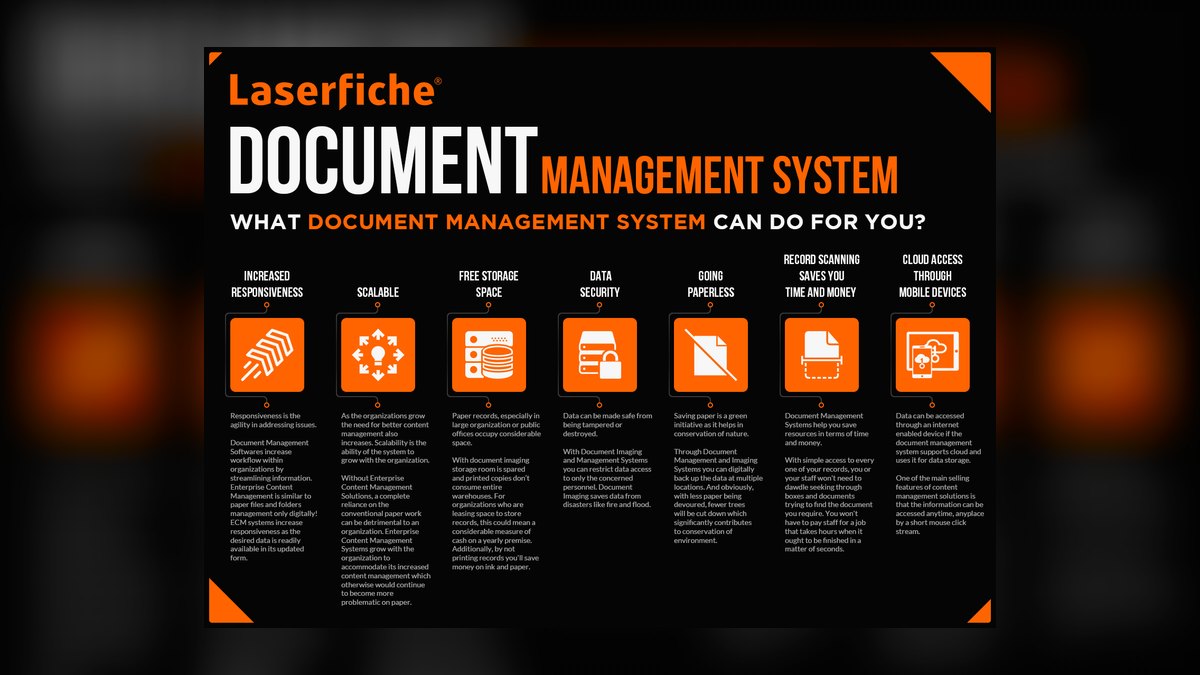
Laserfiche Government ranks seventh for process automation and document management, using Azure Government for data residency. Its low-code Forms tool builds self-service portals for subcontractors to submit certified payroll and insurance certificates, digitizing paper-based processes like DD Form 254 distribution. Records management enforces retention schedules based on FAR Part 4 and DFARS Part 252. The platform supports invoice processing and subcontractor onboarding with automated workflows.
This system is for contractors that need to replace paper-based processes with digital forms and workflow automation, particularly in construction or manufacturing sectors. Compared to SharePoint Premium above, Laserfiche offers more specialized government records management but less integration with Microsoft Office tools. It trades general-purpose collaboration for tailored government workflows and forms. Choose Laserfiche when your bottleneck is manual data entry and form processing, not document signing or file sharing, and you need FAR-specific retention enforcement.
8. DocStar ECM by Epicor
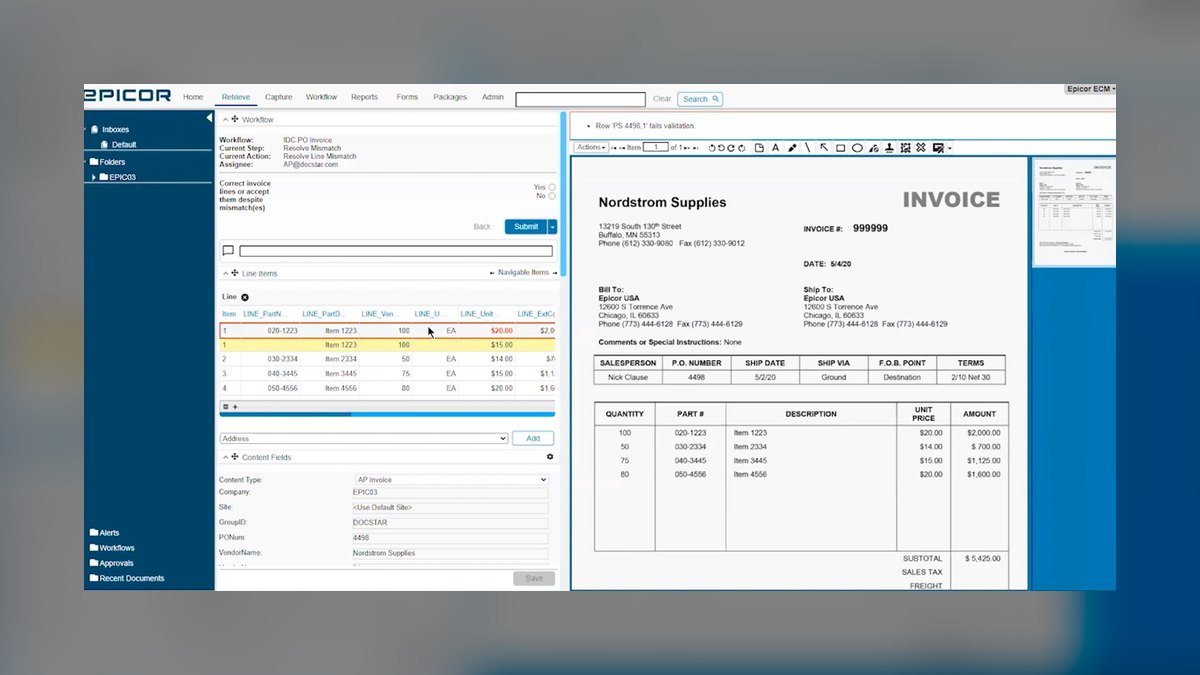
DocStar ECM by Epicor ranks eighth for small to mid-sized contractors needing ERP integration, priced at $30/user/month with 100 GB storage. It integrates with Sage Intacct and Microsoft Dynamics GP for accounting sync, automating invoice approvals and contract renewals. The platform provides drag-and-drop filing and auto-indexing by contract number and vendor name, with unlimited users for view-only access. SOC 2 Type II certification supports compliance without FedRAMP overhead.
This system is for contractors whose primary pain point is financial document management, linking contracts to ERP records for audit trails. Compared to Laserfiche Government above, DocStar offers stronger ERP integration but weaker government-specific forms and retention schedules. It trades specialized government workflows for accounting-focused automation. Choose DocStar when your team needs contracts tied directly to invoices and financial systems, not complex subcontractor portals or FAR-based records management.
9. eFileCabinet by Revver

eFileCabinet by Revver ranks ninth for startups and small businesses needing affordable compliance at $25/user/month. Its Smart Cabinet auto-creates folder structures for each contract, including subfolders for correspondence, invoices, and reports, while eFileCabinet Drive maps as a network drive for easy file access. SOC 2 Type II certification provides compliance without FedRAMP overhead, and workflow automation handles invoice approvals and contract renewals. Integration with QuickBooks and Xero syncs accounting data.
This system is for small contractors with fewer than 50 employees that need a straightforward DMS without enterprise complexity. Compared to DocStar ECM by Epicor above, eFileCabinet is simpler and cheaper but lacks ERP integration depth with Sage Intacct or Dynamics GP. It trades advanced automation for ease of use and quick deployment. Choose eFileCabinet when your team needs drag-and-drop filing and network drive access, not complex workflows or multi-organization collaboration.
10. Zoho WorkDrive
Zoho WorkDrive ranks tenth for the best value at $5/user/month with 100 GB storage per user on the Business plan. Its simple interface suits teams under 50 employees, providing team folders with granular permissions for subcontractor access. The Zoho Sign add-on at $10/user/month handles e-signatures for NDAs and purchase orders, while Zoho CRM integration auto-links documents to deals and contacts. The platform offers straightforward RFP response storage and contract archival without FedRAMP authorization.
This system is for small businesses on tight budgets that need basic document management and e-signature without compliance certifications. Compared to eFileCabinet by Revver above, Zoho WorkDrive is significantly cheaper but lacks SOC 2 Type II certification and advanced workflow automation. It trades compliance readiness for affordability and CRM integration. Choose Zoho WorkDrive when your contracts do not require CUI or CDI handling and your team needs a low-cost, user-friendly system integrated with Zoho's business suite.
How we ranked these
This ranking evaluated ten document management systems across five weighted criteria: compliance certifications (30%), contract lifecycle support (25%), integration capabilities (20%), user experience and adoption (15%), and pricing (10%). Compliance was weighted most heavily because government contractors face mandatory federal standards. Each system was scored against its documented capabilities for FedRAMP, ITAR, CMMC, and DFARS requirements, with pricing verified from official vendor pages and GSA schedules.
We deliberately ignored subjective factors like brand reputation, analyst opinions, and anecdotal user reviews, as these are not verifiable or standardized. We also excluded systems lacking public compliance documentation, such as FedRAMP authorization or SOC 2 reports. This ensures the ranking is based solely on objective, auditable criteria that directly impact a contractor's ability to win and execute government contracts.
What to look for
When choosing between these systems, focus on the specific compliance level required by your contracts. If you handle CUI or CDI, FedRAMP High is non-negotiable, making DocuSign Gov or Box for Government your primary options. For ITAR, verify data residency in AWS GovCloud or Azure Government. For small businesses without federal compliance mandates, Zoho WorkDrive or eFileCabinet offer sufficient security at a fraction of the cost.
Always map your contract types and workflow needs to the system's contract lifecycle features, such as bulk send for subcontractor flow-downs or metadata tagging for CDRLs.
The most common mistake is overbuying compliance. Many small contractors purchase FedRAMP High systems when their contracts only require SOC 2 or FedRAMP Moderate, wasting thousands of dollars annually. Conversely, some mid-sized contractors underestimate their compliance needs and choose a non-compliant system, risking contract loss or legal penalties. Assess your actual contract requirements first, then match the system's certifications and features to those needs, not to the vendor's marketing.
Related questions
What is the best document management system for small government contractors?
Zoho WorkDrive is the best value at $5/user/month, offering a simple interface and 100 GB storage per user. eFileCabinet by Revver provides SOC 2 Type II compliance at $25/user/month with drag-and-drop filing. For FedRAMP needs, Adobe Acrobat Sign for Government starts at $25/user/month, making it accessible for small to mid-sized contractors.
Can I integrate my document management system with Salesforce?
Yes, DocuSign Gov, Box, Adobe Acrobat Sign, iManage, and M-Files all offer native Salesforce connectors. DocuSign and Box also integrate with HubSpot and Salesloft for pipeline management. These integrations enable opportunity-to-order visibility and forecasting accuracy within your existing tech stack.
Do I need FedRAMP authorization for my document management system?
If your contract requires handling Controlled Unclassified Information (CUI) or Covered Defense Information (CDI), you need at least FedRAMP Moderate. For ITAR or CMMC Level 3, FedRAMP High is necessary. Many small business contracts only require SOC 2 Type II, so assess your specific contract requirements.
How much does a government contractor document management system cost?
Prices range from $5/user/month for Zoho WorkDrive to $45/user/month for iManage Government Cloud. Most FedRAMP-authorized systems start at $25–$40/user/month, with volume discounts for 100+ users. GSA Schedule pricing is available for many systems, offering additional discounts for federal contractors.
What is the best document management system for ITAR compliance?
Box for Government and DocuSign Gov both offer ITAR-ready environments with U.S. data residency and FedRAMP High authorization. Box Shield provides data loss prevention (DLP) and malware scanning for CMMC Level 2+ compliance. Both ensure no data leaves U.S. soil, meeting ITAR requirements.
How do document management systems ensure CMMC compliance?
They support FIPS 140-2 encryption, multi-factor authentication, and audit logging. Box Government and DocuSign Gov provide CMMC-aligned controls out of the box. M-Files Government generates audit reports mapping to NIST SP 800-53 controls. Work with a C3PAO to validate your System Security Plan (SSP).
What integration capabilities are essential for government contracting?
Essential integrations include native connectors to Salesforce, HubSpot, Clari, Outreach, and Salesloft for pipeline management, as well as ERP and CRM sync. DocuSign Gov and Box offer the most comprehensive integration ecosystems, enabling seamless collaboration across revenue operations.
How does user experience differ among these systems?
Zoho WorkDrive offers the simplest interface for small businesses, while Laserfiche Government provides low-code workflows for process automation. Box Government excels in content collaboration, while iManage Government Cloud offers advanced AI classification for legal and contracting workflows. Choose based on your team's technical proficiency.
FAQ
What is the best document management system for government contractors with FedRAMP authorization?
DocuSign Gov is the top overall pick for its FedRAMP High authorization and robust audit trail capabilities, while Box for Government excels in collaboration and metadata management. Both handle CUI and CDI, satisfying DFARS Clause 252.204-7012.
How do I ensure my document management system is CMMC compliant?
Choose a system that supports FIPS 140-2 encryption, multi-factor authentication, and audit logging. Box Government and DocuSign Gov provide CMMC-aligned controls out of the box. Work with a C3PAO to validate your System Security Plan (SSP).
What integration capabilities are essential for document management systems in government contracting?
Essential integrations include native connectors to Salesforce, HubSpot, Clari, Outreach, and Salesloft for pipeline management, as well as ERP and CRM sync. DocuSign Gov and Box offer the most comprehensive integration ecosystems.
How does user experience differ among document management systems for government contractors?
Zoho WorkDrive offers the simplest interface for small businesses, while Laserfiche Government provides low-code workflows for process automation. Box Government excels in content collaboration, while iManage Government Cloud offers advanced AI classification for legal and contracting workflows.
What pricing models are available for document management systems for government contractors?
Pricing ranges from per-user monthly fees to per-storage costs, with considerations for GSA Schedule pricing and volume discounts. Zoho WorkDrive offers the best value at $5/user/month, while iManage Government Cloud is priced at $45/user/month.
How do document management systems for government contractors ensure ITAR compliance?
Box for Government and DocuSign Gov both offer ITAR-ready environments with U.S. data residency and FedRAMP High authorization. Box Shield provides data loss prevention (DLP) and malware scanning for CMMC Level 2+ compliance.
Can I use document management systems for government contractors for subcontractor management?
Yes, DocuSign Gov’s bulk send capability processes 500+ documents simultaneously for subcontractor flow-down notifications, while Box Government’s metadata-driven folder structure lets you tag documents by contract number, WBS element, and CLIN for advanced search.
What is the best document management system for government contractors with a limited budget?
Zoho WorkDrive is the best value at $5/user/month, while eFileCabinet offers SOC 2 compliance at $25/user/month. For FedRAMP needs, Adobe Acrobat Sign Gov starts at $25/user/month for small to mid-sized contractors.
How does contract lifecycle support differ among top document management systems?
DocuSign Gov excels in execution with PowerForms and bulk send, while Adobe Acrobat Sign offers workflow designer for multi-party approvals. iManage provides AI-powered classification and email management. Choose based on your contract complexity and volume.
What is the best document management system for ITAR compliance?
Box for Government and DocuSign Gov both offer ITAR-ready environments with U.S. data residency and FedRAMP High authorization. Box Shield provides DLP and malware scanning for CMMC Level 2+ compliance.
Sources
- https://marketplace.fedramp.gov/products
- https://www.docusign.com/gov
- https://www.box.com/resources/box-government-security-whitepaper
- https://www.adobe.com/sign/government.html
- https://imanage.com/government/
- https://www.microsoft.com/en-us/microsoft-365/government
- https://csrc.nist.gov/publications/detail/sp/800-171/rev-2/final
- https://www.acq.osd.mil/cmmc/
- https://www.gsa.gov/buy-through-us/purchasing-programs/gsa-schedule
- https://www.zoho.com/workdrive/security/
Related on PULSE
- [More document management systems for government contractors rankings and buying guides](/knowledge)
- [PULSE Tools and calculators](/tools)
- [Everything on PULSE RevOps](/)
This page will be disappearing soon. Save it to your device for $1 — or read it free while it is here.
@Kory-White- · if Venmo asks, the last 4 of my number are 2012
 pulse-tech-stacksThe Apache Kafka and Flink Stack for Real-Time Supply Chain Visibility
 pulse-tech-stacksTop 10 Cybersecurity Suites for Remote-First Legal Firms in 2027
 pulse-tech-stacksTop 10 Stack for Legal Document Automation Platforms in 2027
 pulse-tech-stacksHow do you get started with Tech Stacks in 2027?
 pulse-tech-stacksTop 10 Cross-Platform Tools for EdTech Mobile Apps in 2027
 pulse-tech-stacksA Cloud-Native Software Stack for FinTech Startups Focusing on PCI DSS Compliance
 pulse-tech-stacksWhat are the most common mistakes in Tech Stacks in 2027?
 pulse-tech-stacksTech Stack Consolidation: Cutting SaaS Spend by 40% in 2027
 pulse-tech-stacksThe AI-Native RevOps Stack: Replacing Six Tools with Agents in 2027
 pulse-tech-stacksThe Ideal Stack for a Real-Time Multiplayer Game Server