
What is the best tech stack for a museum or cultural institution in 2027?
 Curated byKory White · Fractional CRO · Maryland
 PULSEKNOWLEDGE LIBRARY
Quality
Certified

The best museum tech stack in 2027 is a composable one: a collections management system as the record of truth, a IIIF-compliant image server and DAM for media, a headless CMS for editorial, and a modern front-end consuming open APIs. Standards — IIIF, Linked Art — matter more than any single vendor choice.
The outcome you should expect
A museum or cultural institution that assembles this stack correctly should expect three measurable shifts, and it is worth being specific about what each one looks like so you can tell whether the project actually worked.
The first is that your collection stops being trapped. In the pre-composable arrangement, object records live in the collections management system, images live on a shared drive or in a proprietary media module, and the website carries a hand-maintained copy of a few hundred "highlights" that a web editor updated by hand. Every one of those copies drifts. A curator corrects an attribution in the collections system and the website keeps showing the old artist name for two years because nobody remembered the website had its own copy. After the rebuild, the website reads the collections system through an API. The correction propagates. The realistic target here is that the number of places a fact about an object is stored drops to one, with everything else being a cached read of that one place.
The second shift is coverage. Institutions that move from hand-curated highlights to API-driven publishing typically go from publishing hundreds of objects to publishing tens or hundreds of thousands — whatever fraction of the collection has passed rights review and has a minimum viable record. The Rijksmuseum, the Art Institute of Chicago, and the Smithsonian have all published large open-access collections through public APIs, and the pattern is consistent: the constraint stops being web development capacity and becomes cataloguing and rights clearance capacity. That is a much better constraint to have, because it is work your registrars and curators were already doing.

The third shift is that images become reusable rather than re-exported. A IIIF image server serves arbitrary regions, sizes, rotations, and formats of a single master file over a standard URL grammar. That means the deep-zoom viewer on your collection page, the thumbnail in your search results, the crop in your email newsletter, and a researcher's annotation in a completely different institution's viewer all derive from the same master TIFF without anyone producing a derivative file. The operational payoff is that "we need a 1200px version of every image for the new site" stops being a project.
What you should not expect is a traffic miracle on its own. Publishing 200,000 object pages does not automatically produce 200,000 useful search entries; thin records with a title, a date, and no interpretive text tend to be crawled, evaluated as low-value, and largely ignored. The institutions that see real search benefit are the ones that pair open collection data with genuine interpretive writing — essays, provenance narratives, conservation notes — layered onto the object records through the CMS.
What drives that outcome
The mechanism underneath all three shifts is the same: you separate the system of record from the systems of presentation, and you connect them with standards instead of with custom integrations.
Concretely, the layers are these. At the base sits the collections management system — TMS from Gallery Systems is the most widely deployed option in large North American museums, with CollectiveAccess, Omeka S, and CollectionSpace serving smaller and academic institutions. This is where the registrar, the conservator, and the curator work. It holds the object record, the loan history, the location, the condition reports, and the rights status. Nothing else in the stack is allowed to be authoritative about those fields.

Above it sits digital asset management. ResourceSpace is the common open-source choice; several commercial DAM products serve institutions with heavy licensing operations. The DAM's job is to hold master files, track derivative use, carry rights metadata alongside the pixels, and enforce the rules that keep an unclearedness image off a public endpoint. Alongside it — and this is the piece institutions most often skip and later regret — runs a IIIF image server such as Cantaloupe or IIPImage, which turns those masters into standards-compliant tiled endpoints.
Above that sits the API layer. This is where Linked Art matters. Linked Art is a community-developed profile of CIDOC-CRM expressed as JSON-LD, designed specifically so that cultural heritage data can be published as linked data without every institution inventing its own schema. When your object endpoint speaks Linked Art and your image endpoint speaks IIIF, a third party can consume both without a bespoke integration, and so can your own future website when you rebuild it in six years.
The headless CMS — Strapi, Contentful, or a decoupled WordPress via the REST API — handles everything that is editorial rather than curatorial: exhibition pages, visit information, hours, ticketing copy, blog posts, staff bios. The critical design decision is that the CMS references objects by identifier rather than duplicating them. An exhibition page stores the list of object IDs in the show; it does not store copies of their titles.
Finally the front end consumes all of it. Next.js and similar React frameworks dominate because server-side rendering matters enormously for a site whose value proposition is being findable, and because static generation lets you pre-render a large collection at build time rather than paying database cost on every request.
The arrow from the API layer out to third parties is the one that pays off longest. Once your data is standards-compliant, aggregators, researchers, and partner institutions can consume it with no work from you — and that consumption is what turns a website into infrastructure.
Benchmarks and realistic ranges
Budgets in this sector vary by an order of magnitude between a university museum and a national institution, so the useful benchmarks are ratios and durations rather than absolute dollar figures.

Timeline. A full stack replacement — new collections system, new DAM, new API, new website — is a two-to-three-year program at a mid-sized institution, not a nine-month project. The website is the fastest piece and the most visible, which is exactly why it gets scheduled first and why so many of these programs end with a beautiful front end sitting on unreformed data. Sequence it the other way: data cleanup, then collections system, then image infrastructure, then API, then front end. If you must show progress early, ship a small public API over the existing collections data as a wedge. It is cheap, it is genuinely useful, and it forces the data quality conversation to happen at the beginning rather than at the end.
Data readiness. Before you publish, run a completeness audit against a minimum viable record: identifier, title or descriptive name, maker where known, date range, medium, dimensions, credit line, rights statement, and at least one image. Most institutions discover that a large fraction of their records fail this test, often because legacy migrations from card catalogues or early databases dropped fields. Plan for the audit to change your project scope. It usually does.
Rights. Use RightsStatements.org standardized statements rather than free-text rights notes. Free-text rights fields are the single most common blocker to publishing, because a human has to read every one before an image can go public, and at 50,000 records that is not a task anyone completes. Standardized statements let you write a rule: this statement plus this image tier is publishable, that statement is staff-only.
Image capture. For IIIF deep zoom to be worth anything, masters need real resolution. Anything under roughly 1600 pixels on the long edge produces a zoom experience that degrades into mush at the second zoom level, which is worse than not offering zoom. Institutions with large backlogs typically do a tiered approach: high-resolution capture for a prioritized subset, adequate reference photography for the long tail, and honest labelling so users know which they are looking at.
Staffing. The stack described here needs at minimum one person who owns the data model and one who owns the infrastructure, and those are rarely the same person. Institutions that try to run a composable stack with a single generalist developer end up with a stack that only that person understands, and the departure of that person becomes an institutional crisis. If you cannot staff two roles, choose fewer components — a well-run Omeka S installation genuinely serving a small collection is a better outcome than a half-built composable architecture.
Hosting. AWS, Azure, and Google Cloud are all used across the sector; the Smithsonian has publicly pursued a cloud-first strategy on AWS. The differentiator in 2027 is less which cloud than whether you have separated your storage costs from your compute costs. A collection of master TIFFs is a storage problem that grows monotonically forever; a website is a compute problem that spikes with exhibitions. Budgeting them as one line item makes both illegible.
Preservation. Master files belong in a preservation system, not in the DAM. Archivematica is the widely used open-source option built around the OAIS reference model. The DAM is an access system; it is optimized for finding and distributing, not for fixity checking and format migration over decades. Conflating the two is a common and expensive mistake, because it means your preservation strategy silently becomes "whatever backup policy the DAM vendor happens to run."

Risks, edge cases, and failure modes
The composable stack that nobody can operate. The failure mode here is real and common. Composable architecture trades vendor lock-in for integration burden. Every seam between components is a thing that can break, needs monitoring, and needs someone who understands both sides. A small institution with one part-time technologist should probably buy an integrated product and accept its limits. The composable approach earns its keep at the scale where you have a team, and where the cost of a monolith's constraints exceeds the cost of maintaining seams.
The front end that outran the data. A redesign ships, it looks superb, and then curators discover the new object pages expose fields they never intended for public view — internal condition notes, valuations, donor names marked confidential, storage locations. Publishing an API means publishing everything the API exposes, and the default in most collections systems is that internal fields exist alongside public ones with no clear boundary. Build an explicit publication allowlist at the API layer: fields are private unless deliberately marked public. Never the reverse.
Sensitive and restricted material. Cultural institutions hold material where open publication is not simply a rights question. Human remains, sacred objects, culturally sensitive images, and material subject to community protocols all require handling that a technical rights field does not capture. Frameworks like Traditional Knowledge Labels exist precisely because the standard rights vocabulary was built for copyright, not for cultural protocol. Get this into the data model before you publish, not after a community tells you that you have published something you should not have. Retracting from an API that aggregators have already harvested is genuinely difficult.
IIIF served over a slow origin. IIIF image servers do real work per tile request. Serving them without a CDN in front means a single deep-zoom session generates dozens of origin hits, and a moderately popular object page can saturate the server. The fix is standard — cache tiles at the edge, they are immutable by URL — but the failure is invisible in testing and obvious the day a piece gets picked up widely.
Identifier instability. If your public object URLs are derived from a database primary key that changes during a migration, every link anyone has ever made to your collection breaks at once. Mint stable, opaque, permanent identifiers early. Publish them. Never reuse them. This is the single decision with the longest tail: a museum expects to exist for centuries, and a URL scheme chosen carelessly in 2027 is a liability for the whole of that time.
AR and interactive as a stack component. Unity-based AR and sensor-driven in-gallery experiences are legitimate, and institutions including the British Museum have used game engines for virtual and interactive experiences. The failure mode is treating them as infrastructure rather than as exhibition-scoped projects. An AR experience has the lifespan of the show it was built for and the maintenance profile of a mobile app — an OS update can break it, and someone must be funded to fix it or to turn it off gracefully. Budget interactive work with an explicit end-of-life date and an owner, or it will decay in public.

Accessibility deferred. WCAG 2.2 conformance is far cheaper designed in than retrofitted. The specific traps in this sector are deep-zoom viewers that are keyboard-inaccessible, image-heavy pages with empty or auto-generated alt text, and AR or audio experiences with no equivalent alternative. Enforce alt text at the DAM level so the field is populated once, by the person who knows the object, rather than by a contractor at the end of a build.
Analytics and consent. Google Analytics 4 and Matomo are both in wide use; Matomo appeals to institutions with strict data-protection postures because it can be self-hosted. Whichever you choose, a public institution's consent posture is a governance decision with legal weight, not a front-end implementation detail.
AI-assisted cataloguing overpromised. Automated tagging from vision services is genuinely useful for generating candidate terms at volume. It is not a substitute for curatorial description, and machine-generated terms should be stored in a distinguishable field so they can be filtered, audited, and rolled back. The reputational risk of a confidently wrong machine-generated attribution appearing as though it were institutional scholarship is not worth the cataloguing savings.
A practical rollout plan
Run it in five phases, and do not let phase five start before phase one finishes.
Phase one — audit and identifiers, roughly one to two quarters. Profile every field in the current collections data. Count completeness against your minimum viable record. Normalize rights to standardized statements. Mint permanent identifiers and record them in the collections system. Decide, in writing and with curatorial and community sign-off, which fields are ever public. This phase produces no visible output and is the one most often cut. Cutting it is why later phases fail.
Phase two — collections system and DAM, two to three quarters. Migrate or upgrade the system of record. Stand up the DAM with rights metadata attached to assets rather than tracked in a parallel spreadsheet. Establish the ingest workflow so that new photography lands in the DAM with its rights and alt text populated at capture time. Establish the preservation path to an OAIS-compliant repository, separate from the DAM.
Phase three — image and API infrastructure, one to two quarters. Deploy the IIIF image server against DAM masters. Put a CDN in front of it. Build the public API against the publication allowlist from phase one, and shape its output as Linked Art. Ship this before the website. A public API with no front end is already useful to researchers and aggregators; a front end with no API is a dead end.
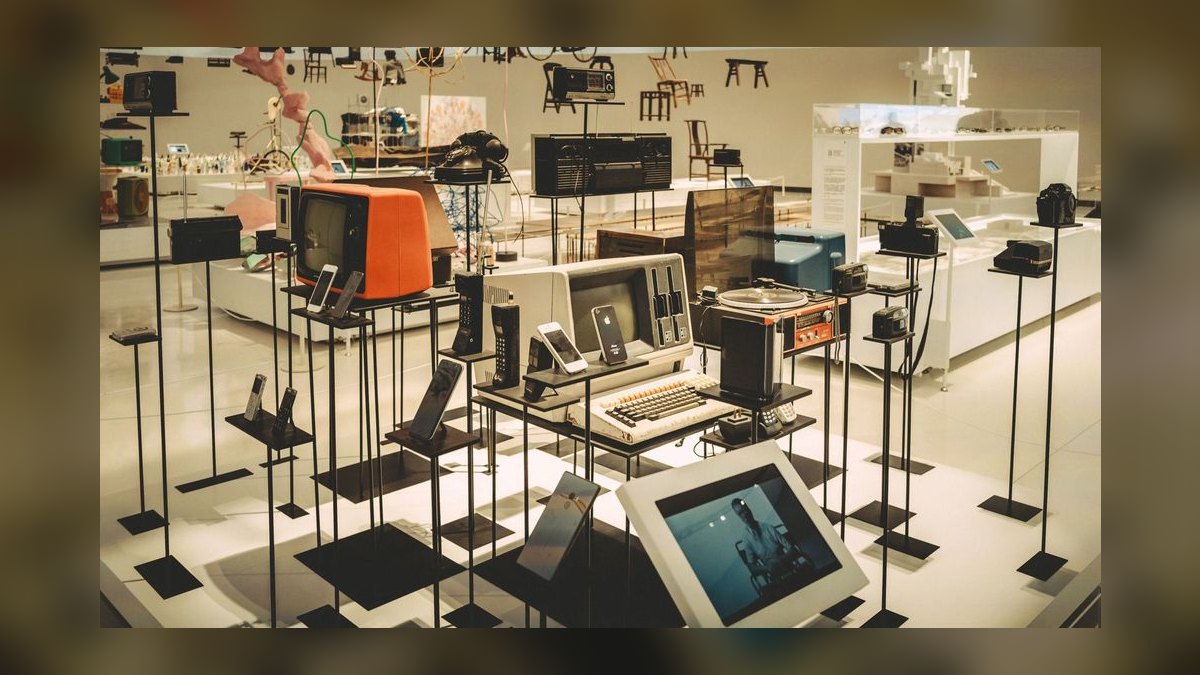
Phase four — front end, two quarters. Build against the API you already shipped. Server-render or statically generate object pages. Instrument accessibility testing in CI so conformance is a build gate rather than an audit finding. Keep the CMS strictly editorial and referencing objects by identifier.
Phase five — experiences, ongoing and separately funded. In-gallery interactives, AR, audio guides, and kiosks are built per exhibition against the same API, with named owners and end-of-life dates.
The two gates in that diagram are the whole discipline of the program. If the publication allowlist is not agreed, you will publish something you should not have. If the API is not stable and documented before the front end starts, the front end will develop private couplings to the API's accidental shape, and the next rebuild will start from zero again.
Related questions
Should a small museum use Omeka S or TMS?
Omeka S if the collection is modest, the team is small, and digital publishing is the primary goal. TMS if you have registrars, loans, complex condition and location tracking, and enterprise workflow needs. Running enterprise software with no one to operate it is worse than running simpler software well.
Is IIIF actually required?
No, but it is the sector's de facto interoperability standard, and adopting it means partner institutions, aggregators, and researchers can consume your images with zero custom work. The cost of adoption is one image server; the cost of not adopting it is a bespoke integration for every partner, forever.
Can we skip the DAM and store images in the collections system?
Possible for small collections. It breaks down when licensing volume grows, when master file sizes strain the collections database, or when rights tracking needs to be independent of object records. Also ensure a real preservation repository exists regardless — the collections system is not one.
How much of the collection should we publish?
Everything that passes rights review and meets the minimum viable record. Publishing thin records with no interpretation adds little search value; prioritize depth on a curated subset alongside breadth on the rest.
FAQ
Does a museum need a headless CMS, or is WordPress enough?
WordPress is genuinely sufficient for many institutions, and running it decoupled through the REST API gives you most of the headless benefit without retraining your editorial team. The reason to move to Strapi or Contentful is multi-channel publishing — when the same content must render on the website, in-gallery screens, and a mobile app — or when you need content modeling more structured than posts and pages. Do not migrate CMS platforms for their own sake; migrate when a specific requirement forces it.
What is Linked Art and why does it matter more than a custom API schema?
Linked Art is a community-developed JSON-LD profile of CIDOC-CRM designed for publishing cultural heritage collections as linked data. It matters because a custom schema means every consumer of your data writes a bespoke parser, which in practice means almost nobody consumes it. A standard schema means aggregators and researchers can consume your collection alongside dozens of others without institution-specific work.
How do we handle accessibility in a stack this image-heavy?
Target WCAG 2.2. Enforce alt text at the point of ingest in the DAM, where the person who knows the object is the one describing it. Verify that your deep-zoom viewer is keyboard-operable and screen-reader-announced, since third-party viewers vary widely. Provide equivalents for audio and AR experiences. Put automated accessibility checks in your build pipeline so regressions fail the build rather than surfacing in an annual audit.
What is the right approach to digital preservation?
Keep preservation architecturally separate from access. Master files go to an OAIS-aligned repository — Archivematica is the widely used open-source option — with fixity checking, format identification, and geographically redundant copies. The DAM holds working copies for distribution. If your only copy of a master lives in the DAM, your preservation strategy is your DAM vendor's backup policy, which is not a preservation strategy.
Should we build a custom collections platform from scratch?
Almost never. The domain is well served by existing products across the size spectrum, and custom platforms tend to survive exactly as long as the developer who built them. Where custom development does pay off is in the thin layers — the public API shape, the front end, an ingest tool for a specific workflow — sitting on top of established systems underneath.
What role should AI play in a 2027 museum stack?
Useful and bounded. Vision models generate candidate metadata at volume, which speeds cataloguing when a human confirms the output. Search relevance and translation are solid applications. Store machine-generated values in fields distinguishable from human-authored ones so they can be audited or reverted. Do not let machine output appear in public as institutional scholarship without review — the credibility cost of a wrong attribution outweighs the cataloguing savings.
Sources
- IIIF Consortium — specifications for interoperable image and presentation APIs.
- Linked Art — community linked data profile for cultural heritage.
- Rijksmuseum API and research resources — public collection API documentation.
- Art Institute of Chicago open access — open API and open-access collection program.
- Smithsonian Open Access — institutional open-access data and media program.
- Gallery Systems — TMS and eMuseum collections management products.
- Omeka S — open-source publishing platform for cultural collections.
- ResourceSpace — open-source digital asset management.
- Archivematica — OAIS-based digital preservation system.
- WCAG 2.2, W3C — web content accessibility guidelines.
Related on PULSE
- [What is the best tech stack for a higher education institution in 2027?](/knowledge/tk0016)
- [What is the best tech stack for a furniture or home goods retailer in 2027?](/knowledge/tk0052)
- [What is the best tech stack for an apparel or fashion brand in 2027?](/knowledge/tk0051)
- [Tech Stack for Independent Restaurants in 2027](/knowledge/tk0276)
- [What is the best tech stack for a residential solar installation company in 2027?](/knowledge/tk0061)
- [Tech Stack for Junk Removal Companies in 2027](/knowledge/tk0321)
This page will be disappearing soon. Save it to your device for $1 — or read it free while it is here.
@Kory-White- · if Venmo asks, the last 4 of my number are 2012
This page is gone.
This one is off the shelf now. $1 keeps it on your phone for good — the whole page, pictures and diagrams included.
 pulse-tech-stacksWhat is the best tech stack for a commercial security & alarm monitoring company in 2027?
 pulse-tech-stacksWhat is the best tech stack for a roofing contractor in 2027?
 pulse-tech-stacksWhat is the recommended Endpoint Detection and Response (EDR) Vendor sales and operations tech stack in 2027?
 pulse-tech-stacksWhat is the best tech stack for an auto parts distributor in 2027?
 pulse-tech-stacksWhat is the best tech stack for a commercial parking operator in 2027?
 pulse-tech-stacksWhat software stack should a Telecom business run in 2027?
 pulse-tech-stacksTop 10 Tech Stacks for a Multi-Location Specialty Retailer in 2027
 pulse-tech-stacksWhat is the best tech stack for a tutoring or learning center in 2027?
 pulse-tech-stacksWhat software stack should a Marketing / Creative Agency business run in 2027?
 pulse-tech-stacksWhat is the best tech stack for a specialty coffee shop chain versus a single independent coffee shop in 2027?