 Pulse Reviews and Analysis
The 10 Best LLM Routing and Load Balancing Tools in 2027
 Curated by Kory White · Fractional CRO, CRO Syndicate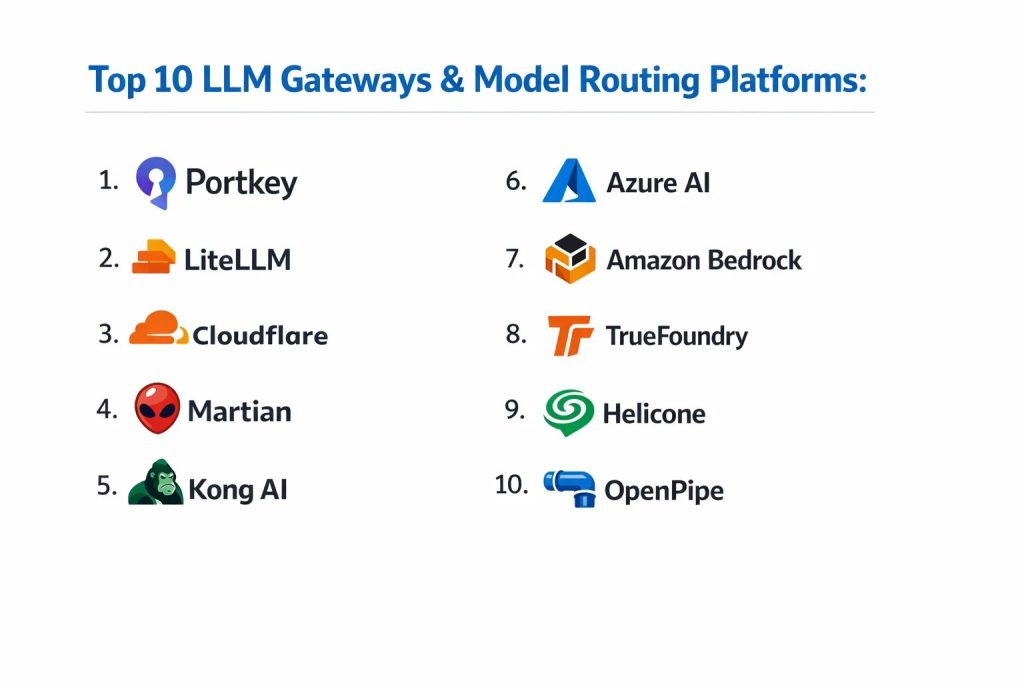
The 10 Best LLM Routing and Load Balancing Tools in 2027
Serious LLM applications never depend on a single model or a single provider. Costs differ by an order of magnitude across models, providers hit rate limits and outages, and the cheapest model that still meets quality varies request by request. LLM routing and load balancing tools sit between your application and the models, spreading traffic across providers and deployments, failing over when one is down, retrying on errors, and routing each request to the most appropriate model by cost, latency, or quality.
The result is lower spend, higher availability, and the freedom to switch models without touching application code. This ranking covers the ten LLM routing and load balancing tools teams rely on most in 2027.
Direct Answer
LiteLLM is the best overall routing and load balancing tool because it unifies 100-plus providers behind the OpenAI API format and ships a production proxy with load balancing, fallbacks, retries, budgets, and rate-limit-aware routing. OpenRouter is the best value because it gives instant access to hundreds of models through one API with automatic fallback and pay-as-you-go pricing — no infrastructure to run.
Your choice depends on whether you want to self-host a proxy, use a managed router, or add intelligent model selection that picks the cheapest model meeting your quality bar.
How We Ranked These
We evaluated each tool on five criteria: provider coverage (how many models and providers it routes across), resilience (load balancing, automatic fallback, retries, and rate-limit handling), routing intelligence (ability to route by cost, latency, or quality rather than round-robin), operability (managed vs.
Self-hosted, observability, budgets, and keys), and ecosystem fit (OpenAI-compatible APIs and framework integration). Because the point of routing is reliability and cost control, we weight resilience and routing intelligence most heavily.
1. LiteLLM 🏆 BEST OVERALL
LiteLLM is the de facto open-source standard for unifying and routing LLM traffic. Its SDK and proxy server translate calls for 100-plus providers (OpenAI, Anthropic, Google, AWS Bedrock, Azure, and self-hosted models) into one OpenAI-compatible interface, and the proxy adds load balancing across multiple deployments, automatic fallbacks, retries, per-key budgets, and rate-limit-aware routing.
It is the layer most teams standardize on for multi-provider reliability.
What it is: open-source LLM proxy and SDK with routing/load balancing. Strengths: massive provider coverage, fallbacks and retries, budgets and virtual keys, self-hostable. Best for: teams wanting a unified, controllable gateway. Pricing/availability: free and open-source; paid enterprise tier.
2. OpenRouter 💎 BEST VALUE
OpenRouter is a managed router that exposes hundreds of models from many providers through a single OpenAI-compatible endpoint, with automatic fallback when a provider fails and transparent pay-as-you-go pricing. Because there is nothing to deploy, it is the fastest way to get multi-model access and resilience, and it lets you switch or compare models by changing a single string.
What it is: managed multi-provider LLM API and router. Strengths: hundreds of models via one key, automatic fallback, no infrastructure, usage-based pricing. Best for: teams that want instant multi-model access without running a proxy. Pricing/availability: pay-as-you-go with a small routing margin.
3. Portkey
Portkey is an AI gateway with a strong routing engine: conditional routing rules, load balancing with weights, automatic fallbacks, retries, and canary deployments, plus built-in caching and observability. It is designed for production teams that want declarative routing configs and full request analytics in one managed (or self-hosted) layer.
What it is: AI gateway with advanced routing and observability. Strengths: weighted/conditional routing, fallbacks, caching, analytics, guardrails. Best for: teams wanting routing plus a full control plane. Pricing/availability: open-source gateway; managed cloud tiers.

Reach Kory White, Fractional CRO: 📅 Book a Quick Call · 💼 Kory on LinkedIn · 🏢 CRO Syndicate
4. Kong AI Gateway
Kong AI Gateway extends the widely deployed Kong API gateway with AI-specific features, including routing and load balancing across LLM providers, semantic routing, rate limiting, and credential management. For organizations already running Kong for their APIs, it brings LLM traffic under the same proven gateway.
What it is: enterprise API gateway with AI routing plugins. Strengths: mature gateway foundation, multi-provider routing, governance and rate limiting. Best for: enterprises standardizing on Kong. Pricing/availability: open-source core; enterprise tiers.
5. Cloudflare AI Gateway
Cloudflare AI Gateway proxies LLM calls at the edge with caching, rate limiting, analytics, and fallback routing across providers. Running on Cloudflare's global network, it adds resilience and visibility with a configuration switch rather than code, and keeps cached and routed responses close to users.
What it is: edge AI gateway with routing and caching. Strengths: global edge, managed, fallback and rate limiting, analytics. Best for: teams wanting a managed edge proxy. Pricing/availability: free tier with usage-based plans.
6. Martian
Martian is a model router that focuses on intelligent routing — automatically directing each request to the model that best balances cost and quality, so simple prompts go to cheap models and hard prompts go to stronger ones. This dynamic selection can cut spend significantly versus always calling a premium model.
What it is: intelligent cost/quality model router. Strengths: per-request model selection, cost savings, single API. Best for: teams wanting automatic cheapest-good-enough routing. Pricing/availability: managed, usage-based.
7. Not Diamond
Not Diamond is an AI model router that learns which model performs best for a given prompt and routes accordingly, optimizing for quality and cost without manual rules. It is aimed at teams that want data-driven model selection rather than hand-tuned routing policies.
What it is: learned, quality-aware model router. Strengths: automatic best-model selection, cost/quality optimization, simple integration. Best for: teams that want adaptive routing. Pricing/availability: managed, usage-based.
8. Helicone
Helicone is primarily an LLM observability proxy, but it provides gateway features including fallbacks, retries, rate limiting, and caching alongside detailed logging and cost analytics. Because it already sits in the request path, teams use it to add resilience and visibility together with minimal changes.
What it is: observability proxy with gateway features. Strengths: logging, caching, fallbacks, cost analytics, easy integration. Best for: teams wanting routing tied to observability. Pricing/availability: open-source; managed tiers.
9. Cloud-native load balancing (Kubernetes + Envoy / NGINX)
For teams self-hosting their own model replicas (for example, multiple vLLM servers), standard infrastructure load balancers — Envoy, NGINX, or a Kubernetes Service/Ingress — distribute requests across replicas. Envoy in particular supports advanced policies, and emerging LLM-aware extensions add token- and queue-aware balancing for inference workloads.
What it is: general-purpose load balancers for self-hosted model fleets. Strengths: proven, flexible, no vendor lock-in, integrates with k8s autoscaling. Best for: teams running their own inference servers at scale. Pricing/availability: open-source.
10. AWS Bedrock / Azure AI Foundry routing
Major clouds now offer built-in routing across their hosted models. Amazon Bedrock provides intelligent prompt routing and cross-region inference for failover and capacity, and Azure AI Foundry supports deployment-level load balancing across model endpoints. For teams committed to one cloud, native routing keeps everything within existing governance and billing.
What it is: cloud-provider-native model routing. Strengths: integrated security/billing, managed failover, cross-region capacity. Best for: single-cloud enterprises. Pricing/availability: part of each cloud's model platform pricing.
How to choose the right routing layer
Decide first whether you self-host or use managed APIs. If you run your own model replicas, you need infrastructure load balancing (Envoy/NGINX/Kubernetes) plus a proxy like LiteLLM for cross-provider fallback. If you consume hosted model APIs, a managed router (OpenRouter, Portkey, Cloudflare) gives resilience with no infrastructure.
Next, decide how smart the routing must be: round-robin and weighted load balancing solve availability and cost-spreading, while intelligent routers (Martian, Not Diamond, or model-selection logic) actively pick the cheapest model that meets quality per request. Finally, prioritize observability and budgets — you cannot optimize routing you cannot see, so choose a layer that logs cost, latency, and errors per model and lets you cap spend with virtual keys.
Frequently Asked Questions
What is the difference between routing and load balancing for LLMs?
Load balancing spreads requests across equivalent endpoints to improve availability and throughput. Routing chooses which model or provider a request should go to based on cost, latency, quality, or rules. Most production tools do both.
How does fallback routing improve reliability?
If the primary model or provider returns an error, hits a rate limit, or times out, the router automatically retries on a secondary provider. This insulates your app from any single provider's outages, which is essential because individual LLM APIs do go down.
Can routing actually lower my LLM costs?
Yes. Cost-aware and intelligent routers send easy requests to cheaper or smaller models and reserve expensive frontier models for hard ones. Combined with caching, this often cuts spend substantially without a meaningful quality drop.
Do I need a router if I only use one provider?
You still benefit. Load balancing across multiple deployments or regions improves availability and helps with rate limits, and a proxy gives you centralized logging, budgets, and the option to add providers later without code changes.
Will a routing layer add latency?
A proxy adds a small hop, usually negligible compared to model generation time, and managed edge gateways minimize it. Intelligent routers may add a tiny selection step, which is typically outweighed by avoiding slow or failing providers.
How do I avoid vendor lock-in with routing?
Standardize on an OpenAI-compatible interface (LiteLLM, OpenRouter, and most gateways provide one) so your application code is provider-agnostic. Then switching or adding models is a configuration change, not a rewrite.
Sources
- LiteLLM documentation: proxy server, routing, fallbacks, and budgets.
- OpenRouter documentation: unified API and model fallback.
- Portkey documentation: gateway routing, load balancing, and canaries.
- Kong AI Gateway documentation: AI routing and rate limiting.
- Cloudflare AI Gateway documentation: routing, caching, and analytics.
- Martian and Not Diamond product documentation: intelligent model routing.
- Envoy Proxy and NGINX documentation: load balancing for self-hosted services.
- Amazon Bedrock intelligent prompt routing and Azure AI Foundry documentation.
People also search for: best llm routing and load balancing tools 2027 · top llm routing and load balancing tools 2027 · top rated llm routing and load balancing tools 2027 · top ranked llm routing and load balancing tools 2027 · highest rated llm routing and load balancing tools 2027 · llm routing and load balancing tools reviews 2027